Hangouts Template (Editable on Google Slides)


- File type
- Google Slide
- Editable
- Yes


- Subject
- Social Skills, Special Resources
- Topic
- Interactive Learning, Digital Technology
- Resource types
- Templates
- Editable
- Yes
From the author
About this resource
The Hangouts Template (Editable on Google Slides)
The Hangouts Template (Editable on Google Slides) is a modern, creative educational tool fashioned to seize student curiosity whilst simultaneously delivering educational merit.
Flexibility & Usability:- Ideal for a diverse range of grade levels due to its customizable feature.
- Can be put to use during entire teaching sessions, incorporated into small group activities or as intriguing homework assignments.
- Adapts across various subjects like social studies or language arts.
- Students can create conversations between novel characters, historical figures or chat exchanges between friends and family in creative writing exercises. This boosts critical thinking abilities and creativity.
This resource combines both digital technology and academics into one effective package.
Resource Package Details:
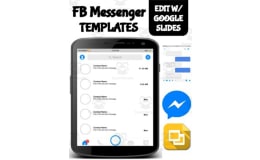
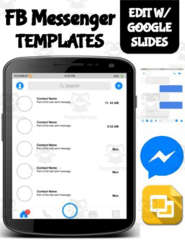
Included in the package are an iPhone App Screen Layout and Android App Screen Layout. It also has a main contact list layout with six varied message layouts that replicate those on Google Hangouts.
All these elements are readily editable via Google Slides in real time but the background remains locked preventing any accidental alterations or deletions by students.Digital & Interactive Accessibility
A stand-out feature is students being able to save their work conveniently as an image format - promoting responsibility over work while ushering traditional classroom tasks into the digital age..
Conclusively, whether you're teaching public school classes remotely due to pandemic-induced changes or homeschooling children individually - The Editable Hangouts Template offers a modern, interactive learning strategy for today's generation.Related resources
More resources teachers may find useful
More resources on the same subject and topic.

In the classroom
Teaching tips & learning objectives

Teaching tips
Students need a Google account and must make their own copy of the slides before they can type in the message bubbles.

No reviews yet
Downloaded this resource? Tell other teachers how it went.
Resource details
Concepts & topics
Core concepts
 Core concepts
Dialogue writing
Character perspective
 Topics
Explore more
Categories this resource belongs to
Explore related searches



More to explore