



2,784 products added recently
Page 804 - Newest Teaching Resources

 Show filters

Parent Contact Form For Social Workers-- Google Forms Sheet
Special Resources, Resources for Teachers, Social Emotional Learning (SEL), Life Skills, Not Grade Specific, Teacher Tools, Assessments, Worksheets & Printables, Worksheets
Parent Contact Form For Social Workers-- Google Forms Sheet This resource acts as a comprehensive and structured tool specifically designed for educators who desire an efficient way to document parent interactions. It aids in managing the daily multitasking involved in education, including essential parent communication. The Parent Contact Form is not just beneficial for public school teachers but also targets homeschoolers, guidance counselors, and social workers. It provides an organized system to record all parent-teacher interaction details - making it favorable during instances where referral to past transactions becomes necessary. Contact Elements: Student's Name Parent's Name Date & Time of Contact (with duration) Method of Communication In addition, there's a dedicated notes section enabling you to capture any crucial details from the discussion. A unique feature that elevates this resource above others is its adaptability with various interaction modes – be it email exchanges or face-to-face conferences - every kind of communication can be tracked using this form. Data Tracking: During year-end reporting periods or unexpected meetings when detailed information about previous parent contacts becomes pertinent, simply explore these forms instead of trudging through muddled heaps. Plus, enjoy seamless data analysis with one-click exports into spreadsheet format! This Parent Contact Form bridges more than just administrative gaps; it works towards magnifying classroom organization and time management effectiveness while solidifying transparent communication linkages between home and school settings. Ideal Usage: During whole group lecturers or discussions where guidelines are set about parent-teacher interactions, In small group activities or events involving multiple parents like PTA meetings, While remotely teaching homeschoolers. Applications: Space for this invaluable tool extends from life skills development classes to special resources planning sessions. This standalone PDF document offers opportunities for improved social-emotional learning and interaction, helping you maintain your focus on the students.
Author The Feelings and Friends Teacher
Tags Parent Contact, Documentation, Communication Log, Organization, Data Analysis

Editable Self-Checking Task Card Template - Digital Resource Vol. 6
Resources for Teachers, Classroom Management, Not Grade Specific, Task Cards, Worksheets & Printables
Engage Students With Editable Self-Checking Task Card Template - Digital Resource Vol. 6 Your search for an engaging and effective teaching tool ends here! Introducing the interactive Editabe Self-Checking Task Card Template - Digital Resource Vol. 6, which promises immediate feedback and is a refreshing departure from traditional homework assignments or tests. This innovative resource encompasses an enticing, 10-question shoe charms task card template, specifically designed for use on Google Sheets. The impressive visuals and gamified format make learning fun and engaging for learners across all grade levels. How It Works Students select answers to each question on the digital task cards. If they choose correctly, their selected option becomes green, and a shoe charm pops up as a reward! If they opt incorrectly, their response turns red signaling them to retry. Versatile & Customizable Content For Every Subject Matter The product's appeal lies in its flexibility; educators can effortlessly tailor content to suit various subjects—mi miniature math equations or science trivia are good examples! The only requirement is inputting your questions with suitable answers into defined fields within the preformatted template. A Comprehensive Guide For Seamless Implementation An inclusive guide with step-by-step instructions ensures that all hardworking teachers can easily set up/use this digital resource without any trouble. And don't worry if you're not tech-savvy — there are videos offering detailed visual support too! Varied Usage Options Fit Different Teaching Methods & Environments Paired With Classroom Instructions: Can be used during lessons to provide immediate feedback while teaching. Group Activity Enhancer: Ideal for educational games in class or individual study at home. The editable Self-Checking Task Card Template is not only a great addition to classrooms but is also a helpful tool for individuals looking for creative ways to create engaging self-checking quizzes using the PowerPoint presentations included in the bundle. So, rid the monotony from traditional lesson supplementation today! Get hands on this revolutionary solution to match up with increasing demand for interactive teaching methods that fit both school environments and homeschooling situations. With customization options included, it ensures teachers have necessary equipments to make their teachings engaging and effective.
Author Digitally Yours Shop
Tags Interactive Learning, Immediate Feedback, Gamified Format, Customizable Content, Versatile Teaching Resource
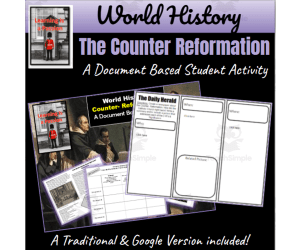
World History | Counter Reformation | Document-Based Student Activity
Social Studies, History, History: World, Grade 7, 8, 9, 10, Activities
World History | Counter Reformation | Document-Based Student Activity This 9-page activity packet, equipped with both Google and Traditional versions, is designed for educators including public school teachers and homeschoolers. It offers an in-depth exploration of how the Catholic Church responded to the Protestant Reformation, known as the Counter-Reformation. Primary/Secondary Sources Learning Method This unique educational resource leverages primary/secondary sources/document-based learning methods. Students are guided through historical documents such as: The proceedings from the Council of Trent Details about the Inquisition An insight into the Society of Jesus (the Jesuits) The Index of Prohibited Books information Promoting Interactive Participation via Comprehension Check Questions Beyond theory learning - this interactive resource encourages participation through comprehension check questions associated with each document which can be answered on paper or orally in discussion groups. To comprehend each concept better; students record pertinent information on graphic organizers related to a central question within context: How did the Catholic Church fight back against the Reformation? Creative Exit Card Activity as a Conclusion Method In conclusion, students utilize notes from their graphic organizers to complete an exit card activity thereby exercising creativity at its best. Versatility across Classroom Structures and File Types This product is designed to accommodate diverse classroom structures like whole group discussions as well individual homework assignments besides supporting multiple file types ensuring no student falls behind due to technical constraints. Note:This product is optimally intended for Grade 7-10 classrooms across social studies curricula. The main focus is world history, making it a effective tool for diving deep into historical analyses and building critical thinking skills.
Author Learning is a Passion
Tags Catholic Church, Counter-Reformation, Protestant Reformation, Primary Sources, Document-based Learning, Which Of The Following Was A Product Of The Counter-reformation?, Reformation Activity
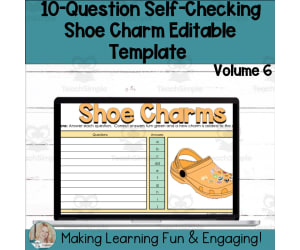
Editable Self-Checking Template - Digital Resource Vol. 6
Resources for Teachers, Classroom Management, Not Grade Specific, Templates, Teacher Tools
Editable Self-Checking Template - Digital Resource Vol. 6 Are you an educator looking for a technique that has the mastery of self-grading, self-checking, and immediate feedback for your students? Look no further than the Editable Self-Checking Template - Digital Resource Vol. 6! This digital interactive tool is pre-formulated and absolute user-friendly; all you need to do is incorporate your content and answers into the customizable area. This resource features a unique mechanism: when students answer questions correctly in this mind-jogging activity , their response turns green while an exciting shoe charm pops up on their screen. However, if answered incorrectly, their answer turns red as an indication that they need to revise. Consisting up-to two answers acceptability feature in its formulated spreadsheet this ivory-tower resource can be seamlessly integrated with any subject area or grade level. The template provides you with space for ten questions per sheet - enough to test basic concepts while engaging learners' interest. A notable feature of this resource clarity and handiness is it comes with detailed instructions both written and video form making it suitable even for those less tech-savvy educators or parents teaching at home who don't have time to learn elaborate setups or intricate programs. Use of Google Sheets The best thing about using Google Sheets? It’s free! All you need is a Google account (also free!), incorporate your content, carry out simple protections procedures as instructed then voila! You're ready to assign interactive self-checking activities right away! This Tool Is Ideal For... Educators seeking novel ways to captivate students’ attention to making lessons lively Teachers needing different methods of differentiation and scaffolding for various learning styles in their classrooms will appreciate its flexibility. Educators interested in classroom management tools that support student autonomy. Therefore, whether you are interested in classroom management tools that support student autonomy or engaging activities used in traditional classroom settings, homeschooling or virtual classrooms; this template offers a versatile solution. Moreover, if you are an educator creating engaging and effective resources for others in your profession — you can't let this opportunity pass to elevate teaching and learning experience. Enjoy less prep time and more 'aha' moments with your students! .
Author Digitally Yours Shop
Tags Interactive, Self-checking, Digital Resource, Immediate Feedback, Customizable

Editable Self-Checking Task Card Template Picture Maze Reveal V1
Resources for Teachers, Classroom Management, Not Grade Specific, Mazes, Worksheets, Worksheets & Printables
Editable Self-Checking Task Card Template Picture Maze Reveal V1: An Overview This ten-question picture reveal maze task card template serves as an innovative teaching resource, incorporating elements of active learning and self- assessment . As students provide correct answers, more of a maze picture is revealed, creating an engaging mix of cognitive stimulation and fun. Key Features: Self-Checking Functionality: Incorrect answers turn red immediately when inputted, fostering independent thinking and problem-solving skills in students by prompting them to spot errors. Versatility & Flexibility: This template can be easily customized according to curriculum requirements. It's ideal for classroom activities, small groups or homework assignments supporting differentiated learning. Tailored Instructional Materials: A step-by-step guide (both written guidelines and video tutorials) is provided to help educators create task cards using a Google Sheets formatted spreadsheets—offering fields that accept up two answers per question setup—and PowerPoint templates. These tools spark creativity while maintaining effective instruction strategy consistency. Digital Accessibility: The resources are conveniently accessible through free Google accounts, facilitating easy integration into existing class structures without the need for additional software or tools. For teacher authors seeking creative ways to develop engaging resources, this adaptable framework is invaluable. To sum it up—the Editable Self-Checking Task Card Template Picture Maze Reveal V1 stands as a versatile tool fit for infusing new levels of engagement and variety into your teaching strategies.
Author Digitally Yours Shop
Tags Interactive Learning, Self-assessment, Task Cards, Engaging Teaching Resource, Digital Resource

U.S. & World History | End of the Cold War | Activity Bundle
Social Studies, History, History: World, History: USA, Grade 8, 9, 10, 11, Activities
U.S. & World History | End of the Cold War | Activity Bundle The U.S. & World History | End of the Cold War | Activity Bundle is an educational resource designed for grade levels 8-11, appealing to educators in both public schooling and homeschooling settings. Its primary focus is on the detailed study of the ending stages of the Cold War, with particular emphasis on pivotal events like the fall of Berlin Wall and the collapse of Soviet Union. This bundle offers a range of activities suitable for implementation within Google's digital environment or traditional methods ensuring flexibility in deploying them as whole group assignments, small group tasks, or even individual homework exercises. Interactive Note-taking Activities A highlight in this bundle is its interactive note-taking activities based on two different themes–the rise and fall Berlin Wall and dissolution Soviet Union. These exercises encourage students to delve into independent research outlining key aspects using provided graphic organizers. Geography: Map Activities Fall-from-Power: Eastern European States: Soviet Bloc Collapse: This activity supplements geographical awareness among students illustrating significant world changes before/after pivotal historical events. Analyzing Primary/Secondary Source Documents About Cold War Conclusions This activity includes an analysis opportunity where students review 13 original documents related to ending phases off Cold War also answering questions about global geopolitics post-Cold-War dynamics focusing particularly on democracy versus totalitarianism dichotomy symbolized by divided Berlin. Eulogy Writing Assessment – An Innovative Pedagogic Approach Listener friendly yet challenging, a unique assessment tool that involves writing eulogies within provided “tombstone” template is included as commemoration to the period marking the end of Cold War. This functional toolkit delivers versatile activity options making social studies engaging for your pupils.
Author Learning is a Passion
Tags Cold War, Berlin Wall, Soviet Union, Primary Sources, Interactive Activities, Cold War Classroom Activities

Editable Self-Checking Template Picture Reveal Maze Digital Resource 1
Resources for Teachers, Classroom Management, Not Grade Specific, Mazes, Worksheets, Worksheets & Printables
Introducing the Editable Self-Checking Template Picture Reveal Maze Digital Resource 1 This innovative tool for educators offers fresh engagement strategies. As a self-grading, self-checking resource it provides instant feedback to students upon submission. This template comes with preformatted features, making it easy for teachers to create individualized activities and assignments by simply inputting their content. The Unique Functionality of the Template The template operates in an unusual way - as students provide correct answers, more of an intriguing picture is revealed. Their answer block simultaneously turns green confirming the correct response; while incorrect responses turn red indicating revision needs. Upon completion, this reveals a fun challenge: finding objects within the maze image. Versatility at its Core Adaptable for any subject area or grade level thus making it suitable for all types of educators - homeschoolers and public school teachers alike. Allows room for up to nine additional questions with two possible answers each making it versatile whether you're conducting whole groups lessons or assigning homework tasks. Included resources: Detailed written instructions that guide users through every step of its application process, AND An instructional video ensuring quick physical demonstration seeing less tech-savvy individuals through without any complexity. Ease-of-Use: The Topmost Feature! Avoiding setup complexities is now made easier - just add your content and some protections before assigning! Also offering seamless adaptability, this is perfect not only in catering different student learning styles but also in significantly simplifying classroom management worries! Note: This resource can be used creatively far beyond the bounds of standalone virtual activity to brainstorming sessions for small groups of students! The Bottom Line Enriching lessons with interactive elements has never been more straightforward than with this customizable Editable Self-Checking Template Picture Reveal Maze Digital Resource 1. However, bear in mind that this product is for personal use only under a single-user license.
Author Digitally Yours Shop
Tags Interactive Learning, Self-grading, Engagement Tool, Digital Resource, Immediate Feedback
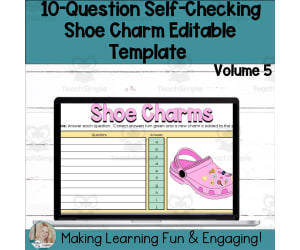
Editable Self-Checking Template - Digital Resource Vol. 5
Resources for Teachers, Classroom Management, Not Grade Specific, Templates, Teacher Tools
Editable Self-Checking Template - Digital Resource Vol. 5 This unique teaching resource is designed to streamline lesson planning and enhance student engagement. This 10-question Shoe Charms Task Card template uses Google Sheets to create an interactive, self-guided learning environment. Detailed Instructions The downloadable digital file includes both written and video instructions to guide you through the use of this versatile resource. For added convenience, the spreadsheet comes pre-formulated. All you need to do is input your own questions and answers suitable for any subject area or grade level. How it works? Students undertake a task using the self-checking system Correct answers turn green with a shoe charm added as reinforcement In case of incorrect attempts, they turn red prompting students for revisions. The opportunity for two different responses per question enhances flexibility of formatting. center > . Versatility in Learning Interactions This tool not only enhances classroom activities but can be utilised for small group or individual homework due to its adaptability across different types of learner interactions. Please Note: You would require a free Google account since templates are set up using Google Sheets – making setup super easy! Follow our video tutorials on how to add content and apply protections. Once done, assigning tasks becomes effortless without any extra preparation time or resources needed! An Ideal Solution For: Educators who desire engaging activities customised according students' abilities across various subjects Educators aiming at creating engaging learner-centric resources. License Information Please note that the license applies solely for personal use within one classroom setting only. Copyright belongs to Digitally Yours Shop 2023. This versatile tool, listed primarily under Resources for Teachers and Classroom Management, is designed to make each learner's education journey more engaging and self-driven!
Author Digitally Yours Shop
Tags Self-checking, Digital Resource, Interactive Learning, Immediate Feedback, Classroom Management

Editable Self-Checking Task Card Template - Digital Resource Vol. 4
Resources for Teachers, Classroom Management, Not Grade Specific, Task Cards, Worksheets & Printables
Introducing the Editable Self-Checking Task Card Template - Volume 4 An innovative digital resource, designed specifically for educators aiming to provide instant feedback for students' learning. This ready-to-use Template allows you to input your set of questions and answers into a pre-developed 10-question shoe charms task card format via Google Sheets. Interactive Learning with Self-Check Feature The unique self-checking feature of this resource transforms learning by making it interactive. Students get rewarded with a charm added onto the virtual shoe for each correct answer, enhancing comprehension and stimulating problem-solving skills. Ease-of-Use and Efficient Monitoring Detailed written instructions included along with a supporting video tutorial. Answers flash green upon correct response and red when incorrect facilitating efficient progress monitoring plus encouraging students' analysis on mistakes before revising their answers Saves Valuable Grading Time This tool cultivates independent learning among students while also saving teachers’ time typically reserved grading work. Versatility Across Class Operations: No grade or subject specificity – this universal educational resource can be used in multiple class settings - simultaneously by whole group learners while small groups or individuals can use within rotation stations or tailored homework assignments specific to different requirement levels . Effortless Setup using Google Sheets & PowerPoint Utility: Functional customizable templates working smoothly on Google Sheets – just plug in your content! A PowerPoint Presentation is also included that aids structured task card creation resulting in more simplicity when preparing classroom resources. Invaluable Tool For Achieving Classroom Success: Indispensable asset towards classroom management success via elevated student engagement levels alongside efficient time-saving practices. Note: This tool may require a free Google account to use efficiently.
Author Digitally Yours Shop
Tags Editable, Self-checking, Task Cards, Interactive Learning, Instant Feedback

Editable Self-Checking Template - Digital Resource Vol. 4
Resources for Teachers, Classroom Management, Not Grade Specific, Templates, Teacher Tools
Editable Self-Checking Template - Digital Resource Vol. 4 Editable Self-Checking Template - Digital Resource Vol. 4 provides a unique teaching resource, facilitating seamless integration of technology into your curriculum . It promises effective student engagement through interactive learning experiences. Flexible User-friendly Design This product comprises a fillable template compatible with Google Sheets that can be customized for any subject area, catering to diverse grade levels. Also referred to as Shoe Charms Template Vol. 4, it allows the creation of self-grading activities encompassing up to ten questions each. An Immediate Feedback Mechanism The distinct feature involves immediate feedback – answers coded green for accuracy and red otherwise. This color-coding facilitates students' instant review and revision in case of errors, thereby enhancing learning retention. A charm gets added onto an interactive graphic shoe image for every correct answer, providing fun-filled positive reinforcement. Ease of Use & Accessibility: Assisting Teachers’ Workload No hefty preparation needed! Input lesson-aligned content into predefined slots within this template; perform some protective formatting steps; digitally assign tasks via any learning management system or even email! Multipurpose Utility: Beyond Formal Classroom Teaching The practicality of Editable Self-Checking Template extends across homeschooling by parents or alternative pedagogical methods devised by private tutors. This resource: Caters towards individual learning preferences effectively, Navigates across devices/platforms, Includes instruction guides, both written and video, Suitable for Classroom Management themes but versatile enough to be adapted across subjects. This resource adds a dash of interactivity to the traditional teaching-learning process.
Author Digitally Yours Shop
Tags Editable Template, Self-checking, Digital Resource, Interactive Learning, Immediate Feedback

Editable Self-Checking Task Card Template - Digital Resource Vol. 3
Resources for Teachers, Classroom Management, Not Grade Specific, Task Cards, Worksheets & Printables
Editable Self-Checking Task Card Template - Digital Resource Vol. 3: Product Description The Editable Self-Checking Task Card Template - Digital Resource Vol. 3 is a revolutionary resource designed to bring a fresh, digital twist to conventional classroom practices. This tool allows educators to create custom, engaging activities that students can self-check. Intelligent Design Features: A Customizable Template: Our product includes a pre-formulated task card template in Google Sheets (Volume 3). All you need to do is add your questions and answers. Educational Games : Students answer questions that reveal charms on their shoes—the correct answers result in added shoe charmers, while the incorrect ones turn red for easy identification and revision. Versatility: The task card template can be used across various subjects and grade levels thanks to its adaptability. Simplicity of Use: With its low-preparation nature, teachers can focus more on effective teaching rather than setup. The product comes with detailed written and video instructions for smooth usage. Differentiation Capability This tool’s unique ability lies in providing immediate feedback—it's an ideal choice for educators who wish to assess student learning levels or customize scaffolding options.This product takes teaching experiences beyond conventional methods! No Cross-platform Logins Required The editable task cards are accessible via free Google accounts, solving the issue of having to manage multiple cross-platform logins — this means less hassle for you! In Conclusion, The Editable Self-Checking Task Card Template - Digital Resource Vol. 3 is an interactive, smartly made tool designed to cater to the modern-day needs of educators. It transitions the teaching journey from paper-centric practices towards a more engaging, digital experience.
Author Digitally Yours Shop
Tags Editable, Self-checking, Task Cards, Digital Resource, Interactive
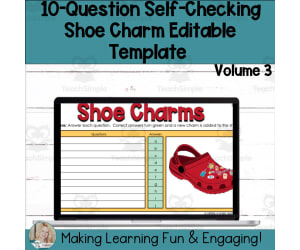
Editable Self-Checking Template - Digital Resource Vol. 3
Resources for Teachers, Classroom Management, Not Grade Specific, Templates, Teacher Tools
The Editable Self-Checking Template - Digital Resource Vol. 3 Eliminate the hassle of creating engaging, self-grading activities for students with our tool. The Editable Self-Checking Template - Digital Resource Vol. 3 combines best teaching practices and cutting -edge technology to drive student engagement and enhance classroom management. Main Features: Built on the Google Sheets platform 10-question shoe charms task card template Automatically grades responses and provides immediate feedback Cute charm incentive system for correct answers Prefabricated—teachers only need to input their questions and answers (applicable for any subject or grade level) This resource offers unparalleled convenience: design your content once, protect some cells from being edited by students (instructions provided), then use it again and again. Included Instruction Materials: Detailed written instructions A video guide for implementation (helpful especially visual learners among educators) An additional PowerPoint presentation on task card creation—useful when different groups of students are working concurrently on particular task sets. No matter what type or level of education you offer, whether you're crafting differentiated expected outcomes based on individual learner needs or providing immediate response-driven feedback—the Editable Self-Checking Template - Digital Resource Vol. 3 offers an innovative solution for creative classwork. License & Copyright Notice: Please note that purchase grants usage rights solely for the purchaser; personal use only (a single-user agreement). Please respect copyright laws and refrain from distributing, selling, or replicating this resource in any form. All rights reserved © Digitally Yours Shop 2023.
Author Digitally Yours Shop
Tags Self-checking Template, Digital Resource, Google Sheets, Task Card Creation, Immediate Feedback

Editable Self-Checking Task Card Template - Digital Resource Vol. 2
Resources for Teachers, Classroom Management, Not Grade Specific, Task Cards, Worksheets & Printables
Editable Self-Checking Task Card Template - Digital Resource Vol. 2 Editable Self-Checking Task Card Template - Digital Resource Vol. 2 is an innovative teaching tool designed to actively engage students in a personalized learning journey. This versatile digital resource allows teachers to create self-grading and self-checking student-centered activities, offering an elevated level of interactive learning. The product works by turning correct student answers into green signals, adding delightful shoe charms onto a virtual shoe as inventive rewards to mark progress achieved in their studies. Conversely, incorrect responses are flagged with red alerts providing constructive feedback for students to rectify and enhance their understanding by recognizing and fixing the errors made throughout the learning process. Simplicity and Accessibility This user-friendly template uses Google Sheets software and only needs a free Google account for access making it globally usable regardless of the subject or grade level taught. It simplifies task card creation with its pre-configured template that becomes ready-for-use after inserting relevant questions and answers conforming to your curriculum specifications. Detailed written instructions along with video tutorials are included within the product itself. A PowerPoint toolkit aiding you in designing engaging presentations that align with your lesson plans or assignments readily available for your convenience. Tailorable Educational Tool This comprehensive teaching resource can be adapted across various file formats catering improved classroom management techniques as well as different types of activities; from individual tasks due to its self-checking property encouraging independent study ; small group projects fostering collaborative learning: ensuring knowledge absorption effectively addressing educational goals.
Author Digitally Yours Shop
Tags Self-grading, Interactive Learning, Digital Resource, Task Cards
Editable Self-Checking Template - Digital Resource Vol. 2
Resources for Teachers, Classroom Management, Not Grade Specific, Templates, Teacher Tools
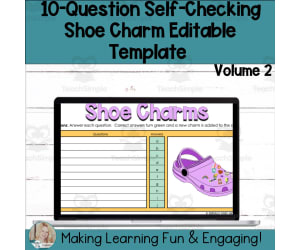
Editable Self-Checking Template - Digital Resource Vol. 2 The Editable Self-Checking Template - Digital Resource Vol. 2 is an innovative teaching tool designed to energize learning and simplify grading. This 10-question Shoe Charms template for Google Sheets enhances student engagement while minimizing your workload. How it Works? In this self-checking activity , students answer questions to gradually uncover different shoe charms. Correct answers turn green on the system, appending a shoe charm to the digital footwear depicted in the task. Conversely, incorrect answers are highlighted in red prompting them to revisit their responses. The beauty of this resource is its adaptability - Educators can customize it for any subject or grade level. The creative potential of this tool is vast with its pre-formulated framework that allows you to simply infuse your desired content (questions) and corresponding answers sparhing unique assignments tailored for your class dynamics each time. All one requires is a free Google account with Google Sheets. The inherent simplicity reduces prep-time dramatically: just fill in your assignment details, set some protections as needed, and voila! Your engaging self-assessing assignment stands ready for dispersal among eager students! Potential Users: Educators seeking engaging educational activities Educators inclined towards differentiation within their classrooms; Ones looking for instant feedback mechanism; Homeschoolers diligently ensuring each child's individual academic progress; Note however that license entails personal use only preserving copyrights solely with Digitally Yours Shop 2023. In its essence, the Editable Self-Checking Template - Digital Resource Vol. 2 is more than just a tool; it's a dynamic educational platform capable of seamlessly integrating with your teaching methods to enhance student understanding, participation and achievement.
Author Digitally Yours Shop
Tags Self-checking, Digital Resource, Engagement, Immediate Feedback, Customization, Appreciating Dance 4th Edition Ebook, Phy Ed Class Clipart, Kwanzaa Crafts For Preschool

Editable Self-Checking Task Card Template - Digital Resource Vol. 1
Resources for Teachers, Classroom Management, Not Grade Specific, Task Cards, Worksheets & Printables
Editable Self-Checking Task Card Template - Digital Resource Vol. 1 The Editable Self-Checking Task Card Template - Digital Resource Vol. 1 is an exceptional teaching tool that incorporates both student engagement and eases the grading process for educators. This resource is created with Google Sheets and includes a shoe charms task card template, wherein teachers can insert their own questions and answers. Built to provide instantaneous feedback, students will answer questions to unveil additional shoe charms attached to each correct response. If a student gets an answer wrong, it turns red signaling them to review their answers. Versatility and Convenience of use The product's dynamic nature allows it to be used for any subject area at any grade level in various settings such as group discussions, small group activities or even homework assignments. No preparatory requirements: Teachers only need to input relative content into the template before assigning it for student use thereby saving a considerable amount of time. Detailed Instructions Provided: Users find comprehensive instructions provided in written form as well as instructional videos on how best to utilize this resource alongside PowerPoint presentation templates designed for creating task cards. E-Learning goals achievable with this Template Incorporating modern e-learning techniques within traditional classroom structure brings fruitful outcomes such as: Aiding differentiation among students at varied learning stages. Promoting independent thought processes among students. Achieving high levels of engagement while keeping track of individual progress through instant feedback mechanisms. Note: The only requirement is free access to Google Sheets (which is widely available). Final Remarks This product promises a rewarding academic experience in managing classroom dynamics effectively, making it a valuable addition to your educational toolkit. It is developed to ease a teacher's workload while increasing student engagement.
Author Digitally Yours Shop
Tags Interactive Learning, Self-checking, Digital Resource, Task Cards, Immediate Feedback

Editable Self-Checking Template - Digital Resource Vol. 1
Resources for Teachers, Classroom Management, Not Grade Specific, Templates, Teacher Tools
Editable Self-Checking Template - Digital Resource Vol. 1: An Educator's Tool The Editable Self-Checking Template - Digital Resource Vol. 1 is an innovative tool for educators seeking to combine fun and learning in their teaching methods. This resource not only engages students interactively, but also streamlines the grading process with its dynamic features. Key Features: An easy-to-use, customisable 10-question task card template suitable for any subject or grade level. Interactive elements that turn learning into a game-like experience wherein correct answers reveal charms on a shoe and are indicated in green; incorrect answers turn red, urging learners to review their responses. The intuitive format of Google Sheets ensures ease of use even for those not entirely comfortable with technology. Note: This digital resource is optimised for use via Google Sheets and thus requires free access to a Google account. The resource includes comprehensive written as well as video instructions on its usage. Additionally, it also provides PowerPoint material that aids in creating perfect task cards! With capabilities like automatic grading within its software structure, this template reduces manual work while increasing responsiveness towards tracking student progress. Its digital nature allows assignments to be quickly assigned – making it ideal for both classroom settings as well as distant learning scenarios. Suitable For: This utility can prove beneficial for various educational setups – traditional classrooms with large student numbers; homeschooling environments employing flexible teaching styles or situations involving teaching groups with different learning levels. If progressive techniques in classroom management are your interest area then this tool could be your aid! Please Note: This product is intended only for personal use under single user license. Digitally Yours Shop retains all copyrights. The design of the tool is generic enough to cater to varied grade levels and subjects. Teachers as well as those interested in effective classroom management would find it extremely useful. Supported File Types: The resource supports multiple file formats for an easy user experience. This solution offers a smart, interactive, and engaging method of testing students' understanding of taught concepts - Because learning doesn't have to be boring!
Author Digitally Yours Shop
Tags Interactive, Self-grading, Digital Resource, Educational Technology, Task Cards

Editable Self-Checking Two of a Kind Task Card Template Activity V2
Resources for Teachers, Classroom Management, Not Grade Specific, Task Cards, Worksheets & Printables
The Editable Self-Checking Two of a Kind Task Card Template Activity V2: An Interactive Tool for Varied Learning Approaches This innovative resource is aimed at educators interested in unique ways to present content and evaluate student comprehension across all subjects and grades. What makes this so special is its self-grading feature, offering immediate feedback to students as they work through the task cards. Correct answers light up green, revealing parts of a hidden picture, Inaccurate answers turn red, indicating that a revision is required. Much like an instant tutor, students are empowered by this guidance. The template contains 16 question fields and can be efficiently integrated into Google Sheets for easy content input - questions plus their corresponding answers. Not only does it accept two answer formats for differentiation but also comes with clear instructions both in written format and video tutorial - ensuring simple initiation! Versatility & Convenience: While this resource holds immense value for educators wanting to design entrepreneurially-minded exercises or assignments, it isn’t just limited to teachers but also beneficial for homeschoolers or private tutors managing different grade levels simultaneously due to its adaptability. It being 'low-prep' nature means after inserting your material into the template fields provided on Google sheets file included - it becomes instantly ready-to-use! Potential Implementations: Individualized learning tasks, Exercises done in pairs or small groups, Cross-application as homework assignments. Bonus Offering: Make the most of The Editable Self-Checking Two of a Kind Task Card Template Activity V2 – invest exactly where there will be the greatest impact: in your students' active, engaged learning experiences.
Author Digitally Yours Shop
Tags Interactive Learning, Self-checking, Task Cards, Google Sheets, Differentiated Instruction
Social Work Goal Tracking Form & Data Collecting Form
Special Resources, Resources for Teachers, Social Emotional Learning (SEL), Life Skills, Not Grade Specific, Teacher Tools, Assessments
Social Work Goal Tracking Form and Data Collecting Form: A Sterling Educational Resource The Social Work Goal Tracking Form and Data Collecting Form is a beneficial tool to managestudent progress tracking and skill development. It is a life-saving resource for teachers, school social workers, homeschoolers or any educators dealing with life skills teaching or social-emotional learning instruction. Built-in automation features: Digitally formatted as a Google form. Simplifies the task of tracking more abstract areas of learning associated with social-emotional education. Ease in collecting relevant information during instructional sessions efficiently. Utility in Diverse Educational Settings: Whether used during wholesome group lessons, individualized instructions or home assignments, this goal-tracking system acts an effective documentation system providing assessment on various fronts for competitive learning environments. Intricate Features: Maintains record not just goals but five trials per goal just single click each time! No manual calculations needed hence saving you time that could be reinvested into other teaching activities. A User-Friendly Design Leading Towards Effective Pedagogy: An easy-to-use drop-down menu allows specificchoice of goals - fully customizable to suit varied scenarios. Apart from recording developments & accomplishments achieved outside regular class hours there also are listed sections crystal-clearly categorising different data types as per desired requirements- all set upfor user-friendly experience providing simple yet effective pedagogical design! In summary,this versatile educational tool ensuressmooth transition points making the interaction between social workers & teachers much more interactive than ever - ensuring no student falls behind due to 'gray' area issues going overlooked, satisfying tracking goal progress & data collection necessities in an efficient and effective manner.
Author The Feelings and Friends Teacher
Tags Social-emotional Learning, Goal Tracking, Data Collection, Progress Monitoring, Documentation

Social Developmental Study Form For Social Workers With Data Assessmen
Special Resources, Resources for Teachers, Classroom Management, Social Emotional Learning (SEL), Life Skills, Not Grade Specific,
Are you looking for a form that helps you to complete your Social Developmental Study? This is the form for you! As a new school social worker or counselor, conducting IEP evaluations can be a tricky feat! Don't let the IEP evaluation process get you down, with a done-for-you social developmental study template ! This template includes different sections such as Family composition, and includes guiding questions that help your parent interview run smoothly. Sections Included: ⭐Contact information -- This is where you would type in the student's information including the parent's names and the days you met with the parents/guardians to complete this social history. ⭐Presenting Problem -- States the reason that a social work domain was opened and any areas of concern with the student ⭐Assessment Components --State everything that was involved in your assessment of the student ⭐Family Structure & Composition -- Portion of the parent/guardian interview with guiding questions you can ask the caregiver that will give you a more inside look at their family dynamics ⭐Adaptive Behavior & Individual Adjustment --Portion of the parent/guardian interview with guiding questions you can ask the caregiver that will give you a more inside look at the students daily living skills, routines, and more ⭐Health Concerns & Medication --Portion of the parent/guardian interview with guiding questions you can ask the caregiver that will give you a more inside look at the students health history, concerns, and more ⭐School History/Functioning --Portion of the parent/guardian interview with guiding questions you can ask the caregiver that will give you a more inside look at their past school performance and also includes spaces for the teacher and student interview ⭐Impressions --This is where you would document any impressions you received from the observations conducted ⭐Recommendations -- This portion is pre filled in where you would state that the results will be discussed at the meeting date. ⭐Assessment Results --This is where you document what assessment you used, what it measures, and results of scoring. If student ranked anything other than average, put a brief description of what that could mean for the student If you want an efficient way to gather all the data for your social work assessment, this is the form to use!
Author The Feelings and Friends Teacher
Tags School Counseling Forms, School Social Work Forms, Social Developmental History, Evaluation Forms, Family History Forms, Iep Evaluation, Iep Forms

IEP Note Template For Social Workers & Counseling
Special Resources, Resources for Teachers, Social Emotional Learning (SEL), Life Skills, Not Grade Specific, Templates, Teacher Tools
IEP Note Template For Social Workers & Counseling: An Outstanding Teaching Resource The IEP Note Template is an excellent teaching resource for educators tasked with providing social services and counseling within a school setting. This tool assists in managing case notes both efficiently and systematically, making record keeping meaningful. Quick Accessibility, Streamlined Record-Keeping Being a digital form, this template can be readily accessed from anywhere in the school premises. It records crucial data such as session lengths, modalities utilized during the sessions, and monthly minute requirements per student. Premium Features Methodical Monitoring: One of the major benefits of this template is its methodical tracking of each student's progress on their respective IEP goals. Invaluable Insights: The cumulative data over time provides irreplaceable insights into each student's growth journey - insights that can further guide interventions as needed. Versatility: Its structured yet flexible layout makes it highly adaptable to various educational settings - one-on-one guidance sessions or even small group workshops centered around social emotional learning or life skills discussion circles. An Organizational Tool & Assessment Instrument Beyond being merely a note-taking aid, it serves doubly as an organizational tool that aids efficient classroom management and triply as an assessment instrument that contributes to comprehensive student development monitoring. A Ready-to-use Google Docs Resource This teaching resource comes ready-to-use via Google Docs catering not just to traditional public school teachers but even home-based educators looking after special needs learners.
Author The Feelings and Friends Teacher
Tags IEP, Note Template, Social Worker, Counseling, Student Progress, Counseling Note Template

Digital IEP Caseload Forms For Social Workers
Special Resources, Resources for Teachers, Social Emotional Learning (SEL), Life Skills, Not Grade Specific,
Product Description: Digital IEP Caseload Forms For Social Workers The Digital IEP Caseload Forms are an excellent teaching resource designed to simplify the process of managing your Integrated Educational Program (IEP) caseload. They are especially useful for dedicated educators, including public school teachers and home educators with differently-abled students. An Immersive Digital Resource This resource is constructed as a digital caseload management tool, providing an ideal blend of functionality and accessibility for social workers involved in curating specialized educational programs for children. Comprehensive Layout The 'IEP/504 Caseload Form' provides vital information about a student’s eligibility standing, case manager details along with information about additional services received by them. 'Gen-Ed Student Form' focuses on generic education students receiving specific services like case management or individual lessons. 'Year Long Evaluations List': This section allows real-time monitoring of evaluations carried out throughout the academic year. 'Changes To Caseload Form': Record any changes such as new arrivals or departures that occur during the year using this form. Focused educators who prioritize leaving no child behind due to missed tracking opportunities will find this resource indispensable! Crafted attentively using Google Sheets format; this educational tool echoes precision and ease in managing IEP caseloads.
Author The Feelings and Friends Teacher
Tags Digital Forms, IEP Caseload, Caseload Management, Special Education, Social Workers

Lines Poster Handout
Creative Arts, Art, Fine Arts, Not Grade Specific, Posters, Classroom Decor
This is a simple and helpful poster or handout with all the different types of lines. Hang it up on the wall or hand it out to your learners when they are creating a drawing or art work. Lines are essential in drawing and can really bring a picture to life. A line is an important element of art and is used in many forms of art such as drawing , painting, graphic design, or photography. What is a line? A direct definition of a line is an extended dot in space that is continuous and varies in size, weight, and value. What are the uses of line in a drawing ? There are many benefits to using lines in a drawing that include (but is not limited to) using it as expressive elements such as showing emotion or showing weight such as thin or thick lines. Included in this download: 1 Lines Poster. For Personal and Educational Use Only. Like this resource? Check out drawing activities to use with this poster or handout in your classroom or homeschool learning day! Copy Cat (Echo Art) Drawing Prompts Fox In a Mug Creative Activities Roll and Draw a Circle Reindeer Keyhole Drawing Prompts Imagination Workout Set 1 Drawing Prompts For more creative ideas: Visit Doodle Thinks Website Thank you for downloading Doodle Thinks resources and have fun creating!
Author Doodle Thinks
Tags Lines, Poster, Worksheets, Lines Poster
Editable Self-Checking Two of a Kind Template Digital Activity Vol. 2
Resources for Teachers, Classroom Management, Not Grade Specific, Templates, Teacher Tools
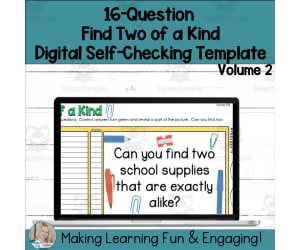
Editabe Self-Checking Two of a Kind Template Digital Activity Vol. 2 An ultimate hands-on solution for educators, providing an efficient way to engage students and streamline assessments dynamically. Resource Features: 16-question template: Designed with Google Sheets, it is ideal for students across all grades and subjects. Interactive self-checking: Promotes independent learning by offering immediate feedback on responses. Versatility in Complexity: The template accommodates up to two answers per question - the difficulty level can be adjusted as needed. Achievement Reward: Find Two of a Kind A rewarding 'Find Two of a Kind' activity is unlocked upon answering all questions correctly. Increases excitement and maintains student engagement throughout the task completion. Ease-of-use & Accessibility: Contact add your content & solutions to the pre-formulated template. Accompanied by detailed written and video instructions, no previous knowledge of Google Sheets is required! Suitable Across Multiple Subjects & Grades This dynamic tool offers value addition across any subject area - from mathematics equations to English grammar points, or even scientific problems! Differentiate Instruction Effortlessly The tool makes it easy for you to plan differentiated instructions based on individual learning capacities thus enriching your curriculum! It fits perfectly well into daily lesson plans or homework assignments alike!
Author Digitally Yours Shop
Tags Interactive, Self-checking, Digital Activity, Google Sheets, Engagement

Editable Self-Checking Find and Count Task Card Template Activity V1
Resources for Teachers, Classroom Management, Not Grade Specific, Task Cards, Worksheets & Printables
Editable Self-Checking Find and Count Task Card Template Activity V1 This revolutionary tool brings a new dynamic to traditional learning exercises. Ideal for promoting independent learning, it provides instant feedback that enhances the entire learning experience. Specifically designed for integration with Google Sheets, this innovative 10-question task card template enables teachers to develop custom questions tailored to any subject or grade level. Its unique educational treasure hunt feature helps students stay engaged and retain information effectively. Self-checking mechanism: Upon entering a correct answer, it appears in green letting students know they can proceed. Incorrect answers turn red, signaling the need for revision. PowerPoint presentation facility: This allows educators even greater flexibility when creating task cards that can be used in various teaching scenarios—be it whole class instruction or personalized homework assignments. User-friendly setup The package also includes easy-to-follow instructions and video guides on setting up content protection levels before projecting tasks onto students' screens. The tool requires minimal preparation time, making it very user-friendly. Tailored especially towards educators who value differentiated instruction methods, this resource skillfully targets multiple subjects while offering immediate diagnostic responses that increase classroom efficiency. The Editable Self-Checking Task Card Template Activity V1 — Your Strategic Advantage This single-user license product is an ideal solution for passionate professionals seeking out-of-the-box techniques to actively involve learners while enhancing competencies through real-time review of performance outcomes—all done smoothly across multiple file formats for universal accessibility!
Author Digitally Yours Shop
Tags Interactive Learning, Self-checking, Task Cards, Digital Tool, Student Engagement