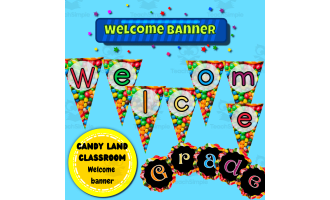
Behavior Clip Chart in Candy Land Theme - 100% Editable


- Grades
- K–5
- Pages
- 8
- File type
- Microsoft PowerPoint
- Editable
- Yes


- Subject
- Classroom Management
- Topic
- Behavior chart, Candy Land theme
- Resource types
- Classroom Decor, Charts, Teacher Tools
- Editable
- Yes
Product description
From the author
Candy Land Behavior Clip Chart - Fully Customizable Decor
Set up a classroom behavior display with this Candy Land clip chart. Customize every element of this cheerful PowerPoint template to match classroom goals. Easily edit text, swap out clip art graphics, rearrange components, and more using built-in PowerPoint tools. Set clear expectations and reinforce positive behavior through this vibrant visual aid. Implement as a whole-class system or for individual student encouragement at any grade level. This editable design allows flexibility to tailor the clip chart to any classroom's unique needs. Introduce the chosen labels and explain how the class will use the chart.
Related resources
More resources teachers may find useful
24 related resources were found using this product's title, contributor, categories and tags.


In the classroom
Teaching tips & learning objectives

Teaching tips
Print the four chart slides, cut apart the paired sections and assemble the seven panels vertically — one 10.5 x 8 in panel plus six 10.5 x 4 in strips make up the stated 10.5 x 32 in column.
Scale the column at print time to suit the wall — print a sample to check the chosen scale and legibility.
Recolour the candy clipart or the background pattern to line up with other Candy Land decor already on display, rather than replacing the graphics.
Good to know
Questions teachers ask about this resource
Can I replace the behavior labels with my school’s wording?
Yes. The source instructions explain how to edit text and design elements in PowerPoint or Keynote.
Are the movable clips included?
No physical clips are supplied. Add clips or name markers from your classroom supplies after printing and assembling the sections.

No reviews yet
Downloaded this resource? Tell other teachers how it went.
Resource details
Concepts & topics
Core concepts
 Core concepts
Behaviour clip chart
Classroom management
Positive behaviour system
Customisable template
Candy Land theme
 Topics
Explore more
Categories this resource belongs to
Explore related searches
More to explore
You may also like