



Candyland Classroom Decor – Editable Bundle


- Grades
- Preschool, K–5
- File type
- Multiple File Types
- Editable
- Yes


- Topic
- Candyland classroom, Editable decor
- Resource types
- Teacher Tools, Templates, Posters, Classroom Decor
- Editable
- Yes
Product description
From the author
This zip file contains coordinated printable materials to create a Candy themed classroom. Inspired by the old board game "Candyland" these printables have a game board feel that can easily tie in with a few different game/ candy themed classrooms.
Perfect for most grade levels, teachers can print everything out in color- best done on card stock for some items such as calendar cards. Also, Items such as number lines are created to be printed on 8.5x11 paper since that's what we would normally have at school/home. The number line can be easily printed out, taped together, and then laminated.
The bundle contains PDF and PowerPoint files. Several components have both versions, while others are supplied only in PowerPoint.
The Powerpoint files are technically editable because you can add a text box and add whatever font you'd like! The PDFs are only editable if you have a PDF editor installed on your computer.
This classroom set of Candy themed materials includes the following items, with style choices varying by component:
- "Welcome Back" banners (includes K-5th grade)
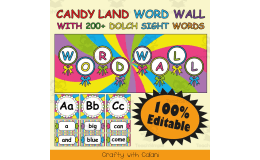
- Word Wall Letters
- Name plates for student desks
-Binder/Planner Covers
- Number Line
- Included but not shown - Months, days, and number cards for calendar time (1.5in x 1.5in)
- Round Classroom Labels
- Rectangular Classroom Labels
- Meet the teachers pages
-Student Awards (student of the week/month, generic award)
Related resources
More resources teachers may find useful
24 related resources were found using this product's title, contributor, categories and tags.



In the classroom
Teaching tips & learning objectives

Teaching tips
Add your own text boxes in PowerPoint; the supplied slide artwork is flattened and individual graphic elements are not editable.
Print only the banner pieces and labels needed for your classroom.
Several components have matching PDFs, while others are supplied only as PowerPoint files. Choose the relevant file before printing.

Skills covered
Recognize classroom locations and materials from teacher-added labels
Good to know
Questions teachers ask about this resource
How can I personalize the classroom pieces?
Use PowerPoint to add text boxes with your own classroom information. The supplied graphics provide the background; adding a text box does not mean every design element can be edited.

No reviews yet
Downloaded this resource? Tell other teachers how it went.
Resource details
Concepts & topics
Core concepts
 Core concepts
Classroom decor
Calendar
Word wall
Classroom labels
 Topics
Explore more
Categories this resource belongs to
Explore related searches
More to explore
You may also like


