Introduction to Microsoft Excel

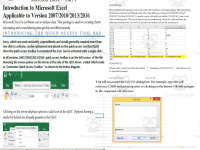


About This Product
Introduction to Microsoft Excel Tutorial
A comprehensive teaching resource, Introduction to Microsoft Excel, is cautiously developed for educators aiming to enhance their students' skills in this crucial tool. While this tutorial primarily targets Grade 7 and Grade 8 pupils, it's also valuable for any student who wants a sound understanding of Excel basics.
The material functions well in diverse learning setups such as whole group instruction sessions where teachers can progressively guide learners through the content. Also, small group collaborations can equally benefit from this resource for collective comprehension of the concepts discussed.
Critical Aspects Covered
- Customizing Excel's interface 🛠️
- Diverse navigation methods within spreadsheets (with helpful shortcuts) 😉
- Vital functions like- SUM(),MAX(),MIN()AVERAGE(),COUNT(),COUNTA(),COUNTIF()LARGE(),SMALL()
In a bid to enhance its usage as an educational asset, multimedia inclusion has been made with not only provisions for working on an excel file but also a PDF File discussing the above functions and auto-fill feature are included
Beyond Classroom Use:The 'Introduction to Microsoft Excel' module doubles as a perfect fit for assignments too. Students can tackle tasks based on topics already covered within class or new concepts readying them up for subsequent class discussions.
In conclusion, Introduction to Microsoft Excel provides learners with an ideal environment that fosters competence regarding data management using this robust application -a crucial skillset warranted by our increasingly digital world.
What's Included
WHAT’S INCLUDED:
Customizing Microsoft Excels interface
Various ways in navigation in an Excel spreadsheet (shortcuts included)
Various way to make a selection in Excel (shortcuts included)
Explaining Function such as SUM(),MAX(),MIN()AVERAGE(),COUNT(),COUNTA(),COUNTIF()LARGE(),SMALL()
Excel Auto fill handle
Excel file and PDF File explaining the above function and auto fill included in this packages
Resource Tags
0 Reviews
Check out these other great products