search
user.png
vertical menu

Learning How To Code: An Introduction to Computer Programming Activities

Learning How To Code: An Introduction to Computer Programming Activities preview
Learning How To Code: An Introduction to Computer Programming Activities preview 2
Learning How To Code: An Introduction to Computer Programming Activities preview 3
Learning How To Code: An Introduction to Computer Programming Activities preview 4
Learning How To Code: An Introduction to Computer Programming Activities preview 5
Learning How To Code: An Introduction to Computer Programming Activities preview 6

Look Inside · 10 pages · answer key included

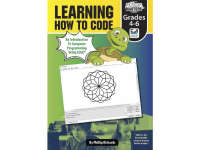
Learning How to Code cover: an introduction to computer programming using LOGO for grades 4–6
Cover of the introductory LOGO programming book
Contents for the LOGO activity book: five sections from Getting Started to coordinates, plus answers
Contents listing the five sections and answer pages
Teacher notes explain LOGO, geometry connections, intended users, and individual or paired worksheet use
Teacher introduction and worksheet-use options
Teacher notes give three steps for saving a LOGO design as a bitmap, cropping it, and printing the image
Teacher directions for printing LOGO designs
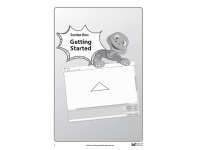
Section One: Getting Started introduces the book's first LOGO section, showing a triangle in FMSLogo
Opening page of Section One: Getting Started
Teacher setup notes cover downloading LOGO, labeled workspace controls, and the first turtle activity
Setup notes and guidance for the first turtle activity
Teacher notes for turtle activities 2–3 cover repeat commands, saving work, debugging, turns, and zigzags
Teacher guidance for turtle activities 2 and 3
Introducing the Turtle 1 activity teaches nine LOGO commands and shortcuts, then challenges students to draw a square
First turtle activity: commands and a square challenge
Introducing the Turtle 2 activity uses repeat 4 [fd 100 rt 90] to draw a square and save a named procedure
Second turtle activity: repeat and saved procedures

Answer key included

Answer key included
Attributes
Grades

Grade 4, 5, 6

Types

Activities

File

PDF

Editable
No
Rating
Add To Collection
Add to collection Add to collection

About This Product

The Learning How To Code: An Introduction to Computer Programming download is jam-packed with activities for Grades 4-6 students who are ready to code! This is a book full of introductory activities that will align with students' academic levels. There are 5 sections and each section begins with very detailed notes for the teacher. Reference sheets are included as needed and activities are written step by step for students.

The 5 sections in this book are:

-Getting Started

-Basic Shapes

-Color and Tessellate

-Advanced Designs

-Moving the Turtle with Coordinates

This is a 53-page download.

What's Included

1 PDF

0 Reviews

Explore related searches