President Election Campaign Game: Win the White House | Used With iCivics


- Grades
- Middle School
- Pages
- 3
- File type
- Preparation
- Print ready


- Subject
- Social Studies, Government
- Topic
- Presidential election, Campaign simulation
- Resource types
- Activities
- Preparation
- Print ready
Product description
From the author
How does a presidential candidate go about campaigning, winning the election, and then becoming the next President? What's with the electoral college anyway? This game has proven to be an excellent way for students to comprehend what a candidate needs to go through in order to become the next President. From taking stances on issues, giving speeches, and traveling to various states, students will take the role of candidate and do their best to win the most electoral votes and become the next President of the United States.
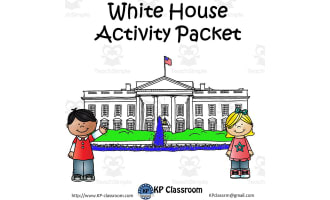
This worksheet is an excellent written companion to go along with the FREE game created by iCivics.com. As students play the FREE online game Win the White House, students will also complete this series of 9 reflection questions. Just playing the game in itself is fun, but having this assessment is great for the teacher and student to reflect on what has been learned. My students love this game and have told me that they play it at home as well. Playing this election campaign game is an excellent hands-on activity to add to your political parties or Executive Branch unit within your civics or government classes. Let's go "Win the White House!"
Related resources
More resources teachers may find useful
12 related resources were found using this product's title, contributor, categories and tags.


In the classroom
Teaching tips & learning objectives

Learning objectives
Track and record campaign decisions (platform, running mate, debate stances) made during a simulated presidential election.
Interpret and report a simulated election's electoral college outcome.
Reflect in writing on the challenges and experiences of running a political campaign.

Teaching tips
Ensure students have working access to icivics.org/games/win-white-house before assigning this worksheet, since the questions cannot be answered without playing the linked game first.
Have students print or screenshot their in-game final certificate as instructed in question 8, and require it as part of the submitted assignment.
Use question 9's three-sentence reflection as a quick formative check on whether students engaged with the game's decision points rather than clicking through passively.

Skills covered
Campaign strategy tracking — students record the issues, stances, and debate outcomes they select while playing the linked election simulation.
Electoral outcome interpretation — students report their electoral college vote total and which states flipped in their favor.
Reflective civic writing — students write a three-sentence reflection on the experience and difficulty of running for president.
Good to know
Questions teachers ask about this resource
Is the simulation included?
No. The PDF provides nine response prompts for Win the White House on iCivics. Check access to the separate game before assigning it.

No reviews yet
Downloaded this resource? Tell other teachers how it went.
Resource details
Concepts & topics
Core concepts
 Core concepts
Presidential elections
Electoral college
Campaign strategy
 Topics
More to explore
You may also like