The President Executive Command – iCivics Game



- Grades
- Middle School
- Pages
- 4
- File type
- Preparation
- Print ready


- Subject
- Social Studies, Government
- Topic
- Executive branch, Presidential decisions
- Resource types
- Activities
- Preparation
- Print ready
Product description
From the author
What does the President do during a day, week or even a month in office? This game has proven to be an excellent way for students to learn and comprehend all the "hats" or roles that the President plays during his time in office. From talking to congress, vetoing bills, visiting various departments, and traveling to foreign countries, students will take the role of President and do their best to become a successful President of the United States.
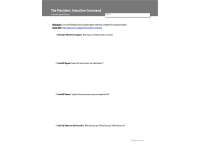
This worksheet is an excellent written companion to go along with the FREE game created by iCivics.com. As students play the FREE online game Executive Command, students will also complete this series of 6 reflection questions. Just playing the game in itself is fun, but having this assessment is great for the teacher and student to reflect on what has been learned. My students love this game and have told me that they play it at home as well. Playing this "Executive Command" game is an excellent hands-on activity to add to your Presidential or Executive Branch unit within your civics or government classes. Hail to the Chief!
Related resources
More resources teachers may find useful
24 related resources were found using this product's title, contributor, categories and tags.



In the classroom
Teaching tips & learning objectives

Learning objectives
Describe executive-branch actions (signing legislation, vetoing a bill, directing a Commander-in-Chief task) using specific examples generated during gameplay
Reflect in writing on the responsibilities and pressures of the U.S. presidency after roleplaying the position

Teaching tips
Have students play the iCivics 'Executive Command' game individually or in pairs on a device before distributing this worksheet, since it has no usable content without the game.
Confirm student devices can reach icivics.org in advance, since the entire activity depends on that external website being available.
Use the reflection question as a class discussion starter after individual worksheets are complete, comparing the different bills and trips each student's simulation generated.

Skills covered
Executive-branch role-play analysis — students describe specific legislative and executive decisions (bill signing, veto, travel) made during a president-simulation game and explain their reasoning.
Reflective civics writing — students synthesize in writing what a simulation taught them about the presidency's responsibilities.
Good to know
Questions teachers ask about this resource
Does the PDF include the game?
No. It contains six reflection prompts and outcome space for use after playing Executive Command on iCivics. Check access to the separate game before assigning it.

No reviews yet
Downloaded this resource? Tell other teachers how it went.
Resource details
Concepts & topics
Core concepts
 Core concepts
Executive branch
Presidential powers
Civic simulation
 Topics
More to explore
You may also like