Facebook Template – Editable Google Slides Activity



- File type
- Google Slide
- Editable
- Yes


- Subject
- Social Skills, Special Resources
- Topic
- Social Media, Google
- Resource types
- Templates
- Editable
- Yes
From the author
About this resource
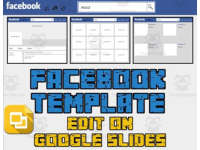
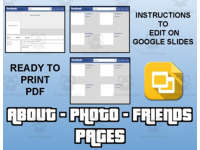
The use of social media is a great way to engage and gain the interest of your students. Best of all, this resource is available in both printable pdf format as well as a Google Slides editable format. This Facebook template allows students to create an about page, a photos page and a friends page. Each page has text boxes for your students to change. The template is locked, so your students can’t mistakenly move or delete the background. If you choose to print the PDF, have your students draw the images and write up their own Facebook profile.
Use this to:
Have your students discuss a character or setting in a novel
Focus on a historical person
As an art activity
When your students are finished, they can save a picture of their Facebook template.
Related resources
More resources teachers may find useful
More resources on the same subject and topic.


In the classroom
Teaching tips & learning objectives

Learning objectives
Students will compile biographical or descriptive information about a character, historical figure, or themselves into a structured profile format.
Students will complete a multi-part digital or print template (About, Photos, Friends, Comments) following a consistent set of prompts.

Teaching tips
Have students make their own editable copy of the Google Slides file before editing, since the shared link opens as read-only.
Use the profile format to summarise a character or historical figure — the About and Friends pages work well for character traits and relationships, while the Comments page can capture different characters' or historical figures' reactions to an event.
If printing the PDF version, have students draw the profile and cover images themselves rather than using photos, since the printable pages provide blank boxes instead of digital photo placeholders.
After finishing the digital version, have students export their completed profile as a PNG image (File > Download > PNG image) to submit or display.

Skills covered
Character or biographical synthesis — students organise information about a person (real or fictional) into the About, Photos, Friends, and Comments sections of a profile template.
Digital template navigation — students make an editable copy of a locked Google Slides file and fill in text boxes across four linked slides.
Good to know
Questions teachers ask about this resource
Can this be used without Google Slides?
Yes — a printable PDF version of the same four pages (About, Photos, Friends, Comments) is included for students to complete by hand instead of digitally.

No reviews yet
Downloaded this resource? Tell other teachers how it went.
Resource details
Concepts & topics
Core concepts
 Core concepts
Character study
Digital template
Biography/profile format
 Topics
Explore more
Categories this resource belongs to
Explore related searches



More to explore