Classroom Newsletter Template: Wizard Parchment



- File type
- Microsoft PowerPoint
- Editable
- Yes


- Subject
- Classroom Management, Resources for Teachers
- Topic
- Digital Classroom, Newsletters
- Resource types
- Graphic Organizers
- Editable
- Yes
From the author
About this resource
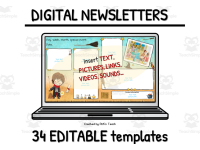
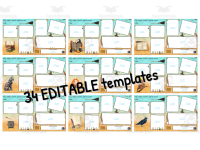
34 Digital Classroom Newsletters for Wizards - Coloured Parchment
The 34 Digital Classroom Newsletters for Wizards - Coloured Parchment are designed to animate classroom communication and interaction with students and parents. These wizardry-themed newsletters feature coloured parchment backgrounds that will charm those who receive them, creating an immersive and engaging learning environment.
Resource Features:- Digital space to type into text boxes, adjust the font size, colour or style.
- Option to insert additional text boxes or add images, clips, photos or links.
Convenience & Versatility
This Google Slides™-based resource integrates effortlessly with Google Drive™/Google Classroom™ enabling collaborations from any device. The newsletters can also be downloaded as PDFs or PNGs and embedded into class blogs/ websites for wider dissemination of information within the academic community. This conserves paper and ink while providing quality communication between teachers, students & parents.
Note:Certain elements such as background images (clip art), frames along with 'contact information' fields are non-editable due to ownership rights (credits included).
Goes Beyond Basics:- Provides guidelines on inclusion of multimedia attributes like sounds & videos in the newsletter content encouraging student engagement & participation.
A Compelling Teaching Resource
The 34 Digital Classroom Newsletters offer a digital solution for sharing updates on coursework and other scholastic events in an interactive way which enhances classroom management strategies while catering to different grade levels/ subjects taught.
Final word: A must-have inclusion for any modern-day wizard teacher aspiring synchronized Information technology within Education!
Related resources
More resources teachers may find useful
More resources on the same subject and topic.

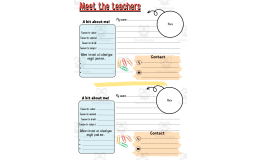

In the classroom
Teaching tips & learning objectives

Teaching tips
Background clip art, frames and the contact-information fields are locked, so plan your text around them before typing.

No reviews yet
Downloaded this resource? Tell other teachers how it went.
Resource details
Topics covered
 Topics
Explore more
Categories this resource belongs to
Explore related searches


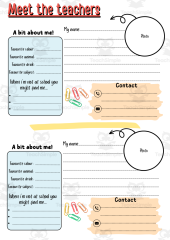


More to explore