



2,784 products added recently
Page 1128 - Newest Teaching Resources

 Show filters

Coding with Python: Storing Information Project
Science, Technology, Computer Science, Grade 6, 7, 8, 9, 10, 11, 12, Projects, Activities
Coding with Python: Storing Information Project A comprehensive teaching resource designed explicitly for educators teaching grades 6 through 12. It is a richly detailed and functional material that targets essential computer science standards and easily integrates into daily instruction, thus ensuring the comprehension and application of the Python programming language. The use of this resource in your educational settings will enrich the students' understanding as they journey from grassroots levels to sophisticated concepts. It has thoughtfully been scaffolded, starting with fundamental topics up until complex ones such as dictionaries in Python. Considering reinforcement learning theory, students would appreciate multiple activities each day that reinforce previously learned knowledge progressively. Key Learning Areas This project enables students to master several key areas with precision and clarity: Data types Variables Functions loops Lists & slicing routines All these are fundamental building blocks towards becoming proficient coders, which eventually lead to dictionaries - a pivotal attribute that further sharpens their coding skills. Packed For Various Instruction Methods This project is ideal for whole group instruction due to its engaging content structure but also proves valuable for small targeted groups or individualized home assignments due to its adaptability and contextual approach. The material comes well-organized as an easy-to-navigate PDF file type assisting both hardcopy production or device screen viewing without compromising on quality. It professionally prepares pupils by giving them hands-on coding experience used heavily across technology-focused industries today. Benefits Beyond Classroom Confines: By integrating Coding with Python: Storing Information Project into your curriculum_, you are equipping learners not only for successful task completion but fostering foundation-building skills required in higher-level programming disciplines such as Computer Science. These are benefits universally appreciated beyond classroom confines. Teachers can be assured that this resource complies even when introducing STEM concepts at primary stages or promoting Advanced Placement participation at maturing academic phases.
Author WhyMaker
Tags Python Programming, Data Types, Variables, Functions, Loops

Safety Alarm System Design Challenge
Science, Earth and Environmental Sciences, Earth Sciences, Not Grade Specific, Activities
Safety Alarm System Design Challenge Teachers and homeschooling parents alike understand the struggle to keep students engaged in lessons, but the solution might be easier than you think. The Safety Alarm System Design Challenge offers a unique way for educators to make learning interactive and fun. This easy-to-implement resource is an all-in-one teaching aide that educators can hand-out to their students, allowing the learners themselves to work independently. It creatively combines different areas of study such as: Makerspace Genius Hour Independent Time STEM Choice Time, Technology Class along with more unconventional options like Library Time or afterschool programs. The materials required for each challenge come packed with clarity. A Context setting section - giving meaning behind each challenge A Design Challenge - indicating what needs completion A Specifications section - outlining non-negotiables during the task Few other pointers are mentioned below: - The Constraints- which establish boundaries within each activity ; The Materials - outlining resources needed for tasks; Tools needed for completion of tasks; Additionally there are helpful Tips provided - making it convenient even for novice educators! This resource does not follow standard traditional grade limitation – allowing it to adapt easily across multiple grades without difficulty ensuring all students receive an education that encourages creativity and imagination in every step they take.” Consider integrating this into your teaching strategy – whether it’s used in whole group sessions where collaborative dialogue enhances the discussion quality or small group dynamics ideal for honing teamwork skills or even individual assignments promoting self-sufficiency – hence proving useful during SEL (Social Emotional Learning) time. The Safety Alarm System Design Challenge is a flexible tool that adds texture and depth to the learning experience while stimulating minds in ways textbooks alone struggle to achieve
Author WhyMaker
Tags Interactive Learning, Design Challenges, STEM Integration, Problem-solving, Student Engagement

Teaching Tips For a Managed Computer Science Lesson
Resources for Teachers, STEM, Not Grade Specific, Teacher Tools
Title: Teaching Tips for a Managed Computer Science Lesson Teaching Tips for a Managed Computer Science Lesson is an indispensable resource designed to support educators in teaching computer science. Suitable for every grade, the guide emphasizes adaptable learning approaches that can cater to any age or skill level. The resource encapsulates successful teaching strategies designed to amplify students' understanding of computer science concepts. Apart from fundamental instructions, these strategies champion teamwork and peer collaboration - acknowledging that learning doesn't occur exclusively through independent study but also through cooperative interactions. Consequently, students are afforded opportunities to instruct each other, alternating roles such as debugging partners or aiding their peers in challenging tasks. This invaluable guide nurtures more than just coding skills; it transforms traditional classrooms by deploying unique tactics like 'birdhouse' and 'unplugged'. The former motivates self-guided problem-solving while stimulating creativity in learners - striking an ideal balance between academics and leisure. Unplugged, on the contrary, advocates learning beyond digital interfaces – deepening understanding via hands-on experiences. Besides this, this handbook underscores the importance of meticulously designing lessons and efficient classroom management when dealing with complex subjects like computer science. It is centered on concrete organizational tips which foster an orderly environment favorable to concentrated study. Diverse methodologies customized especially for different contexts – ranging from interactive whole-group sessions down to individual assignments are elaborated comprehensively in this resource. A key element is its focus on cultivating independence amongst learners using cheat sheets. Herein cheat sheets aren't shortcuts but tools granting pupils autonomy by encapsulating vital information succinctly — facilities reassuring confidence within learners while honing their troubleshooting skills sans excessive dependence on tutors or classmates. Incorporating valuable insights into proffering efficacious computing lessons while maintaining classroom equilibrium rendering it an indispensable reservoir of inspiration primarily targeted towards new-age educators creating computer literacy atmospheres. Merging academic growth with the development of crucial soft skills through intelligent pedagogical approaches is now feasible. In conclusion, Teaching Tips for a Managed Computer Science Lesson materializes as an invaluable tool in its PDF format - a consolidated resource simplifying the complex task of effectively and entertainingly teaching computer science for educators. Its application across diverse settings — be it whole classrooms or smaller groups, underscores its true worth.
Author WhyMaker
Tags Teaching Strategies, Teamwork, Peer Collaboration, Independent Problem-solving, Organization

Monster Multiplication Custom Craft Cards x8
Math, Multiplication and Division, Division, Grade 2, 3, Crafts, Activities
These are Monster Multiplication Custom Craft Cards x8. You can use these cards as flash cards, small group intervention and so much more. Students will love these cards to practice multiplication. These cards are printed in black and white, so students can color them.
Author WORDS ASIDE
Tags Graphics, Clipart, Math Mats, Monsters, Multiplication

Problem Solver Challenge
Social Studies, History, History: World, Not Grade Specific, Activities
Problem Solver Challenge This teaching resource is a bundle of ready-to-use WhyMakers Design Challenges that require students to brainstorm, design, create, and reflect. Ideal for grades 3 through 5, these design challenges require students to utilize their problem-solving skills in an engaging and creative way. Description: The Problem Solver Challenge comes equipped with various sections that assist students on their independent journey towards innovative solutions. The context section explains the challenge to give it sense and relevance. The actual task is clearly outlined in the Design Challenge section The Specifications provide 'must-do's' for each challenge. Constraints:, detailing any limitations involved. Necessary Materials and Tools: Steps: , leading up to a solution for those challenges. Tips: , offered alongside each step to further aid students understanding of how they can approach a solution creatively. No matter where you decide to implement these amazing teaching tools - whether it be in Makerspaces or Genius Hour sessions down even down to after-school programs or summer camps - they've got you covered. They conform naturally with STEM protocols but could easily find itself being used within Choice Time slots or even as part of Social Emotional Learning sessions! Extend its use beyond traditional class time; try implementing it within technology-focused classes or library time too! Aimed universally across grades and focusing majorly on subject categories like Social Studies (specifically encompassing World History), this product strives towards building holistic individuals who think deeply about taught material whilst having an innovation-focused mindset towards problem solving. Each Problem Solver Challenge boosts student engagement while crossing thresholds into new levels of thought process about taught standards - making lessons sticky in every sense! .
Author WhyMaker
Tags Design Challenges, Problem Solving, Teaching Resource, STEM, Creativity

Electricity Quiz
Science, Physics, Grade 3, 4, 5, 6, 7, 8, 9, 10, 11, 12, Quizzes, Quizzes and Tests, Teacher Tools
A simple 10 question electricity quiz to check student's understand of electricity concepts.
Author WhyMaker
Tags Career And Technical Education, Physical Science, Engineering, Electricity Quiz

Project Ideas for 3D printing
, Not Grade Specific, Projects, Activities
Project Ideas for 3D Printing: A Teaching Resource Overview: The Project Ideas for 3D Printing is an expertly designed tool that integrates technology into everyday education, providing a dynamic and innovative approach to learning. This resource simplifies introducing 3D printing into the classroom. Educational Scope: Social Studies Art/Music/Theater Design & Engineering Family & Consumer Science/Health Science Math Science Literacy Versatility: This guide is not only beneficial for teachers in schools but also proves advantageous for homeschooling parents when developing curriculum or supplementing lesson plans . It serves as an easy-to-use reference card that can be integrated during whole group instruction or assigned within smaller teams. Tidbits:(65 project ideas on one page!) The beauty of this resource is its practical, user-friendly format consisting of just one page with organized cross-curricular subjects. This allows educators quick access to ample knowledge without having to sift through countless pages or bulky digital resources. Note: This versatile teaching tool caters students from elementary school to high school levels experiencing different stages of technology-aided learning. No matter what the size, grading scale, or nature of your classroom might be; if you’re an educator seeking a novel approach towards learning our meticulously sorted project ideas are sure to become invaluable component in your toolbox.
Author WhyMaker
Tags 3D Printing, Project Ideas, Cross-curricular, Technology Integration, Teaching Resource
Project Planning for Scratch Coding & Computer Science Game Creation
Science, Technology, Computer Science, STEM, Grade 3, 4, 5, 6, 7, 8, Activities
Project Planning for Scratch Coding & Computer Science Game Creation This resource aims to bring computer science into the grasp of students in grades 3-8. It is designed for easy integration into an existing curriculum , offering a sequence of lessons that guide students through game development using Scratch, a user-friendly programming language and online community. The Learning Process: Students are guided step by step in creating two unique games. Coding skills are imparted while also teaching about multiple variables, score keeping parameters, multiple sprites (characters), and numerous backgrounds in game creation. The hands-on nature of the course ensures active learning, while underlying computational thinking strategies are being built upon. Flexibility and Adaptability: Note - this resource has been expertly curated to cater to diverse learner needs. The plans can be used as either standalone assignments or group projects within classrooms. The flexible nature allows individual teaching methodologies or variance in student aptitude to dictate the course's application. Merging ProjectPlanning with Critical Thinking: All lessons integrate planning techniques that build critical thinking skills among students – vital not just for budding coders but essential life skills necessary for all learners today. The PDF format ensures ease of use without additional software requirements - convenient from an educators' perspective and complying with contemporary teaching approaches across computer science subjects at the same time. To Wrap Up... For those aiming at providing exposure to modern Computer sciences via an easily approachable route - Project Planning for Scratch Coding & Computer Science Game Creation strikes the right balance between delving into game design with concomitant absorption of basic coding concepts alongside nurturing indispensable lifelong learning abilities.
Author WhyMaker
Tags Scratch Coding, Game Creation, Computer Science Education, Project Planning, Computational Thinking
Classroom Design Challenge
Science, Physics, Not Grade Specific, Activities
Classroom Design Challenge: Your Next Gen Pedagogical Tool! The Classroom Design Challenge offers a unique platform for hands-on learning, promoting engagement and facilitating high-quality education for all types of learners. It has potential use across a range of settings: afterschool programs, camps, STEAM classes or library time. Versatility & Usability This educational resource can be incorporated into your existing curriculum during 'choice' time periods or focused on independent study sessions. In essence, Classroom Design Challenge comprises 'Ready-to-Use' design briefs that give students the opportunity to address real-life scenarios. Each brief comes with: Contextual information The specifics of the design challenge Necessary specifications and constraints List of required materials and tools Detailed steps guiding students through their project along with insightful tips. A Standards-Based Approach To Learning Objectives Befittingly aligned to Standards-Based Learning Objectives - this teaching tool is 'Grade Non-Specific'. It makes subjects such as Physical Science engaging by encouraging creativity in solution crafting. This not only fosters innovation amongst learners but also promotes critical thinking abilities. Fits Group Sizes & Dynamic Scheduling: Each activity can easily be scaled down from collective classroom projects to smaller groups or even individual assignments as homework providing flexible scheduling options based on class dynamics. In conclusion, Classroom Design Challenge bridges creative arts (design) and physical sciences offering great opportunity for interdisciplinary learning – making it an educator’s go-to tool inside today's dynamic classrooms.
Author WhyMaker
Tags Hands-on Learning, Educational Design, Practical Education, Interdisciplinary Integration, Critical Thinking

3-D Book Scenes Design Challenge
ELA, Reading, Not Grade Specific, Activities
3-D Book Scenes Design Challenge: An Innovative Teaching Resource The 3-D Book Scenes Design Challenge is an exciting teaching resource that immerses students into the world of their favorite books. It aims to inspire a deeper understanding of literary concepts, particularly in Language Arts and reading activities . Real-world Application This product establishes a connection between academic content standards and practical experiences, fostering a fun learning environment. Versatility and Usage This challenge can be effectively utilized in classrooms, Makerspace labs , Genius Hour sessions, STEM/STEAM classes or even for homeschooling. It also serves as an ideal tool for after-school programs that promote hands-on learning experiences. A Progressive Journey The 3-D Book Scenes Design Challenge guides students through progressive steps - from specifying the context to outlining specifications and limitations. It lists out relevant materials and tools needed for this adventure. Educators' toolkit: This resource comes with helpful tips providing insights throughout this immersive exercise which fosters problem-solving skills while cultivating innovative thinking among learners. Potential Advantages: Bolsters Collaboration Skills: Promotes Individual Focus:LWhen used individually, it encourages personalized approaches towards problem-solving. In short, The 3-D Book Scenes Design Challenge combines active involvement within literature's exciting realms with a platform where knowledge meets creativity—an ideal addition worth considering for modern educators striving to stimulate both academic growth and innovative creativity among learners.
Author WhyMaker
Tags 3-D Design, Book Scenes, Creative Challenge, Reading Activities, Problem-solving

What is Electricity Presentation
Science, Technology, Engineering, Grade 4, 5, 6, 7, 8, 9, 10, 11, Presentations, Teacher Tools
What is Electricity Presentation: An Educational Resource The What is Electricity Presentation is an all-encompassing teaching resource devised for educators at different stages of instruction, inclusive of public school teachers and home educators. The presentation offers a profound exploration of electricity dynamics, elucidating the complex mechanisms behind how electricity travels through a circuit. The presentation aims to demystify electrical concepts for students from upper-elementary up until high-school (Grade 4 - Grade 11), vividly depicting electron movement within circuits and the resultant generation of electricity. This extensive explanation goes beyond fundamental concepts by introducing subjects like Energy, Law of Conservation energy, Electrical Energy, as well parsing down atomic constituents into Electrons, Protons, and Neutrons. Closed Circuits vs Open Circuits The understanding of closed circuits compared to open circuits forms a crucial aspect woven into this comprehensive narrative presented in our 21-slide PowerPoint lesson resource. Crafted thoughtfully to simplify subjects like Science and Engineering into easily digestible chunks thereby significantly aiding student comprehension. Presentation Advantages & Adaptability Versatile:This tool's design combined with Google Slide format's flexibility allows it to be adapted across various education applications in your classroom or homeschool setup. All-Inclusive: This versatile tool can also be effectively utilized for group instruction providing essential foundations on electricity principles. Dedicated Learning:This presentation can also be efficiently leveraged in smaller focus groups directed towards learners needing additional assistance understanding these unique electrical concepts. Educator Preparation: In allowing teachers to use this tool independently to prepare materials or simply assign the content directly to students for self-guided learning or homework requirements, our tool significantly amplifies educational productivity. Inspiration via Information! Our ultimate objective with the 'What is Electricity Presentation' is not only to inform students but spark their innate curiosity about the electrifying world they are part of!
Author WhyMaker
Tags Electricity Dynamics, Circuit Process, Energy Conservation, Atom Components, Closed And Open Circuits

Animated Character Challenge
ELA, Reading, Not Grade Specific, Activities
Animated Character Challenge Design, draw and write the story line for a new animated character.
Author WhyMaker
Tags Reading

Bridge Design Challenge
Science, Physics, Not Grade Specific, Activities
The Bridge Design Challenge The Bridge Design Challenge is an engaging educational resource primarily meant for educators and homeschoolers. This interactive tool aims at teaching the concept of Physical Science with a hint of fun. Regardless of grade levels, it suits students from different age groups. This dynamic platform engages students in designing, building, testing, and redesigning a bridge. The challenge lies in maximizing the span of the bridge which promotes innovative thinking and practical application of theories. Versatility in Use This resource proves useful across various settings including: Makerspace activities Genius Hour sessions Independent work time After-school programs. In addition to these commonplace scenarios, it also fits well for specialized contexts such as STEM sessions or Choice Time activities . Fostering Creativity Through Challenges The design challenges provided expose students to real-life situations related to content being taught in class thereby deepening comprehension and nurturing creativity among learners. A Comprehensive Package Each challenge includes: A context setup explaining the reasons behind each task, Crisply defined actions required under 'Design Challenge' section along with specifications & constraints, An exhaustive list of required materials & tools, Detailed step-by-step guidelines on how to complete each task making this product self-reliable & user-friendly. Tips For First-Time Users: Apart from these, instructions also come laced with tips providing insights on how to make each challenge both rewarding and enjoyable. In Summary The Bridge Design Challenge, by promoting understanding through immersive involvement, turns out to be an indispensable tool for making both STEM-centric lessons and class-based choices highly productive and enjoyable experiences.
Author WhyMaker
Tags Bridge Construction, Design Challenge, Hands-on Learning, Science Education, STEM
Coolest Bicycle Design Challenge
, Not Grade Specific, Activities
Coolest Bicycle Design Challenge: A Comprehensive Teaching Resource The Coolest Bicycle Design Challenge is a comprehensive teaching resource, adeptly crafted for the inventive minds of students. This resource is versatile, suited for public classrooms as well as homeschooling environments. Notably, it isn't restricted to any single grade level and sparks curiosity, innovation and problem-solving abilities in students. Anchored in varied educational setups - from Makerspace workshops, Genius Hour discussions, independent study periods, STEM classes to activities during choice times - this module integrates effortlessly. Also suitable for technology or design thinking classes and sits fit with after-school programs such as STEAM sessions or school camps. A Well-Structured Design Brief Guide Context: Providing understanding of real-life scenarios related to academic contents. The challenge outline : "Must-dos" specifications, Limits by constraints, Necessary materials & tools, Steps towards goal, Tips providing useful information are also included. In essence, the Coolest Bicycle Design Challenge fosters deep thoughts on critical subjects while sparking creativity in design solutions – embodying the heart of effective learning growth initiatives. It encourages interaction among students whilst focusing on content application over regurgitation. Promoting Creative Approaches & Autonomous Learning Habits Whether utilized to guide small study groups or large class discussions, this invaluable resource will promote innovative thinking by pushing student's skills beyond traditional methods. Also viable as individual work assignments - fostering self-paced, innovative thought process development aligned with academic objectives. Teachers striving to cultivate innovative thinkers will find value in this product. It encourages independent learning habits among students underlining cause-and-effect reasoning abilities while fostering a spirit of collaborative participation - key building blocks for future-ready learners.
Author WhyMaker
Tags Bicycle Design, Classroom Resource, Creative Thinking, Problem-solving Skills, STEM Integration
Monument Design Challenge
, Not Grade Specific, Activities
Monument Design Challenge Delve deep into the realm of design and innovation with the Monument Design Challenge, specially curated for educators and home schoolers. This unique teaching resource comes ready to use, providing an opportunity for students from Grade 3 to Grade 5 to independently engage in complex tasks. It stimulatingly enhances their problem-solving abilities while offering them a meaningful connection with real-life scenarios. Possible Implementations: Makerspace, Genius Hour or Independent Time STEM classes Library time or Homework assignments Moreover, special attention has been made that these design challenges cater effectively to other out-of-school programs such as afterschool programs and camps along with STEAM classes encouraging creative capabilities across diverse disciplines including science, technology arts and mathematics. In addition to those settings mentioned above choosing this resource at SEL (Social-Emotional Learning) time has been proven beneficial towards building essential social skills amongst its young learners. The directives provided within each challenge: Precise yet Stimulating Context: makes every task relatable; Detailed specifications: clearly outline what needs doing; Adequate constraints: Limited terms within which solutions need devising; Sensible materials: Carefully chosen tools ensuring safety during project execution. If your pupils are seeking additional guidance there are several useful tips included that will help navigate them through their challenge efficiently ultimately driving comprehensive understanding of stipulated content aiding creation of innovative solutions. In conclusion: A versatile teaching resource In conclusion teachers will find a PDF full of engaging and stimulating design tasks in the Monument Design Challenge. Tying in with content standards, it's a reliable avenue to enhance student engagement while encouraging innovative thought processes - a truly versatile teaching resource offering myriad applications across various subjects and activities.
Author WhyMaker
Tags Monument Design, Design Challenge, Hands-on Learning, Problem-solving Abilities, STEM
Computer Programming Basics
Science, Technology, Computer Science, Grade 5, 6, 7, 8, 9, 10, 11, 12,
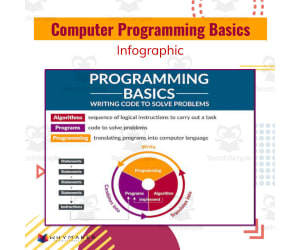
Computer Programming Basics: A Comprehensive Teaching Resource Computer Programming Basics is a comprehensive teaching resource that breaks down the vast subject of computer programming into digestible parts, making it perfect for educators in public or homeschool settings. Designed primarily to cater to middle school students and up, it is equally relevant for Grade 5 through Grade 12. Vital Computer Science Concepts With its colorful and detailed infographic, this resource introduces a range of vital computer science concepts. It dives into areas such as: Programs Programming Languages Algorithms Statements Variables Data Structures & Boolean Logic etc. This teaching aid doesn’t just stop at explaining concepts; it actively involves students in learning how code works - perfectly fitting into a curriculum set out to make them future-ready with skills highly sought after across many job sectors globally. Focusing on real-world applications The toolkit highlights iterations & procedures ensuring they grasp everyday applications of these theories. Error Management in Coding Introduced Budding programmers will also learn about error management - an essential aspect of the coding process. This focus ensures that learners not only understand theory but also get practical insights necessary for becoming proficient coders on solid foundational knowledge. In essence: "Computer Programming Basics", by effectively demystifying complex aspects associated with computer science curricula, arguably qualifies as an essential addition to any teacher's toolkit excited about nurturing next-generation programmers.
Author WhyMaker
Tags Computer Programming, Coding Basics, Programming Languages, Algorithms, Problem-solving

Binary (Unplugged Coding #2)
Science, Technology, Computer Science, Grade 1, 2, 3, 4, 5, 6, 7, 8, Activities
Binary Unplugged Coding #2 Binary Unplugged Coding #2 combines the best of traditional classroom teaching and modern technological advancements. A remarkable tool designed to teach students about binary coding in an offline environment, it is suitable for educators lacking access to computers but wanting to instill a fundamental understanding of programming into their curriculum. Unlike many online resources that require constant internet access and digital devices, Binary Unplugged Coding #2 thrives on its simplicity. The printable exercises provide hands-on experience with pattern recognition, logical reasoning, and mathematics – valuable skills transcending beyond the realm of coding. The resource focuses primarily on the concept of binary – sets of 1s and 0s that form the root language of most computer systems. It not only presents theoretical knowledge but also challenges students through real-world applications such as performing addition and subtraction in binary code. Included Tools: Comprehensive Worksheets for individual study sessions or team activities on topics like number-to-letter conversion using a Binary Letter Chart A set for creating phrases using color-coded cards covering basic English words correlating with specific binary codes Festive-themed coding cards for Christmas and Halloween- perfect for keeping spirits high during holiday periods! \ Suitable For All Grade Levels: This kit can serve as a unique approach towards mathematics or pattern recognition exercises corresponding to grades 1 - 4. Older grade levels (grades 5 -8) can delve deeper into how these concepts translate into computational logic used in actual computer systems. Note:This makes Binary Unplugged Coding #2 an adaptable tool suited not just for public school teachers but also homeschoolers aiming to equip their learners with technological literacy integral in today's digitally-driven world - all through low-tech means!
Author Roombop
Tags Offline Education, Binary Coding, Pattern Recognition, Logical Reasoning, Computational Logic
Monster Multiplication Custom Craft Cards x7
Math, Multiplication and Division, Division, Grade 2, 3, Crafts, Activities
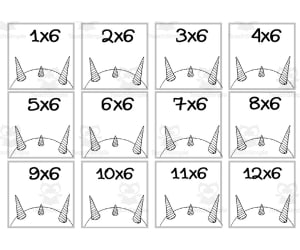
Monster Multiplication Custom Craft Cards x7 is a set of printable multiplication fact cards featuring fun monster characters that elementary students will love. These black and white PDF cards can be colored in, cut out, and used as flashcards, small group activities, independent practice, mini posters, interactive notebooks, and more to build multiplication fluency. With 7 unique monster designs representing key facts, this resource allows teachers to differentiate and make learning the times tables enjoyable. Students in grades 2-3 can reinforce their understanding of multiplication in a motivating way with these versatile craft cards. Use Monster Multiplication as a supplemental resource alongside any math curriculum in both classroom and homeschool settings.
Author WORDS ASIDE
Tags Monster, Multiplication, Craft Cards, Coloring, October

Monster Multiplication Custom Craft Cards x6
Math, Multiplication and Division, Division, Grade 2, 3, Crafts, Activities
Monster Multiplication Custom Craft Cards x6 Engage young learners in practicing multiplication facts with these fun and colorful Monster Multiplication cards. This set includes 6 unique monster characters that can be printed and colored by students. Educators can utilize these customized craft cards in small groups, centers , or as take-home practice to build multiplication fluency. Learners will enjoy coloring their monster while repeatedly exposing themselves to key facts. Teachers may also use these cards for flashcard games, interventions, or as visual math references to display. With multiples monsters to color and customized content, this resource adds engagement to essential multiplication practice for 2nd and 3rd graders.
Author WORDS ASIDE
Tags Monsters, Multiplication, Math Mats, Graphics, October
Student Peer Review Worksheet for 3D Model for 3D Print
Science, Technology, Computer Science, Not Grade Specific, Worksheets & Printables, Worksheets
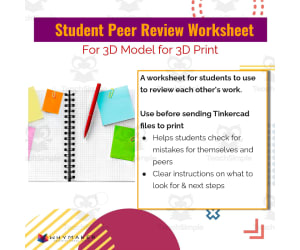
Introduction to the Student Peer Review Worksheet for 3D Models The Student Peer Review Worksheet is an innovative teaching resource that provides a structured approach to peer-review in 3D printing. This worksheet, versatile and flexible, is ideal for students across various grade levels and learning environments. Focused Areas of Learning This tool uniquely bridges between disciplines like Science, Computer Science, and Design, promoting critical thinking while guiding learners towards project success. With simple instructions on what facets should be inspected before dispatching TinkerCad files for print, it allows students to identify potential inaccuracies by themselves or their classmates. Potential Questions Asked During the Review Process: 'Is the file named and saved correctly?' 'Are all shapes touching each other?' 'Are shapes laying flat on the workplane?' – focusing on layout precision 'Are hole shapes grouped with solid shapes?' – targeting grouping dynamics If any extra shapes are floating on or off the workplane? Serving Various Education Settings & Benefiting Educators' Time Management This worksheet can supervise group projects without compromising individual attentiveness. It could be used during lab sessions where students work together in small groups or individually. Alternatively assigned as homework that encourages student interaction outside classroom—supporting opportunities for improving their 3d modeling skills. Last but not least - our Student Peer Review Worksheet for 3D Model comes readily available in a PDF file format ready-to-use immediately upon downloading! A convenient benefit when supervising successful classroom projects resulting in quality prints from your school's 3D printer.
Author WhyMaker
Tags Peer-review, 3D Printing, Critical Thinking, Project Success, Design Accuracy
Monster Multiplication Custom Craft Cards x5
Math, Multiplication and Division, Division, Grade 2, 3, Crafts, Activities
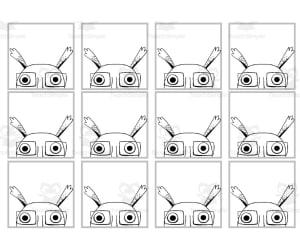
Monster Multiplication Custom Craft Cards x5 Engage young learners in practicing their multiplication facts with these 5 printable monster craft cards. Students will enjoy coloring the silly monster characters while reinforcing their understanding of basic multiplication. These black and white PDFs can be printed and laminated for use as personalized flash cards, small group activities, independent practice, or fun homework. Assign students to cut out, color, and decorate their own unique monster card. Then have them write the multiplication fact depicted by the monster's eyes on the back. These versatile cards allow teachers to differentiate and add a playful element to multiplying numbers 1-10. Use Monster Multiplication to build confidence in multiplication for 2nd and 3rd graders.
Author WORDS ASIDE
Tags Task Cards, Math Mats, Multiplication, Coloring, Monsters
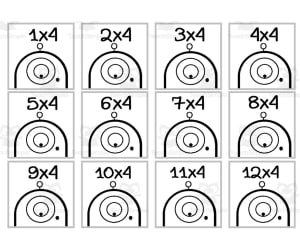
Monster Multiplication Custom Craft Cards x4
Math, Multiplication and Division, Division, Grade 2, 3, Crafts, Activities
Monster Multiplication Custom Craft Cards X4 Engage young learners in practicing multiplication facts with these fun Monster Multiplication flash cards. This teaching resource includes 4 sets of customizable monster multiplication cards that allow students to color while reinforcing facts. Educators can utilize these printable cards in small groups, centers , or as take-home practice. The monster theme and hands-on coloring aspect helps motivate children to repeatedly work with flash cards to commit facts to memory. With 4 unique monster designs, learners will enjoy coloring a new silly monster character each time they review multiplication. These multiplication craft cards work well for 2nd and 3rd grade students to build fluency with basic facts through 12. Use Monster Multiplication to creatively blend art, coloring, and repeated math fact practice.
Author WORDS ASIDE
Tags Graphics, Clipart, Monsters, Multiplication, Coloring

Monster Multiplication Custom Craft Cards x3
Math, Multiplication and Division, Division, Grade 2, 3, Crafts, Activities
Monster Multiplication Custom Craft Cards x3 Use these fun monster-themed multiplication flash cards for in class learning and extra practice at home! The set includes 3 craft -style, black-and-white multiplication cards featuring friendly monsters. Kids will enjoy coloring the silly pictures while practicing math facts. Teachers can use these Monster Multiplication cards to review or teach times tables, assign them as homework for added practice, or have students work through them in small groups during rotations for more personalized learning. From early finishers working independently to whole group multiplication drills, these versatile and engaging multiplication flash cards suit a wide range of teaching methods for 2nd and 3rd grade math students.
Author WORDS ASIDE
Tags Monster, Multiplication, Craft Cards, Coloring, October

Paper Playground Design Challenge
Science, Physics, Not Grade Specific, Activities
Paper Playground Design Challenge: An Innovative Teaching Resource The Paper Playground Design Challenge is an expertly designed teaching resource that enhances student learning, fostering independent thinking and problem-solving skills. Primarily targeted towards science-based teaching, particularly physical science, this all-inclusive bundle transcends the boundaries of specific grades, showcasing its versatile nature and ability to address diverse learning needs. By amalgamating creativity-inspiring activities with design-thinking elements, this resource facilitates students in dealing with real-life scenarios. It encourages them through exciting design challenges to devise innovative solutions. Teachers have wide flexibility in utilizing this package as it can integrate seamlessly into various educational frameworks such as Makerspace, Genius Hour initiatives, independent study periods or even afterschool programs along with STEM or STEAM classes. A Comprehensive Package Each theme within the Paper Playground Design Challenge is equipped with comprehensive sections including: Context-setting: Ensures relatability for learners. Detailed specifications: Gives clarity about tasks. Constraints : Defines task limits. An exhaustive list of required materials and tools: A step-by-step guide on how to tackle each challenge along with useful tips: This complete toolkit requires minimum preparation time from educators - just distribute these handouts and let the students unleash their creativity! Multifaceted Learning Outcomes The value of these challenges goes beyond traditional learning results. While they undeniably strengthen domain knowledge in physical science through direct content connections (like understanding principles of force or gravity), these exercises also double up during social-emotional learning (SEL) sessions by promoting team collaboration and empathy-building exercises. In a nutshell, the Paper Playground Design Challenge ensures easy implementation for teachers and immersive, enjoyable learning experiences for students—a splendid combination much desired in modern teaching resources. Hence, be prepared to see your classroom buzz with enthusiasm intertwined with meaningful learning!
Author WhyMaker
Tags Design Challenges, Problem-solving, Physical Science, Independent Thinking, Creativity