Chrome Music Lab 1-2: Chord Progressions #1

- Grades
- Grades 6–8, Middle School
- File type
- Microsoft Word
- Editable
- Yes


- Subject
- Creative Arts, Art, Music
- Topic
- distance learning
- Resource types
- Activities
- Editable
- Yes
About this resource
What's inside this resource
Related resources
More resources teachers may find useful
24 related resources were found using this product's title, contributor, categories and tags.


In the classroom
Teaching tips & learning objectives

Learning objectives
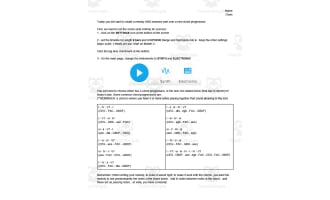
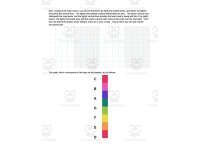
Use Chrome Music Lab's Song Maker interface to build a four-bar chord progression, one chord per bar.
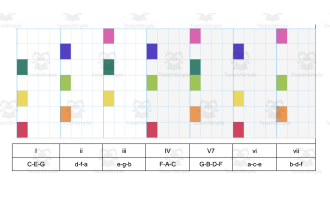
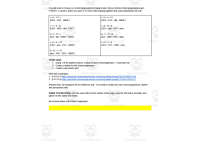
Apply a given Roman-numeral chord progression pattern (e.g., I-IV-V7-I) to its corresponding notes.
Create a rhythm and a percussion part to accompany an original chord progression.

Teaching tips
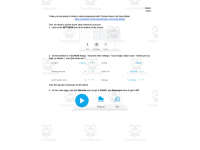
Walk through the settings steps as a class the first time (one-octave range, 4 bars, major scale, 4 beats per bar) so every student's Song Maker screen matches before independent work begins.
Point out that a chord is defined in the document as three or more notes played together, since students need that definition to build their own progression correctly.
Remind students that the two provided example links are for reference only — the task requires an original progression, rhythm, and percussion part.

Skills covered
Chord construction — students select one of ten given progressions and translate Roman-numeral chords (e.g., I, IV, V7) into their note combinations.
Digital music composition — students use Chrome Music Lab's Song Maker to place notes, rhythm, and percussion on a timeline.
Rhythm creation — students design a rhythm pattern to pair with their chosen chord progression.
Good to know
Questions teachers ask about this resource
What exactly counts as a 'chord' for this task?
The guide defines it directly: three or more notes playing together that sound pleasing to the ear, which is why each progression option lists three-note groupings like CEG or FAC.
What are the two provided Song Maker links for?
They're worked examples of finished chord progressions (I-IV-ii-V7 and I-IV-V7-I) for students to study before building their own original progression, rhythm, and percussion part.

No reviews yet
Downloaded this resource? Tell other teachers how it went.
Resource details
Concepts & topics
Core concepts
 Core concepts
chord progressions
digital music composition
rhythm
major scale
Topics
 Topics
Explore more
Categories this resource belongs to
Explore related searches
More to explore
You may also like