


Ten Frame, 1-10. Apple Theme Google Slides
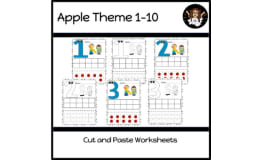
Apple-themed Google Slides ten frame practice: each slide asks students to move a set number of apples, from 1 to 10, into the frame.


- Grades
- Preschool–1, Elementary
- File type
- Google Slide


- Subject
- Math, Numbers
- Topic
- Numbers, Special Education
- Resource types
- Presentations, Teacher Tools
About this resource
What's inside this resource
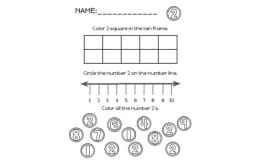
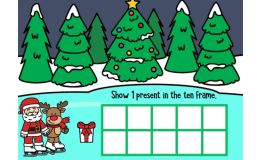
Ten Frame, 1-10. Apple Theme Google Slides This Google Slide resource helps young students learn to recognize numbers 1-10 using a ten frame layout with an apple theme. Educators can use this tool in small groups, whole class instruction, or as a homework supplement to give students practice counting objects, recognizing number quantities, and understanding ten frames. The slides feature colorful apple graphics that students can count as the ten frame fills up from 1 to 10. Seeing the apple quantities visually laid out in the ten frame boxes helps cement students' number sense. Teachers can advance the slides, asking students to identify how many apples they see or write/verbalize the numeral. Then, they can count the apple objects together, ensuring students understand the relationship between the symbolic numerals and concrete quantities. Using this cross-modal approach helps students gain fluency with numbers 1-10. This apple ten frame resource provides interactive opportunities for students to engage with early math concepts like rote counting, number recognition, one-to-one correspondence, and using a ten frame model. It can be used with whole groups on an interactive white board or projected for small groups. Students will gain confidence with numbers 1-10!
Related resources
More resources teachers may find useful
24 related resources were found using this product's title, contributor, categories and tags.


No reviews yet
Downloaded this resource? Tell other teachers how it went.
Resource details
Concepts & topics
Core concepts
 Core concepts
- Ten frame
- Counting to 10
- Number quantity
 Topics
Explore more
Categories this resource belongs to
Explore related searches
More to explore
You may also like

Presentations, Teacher Tools


Activities

Worksheets, Worksheets & Printables


Worksheets, Worksheets & Printables

Worksheets & Printables, Worksheets