Exploring Emotions Boom Cards


- Year groups
- Nursery–Reception (Early Years), Years 2–3 (Key Stages 1–2)
- File type
- Microsoft PowerPoint
- Use
- Digital activity


- Subject
- Social Emotional Learning (SEL), Special Resources
- Topic
- Boom Cards, Digital Task Cards
- Resource types
- Activities
- Use
- Digital activity
From the author
About this resource
This resource is a set of Exploring Emotions Boom Cards which are great for students to explore the different emotions.
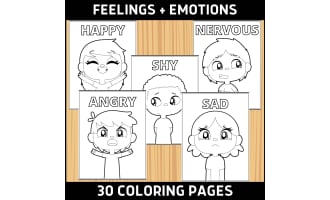
Included in this Exploring Emotions Boom Cards there are 20 cards included. Each card presents the image of a child expressing some kind of emotion. Then students will choose between 2 multiple choice answers to identify the correct emotion. If students choose the correct answer, there will be a sound "ding", and the correct answer will be circled in green. With "Try again" answers, there will be a sound "oops" and the wrong answer will be circled in red.
Students are sure to learn the emotion vocabulary as well as to distinguish emotions when going through these 20 different cards to practice!
To access this Exploring Emotions Boom Cards, students need to use Boom Cards.
Benefits of using Boom Cards include that they can be used in any device! They can self-pace at home or school and they can self-check as well.
There is no prep involved with this resource, simply download and click.
This Exploring Emotions Boom Cards was designed for students in early primary grades.
For similar or other engaging resources, visit my store here!
Related resources
More resources teachers may find useful
More resources on the same subject and topic.



In the classroom
Teaching tips & learning objectives

Learning objectives
Identify an emotion from contextual cues
Differentiate between two feeling words
Use feedback to revise an incorrect selection

Teaching tips
Preview the hosted deck and device access before assigning.
Ask learners to name the cue that supported a feeling choice.

Skills covered
Emotion recognition — contextual cues suggest feelings.
Vocabulary discrimination — two labels are compared.
Self-correction — immediate feedback supports another attempt.

No reviews yet
Downloaded this resource? Tell other teachers how it went.
Resource details
Concepts & topics
Core concepts
 Core concepts
Emotion identification
Digital task cards
Social-emotional vocabulary
 Topics
Explore more
Categories this resource belongs to
Explore related searches


More to explore