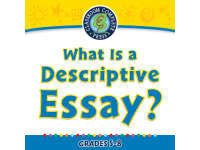
How to Write An Essay: What Is a Descriptive Essay? - FLASH-PC

- Year groups
- Years 6–9 (Key Stages 2–3)
- File type
- Software (PC)


- Subject
- Writing, English
- Topic
- Software (PC)
- Resource types
- Lesson Plans
From the author
About this resource
Resource Overview
The "How to Write an Essay: What Is a Descriptive Essay? - FLASH-PC" resource is ideal for teaching the art of crafting descriptive essays. It's designed expressly for students between Year 6 and 8, focusing on Language Arts and essay writing.
Features
- Curriculum-Focused Content: The resource includes reading passages structured with pre-reading and post-reading questions. This method fosters reflective learning while conserving teaching time.
- Printables: Fun, informative printables help ensure concept retention.
- Vocabulary Flashcards: Provided flashcards assist in mastering vocabulary, promoting clear expression when formulating descriptions.
- Ideas Depiction via Graphic Organisers: These visual tools enhance mental organisation skills, enabling learners to logically group information before composing a descriptive essay.
All these attributes make the learning process more immersive and engaging for the student.
Educational Standards Alignment
The resource is developed in accordance with Common Core State Standards ensuring compatibility with respected education guidelines. Moreover, it considers cognition at varying levels as explained by Bloom's Taxonomy thus providing a more flexible response to individual academic capabilities.
Digital Classroom Integration
The PC Software version allows hassle-free integration into your digital classroom framework. This lends itself well towards small-group studies or full-class lectures too turning it into an effective homework assignment tool as well enhancing independent study opportunity thereby making classroom sessions more engaging.
In Conclusion,
This product offers manifold benefits from easing lesson planning to efficient delivery of quality education making it an indispensable teaching aid targeting skill empowerment leaving your students considerably ahead academically.
Related resources
More resources teachers may find useful
More resources on the same subject and topic.



In the classroom
Teaching tips & learning objectives

Learning objectives
Students will distinguish between objective and subjective descriptive essays.
Students will plan a descriptive essay using the Five Senses Graphic Organiser or Spider Map before drafting.
Students will write an introductory paragraph containing a topic sentence and thesis sentence, following the modelled example.
Students will use vivid, sensory language and avoid storytelling or persuasive elements, per the 'Writing Watchdog' tips.

Teaching tips
Verify the interactive .exe/.swf lesson still runs before assigning it, since it is built on Adobe Flash, discontinued in December 2020.
Use the printable PDF versions of the reading passage and graphic organisers as a fallback if the Flash-based interactive lesson cannot be run.
Have students complete the Five Senses Graphic Organiser before drafting, since the reading passage explicitly recommends it as a prewriting step.
Use the included 4-level rubric (Ideas, Organisation, Style, Conventions) to assess the final descriptive-essay draft.

Skills covered
Descriptive-essay planning — students use the Five Senses Graphic Organiser or Spider Map to gather sensory details before writing.
Objective vs. subjective description — students distinguish factual, sense-based description from writer-opinion description using the passage's police-report example.
Introduction and thesis-statement writing — students draft a topic sentence and thesis sentence following the modelled paragraph.
Sensory descriptive vocabulary — students are prompted, via a 'Writing Watchdog' character, to use vivid, sense-based language.
Good to know
Questions teachers ask about this resource
What is the difference between an objective and a subjective descriptive essay, according to the reading passage?
An objective essay describes what any observer would see (colour, shape, size) without the writer's feelings, using a police accident report as the example; a subjective essay relies on the writer's five senses and personal impressions.

No reviews yet
Downloaded this resource? Tell other teachers how it went.
Resource details
Concepts & topics
Core concepts
 Core concepts
Descriptive essay
Graphic organisers
Objective vs. subjective writing
Thesis statement
Topics
 Topics
Explore more
Categories this resource belongs to
Explore related searches



More to explore