



Teaching PowerPoint Presentation - Boolean Logic


- Year groups
- Years 9–11 (Key Stages 3–4)
- Pages
- 40
- File type
- Microsoft PowerPoint
- Answer key
- Included


- Subject
- Science
- Topic
- Computing, Boolean Logic
- Resource types
- Presentations
- Answer key
- Included
From the author
About this resource
These adaptable PowerPoint Presentations can be used by the teacher in class to guide students through the topic - Boolean Logic. The teacher can use each slide to explain the concept in relation to computer programming. Alternatively, they can be used by the students independently to gain an understanding of how Boolean Logic is used in computer programming. Where required examples use the programming language Python.
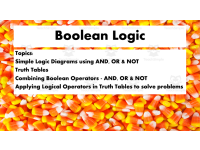
The resources includes 40 Slides that cover a range of topics including:
The use of Simple Logic Diagrams that use AND, OR & NOT
The use of Truth Tables - In Boolean logic, i.e. each statement is a comparison, and each comparison gives a Boolean value – True or False.
The combining of Boolean Operators - AND, OR & NOT
Applying Logical Operators in Truth Tables to solve problems
Objective: After students have had the opportunity to view the presentation slides, discuss the content and answer the questions that make up the checkpoints, they will have a clear knowledge of Boolean Logic and how it is used in programming.
Age/Year group: They are designed to be used for home learning or in the classroom for any age group learning Computer Science. They are probably best suited for 14-16 year olds.
Answer Key: Included with the presentation slides are a number of questions for students to consider and discuss.
The format used is PowerPoint which can easily be adapted by the teacher.
Related resources
More resources teachers may find useful
More resources on the same subject and topic.



In the classroom
Teaching tips & learning objectives

Learning objectives
Define the AND, OR, and NOT operators and evaluate expressions that combine them
Complete truth tables for single and combined Boolean operators
Draw logic diagrams and derive truth tables for equations such as D=A AND (B OR C)
Translate Boolean expressions into Python syntax and predict program output
Model a real-world system (a burglar alarm) as a Boolean equation

Teaching tips
Run the CHECKPOINT slides as whole-class questioning — each question slide has a matching reveal slide, so click-through pacing controls the answer moment
Bridge from the transistor slide to the operator definitions to keep the 'why' (binary hardware) attached to the algebra
Set the four diagram-and-truth-table exercises (Z=NOT(X OR Y) and friends) as paired work before showing the worked answer slides
Extend into a coding lesson with the Python slide — the same expressions students just evaluated by hand become runnable code
Since the file is a native PowerPoint, edit the checkpoint values to generate fresh practice rounds

Skills covered
Boolean operator evaluation — students decide whether expressions like x==y/2 and x>=9 come out True or False.
Truth-table construction — dedicated slides and exercises build tables for AND, OR, NOT, and multi-operator equations.
Logic-diagram drawing — four checkpoint tasks require a diagram plus truth table for combined-gate equations.
Applying logic to systems — the alarm-system slides turn sensors and a switch into S=(D OR L) AND A.
Reading Boolean code — closing slides ask what output Python programs will produce.
Good to know
Questions teachers ask about this resource
Does the deck connect Boolean logic to programming?
Yes — after the gates section it shows how expressions such as Z=NOT(X==5 AND Y==8) are written in Python, and the final checkpoint asks for program outputs using the reference language shown in the deck.

No reviews yet
Downloaded this resource? Tell other teachers how it went.
Resource details
Concepts & topics
Core concepts
 Core concepts
Boolean logic
Truth tables
Logic gates
Binary
Python
 Topics
Explore more
Categories this resource belongs to
Explore related searches



More to explore


