



2,274 products added recently
Page 1195 - Newest Teaching Resources

 Show filters
Tree Design Challenge
Science, Physics, Not Grade Specific, Activities
Sure! Here is the formatted text: ` The Tree Design Challenge: Robot Biomimicry An innovative teaching tool designed to refine critical thinking skills in students. This resource enables students to design and build their own robots that mimic animals or phenomena found in nature. Interdisciplinary Approach Suitable for All Grade Levels The Robot Biomimicry Design Challenge bridges subjects like science, technology, engineering, arts (STEAM), design thinking classes etc. allowing for its application in Makerspaces, Afterschool programs or Technology Classes. Ready-made Challenges Suitable for Individual & Group Sessions It provides an assembly of context provision with set tasks (Design Challenges). Specifies materials needed & steps on how to navigate through the challenge. Fits seamlessly into whole-group instruction scenarios but also supports small group activities or individual assignments. Tips are included for a seamless learning experience fostering ingenuity-rich learning across camps or independent sessions enhancing creative connection between curriculum standards & real-life situations. `
Author WhyMaker
Tags Robot Biomimicry, Critical Thinking, STEAM Education, Design Challenge, Hands-on Learning

Algorithms (Unplugged Coding #1)
Science, Technology, Computer Science, Grade 1, 2, 3, 4, 5, 6, 7, 8, Activities
You want to introduce or teach your students about programming / coding however you don’t have access to computers? No problem. This “Unplugged Coding” resource works without computers. After completing these printable activities, your students can apply similar logic and strategies to coding websites and apps. This is a great alternative or additional resources before using code.org or Scratch. This resource is apart of an unplugged coding series. In each, a different main concept is focused on. To use this resource, just print the PDF and have your students coding, unplugged today. The main focus of this resource is Algorithms. The purpose is to demonstrate that computer code follows a set of rules. This resource includes the following type of activities and worksheets: Algorithms info page. Explains what an Algorithm is and why it is useful to computers. This handout also has real life examples. It is a great starting point. Brushing Your Teeth Algorithm Activity Making a Sandwich Algorithm Activity Watching TV Algorithm Activity Making a Pizza Algorithm Activity Planting a Seed Algorithm Activity Decorating a Christmas Tree Algorithm Activity Curving a Pumpkin Algorithm Activity
Author Roombop
Tags Coding, Unplugged Coding, Programming, Printables

3D Printing Unit Plan
Science, Technology, Computer Science, Not Grade Specific, Teacher Tools, Lesson Plans
3D Printing Unit Plan A comprehensive and beneficial educational resource carefully designed to immerse students into the world of 3D printing technology. This unit plan is tailored towards providing students aged 8 and above with an engaging hands-on learning experience, focusing on challenging their creativity in designing and 3D printing an eating utensil specifically suited for consuming a chosen food type better. Lesson Structure The unique elaborative undertaking comprises more than eight lessons, each meticulously crafted with clear instructions for both educators and learners. It maps out what every lesson entails, thereby ensuring a smooth flowing teaching process that strategically engages students at every stage of their learning journey. Lesson Objectives & Assessments: All lessons come packed with defined objectives to guide teachers through predetermined educational milestones efficiently. These targets are complemented by insightful assessments evaluating student's grasp of the subject matter introduced in each lesson. center ">Global Standards Alignment In addition, the 3D Printing Unit Plan makes substantial connections to ISTE (International Society for Technology in Education) and ITEEA (International Technology Education Association) standards which are recognized worldwide as benchmarks for tech education best practices. Versatile application across various educational settings - perfect for both public school teachers and homeschoolers alike. center ">Materialistic & Resource Optimization This unit plan provides lists of essential materials required per lesson basis along with valuable resources necessary to enhance understanding. Inclusive education techniques aimed at maximizing teaching effectiveness regardless of individual student's strength or weakness level within targeted age range. Delivery Format: The entire package is delivered as a downloadable PDF file type, making it easily accessible & convenient for scanning through content either on digital devices or traditional paper format after printing retain copies if desired. center ">Boost your Science lessons with this strategic resource and turn them into captivating classroom experiences!
Author WhyMaker
Tags 3D Printing, Educational Resource, Hands-on Learning, Design, Technology Education
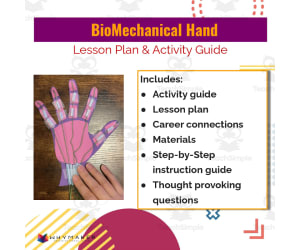
BioMechanical Hand Lesson Plan & Activity Guide
Science, Technology, Computer Science, Grade 1, 2, 3, 4, 5, 6, 7, Lesson Plans, Teacher Tools
Everything you need to run a successful and fun lesson! Students will design a robotic hand that is similar to a human hand.
Author WhyMaker
Tags Computer Science - Technology, Instructional Technology, Engineering, Biomechanical Hand

Electric Greeting Card Lesson Plan + Activity Guide
Science, Technology, Computer Science, Grade 1, 2, 3, 4, 5, 6, 7, 8, Lesson Plans, Teacher Tools
Product: Electric Greeting Card Lesson Plan + Activity Guide Nestled in the realm of Science and Computer Science, the Electric Greeting Card Lesson Plan and Activity Guide has been meticulously designed to cater to students from grades 1 through 8. It serves as an educational resource par excellence, providing educators with a unique and effective tool for teaching their pupils about electricity in a hands-on way that complements traditional classroom instruction. An Educator's Companion: An activity guide is included that enables educators to efficiently plan and execute this project, making it ideal for usage in both whole group instruction or small group activities. The easy-to-understand step-by-step instructional manual simplifies the process even for teachers who may be navigating the nuances of science education. Creativity Meets Education: This set doesn't limit itself to just instructions; it further provides engaging questions aimed at encouraging students towards brainstorming designs. Imagine your class where every young mind wracks its gray cells devising innovative electric greeting card designs! Merges computer science into its core offering. Detailed materials list also accompanies the guide together with procurement details. The activity 's PDF format means you can assign it easily as homework, allowing students ample time at home to bring their electric card ideas alive! Last but not least, while crafted meticulously for teachers conducting formal classes in public schools or homeschools, there's nothing stopping any educator from using them in informal settings like clubs or communities owing to its versatility. In conclusion, Let electricity light up not just your students' greeting cards but also their faces as they immerse themselves in fun learning using the Electric Greeting Card Lesson Plan and Activity Guide.
Author WhyMaker
Tags Electricity, Hands-on Learning, Lesson Plan, Activity Guide, Coding

Team Sport Game
P.E. & Health, Physical Education, Not Grade Specific, Games, Activities
Team Sport Game: An Innovative Educator Resource The Team Sport Game is a substantial resource produced for teachers and homeschoolers alike. Designed particularly for physical education and health topics, this learning aid introduces an appealing blend of design challenges crafted to kindle student creativity while augmenting their comprehension. All components of this learning resource are prearranged so that introduction necessitates minimal preparation from teachers. Merely hand out the challenge briefs to students, guiding them towards independently exploring these considerate tasks. Versatility in Learning Contexts This module's splendid adaptability makes it fit into varied spaces within your curriculum or teaching context. Space-appropriate applications include Makerspace activities, Genius Hour, independent study periods, STEM classes or even after-school programs and camps - the Team Sport Game champions versatility. Educational Design Challenges Briefs Every design challenge brief showcases meaningful relations between real-world scenarios and assigned tasks through upfront contextual information woven into each task. A comprehensive description of specifications ensures transparent expectations for each assignment while constraints emulate realistic restrictions found in everyday life circumstances. List of Requirements: Materials required Necessary tools The instructions provide solid guidance about what students will need before undertaking any given task. Delineated steps: The learners are guided through each challenge by well-outlined steps complimented with helpful tips throughout the journey. The material is provided as a PDF file format , simplifying distribution across multiple digital platforms making prep time quicker for teachers - more time fostering student engagement rather than managing paperwork. Nurturing Deep Thinking Abilities & Enhancing Curriculum Content Knowledge The notable characteristic of this resource isn't just curriculum content delivery. It's created to cultivate deep thinking abilities critical for problem-solving in today’s dynamic world. Promoting innovation allows children to create unique solutions thus demonstrating a practical grasp on the subject matter moving beyond mere theoretical knowledge acquisition – truly a beneficial addition to any learning situation.
Author WhyMaker
Tags Team Sports, Physical Education, Health, Creativity, Problem-solving

Model Tiny Homes Design Challenge
, Not Grade Specific, Activities
Model Tiny Homes Design Challenge: An Innovative Teaching Resource This comprehensive teaching resource engages students in a real-life situation, requiring them to think critically and innovate. All it requires from the educator is distribution — kickstarting the journey of individual exploration. Depending on your educational scenario, these versatile challenges may be used in Makerspaces, Genius Hour sessions, STEM-related classes, Technology Classes or even specialized environments like Afterschool programs or Camps. They can also supplement STEAM classes or Design Thinking Classes during SEL time. What Does Each Brief Contain? Context: Immerses learners into real-life scenarios. Design Challenge: Outlines the task at hand for students. Specifications: Provides obligatory features of this unique exercise. Constraints: Defines limitations of the problem prompting creative problem-solving techniques. Listings for materials and tools along with sequential steps are provided separately. A list of insightful tips is included as well to guide students through their process. The design challenges cater predominantly towards science subjects but are flexible enough to adapt across other subjects promoting cross-curricular understanding. Not bound by grade level, these exercises encourage innovative thought processes using readily available materials within their environment promoting practical learning irrespective of group size whether in classrooms or at home. In Conclusion... The Model Tiny Homes Design Challenge bundle serves as a comprehensive do-it-yourself STEM module fostering autonomous learning while nurturing invaluable 21st-century skills. For proactive educators aiming towards an all-rounded education for their young learners - this teaching resource is an asset you cannot overlook!
Author WhyMaker
Tags STEM Education, Design Thinking, Critical Thinking, Problem-solving, Autonomous Learning
School Bus Design Challenge
, Not Grade Specific, Activities
School Bus Design Challenge Engage your students in an innovative learning experience with the School Bus Design Challenge. Ready to use upon delivery, these design challenges require no prep work from educators - making classroom setup a breeze. Simply distribute them amongst your students and watch as they tackle these tasks independently. Versatility and Adaptability Suitable for a wide range of learning situations, these challenges can serve multiple purposes in your curriculum . The activities can be: Incorporated into Makerspace or Genius Hour activities Used during independent study time or choice time sessions Implemented in technology or STEAM classes Provided for library-time projects Included in after-school programs and camps. Catering to non-core subject areas such as design thinking classes makes this resource remarkably versatile. Furthermore, this material provides perfect content for SEL (Social Emotional Learning) session materials. The Bundle Features The School Bus Design Challenge bundle offers ready-to-go briefs complete with context scans so that the task scope makes sense to the learners. Alongside are clearly described specifications and constraints adding necessary challenge elements. The package includes: A material listing required for the task . Tool suggestions suitable for each challenge that ensure seamless execution of tasks. . A Step-by-Step Guidance Section Ensures Clarity on Task Completion Approach This also offers ‘Tips’ providing additional information enabling whole group and small group implementations based on comfort levels providing differentiated instruction options. This enhances learner retention while being authentically-linked with real-life scenarios, making it easy to implement even for homeschoolers who follow public school standards. Generate A Taste for Potential STEM Careers This unique learning tool encourages deep reasoning about given concepts fostering creativity, crafting innovative solutions, leading towards potential STEM career interest development opportunities. Inclusive Learning The teaching resource is ungraded allowing educators freedom & flexibility in customizing per the individual learners’ capabilities. Delve into the world of practical, real-world learning scenarios and encourage students to think, innovate and create. The journey from a novice thinker to an innovative solution craftsman begins here!
Author WhyMaker
Tags School Bus, Design Challenge, STEM, Innovation, Problem-solving
Maker STEM Project Planner
STEM, Not Grade Specific, Activities
Maker STEM Project Planner: An Educational Machinery Maker STEM Project Planner is an indispensable resource, specially crafted for educators with a desire to construct fresh and captivating Maker or STEM projects. It offers maximum efficiency with minimum hassle by guiding you through the process systematically. Focused Towards Curriculum Integration Say goodbye to standalone project assignments! This planner initiates the process by focusing on how current curriculum units can naturally include Maker or STEM projects. It suggests potential challenges within these units, thereby fostering critical thinking and problem-solving skills in students. New Teacher Friendly The intuitive interface guides you on additional resources needed. Provides tool integration advice ensuring seamless implementation during teaching sessions. No more fumbling with stubborn equipment or complicated software! Innovation in Education Simplified! This planner manages to take one of the most overwhelming aspects of modern education - creating innovative lessons involving Science, Technology, Engineering, and Math (STEM) – and making it an easy-to-manage part of educational planning. Taking Beyond Routine Teaching Methods... The Maker STEM Project Planner isn’t just a step-by-step guide; it’s a tool that empowers teachers by integrating design thinking principles into each section. The result? Creativity thrives amongst students who work on assignments tailored specifically according to their class profiles. #Applicability Across Various Teaching Contexts * Whole group instructions during regular classroom hours * Smaller cluster-based activities during study sessions * As a homework assignment chart director It works flawlessly across all teaching contexts! This PDF formatted resource spells compatibility across devices – download once and use throughout your professional tenure. No doubts about it; this Maker STEM Project Planner is more than an instructional tool. It's your chance to introduce engaging lessons that push boundaries and incite curiosity in their classrooms. Make every day of teaching a powerhouse learning experience for your students!
Author WhyMaker
Tags STEM Education, Maker Projects, Project Planning, Design Thinking, Resource
What is Electricity? Guided Notes
Science, Technology, Computer Science, Grade 3, 4, 5, 6, 7, 8, 9, 10, 11, Activities
What is Electricity? Guided Notes What is Electricity? Guided Notes is a digitally accessible PDF file that serves as an educational tool for advancing students' understanding of electricity. It comprises three pages of detailed and engaging guided notes. Suitable for Different Grades and Teaching Methods This learning resource can be used by learners from Grade 3 to Grade 11. Given its versatility, it can accommodate various teaching methods, including traditional in-class teaching or homeschooling. Thus, it serves as a perfect choice for public school teachers and homeschoolers. Aiding Diverse Learners in Understanding Complex Concepts Catering to students with diverse learning abilities, this product uses straightforward language and explanations that make it particularly beneficial for students with ADHD or learning disabilities. Different Ways of Utilizing the Guided Notes In a physical classroom setting, the whole class can study these notes together during a presentation on electricity. This encourages collaborative discussions among peers about the scientific concepts covered. If small group study or individual use best suits the classroom dynamic, educators may choose to adopt these guided notes according to their needs. The material could also be given out as homework to consolidate what was taught during classroom instruction. A Versatile Learning Resource in Various Academic Settings " What Is Electricity? Guided Notes " proves highly effective across broad science curriculum areas- from Computer Science lessons to general Science topics. It is substantive enough to work independently but also complement broader academic instruction skillfully. Whether you wish to support subjects already discussed in class or gradually introduce new material through note-taking exercises - these guided notes offer a practical means of achieving these learning goals. Educators can effectively disseminate knowledge and improve students' understanding of key concepts in electricity by using such resources.
Author WhyMaker
Tags Electricity, Guided Notes, Learning Disabilities, Science Education, Virtual Homeschooling

Food Machine Design Challenge
Science, Inventors, Not Grade Specific, Activities
Food Machine Design Challenge: An Effortless Teaching Resource Food Machine Design Challenge is a teaching resource designed for seamless integration into any curriculum . It isn't grade-specific, allowing adaptability and versatility across various grades and learner capacities. This resource primarily focuses on Science, emphasizing the inventive dimension of learning. Versatile and Independent Learning The module includes ready-to-use design challenges that promote independent learning among students. Its chief advantage lies in adaptability – it can be incorporated into Makerspace sessions, Genius Hour, Independent Time or STEM classes with ease. Real-life Scenarios to Promote Understandings This tool corresponds to real-life scenarios while keeping with content standards to deepen student understanding. It stimulates critical thinking and fuels innovation as students actively engage in problem-solving. Detailed Design Challenges Context- Provides the rationale behind each challenge. Design Challenge- Outlines tasks for completion. Specifications- Sketches out needed conditions per challenge. >Constraints- Marks limitations within each challenge.' ' Note:All materials and tools needed are also detailed. Additonal Support through Organized Steps Detailed steps guide learners on systematically approaching tasks from beginning to end. Tips are provided throughout exercises increasing chances of success. The product comes in multiple file types offering cross-device accessibility; thus making it useful for educators developing lesson plans at their own pace or revising them quickly if necessary. The hands-on activities further enrich student experiences by promoting practical learning which leads to enhanced comprehension. In conclusion,The Food Machine Design Challenge presents as an accessible, comprehensive educational tool promoting critical thinking while maintaining high interactivity.
Author WhyMaker
Tags Science, Design Challenge, Independent Learning, Problem-solving, Innovative Thinking

Animal Discover Design Challenge
Science, Physics, Not Grade Specific, Activities
Amusement Park Ride Design Challenge Brainstorm and design a brand new amusement park ride. WhyMakers Design Challenges come READY to use. All you have to do is hand them out to students and they can begin to work independently on them! These design challenges can be used in so many different ways. You can use these for your Makerspace, Genius Hour, Independent Time, STEM, Choice Time, Technology Class, Library Time, Afterschool programs, Camps, STEAM classes, Design Thinking Classes, SEL time and more! These design challenges focus on real life scenarios that you can connect to content standards. These are sure to keep your students engaged and will encourage them to think deeply about the content being taught while being innovative and crafting their solutions.
Author WhyMaker
Tags Physical Science, Animal Discover Design Challenge, Design Challenge, Student Design Brief, STEM

Tips and Tricks for 3D printing with your Class
Science, Technology, Computer Science, Not Grade Specific, Activities
Tips and Tricks for 3D Printing with Your Class Breaking down the barriers of traditional learning, this useful guide is aimed at integrating 3D printing technology into your science and computer science curriculum . Serving as an informative teaching resource, it caters to learners across all grade levels, providing an innovative approach to immersive hands-on education. Techical Tips on Operating 3D Printers: This guide supplies crucial guidance on operating classroom 3D printers effectively. It aids educators by providing educational tools and knowledge for facilitating complex lessons effortlessly. Handy troubleshooting guides designed to assist in resolving tech-related hurdles are also included. Pedagogical Tips: Beyond operational insights, this handbook presents essential pedagogical tips imperative in creating a robust learning atmosphere anchored in creative exploration. Each advice is strategically curated by experienced educators focusing on the transformative power of experiential learning. A collection of resources- Help teachers devise thoughtful lesson plans around advanced fabrication technology. Potential applications- Ranging from whole-class activities promoting collaborative problem-solving to small breakout group activities fostering project-based explorations and individual creativity enhancement. Homing assignments- Catalyse independent exploration under active virtual guidance from home environments invoking ed-tech adaptations mirroring real-world digitalisation progressions. All the information is easily accessible through a single PDF file download that allows teachers stimulate comprehensive understanding more visually—moulding scientific concepts from 'vision-to-touch', innovatively delivering curricular aims while preparing students simultaneously for Industry4.0 evolution within accessible classroom settings.
Author WhyMaker
Tags 3D Printing, Education Technology, Hands-on Learning, Pedagogy, Troubleshooting
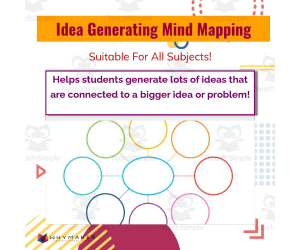
Idea Generating Mind Mapping
, Not Grade Specific, Activities
Idea Generating Mind Mapping - The Ultimate Resource This: Can be comically known as the Idea Generating Mind Mapping, an effective and efficient teaching aid designed to help students visually organize thoughts or explore new concepts. Serves a larger purpose than being just a simple mind map, as it can be used in a myriad of ways such as encouraging insightful brainstorming exercises, planning essays, and generating story ideas. Detailed Structure & Design: Crafted with eye-catching colors and clear partitions, this innovative graphic organizer allows students to branch out numerous sub-ideas from one significant concept or problem. The visual nature of the mind map helps students evaluate connections between thoughts intuitively while stimulating creativity, thus strengthening their understanding of any topic at hand. Versatility across Subject Areas: Perfect for group discussions or breaking complex topics down to easier digestible chunks for individual learners. Ideal for project work planning sessions by presenting interconnected information in an easy-to-understand format. Assign this resource as a creative homework assignment! Learner's Compatibility: This tool is wonderfully adaptable for grades 3 through 8th grade learners catering well across different learning styles - Visual learners get particular benefit from clearly seeing connections between ideas drawn out in front of them; linguistic learners would find sorting keywords into structured blocks helpful; even kinesthetic learners can participate by physically drawing on the organizer! Ease-of-Access format: An easy-to-access PDF file ensures seamless integration into your current curriculum without the need for extra applications or websites. This means you spend less time setting up technology and more time engaging with your class! In summary: Idea Generating Mind Mapping boasts potential beyond merely facilitating cognitive connections but habituates pupils into naturally weaving complex interconnections among different ideas when exploring new knowledge territories – reflecting quintessentially effective learning techniques. Embrace more possibilities today with Idea Generating Mind Mapping!
Author WhyMaker
Tags Mind Mapping, Graphic Organizer, Brainstorming, Teaching Aid, Creative Thinking

Coding with Python: Storing Information Project
Science, Technology, Computer Science, Grade 6, 7, 8, 9, 10, 11, 12, Projects, Activities
Coding with Python: Storing Information Project A comprehensive teaching resource designed explicitly for educators teaching grades 6 through 12. It is a richly detailed and functional material that targets essential computer science standards and easily integrates into daily instruction, thus ensuring the comprehension and application of the Python programming language. The use of this resource in your educational settings will enrich the students' understanding as they journey from grassroots levels to sophisticated concepts. It has thoughtfully been scaffolded, starting with fundamental topics up until complex ones such as dictionaries in Python. Considering reinforcement learning theory, students would appreciate multiple activities each day that reinforce previously learned knowledge progressively. Key Learning Areas This project enables students to master several key areas with precision and clarity: Data types Variables Functions loops Lists & slicing routines All these are fundamental building blocks towards becoming proficient coders, which eventually lead to dictionaries - a pivotal attribute that further sharpens their coding skills. Packed For Various Instruction Methods This project is ideal for whole group instruction due to its engaging content structure but also proves valuable for small targeted groups or individualized home assignments due to its adaptability and contextual approach. The material comes well-organized as an easy-to-navigate PDF file type assisting both hardcopy production or device screen viewing without compromising on quality. It professionally prepares pupils by giving them hands-on coding experience used heavily across technology-focused industries today. Benefits Beyond Classroom Confines: By integrating Coding with Python: Storing Information Project into your curriculum_, you are equipping learners not only for successful task completion but fostering foundation-building skills required in higher-level programming disciplines such as Computer Science. These are benefits universally appreciated beyond classroom confines. Teachers can be assured that this resource complies even when introducing STEM concepts at primary stages or promoting Advanced Placement participation at maturing academic phases.
Author WhyMaker
Tags Python Programming, Data Types, Variables, Functions, Loops

Safety Alarm System Design Challenge
Science, Earth and Environmental Sciences, Earth Sciences, Not Grade Specific, Activities
Safety Alarm System Design Challenge Teachers and homeschooling parents alike understand the struggle to keep students engaged in lessons, but the solution might be easier than you think. The Safety Alarm System Design Challenge offers a unique way for educators to make learning interactive and fun. This easy-to-implement resource is an all-in-one teaching aide that educators can hand-out to their students, allowing the learners themselves to work independently. It creatively combines different areas of study such as: Makerspace Genius Hour Independent Time STEM Choice Time, Technology Class along with more unconventional options like Library Time or afterschool programs. The materials required for each challenge come packed with clarity. A Context setting section - giving meaning behind each challenge A Design Challenge - indicating what needs completion A Specifications section - outlining non-negotiables during the task Few other pointers are mentioned below: - The Constraints- which establish boundaries within each activity ; The Materials - outlining resources needed for tasks; Tools needed for completion of tasks; Additionally there are helpful Tips provided - making it convenient even for novice educators! This resource does not follow standard traditional grade limitation – allowing it to adapt easily across multiple grades without difficulty ensuring all students receive an education that encourages creativity and imagination in every step they take.” Consider integrating this into your teaching strategy – whether it’s used in whole group sessions where collaborative dialogue enhances the discussion quality or small group dynamics ideal for honing teamwork skills or even individual assignments promoting self-sufficiency – hence proving useful during SEL (Social Emotional Learning) time. The Safety Alarm System Design Challenge is a flexible tool that adds texture and depth to the learning experience while stimulating minds in ways textbooks alone struggle to achieve
Author WhyMaker
Tags Interactive Learning, Design Challenges, STEM Integration, Problem-solving, Student Engagement

Teaching Tips For a Managed Computer Science Lesson
Resources for Teachers, STEM, Not Grade Specific, Teacher Tools
Title: Teaching Tips for a Managed Computer Science Lesson Teaching Tips for a Managed Computer Science Lesson is an indispensable resource designed to support educators in teaching computer science. Suitable for every grade, the guide emphasizes adaptable learning approaches that can cater to any age or skill level. The resource encapsulates successful teaching strategies designed to amplify students' understanding of computer science concepts. Apart from fundamental instructions, these strategies champion teamwork and peer collaboration - acknowledging that learning doesn't occur exclusively through independent study but also through cooperative interactions. Consequently, students are afforded opportunities to instruct each other, alternating roles such as debugging partners or aiding their peers in challenging tasks. This invaluable guide nurtures more than just coding skills; it transforms traditional classrooms by deploying unique tactics like 'birdhouse' and 'unplugged'. The former motivates self-guided problem-solving while stimulating creativity in learners - striking an ideal balance between academics and leisure. Unplugged, on the contrary, advocates learning beyond digital interfaces – deepening understanding via hands-on experiences. Besides this, this handbook underscores the importance of meticulously designing lessons and efficient classroom management when dealing with complex subjects like computer science. It is centered on concrete organizational tips which foster an orderly environment favorable to concentrated study. Diverse methodologies customized especially for different contexts – ranging from interactive whole-group sessions down to individual assignments are elaborated comprehensively in this resource. A key element is its focus on cultivating independence amongst learners using cheat sheets. Herein cheat sheets aren't shortcuts but tools granting pupils autonomy by encapsulating vital information succinctly — facilities reassuring confidence within learners while honing their troubleshooting skills sans excessive dependence on tutors or classmates. Incorporating valuable insights into proffering efficacious computing lessons while maintaining classroom equilibrium rendering it an indispensable reservoir of inspiration primarily targeted towards new-age educators creating computer literacy atmospheres. Merging academic growth with the development of crucial soft skills through intelligent pedagogical approaches is now feasible. In conclusion, Teaching Tips for a Managed Computer Science Lesson materializes as an invaluable tool in its PDF format - a consolidated resource simplifying the complex task of effectively and entertainingly teaching computer science for educators. Its application across diverse settings — be it whole classrooms or smaller groups, underscores its true worth.
Author WhyMaker
Tags Teaching Strategies, Teamwork, Peer Collaboration, Independent Problem-solving, Organization

Monster Multiplication Custom Craft Cards x8
Math, Multiplication and Division, Division, Grade 2, 3, Crafts, Activities
These are Monster Multiplication Custom Craft Cards x8. You can use these cards as flash cards, small group intervention and so much more. Students will love these cards to practice multiplication. These cards are printed in black and white, so students can color them.
Author WORDS ASIDE
Tags Graphics, Clipart, Math Mats, Monsters, Multiplication

Problem Solver Challenge
Social Studies, History, History: World, Not Grade Specific, Activities
Problem Solver Challenge This teaching resource is a bundle of ready-to-use WhyMakers Design Challenges that require students to brainstorm, design, create, and reflect. Ideal for grades 3 through 5, these design challenges require students to utilize their problem-solving skills in an engaging and creative way. Description: The Problem Solver Challenge comes equipped with various sections that assist students on their independent journey towards innovative solutions. The context section explains the challenge to give it sense and relevance. The actual task is clearly outlined in the Design Challenge section The Specifications provide 'must-do's' for each challenge. Constraints:, detailing any limitations involved. Necessary Materials and Tools: Steps: , leading up to a solution for those challenges. Tips: , offered alongside each step to further aid students understanding of how they can approach a solution creatively. No matter where you decide to implement these amazing teaching tools - whether it be in Makerspaces or Genius Hour sessions down even down to after-school programs or summer camps - they've got you covered. They conform naturally with STEM protocols but could easily find itself being used within Choice Time slots or even as part of Social Emotional Learning sessions! Extend its use beyond traditional class time; try implementing it within technology-focused classes or library time too! Aimed universally across grades and focusing majorly on subject categories like Social Studies (specifically encompassing World History), this product strives towards building holistic individuals who think deeply about taught material whilst having an innovation-focused mindset towards problem solving. Each Problem Solver Challenge boosts student engagement while crossing thresholds into new levels of thought process about taught standards - making lessons sticky in every sense! .
Author WhyMaker
Tags Design Challenges, Problem Solving, Teaching Resource, STEM, Creativity

Electricity Quiz
Science, Physics, Grade 3, 4, 5, 6, 7, 8, 9, 10, 11, 12, Quizzes, Quizzes and Tests, Teacher Tools
A simple 10 question electricity quiz to check student's understand of electricity concepts.
Author WhyMaker
Tags Career And Technical Education, Physical Science, Engineering, Electricity Quiz

Project Ideas for 3D printing
, Not Grade Specific, Projects, Activities
Project Ideas for 3D Printing: A Teaching Resource Overview: The Project Ideas for 3D Printing is an expertly designed tool that integrates technology into everyday education, providing a dynamic and innovative approach to learning. This resource simplifies introducing 3D printing into the classroom. Educational Scope: Social Studies Art/Music/Theater Design & Engineering Family & Consumer Science/Health Science Math Science Literacy Versatility: This guide is not only beneficial for teachers in schools but also proves advantageous for homeschooling parents when developing curriculum or supplementing lesson plans . It serves as an easy-to-use reference card that can be integrated during whole group instruction or assigned within smaller teams. Tidbits:(65 project ideas on one page!) The beauty of this resource is its practical, user-friendly format consisting of just one page with organized cross-curricular subjects. This allows educators quick access to ample knowledge without having to sift through countless pages or bulky digital resources. Note: This versatile teaching tool caters students from elementary school to high school levels experiencing different stages of technology-aided learning. No matter what the size, grading scale, or nature of your classroom might be; if you’re an educator seeking a novel approach towards learning our meticulously sorted project ideas are sure to become invaluable component in your toolbox.
Author WhyMaker
Tags 3D Printing, Project Ideas, Cross-curricular, Technology Integration, Teaching Resource
Project Planning for Scratch Coding & Computer Science Game Creation
Science, Technology, Computer Science, STEM, Grade 3, 4, 5, 6, 7, 8, Activities
Project Planning for Scratch Coding & Computer Science Game Creation This resource aims to bring computer science into the grasp of students in grades 3-8. It is designed for easy integration into an existing curriculum , offering a sequence of lessons that guide students through game development using Scratch, a user-friendly programming language and online community. The Learning Process: Students are guided step by step in creating two unique games. Coding skills are imparted while also teaching about multiple variables, score keeping parameters, multiple sprites (characters), and numerous backgrounds in game creation. The hands-on nature of the course ensures active learning, while underlying computational thinking strategies are being built upon. Flexibility and Adaptability: Note - this resource has been expertly curated to cater to diverse learner needs. The plans can be used as either standalone assignments or group projects within classrooms. The flexible nature allows individual teaching methodologies or variance in student aptitude to dictate the course's application. Merging ProjectPlanning with Critical Thinking: All lessons integrate planning techniques that build critical thinking skills among students – vital not just for budding coders but essential life skills necessary for all learners today. The PDF format ensures ease of use without additional software requirements - convenient from an educators' perspective and complying with contemporary teaching approaches across computer science subjects at the same time. To Wrap Up... For those aiming at providing exposure to modern Computer sciences via an easily approachable route - Project Planning for Scratch Coding & Computer Science Game Creation strikes the right balance between delving into game design with concomitant absorption of basic coding concepts alongside nurturing indispensable lifelong learning abilities.
Author WhyMaker
Tags Scratch Coding, Game Creation, Computer Science Education, Project Planning, Computational Thinking
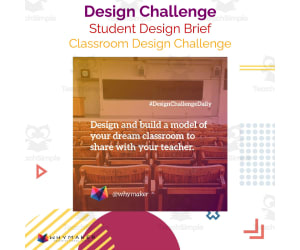
Classroom Design Challenge
Science, Physics, Not Grade Specific, Activities
Classroom Design Challenge: Your Next Gen Pedagogical Tool! The Classroom Design Challenge offers a unique platform for hands-on learning, promoting engagement and facilitating high-quality education for all types of learners. It has potential use across a range of settings: afterschool programs, camps, STEAM classes or library time. Versatility & Usability This educational resource can be incorporated into your existing curriculum during 'choice' time periods or focused on independent study sessions. In essence, Classroom Design Challenge comprises 'Ready-to-Use' design briefs that give students the opportunity to address real-life scenarios. Each brief comes with: Contextual information The specifics of the design challenge Necessary specifications and constraints List of required materials and tools Detailed steps guiding students through their project along with insightful tips. A Standards-Based Approach To Learning Objectives Befittingly aligned to Standards-Based Learning Objectives - this teaching tool is 'Grade Non-Specific'. It makes subjects such as Physical Science engaging by encouraging creativity in solution crafting. This not only fosters innovation amongst learners but also promotes critical thinking abilities. Fits Group Sizes & Dynamic Scheduling: Each activity can easily be scaled down from collective classroom projects to smaller groups or even individual assignments as homework providing flexible scheduling options based on class dynamics. In conclusion, Classroom Design Challenge bridges creative arts (design) and physical sciences offering great opportunity for interdisciplinary learning – making it an educator’s go-to tool inside today's dynamic classrooms.
Author WhyMaker
Tags Hands-on Learning, Educational Design, Practical Education, Interdisciplinary Integration, Critical Thinking

3-D Book Scenes Design Challenge
ELA, Reading, Not Grade Specific, Activities
3-D Book Scenes Design Challenge: An Innovative Teaching Resource The 3-D Book Scenes Design Challenge is an exciting teaching resource that immerses students into the world of their favorite books. It aims to inspire a deeper understanding of literary concepts, particularly in Language Arts and reading activities . Real-world Application This product establishes a connection between academic content standards and practical experiences, fostering a fun learning environment. Versatility and Usage This challenge can be effectively utilized in classrooms, Makerspace labs , Genius Hour sessions, STEM/STEAM classes or even for homeschooling. It also serves as an ideal tool for after-school programs that promote hands-on learning experiences. A Progressive Journey The 3-D Book Scenes Design Challenge guides students through progressive steps - from specifying the context to outlining specifications and limitations. It lists out relevant materials and tools needed for this adventure. Educators' toolkit: This resource comes with helpful tips providing insights throughout this immersive exercise which fosters problem-solving skills while cultivating innovative thinking among learners. Potential Advantages: Bolsters Collaboration Skills: Promotes Individual Focus:LWhen used individually, it encourages personalized approaches towards problem-solving. In short, The 3-D Book Scenes Design Challenge combines active involvement within literature's exciting realms with a platform where knowledge meets creativity—an ideal addition worth considering for modern educators striving to stimulate both academic growth and innovative creativity among learners.
Author WhyMaker
Tags 3-D Design, Book Scenes, Creative Challenge, Reading Activities, Problem-solving