Classroom Newsletter Template: Wizard Color Stripes





About This Product
Product Title: 34 Digital Classroom Newsletters for Wizards - Color Stripes
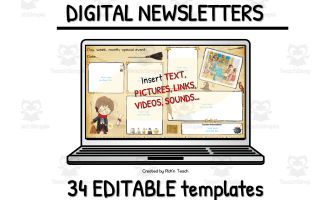
The 34 Digital Classroom Newsletters for wizards is a versatile, user-friendly resource designed to aid teachers and educators when they share important information with the families of their students. This digital platform supports environmental sustainability through paperless technology while saving valuable time usually spent on traditional manual tasks.
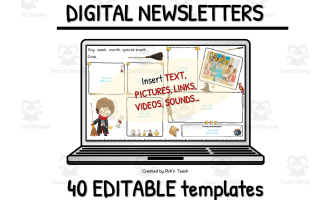
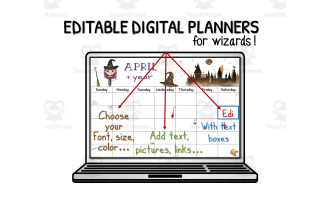
Crafted for convenience and customization, these Google Slides™ newsletters are easy to adapt according to specific needs. Users can directly key into text boxes provided as well as adjust font styles, sizes and colors caters to different preferences or requirements.
- Integrating pictures, photos or clipart make these digital newsletters more interactive and visually appealing.
- The option of inserting links or videos within the letters adds depth by featuring supplementary resources relating directly to each newsletter topic.
- Additional text boxes provide extended room for communication without space constraints encouraging increased engagement .
To ensure seamless integration into existing class communication systems newsletters created can be shared via various methods like Google Drive™/Google Classroom™ platforms, email correspondence (by downloading letters in PDF/PNG formats), or embedding them on your class blog/website.
Included in this purchase:
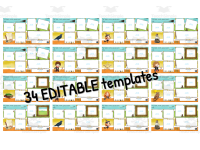
- 34 editable templates along with a list of possible headings/titles suited for various topics.
-
+ Simplified tutorial on how to insert:
- Textboxes
- Sounds
- Videos
- Pictures
By embracing the switch from conventional handouts to these exciting digital versions, you open a world of adaptation and usability. They perfectly cater to an increasingly online-dependent model of education worldwide.
Showcasing a wizard theme throughout its interface, these newsletters will captivate your audience's attention. Combine this with user-friendly editable features and you create a magical yet informative experience for your students' households.
One small step for a teacher, one giant leap for wizarding education!
What's Included
- 34 editable templates.
+ List of possible headings / titles.
+ How to insert text boxes, sound, videos, pictures... (simple and quick!).
Resource Tags
0 Reviews
Check out these other great products