Apps & Social Media Vocabulary Flash Cards & Games




- Grades
- Not Grade Specific
- Pages
- 70
- File type
- Zip


- Subject
- Vocabulary, ELA
- Topic
- Social Media, Vocabulary
- Resource types
- Flashcards
Product description
From the author
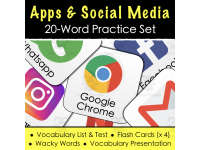
This resource is a comprehensive lesson that uses 20 app-related vocabulary words. First off, you can introduce these words by using the PDF -based presentation. With the arrow keys, you just move from one word to another to make your students familiar with them. Next, You can hand out the vocabulary lists. Beware that these are made with color, so in order to be eco-friendly you might want to use black and white ink. Once the students have taken these lists home, they can do the vocabulary test in their next class. They can practice with the words by utilizing the included flash cards. These just need to be printed, laminated, and cut. Beware of sharp edges though. You can use the curved edges version to avoid annoying pinches. Finally, use the Wacky Words activity to have a really good time in class. With this, all the letters are mixed up. Students love this.
Related resources
More resources teachers may find useful
24 related resources were found using this product's title, contributor, categories and tags.


In the classroom
Teaching tips & learning objectives

Learning objectives
Students recognize and spell 20 common app and social-media names.
Students unscramble jumbled letters to identify an app name from its Wacky Words clue.

Teaching tips
Cut out and optionally laminate the flashcards for Memory, Taboo or vocabulary review.
Print the colour vocabulary list in black and white to reduce colour printing.
Introduce words with the presentation, send the vocabulary list home, then use the test, flashcards and Wacky Words activity for review.

Skills covered
Vocabulary recognition and spelling — students learn to recognize and spell 20 app/social-media names through a guess-then-reveal presentation format.
Word decoding — the Wacky Words activity has students unscramble jumbled letters to identify a target word.
Vocabulary self-testing — a logo-labeling vocabulary test lets students demonstrate recall of all 20 words after take-home study.

No reviews yet
Downloaded this resource? Tell other teachers how it went.
Resource details
Concepts & topics
Core concepts
 Core concepts
App/social-media vocabulary
Word recognition and spelling
 Topics
Explore more
Categories this resource belongs to
Explore related searches
More to explore
You may also like