search
user.png
vertical menu

Digital Citizenship Worksheets on Media Literacy

Digital Citizenship Worksheets on Media Literacy preview
Digital Citizenship Worksheets on Media Literacy preview 2
Digital Citizenship Worksheets on Media Literacy preview 3
Digital Citizenship Worksheets on Media Literacy preview 4

Look Inside · 10 pages

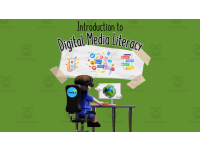
Cover of Introduction to Digital Media Literacy: a child at a computer showing a globe, under phone and social media icons
Title page to open the lessons on media and online behavior
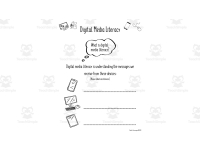
What is digital media literacy? Students read a definition, then label drawings of a phone, desktop computer and tablet
Opener: naming the devices that send us messages
How do we receive messages? Students label icons of earbuds and an ear, photos and glasses, and a book with speech bubbles
Discussion starter on hearing, seeing and reading media
Message types: students label parts of a tablet ad for Pierre's crèpes stand as audio, visual or text
Guided practice sorting one ad into its message types
Citizenship as obeying rules: students write a class rule, draw themselves following it, then judge their citizenship
Links class rules to the idea of citizenship
Acceptance and respect: students circle images like a handshake, hug and wave, versus boxing gloves or a yelling child
Quick picture sort before talking about kindness online
Digital citizenship means using technology safely, responsibly and legally; a cartoon shows people behind the screen
Read-aloud reminder that real people are behind every screen
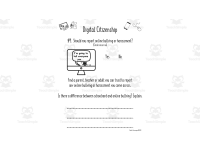
Online choices #1 and #2: students circle yes or no on buying without permission and being mean online, then write answers
Talk-it-over questions on permission and kind messages
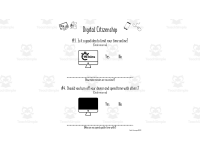
Screen time #3 and #4: students circle yes or no on limiting time online and switching off devices to be with others
Prompts a class chat about healthy screen habits
Passwords and fact-checking: students circle yes or no on a 123456 password and a post saying Earth is 50 years old
Wrap-up on safe passwords and checking facts online
Attributes
Add To Collection
Add to collection Add to collection

About This Product

This Introduction to Digital Media Literacy - Digital Citizenship resource will introduce young students to Digital Media Literacy and ensure they understand that they are responsible for using digital media responsibly and carefully - Digital Citizenship.

While this resource was created to follow the Ontario Language Curriculum, it is a resource that will be useful within any jurisdiction that focuses attention on Digital Media Literacy. All primary and early junior grades should feel comfortable completing these worksheets.

Students will be introduced to what Digital Media Literacy is and how we receive those messages - audio, visual, and textual.

Teachers will have worksheets to allow them to introduce the notion of digital citizenship to young students - learning how to use the internet/devices safely, responsibly and legally.

Specific focus on digital citizenship to lead classroom discussions includes:

Permission

Communication (tone)

Time limits

Turning off devices (touch some grass)

Passwords

Critical thinking

Safety with links

Personal information online

Online bullying or harassment

Included in this Introduction to Digital Media Literacy - Digital Citizenship resource are answer pages for all fill-in worksheets. The resource is an editable pdf format. It comes with 12 pages (mainly worksheets) - plus the answer sheets.

To better understand the expectations from the Ontario Language Curriculum that this resource is based on:

A2. Digital Media Literacy


Digital Citizenship

A2.1 - demonstrate an understanding of their rights and responsibilities when interacting online with appropriate permission, and make decisions that contribute positively to the development of their digital identity and those of their communities

0 Reviews

Explore related searches
you may also like...

Check out these other great products