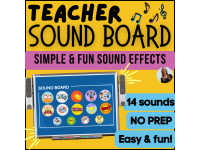
Teacher Sound Board | 14 Sound Effects for Fun Classroom Management


- Grades
- Not Grade Specific
- Pages
- 3
- File type
- Preparation
- Print ready


- Subject
- Resources for Teachers
- Topic
- Classroom soundboard, Sound effects
- Preparation
- Print ready
Product description
From the author
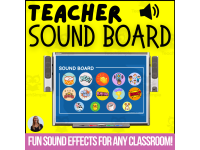
Teacher Sound Board!
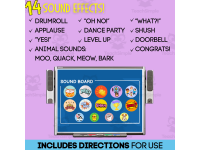
Looking for a fun and ENGAGING way to manage your classroom, grab attention, and keep students engaged? This Teacher Sound Board has 14 sound effects to easily bring energy and structure to your day without raising your voice.
Teachers know that smooth transitions and strong attention signals can make all the difference. Instead of repeating yourself or clapping endlessly, try using sound effects! A quick “ding,” an applause track, or even a silly noise can instantly capture attention and help students know what’s coming next. These designs are flexible, easy to set up, and can be used on an interactive whiteboard, tablet, or computer.
What’s Included:
14 fun and useful sound effects
Teacher directions for use
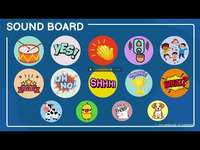
Customizable buttons
How to Use:
Project a sound board during class and click when you need a transition signal.
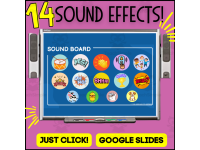
On Google slides, just click "PRESENTATION" and click whichever button you want to use
Use sound effects to reward student participation or celebrate accomplishments.
Have a brain break dance party!
Bring some humor and joy into your daily routines with unexpected sound surprises.
Perfect For:
Elementary classrooms
Classroom management routines
Brain breaks and transitions
Sub plans or guest teachers
ESL and special education support with sound cues
Format: Google Slides
🎶 14 Sound Effects Included:
Drumroll
Applause
“YES!”
“Oh no!”
Dance party
level up
“WHAT?!”
Shush
doorbell
Congrats!
Animal sounds:Moo, quack, meow, bark
Whether you want to celebrate, redirect, or just add fun to your day, these Teacher Sound Board Designs will quickly become one of your go-to classroom tools. Make routines smoother, keep students engaged, reduce stress, and transform ordinary transitions into memorable learning moments!
~Stephanie
Related resources
More resources teachers may find useful
24 related resources were found using this product's title, contributor, categories and tags.


In the classroom
Teaching tips & learning objectives

Teaching tips
Test the sounds and volume before class.
Explain what a chosen cue means before adding it to a classroom routine.
Good to know
Questions teachers ask about this resource
How do I get started?
Open the PDF and use the Google Slides access link to make a copy in your Drive. Test the sound cues on your classroom equipment before using them.

No reviews yet
Downloaded this resource? Tell other teachers how it went.
Resource details
Topics covered
 Topics
Explore related searches
More to explore
You may also like