Video Game Design Planner



About This Product
As you introduce and review new topics with your art students, you may want to ensure that you have quality resources that will allow them to express their understanding of the concept. Art can be concrete and abstract simultaneously! Because of this, we want to assess mastery in the best ways we know how. We can do this when we present hands-on and engaging lessons and instruction to our students.
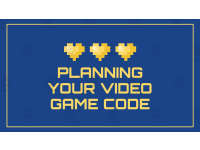
This is a Video Game Design Planner – Planning Your Video Game Code. It is an editable presentation that can be accessed through Microsoft or Google. It consists of 4 slides. The objective is for students to be able to successfully plan the code for their own video game.
The presentation breakdown is as follows:
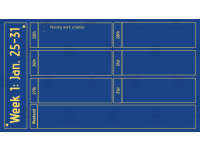
Slide 2 – Fully editable planning calendar for students to change the dates and type in text boxes.
Slide 3 – Fully editable planning calendar for students to change the dates and type in text boxes.
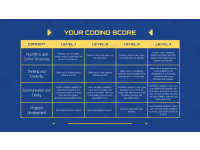
Slide 4 – Coding Rubric.
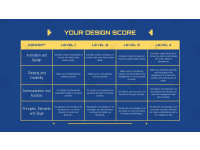
Slide 5 – Design Rubric.
Each rubric will score 4 different things.
Coding Rubric:
--Algorithms & Control Structures
--Thinking & Creativity
--Communication & Clarity
--Program Development
Design Rubric:
--Animation & Design
--Thinking & Creativity
--Communication & Function
--Principles, Elements & Style
This can be used with middle and high school art students.
I hope you enjoy!
Take A Look at My Best Sellers:
Coloring Lesson for Middle School
You can find more resources at my storefront here: https://teachsimple.com/contributor/resource-garden
What's Included
An editable 4-slide presentation
Resource Tags
0 Reviews
Check out these other great products