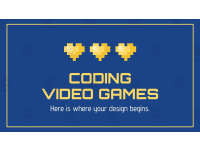
Video Game Design - Coding + Pixel Art Graphic Organizer

- Grades
- Grades 7–10, High School, Middle School
- File type
- Microsoft PowerPoint
- Editable
- Yes


- Subject
- Creative Arts, Art, Graphic Arts
- Topic
- video game design, graphic arts
- Resource types
- Graphic Organizers, Teacher Tools
- Editable
- Yes
About this resource
What's inside this resource
As you introduce and review new topics with your art students, you may want to ensure that you have quality resources that will allow them to express their understanding of the concept. Art can be concrete and abstract simultaneously! Because of this, we want to assess mastery in the best ways we know how. We can do this when we present hands-on and engaging lessons and instruction to our students.
This is a Video Game Design – Coding + Pixel Art Design Graphic Organizer. It is an editable presentation that can be accessed through Microsoft or Google. It consists of 15 slides. The objective is for students to be able to code their own video game with the use of art and graphics.
The presentation breakdown is as follows:
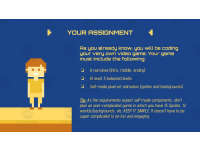
Slide 2 – Student assignment. Students will code their own video game that includes a narrative, at least 3 balanced levels, and self-made pixel art animation (sprites and backgrounds)
Slide 3 – Game Design breakdown.
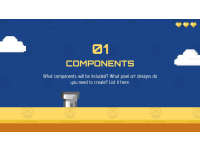
Slides 4 & 5 – Components organization.
Slides 6 & 7 – Mechanics organization.
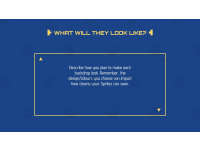
Slides 8 & 9 – Space organization.
Slides 10 & 11 – Goals organization.
Slides 12 & 13 – Rules organization.
Slide 14 – Coding Score rubric.
Slide 15 – Design Score rubric.
This can be used with middle and high school art students.
I hope you enjoy!
Here are similar resources for you to enjoy:
https://teachsimple.com/product/agamograph-self-reflection-form
https://teachsimple.com/product/social-story-for-safe-hands-and-feet
https://teachsimple.com/product/addition-matching-velcro-activity
https://teachsimple.com/product/abstract-form-lesson-activity
You can visit my storefront here: https://teachsimple.com/contributor/resource-garden
I can be contacted for questions and concerns at nicole.maizelis@gmail.com.
Related resources
More resources teachers may find useful
24 related resources were found using this product's title, contributor, categories and tags.


In the classroom
Teaching tips & learning objectives

Learning objectives
- Plan a video game's components, mechanics, space, goals and rules before coding it
- Design pixel art sprites and backgrounds for an original game
- Outline goals for three balanced game levels

Teaching tips
- The organizer does not name a coding platform, so students will need whatever game-building tool your class uses to build the finished game.

Skills covered
- Game design planning — filling in pages on mechanics, space, goals and rules
- Level design — setting goals for three levels in the breakdown table
- Pixel art — planning original sprites and backgrounds

No reviews yet
Downloaded this resource? Tell other teachers how it went.
Resource details
Concepts & topics
Core concepts
 Core concepts
- Game mechanics
- Pixel art
- Sprites
- Level design
- Algorithms
 Topics
Explore more
Categories this resource belongs to
Explore related searches
More to explore