



2,784 products added recently
Page 1126 - Newest Teaching Resources

 Show filters
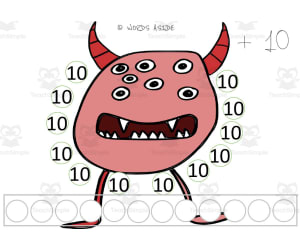
Monster Multiplication Repeated Addition Mats Set 5
Math, Multiplication and Division, Division, Grade 2, 3,
Monster Multiplication Repeated Addition Mats Set 5 is a teaching resource for elementary educators to help students practice multiplying numbers 1-10. Students will enjoy using these printable mats featuring friendly monsters to visualize repeated addition, building number sense and multiplication fluency. Educators can implement these multiplication math mats in small groups, centers , early finisher tasks, or homework. The engaging monster theme and hands-on repeated addition process allows a fun way for second and third graders to gain confidence with basic multiplication facts. This supplemental resource allows flexible use for differentiation to meet varying student needs. Monster Multiplication supports educators in making multiplication practice interactive and memorable.
Author WORDS ASIDE
Tags Monsters, Multiplication, Repeated Addition, Math Mats, Posters

Monster Multiplication Repeated Addition Mats Set 3
Math, Multiplication and Division, Division, Grade 2, 3,
Monster Multiplication Repeated Addition Mats Set 3 is a teaching resource that allows students to visually connect multiplication and repeated addition. Students in grades 2-3 can use these engaging mats to practice multiplying numbers 1-10. Educators can implement these mats in small groups, as individual practice, or even as homework. The colorful monster graphics appeal to young learners. Each mat focuses on multiplying one number, showing the equation and a visual representation of groups. Students can count the groups of monsters to connect the concrete representation to the symbolic multiplication equation. These mats strengthen conceptual understanding and fact fluency. Use Monster Multiplication Repeated Addition Mats as a supplemental resource for differentiation or math centers .
Author WORDS ASIDE
Tags Math Mats, Posters, Repeated Addition, Monsters, Multiplication

Halloween Operations with Fractions Pixel Art Activity
Math, Fractions, Grade 5, 6, 7, Activities
Let your students practice while having fun with this engaging, no-prep and self-checking, Halloween-themed mixed operations with fractions with unlike denominators mystery picture activity . Students will solve 20 operations (additions, subtractions, multiplications and divisions of improper fractions) using Google Sheets. I used it as a sub-plan in sixth grade and the kids loved it. As they correctly answer the questions a mystery picture will be revealed. You can use it for sub-plans, enrichment/reinforcement, early finishers, extra-practice and spiral review. Solutions are included for your convenience. Suitable for IB MYP Middle Years Programme.
Author Matemaths
Tags Math, Halloween, Operations With Fractions

Maze Design Challenge
, Not Grade Specific, Mazes, Worksheets, Worksheets & Printables
The Maze Design Challenge: An Interactive Teaching Tool The Maze Design Challenge is a dynamic educational resource designed for educators who prioritize interactive classroom activities. This toolset is applicable across various settings such as afterschool programs, camps, Makerspaces, Genius Hour, STEM and more. Our WhyMakers Design Challenges are crafted meticulously to minimize preparation efforts. Educators can simply distribute these among students and observe their creativity and critical thinking skills at work! These challenges promote independent thought while also encouraging collaborative learning. Inclusive Design Challenge Each challenge incorporates different sections: - Context: Provides relevance - Design Challenge: Details the task - Specifications: Lists essential requirements - Constraints: Outlines limiting factors - Material and Tool Requirements, And includes necessary steps with helpful tips A Practical Learning Approach Beyond theoretical learning, our challenges offer real-life application value. They inspire practical solution-building which fosters student innovation while also bolstering content-area knowledge growth. Broad-grade Application The scalable design of these resources makes them suitable for diverse education needs ranging from Grade 3 to Grade 5. The goal remains constant across all grades - sparking student interest in Science in a manner that applies equally in physical classrooms or virtual home settings. This easily accessible PDF resource encapsulates the essence of modern education where fun coexists with function; It empowers the upcoming generation not just to adapt but become catalysts of change themselves!
Author WhyMaker
Tags Interactive Activities, Educational Toolset, Autonomous Work, Real-life Application, Creativity
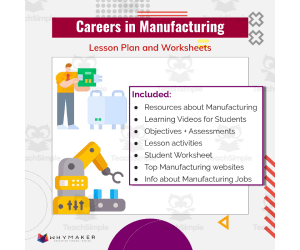
Careers in Manufacturing
Life Studies, Career, Not Grade Specific, Worksheets & Printables, Worksheets
Careers in Manufacturing: A Comprehensive Resource Unleash the potential of your students in exploring manufacturing careers with the comprehensive teaching resource, "Careers in Manufacturing". This tool is grade-flexible, igniting the interest of budding professionals across varied age groups. Ideally suited for Life Studies sessions when discussing career paths. Interactive Learning Through Videos The learning experience extends beyond traditional methods with Careers in Manufacturing. It offers a peek into various manufacturing careers through immersive videos, providing students an opportunity to visualize themselves inside these occupations and aiding their future career decision-making process. Innovative Activity for Future Visioning Besides videos, this resource also provides opportunities for learners to express their vision for potential roles within the industry. This helps them practice articulating professional aspirations and goals – building skills useful not only within academic settings but also during future job interviews. Versatility Across Teaching Scenarios Public school system or homeschooling scenarios, Classroom instruction or as homework, Small group discussions or one-on-one mentoring situations where individual ambitions may be further nurtured. Note: In tandem with 'Manufacturing Day', educators can utilize this helpful tool to create relevant connections between classroom studies and community events. In Conclusion: Let "Careers in Manufacturing" serve as your ally amid Curriculum requirements navigation. Inspiring students by offering hands-on insights on vocational opportunities available within our communities.
Author WhyMaker
Tags Manufacturing Careers, Immersive Videos, Career Exploration, Vocational Possibilities, Community Events
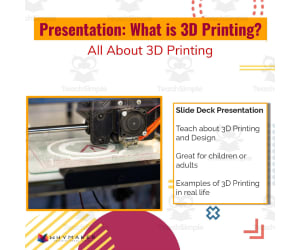
What is 3D Printing? All about 3D Printing Presentation for Students (or Adults)
Science, Technology, Computer Science, Not Grade Specific, Presentations, Teacher Tools
What is 3D Printing? All about 3D Printing Presentation for Students (or Adults) This resource arms educators with a tool designed to guide their classes through the basics of 3D printing technology and its practical applications. Offered in a user-friendly PDF format, it's a versatile material for both public school teachers and homeschooling parents. The Target Audience and Customizability: Suits the Science curriculum, especially focusing on Computer Science Fits various grade levels from primary to high school due to its adaptable design Suitable from science elective courses down to introductory tech awareness sessions Presentation Structure: This presentation unfolds multiple aspects of 3D printing sequentially. It begins with foundational facts about 3D printing before moving on to illustrate actual uses in classrooms as well as day-to-day scenarios. Variety of Educational Contexts: The What is 3D Printing? material can be used across different learning scenarios including large group lessons, smaller tutorial sessions or even as challenging homework assignments. The multimedia components help make learning more immersive, thereby fostering greater student engagement. In Summary... No matter if you're planning an exciting conversation about technological breakthroughs or just need content that's educational yet intriguing – the What is 3D Printing? All about 3D Printing Presentation proves itself an invaluable educational resource crafted meticulously for accomplishing these academic targets.
Author WhyMaker
Tags 3D Printing, Technology, Education, Science, Innovation

Monster Multiplication Custom Craft Cards x10
Math, Multiplication and Division, Division, Grade 2, 3, Crafts, Activities
Monster Multiplication Custom Craft Cards x10 Engage young learners in practicing their multiplication facts with these customizable monster craft cards. This set includes 10 different monster illustrations that can be printed and colored. Students will enjoy coloring the friendly monster characters as they work to memorize the times tables. Educators can utilize these multiplication cards for a variety of activities such as flash cards, small group math stations, independent practice, or as a supplemental homework resource. The monster theme and opportunity for creativity makes learning multiplication facts fun. These multiplication craft cards work well for 2nd and 3rd grade students who are building fluency with basic facts up to 12 x 12. Use them alongside your core math curriculum or RTI program to give students personalized practice in an entertaining way.
Author WORDS ASIDE
Tags Graphics, Clipart, Monsters, Multiplication, Task Cards

Card Game Challenge
, Not Grade Specific, Games, Activities
Card Game Challenge Designed to engage and captivate learners on multiple levels, the Card Game Challenge resource incorporates the intriguing concept of Robot Biomimicry. This resource harnesses a captivating blend of STEM, technology, and self-guided learning that inspires student creativity while fostering critical thinking. This challenge revolves around designing and assembling a robot that mimics or is inspired by an element in nature. This reaches beyond math and word problems—it adds an authentic twist to your curriculum by integrating elements of science with mathematical content. By setting students on this exploratory journey through the creation process, they are not only applying their knowledge but also encountering it in an intuitive way. Classroom Implementation The Card Game Challenge arrives ready for classroom implementation with minimal preparation necessary. Perfect for facilitators striving for smoother transitions between traditional instruction and hands-on activities. Each project could be distributed as individual assignments during Independent Time or Makerspace hours, as homework or employed as group exercises during Genius Hour sessions or Technology Classes. A strong suit of this thoughtfully crafted resource is its thoroughness: a context section setting up the scenario; outlined tasks under Design Challenges; precise constraints limitations; necessary materials specifications; necessary tools listing; a step-by-step guide to completing each challenge effectively; along with handy tips offering value information assisting students throughout their creative processes. center "> Beyond Mathematics: Real-World Applications & Beyond! Not only does this asset encourage problem-solving skills within mathematics word problems but it also triggers real-world scenario applications across different subjects—even going beyond academic abyss into aspects like Social Emotional Learning (SEL) time. Additionally, these challenges are flexible enough to accommodate all grade levels—making them a versatile asset worth adding into afterschool programs, camps or even Library times! In essence—the Card Game Challenge is more than just math It's about granting students the autonomy to perceive and approach problem-solving differently.That’s what makes teaching—and learning—a transformative adventure. .
Author WhyMaker
Tags STEM, Biomimicry, Hands-on Learning, Problem-solving, Creativity

How to: 3D Print
Science, Technology, Computer Science, Not Grade Specific, Teacher Tools, Lesson Plans
A step-by-step guide to make 3D printing simple and easy!
Author WhyMaker
Tags Computer Science - Technology, For All Subjects, Quick Guide Poster, 3D Printing Guide

Coding with HTML: Famous Figure Social Media Project
Science, Technology, Computer Science, Research, Grade 5, 6, 7, 8, 9, 10, 11, 12, Projects, Activities
Coding with HTML: Famous Figure Social Media Project The resource, Coding with HTML: Famous Figure Social Media Project , is a proficient teaching material adeptly designed to involve students in grades 5 through 12. This interactive tool excellently combines the principle of learning by doing, coupled with enticing student curiosity about infamous figures from history as well as the contemporary world. In this lesson plan, students are inspired to create a social media profile for a high-profile figure that piques their interest or whom they appreciate. Enforcing both research and creativity requirements allows them to hunt for authentic data regarding their selected personality and showcase it imaginatively on the constructed social media network. To ensure no critical information is overlooked while fabricating these profiles, a thorough social media research organizer helps organize student research - prompting experiential learning mirroring real-world like tasks. Merging Unique Education Disciplines Of particular note is the fusion of different educational disciplines; Computer Science meets History or Social Studies. As students dive into profiling significant figures they learn HTML coding – valuable in today's increasingly digital era. Versatility in Education Setups This resource effectively caters to diverse educational setups: Ideal for whole-group discussions where each student presents their coded profiles contributing towards collaborative learning, Tailored perfectly for small group projects, Suitable as individual homework assignments ensuring comprehensive understanding among students. In conclusion,: The tool delivers an approach providing structure wedded with creative freedom necessary in engaging younger minds while preparing them significantly for global digital challenges.
Author WhyMaker
Tags Coding, HTML, Famous Figures, Social Media Project, Research

How to 3D Print in your classroom
Science, Technology, Computer Science, Not Grade Specific, Teacher Tools, Lesson Plans
A detailed guide for teachers and supporting instruction sheet for students to help facilitate 3D printing in the classroom.
Author WhyMaker
Tags Computer Science - Technology, For All Subjects, 3D Print

Light Switch Challenge
Science, Technology, Engineering, Not Grade Specific, Activities
Light Switch Challenge: An Innovative Educational Platform Light Switch Challenge is an innovative teaching platform designed to stimulate critical thinking, ingenuity, and problem-solving abilities in students. This tool provided by WhyMakers isn’t grade-specific and it's primarily focused on Science and Engineering subjects. This user-friendly platform offers an exciting way for teachers to engage their students in science-related challenges. The Light Switch challenge can be introduced as part of: Independent Time Makerspace activities Afterschool programs or Camps. Tech Classes, Library time frames ,etc. The package includes the following: Context: An overview of the challenge at hand. Design Challenge – Specifications: Tasks that need to be addressed. A list of constraints: All restrictions related to each task are clearly stated. List of Materials & Tools: This section lists everything a student needs for completing each task. Tips+: Also included are general tips on how to successfully navigate all tasks provided. The strength of the Light Switch challenge lies in its connection between theoretical lessons and practical experiences - thereby giving students not just facts but real-world applications through innovation-driven challenges. In essence, this stimulating learning tool breathes life into traditional classroom experiences with engaging topics tailored towards sparking curiosity while encouraging creativity amongst young minds. A New Era Of Learning With The Light Switch Challenge By Whymakers In conclusion, this tool serves as the driver for a change in teaching methods by merging engaging subject matters with stimulating tasks. Therefore, it does more than just bridge an educational gap - it serves as a pivot for a new era of learning.
Author WhyMaker
Tags Educational Platform, Critical Thinking, Problem-solving, STEM, Design Challenge, Switchchallenge
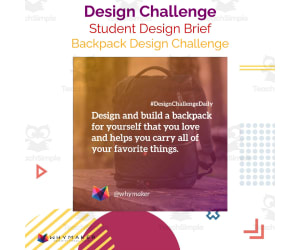
Backpack Design Challenge
Science, Technology, Engineering, Not Grade Specific, Activities
Backpack Design Challenge: An Essential Educational Resource An adaptable tool for various educational contexts such as Makerspaces, independent study times, STEM classes, technology courses, library periods and afterschool programs - The Backpack Design Challenge provides a ready-made solution to seamlessly incorporate engaging design challenges into the teaching environment. Fostering Students' Skills This resource is particularly considered beneficial in fostering innovation, creative thinking and problem-solving skills among students. It offers an array of design briefs conveniently segmented into key sections such as: Context: Connects real-life scenarios with content standards. Design Challenge: Indicates specific tasks for students. Specifications and Constraints: Imparts an understanding of planning within given parameters. Materials & Tools Required: Lists down the essentials needed to complete the task. Versatility & Convenience for Educators This versatile teaching tool can be adapted according to individual lesson requirements or student capabilities. It proves especially beneficial during Genius Hour sessions or STEAM classes where personalized learning paths can be created utilizing these design challenges. Additionally, it supports social-emotional learning by promoting independent thought processes while encouraging interactivity. No specific grade requirement is indicated making it applicable across different grades. The primary subject it caters to is Science underlining specifically Engineering sub-subjects. The Takeaway Be it assignments in small groups during class hours or larger ensemble activities at camps; integrative homework projects or slight breather between theory lessons - this resource provides a valuable opportunity for hands-on cognitive growth. The Backpack Design Challenge nurtures innovative skills using real-life application examples thus offering a comprehensively practical education amidst promoting creativity in daily scholastic experiences.
Author WhyMaker
Tags Backpack Design, Design Challenge, Problem-solving Skills, Creative Thinking, Real-life Application

Amusement Park Ride Design Challenge
Science, Physics, Not Grade Specific, Activities
Amusement Park Ride Design Challenge Amusement Park Ride Design Challenge is a teaching aid ideal for educators looking to instill creativity, innovation, and critical thinking in their students. Designed for use across different grades, this activity-based resource has no grade-specific restrictions. This pack presents ready-to-use design challenges meant to stimulate students’ innovative skills while engaging them in the learning process. Suitable as an instructional tool during makerspace lessons, genius hours, independent study sessions, STEM subjects learning time or afterschool camps—these design challenges are versatile. Description of Challenges Context: Provides clarity around the theme of challenge. Design Challenge: Explains what tasks need to be accomplished. Specifications:The requirements that must be adhered to are listed here. Constraints:The limitations posed by this assignment are enclosed here. Materials essential:A list of equipment needed for completing the task is supplied here. Tools: A detailed description of tools needed for implementing solutions of tasks assigned is provided here. Tips and Highlights Beyond these guidelines are tips offering helpful information that can impact how students approach problem-solving through these assignments. The challenges foster learner autonomy while requiring them to contemplate real-world situations tied directly with content standards. A highlight about these Challenges remains its alignment with physical science subject indicating its adaptability across STEAM classes or technology-oriented teaching sessions. The actual implementation uses multiple file types catering towards maintaining creative flexibility in condensing complex concepts into ingenious solutions. In essence, this bundle keeps your students inspired whilst harnessing their energy into developing innovative designs while still meeting educational objectives. Experience immersive hands-on learning with the 'Amusement Park Ride Design Challenge' Immerse your young learners in enriching hands-on experiences that utilize a learn-by-doing approach by incorporating this value-packed addition into your curriculum today!
Author WhyMaker
Tags Amusement Park, Design Challenge, Hands-on Learning, Critical Thinking, STEM

Tinkercad Tools Screen Overview
Science, Technology, Computer Science, Not Grade Specific, Activities
Introduction Tinkercad Tools Screen Overview is a prized educational asset designed to optimize the learning journey in Computer Science classes. This resource principally targets educators, encompassing public school teachers as well as homeschoolers for the vibrant subject of Computer Science. Audience and Usage This guide caters to all learners regardless of their level of study, hence creating an equitable learning environment. It’s remarkably versatile and can be employed for instruction across the entire class or small groups. Furthermore, it can supplement individual study sessions or be assigned as homework to reinforce concepts. Benefit The tool simplifies how students interact with activities by providing immediate access to vital details about Tinkercad icons and their functions. This central reference source spares teachers from repeatedly explaining these elements, giving them more time for engaging discussions and hands-on activities. Efficiency The tool's focus on convenience enables educators to expedite lessons by lessening ambiguity associated with icon functions while enhancing student comprehension. Consequently, they can navigate through Tinkercad confidently at their own pace. Format Adaptability The tool's PDF format allows printing or overhead projection during lessons based on classroom dynamics and instructor preferences; aligning its application according to unique teaching methodologies. Conclusion: In summation, Tinkercad Tools Screen Overview demonstrates itself as an essential part of any contemporary computer science curriculum - assisting educators in clarifying technology-centric lessons while fostering profound understanding among students regarding key software applications.
Author WhyMaker
Tags Tinkercad, Computer Science, Teaching Resource, Icons, Functionality
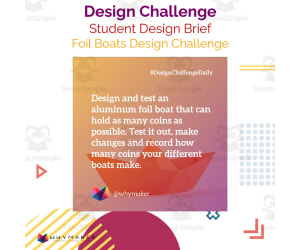
Foil Boats Design Challenge
Science, Physics, Not Grade Specific, Activities
Foil Boats Design Challenge Design and test an aluminum foil boat that can hold as many coins as possible WhyMakers Design Challenges come READY to use. All you have to do is hand them out to students and they can begin to work independently on them! These design challenges can be used in so many different ways. You can use these for your Makerspace, Genius Hour, Independent Time, STEM, Choice Time, Technology Class, Library Time, Afterschool programs, Camps, STEAM classes, Design Thinking Classes, SEL time and more! These design challenges focus on real life scenarios that you can connect to content standards. These are sure to keep your students engaged and will encourage them to think deeply about the content being taught while being innovative and crafting their solutions.
Author WhyMaker
Tags Math, Physical Science, Design Challenge, Foil Boat Design, STEM, Foil Boats, Strong Aluminum Foil Boat Designs, Aluminum Foil Boats Lesson Plan, Foil Boat Challenge, Aluminum Foil Boat Challenge, Best Foil Boat Design, Tin Foil Boats Designs

Lucky Noise Maker Challenge
Creative Arts, Art, Not Grade Specific, Activities
Lucky Noise Maker Challenge: A Strategy to Encourage Independent and Creative Thinking The Lucky Noise Maker Challenge is an all-inclusive, student-ready teaching resource designed for educators who are devoted to building their students' independent working skills while enhancing their creativity and problem-solving aptitude. This dynamic teaching tool can be seamlessly incorporated into a variety of classroom settings, whether it be Makerspace activities, Genius Hour sessions, STEM or Choice Time opportunities. Perfect for utilization in Technology class or Library time, these ready-to-use design challenges can even extend beyond the standard classroom environment into afterschool programs and camps - proving itself a versatile asset to any educator's toolkit. This Comprehensive Challenge Bundle Includes: A real-life scenario that promotes deep thinking about the curriculum content being taught Explicit specifications clarifying expectations Constraints that modulate complexity level A list of enumerated materials required to complete the task. Necessary tools listed out clearly. Step by step guidance and handy tips for completion. This bundle is adaptable across grade levels – it isn't restricted by grade-specific stipulations but has been thoughtfully designed to cater across educational stages. So regardless if you're an elementary art teacher or a high school music instructor seeking worthwhile activities for equipping your students with crucial life skills like critical thinking, calculated risk-taking,and effective problem-solving – this tempting bundle could potentially serve as your next go-to resource. Beyond Traditional Classroom Settings... This pack subtly nudges learners towards deep engagement with curricular content along igniting sparks of innovation. Upon employing this creative amalgamation of Art & Music tied within knots of logical reasoning teachers are assuredly stepping toward fostering original thinkers right inside their classrooms. The Lucky Noise Maker Challenge pack is a new avenue that draws on linking practical, real-life situations to standard curriculum content while fostering essential skills through individual student innovation.
Author WhyMaker
Tags Creative Thinking, Problem-solving, Independent Learning, Innovation, Curriculum Integration

Swim with Sharks Design Challenge
Science, Technology, Engineering, Not Grade Specific, Activities
Swim with Sharks Design Challenge The Swim with Sharks Design Challenge is a pre-prepared teaching tool designed to nurture student creativity and problem-solving skills. It can be used across numerous educational spaces such as: Makerspace and Genius Hour Independent Time and STEM lessons Choice Time and Technology class Library Time and after-school programs. The challenge features a detailed brief providing learners with: A relevant Context, Precise Specifications, Necessary Constraints, Materials required, Actionable Steps, & helpful Tips.; Cross-Curricular Benefits & Applicability: This resource can enhance learning experiences across grades making it perfect for classrooms, camps, STEAM classes or any other alternative educational platforms. Apart from being an integral part of Science class curriculum, its application can quintessentially be realized in Engineering classes. The design challenge also serves as a propitious tool during Social Emotional Learning (SEL) sessions helping students articulate their thoughts in structured yet imaginative ways. User Convenience: We value user flexibility which is why we offer resources in multiple file types. This ensures you have the liberty to tailor these challenges presentation according to your specifics – be it digital navigation or traditional print-outs. Add value to your teaching strategies by incorporating engaging resources like the Swim with Sharks Design Challenge – fostering active learning while catering to diverse content areas of your curriculum.</b
Author WhyMaker
Tags Design Thinking, Problem-solving, Creativity, STEM, Engineering

Scratch Lesson Plan Developer: For Scratch Integrated Lesson Plans
Science, Technology, Computer Science, Grade 3, 4, 5, 6, 7, 8, 9, Teacher Tools, Lesson Plans
Use the link to develop a personalized lesson plan for using Scratch in the Content Area. Fill out the Google Form and generate a lesson plan that helps you incorporate Scratch into your typical curriculum. Easy to use and important product.
Author WhyMaker
Tags For All Subjects
Cardboard Creation Design Challenge
, Not Grade Specific, Worksheets & Printables, Word Problems, Activities
The Cardboard Creation Design Challenge The Cardboard Creation Design Challenge is a well-formulated teaching resource that suits versatile educational environments. This tool provides educators, including public school teachers and homeschoolers, a platform to offer students an unparalleled creative experience while promoting independent thought and problem-solving skills. Main Objective of this Resource This primary goal of this teaching resource is to inspire innovation and deep thinking among students. READY design challenges mean no additional preparation time is needed from the teacher's side - simply hand them out to your students for unique opportunities towards self-guided learning! Integration with Various Subjects and Real-world Scenarios These challenges subtly combine subjects like Math with real-world scenarios in word problems , allowing learners to associate classroom teachings with practical life applications during Makerspace Events, Genius Hour, Choice Time Periods or even SEL Time. Context: Explains the logic behind the challenge. Design Challenge: Describes what must be accomplished. Specifications:List crucial requirements of the challenge. Constraints: Show limitations impacting task-resolution process. Needed Materials & Tools. Ideal for Cartography lessons or Independent Studying. In Summary This instrument fosters creativity across various curriculums - from Mathematics assignments developing critical thinking skills right down towards Technology Classes tackling complex Engineering concepts. The adaptability across varied grade levels emphasizes these design tasks' purpose: To instigate innovative thought-processing habits within future inventors, regardless of their academic stages. These challenges invite each student into an immersive learning experience, one challenging task at a time!
Author WhyMaker
Tags Design Thinking, Problem Solving, Hands-on Learning, Creativity, STEM

Electricity Centers
Science, Technology, Engineering, Grade 3, 4, 5, 6, 7, 8, 9, 10, 11, Centers, Activities
4 centers for practicing electricity understandings. Great for assessing students knowledge of electricity.
Author WhyMaker
Tags Computer Science - Technology, Physical Science, Engineering

Outdoor Garden Design Challenge
, Not Grade Specific, Activities
Outdoor Garden Design Challenge Discover an engaging way to help students connect their learning with real-world applications through the Outdoor Garden Design Challenge. This resource provides learners with the opportunity to plan and design their ideal outdoor garden, incorporating their favorite fruits and vegetables. It not only facilitates a deeper understanding of scientific concepts but also encourages innovation, creativity, problem-solving skills, and critical thinking. Distinguished Learning Experience What distinguishes this challenge from regular classroom activities is its ready-to-use format. Educators can hand them out straight away without needing extra preparation time - a perfect supplement for the busy curriculum . These challenges are designed to be seamlessly plugged into a wide range of classroom settings; they're suitable for Makerspaces, Genius Hour projects, independent study periods, STEM modules or even Choice Time – allowing teachers to flexibly incorporate this challenge into different parts of their teaching schedule. Comprehensive Inclusions A context that explains why students are undertaking the challenge. A clear specification outlining must-do's for learners. Detailed project constraints that mimic real-life scenarios encouraging solution crafting. A list of required materials as well as necessary tools which takes out guesswork from planning phase- The comprehensive instructions provide simple step-by-step procedures leading young garden designers toward completion while thoughtful tips offer helpful advice ensuring student's success. Versatility Across Age Groups, This design challenge is not grade-specific; it is versatile enough to be adapted across various age groups making it a worthy addition your teaching resources array.So if you're seeking an innovative way fostering intellectual growth in science subject while stimulating student creativity,the Outdoor Garden Design Challenge does exactly just that! Through practical applications of lessons learned in class,it enables students to create hands–on experiences where they'll have fun learning and thriving inquisitiveness – surely not something easily forgotten once school days go by!
Author WhyMaker
Tags Outdoor Garden, Design Challenge, Real-world Applications, Scientific Concepts, Innovation
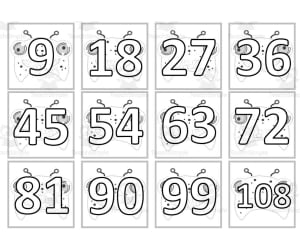
Monster Multiplication Custom Craft Cards x9
Math, Multiplication and Division, Division, Grade 2, 3, Crafts, Activities
Monster Multiplication Custom Craft Cards x9 Engage young learners in practicing their multiplication facts with these 9 fun monster-themed craft cards. Students will enjoy coloring the silly monster characters while reinforcing their understanding of basic multiplication. Teachers can utilize these cards in small groups, whole class settings, or as a take-home assignment. The customizable blank speech bubbles give opportunities for creativity and personalized learning. This supplementary resource helps cement multiplication skills through repetitive math fact practice. The monster cards can also be used as festive flashcards to liven up routine multiplication drills. With 9 unique monster designs, this craft card set provides a lively way to boost multiplication mastery.
Author WORDS ASIDE
Tags Monster Math, Task Cards, October, Multiplication

Musical Instrument Design Challenge
Science, Physics, Not Grade Specific, Songs, Activities
Musical Instrument Design Challenge This innovative teaching resource has been carefully crafted to engage the creative minds of students. The challenge entails designing and building a new musical instrument, contemplating its functionality, its potential to create unique sounds, and identifying the core elements required for sound production. Unlike typical classroom tasks, this hands-on experience extends learning beyond textbooks and can be incorporated in a variety of educational contexts such as Genius Hour projects or Makerspace activities. Components Context: Clarity on why this task is important. The Task: A well-defined design challenge is laid out for students. Specifications: Clear instructions on what needs to be accomplished are presented. Constraints: The limitations of the project are defined. Materials Needed:List of required materials and corresponding tools. -liBahySteps:vhnbcniFollowing steps must be completed ThisIsStudents will receive tips that may prove helpful in accomplishing their task. /href"http:// www.com" target="_blank". Find out more... /p " This design challenge brings a real-life scenario focus into learning which not only improves practical understanding but also encourages creative solutions exploration by students. Thirdly, primarily aimed at Physical Science studies in school or homeschool settings , it also enhances Social Emotional Learning (SEL) opportunities by fostering collaboration abilities accompanied with problem-solving skills among students. Fourthly, Fifthly, Finally,
Author WhyMaker
Tags Musical Instrument Design, Creativity, Hands-on Learning, STEAM Education, Problem-solving