


3D Printing in the Classroom Teacher Guide
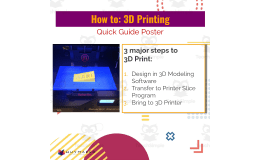
3D printing classroom workflow guide: the teacher answers fill-in prompts on saving, reviewing, creating the print file and waiting, then transfers the plan to a student poster.


- Grades
- Not Grade Specific
- File type
- Preparation
- Print ready


- Subject
- Science, Technology, Computer Science
- Topic
- Computer Science - Technology, For All Subjects
- Resource types
- Teacher Tools, Lesson Plans
- Preparation
- Print ready
About this resource
What's inside this resource
A detailed guide for teachers and supporting instruction sheet for students to help facilitate 3D printing in the classroom.
Related resources
More resources teachers may find useful
24 related resources were found using this product's title, contributor, categories and tags.


Good to know
Questions teachers ask about this resource
What equipment does the workflow assume?
A 3D printer with filament, CAD software such as TinkerCad, slicer software such as Makerware, and a USB or network method for moving files to the printer.

No reviews yet
Downloaded this resource? Tell other teachers how it went.
Resource details
Concepts & topics
Core concepts
 Core concepts
- 3D printing
- CAD
- STL files
- Slicer software
 Topics
Explore more
Categories this resource belongs to
Explore related searches
More to explore
You may also like

Centers, Activities


Lesson Plans, Teacher Tools

Activities

Lesson Plans, Teacher Tools

Activities

Activities