How to Write An Essay: What Is a Persuasive Essay? - FLASH-PC


- Grades
- Grades 5–8
- Pages
- 10
- File type
- Software (PC)


- Subject
- ELA, Writing
- Topic
- Persuasive essay, Argument writing
- Resource types
- Graphic Organizers, Assessments
- Standards
- CCSS.W.6.1
Product description
From the author
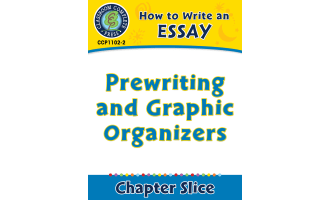
This FLASH-PC mini-lesson for grades 5–8 introduces persuasive essay planning. Its printable support includes a three-page reading, three graphic organizers and a four-trait assessment rubric. Use the reading alongside your writing curriculum, then have students plan and draft an essay on separate paper.
Six PDFs provide ten pages in total, including reference pages about Bloom’s Taxonomy, critical thinking and resource organization. The package also contains legacy Windows and Flash lesson files. Their operation depends on compatible software; the PDFs can be used separately.
Related resources
More resources teachers may find useful
24 related resources were found using this product's title, contributor, categories and tags.

In the classroom
Teaching tips & learning objectives

Learning objectives
Students plan a persuasive essay topic and position using a pro/con graphic organizer.
Students use the lesson’s five-sentence introduction model, with a thesis in the fourth sentence and a transition in the fifth.
Students write a conclusion paragraph that restates the thesis and summarizes the body paragraphs.

Teaching tips
Have students complete a Pro and Con T-Chart or Five Finger Planner before drafting, since the reading passage treats planning as the first step.
Use the Pick a Problem organizer specifically when the persuasive topic is framed as a problem needing a solution, since its prompts differ from the T-Chart's pro/con format.
Verify the .swf interactive whiteboard components run in your classroom's software environment before relying on them, since Adobe Flash Player is no longer supported by modern browsers.

Skills covered
Persuasive essay structuring — students organize a five-sentence introduction, three body paragraphs, and a conclusion around a clear thesis.
Argument planning — students use a pro/con T-chart, Five Finger Planner, or Pick a Problem organizer to gather reasons before writing.
Rubric-based self-assessment — students or teachers evaluate a draft essay against four traits: ideas, organization, style, and conventions.
Good to know
Questions teachers ask about this resource
What should I check before using the interactive lesson?
This FLASH-PC edition contains legacy Flash-based Windows files. Check whether your setup can run them before class; supporting reading and organizers are provided as PDFs.
Which organizer should I choose?
Use the pro/con chart to compare positions, the Five Finger Planner to gather reasons, or the problem organizer for an essay proposing a solution.

No reviews yet
Downloaded this resource? Tell other teachers how it went.
Curriculum
Standards, concepts & topics
Standards
 Standards
- CCSS.W.6.1 — Write arguments to support claims with clear reasons and relevant evidence. a. Introduce claim(s) and organize the reasons and evidence clearly. b. Support claim(s) with clear reasons and relevant evidence, using credible sources and demonstrating an understanding of the topic or text. c. Use words, phrases, and clauses to clarify the relationships among claim(s) and reasons. d. Establish and maintain a formal style. e. Provide a concluding statement or section that follows from the argument presented.
Core concepts
 Core concepts
Persuasive essay
Thesis statement
Graphic organizer
Five-paragraph structure
 Topics
More to explore
You may also like