


Label Text Feature
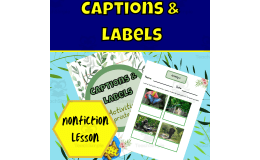
Captions and labels lesson with an under-the-sea theme: students write captions for photographs and drag word-bank words onto label lines for sea creature illustrations.


- Grades
- Preschool–Pre-K, Grades 1–3, Elementary
- Pages
- 20
- File type
- Microsoft PowerPoint
- Editable
- Yes


- Subject
- ELA, Reading
- Topic
- nonfiction, text features
- Resource types
- Lesson Plans, Teacher Tools
- Editable
- Yes
About this resource
What's inside this resource
Nonfiction Text Features: Captions and Labels Lesson Plan This interactive Google Slides resource teaches students about captions and labels, two key text features found in nonfiction books. Through discussions, activities, and practice exercises, students will learn how to identify captions and labels and apply them in their own writing. Animated slides, speaker notes, and student task slides allow flexibility to use this resource for whole-group instruction, small-group work, or independent practice during class or as homework. This concise yet engaging lesson plan aims to deepen third graders' understanding of nonfiction text structures. It can serve as an introduction or refresher on this topic. Check out other nonfiction text features lessons from this shop covering glossaries, tables of contents, titles, title pages, and indexes.
Related resources
More resources teachers may find useful
24 related resources were found using this product's title, contributor, categories and tags.

In the classroom
Teaching tips & learning objectives

Learning objectives
- Identify captions and labels as nonfiction text features
- Tell what a caption does compared with what a label does

Skills covered
- Caption writing — writing a short description in the box below each photograph
- Labeling — dragging words such as dorsal fin and tentacle onto the matching label lines

No reviews yet
Downloaded this resource? Tell other teachers how it went.
Resource details
Concepts & topics
Core concepts
 Core concepts
- Nonfiction text features
- Captions
- Labels
 Topics
Explore more
Categories this resource belongs to
Explore related searches
More to explore
You may also like

Teacher Tools, Lesson Plans


Teacher Tools, Lesson Plans

Teacher Tools, Lesson Plans

Teacher Tools, Lesson Plans
Lesson Plans, Teacher Tools

Teacher Tools, Lesson Plans