search
user.png
vertical menu

Professor Cody Teaches Kids to Code using Scratch: Lesson 6

Professor Cody Teaches Kids to Code using Scratch: Lesson 6 preview
Professor Cody Teaches Kids to Code using Scratch: Lesson 6 preview 2
Professor Cody Teaches Kids to Code using Scratch: Lesson 6 preview 3
Professor Cody Teaches Kids to Code using Scratch: Lesson 6 preview 4
Professor Cody Teaches Kids to Code using Scratch: Lesson 6 preview 5
Professor Cody Teaches Kids to Code using Scratch: Lesson 6 preview 6

Look Inside · 9 pages

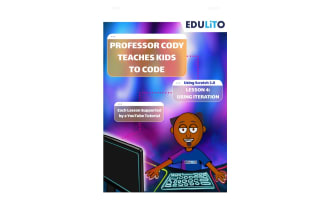
Professor Cody coding series cover for Lesson 6: Using Arrays (Lists) in Scratch 3.0, with a YouTube tutorial note
Cover of the Lesson 6 arrays guide
Lesson 6 introduction: arrays, called lists in Scratch, store many items, shown with a 10-name High Scorer List
Page 3: lesson introduction to arrays
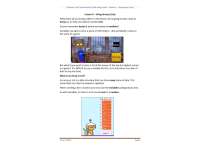
Activity 6.1 steps 1–9: making a Birthday Presents list with Ask and Repeat blocks, plus the Scratch project link
Start of Activity 6.1, the birthday project
Activity 6.1 steps 10–14: adding answers to Birthday Presents, a Cheer sound and Say blocks, with finished code
End of Activity 6.1 with the completed script
Activity 6.2 memory game setup: making the Memory List and Storage List in Scratch, steps 1–5
Start of Activity 6.2, the memory game
Memory game steps 6–8: filling the Stored List with Car, Ruler, Flower, Toy and Lion, then unticking it
Activity 6.2: adding five items to the list
Memory game: making the Points, Countdown and n variables, then starting the Storage-to-Memory List transfer
Activity 6.2: variables and list transfer steps
Memory game transfer code: a repeat loop adds item n of Stored List to Memory List, then changes n by 1
Activity 6.2: completed list transfer script
Introducing the memory game: Say blocks starting 'Hello and Welcome to the Memory Game!' and a 5-second countdown
Activity 6.2: game intro and countdown code
Attributes
Grades

Grade 5, 6, 7, 8, 9

Editable
No
Author
Edulito
Rating
Add To Collection
Add to collection Add to collection

About This Product

Professor Cody Teaches Kids to Code using Scratch: Lesson 6

Lesson 6, the final installment in a six-part series, is an insightful educational resource targeting children aged 8-14 years.

This lesson leveraging the capabilities of Scratch 3.0,a visual programming language, introduces intriguing programming concepts through practical tasks and interactive activities.

In This Lesson:

  1. An introduction to Arrays through project-based learning experiences.
  2. Diverse programming opportunities like designing a memory game, setting up a score list for games or creating birthday present lists using arrays..
  3. An engaging video tutorial that guides learners across task execution stages and emphasizes concept consolidation with fun challenges at each activity's end.
The Unit in Diverse Learning Settings:
  • Synchronised whole class instruction promoting collaborative problem-solving tactics development.
  • Potential utilisation within small group settings focusing extensively on individual student needs. .
  • Possible assignment as homework exercises for additional practice outside classroom timings.

This unit includes various value-add templates required across tasks procured via Edulito. The resource also consists of printable PDF documents (18 pages total) offering step-by-step instructions and notes sections for easier usage even without internet connectivity making it ideal both inside class scenarios or homeschooling environments..

Suitable For Grades 5 - Grade 9:

What's Included

18 printable pages in PDF Format and a YouTube Video tutorial (see link above)

0 Reviews

Explore related searches