search
user.png
vertical menu

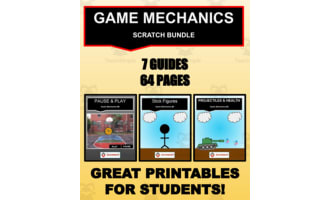
Scratch: Stick Figures (Game Mechanics #3)

Scratch: Stick Figures (Game Mechanics #3) preview
Scratch: Stick Figures (Game Mechanics #3) preview 2
Scratch: Stick Figures (Game Mechanics #3) preview 3
Scratch: Stick Figures (Game Mechanics #3) preview 4

Look Inside · 10 pages

Cover of Stick Figures, Game Mechanics #3, a Scratch guide to creating and animating a stick character
Cover of the stick figure animation guide
Guide overview lists stick figure creation, animations, walking, jumping, punching, kicking, and scripts
Overview and package contents
Stick figure creation tutorial uses a new sprite, the Ellipse tool for the head, and lines for the body
First tutorial: drawing the stick figure
Animation setup introduces five poses, explains costume alignment, and names the first costume stand
Animation setup and the standing costume
Walking animation tutorial duplicates the stand costume to create walk1 and walk2 with different leg poses
Creating the walking costumes
Jump animation tutorial shows jump1, jump2, and jump3 costumes with changing arm and leg positions
Creating the three jumping costumes
Punch and kick animation examples show punch1 and punch2 with a boxing glove, plus kick1 through kick3
Creating the punching and kicking costumes
Walking scripts use the right arrow key to move 5 steps and alternate walk1 and walk2 with timed waits
Scripts for walking and costume changes
Jump scripts use the space key to move up and down and cycle through jump costumes before returning to stand
Scripts for jumping and returning to stand
Punch and kick scripts assign Q and W keys to timed costume sequences that finish with the stand costume
Final scripts: punching and kicking
Attributes
File

PDF

Editable
No
Author
Roombop
Rating
Add To Collection
Add to collection Add to collection

About This Product

Scratch: Stick Figures (Game Mechanics #3)

An invaluable teaching aid designed to enhance the computer science knowledge and skills of students from grades 3 to 10. It focuses primarily on developing character within a gaming context with stick figures serving as learnable starter characters.

What Will You Learn

  • Creating an animated stick figure
  • Utilizing the figures within game mechanics
  • Fundamental principles of computer science translated into practical application

Suitable For

This package is versatile enough for both public school teachers and homeschoolers teaching whole group instruction or smaller breakout sessions. Additionally, it works as an effective homework tool because of its step-by-step tutorial style layout.

Prerequisites

To fully benefit from Scratch: Stick Figures (Game Mechanics #3), a basic understanding of Scratch is necessary.

Cross-Curricular Appeal

This product, although classified under 'Computer Science', seamlessly integrates into interdisciplinary curricula focusing on technological literacy or even creative arts due to its suitability across different grade levels and learning stages.

Delivery Format

You'll receive the guide as a PDF file, containing detailed, easy-to-follow lesson plans accompanied by visual diagrams for extra support. It ensures that your students can smoothly begin their journey in game scripting regardless of your teaching experience level.


In Summary:
Lead your students towards mastery in creating simple characters crucial not only for games but other digital animations too with Scratch: Stick Figures (Game Mechanics #3)!

What's Included

Step by step tutorial on how to create and animate a stick figure

0 Reviews

Explore related searches