Skype Template (Editable on Google Slides)



- Grades
- Not Grade Specific
- File type
- Google Slide
- Editable
- Yes


- Subject
- Special Resources, Social Skills
- Topic
- interactive learning, communication skills
- Resource types
- Templates, Teacher Tools
- Editable
- Yes
About this resource
What's inside this resource
Skype Template: A Creative and Interactive Learning Resource
The Skype Template, editable on Google Slides, offers a unique and engaging platform for students to showcase their creativity. This tool is optimal for educators in both the public school setting as well as homeschooling parents. By leveraging the familiar interface of Skype, this resource integrates education with current technology for an enriching learning experience across various subjects.
How It Works:- The flexibility of the template caters to a myriad of classroom activities. Examples include: whole group assignments wherein students generate dialogues between historical figures or individual tasks where they create exchanges between personal contacts.
- It also has potential as homework where students script meaningful dialogues involving friends or relatives.
This product comes in PDF and Google Slides formats–perfect for either physical classrooms or virtual learning environments.
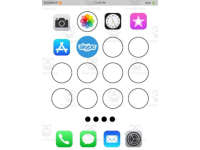
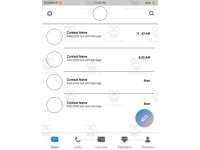
- iPhone App Screen Layout
- Android App Screen Layout
- Skype Main Contact List Layout - Plus six distinct messaging layouts and a layout simulating video chat!
An exciting aspect about this resource is its interactivity: each page features editable text boxes that can be personalized according to your students' needs while safeguarding against accidental backing out (the backgrounds are locked). This personification emphasis not only adds authenticity but also promotes writing skills by making composition fun!
Saving Work:FInally, completed work can be saved easily–a celebration of your student's abilities while demonstrating successful application!
Related resources
More resources teachers may find useful
24 related resources were found using this product's title, contributor, categories and tags.

Good to know
Questions teachers ask about this resource
What does a student need to type into the template?
A Google account is needed to make an editable copy of the Slides file; students can also print a layout and write the conversation by hand.

No reviews yet
Downloaded this resource? Tell other teachers how it went.
Resource details
Concepts & topics
Core concepts
 Core concepts
- Dialogue writing
- Roleplay
 Topics
Explore more
Categories this resource belongs to
Explore related searches
More to explore
You may also like