Rubric Template Google Docs



- Grades
- Grades 3–8, High School
- File type
- Google Docs
- Editable
- Yes


- Topic
- Blank rubric, Grading criteria
- Resource types
- Teacher Tools, Rubrics, Templates
- Editable
- Yes
Product description
From the author
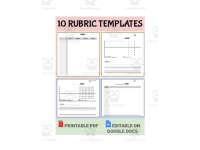
This package contains 10 different blank rubric templates. You can fill in your own grading criteria by printing them out and writing in all the information for your assignment. Alternatively, you can customize these rubrics by using Google Docs to edit them.
Related resources
More resources teachers may find useful
24 related resources were found using this product's title, contributor, categories and tags.


In the classroom
Teaching tips & learning objectives

Teaching tips
Choose the point-scale template that matches an assignment's grading complexity, from a simple 2-point checklist up to the 10-point scale for more detailed criteria.
Use the mixed-scale templates when different criteria on the same rubric deserve different point weights, such as 3 points for one category and 5 for another.
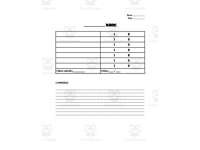
Use the comments section beneath each rubric to give written feedback that goes beyond the numeric score.
Good to know
Questions teachers ask about this resource
How do the mixed-scale rubric templates differ from the single-scale ones?
Instead of using one consistent point value throughout, the mixed-scale templates combine two or three different point values in the same rubric, such as categories worth 3 and 5 points, or categories worth 3, 4, and 5 points.

No reviews yet
Downloaded this resource? Tell other teachers how it went.
Resource details
Concepts & topics
Core concepts
 Core concepts
Rubrics
Assessment criteria
Grading
 Topics
More to explore
You may also like