Twitter Template (Editable on Google Slides)



- Grades
- Not Grade Specific
- File type
- Google Slide
- Editable
- Yes


- Subject
- Special Resources, Social Skills
- Topic
- social media, google
- Resource types
- Templates, Teacher Tools
- Editable
- Yes
About this resource
What's inside this resource
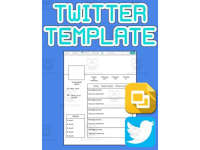
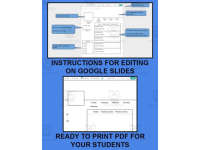
The use of social media is a great way to engage and gain the interest of your students. Best of all, this resource is available in both printable pdf format as well as a Google Slides editable format. This Twitter template allows students to add text and pictures to a “Twitter Template”. The template is locked, so your students can’t mistakenly move or delete the background. It comes with a “5 Tweet Template” with instructions and two blank Twitter templates.
Use this to:
Have your students discuss a character or setting in a novel
Focus on a historical person
Focus on a Geographic area
Use it in science and have your students record their information
When your students are finished, they can save a picture of their Twitter template.
Related resources
More resources teachers may find useful
24 related resources were found using this product's title, contributor, categories and tags.


In the classroom
Teaching tips & learning objectives

Learning objectives
Compose five short posts in the voice of an assigned character, historical figure, or subject
Write a short first-person bio line summarizing that character, figure, or subject
Identify or invent five relevant 'trending' hashtags related to the assigned subject

Teaching tips
Have students make their own copy of the Google Slides link before editing, since the shared file is read-only until copied
Show the pre-filled example template as a model before switching students to one of the two blank template styles
Have students export their finished template as a PNG image (File > Download > PNG image) to submit or print

Skills covered
Perspective-taking writing — students compose five short posts in the voice of a novel character, historical figure, or other assigned subject.
Concise summarization — students condense information into a short bio line and five hashtag-style trend labels.
Digital template use — students make a personal copy of a shared Google Slides file and export their finished work as an image.
Good to know
Questions teachers ask about this resource
What's the difference between the two blank template styles?
One shows the full stats row (tweet, following, follower, and favorite counts); the other leaves that row out for a simpler layout.
How do students turn in a finished template?
They export it directly from Google Slides as an image: File, then Download, then PNG image.

No reviews yet
Downloaded this resource? Tell other teachers how it went.
Resource details
Concepts & topics
Core concepts
 Core concepts
Character/perspective writing
Social-media-style summarization
Digital template editing
 Topics
Explore more
Categories this resource belongs to
Explore related searches
More to explore
You may also like