resources by type
resources by grade
resources by subject
other resources

3,630 products added recently

Algebra Lesson Plans

Make algebra accessible with lesson plans that simplify complex ideas through step-by-step instruction and hands-on activities. These resources aim to develop students' abstract reasoning and problem-solving skills. Use them to build confidence and competence in algebra.

Relevant
alt down
Any Time
alt down
filter by
alt down
All File Types
alt down
filter nav Show filters
Sort by: Relevant
CLEAR
resources by type
Activities
down arrow
Classroom Decor
down arrow
Teacher Tools
up arrow
Anchor Charts
Assessments
Charts
DBQ's
Diagrams
Graphic Organizers
Lesson Plans
Literacy Readers
Outlines
Presentations
Quizzes and Tests
down arrow
Rubrics
Templates
Worksheets & Printables
down arrow
resources by grade
Early Learning
down arrow
Pre-K
down arrow
Elementary
down arrow
Middle School
down arrow
High School
down arrow
Adult Education
Not Grade Specific
resources by subject
Creative Arts
down arrow
ELA
down arrow
Holiday & Seasonal
down arrow
Life Studies
down arrow
Math
up arrow
Addition and Subtraction
down arrow
Algebra
down arrow
Calculus
down arrow
Trigonometry
Decimals
Early Math
down arrow
Fractions
Geometry
Graphing
Measurements
Money
Multiplication and Division
down arrow
Number Lines
Order of Operations
Percentages
Statistics
Time
P.E. & Health
down arrow
Social Studies
down arrow
Special Resources
down arrow
Science
down arrow
Foreign Languages
down arrow
Resources for Teachers
down arrow
other resources
Common Core
Homeschool Resources
down arrow
Montessori
Research
STEM
Complete Elementary Math Bundle: Worksheets, Games & Practice

Complete Elementary Math Bundle: Worksheets, Games & Practice
Addition and Subtraction, Math, Early Math, Fractions, Multiplication and Division, Percentages, Grade 1, 2, 3, 4, 5, Games, Activities, Lesson Plans, Teacher Tools, Worksheets & Printables

Make math practice simple, engaging, and effective with this complete Elementary Math Bundle. This resource helps students build strong skills while saving you time. It includes a wide range of worksheets, puzzles, and activities for Grades 1–5. Topics cover addition, subtraction, fractions, percentages, and mixed math skills. All materials are printable and ready to use. Answer keys are included for easy grading. You can use this bundle in many ways. Use it for math centers, small groups, homework, or independent practice. It also works well for early finishers, review days, or sub plans. The variety keeps students interested and involved. Students practice fractions, fundamental operations, and practical math skills. They also foster critical thinking and problem-solving skills. Differentiation is made simple by the activities' support for many levels. Teachers adore this resource since it is versatile and requires little preparation. It keeps kids interested while saving planning time. All year long, use it to design engaging and significant arithmetic lessons.

Author Bright Classroom Ideas Marketplace

Rating

Tags Math, Arithmetic, Addition, Subtraction, Multiplication, Division, Elementary, Worksheet

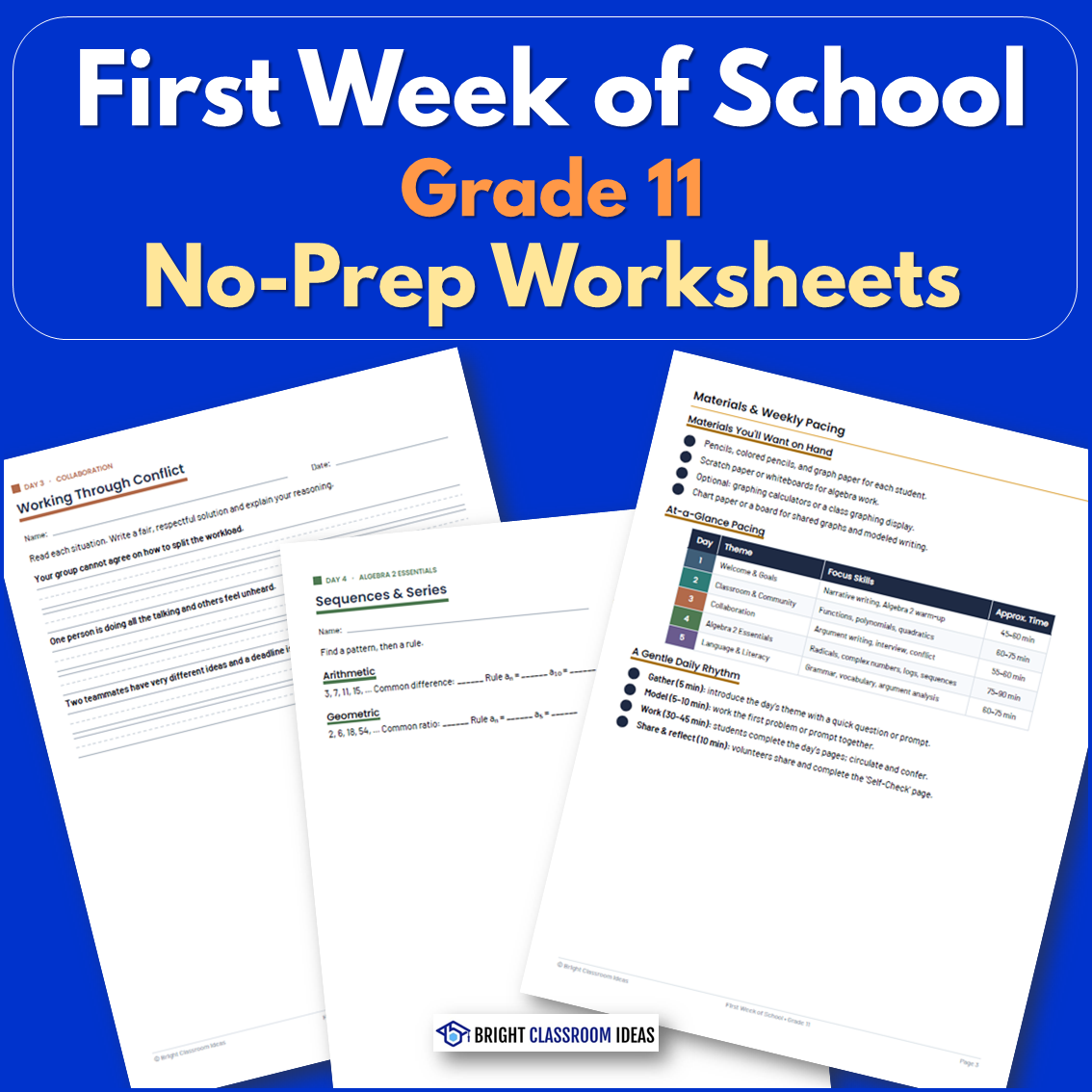
First Week of School Grade 10 | No-Prep Worksheets

First Week of School Grade 10 | No-Prep Worksheets
ELA, Math, Grade 10, Lesson Plans, Teacher Tools, Worksheets & Printables

Help students begin sophomore year with confidence using this engaging First Week of School Activities for 10th Grade packet! Designed to help students reconnect with academic skills while building strong classroom relationships, this no-prep resource combines Geometry review, literacy, writing, critical thinking, and social-emotional learning in one easy-to-use workbook. Students set objectives, improve their communication skills, go over important geometry ideas, and take part in worthwhile community-building activities over the course of five organized days. The Pythagorean Theorem, coordinate geometry, congruence and similarity, trigonometry, circles, transformations, area and volume, argument writing, academic terminology, and reading comprehension are all covered in the lessons. The packet is perfect for bell ringers, independent work, small groups, advisory periods, whole-class instruction, and informal assessments. While the full answer key makes preparing easy and stress-free, a comprehensive Teacher Guide offers lesson outlines, pacing recommendations, discussion starters, and ideas for differentiation. During the crucial first week of classes, this tool aids teachers in creating routines, fostering a healthy classroom environment, and evaluating students' preparedness. It helps kids feel connected, engaged, and ready for a successful tenth grade year by striking a balance between academic review and relationship-building activities.

Author Bright Classroom Ideas Marketplace

Rating

Tags Back To School, First Week, Ela, Math, Lesson, Plan, Worksheet

Year 6 End-of-Term Mathematics Review Pack | Australian Curriculum

Year 6 End-of-Term Mathematics Review Pack | Australian Curriculum
Math, Grade 6, Assessments, Teacher Tools, Lesson Plans, Worksheets & Printables

Prepare students for secondary school success with this comprehensive Year 6 End-of-Term Mathematics Review Workbook Pack! Aligned with the Australian Curriculum v9.0, this engaging resource helps students consolidate essential maths skills, identify learning gaps, and build confidence before transitioning to Year 7. The pack includes a 105-page student workbook, a complete teacher’s guide, and a full answer key. Students work through 24 structured review sections featuring warm-up activities, guided practice, challenge tasks, real-world problem-solving activities, a skills checklist, a progress chart, a family note, and a completion certificate. Topics cover integers, fractions, decimals, percentages, ratios, financial mathematics, algebraic reasoning, equations, measurement, geometry, area, volume, time, angle relationships, transformations, statistics, probability, and advanced problem-solving. A mixed-review challenge section allows students to apply skills across multiple mathematical strands. The workbook is perfect for whole-class review, independent practice, homework, intervention groups, math centers, assessment preparation, summer review, and progress tracking because of its consistent and user-friendly structure. Teachers can use certain pages for focused revision over a period of four to five weeks, or they can give one portion per week. The extensive curriculum content, integrated assessment options, and emphasis on thinking and problem-solving are valued by educators. While the workbook helps students improve their mathematical fluency, confidence, and preparedness for secondary mathematics, the accompanying teacher guide offers helpful support for differentiation, intervention, and lesson planning.

Author Bright Classroom Ideas Marketplace

Rating

Tags Math, Review, Winter, End-of-term, Lesson, Plan

Multiple by 11 Trick | Interactive Math Video Lesson

Multiple by 11 Trick | Interactive Math Video Lesson
Math, Multiplication and Division, Division, Grade 2, 3, 4, Lesson Plans, Teacher Tools

This animated video is a math lesson Multiply by 11 Trick. Students will love this engaging and interactive video. This video serves as a great introduction or review video for your learners. This is a 1-minute video lesson.

Author Educational Voice

Tags Math Video, Math Lesson, Math Tricks, Multiplying , Times Table

First Week of School Grade 6 | No-Prep Worksheets

First Week of School Grade 6 | No-Prep Worksheets
ELA, Math, Grade 6, Lesson Plans, Teacher Tools, Worksheets & Printables

Help students start middle school with confidence using this engaging First Week of School Activities for 6th Grade packet! Designed to ease the transition into a new learning environment, this no-prep resource combines math, literacy, writing, collaboration, and social-emotional learning in one easy-to-use workbook. Across five structured days, students build relationships, set goals, review important academic skills, and develop the habits needed for success in sixth grade. Activities include SMART goal setting, narrative and argument writing, ratios and unit rates, exponents, coordinate graphing, integers, fraction division, percent problems, data analysis, vocabulary, figurative language, and reading comprehension. The packet is perfect for whole-class instruction, advisory periods, independent work, small groups, bell ringers, and informal assessments. A detailed Teacher Guide provides lesson plans, pacing suggestions, discussion prompts, and differentiation ideas, while the complete answer key makes preparation simple. From the first week onward, this tool assists teachers in creating routines, fostering a sense of community in the classroom, and evaluating students' preparedness. It helps children feel ready, competent, and enthusiastic for a successful sixth-grade year by providing the ideal combination of relationship-building and academic revision.

Author Bright Classroom Ideas Marketplace

Rating

Tags Back To School, First Week, Ela, Math, Lesson, Plan, Worksheet

First Week of School Grade 9 | No-Prep Worksheets

First Week of School Grade 9 | No-Prep Worksheets
ELA, Math, Grade 9, Lesson Plans, Teacher Tools, Worksheets & Printables

Help students begin their high school journey with confidence using this engaging First Week of School Activities for 9th Grade packet! Designed specifically for freshmen, this no-prep resource combines Algebra 1 review, literacy, writing, critical thinking, and social-emotional learning to create a smooth transition into high school. Students acquire the habits necessary for success, review important academic ideas, form relationships, and set meaningful goals over the course of five scheduled days. Writing narratives and arguments, SMART goal-setting, algebraic expressions, equations and inequalities, systems of equations, graphing, exponents, factoring, quadratic equations, data analysis, vocabulary growth, and reading comprehension are among the activities. The packet is perfect for small groups, independent work, orientation programs, advising periods, whole-class instruction, and informal evaluations. Lesson planning, pacing recommendations, discussion starters, and ideas for differentiation are all included in a comprehensive Teacher Guide, and the full answer key facilitates easy and quick implementation. During the crucial first week of classes, this tool aids teachers in creating routines, fostering a healthy classroom environment, and evaluating students' preparedness. It helps students feel motivated, prepared, and equipped to succeed in high school by striking a balance between academic study and community-building activities.

Author Bright Classroom Ideas Marketplace

Rating

Tags Back To School, First Week, Ela, Math, Worksheet, Lesson, Plan

Quest for 100 Powered Interactive Classroom Journey & Milestone

Quest for 100 Powered Interactive Classroom Journey & Milestone
Math, Early Math, Addition and Subtraction, Algebra, Calculus, Decimals, Basic Operations, Counting, Fact Families, Numbers, Infant, Toddler, Grade 1, 2, 3, 4, 5, Teacher Tools, Anchor Charts, Assessments, Charts, Diagrams, Graphic Organizers, Lesson Plans, Worksheets & Printables, Workbooks, Worksheets

Celebrate the 100th Day of School with this one-stop-shop, AI-powered interactive classroom kit! This resource is designed for students in Kindergarten through 5th grade, helping you turn what is traditionally just a celebration into an interactive educational experience that develops number sense and is easily integrated with your lesson plans. This is what you get in this PDF Bundle: Annotating Available Apricot PHASE 1: Core Teacher Guide Grounded in education literature, this guide explores the educational significance of tracking milestones, design principles for young students, and lesson plans for using AI (Canva AI) to produce high-quality “100 Days of School” posters. PHASE 2: Ready-to-Print Student Workbook – 10 engaging worksheets that make the journey to 100 days interactive! Activities include: Counting and Number Sense Challenges Challenges in Personal Reflections and Self-Improvement Journals Creative Writing & Storytelling Tasks Math calculations or problems using 100 Thinking about the Future and Planning Celebrations PHASE 3: Visual Resources & Teacher Keys - Comes with SVG concept illustrations for implementation in the classrooms, differentiated activity packets (K-1, 2-3, 4-5), and an answer key to make implementation smooth. Why This Kit is a Game-Changer: Powered Customization: See how you can use generate themes, icons, or prompts to make a personalized poster each year. Standards-Aligned: Direct support for the CCSS Math Standards (K.CC.A.1, 1.NBT.A.1, 2 Saves Hours of Planning: From theory to print-ready activities, it all is provided for a rich, educational celebration. Differentiated for All Elementary Grades: Activities are leveled to reach both younger and older students in elementary school. It is perfect for teachers, homeschooling parents, or school-wide events that aim to make the 100th day more significant and interactive as a learning experience. FORMAT: Instant Digital Download (PDF) Pages: More than 30 pages of professional material Grades: K, 1, 2, 3, 4, 5 Disciplines: Math, Writing, Holidays/Seasons, Back to School, All Subjects Resource Type: Activities, Posters, Lesson, Printables 3. Why Parents/Schools Love It Saves Teacher Time: “It offers everything you need for a full 100th Day celebration without searching for ideas or preparing materials by hand.” Boosts Creativity: Equips teachers with the ability to create customized posters for their classrooms so that each year's event is special. Academically Rigorous & Fun: Strives to do more than crafts by integrating authentic math, writing, and SEL skills into their celebratory activities, meeting K-5 standards. Fosters Classroom Community: Class activities such as the interactive poster emphasize the creation of an excellent learning environment that encourages high self-esteem. Differentiated & Flexible: It is a flexible resource that can be used for students of multiple grade levels since it contains activities for K-5. PDF Analysis & Target Audience : Content Summary: This is a total educational kit that is professionally made for educational purposes, entitled "Quest for 100: Powered Interactive Classroom Journey & Milestone Display Kit – 100 Days of School Poster Edition." This is a three-in-one educational resource that can be utilized by teachers, homeschooling parents, or school administrators: Part 1: Teacher’s Guide & Theoretical Foundation Covers the pedagogy related to celebrating the 100th day of school, the principles of effective posters, and ways to make use of software such as for creating customized posters and activities. Part 2: Student Workbook: This package contains 10 ready-to-use student workbooks that include exercises on math, reflection, creative writing, vocabulary, and project-based learning related to the number 100. Part 3: Visuals & Teacher Resources- This part covers concepts of SVG Diagrams, Answer Keys, and Differentiated Activity Sets for K-5 with emphasis on integrating interactive posters and AI prompt tasks. Primary Target Audience (By Grade): K-5 Teachers-Kindergarten through 5th grade It is differentiated learning material that is specifically tied back to K-5 Common Core Math Standards and Social-Emotional Learning Skills. Activities are tiered by complexity, allowing it to be used for a broad range of elementary-aged children. Secondary Audience: Homeschooling parents seeking organized activities to commemorate milestones. School administrators or curriculum coordinators who are looking for resources to celebrate the 100th day of school Teacher students and educational resource creators. Copyright/Terms : Use This Book is copyrighted by Syed Hammad Rizvi. This material is for personal and classroom use only. You cannot modify it, distribute it, or sell it in any form or manner. This means that you cannot upload it onto the Internet for public download. This is plagiarism. You cannot plagiarize your own work. If you would like to share this resource with your colleagues, you are encouraged to purchase additional licenses through the Teachsimple website. Thank you for observing the terms of use. This product is gladly brought to you by Syed Hammad Rizvi

Author Creative Book Store

Rating

Tags Math, Writing, Holidays/Seasonal, Back To School, For All Subjects, 100 Days Of School Poster, Posters, 100's Day, Activities, Lesson

All About Division | Animated Math Video Lesson

All About Division | Animated Math Video Lesson
Math, Multiplication and Division, Multiplication, Grade 3, 4, 5, Lesson Plans, Teacher Tools

All About Division | Animated Math Video Lesson Get ready for an exciting exploration into the mathematical world of division with this animated video lesson. An engaging teaching tool, empowering students with fundamental math concepts in a playful yet logical manner. Our 9-minute educational voyage actively involves learners in: Grasping critical mathematical terms. Dividing large numbers. Applying lessons across different contexts and scenarios. Catering to Grade 3 to Grade 5 learners, the resource can be applied effortlessly across diverse settings: In school during regular class hours, for both whole groups or small crews. After school as a supplementary material. At home as a meaningful assignment reinforcing understanding. The video not only serves as an introduction to instil curiosity among recent learners about division but also acts as a review aid, allowing older students to reinforce their knowledge base - providing value inside classrooms and beyond! .

Author Educational Voice

Tags Division, Math Video, Animated Lesson, Interactive Learning, Mathematical Terminology

Investing Fundamentals & Compound Interest Practice Pack

Investing Fundamentals & Compound Interest Practice Pack
Math, Money, Statistics, Measurements, Order Of Operations, Trigonometry, Time, Multiplication and Division, Division, Multiplication, Grade 6, 7, 8, 9, 10, 11, 12, Worksheets & Printables, Workbooks, Worksheets, Word Searches, Teacher Tools, Lesson Plans, Quizzes and Tests, Quizzes, Tests, Assessments

Complete Set: Compound Interest Practice Pack. With this no-preparation, complete unit, you’ll transform your students’ passive consumption of investments into sound capital allocation. Looking for something more than just a “piggy bank” way to teach your students about finances? The curriculum is designed specifically to teach students how and why they can create wealth through investing. It breaks down stocks and stock markets into simple components, demonstrates how inflation erodes purchasing power without anyone being aware, and mathematically proves the power of compounding through real-life practice examples. Students will develop a firm understanding of investing based upon the learning experiences included in this program, which can be used for multiple subject areas including Math, Economics, Personal Finance, and Life Skills. This is an excellent resource for several weeks of instruction on investment literacy as it provides all of the necessary ingredients (theory, practice, and case studies) to achieve successful learning outcomes. WHAT WILL YOU FIND IN THIS 32-PAGE PACK? PHASE ONE: Core content and theory – This section includes a 9-page “student textbook” that communicates the foundational concepts using academic terminology, generalized real-world analogies where applicable. Covers the following topics: The reality of inflation; the asset classes (i.e., stocks, bonds reals); the difference between simple versus compound interest; the Rule of 72; risk and diversification; behavioral finance (e.g., loss aversion, fear-of-missing-out [FOMO]); and dollar-cost-averaging. PHASE TWO: Student workbook (10 sheets) - A total of 13 pages worth of rigorous practice questions. Starting with simple terminology and building to an increasingly sophisticated portfolio synthesis. Worksheet #1 – The anatomy of an investment. Worksheet #2 –The time-value-of-money and inflation. Worksheet #3 – Simple versus compound interest. Worksheet #4 – The compound-interest formula in action. Worksheet #5 – The Rule of 72. Worksheet #6 – Risk, reward, and volatility. Worksheet #7 – Stock-market mechanics. Worksheet #8 – Mutual funds and ETFs. Worksheet #9 – The impact of time (early vs. late). Worksheet #10 – Building your first portfolio. PHASE THREE: Visual and teacher resources – Everything you need to properly teach and support your students on the curriculum. 3 impactful pedagogical visuals that can be projected and/or printed relating to compound interest, asset classes, and the Rule of 72. Complete, step-by-step Teacher’s Answer Key covering all ten questions in the workbook. Sound implementation guide for Teachers, including module pacing, instructional notes, and other valuable insights related to “expected cognitive friction points.” This isn't simply a lesson plan; This is an entire educational program that will teach young people to have real financial intelligence. Key Terms: Teach Teenagers How to Invest, Compound Interest Project, Financial Literacy Curriculum, Personal Financial Literacy Unit, Stock Market For Kids, Middle School Math, High School Economics, Homeschooling, No Preparation Needed (Print and Go), Digital Learning, and Money Management. Why Do Parents and Schools Appreciate It? Provides Life-Long Knowledge: This unit provides students with the knowledge and skills needed to understand investing, create wealth, and achieve financial stability beyond what they learned in textbooks. Total Unit; No Additional Preparation Needed: This is a complete curriculum with everything needed, including theory, worksheets, visuals, answer keys, and a teacher guide! By using this complete package, more than 10-20 hours of planning can be saved by teachers. Real Comprehension: By combining theory with real-life examples and thorough practice, this unit gives students the knowledge they need to know how to calculate for financial growth and what risks are associated with financial growth rather than just memorizing formulas to solve for financial growth. Engaging as well as Challenging: The language in this unit is challenging, but when students use the step-by-step format and apply these concepts to real-life examples (like comparing two different investors), students will find these topics very interesting and easy to understand. Target Student Audience Assessment: A comprehensive assessment of the material's content and language, mathematical difficulty, etc.: Grade Level of Main Target Audience: 8 - 10 grades. Although the PDF shows 7-9 grades, the vocabulary/academic terminology in the document is more suitable to eighth (8th) & ninth (9th) graders (as opposed to seventh (7th) graders). The level of math skills required to understand this material would be appropriate for eleventh (11th) and twelfth (12th) graders as an introductory course to economics or mathematics. Additional Targeted Audiences: Gifted and Talented Middle School Students (6-7 grades) High School Economics or Personal Finance Electives (11-12th grades) - Use This Material As An Introductory Unit Parents Who Homeschool Their Children With A Curriculum Focused On Life Skills Or Financial Literacy This Product has been copyrighted by Syed Hammad Rizvi. You may only use this Resource in your Personal Use, and only in a Single Classroom. This means you cannot alter, redistribute, or sell it. In other words, you cannot put this Resource on the Internet, where others can access and download it permanently or temporarily. If you would like to share this Resource with your colleagues, please purchase additional licenses from Teachsimple. Thank you for your understanding, and thank you for complying with these terms of use. Syed Hammad Rizvi is pleased to provide this Product to you.

Author Creative Book Store

Rating

Tags FinancialLiteracy, CompoundInterest, Investing, PersonalFinance, StockMarket, WealthBuilding, MoneyManagement, InvestingForBeginners, RuleOf72, TimeValueOfMoney

All About Measuring | Animated Math Video Lesson

All About Measuring | Animated Math Video Lesson
Math, Measurements, Grade 2, 3, 4, Lesson Plans, Teacher Tools

All About Measuring | Animated Math Video Lesson The All About Measuring Animated Math Video Lesson is an engaging and interactive learning asset, designed to keep 2nd to 4th-grade students fully involved. It's much more than a conventional video clip - it's an all-encompassing educational aid that promises to make learning measurements both thrilling and rewarding. Its dynamic teaching style nurtures cognitive growth while offering a clear understanding of the subject. This animated lesson is delivered as a 10-minute digital MP4 file that seamlessly fits into any lesson plan, presenting educators the ease of showcasing innovative content with no complex setups or extra gear requisites. The video takes learners on a step-by-step journey through measuring concepts, illuminating various associated tools required for these critical math skills. Educational Flexibility For those seeking diverse ways to effectively impart mathematical concepts, this resource offers substantial pedagogical flexibility. Here are some strategies: Integrate it into your whole-group lessons as an introduction or review of measuring concepts. Segment it for small-group tasks to encourage peer-to-peer interaction and communication. Homeschooling Advantage Homeschoolers would equally benefit from this video as they aspire for thorough education at the comfort of their homes. They have the choice to pause at various points or replay sections until they grasp each concept fully - making self-learning even simpler! Focusing solely on measurements—a vital component in math curriculum across grades—the All About Measuring Animated Math Video Lesson assists students in not just understanding but also practically handling measurement problems efficiently by showcasing them via animation sequences within these lessons. In summary, If you're interested in sprucing up your teaching methodologies whilst making complex measurement topics simpler for your students to grasp seamlessly—or looking to supplement homeschool curriculum—the All About Measuring Animated Math Video Lesson remains an excellent choice.

Author Educational Voice

Tags Measuring, Math Video Lesson, Interactive, Measurement Concepts, Hands-on Experience

All About Numbers 1 - 10,000 | Animated Math Video Lesson

All About Numbers 1 - 10,000 | Animated Math Video Lesson
Math, Numbers, Grade 2, 3, 4, Lesson Plans, Teacher Tools

This animated math video lesson is all about numbers 1 - 10,000. Students will love this engaging and interactive video that takes them step-by-step on how to analyze and interact with numbers in a fun way. This video serves as a great introduction or review video for your learners. This is an 8-minute math video lesson.

Author Educational Voice

Tags Place Value Lesson, Math Lesson, Interactive Math, Numbers Activity, Math Videos, Spanish Numbers 1-10000, Numbers In Spanish 1-10000, Numbers In French 1 10000, Numbers In Spanish 1 10000, Japanese Numbers 1-10000

Goal Setting & Financial Independence Planners

Goal Setting & Financial Independence Planners
Economics, Social Studies, Math, Statistics, Money, Order Of Operations, ELA, Reading, Strategies, Reading Comprehension, Grade 6, 7, 8, 9, 10, 11, 12, Teacher Tools, Assessments, Lesson Plans, Quizzes and Tests, Quizzes, Tests, Worksheets & Printables, Workbooks, Worksheets, Word Searches

With "Goal Setting & Financial Independence: The Architect's Blueprint", you will turn your students from passive consumers to future architects of their own financial success. Unlike most personal finance worksheets, this curriculum is designed specifically for high school and advanced middle school (Grades 8-11) students and provides them with the respect and knowledge necessary to thrive in today's economy. Say goodbye to condescending advice and oversimplified budgeting. The Curriculum explores the psychology of wealth, the mathematics of compound interest, and the strategic frameworks of top-level corporate strategists and investors. Budgeting as you know it is redefined as Strategic Resource Allocation, and students learn how to be the Chief Financial Officer (CFO) of their own life. Your students will get to create real-world cases, work through 10 detailed worksheets and find themselves on the road to implementing action plans that will help them achieve their goals. Subjects Discussed Are: The Psychology of Creating Goals and Identifying Habits Time-Money Relationship: The Impact of Compounding(72) Budgeting for Success through the Zero-Based Method Learning About Your Paycheck (Gross vs Net Income), FICA Tax/Withholdings/W-4? Difference between Good and Bad Debt, Credit, Amortization Teenage Investing: Roth Individual Retirement Accounts (IRAs), Index Funds & Dollar Cost Averaging (DCA) Evaluating Career and College Return on Investment Asymmetrical Risk - How to Build Human Capital through Entrepreneurship. TEENS AND THE FIRE MOVEMENT - Financially Independent Retire Early. This resource provides : educators with a comprehensive curriculum complete with four chapters covering the key principles of Personal Finance, Financial Literacy and Basic Money Management as well as a Student Workbook containing ten worksheets designed to allow students to create their own personal financial blueprint through multiple scenarios, calculations and reflection questions. The Teacher Resources (Visual Aids) are designed to provide educators with visual representations of the key topics covered in each of the four chapters so that the students can better understand these concepts through the use of anchor charts and an Answer Key for all objective type questions, along with a grading rubric for the subjective type questions. This resource can be used in various academic settings including: Personal Finance Classes/Electives, Economics Classes, Life Skills, Career Readiness Courses and Homeschool Co-Ops. This resource has been created to allow educators to design a complete instructional program that will give students the most valuable lesson they will ever learn and that is how to achieve Financial Independence. Keywords: Financial literacy; Personal Finance; High School; Middle School; Life Skills; Economics; Investing for Teens; Budgeting Worksheet; Goal Setting; Compound Interest; FIRE Movement; Career Readiness; College ROI; Digital resource; Printable; PDF; Curriculum; Homeschool; Case Study Method. Educational Benefits For Parents And Schools-Alike: More Than Just Basics: They will not only learn how to balance a check book, but will also learn about many other advanced financial strategies and 21st Century Financial Concepts relating to Investments, Career Return on Investment Analysis, and the Psychology of Wealth Building. Rigorous & Respectful; Curriculum uses behavioral economics and psychology to build a sophisticated vocabulary with a work related context, assumes that teenagers are intelligent individuals and builds and creates a database of excited students. Turn Key: Provides a detailed curriculum and 10 student assignment work sheets; Free Power Point Presentation; Student Manual; Teacher Manual; Complete Answer Key; complete Grading Rubric The "do-it-yourself" or upload method provides zero prep time for the instructor. Action-oriented & Practical: Students learn all of the aspects of financial literacy through case studies and hands-on experience with developing and developing their own personal goals, personal budgets, and long-term financial plans. Based on the analysis done : on the stated criteria, the cover lists the suggested audience to be Grades 8-11. This is an accurate portrayal of the grades as they apply to target audience. Grades 8 and 9: The concepts of goal-setting, identity-based habits, zero-based (simple) budgeting, and receiving a first paycheck all apply directly to this age group and may provide challenges (some, yet, not many); however, the material has enough scaffolding (additional content and/or support) to be very effective. Grades 10 and 11: This represents the best fit. These students are considering securing part-time employment, intending to save money for an automobile, or making major decisions concerning attending college or entering into the workforce. The worksheets provided on the topics "ROI (Return on Investment) Comparison of College vs. Career," "Dynamics of Debt," and Roth IRA will be extremely relevant and pertinent to these students. High School teachers of Personal Finance, Economics, and Life Skills. Instructors of Career and Technical Education (CTE). Parents who choose to home school and desire to use the material as a strong, legitimate financial curriculum. Middle School teachers of students that are classified as advanced or are placed into gifted programs. Terms of Use and Copyright: This book is copyrighted by Syed Hammad Rizvi. It is intended for use only by the individual or a single school classroom. No part of this resource may be altered, re-distributed or resold. In other words, you cannot post on the internet in a public place so that it can be found and downloaded. If you would like to share this resource with colleagues, please purchase additional licenses from Teachsimple to do so. Thank you for abiding by our terms of use. Syed Hammad Rizvi, thanks for bringing your amazing product.

Author Creative Book Store

Rating

Tags FinancialLiteracy, PersonalFinance, HighSchoolTeacher, LifeSkills, Investing, Budgeting, TeacherResources, FinancialEducation, Economics, CareerReadiness

Color By Number - Abacus Challenge - 20 Pages

Color By Number - Abacus Challenge - 20 Pages
Math, Early Math, Numbers, Counting, Basic Operations, Place Value, Graphic Arts, Creative Arts, Kindergarten, Preschool, Grade 1, 2, 3, 4, 5, Worksheets & Printables, Worksheets, Coloring Pages, Centers, Activities, Games, Assessments, Teacher Tools, Lesson Plans

Need a genius way to sneak in some number recognition, fine motor practice, and peace and quiet? Enter the Color By Number – Abacus Challenge —20 pages of math-meets-art magic where kids match numbers to colors and end up with a masterpiece (or at least something proudly fridge-worthy). This isn’t your average color-by-number. These pages are inspired by the mighty abacus, giving students a fun visual connection to early math skills while keeping their hands and eyes busy, because if their hands are coloring, they’re not poking their neighbor or spinning in their chair. #Winning What’s Included: 20 Color-by-Number pages with an abacus theme Numbers, patterns, and colors galore Ways to Use It: ✔️ Morning Work – Start the day without a chorus of “What do I do now?” ✔️ Math Center – A sneaky way to reinforce number recognition ✔️ Early Finishers – Keep the fast finishers from redecorating your whiteboard ✔️ Sub Plans – Low prep, high engagement, instant hero status ✔️ Rainy Day Fun – Calm chaos with crayons Enjoy!

Author Ponder Palette Plazza

Rating

Tags Numbers, Math, Color By Number, Coloring, Coloring Numbers, Math Activities, Games, Math Games, Counting, Math Worksheets

Summer Learning Packet Grade 1 to Grade 2 | Math & Reading Review

Summer Learning Packet Grade 1 to Grade 2 | Math & Reading Review
ELA, Math, Grade 1, Lesson Plans, Teacher Tools, Worksheets & Printables

Keep learning going all summer with this engaging Summer Learning Packet for students moving from 1st Grade to 2nd Grade. Designed to prevent summer learning loss and build confidence for the new school year, this comprehensive resource combines reading, language arts, and math practice in one easy-to-use workbook. With 60 no-prep pages, students review important first-grade skills while preparing for second-grade success. Reading activities focus on comprehension, story elements, main idea, phonics, vocabulary, grammar, and writing. Students practice short and long vowels, blends, digraphs, sight words, and sentence-building skills through fun, summer-themed activities. Math lessons reinforce number sense, place value, addition, subtraction, measurement, time, money, geometry, graphing, and problem-solving. Perfect for summer packets, summer school, tutoring, homeschool learning, intervention, or back-to-school review, the flexible format allows students to complete one or two pages each day. A six-week pacing guide, progress tracker, completion certificate, answer key, and Teacher & Parent Guide are all included. This resource makes summer learning simple, enjoyable, and effective while helping students start second grade feeling prepared and confident.

Author Bright Classroom Ideas Marketplace

Rating

Tags Summer, Reading, Ela, Math, Worksheet, Review

Year 3 End-of-Term Mathematics Review Pack | Australian Curriculum

Year 3 End-of-Term Mathematics Review Pack | Australian Curriculum
Math, Grade 3, Assessments, Teacher Tools, Lesson Plans, Worksheets & Printables

Help students review and strengthen key maths skills with this comprehensive Year 3 End-of-Term Mathematics Review Workbook Pack! Aligned with the Australian Curriculum v9.0, this engaging resource provides targeted practice across number, algebra, measurement, geometry, statistics, probability, and problem-solving while helping teachers monitor progress and identify areas that need additional support. The pack includes a 75-page student workbook, a complete answer key, a teacher’s guide with pacing suggestions, 18 structured review sections, warm-up activities, guided practice pages, challenge questions, real-world problem-solving tasks, a skills checklist, a student progress chart, a family note, and a completion certificate. Students practise place value, addition, subtraction, multiplication, division, fractions, money, patterns, measurement, perimeter, area, time, geometry, data interpretation, chance, and multi-step problem-solving through a variety of engaging activities. This flexible resource is ideal for end-of-term revision, independent work, homework, intervention groups, assessment preparation, morning work, and whole-class review. Teachers can work through the sections sequentially or select specific topics for targeted revision over three to four weeks. Teachers love the clear structure, comprehensive coverage, and built-in opportunities for differentiation and assessment. The workbook develops fluency, reasoning, and problem-solving skills while building student confidence and preparing learners for Year 4 mathematics success.

Author Bright Classroom Ideas Marketplace

Rating

Tags Math, Review, Australia, Worksheet, Lesson, Winter, End-of-term

Darts Reading Comprehension Passage - Cored Ed Encyclopedia

Darts Reading Comprehension Passage - Cored Ed Encyclopedia
ELA, Language Development, Reading Comprehension, Reading, Pre-Reading, History, Social Studies, Math, Sports, P.E. & Health, Grade 2, 3, 4, 5, Worksheets & Printables, Worksheets, Teacher Tools, Centers, Activities, Writing Prompts, Assessments, Quizzes and Tests, Quizzes, Lesson Plans

This darts reading comprehension with lesson plan includes: Visualization (on the front cover) Start your lesson by taking a minute to think and share something about the topic. Read the script aloud (slowly), perhaps prepare some music or sound effects. Student close their eyes and let their imaginations wander. Students open their eyes, read the question aloud and give them a few minutes to complete. Ask a few students to share or keep answers until the end to compare with what they learn in the passage. Quick pause—thousands of Cored Education products are included with your TeachSimple membership. Download links and encyclopedia index available here. Pre-Reading Trivia Students will write down one thing they already know about the subject and then read five more facts and discuss. These facts are fun, and the students will enjoy learning about the subject before reading more. Give 1 minute for students to write what they already know (no pressure—best guess is fine). Read the five facts together. After each fact, do ask a student for their opinion, was it surprising? Set a purpose by asking students to highlight/underline one fact they want to learn more about during the reading. Reading Passage The text is a high-interest reading passage with set paragraphs, roughly three to four paragraphs long. It contains a variety of themes about the topic, anywhere from history to technology. The passage is between 250 and 350 words in length. First, ask students to look at the headings and see what they’ll learn about today. What do they know about the topic/heading? First read options: Teacher read-aloud (best for support). Partner reading (paragraph by paragraph). While reading, students underline important details, and vocabulary words they think may come up in the questions section. Mixed Questions The first question page contains four multiple-choice questions, each with a choice of four answers, and three written response questions that require a sentence or two from the student. Students complete the mcqs first independently, then review quickly as a class. For the 3 written responses, try to get students giving the answer with some form of evidence: “I think ___ because the text says ___.” If students get stuck, send them back to check the passage. Vocabulary Questions Practice seven key words from the text in this section across two activities. First section is scrambled words where students will unscramble three words given a clue for each. The second section is a word to meaning matching activity. Before starting, have some students read out words they underlined in the passage. Ask students to say the word and read aloud the sentence(s) around each word. Ask students to do scrambled words and the matching exercise in pairs then go through answers as a class. For the scrambled spelling task, get four pairs to come up to the board and write the words for extra practice with the other student reading out the clue. For the matching task, prompt students to give full sentences: “I matched ___ with ___ because ___.” Creative Writing In this question, the student will be required to write a five to eight sentence paragraph on a question related to the topic. Before starting, ask students write down 3 key ideas they are going to include in their piece. Ask students for ideas to share around the class to help those struggling. Pro writing expectations: 5–8 sentences At least 2 facts or details from the passage At least 2 vocabulary words from the previous page Students read their paragraphs while classmates listen for facts and vocabulary words. Extension Activities This page is optional for fast finishers or to take home. There are several activities, each one requiring a different skill. Do some, do none, do all, completely optional - but you will feel reassured knowing every possibility is planned for. Includes summary writting question and additional facts. Answer Key There are answers for the multiple-choice questions, written response questions have sample answers, vocabulary answers and if there is a summary question then a sample summary will be provided as well. Lesson Plan Included Customized lesson plan for this lesson is included. Lesson Snapshot Title: Darts Genre: Nonfiction (informational text with headings) Subject: Reading (Informational Text) / Math (numbers & scoring context) Primary Topic: History, dartboard design, and how scoring works Estimated Guided Reading Level (A–Z): Q What This Lesson Teaches Best Explains how darts began as indoor throwing at targets in England and became a friendly challenge in taverns and homes. Teaches key dartboard features (20 pie-shaped sections, thin wires, double/triple rings, and a bull’s-eye that can be 50 points). Builds real-world math context by describing common game formats (301 or 501) where points are subtracted each turn. Uses a cause-and-claim structure to discuss uncertainties and evidence (a debated story about why numbers are scrambled; a court case about skill vs luck). Connects materials/technology to sports equipment (sisal fibers that close up; tungsten barrels for a slimmer grip) and modern leagues/championships. Learning Goals Students will summarize how the text describes darts’ early history and where people played. Students will identify key parts of a dartboard in the text and explain what they do for scoring. Students will explain how a 301 or 501 game works in the passage, including what happens each turn. Students will describe why the dartboard numbers might be scrambled and explain what the text says is uncertain about that story. Students will explain what happened in 1908 and how it relates to whether darts is luck or skill. Students will cite details about modern boards and darts (sisal fibers, tungsten barrels, leagues/championships). Key Vocabulary From the Text taverns — places where people gather for food and drink. oche — the throwing line you stand behind. subtracted — taken away from a total number. sisal — strong fibers used to make dartboards. tungsten — a dense metal used for slimmer dart barrels. Discussion Prompts FULL CATALOG OF DOWNLOAD LINKS AND ENCYCLOPEDIA INDEX HERE

Author Cored Education

Rating

Tags Vocabulary, Reading Comprehension, Reading Passages, Lesson Plans, Ela Lesson Plans, Reading Comprehension Lesson Plans, Pre-reading, Sports, History, Social Studies Lesson Plans

2nd Grade Summer Math Games Pack | No-Prep Printables

2nd Grade Summer Math Games Pack | No-Prep Printables
Math, Grade 2, Games, Activities, Lesson Plans, Teacher Tools, Worksheets & Printables

Keep second graders practicing important math skills all summer with this engaging Grade 2 Summer Math Games Pack! This fun, no-prep summer math resource helps students strengthen regrouping, place value, time, money, geometry, fractions, and problem-solving skills while preventing summer learning loss and preparing students for third grade success. The pack includes 57 printable math activities, word problems, regrouping practice, place value activities to 1,000, vocabulary and money games, measurement and graphing tasks, geometry and fraction activities, math journal pages, and board games. A complete answer key and teacher guide with standards alignment, pacing suggestions, and differentiation ideas are also included. This resource is perfect for summer school, math centers, morning work, independent practice, tutoring, homeschool learning, end-of-year review, substitute plans, and take-home summer packets. Each activity is easy to use and designed to provide meaningful skill practice while keeping students engaged throughout the summer. Students practice addition and subtraction with regrouping, place value, expanded form, skip counting, word problems, telling time, elapsed time, money skills, graphing, arrays, geometry, and fractions through interactive and age-appropriate activities. Teachers love the low-prep format, flexible implementation, and engaging summer-themed practice that helps students build confidence, strengthen math fluency, and prepare successfully for Grade 3 math.

Author Bright Classroom Ideas Marketplace

Rating

Tags Summer, Math, Lesson, Game, Worksheet

Summer Learning Packet Grade 3 to Grade 4 | Math & Reading Review

Summer Learning Packet Grade 3 to Grade 4 | Math & Reading Review
ELA, Math, Grade 3, Lesson Plans, Teacher Tools, Worksheets & Printables

Help students stay confident and ready for fourth grade with this engaging Summer Learning Packet for students moving from 3rd Grade to 4th Grade. Created to reduce summer learning loss, this comprehensive workbook combines reading, language arts, and math practice in one easy-to-use resource filled with fun, summer-themed activities. With 80 print-and-go pages, students review important third-grade skills while building readiness for the year ahead. Reading activities focus on comprehension, vocabulary, character analysis, theme, point of view, text evidence, and writing. Math activities strengthen place value, multiplication, division, fractions, measurement, geometry, data analysis, and problem-solving skills. The packet is ideal for summer take-home learning, summer school, tutoring, homeschool programs, intervention, and back-to-school review. Students can complete a few pages each day, making learning manageable while maintaining steady academic progress. A six-week pacing guide, progress tracker, completion certificate, Teacher & Parent Guide, and complete answer key are all included for added support. With the aid of this resource, students can preserve critical skills, gain self-assurance, and begin the fourth grade inspired, prepared, and ready to achieve.

Author Bright Classroom Ideas Marketplace

Rating

Tags Summer, Review, Ela, Reading, Math, Worksheet

First Week of School Grade 4 | No-Prep Worksheets

First Week of School Grade 4 | No-Prep Worksheets
ELA, Math, Grade 4, Lesson Plans, Teacher Tools, Worksheets & Printables

Give your students a confident and positive start to fourth grade with this engaging First Week of School Activities packet! Designed to help students settle into classroom routines while reviewing important academic skills, this no-prep resource combines math, literacy, writing, and social-emotional learning in one easy-to-use workbook. With 35 interactive pages organized into five themed days, students get to know their classmates, set personal goals, and build classroom community while practicing key fourth-grade skills. Activities include narrative and opinion writing, place value, rounding, multiplication, factors and multiples, fractions, decimals, graphing, problem solving, vocabulary development, figurative language, and reading comprehension. The packet is ideal for whole-group lessons, morning work, independent practice, small groups, early finishers, and informal assessments. The included Teacher Guide provides lesson plans, pacing suggestions, discussion prompts, and differentiation ideas to make implementation simple and stress-free. A complete answer key is also included. This tool aids educators in setting standards, fostering goodwill, evaluating students' preparedness, and fostering a positive learning environment. In addition to making pupils feel ready, self-assured, and enthusiastic for fourth grade, it is a useful and entertaining way to begin the school year.

Author Bright Classroom Ideas Marketplace

Rating

Tags Back To School, First Week, Math, Ela, Worksheet

Data Science Fundamentals for Kids - Statistics book

Data Science Fundamentals for Kids - Statistics book
Statistics, Math, Time, Money, Measurements, Fractions, STEM, Homeschool Curriculum, Grade 4, 5, 9, 10, 11, 12, Projects, Activities, Lesson Plans, Teacher Tools, Outlines, Quizzes and Tests, Tests, Worksheets & Printables, Workbooks, Word Problems

Unleash the fascinating world of data science and statistics for children with "Data Science Fundamentals for Kids - Statistics" by Syed Hammad Rizvi. Featuring a detailed 370-page course manual tailored specifically for students from grades 5-12, this invaluable resource simplifies complicated concepts into a series of fun and easy-to-master tutorials. Starting with introductory elements of data types and sources and progressing all the way from advanced concepts of probability studies to visual representation techniques of pictographs, bar graphs, line graphs, pie charts, histograms, and box plots, measures of central tendency of mean, median, and mode statistics, dispersion of range, quartiles, and interquartile range, sampling techniques with simple and stratified sampling methods, concepts of correlation and causality, responsible uses of statistics and ethics in statistics studies, and applied examples of AI and big data statistics analysis, this statistics guide for kids helps instill crucial STEM knowledge for their. Perfect for homeschooling students, this statistics guide for kids also makes for a stellar choice for teachers and scholars seeking resources for statistics learning for children, guidebooks for beginner-level analysis of statistics and frequency analysis for students, books for kids related to STEM information, and resources for probability tutorials for middle school Why Parents/Schools Love It: Engaging and Age-Appropriate Content: Makes use of interesting stories and engaging examples to ease kids into otherwise frightening subject matter involving statistics, thereby giving kids a confidence boost in STEM fields. Comprehensive Skill Building: Encompasses all aspects of analysis from data acquisition to ethical analysis. Aiding students for future AI/data science employment purposes as well as for test preparation. Hands-On Tools/Projects: Includes guides with specific steps for creating illustrations for graphs, calculations for measures of variation, and completion of mini-projects. Encourages Critical Thinking: Teaching the importance of being unbiased, the difference between correlation and causation, and responsible data use helps prepare individuals for the data-intensive world that is the future of business and society. Flexible for Any Learning Style: Can be used for individual study, teaching groups, or supplementing a curriculum, with examples that show statistical principles in sports, games, and real life. Target Grades : Based on the complete analysis of the content, structure, and progression of the book-from very foundational concepts such as "What is Data?" and some simple tally marks in early chapters to more advanced ones like interquartile range, probability laws, sampling bias, correlation scatter plots, and ethical AI implications in later chapters-I believe the book addresses students from grades 5 through 12 most appropriately. The material progresses from simple, kid-friendly explanations using real-life analogies-such as recipes for data organization-to more sophisticated ideas, such as data skewness and mini data projects. As such, it is well-suited for middle schoolers, grades 5-8, who need to study visualization and averages, while high schoolers, grades 9-12, will appreciate the subjects of inference, causation, and what the future of technology holds based on these subjects. It is neither too simplistic for older children nor too advanced for younger ones, and the logic of progression allows for progressive learning. Copyright/Terms of Use This Book is copyrighted to Syed Hammad Rizvi. This resource is intended for home/personal use only. There shall be no changes, modifications, redistributions, or sales of this resource. In other words, it shall not be placed on the Internet where it might be accessible for downloading. “If you’d like to share this resource with fellow teachers, you are able to do so through purchasing additional licenses from Teachsimple.” Este producto llega felices a ofreceros por Syed Hammad Rizvi

Author Creative Book Store

Rating

Tags StatisticsForKids, DataScienceForChildren, STEMEducation, KidsStatisticsBook, DataFundamentals, ProbabilityForKids, DataVisualizationForBeginners, MeanMedianMode, EducationalBooksForKids, Grades5to12

9 Times Table Trick | Interactive Math Video Lesson

9 Times Table Trick | Interactive Math Video Lesson
Math, Multiplication and Division, Division, Grade 2, 3, 4, Lesson Plans, Teacher Tools

This animated video is a math lesson 9 Times Table Trick. Students will love this engaging and interactive video. This video serves as a great introduction or review video for your learners. This is a 1-minute video lesson.

Author Educational Voice

Tags Times Table, Multiplication, Math Tricks, Math Tools, Multiplication Video, Hand Trick For 9 Times Table

What is a Perimeter? | Interactive Math Video Lesson

What is a Perimeter? | Interactive Math Video Lesson
Math, Geometry, Grade 2, 3, 4, Lesson Plans, Teacher Tools

This animated video is a math lesson all about perimeter. Students will love this engaging and interactive video. This video serves as a great introduction or review video for your learners. This is a 2-minute video lesson.

Author Educational Voice

Tags Perimeter, Area, Geometry, Shapes, Math Lesson

Data Literacy & Statistics Interpretation Worksheets

Data Literacy & Statistics Interpretation Worksheets
Math, Addition and Subtraction, Addition, Subtraction, Algebra, Decimals, Early Math, Basic Operations, Fractions, Money, Homeschool Curriculum, Homeschool Templates, Grade 9, 10, 11, 12, Worksheets & Printables, Workbooks, Worksheets, Word Searches, Teacher Tools, Assessments, Lesson Plans, Quizzes and Tests, Quizzes, Tests

Would you like to help your students change from passive number crunchers into well-reasoned and critical thinkers? Move beyond rote memorization of the formulae and do it with this comprehensive curriculum on Data Literacy and Statistics for the 21st century designed to develop true analytical abilities. In an age of information overload, misinformation and distorted graphs, being statistically literate is no longer just a luxury; it is now an important life skill. This resource, designed as an all-in-one digital resource for high school and beginning college courses will give you everything needed to assist you in taking your students on a journey beginning with core theory and continuing on through to real-life application. This curriculum is not just another packet of math problems; it is a model for thoughtful analysis. Through engaging and relevant examples (from e-sports to medical research) and very rigorous examples, students will go beyond "what" to "why" by learning to ask the right questions about data, being aware of bias, breaking down faulty or misleading visuals and understanding the key differences between “correlation” and “causation.” Overall, this unit will help to develop and solidify the most abstract ideas into something tangible and recognizable. WHAT'S IN THE PACKAGE (A 45 PAGE PDF Document): The Basic Content/Information/Theory through the First Phase of the Course consists of: A 14-page "textbook" style document outlining the theoretical basis for the terms used to describe data. The Anatomic Scale of Data: Qualitative, Quantitative, Discrete, Continuous) includes Levels of Measurement The Descriptive Norm: Mean, Median, Mode, Variance, Standard Deviation, Interquartile Range Data visualisation and misrepresentation (Example of Anscombes Quartrant Analysing the Measurement by Each Year) Uses of Truncated Axes, The Bubble Fallacy, Probability Correlation (and Causation) Spurious Correlations Confounding Variables Phase 2: Student Workbook: Contains 10 interactive/interactive-question workbooks, 20 pages total, allows for students to apply theory Includes: Categorical vs Quantitative Data Contextualising Mean/Median/Mode Variance/Spread/Dispersion Histograms/Boxplots Correlation vs. Causation Probability/Expected Value Sampling Methodology/Bias Normal Curve (68-95-99.7 Rule)/Z Scores Margins of Error/Confidence Interval Ethics of Metrics/Misleading Statistics Visuals and Resources for the Teacher Phase 3: - Three high quality conceptual images (SVG) [of the PPDAC cycle, shapes of distributions, confounding variables]. Ideal for displaying in the classroom or giving to students as handouts. - A seven (7) page teacher answer key that not only provides the answers, but also includes pedagogical rationales for each answer to facilitate effective classroom discussions and increase comprehension of all students. This product is applicable for use in conjunction with a full unit of study for a statistics course; supplement for an Algebra 2 or Pre-Calculus class; an AP statistics review; or a homeschool curriculum. Support your students’ development of statistical literacy as a defence against data manipulation! With this product, you can help to increase the statistical literacy of your students, contributing to a data savvy world! Order now to begin creating a data savvy generation! Key Words: Data Literacy, Statistics Worksheets, AP Statistics, High School Math, Mean Median Mode, Correlation Causation, Normal Distribution, Z-Scores, Data Visualization, Critical Thinking, Real World Data, Statistics Project, Answer Key Included, Digital Resource, Printable PDF, Descriptive Statistics and Sampling Bias. Parents/Schools appreciate this product for: Real-World Critical Thinking: The curriculum helps students become good consumers of information. Students learn how to recognize deceptive story lines in reporting, flawed research, or deceptive advertising, which is critical to success in the 21st century. Everything in One Product: All of the material has been provided in one package, including theory, student worksheets, visual aids, and a teacher answer key. The result is significant time savings for teaching (by providing everything you need), while still allowing student use of all materials during class time. Making the Connection between Math and Real Life: This product uses relevant, current examples (i.e., E-Sports, crime rates, and medical research) to answer the age-old question of students, "When will I ever use this?" Promoting Deep Levels of Understanding: The curriculum pushes students to think beyond simple math calculations and instead challenges them to interpret, analyze, and justify their work. By focusing on the "why," students have a deeper understanding of the concepts, which is longer lasting. Intended Audience as Related to Statistical Concepts: Statistical Concepts such as (Z Score, Confidence Interval, Simpson's Paradox), Target Grades: Grades 10-12 - Target Grades (AP Statistics, Pre Calc, Advanced Algebra II with a Statistics Unit), would also be an excellent choice for standalone Honors Statistics Course Intro College Students - Target College Students for a STAT 101 or another introductory Statistic Courses for non-Math Majors in the social science, Business or Health Science fields Advanced Home School Students - Parent Home Schooling their High School Children would find this curriculum complete & thorough. Copyright / Terms of Use for Content : The copyrighted licensing for this book is owned by Syed Hammad Rizvi, for singular and non-commercial use only. No alterations or sales of this item or use of any part of the content on the internet is allowed. If it is necessary, then you can purchase multiple licenses from TpT to provide to your members and colleagues who are working with you as an employee, but you cannot place anything on the internet and allow it to become publicly accessible for downloading and/or use. If you would like to share this resource with other teachers, please go to Teachsimple to purchase additional licenses. Thank you for your respect of the copyright and for supporting the above terms of use. This product and resources are provided to you by Syed Hammad Rizvi.

Author Creative Book Store

Rating

Tags Statistics, DataLiteracy, APStatistics, Stats, HighSchoolMath, DataAnalysis, StatisticalAnalysis, DataScienceForStudents, Math, MeanMedianMode

Quarters Reading Comprehension Passage - Cored Ed Encyclopedia

Quarters Reading Comprehension Passage - Cored Ed Encyclopedia
ELA, Language Development, Resources for Teachers, Reading Comprehension, Reading, Pre-Reading, Social Studies, History, Money, Math, Grade 2, 3, 4, 5, Worksheets & Printables, Worksheets, Teacher Tools, Centers, Activities, Writing Prompts, Assessments, Quizzes and Tests, Quizzes, Lesson Plans

This quarters reading comprehension includes: Visualization (on the front cover) Start your lesson by taking a minute to think and share something about the topic. Read the script aloud (slowly), perhaps prepare some music or sound effects. Student close their eyes and let their imaginations wander. Students open their eyes, read the question aloud and give them a few minutes to complete. Ask a few students to share or keep answers until the end to compare with what they learn in the passage. Quick pause—thousands of Cored Education products are included with your TeachSimple membership. Download links and encyclopedia index available here. Pre-Reading Trivia Students will write down one thing they already know about the subject and then read five more facts and discuss. These facts are fun, and the students will enjoy learning about the subject before reading more. Give 1 minute for students to write what they already know (no pressure—best guess is fine). Read the five facts together. After each fact, do ask a student for their opinion, was it surprising? Set a purpose by asking students to highlight/underline one fact they want to learn more about during the reading. Reading Passage The text is a high-interest reading passage with set paragraphs, roughly three to four paragraphs long. It contains a variety of themes about the topic, anywhere from history to technology. The passage is between 250 and 350 words in length. First, ask students to look at the headings and see what they’ll learn about today. What do they know about the topic/heading? First read options: Teacher read-aloud (best for support). Partner reading (paragraph by paragraph). While reading, students underline important details, and vocabulary words they think may come up in the questions section. Mixed Questions The first question page contains four multiple-choice questions, each with a choice of four answers, and three written response questions that require a sentence or two from the student. Students complete the mcqs first independently, then review quickly as a class. For the 3 written responses, try to get students giving the answer with some form of evidence: “I think ___ because the text says ___.” If students get stuck, send them back to check the passage. Vocabulary Questions Practice seven key words from the text in this section across two activities. First section is scrambled words where students will unscramble three words given a clue for each. The second section is a word to meaning matching activity. Before starting, have some students read out words they underlined in the passage. Ask students to say the word and read aloud the sentence(s) around each word. Ask students to do scrambled words and the matching exercise in pairs then go through answers as a class. For the scrambled spelling task, get four pairs to come up to the board and write the words for extra practice with the other student reading out the clue. For the matching task, prompt students to give full sentences: “I matched ___ with ___ because ___.” Creative Writing In this question, the student will be required to write a five to eight sentence paragraph on a question related to the topic. Before starting, ask students write down 3 key ideas they are going to include in their piece. Ask students for ideas to share around the class to help those struggling. Pro writing expectations: 5–8 sentences At least 2 facts or details from the passage At least 2 vocabulary words from the previous page Students read their paragraphs while classmates listen for facts and vocabulary words. Extension Activities This page is optional for fast finishers or to take home. There are several activities, each one requiring a different skill. Do some, do none, do all, completely optional - but you will feel reassured knowing every possibility is planned for. Includes summary writting question. Answer Key There are answers for the multiple-choice questions, written response questions have sample answers, vocabulary answers and if there is a summary question then a sample summary will be provided as well. Lesson Plan Included Customized lesson plan for this lesson is included. Lesson Snapshot Title: Quarters Genre: Nonfiction (informational reading passage) Subject: Social Studies (U.S. history) / Math (money) Primary Topic: How U.S. quarters changed over time Estimated Guided Reading Level (A–Z): S What This Lesson Teaches Best Understanding money value and fractions (a quarter is 25 cents; one fourth of a dollar; “two bits”). How coin materials and features affected trust and prevented cheating (silver, weight, and ridged edges called “reeding”). Timeline thinking using key dates and changes (1796, 1932, 1965, 1999, 2022–2025, 2026). How symbols/designs on coins reflect history and what a country honors (states, national parks, historical places, notable American women, 250th anniversary themes). Reading informational text with headings and main ideas (three titled sections explain different eras/changes). Learning Goals I can explain why a quarter is worth 25 cents and how it relates to a dollar. I can describe what “two bits” means and where the nickname came from. I can explain how “reeding” (the ridged edge) helped stop people from shaving off metal. I can describe one major change quarters went through over time (design or materials) using details from the passage. I can identify the main idea of the section about changing quarter designs. Key Vocabulary From the Text reeding — tiny ridges on a coin’s edge precious — very valuable recognize — know something by its look or feel coating — a covering layer on something honoring — showing respect by featuring someone or something FULL CATALOG OF DOWNLOAD LINKS AND ENCYCLOPEDIA INDEX HERE

Author Cored Education

Rating

Tags Vocabulary, Reading Comprehension, Reading Passages, Reading, Creative Writing, Reading Strategies, Writing Prompts, Lesson Plans, Quarters, Money