



2,815 products added recently
Page 33 - Calculus Lesson Plans
Challenge your advanced math students with calculus lesson plans that delve into derivatives, integrals, and limits. These resources provide rigorous exercises and real-world applications to enhance understanding. Incorporate them to prepare students for college-level mathematics.

 Show filters


Algebra: Addition & Subtraction - Learn the Skill - FLASH-PC
Math, Algebra, Common Core, Grade 1, 2, Teacher Tools, Lesson Plans
Algebra: Addition & Subtraction - Learn the Skill - FLASH-PC Product Overview A top-tier teaching resource, Algebra: Addition & Subtraction - Learn the Skill - FLASH-PC is designed to impart effective understanding of algebraic addition and subtraction concepts to first and second-grade students. With comprehensive content listed in chapter mini format, it provides real-world insights on core mathematical operations through adeptly formulated word problems . Product Features An extensively experiential teaching approach that uses additional math tools to elevate learning experience. Versatile language options including English text instruction with English voice over, as well as an alternative Spanish voice over and text option. Built-in compatibility with Common Core State Standards and STEM initiatives, along with alignment with NCTM standards for effective learning outcomes. This groundbreaking educational tool can be used in diverse settings such as whole group discussions, small cooperative problem-solving groups or even one-on-one tutoring sessions—making it a practical choice for all algebra facilitators. Digital Integration In this age of virtual education methods, Algebra: Addition & Subtraction - Learn the Skill – FLASH-PC, offered as PC-compatible software needing minimal storage space has proven integral for seamless integration into any e-schooling system—sure proving its potential in upgrading your math lesson plans!
Author Classroom Complete Press
Tags Software (PC)
Data Analysis & Probability: Bar Graphs - Practice the Skill 1 - FLASH-MAC
Math, Statistics, Common Core, Grade 1, 2, Teacher Tools, Lesson Plans
Data Analysis & Probability: Bar Graphs - Practice the Skill 1 - FLASH-MAC If you're looking for a resource balancing theory and practice, perfectly aligned with curriculum standards, Data Analysis & Probability: Bar Graphs - Practice the Skill 1 is your answer. Primarily designed for Grade 1 and Grade 2 students, this software resource deep dives into exploring bar graphs in data analysis and probability. Key Features: The lessons feature highly effective timed drill activities that prompt students to answer diverse questions based on assigned bar graphs. This hands-on learning approach can accommodate whole class instructions or be divided into smaller group sessions. The lessons also come with additional math tools for teachers to enhance learning efficacy or provide extra support as needed. In today’s diverse classrooms where Spanish-speaking students are a reality or maybe you are a teacher seeking materials in Spanish? No worries! Data Analysis & Probability: Bar Graphs – Practice the Skill caters harmoniously to both English and Spanish learners by providing dual voice overs and text options. Aligned with Standards: The well-developed content stands in complete alignment with Common Core State Standards}, giving coherence with STEM initiatives. All those unexpected school inspections have nothing on you! Earn additional credibility due its firm adherence written according NCTM standards. In essence, the Data Analysis & Probability: Bar Graphs - Practice the Skill 1 software imparts crucial knowledge regarding bar graphs while ensuring ample student engagement due to its interactive teaching methods. Whether instructing from behind your desk or from behind a screen – it’s vital for every educator aiming at making maths more accessible!
Author Classroom Complete Press
Tags Software (Mac)
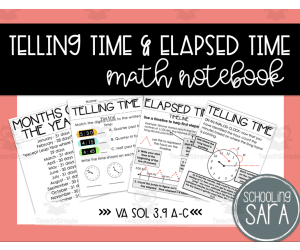
Telling Time and Elapsed Time Math Interactive Notebook
Math, Time, Grade 2, 3, 4, 5, Teacher Tools, Lesson Plans
This product covers the 2016 Virginia (VA) Standards of Learning (SOL) 3.9 The student will a) tell time to the nearest minute, using analog and digital clocks; b) solve practical problems related to elapsed time in one-hour increments within a 12- hour period; and c) identify equivalent periods of time and solve practical problems related to equivalent periods of time. (note that this will also work for the 2023 VA SOL 3.MG.3 The student will demonstrate an understanding of the concept of time to the nearest minute and solve single-step contextual problems involving elapsed time in one-hour increments within a 12-hour period.) It contains notes pages on reading clocks, the types of clocks, and telling time to the nearest minute. It also has notes pages on elapsed time to the nearest hour and minute. It also goes over equivalent time (half past = 30 minutes, 7 days = a week, etc) It also has notes pages on time concepts that are difficult for students to grasp: BC/BCE/AD/CE and Leap Year. There are practice pages for each topic, with an answer key included. The notes pages come in two sizes. The first size is a full-page size. You can print them as-is, or you can print them two to a pages. This is what I do as it saves on paper and the sheets will fit in a notebook. The second size is formatted to fit on a standard composition notebook page. Additionally, there are two links included in the pdf: one which opens a digital version of the notes, and another that opens a slide show version, optimized for a projector or interactive board. In both cases, which you click the link, you will be prompted to make a copy, which you can then use with Google Slides or download and use with Keynote or PowerPoint. What's included? Time vocabulary About increments Months and Days Leap Year Year vocabulary BC/BCE and AD/CE explained How to read an analog clock Telling time on a digital clock Time as a fraction Common phrases when talking about time Equivalent Time Notes Telling time quick check Equivalent time quick check Elapsed time explained Elapsed time to the hour and to the hour and minute using a t- chart Elapsed time to the hour and to the hour and minute using a timeline Elapsed time quick check Time overview quick check For more no and low-prep activities, check these out: October No-Prep Math Activities No Prep Spiral Math Daily Review and Quizzes Comparing Money Practice 1 Identifying Money Practice Area and Perimeter Digital Activity Counting Money Practice
Author SchoolingSara
Tags Math, Elapsed Time, Equivalent Time, Telling Time, VA SOL

Geometry: Shapes - Learn the Skill - MAC Software
Math, Geometry, Common Core, Kindergarten, Preschool, Grade 1, 2, Teacher Tools, Lesson Plans
Geometry: Shapes - Learn the Skill - MAC Software An educator-friendly tool designed to enhance geometric understanding! This software is specifically created for students from preschool through grade 2. It provides curriculum-based content that adheres to proven teaching practices, aligns with the Common Core State Standards and STEM initiatives, and is written according to NCTM guidelines. A resource featuring: A chapter mini involving 'Learn the Skill' word problems related to geometry shapes. Dual-language feature – English and Spanish voice overs along with corresponding text. Digital math tools for engaging, interactive learning experiences. Possible application settings: In a whole-group setting for collective comprehension among all pupils simultaneously. In small groups encouraging cooperation and peer learning environments, or even as homework assignments reinforcing individual understanding at home. Ease of Use: The content is delivered via MAC compatible software contained within one zip file for easy installation across various Mac operating systems avoiding software compatibility issues. The Significance: No matter if you are an experienced teacher exploring ways to enrich your geometry lessons or a homeschooling parent desiring effective educational resources, this software stands as an invaluable asset aiding young learners in grasping pivotal skills not only in Math classrooms but beyond into their everyday lives too.
Author Classroom Complete Press
Tags Geometry Lesson, Shapes Lesson, Math Lesson, Math Activity, Digital Math
Kings, Queens and Dragons Curriculum Pack
Creative Arts, Art, Social Studies, ELA, Math, Numbers, Reading, Writing, Handwriting, Kindergarten, Lesson Plans, Teacher Tools
If your students are studying myths or are about to begin a fairy tale unit, I have just the resource to provide you with everything you need and more! This is a Kings, Queens and Dragons Curriculum Pack complete with an abundance of printable resources and engaging activities for students to complete. This curriculum was designed for your preschool students. The curriculum goal is to playfully explore the myths and history of another time, while inspiring imagination and creativity. The vocabulary that students will focus on is king, queen, knight, castle, jester, Middle Ages, princess, dragon, armor, jousting, medieval, moat, history, and court. This curriculum will come with a letter of the week (Q) and color of the week (silver). This curriculum pack includes: --Sensory Table Ideas --Art Activities --Cooking Experience --Community Time --Math Activities --Home/School Connection Ideas --Science Table Enrichments --Science Concepts/Activities --Prop Box Ideas/Dramatic Play Enrichments --Movement and Motor --Playground/Walk Activities --Transition/Waiting Ideas --Block Area Enrichments --Flannel Board --Teacher Made Enrichment Ideas --Field Trip Ideas --Supplemental Learning Ideas/Activities At the start of this pack, you will receive a list of supplies needed for activities and projects. The worksheets, activities, and tasks included in this pack are intended to be completed in a variety of formats – whole group, small group, and independent work. I hope you enjoy! You can find more resources at my storefront here: https://teachsimple.com/contributor/learning-foundations Here are other similar resources for you to enjoy: https://teachsimple.com/product/bugs-curriculum-pack https://teachsimple.com/product/groundhog-day-curriculum-pack https://teachsimple.com/product/animals-in-winter-curriculum-pack https://teachsimple.com/product/butterflies-curriculum-pack
Author Learning Foundations
Tags Preschool Curriculum, Kings, Queens, Myths Unit, Art Activities, Dramatic Play, Science Experiment, Motor Skills, Nature Walk, Field Trip

Rate, Unit Rate, and Unit Price Digital Self-Checking Activity
Math, Fractions, Grade 6, 7, Lesson Plans, Teacher Tools
Product Title: Rate, Unit Rate, and Unit Price Digital Self-Checking Activity Designed for educators in public schools or homeschooling environments, the Rate, Unit Rate, and Unit Price Digital Self-Checking Activity is an exciting resource that promotes student engagement while learning math. Ideal for sixth and seventh graders studying Math specifically fractions - this product deploys technology to facilitate self-paced learning and instant feedback. The core premise of this teaching resource involves students attempting to answer math questions intended to deepen their understanding of rate calculations. Designed as a digital lottery ticket - Little Lucky Lottery - students are encouraged to scratch off parts of it by answering the question correctly. The mystery aspect strengthens their curiosity - their efforts gradually reveal if they have a winning card or not. The product allows students to take these problems in any order they prefer; the answers can be written out on whiteboards or scratch paper before being submitted into specified cells in the digital format. If an answer is correct, it triggers an automatic cue—a horseshoe symbol—while incorrect answers turn red indicating that revisions are necessary. The flexibility offered by this method offers opportunities for its diversified applications; homework assignments, distance learning modules, quick comprehension checks at lesson beginnings (bell ringers), lesson-end summaries (exit tickets), warm-up drills before main activities—the scope is broad! Skip tedious preparatory work—once added to Google Drive—it’s ready-to-go! Easily assign tasks via Google Classroom or other Learning Management System effortlessly! This product can be especially helpful for teachers who value comprehensive understanding of mathematical concepts alongside procedural accuracy; where practice doesn't merely involve replication but cultivates deeper conceptual grounding too. What's included?: 20 creative problem-solving scenarios centered around rates. Clear instructions aimed at both teachers and students. A key-aide including step-wise solutions for every exercise, making it a complete teaching kit. This resource is not just an eco-friendly pick but also caters to the demands of 21st-century learners and educators. Note: This teaching resource subscription is subject to copyright laws by Digitally Yours Shop.
Author Digitally Yours Shop
Tags Rate, Unit Rate, Unit Price, Math Activity, Digital Resource

Geometry: Spatial Relationships - Practice the Skill 1 - MAC Software
Math, Geometry, Common Core, Kindergarten, Preschool, Grade 1, 2, Teacher Tools, Lesson Plans
Geometry: Spatial Relationships - Practice the Skill 1 - MAC Software This expertly designed educational tool enhances spatial relationships comprehension in elementary-aged students. The Geometry: Spatial Relationships - Practice the Skill 1 offers a software solution for Mac users, specializing in geometry content and is best suited for preschoolers through to second-graders. Spatial Relations in Geometric Contexts This resource aims to bridge the understanding of spatial relations in geometric contexts. Its unique curriculum -based content uses real-life pictures to guide students as they try locating specific figures within provided locations. This ground abstract mathematical concepts into tangible examples. Tailored Learning Activities Timed drill activities: These foster consistent and incremental learning. Learner-centered approach:The software ensures that each student has access to resources vital for maximizing their learning experiences. Bilingual functionality:This package includes English and Spanish voice overs with corresponding text options serving a wider range of needs within diverse language settings. Educational Standards Alignment The software aligns with rigorous academic standards set by both Common Core State Standards (CCSS) guidelines as well as National Council Of Teachers Mathematics (NCTM), preparing learners for globally accepted benchmarks in geometry curricula areas. Ease of Installation & Use The ease offered by one zip file installation simplifies its application; enabling efficient utilization by both formal educators handling whole classroom instruction or small group tutorials or homeschoolers seeking targeted task assignment drills. "This practical software solution integrates technology into everyday lesson planning processes promoting substantial gains not only academically but also increasing digital literacy levels within mathematical frameworks"
Author Classroom Complete Press
Tags Math Lesson, Spatial Relationships, Geometry Lesson, Practice The Skill, Classroom

Algebra: Expressions - FLASH-PC
Math, Algebra, Grade 6, 7, 8, Teacher Tools, Lesson Plans
Algebra: Expressions - FLASH-PC An engaging teaching resource designed to aid in the understanding of Algebra expressions. This software is most suitable for grade 6, 7, and 8 public school teachers or homeschoolers. Includes substantive content developed with the educational standards laid out in curriculum guidelines. A dynamic tool integrating various methods of learning. Pre- assessment Test & Lesson Plans The software comes with a pre- assessment test allowing educators to gauge students' prior knowledge on algebra expressions. Following this pre-test is a lesson plan structured around real-world word problems for enhanced student engagement and comprehension. Timed Drill Activities & Integrated Teacher Guide Inclusion of timed drill activities for reinforcement, facilitating speed and accuracy in solving algebraic equations. An integrated teacher guide facilitates easy navigation ensuring efficient transfer of knowledge from teacher to student. Gaming Aspects The package provides fun-filled math tools such as a memory match game, board game, and spinner game making learning enjoyable while enhancing memory retention.Inclusive Education Practices:The inclusion of both English voice over/texts along with Spanish voice over/text options accommodates diverse classrooms globally. offline use/printables Versatile package containing printables for offline use whether it’s keeping record manually or providing hard copies for study outside the digital platform or giving homework assignments. To sum up,, Algebra: Expressions-FLASH-PC brings together rigorously constructed content-packed lessons on algebra expressions combined with interactive games accompanied by assessment tools with an objective at making math learning effective yet fun. These elements augment algebra understanding irrespective of potential language barriers thus promoting academic success among its users from diverse backgrounds showing true to its commitment of inclusive education.
Author Classroom Complete Press
Tags Software (PC)

Algebra: Equations - Solving with a Variable Input - Practice the Skill 2 - FLASH-MAC
Math, Algebra, Common Core, Grade 3, 4, 5, Teacher Tools, Lesson Plans
Algebra: Equations - Solving with a Variable Input - Practice the Skill 2 - FLASH-MAC FLASH-MAC is an educational resource designed particularly for educators teaching algebra, particularly on solving equations using a provided variable. Featuring curriculum-based content and timed drill exercises, it provides opportunities to practice and enhance algebra skills. This product caters primarily to students in grades 3-5, providing engaging content for both individual learning or group sessions. It can also be utilized effectively by homeschooling parents aiming to teach their kids Algebra at home. Key Features: Dual language text options (English/Spanish) with corresponding voice overs. In-built math tools for problem visualization enhancing understanding further. Curation in line with the Common Core State Standards maintaining state-specific standards through lessons without extensive customization. A perfect alignment with STEM initiatives making it ideal for integrated learning environments blending science and math education together. National Councils Teachers Mathematics (NCTM) compliance making this tool truly comprehensive in quality instruction aims. The software currently runs only on Mac operating systems ensuring smooth operation exclusively on Apple devices aiding seamless integration into present lesson plans without technology hurdles whatsoever. Closing Note: Algebra: Equations – Solving with a Variable Input – Practice the Skill 2– FLASH MAC, endeavours to be your all-in-one solution focusing not just on solidifying basic algebra concepts but also useful across varied teaching scenarios. An indispensable resource that strikes the right balance between theoretical knowledge and practical application, amplifying value of math education substantially.
Author Classroom Complete Press
Tags Software (Mac)

Geometry: Composing Geometric Shapes - Practice the Skill 2 - FLASH-MAC
Math, Geometry, Common Core, Grade 1, 2, Teacher Tools, Lesson Plans
Geometry: Composing Geometric Shapes - Practice the Skill 2 - FLASH-MAC The Geometry: Composing Geometric Shapes - Practice the Skill 2 tool provides an engaging way for educators to teach and reinforce understanding of composing geometric shapes in students. It is specifically designed to support grade 1 and grade 2 curricula, making it beneficial for teachers who focus on basic geometry. Captivating Active Learning Experience This interactive software encourages active learning through a series of timed drill activities. In these exercises, students are asked to correctly identify pairs of shapes as either similar or congruent—a crucial skill in foundational geometry. Teachers may choose to use this resource during whole group instruction, small group tasks or even assign it as homework, accommodating diverse teaching needs. In-class Instruction: Useful during whole group instruction. Tailored Tasks: Can be leveraged during small group tasks. Hone at Home: Suitable even as a homework assignment. Focused Real-world Application & Understanding Included with this tool are helpful math tools designed to enhance comprehension and application in real-world contexts. This feature engages visual learners by transforming theoretical knowledge into tangible practice. Languages Supported Dual-language classrooms benefit from both English and Spanish voice over versions along with corresponding text—increasing its reach across linguistically diverse student groups without compromising core content accuracy or quality. Educational Standards Alignment The content aligns importantly with Common Core State Standards (CCSS) for Mathematics. This effective teaching aid also meets National Council of Teachers of Mathematics (NCTM) guidelines. Easy and Effective Teaching with Mac Software This standalone product file requires Mac software, making math class more effective by reducing time spent on lesson planning. No additional purchases are necessary once downloaded—and it aligns with both home and a traditional classroom teaching. Investing in resources like this can ensure a sturdy foundation is provided upon which students can continue building their mathematical knowledge from grades 1-2—and onwards!
Author Classroom Complete Press
Tags Software (Mac)

Algebra: Proportions - Learn the Skill - FLASH-PC
Math, Algebra, Common Core, Grade 6, 7, 8, Teacher Tools, Lesson Plans
Algebra: Proportions - Learn the Skill - FLASH-PC FLASH-PC is a comprehensive teaching resource aimed at grades 6-8, equipped to help educators in effectively imparting the theoretical and application aspects of Algebraic proportions. The curriculum -based content simplifies complex concepts for students. Main Features: Engagement through Relevance: Real-world word problems allow students to see how mathematical theories apply to everyday scenarios. Teacher-Friendly Tools: The program includes tools for supplementing instruction during both group and individual sessions. Multilingual Accessibility: A default English voice over with text, coupled with an option for Spanish voice-over makes it adaptable even in bilingual classrooms or during language-assisted teaching sessions. Alignments & Perks: The content adheres to the Common Core State Standards, major STEM initiatives, and NCTM guidelines thus ensuring maximum coverage of curriculum objectives. The software file type boasts versatility across various PC systems making this tool both classroom-friendly and remote learning-adaptable. In summary, 'Algebra: Proportions - Learn the Skill' - FLASH-PC, whether used as a class activity or individual practice material can greatly simplify Equation Balancing or Ratio Simplifying whilst keeping learners engaged via real-world word problems. </blockquote
Author Classroom Complete Press
Tags Software (PC), Proportions, Word Problems
Number & Operations: Fractions - Addition & Subtraction - Learn the Skill - PC Software
Math, Fractions, Common Core, Grade 3, 4, 5, Teacher Tools, Lesson Plans
Number & Operations: Fractions - Addition & Subtraction - Learn the Skill - PC Software A valuable teaching tool for mathematics educators, this software targets students primarily in grades 3 to 5. It offers practical exercises on adding and subtracting fractions which are key aspects of the number and operations subject. Aims This resource provides real-world word problems that help students understand these complex mathematical abilities while applying those skills to life beyond the classroom. The focus is on comprehension through traditional text-based tutorials with voice overs in English and Spanish. The software also incorporates interactive math tools. Versatility These teaching aids are adaptable for different instructional scenarios. They could be used in a whole-group classroom setting, for differentiated instruction within small groups, or as homework tasks aiming at reinforcing learned concepts. This flexibility is beneficial for your lesson planning process. Standard Adherence & Relevance Evidently precision has been prioritized when constructing these resources as they align meticulously with Common Core State Standards (CCSS). In addition, our material stays relevant by developing them adhering closely to standards established by National Council of Teachers of Mathematics (NCTM), acknowledging current STEM advancements and initiatives within education circles nationwide. Accessibility Easily accessible via a single zip file compatible with PCs enabling quick downloading and installation- this software promises optimal efficiency coordinating seamlessly into your tech-savvy classrooms or homeschooling scenarios alike. Ideal For... An experienced teacher looking- for new supplementary materials . A homeschooler seeking comprehensive curriculum- based modules. Specifications Conclusion Making strides in adding value to everyday lessons through innovative design; Number & Operations: Fractions - Addition & Subtraction - Learn the Skill- PC Software redefines mathematical learning one fraction at a time. Give your students a solid foundation in adding and subtracting fractions that will benefit them well beyond their formative years.
Author Classroom Complete Press
Tags Math Lesson Plans, Fractions Lesson Plan, Math Skills, Digital Math, Adding Fractions
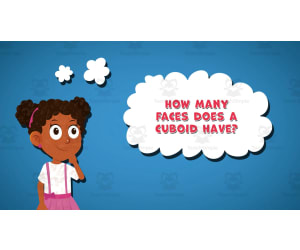
I WONDER - How Many Faces Does A Cuboid Have | Animated Video Lesson
STEM, Geometry, Math, Grade 1, 2, 3, 4, 5, 6, 7, Lesson Plans, Teacher Tools
Video Introduction An amazing video designed for the students to learn more about STEM. I WONDER - How Many Faces Does A Cuboid Have | Animated Video Lesson Do you like STEM subjects? what is your favorite one? Have you ever tried to plant a seed? If yes, tell us more about it. Or have you ever tried to invent something? If yes, tell us more about it. And how do you think it will help us? Have you ever seen a microorganism under a microscope? What was it? And how it looked like? Mathematics is a marvelous subject. Let' sharpen our brains and solve some equations. Do you like timetable tricks? What is your favorite one? Do you know how to code? Have you ever created an app or a game before? If yes, how was it like? I WONDER - How Many Faces Does A Cuboid Have | Animated Video Lesson The video is perfect for encouraging the researching skills for the students, while learning more about this fantastic topic. I WONDER - How Many Faces Does A Cuboid Have | Animated Video Lesson This friendly designed video is suitable for students at school, homeschooling, and as a group activity. Format Available in MP4 format.
Author Educational Voice
Tags How Many Faces Does A Cuboid Have, How Many Faces Does A Cuboid Have Video, Cuboid Faces, Cuboid Faces Facts, Cuboid Faces Facts For Kids, Cuboid Faces Video, Cuboid Faces Video For Kids

I WONDER - What Is A Fraction | Animated Video
STEM, Fractions, Math, Grade 3, 4, 5, 6, 7, 8, 9, Lesson Plans, Teacher Tools
Video Introduction An amazing video designed for the students to learn more about STEM. I WONDER - What Is A Fraction | Animated Video Lesson Do you like STEM subjects? what is your favorite one? Have you ever tried to plant a seed? If yes, tell us more about it. Or have you ever tried to invent something? If yes, tell us more about it. And how do you think it will help us? Have you ever seen a microorganism under a microscope? What was it? And how it looked like? Mathematics is a marvelous subject. Let' sharpen our brains and solve some equations. Do you like timetable tricks? What is your favorite one? Do you know how to code? Have you ever created an app or a game before? If yes, how was it like? I WONDER - What Is A Fraction | Animated Video Lesson The video is perfect for encouraging the researching skills for the students, while learning more about this fantastic topic. I WONDER - What Is A Fraction | Animated Video Lesson This friendly designed video is suitable for students at school, homeschooling, and as a group activity. Format Available in MP4 format.
Author Educational Voice
Tags What Is A Fraction, What Is A Fraction Video, Fraction, Fraction Facts, Fraction Facts For Kids, Fraction Video, Fraction Video For Kids, Math, Math Video, Math Video For Kids
Data Analysis & Probability: Pictographs - MAC Software
Math, Graphing, Kindergarten, Preschool, Grade 1, 2, Teacher Tools, Lesson Plans
Data Analysis & Probability: Pictographs - MAC Software This educational software is an all-encompassing teaching resource designed to improve comprehension of Pictographs within the realm of Data Analysis and Probability. It simplifies these mathematical topics for early learners, ranging from preschool up to grade 2. The dynamic learning tools this software offers include: Pre- assessment tests, Comprehensive lesson plans, Real-world word problems, Timed drill activities etc. The applicability spans both classroom instruction and homeschooling environments. Unique features such as a memory match game, board games and spinner games introduce elements of play, thereby boosting mathematical confidence as skills develop over time. In-depth Mathematical Tools The kit also includes hands-on mathematical tools that promote exploration of different strategies while fostering analytic thinking abilities. Teachers will find the included teacher’s guide helpful for planning lessons hinged on corresponding Math curricula. Versatility in Language options To ensure inclusivity, English voiceover text can be switched to Spanish translation catering for both English-only speakers or bilingual learners alike. Printables accompanying the program engage students' physically further helping solidify knowledge gained during study sessions. Distribution Format: MAC This resource is packaged as a single zip file optimised specifically for MAC computers; it ensures ease of downloading and usage across MacOS platforms globally making this versatile educational tool accessible for teachers desiring interactive and impactful pedagogy whilst aiding their students excel academically especially within Mathematics realms primarily related with Graphing derivatives. </i
Author Classroom Complete Press
Tags Graphing, Pictographs, Data, Probability, Digital Math
Number & Operations: Fractions - Addition & Subtraction - FLASH-PC
Math, Fractions, Grade 3, 4, 5, Teacher Tools, Lesson Plans
The Number & Operations: Fractions - Addition & Subtraction - FLASH-PC A comprehensive teaching resource specifically tailored for Grade 3 to Grade 5 students. It focuses prominently on understanding and operating fractions, particularly their addition and subtraction under the Number and Operations mathematical umbrella. This tool aims to make learning both fun and efficient. Key Features: Curriculum-based content: Crisp coverage of key topics promoting extensive student interaction. Pre- assessment tool: Available for instructors to gauge comprehension levels before diving into lessons. The chapter mini: An outlined lesson plan that saves teachers valuable prep time while ensuring material coherence. Note: Real-world word problems are included Timed drill exercises: For reinforcement activities or homework assignments, allowing application practice . Apart from the above features, several exciting games such as memory match game or a board game are also included. These exploit playful competition to instill core math principles. A unique spinner game puts an innovative spin on quiz formats in classrooms. An integral component of this product is its SMART Response assessment capability, providing insights into individual student progress or trends across classroom population. Specially Tailored Tools & Resources - Included files consist of: Critical Maths Tools essential for conceptual clarification during instruction Brief Printables providing quick access to study material at desks . Learner Inclusivity- The product has been created keeping in mind the Spanish-speaking learners too with alternate Spanish voice over as well as text options. The Number & Operations: Fractions - Addition & Subtraction - FLASH-PC is an excellent tool for teachers navigating fraction addition and subtraction effectively and creatively be it in public or home-school settings.
Author Classroom Complete Press
Tags Software (PC)
Number & Operations: Fractions & Decimals - Multiplication & Division - Learn the Skill - FLASH-PC
Math, Fractions, Common Core, Grade 6, 7, 8, Teacher Tools, Lesson Plans
Introduction The Number & Operations: Fractions & Decimals - Multiplication & Division - Learn the Skill - FLASH-PC is a specific teaching tool developed to support public school educators and homeschoolers. It expertly breaks down vital elements of fractions, decimals, multiplication, and division adhering to Grades 6-8 curriculum guidelines. Main Features and Benefits Focused on 'Number and Operations', the instructional content smoothly transitions learners into understanding how fractions and decimals interact with multiplication or division maneuvers. A notable advantage is its creation of real-world problem scenarios connecting abstract mathematics with everyday life experiences making complex concepts more graspable for students. This software offers both English and Spanish voice-over options plus text transcripts, this covers a broad array of pupils from diverse linguistic backgrounds promoting inclusivity in learning. Versatility in use: This tool can be easily integrated into large group lessons displayed on a smart board or used during smaller study sessions where teaching might be more individualized. Additionally, it can be assigned as homework or extra reinforcement material away from class hours. Please note: The lesson plan incorporated with FLASH-PC contains thoroughly designed math tools that encourage extensive comprehension while building necessary skills for managing advanced mathematical topics seen in higher grades. Adhering strictly to Common Core State Standards directives alongside NCTM standards (National Council of Teachers Mathematics), you're assured that your method aligns conveniently with suggested educational practices aiming at fostering numerical literacy among middle-school-aged students. In conclusion, this software balances academic requirements while bridging cognitive gaps through differentiation combining culture-sensitive multilingual features augmenting every student's potential Math journey towards proficiency.
Author Classroom Complete Press
Tags Software (PC)
Geometry: Polygons - Learn the Skill - FLASH-PC
Math, Geometry, Common Core, Grade 3, 4, 5, Teacher Tools, Lesson Plans
Geometry: Polygons - Learn the Skill - FLASH-PC Instructional Tool The Geometry: Polygons - Learn the Skill - FLASH-PC is an optimal learning resource developed to strengthen understanding of polygons through grade 3-5 geometry instruction. This tool iteratively introduces and reinforces concepts via real-world word problems , applicable in familiar contexts. Main Features: Interactive learning: Through its interactive nature, this educational software encourages active engagement, backing hands-on exploration of fundamental geometric principles while promoting consistent academic advancement. Bilingual approach: Designed with accessibility at heart, it comes equipped with English and Spanish voice over options alongside corresponding text ensuring inclusiveness regarding learners’ linguistic backgrounds. Versatile Integration: This tool can be effectively used for whole or small group lessons; as a handy independent study instrument or homework assignment material, enhancing its utility in diverse educational settings. Educational Alignment & Accessibility: Specially tailored for Grades 3 – 5 students; the FLASH-PC prioritizes instilling foundational knowledge pivotal for advanced future learning. The robust content aligns conveniently with Common Core State Standards and also effectively complements STEM initiatives while adhering to National Council of Teachers Mathematics (NCTM) guidelines facilitating quality education delivery standardized globally. As a ready-to-use PC-software product, all data is available digitally. This feature eases integration into online platforms which might be especially vital during remote-based instructional arrangements like homeschooling. In summation, "Geometry: Polygons – Learn the Skill – FLASH-PC", enables instructors across various setups optimize student comprehension around pivotal elementary geometry curriculums by engaging learners using real-world problems thus deepening overall understanding.
Author Classroom Complete Press
Tags Software (PC)
Measurement: Measuring Time - Practice the Skill 2 - MAC Software
Math, Time, Common Core, Kindergarten, Preschool, Grade 1, 2, Teacher Tools, Lesson Plans
Measurement: Measuring Time - Practice the Skill 2 - MAC Software This software provides a unique educational resource for teaching time measurement concepts. It is designed to meet curriculum -based content and can be easily integrated into any teaching plan. Created for learners across multiple levels, from preschool through grade 2, this software addresses diverse instructional needs with its various features: Dynamic timed drill activities: These challenge students to round provided times to five-minute intervals, offering them a comprehensive understanding of time measurement. MAC-friendly zip file format: This allows for easy download and usage on Mac computers. Included interactive math tools: These foster hands-on learning experiences and instil practical math skills. Educational standards integration : The modules align with Common Core State Standards and NCTM (National Council of Teachers of Mathematics) principles ensuring quality education service delivery regardless of locale or class size. Linguistic diversity: While English is the default voice-over language; Spanish voice-over options are also available which promote inclusivity in classrooms worldwide. This flexible tool allows educators to conduct whole-group instruction or have students work independently on homework assignments. It proves invaluable not only in classroom settings but also in a homeschooling environment by providing ready-to-go lessons meticulously aligned with prominent educational standards. In essence, Measurement: Measuring Time - Practice the Skill 2 has everything an educator needs for student growth while freeing up valuable teacher time.
Author Classroom Complete Press
Tags Measuring, Time, Digital Math, Math Activities, Math Skills

Data Analysis & Probability: Circle Graphs - Learn the Skill - FLASH-PC
Math, Statistics, Common Core, Grade 1, 2, Teacher Tools, Lesson Plans
Data Analysis & Probability: Circle Graphs - Learn the Skill - FLASH-PC is an educational resource that caters to 1st and 2nd grade students. It is focused on improving their understanding of data analysis and probability, with a special emphasis on circle graphs. This tool can be used by professional educators as well as home-schooling parents. This teaching aid presents curriculum -oriented content in line with practice such as: Common Core State Standards STEM initiatives NCTM guidelines The program incorporates real-world word problems which facilitate skills in statistical interpretation via circle graphs. By involving mathematical concepts in practical scenarios, effective consolidation of understanding is achieved. A standout feature of this product is its bilingual approach – it provides English voiceovers and text primarily, but also caters to non-English speakers with Spanish voiceovers and text. This inclusive measure ensures each student experiences full benefit from the interactive learning procedures integrated within the tool. This resource can be implemented across a variety of teaching methods: Whole group instruction for all-class lessons related to circle graph analysis. In small group activities where learnt concepts are reinforced. Note: It can also serve as an effective homework assignment for learners who require additional study time at home. Besides providing lesson plans within the software package itself that teachers could incorporate into their existing curriculum flexibly, this FLASH-PC version also offers versatile math tools enhancing your set of teaching resources further; it's excellent for enforcing interactive learning strategies toward better performance in math-related subjects like statistics etc... In conclusion,If you wish to add depth to your Math instructions and address different classroom learning requirements, particularly when covering data analysis through circle graphs --- then Data Analysis & Probability: Circle Graphs - Learn the Skill - FLASH-PC is an ideal solution as it offers an inclusive, flexible, and content-rich educational resource.
Author Classroom Complete Press
Tags Software (PC)

Number & Operations: Decimals - Addition & Subtraction - Practice the Skill 2 - MAC Software
Math, Decimals, Common Core, Grade 3, 4, 5, Teacher Tools, Lesson Plans
Sure, here is the formatted text: Number & Operations: Decimals - Addition & Subtraction - Practice the Skill 2 - MAC Software This software ensures comprehensive coverage of key mathematical concepts dealing with decimals. Designed for students in grades 3-5, it aids mastering addition and subtraction of decimals. Software Features The zip file contains contents compatible with MAC. 'Practice the skill' timed drill activities are integrated to enhance speedy computation skills. Addition and subtraction problems emphasis mastery of decimal operations. Math tools provided facilitate visualization and application of abstract numerical problems . Tech Integration & Inclusion This resource caters to a diverse learning community as it includes both English and Spanish voice overs as well as text options , stirring an inclusive learning environment enabling linguistic inclusion. Educational Standards Compliant The software is in accordance with recognized national curriculum standards such as: National Council of Teachers Mathematics (NCTM) guidelines, Common Core State Standards (CCSS), and STEM initiatives. Versatility in Usage From group lessons, small breakout sessions to individual homework assignments—This software can be utilized across various educational settings promoting interaction, peer skill transfer and independent thought exploration. m In conclusion: The Number & Operations: Decimals - Addition & Subtraction- Practice the Skill 2 - MAC Software is a substantive blend between concept acquisition and digital engagement. It stands as a modern and effective resource to learn decimals operations.
Author Classroom Complete Press
Tags Math Lesson Plan, Decimals Lesson Plan, Operations, Digital Math, Decimals Printable
Number & Operations: Fractions - Addition & Subtraction - Practice the Skill 3 - MAC Software
Math, Fractions, Common Core, Grade 3, 4, 5, Teacher Tools, Lesson Plans
Number & Operations: Fractions - Addition & Subtraction - Practice the Skill 3 - MAC Software MAC Software is a comprehensive teaching resource aimed at boosting student proficiency in understanding the addition and subtraction of fractions. Built for learners in grades 3-5, it hones critical comprehension of Number and Operations, with a prime focus on fractions. This highly valuable tool employs 'Practice the Skill' timed drill activities that bolster rapid responses thus assisting students to secure their understanding of fraction concepts by reducing fractions to their simplest form. Complementing these timed practices are incorporated math tools that prove essential for supporting students as they grapple with complicated fraction processes. The learning platform also boasts bilingual capabilities, accommodating both English and Spanish-learning students. The software mainly uses an English interface (both vocal and text), but provides options to switch over to Spanish thereby enhancing accessibility for a broader range of learners. Meticulous Conformity: Rigorously conforms with Common Core State Standards—and aligns excellently with STEM initiatives—walking in line with NCTM guidelines thereby ensuring up-to-date lessons aligned with prevalent educational norms. Versatility: It can be put into use in varied settings such as whole room guided instruction sessions or small group collaborative work or individualized assignments due its universal design features. The product comes packed as a single zip file containing Mac software aiding rapid download, installation and immediate usage for classroom teaching or student's home practice duties alike. Lessons Offered Under 'Number & Operations: Fractions - Addition & Subtraction' This section expertly demystifies key aspects of fractional mathematics, providing tutors' confidence boosts when overseeing learner's journey into this critical area of study within numeracy education.
Author Classroom Complete Press
Tags Math Lesson, Fractions Lesson, Fractions Practice, Adding Fractions, Subtracting Fractions

Unit Fractions Activity - Bingo Game - Fraction Circles - Boards 26-30
Math, Fractions, Grade 2, 3, 4, Lesson Plans, Teacher Tools
Unit Fractions Bingo engages students in identifying and matching unit fractions using 4 sets of calling cards - with fraction circles, squares, strips, and symbols. Students match the fractions on their bingo board to the calling card. This math game can be played individually, in small groups, or whole class. The engaging format holds student interest while reinforcing fraction skills. Prep requires printing, laminating boards for durability, and cutting calling cards. Squares track spaces, or a dry erase marker allows reuse. Shuffle cards, call out fractions, students cover matches. First with 3 in a row wins! Extend practice with more boards linked below. Check out other fraction games too. This unit fractions bingo game is a teacher-created resource that makes learning fractions fun!
Author Colleen's Cosmic Collection
Tags Fractions, Unit Fractions, Fraction Game, Math Games, Fraction Activities, Math Activities, Maths Games, Unit Fraction Activites, Common Fractions, Cccfbuc

Data Analysis & Probability: Probability - Practice the Skill 3 - MAC Software
Math, Patterns, Common Core, Kindergarten, Preschool, Grade 1, 2, Teacher Tools, Lesson Plans
Data Analysis & Probability: Probability - Practice the Skill 3 - MAC Software General Description: This dedicated teaching resource is designed to enrich educators' approach towards teaching data analysis and Probability. It is ideal for preschool, kindergarten, grade 1, and grade 2 levels with a heavy emphasis on mathematical themes like patterns. Alignment with educational Standards: Curriculum-aligned content in line with the Common Core State Standards and STEM initiatives. Meticulously designed following guidelines by the National Council of Teachers of Mathematics (NCTM). The primary feature revolves around practical drill exercises focusing on events with high or low probabilities. Such drills enhance students’ analytical skills regarding probability while checking their speed and retention simultaneously Bilingual Instructions: Inclusionary language policy incorporates default English voice-over instructions along with Spanish text options and voice-overs. Innovative tools integration: This software stands out due to its integrated math tools further enriching classroom experiences beyond traditional chalk-and-board methods. User-friendly Interface All these educational utilities are packed into a zip file offering easy usability for any Mac user. This resource could be adapted for whole-class discussions or small group sessions fitting individual learners' needs. This makes it an excellent addition even for independent homeschooling set-ups needing material beyond regular textbooks. Jury duty assignments can also utilize it effectively. Note: Apply Data Analysis & Probability: Probability - Practice the Skill 3 - MAC Software, an ideal blend of interactive technology embedded within robust curricular grounding catering perfectly to modern-day instructional requirements across different teaching settings.
Author Classroom Complete Press
Tags Digital Math, Digital Lesson Plan, Probability, Math Skills, Patterns