



2,835 products added recently
Page 41 - Calculus Lesson Plans
Challenge your advanced math students with calculus lesson plans that delve into derivatives, integrals, and limits. These resources provide rigorous exercises and real-world applications to enhance understanding. Incorporate them to prepare students for college-level mathematics.

 Show filters

Measurement: Measuring Time - Practice the Skill 2 - PC Software
Math, Time, Common Core, Kindergarten, Preschool, Grade 1, 2, Teacher Tools, Lesson Plans
Measurement: Measuring Time - Practice the Skill 2 - PC Software This resource is designed to aid in learning experiences around measuring time. Designed with a curriculum -aligned framework, it delivers valuable timed drill activities that practice rounding times to the next five-minute intervals. Features Bilingual (English and Spanish) voiceover options and text setup make it suitable for diverse classrooms. Includes comprehensive math tools for both new and experienced educators. Coverage from Preschool through Grade 2, catering to users among various education levels. Always up-to-date as the resource aligns with educational standards like Common Core State Standards (CCSS) and Science, Technology, Engineering and Mathematics (STEM). Ease of Use The software is adaptable in various classroom settings whether group-based learning activities or individual homework assignments. It comes in a single zip file facilitating easy installation whilst affording teachers flexibility when planning sessions tailored towards specific learning objectives about time measurement concepts. Purpose-Specificity This product focuses on Math, emphasizing understanding how time is measured making it excellent for supplementing lesson plans or ensuring continuity of study during unplanned school breaks. Perfectly refresher content created for reinforcing mathematical principles needing further strengthening. In Summary "Measurement: Measuring Time - Practice the Skill 2 - PC Software" forms a structured practice session's essential element while promoting academic progress in early level mathematics studies. This tool builds student confidence whilst aiding them master key mathematical concepts related to time measurement.
Author Classroom Complete Press
Tags Math Lesson Plan, Digital Math, Digital Clocks, Math Skills, Measuring Time

I WONDER - What Is The Surface Area Of A Cube | Animated Video Lesson
Geometry, Math, Shapes, Early Math, Grade 2, 3, 4, 5, 6, 7, 8, Lesson Plans, Teacher Tools
Video Introduction An amazing video designed for the students to learn more about STEM. I WONDER - What Is The Surface Area Of A Cube | Animated Video Lesson Shapes are all around us. What are your favourite ones? And can you give us some real life examples? Can you name the difference between the 2D shapes and 3D shapes? Have you ever tried to calculate the surface area of the square? If yes can you write the equation down? What is the perimeter of the rectangle? And can you tell the difference between radius and diameter of a circle? Can you mention what is the difference between the right angle and the acute angle? Have you ever heard about the obtuse angle? I WONDER - What Is The Surface Area Of A Cube | Animated Video Lesson The video is perfect for encouraging the researching skills for the students, while learning more about this fantastic topic. I WONDER - What Is The Surface Area Of A Cube | Animated Video Lesson This friendly designed video is suitable for students at school, homeschooling, and as a group activity. Format Available in MP4 format.
Author Educational Voice
Rating
Tags What Is The Surface Area Of A Cube, Surface Area Of A Cube, Surface Area Of A Cube Facts, Surface Area Of A Cube Video, Surface Area Of A Cube Video For Kids, Surface Area Of A Cube Facts For Kids, Cube
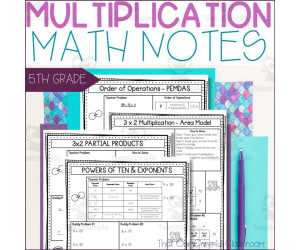
5th Grade Place Value, Multiplication, Exponents Math Notes
Math, Multiplication and Division, Division, Grade 5, Teacher Tools, Lesson Plans
Make teaching place value, multi digit multiplication, powers of ten and exponents, and order of operations simple with these engaging, interactive guided math notes! This set includes 7 no prep guided math notes perfect for scaffolding 5th grade place value, multiplication and exponents lessons. Quick and easy set up, plus differentiated levels make these math notes perfect for students of all learning abilities! Lead your 5th grade students to discover concepts of place value, multi digit multiplication, powers of 10 and exponents by going through the gradual release of responsibility. Students will start by watching you and following along for the first section. Then they will work with a partner to collaborate. Finally, students will work independently to show what they have learned. Here's what you'll get: - Place Value Notes - Powers of 10 & Exponents Notes - Multiplication and Exponents Notes - Multiply 3 Digits by 1 Digit Notes - 3 Digit by 2 Digit Multiplication - Area Model Notes - 3 Digit by 2 Digit Multiplication - Partial Products Notes - 3 Digit by 2 Digit Multiplication - Standard Algorithm Notes - Order of Operation - PEMDAS Notes Your students will love learning in this mini lesson format. They'll be paying attention to your teaching, engaged in mathematical discussions with partners, and exploring place value, multi digit addition, and multi digit subtraction concepts on their own. All of these guided place value, multiplication and order of operations math notes come in 3 different versions, perfect for differentiation and meeting IEP accommodations such as providing notes ahead of lessons. Prep is quick and easy... Just print the notes pages, gather writing utensils, and you're ready for simple and engaging place value, multiplication and order of operations lessons! The 3 included versions are: - Fully Filled In - Just print and pass out to students (perfect for IEP accommodations) - Fill in the Blanks - Print and students work through along with you - Completely Blank - Students have to write everything alongside you Supports Common Core Standards (CCSS): 5.OA.1, 5.NBT.1, 5.NBT.5 Supports Texas Standards (TEKS): 5.3.b, 5.4.e ___________________________________ Copyright © That One Cheerful Classroom. Permission to copy for single classroom use only. Please purchase additional licenses if you intend to share this product.
Author That One Cheerful Classroom
Tags Notes, Math Notes, Guided Math Notes, 5th Grade Math, Order Of Operations, Place Value Multiplication, Place Value Notes

Data Analysis & Probability: Probability - FLASH-MAC
Math, Statistics, Grade 1, 2, Teacher Tools, Lesson Plans
Data Analysis & Probability: Probability - FLASH-MAC FLASH-MAC is a multifunctional teaching resource designed to enhance the education process for first and second graders. While it caters to a broad Mathematics syllabus, it offers specific focus on the subject of Statistics. Purpose: The primary objective of this tool is to support an in-depth understanding of Probability under Data Analysis. It captures core curriculum content through: Pre- assessment features: This helps in identifying student strengths and weaknesses. Organized lesson plan: A layout designed for teachers ensuring all important topics are covered. Real-world word problems: This promotes practicality aiding learner problem-solving skills outside school. Timed drill activities: Fostering quick mathematical response beneficial in enhancing comprehension speed. Gaming Aspect: In order to make learning fun and engaging, FLASH-MAC incorporates various games within its framework. These include: A Memory Match Game A Board Game A Spin-the-wheel Game. The games can be used as whole group activities or can be beneficial when divided into small groups; they could also be issued as homework assignments making learning outside school enjoyable. Cultural Diversity & Language Varieties: The versatile FLASH-MAC tool understands cultural diversity which is why it not only has English voice over and text but also includes Spanish options fitting different language preferences. User Convenience: For user convenience, all these features have been meticulously consolidated into one zip file compatible with MAC software. This indicates high regard for user needs offering convenience of access right at the fingertips. In conclusion, Data Analysis & Probability: Probability - FLASH-MAC offers educators ease while putting forward thorough educational value catering specifically towards comprehension of probability through data analysis in innovative ways stimulating effective cognitive development among first and second grade learners.
Author Classroom Complete Press
Tags Math Activity, Data Analysis, Probability, Distant Learning, Pre-assessment
Number & Operations: Multiplication & Division - Practice the Skill 2 - MAC Software
Math, Algebra, Common Core, Grade 3, 4, 5, Teacher Tools, Lesson Plans
Number & Operations: Multiplication & Division - Practice the Skill 2 - MAC Software The 'Number & Operations: Multiplication & Division - Practice the Skill 2' is a MAC software teaching resource targeted at grade-three, four, and five students to advance their mathematic skills. Its precise emphasis on number operation skills in pertinence to multiplication and division makes it indispensable for educators desiring to enhance their mathematics curriculum . This educational application includes thorough mini chapter brimming over with timed drill activities that allow students to practice multiplication and division. Through this interaction, learners get a chance to work on equations illustrated all through the module which creates an individual pace for enhancing mathematical comprehension that can be made effective for both whole groups and smaller subsets of students. This special tool broadens its training capability by offering constructive math tools embedded within the software itself. Learners are equipped with tools crafted ingeniously simplifying tangled math procedures resulting in increased competency in numeracy abilities. Evidently noteworthy is the fact that this tool has been designed considering language barriers as it includes voice overs in English and Spanish paired up with text options, making it inclusive of varied student demographics. Fulfilling not just but exceeding Common Core State Standards while having perfect alignment with STEM initiatives provides teachers absolute confidence they’re providing resources compatible with internationally recognized educational norms. Besides this, having National Council of Teachers of Mathematics (NCTM) standards as a benchmark ensures delivery of an education superior quality specializing on number operations. Packed uniquely into a simple-to-handle zip file compatible exclusively with MAC operating systems simplifies processes thanks to its compatibility hence becoming user-friendly excellently suitable for teachers preferring digital lesson plans. Perfectly customized according to algebra subtopics under the Mathematics subject within grade three-to-five academic curriculum , Number & Operations: Multiplication & Division-Practice The Skill 2-MAC Software serves as a robust pillar illustrating computational foundations duly onto young minds shaping them into future mathematicians dealing with real-world numeracy issues confidently and efficiently. It is worth noting that this tool is advantageous for public school teachers, private tutors, homeschool educators, or anyone intending to amplify a child's mathematics skills in their care.
Author Classroom Complete Press
Tags Math Lesson Plan, Division Skills, Digital Math, Operations, Math Practice

I WONDER - How Do I Calculate The Circumference Of A Circle
STEM, Geometry, Math, Grade 4, 5, 6, 7, 8, 9, 10, Lesson Plans, Teacher Tools
Video Introduction An amazing video designed for the students to learn more about STEM. I WONDER - How Do I Calculate The Circumference Of A Circle | Animated Video Lesson Do you like STEM subjects? what is your favorite one? Have you ever tried to plant a seed? If yes, tell us more about it. Or have you ever tried to invent something? If yes, tell us more about it. And how do you think it will help us? Have you ever seen a microorganism under a microscope? What was it? And how it looked like? Mathematics is a marvelous subject. Let' sharpen our brains and solve some equations. Do you like timetable tricks? What is your favorite one? Do you know how to code? Have you ever created an app or a game before? If yes, how was it like? I WONDER - How Do I Calculate The Circumference Of A Circle | Animated Video Lesson The video is perfect for encouraging the researching skills for the students, while learning more about this fantastic topic. I WONDER - How Do I Calculate The Circumference Of A Circle | Animated Video Lesson This friendly designed video is suitable for students at school, homeschooling, and as a group activity. Format Available in MP4 format.
Author Educational Voice
Tags How Do I Calculate The Circumference Of A Circle, How Do I Calculate The Circumference Of A Circle Video, Circumference Of A Circle, Circumference Of A Circle Facts, Circumference Of A Circle Video, Circumference Of A Circle Video For Kids
Geometry: Shapes - Practice the Skill 3 - PC Software
Math, Geometry, Common Core, Kindergarten, Preschool, Grade 1, 2, Teacher Tools, Lesson Plans
Geometry: Shapes - Practice the Skill 3 - PC Software This software is designed to improve competency in Geometry and simultaneously enhance language skills for learners from Preschool to Grade 2. It provides a comprehensive exploration of various shapes in a user-friendly manner. Key Features: Focused content: Covers curriculum -centric topics like understanding shapes and solid figures. Timed drill activities: Tests students' knowledge, fostering quick thinking and problem-solving mindset. Interactive math tools: Fosters hands-on learning experiences for better retention of concepts than rote memorization. Bilingual texts with voice-overs: English default text with read aloud functionality as well as Spanish text option along with relative Spanish voice-overs to promote multilingualism among learners. This tool isn’t just limited for individual use; it’s great for both whole-group teaching or small-group learning sessions according to the educator's preference. It could also serve as an efficient homework tool that makes assignment more engaging! All the material aligns perfectly well with the Common Core State Standards, STEM initiatives, and is written in NCTM format. The ease of access through a downloaded zip file on your PCs further adds value. Please Note: Don't let the software(PC File) type deter you away from this useful tool! And remember, every day comes in as an opportunity to learn something new!
Author Classroom Complete Press
Tags Math Lesson Plan, Geometry Lesson Plan, Shapes Lesson, Math Skills, Math Practice

I WONDER - Can Pyramids Have Different Shaped Bases | Animated Video
STEM, Geometry, Math, Grade 3, 4, 5, 6, 7, 8, 9, Lesson Plans, Teacher Tools
Video Introduction An amazing video designed for the students to learn more about STEM. I WONDER - Can Pyramids Have Different Shaped Bases | Animated Video Lesson Do you like STEM subjects? what is your favorite one? Have you ever tried to plant a seed? If yes, tell us more about it. Or have you ever tried to invent something? If yes, tell us more about it. And how do you think it will help us? Have you ever seen a microorganism under a microscope? What was it? And how it looked like? Mathematics is a marvelous subject. Let' sharpen our brains and solve some equations. Do you like timetable tricks? What is your favorite one? Do you know how to code? Have you ever created an app or a game before? If yes, how was it like? I WONDER - Can Pyramids Have Different Shaped Bases | Animated Video Lesson The video is perfect for encouraging the researching skills for the students, while learning more about this fantastic topic. I WONDER - Can Pyramids Have Different Shaped Bases | Animated Video Lesson This friendly designed video is suitable for students at school, homeschooling, and as a group activity. Format Available in MP4 format.
Author Educational Voice
Tags Can Pyramids Have Different Shaped Bases, Can Pyramids Have Different Shaped Bases Video, Pyramids, Pyramids That Have Different Shaped Bases, Pyramids That Have Different Shaped Bases Video, Pyramids That Have Different Shaped Bases Video For Kids
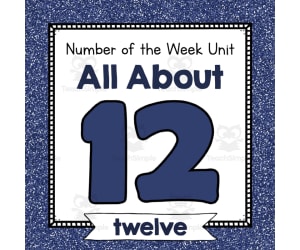
Number of the Week Unit: All About Number 12
Math, Numbers, Kindergarten, Preschool, Lesson Plans, Teacher Tools
Number of the Week Unit: All About Number 12 A comprehensive teaching resource designed for preschool and kindergarten teachers to shape engaging lessons around the number twelve. This no prep bundle comes fully packed with over 100 pages full of teaching materials. Key Features: Worksheets Sorting activities Play dough mats Mazes Different writing resources Dot painting features centered around number twelve. This unit offers flexibility allowing room for whole class instruction, smaller breakout groups, or even homework assignments. It is suitable both for in-classroom and off-site learning tasks. Vivid Visuals: Including real-life photos and delightful clipart illustrations of dozens of groups containing twelve items each, young students can easily visually associate with the concept '12'. Over forty posters are also included which can be used on bulletin boards or during presentations providing great visual reinforcement. Creative Educational Tools: E.g., there's a number puzzle together with ten different sets of sorting cards depicting items arranged in groups of twelve. These could be used to produce interactive group activities fostering teamwork while emphasizing understanding surrounding '12', But wait! There is more to this unit! In addition to worksheets and games, this unit also includes over 25 additional activity sheets like tracing exercises that will further bolster fine motor skills extending beyond mere numerical comprehension! About The Resource Format: Using this resource couldn't be simpler thanks its uncomplicated ‘print-and-go’ format - you simply choose what’s right for your lesson plan; print them out; present or display where needed then launch into fun and effective learning with your students.
Author Simply Schoolgirl
Tags Number 12, Math Activities, Preschool, Kindergarten, Hands-on Learning
Data Analysis & Probability: Bar Graphs - Practice the Skill 1 - FLASH-MAC
Math, Statistics, Common Core, Grade 1, 2, Teacher Tools, Lesson Plans
Data Analysis & Probability: Bar Graphs - Practice the Skill 1 - FLASH-MAC If you're looking for a resource balancing theory and practice, perfectly aligned with curriculum standards, Data Analysis & Probability: Bar Graphs - Practice the Skill 1 is your answer. Primarily designed for Grade 1 and Grade 2 students, this software resource deep dives into exploring bar graphs in data analysis and probability. Key Features: The lessons feature highly effective timed drill activities that prompt students to answer diverse questions based on assigned bar graphs. This hands-on learning approach can accommodate whole class instructions or be divided into smaller group sessions. The lessons also come with additional math tools for teachers to enhance learning efficacy or provide extra support as needed. In today’s diverse classrooms where Spanish-speaking students are a reality or maybe you are a teacher seeking materials in Spanish? No worries! Data Analysis & Probability: Bar Graphs – Practice the Skill caters harmoniously to both English and Spanish learners by providing dual voice overs and text options. Aligned with Standards: The well-developed content stands in complete alignment with Common Core State Standards}, giving coherence with STEM initiatives. All those unexpected school inspections have nothing on you! Earn additional credibility due its firm adherence written according NCTM standards. In essence, the Data Analysis & Probability: Bar Graphs - Practice the Skill 1 software imparts crucial knowledge regarding bar graphs while ensuring ample student engagement due to its interactive teaching methods. Whether instructing from behind your desk or from behind a screen – it’s vital for every educator aiming at making maths more accessible!
Author Classroom Complete Press
Tags Software (Mac)
Measurement: Volume & Surface Area - Practice the Skill 2 - FLASH-MAC
Math, Measurements, Common Core, Grade 3, 4, 5, Teacher Tools, Lesson Plans
Measurement: Volume & Surface Area - Practice The Skill 2- FLASH-MAC: An Educational Resource for Modern Classroom This highly-valuable asset is designed for educators across public schools and homeschooling setups. Primarily targeted at students in grades 3 to 5, it focuses on the subject of math with a specialty in measurement. Practice-the-Skill Approach: Emphasizing curriculum -based knowledge, the product offers interactive computation drills focusing on volume and surface area measurements. Bilingual Content: It caters to a broader classroom setting with voice-over and text options available both in English and Spanish. Adaptable Usage: Depending on educators' needs, this tool can be used for whole class discussions or small group activities. Its digital format (Mac software) also facilitates remote teaching scenarios and self-learning sessions. Included Resources:The package contains vital math resources aiding learners during lessons thus ensuring more effective understanding of concepts being taught. In alignment with Common Core State Standards and STEM initiatives, this resource is written according to NCTM guidelines reflecting its high-quality design meant for enhancing student achievement, especially towards learning goals related to volume & surface areas measurements. Apart from being an educational tool itself, "Measurement: Volume & Surface Area - Practice The Skill 2- FLASH-MAC", serves as an intersect between technology integration into education facilitating modern pedagogical methods expanding choices for educators aiming improved learning outcomes.
Author Classroom Complete Press
Tags Software (Mac)
Data Analysis & Probability: Circle Graphs - Practice the Skill 3 - MAC Software
Math, Graphing, Common Core, Kindergarten, Preschool, Grade 1, 2, Teacher Tools, Lesson Plans
Data Analysis & Probability: Circle Graphs - Practice the Skill 3 - MAC Software is an acclaimed teaching resource that is tailored to support math-focused subjects. It is developed for grades ranging from preschool through to grade 2 and offers a curriculum-based approach. The software features timed drill activities that challenge students' understanding and interpretation of circle graphs related to data analysis and probability. Each activity poses a series of questions based on the respective circle graph, thus promoting active learning and engaging interaction with key mathematical concepts. To enhance comprehension, this educational tool equips learners with specialized math tools that empower their learning journey. A unique aspect of this teaching resource is its inclusion of bilingual (English and Spanish) voice-over themes. This exciting feature makes it ideal for multilingual classrooms or English as Second Language (ESL) learners, ensuring inclusivity in modern global classroom settings while also driving up student engagement levels. Teachers can employ this valuable tool during whole group instruction or use it to curate differentiated activities tailored for small ability-diverse groups—making its potential application in the classroom limitless! The rich variety of exercises can also work perfectly as homework assignments or quick assessments, granting students an opportunity for independent skills refinement at home. No More Storage Woes: All content sits snugly within a zip file that installs smoothly onto any MAC computer system without straining your storage capacity—a practical solution engineered around your technology needs . Main Benefits: The software aligns cohesively with Common Core State Standards, STEM initiatives, & NCTM principles—thus laying down a solid foundation for imparting complex mathematical concepts later in higher grade levels. Its application extends beyond classrooms to also serve homeschooling setups—the Data Analysis & Probability: Circle Graphs - Practice the Skill 3- MAC Software is a valuable addition to your educational toolkit that combines convenience with in-depth learning outcomes. To conclude, the Data Analysis & Probability: Circle Graphs - Practice the Skill 3 - MAC Software steps up as an indispensable supplement that enriches your educational toolkit by balancing ease and deep-routed learning results.
Author Classroom Complete Press
Tags Digital Math, Digital Graphs, Circle Graphs, Probability, Math Skills

Data Analysis & Probability: Probability - Practice the Skill 2 - PC Software
Math, Patterns, Common Core, Kindergarten, Preschool, Grade 1, 2, Teacher Tools, Lesson Plans
Data Analysis & Probability: Probability - Practice the Skill 2 - PC Software Proudly presenting a comprehensive teaching resource for educators and homeschoolers, the Data Analysis & Probability: Probability - Practice the Skill 2 is a PC software designed to promote understanding of probability concepts, directly meeting curriculum -based content requirements. This resource is particularly useful for school teachers and homeschoolers working with: Preschool, Grade 1, Kindergarten, and Grade 2 students. The main functionality of this tool involves helping learners decipher numerous probabilities if they were to roll a standard six-sided die. To achieve this, our software: Offers skill-practice timed drill activities, Incorporates interactive mathematical tools in studies, and ≤ a hands-on educational approach that appeals to different learning styles among students. ); ; The design of our product arms teachers with flexibility : / b > − . " " It supports seamless integration across various instruction methods including whole group discussions or small group activities. Furthermore, it can be assigned as supplemental homework tasks. For inclusivity in education, besides English voice over and text options; Spanish versions have also been incorporated into the lessons. We also assure you that content specifications meet strict educational standards expected in shedding light on our commitment towards maintaining top-tier education. The qualifications include: /STRONG> And other pertinent STEM initiatives. Please note upon purchase, a zip-format file containing the required PC software will be delivered. Suitable for use in classroom settings or at home on personal computers or laptops, this resource is only one click away from advancing your mathematical teaching strategies.">
Author Classroom Complete Press
Tags Math Lesson Plan, Data, Analysis, Patterns, Math Skills
Geometry: Composing Geometric Shapes - Learn the Skill - FLASH-MAC
Math, Geometry, Common Core, Grade 1, 2, Teacher Tools, Lesson Plans
Geometry: Composing Geometric Shapes - Learn the Skill - FLASH-MAC FLASH-MAC is a resource designed for Grade 1 and Grade 2 students, aiming to enhance their understanding of Geometry. This teaching material emphasizes on composing geometric shapes, incorporating real-world word problems to instil a profound comprehension of Geometry's practical applications. This resource is primarily in English, both for voice over and text, but also offers a Spanish option. It aligns with the Common Core State Standards, making it an advantageous tool for teachers striving for curriculum-based resources that convey elaborate concepts in an engaging manner. Inclusions: Math Tools: To encourage practice beyond formal learning setting; these can be used individually or within groups. They enhance student engagement and supplement classroom instructions. Tech Compatibility: The software is compatible with Mac systems allowing seamless integration into regular teaching schemes whether at home or school-based settings ensuring continuity in learning experience without compromising quality. Educational Standards: It adheres strictly to STEM standards and NCTM guidelines; maintaining academic merit while keeping students immersed in Mathematics. Showing all the above aspects make "Geometry: Composing Geometric Shapes - Learn the Skill - FLASH-MAC" a crucial resource that teachers should consider integrating into their current curriculum plan.
Author Classroom Complete Press
Tags Software (Mac)
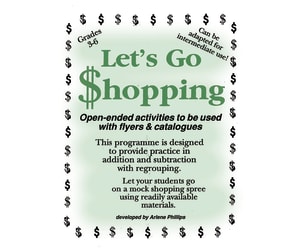
LET'S GO SHOPPING Gr. 3-6
Life Studies, Math, Money, Grade 3, 4, Teacher Tools, Lesson Plans
LET'S GO SHOPPING: An Interactive Approach to Arithmetic The LET'S GO SHOPPING resource is designed for students in grades 3 to 6. It introduces a creative and interactive approach to teaching arithmetic, placing focus on everyday situations. Students experience 'mock shopping' experiences, practicing addition and subtraction with regrouping by using accessible materials such as flyers and catalogues. A Tailored Learning Tool This educational tool incorporates relevant scenarios, keeping it relatable for the students and maintaining their interest due to its dynamic nature. The activities involved are open-ended, promoting creativity among learners while allowing for flexibility of adaptation according to individual needs or class sizes by teachers or homeschoolers. Focused on Mathematics: Primarily aimed at Mathematical learning focusing on Money subtopics. Integrated Learning: Easily fits into various teaching settings conducive for different types of learners. Promotes Collaboration: Serves as a stepping stone for small group activities nurturing collaboration – fostering mathematical competency and teamwork. Suitable For Independent Learning: Can be used singularly for independent learning sessions or homework assignments enhancing student's time management skills along with practicing necessary math concepts. An Exciting Journey into Academics 'LET'S GO SHOPPING', compiled efficiently in a single PDF file, presents math less intimidating especially from Grade 3 through Grade 6 by replicating real-life financial transactions making the subject more accessible. It embodies active learning strategies catered towards contemporary educational needs, imparting knowledge effectively while embedding experiences close to reality beyond mere numbers.
Author Classroom Complete Press
Tags PDF
Geometry: Transformations & Symmetry - Practice the Skill 1 - PC Software
Math, Geometry, Common Core, Kindergarten, Preschool, Grade 1, 2, Teacher Tools, Lesson Plans
Geometry: Transformations & Symmetry - Practice the Skill 1 - PC Software Improve your students' mastery of Geometry: Transformations and Symmetry through an engaging software tool specifically developed for Preschool, Kindergarten, Grade 1 and Grade 2 learners. This compact lesson plan software consistently delivers curriculum -aligned content designed for skill-building practice in the form of timed drill activities. Tailored Learning Tasks: Each session comprises tasks that challenge learner to identify type of transformation illustrated by pairs of shapes on-screen. This effective approach nurtures their problem-solving abilities and enhances cognitive skills within geometry. Educational Tools: Integrated math tools are provided with the intention to pace learners towards computational accuracy at ease. Independent learning is facilitated empowering each student's comprehension level. Inclusivity and Language Support:The software advocates inclusivity by accommodating ELL learners too; it includes default English voice-over instructions as well as an option for Spanish text and voice-overs catering English speakers and Spanish-speaking pupils alike. Credibility Aligned with Reputed Standards:This digital resource aligns perfectly with set educational prerequisites dictated by respected standards such as Common Core State Standards (CCSS), STEM initiatives, or NCTM (National Council of Teachers Mathematics). Solutions like these serve multiple purposes beyond just whole group instruction fostering independent exploration among emergent-geometry learners while equally proving viable during small group learning exercises. Being a digital solution it earns added advantage in terms of easy sharing across platforms which intuitively makes remote teaching more feasible. Incorporate this excellent tour-de-force into your educational resources to enrich your math instructions ensuring your students conquer transformations and symmetry in Geometry like never before.
Author Classroom Complete Press
Tags Transformation, Symmetry, Math Skills, Math Lesson Plan, Digital Math

Time and Money
Math, Time, Grade 3, Teacher Tools, Lesson Plans
Time and Money: A Grade 3 Teaching Resource The Time and Money teaching resource is a valuable addition to any educator's toolbox. This Grade 3 focused material covers crucial concepts related to time and money. Telling the Time The course commences with an introduction to telling time. It aims at familiarizing students with recognizing time on both digital and analogue clocks, Determining elapsed time, Solving real-world problems, Honing vocabulary such as "a.m", "p.m", "noon", etc. Navigating Calendars Leveraging the theme of periods, this material assists students in identifying: Days of the week, Noon, Months of the year, The relationship between them, & Rolled it onto reading calendar dates- opening up practical everyday scenarios for their application! About Currency & Decimals Moving from temporal matters to fiscal ones, students are exposed towards our standardized currency system: Learners get starting-point about identifying denominations from penny upto half dollar coins, Led then towards determining total monetary value using mixed group of these coins , taking it till summing upto $1.00. We then move forward onto higher ground tackling how one can sum-up a dollar using change having various coin combinations ,treading ahead further more onto deciding diverse values based upon set conditions probably wrapping this part here.Meanwhile we keep introducing decimals and their day-to-day usage in putting down dollar sums. Just to save the hassle of accessibility , our product comes as PDF file making it easier to work across different devices whether at home or school accordingly suiting your classroom model (remote or onsite) hence allowing variety in its application like for whole group classes, small interactive sessions or just making it a homework assignment! Conclusion Critical Maths content is cleverly weaved into interesting learning activities which enhances understanding while concurrently facilitating retention amongst Grade 3 students. We make sure complex Mathematical concepts are turned into fun as well as favorable learning experiences!
Author Classroom Complete Press
Tags PDF

Algebra: Simple Patterns - Practice the Skill 1 - PC Software
Math, Patterns, Common Core, Kindergarten, Preschool, Grade 1, 2, Teacher Tools, Lesson Plans
Algebra: Simple Patterns - Practice the Skill 1 PC Software This groundbreaking educational tool has been meticulously developed for early education teachers and homeschoolers. It seeks to create an interactive experience for students exploring simple algebraic patterns and offers a dynamic approach towards math education through engaging timed practice activities. Main Features: Designed for students at all stages, whether preschool, kindergarten, or grades 1-2. Presents abstract puzzles in a game-like interface fostering active engagement in learning processes. Incorporates curriculum -mapped content that advances learning through practical application complemented with theoretical knowledge reinforcement. Furthermore, it functions hand-in-hand as a resourceful tool during large group lessons displayed on whiteboards or projectors and supports hands-on exercises on networked computers for smaller groups. Not limiting there, even as homework assignments supplementing classroom instruction on an individual level can be efficiently conducted using this adept utility. Additional Features: Provides insightful assistance through embedded math tools aiding students navigate pattern completion tasks. Takes inclusivity into stride guaranteeing compliance with Common Core State Standards and STEM initiatives-efficiently narrowing down competency gaps within classes. Specially caters to multi-lingual classrooms by supporting both English and Spanish languages via voiceover features and text translation options.Making mathematical language accessibility obstacles a thing of past! In essence,"Algebra: Simple Patterns - Practice the Skill 1 PC Software"makes decoding algebra's language through pattern recognition simple yet dramatic adventure filled exploration! Stimulating little learners' cognitive development regarding one of the critical steps in their mathematical journey-all under one digital roof!
Author Classroom Complete Press
Tags Math Lesson Plan, Simple Patterns, Algebra Lesson, Digital Math, Math Practice

Continuity
Math, Calculus, Grade 11, 12, Teacher Tools, Lesson Plans
Powerpoint presentations , 13 slides to define continuity on an interval
Author Maths Support Centre
Tags Continuity, Calculus, Functions, Interval, 11th Grade Calculus, 12th Grade Calculus
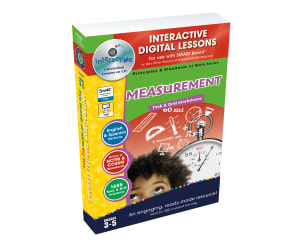
Measurement - Digital Lesson Plan Gr. 3-5 | PC Software
Math, Measurements, Grade 3, 4, 5, Teacher Tools, Lesson Plans
Measurement - Digital Lesson Plan Gr. 3-5 | PC Software Overview This comprehensive math program includes over 230 individual activities distributed across more than 80 interactive screen pages. With a direct alignment to the guidelines outlined by the NCTM and State Curriculum Math Strand, this tool is an essential resource for both public school and homeschool educators. Educational Strategy & Features The learning journey starts with pre- assessment activities facilitating an understanding of students' existing knowledge about measurements. The inclusion of real-world word problems aids in making complex concepts relevant and easily understandable for students. A multitude of drill problems (150 precisely) ensuring certain procedural proficiency skills enhancement. The ability to effortlessly switch between imperial and metric units thanks to integrated measurement tools, providing a smooth learning experience without interruptions. English and Spanish Text-to-Speech broadening accessibility options catering to different student demographics or dual-language learners. Included Resources & Game Elements In addition to on-screen lessons, printable resources are also provided for offline use or as homework assignments. Learners stay enthusiastic with memory match games, spinner games, and board games strategically placed within chapters. This adds a fun element whilst reinforcing important math concepts learned throughout each lesson unit. Evaluation Method: To ensure learners are successfully grasping measurement concepts throughout the course, comprehension tests conclude each chapter—providing valuable information on each student's level of mastery at every phase. Convenience features include packaging within one easy-to-install zip file designed exclusively for use on PC software platforms offering seamless functioning. In conclusion, Measurement - Digital Lesson Plan Gr. 3-5 | PC Software provides teachers with a comprehensive, highly engaging, and interactive measure learning resource irrespective of class size or teaching style—whole group, small group or one-on-one.
Author Classroom Complete Press
Tags Measurement Lesson Plan, Digital Math, Digital Math Lesson, Math Lesson Plan, Measuring Tools

FIRE: Financial Independence Retire Early: A Personal Financial Literacy and Math Lesson
Life Studies, Math, Percentages, Decimals, Money, Finance, Home Economics, Grade 8, 9, 10, 11, 12, Teacher Tools, Lesson Plans
A Financial Literacy Lesson: FIRE is a great resource to teach students about financial literacy and how they can save for retirement. The online personal finance community is a growing movement of people who want to reach financial freedom well before the age of 65. Teach your students (and yourself!) how this is possible! FIRE stands for Financial Independence Retire Early. The PowerPoint is fully editable and it explains step by step how to achieve financial independence and retire early. After learning the basic vocabulary and ideas (for example, the 25 times rule: save 25 times your yearly expenses to be able to live off of the investment interest indefinitely) the lesson goes step by step through a case study, shows students how to use an online investment calculator, and discusses the pros and cons of the movement. Six practice problems of increasing difficulty and an answer key are included. How to Use: Go through the first slides together as a class. You can ask your students to take notes in their math notebooks if you want. Then, once students understand the concepts, let them work through the six practice problems alone or in pairs. You can review the answers as a class with the handy answer key! Here are some insta accounts to follow for more personal finance info: @personalfinanceclub @thefinancetwins @gayhusbandsonfire Get your students excited about financial literacy by teaching them about FIRE! If you enjoy this financial literacy product, please check out some of my other options in my store: Financial Trade-Offs: Realistic Discussion Prompts Compound Interest: Hook Students on Financial Literacy Net Worth: Assets - Liabilities = Equity
Author Grace Under Pressure
Tags Financial Literacy, FIRE, Early Retirement, Applied Math, Budget, Life Skills, Saving, Money, Percent, Finance
Algebra: Simple Patterns - FLASH-MAC
Math, Algebra, Grade 1, 2, Teacher Tools, Lesson Plans
Algebra: Simple Patterns - FLASH-MAC Designed for grade 1 and 2 students, this teaching resource focuses on comprehending the fundamentals of Algebra through simple patterns exploration. Specializing in early-stage mathematics education, it is an excellent tool that educators can incorporate into their teaching itinerary to optimize student learning experiences. This resource comprises several elements that cater to different learning needs. It features: A pre- assessment segment allowing teachers to ascertain students' understanding levels at the start of the lesson. A detailed lesson plan aimed at simplifying algebraic concepts for young learners. Real-world word problems promoting practical applications of algebraic concepts taught in class. Timed drill activities stimulating fast problem solving – undoubtedly an essential skill needed not just in math but across various subjects. The unique attribute of this resource is its incorporation of fun educational activities such as memory match games, board games, and spinner games which encourage student participation and make mathematical ideas more accessible. A special multilingual feature including English voice over with text alongside a Spanish voice over option is also included. Ease Of Use & Flexibility To further enhance your experience, these resources are conveniently delivered as MAC software contained inside one zip file titled 'FLASH-MAC'. You can easily download them onto your computer system providing easy access anytime required - during whole group instructional sessions or small group collaborative engagements or even assigned as homework tasks! In essence, this versatile product promises substantial pedagogical value by enhancing young learners’ mathematical proficiency specifically pertaining to basic Algebra.
Author Classroom Complete Press
Tags Algebra, Patterns, Simple Patterns, Letters, Math Printable

Data Analysis & Probability - Digital Lesson Plan Gr. 6-8 - FLASH-MAC
Math, Statistics, Grade 6, 7, Teacher Tools, Lesson Plans
Data Analysis & Probability - Digital Lesson Plan Gr. 6-8 - FLASH-MAC: An Interactive Learning Experience! Designed specifically for middle school students (grades 6-8), this comprehensive Math program offers over 320 unique activities across more than 80 exciting screen pages, covering all aspects of Data Analysis & Probability in the context of both NCTM and Core Curriculum Math standards. Diving Deep into Important Topics This resource is not just an instruction guide; it's an immersive experience with lessons complemented by extensive drills. Learners can explore various topics such as: Data analysis Probability Mean mode, line plots, bar graphs, circle graphs,and coordinates among others. Versatile Application in Different Settings The program facilitates experiential learning which can be applied to group instruction or small group sessions—or as a tool for reinforcing class topics through homework assignments at home. Tailored Assessment Aids Skill Mastery and Progress Tracking The software includes more than 60 pre- assessment activities, , Around total of 225 procedural proficiency drill problems, In addition to interactive math tools (such as imperial and metric measurement systems) that ensure practical application while promoting self-paced learning. The software is also language-inclusive—with built-in English-Spanish text-to-speech functionality. Incorporating Fun Through Varied Interface Options: Apart from including educative features like printables, interactive lessons and test prep resources, the platform also offers games such as ‘Memory Match Game’, ‘Board Game’ and ‘Spinner Game'—providing a combination of education and entertainment. Regular Assessment Quizzes: Continuous Real-Time Progress Tracking With frequent assessment quizzes after each chapter, tracking progress is simplified for educators. It facilitates identifying learners' strengths and areas of improvement easily—making this software a valuable asset to both public and homeschool educators. In conclusion, Data Analysis & Probability - Digital Lesson Plan Gr. 6-8 - FLASH-MAC is a dynamic digital math program that emphasizes interactivity to provide students an in-depth understanding and strong fundamentals in essential mathematical principles.
Author Classroom Complete Press
Tags Software (Mac)
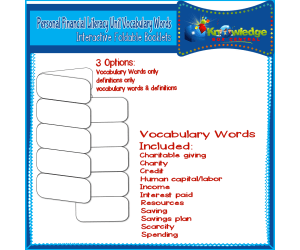
Personal Financial Literacy Unit Vocabulary Words Interactive Foldables for 3rd Grade – EBOOK
Life Studies, Math, Money, Grade 2, 3, 4, Lesson Plans, Teacher Tools
This Personal Financial Literacy Unit Vocabulary Words Interactive Foldables for 3rd Grade – EBOOK is a great resource for students to learn about concepts related to financial literacy. This set includes 2 vocabulary interactive foldables based on combined state standards for 3rd Grade Personal Financial Literacy Units. Each set of words is offered in three formats: One foldable with words only one foldable with definitions only, and one foldable with words and definitions. These 2 foldables cover: •Charitable giving •Charity •Credit •Human capital/labor •Income •Interest paid •Resources •Saving •Savings plan •Scarcity •Spending This product consists of downloadable a PDF file. Instructions to completing this resource are as follows: Cut along the outer black line edges of the desired foldable. If choosing the words only foldable, cut flaps apart along dotted lines. Folding direction will depend on the option you are choosing. If choosing the words only or complete version, fold inward so word are on the front (outside) of the booklet. If choosing the definitions only version, fold so the definitions will be on the inside. Allow students to glue the foldable into their journals. Students will then complete the foldables according to teacher instructions.
Author Knowledge Box Central
Tags Personal Finance, Vocabulary Words, Credit, Charity, Income, Vocab Foldable, Financial Vocabulary Words, Finance Vocabulary Words, Vocab Foldables, Personal Finance Vocabulary, Vocabulary Foldables