2,874 products added recently
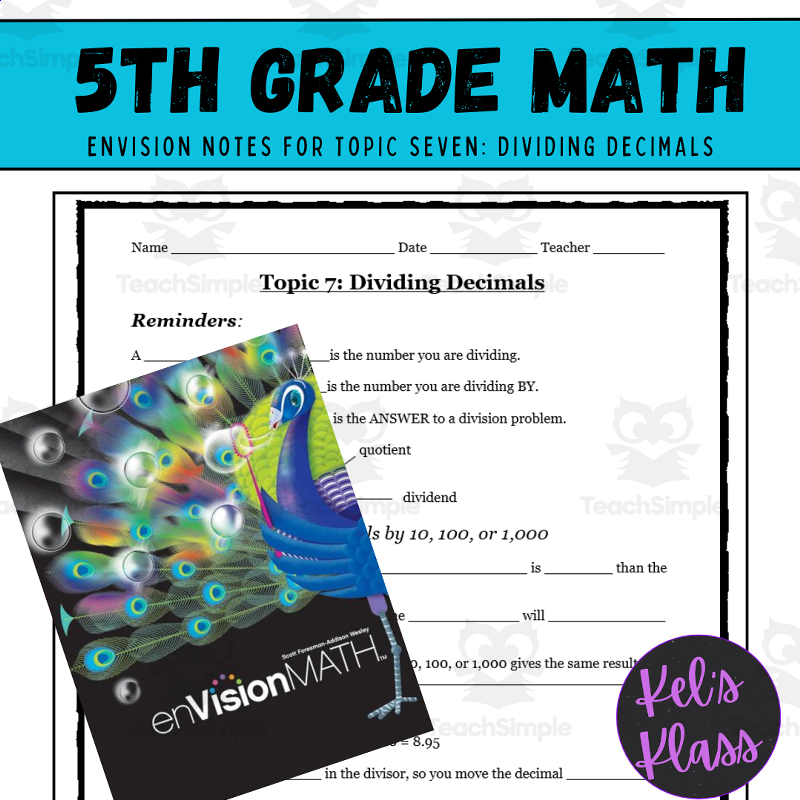
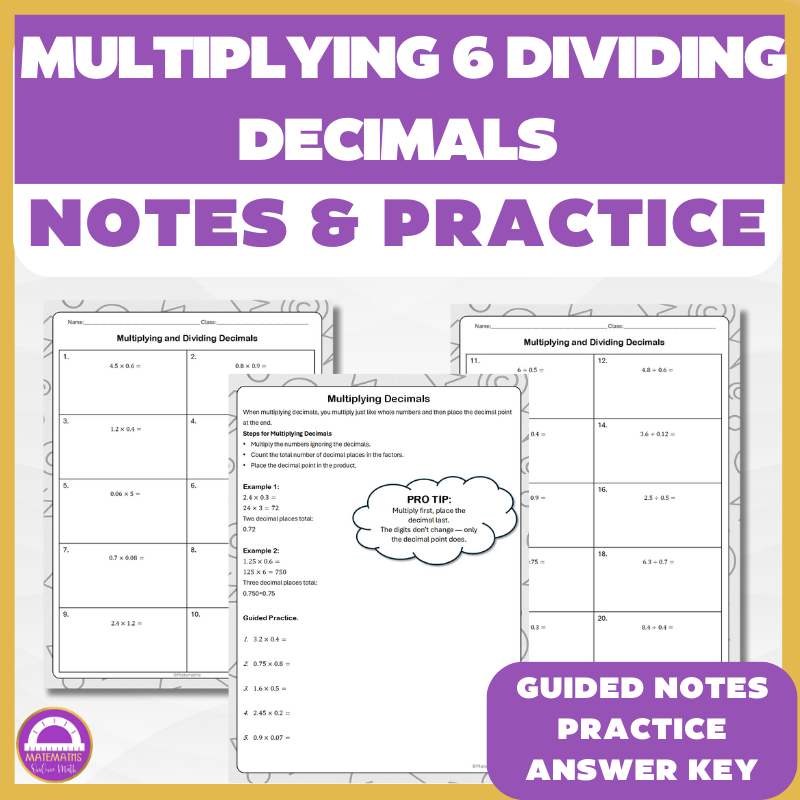
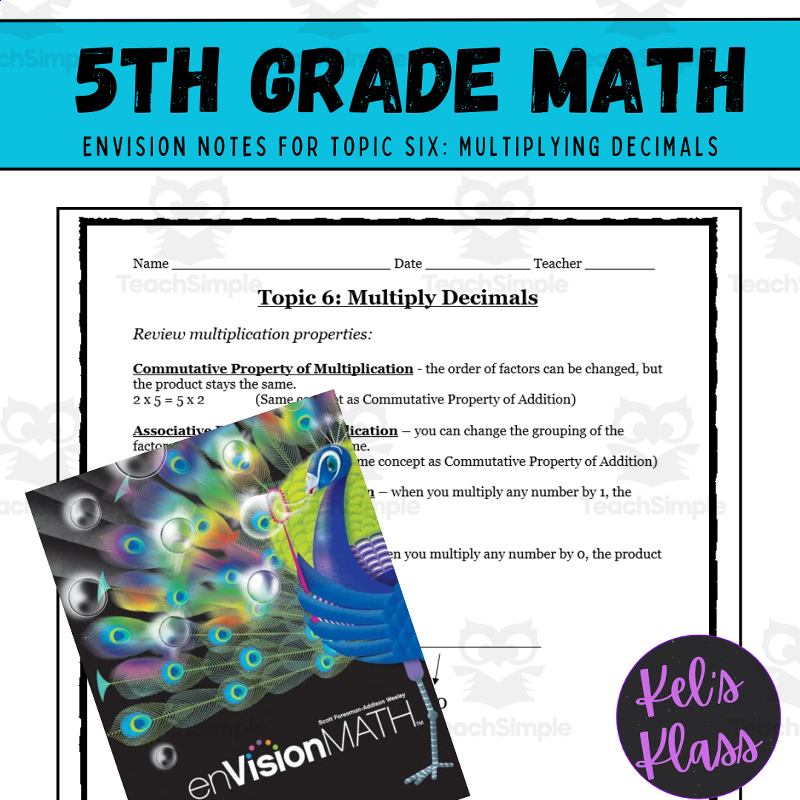
Decimals Lesson Plans
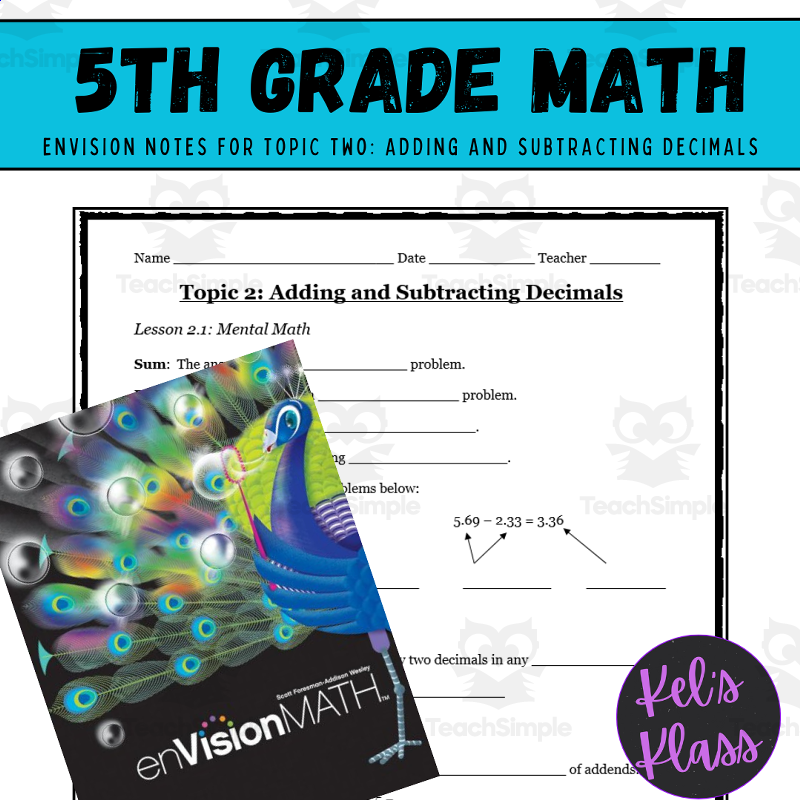
Support your students in grasping decimals through lesson plans that offer concrete examples and interactive exercises. These resources help bridge the gap between fractions and decimals. Implement them to enhance numerical literacy and computational skills.
Investing Fundamentals & Compound Interest Practice Pack
Math, Money, Statistics, Measurements, Order Of Operations, Trigonometry, Time, Multiplication and Division, Division, Multiplication, Grade 6, 7, 8, 9, 10, 11, 12, Worksheets & Printables, Workbooks, Worksheets, Word Searches, Teacher Tools, Lesson Plans, Quizzes and Tests, Quizzes, Tests, Assessments
Complete Set: Compound Interest Practice Pack. With this no-preparation, complete unit, you’ll transform your students’ passive consumption of investments into sound capital allocation. Looking for something more than just a “piggy bank” way to teach your students about finances? The curriculum is designed specifically to teach students how and why they can create wealth through investing. It breaks down stocks and stock markets into simple components, demonstrates how inflation erodes purchasing power without anyone being aware, and mathematically proves the power of compounding through real-life practice examples. Students will develop a firm understanding of investing based upon the learning experiences included in this program, which can be used for multiple subject areas including Math, Economics, Personal Finance, and Life Skills. This is an excellent resource for several weeks of instruction on investment literacy as it provides all of the necessary ingredients (theory, practice, and case studies) to achieve successful learning outcomes. WHAT WILL YOU FIND IN THIS 32-PAGE PACK? PHASE ONE: Core content and theory – This section includes a 9-page “student textbook” that communicates the foundational concepts using academic terminology, generalized real-world analogies where applicable. Covers the following topics: The reality of inflation; the asset classes (i.e., stocks, bonds reals); the difference between simple versus compound interest; the Rule of 72; risk and diversification; behavioral finance (e.g., loss aversion, fear-of-missing-out [FOMO]); and dollar-cost-averaging. PHASE TWO: Student workbook (10 sheets) - A total of 13 pages worth of rigorous practice questions. Starting with simple terminology and building to an increasingly sophisticated portfolio synthesis. Worksheet #1 – The anatomy of an investment. Worksheet #2 –The time-value-of-money and inflation. Worksheet #3 – Simple versus compound interest. Worksheet #4 – The compound-interest formula in action. Worksheet #5 – The Rule of 72. Worksheet #6 – Risk, reward, and volatility. Worksheet #7 – Stock-market mechanics. Worksheet #8 – Mutual funds and ETFs. Worksheet #9 – The impact of time (early vs. late). Worksheet #10 – Building your first portfolio. PHASE THREE: Visual and teacher resources – Everything you need to properly teach and support your students on the curriculum. 3 impactful pedagogical visuals that can be projected and/or printed relating to compound interest, asset classes, and the Rule of 72. Complete, step-by-step Teacher’s Answer Key covering all ten questions in the workbook. Sound implementation guide for Teachers, including module pacing, instructional notes, and other valuable insights related to “expected cognitive friction points.” This isn't simply a lesson plan; This is an entire educational program that will teach young people to have real financial intelligence. Key Terms: Teach Teenagers How to Invest, Compound Interest Project, Financial Literacy Curriculum, Personal Financial Literacy Unit, Stock Market For Kids, Middle School Math, High School Economics, Homeschooling, No Preparation Needed (Print and Go), Digital Learning, and Money Management. Why Do Parents and Schools Appreciate It? Provides Life-Long Knowledge: This unit provides students with the knowledge and skills needed to understand investing, create wealth, and achieve financial stability beyond what they learned in textbooks. Total Unit; No Additional Preparation Needed: This is a complete curriculum with everything needed, including theory, worksheets, visuals, answer keys, and a teacher guide! By using this complete package, more than 10-20 hours of planning can be saved by teachers. Real Comprehension: By combining theory with real-life examples and thorough practice, this unit gives students the knowledge they need to know how to calculate for financial growth and what risks are associated with financial growth rather than just memorizing formulas to solve for financial growth. Engaging as well as Challenging: The language in this unit is challenging, but when students use the step-by-step format and apply these concepts to real-life examples (like comparing two different investors), students will find these topics very interesting and easy to understand. Target Student Audience Assessment: A comprehensive assessment of the material's content and language, mathematical difficulty, etc.: Grade Level of Main Target Audience: 8 - 10 grades. Although the PDF shows 7-9 grades, the vocabulary/academic terminology in the document is more suitable to eighth (8th) & ninth (9th) graders (as opposed to seventh (7th) graders). The level of math skills required to understand this material would be appropriate for eleventh (11th) and twelfth (12th) graders as an introductory course to economics or mathematics. Additional Targeted Audiences: Gifted and Talented Middle School Students (6-7 grades) High School Economics or Personal Finance Electives (11-12th grades) - Use This Material As An Introductory Unit Parents Who Homeschool Their Children With A Curriculum Focused On Life Skills Or Financial Literacy This Product has been copyrighted by Syed Hammad Rizvi. You may only use this Resource in your Personal Use, and only in a Single Classroom. This means you cannot alter, redistribute, or sell it. In other words, you cannot put this Resource on the Internet, where others can access and download it permanently or temporarily. If you would like to share this Resource with your colleagues, please purchase additional licenses from Teachsimple. Thank you for your understanding, and thank you for complying with these terms of use. Syed Hammad Rizvi is pleased to provide this Product to you.
Author Creative Book Store
Rating
Tags FinancialLiteracy, CompoundInterest, Investing, PersonalFinance, StockMarket, WealthBuilding, MoneyManagement, InvestingForBeginners, RuleOf72, TimeValueOfMoney
All About Numbers 1 - 10,000 | Animated Math Video Lesson
Math, Numbers, Grade 2, 3, 4, Lesson Plans, Teacher Tools
This animated math video lesson is all about numbers 1 - 10,000. Students will love this engaging and interactive video that takes them step-by-step on how to analyze and interact with numbers in a fun way. This video serves as a great introduction or review video for your learners. This is an 8-minute math video lesson.
Author Educational Voice
Tags Place Value Lesson, Math Lesson, Interactive Math, Numbers Activity, Math Videos, Spanish Numbers 1-10000, Numbers In Spanish 1-10000, Numbers In French 1 10000, Numbers In Spanish 1 10000, Japanese Numbers 1-10000
All About Addition 6-10 | Animated Math Video Lesson
Math, Addition and Subtraction, Addition, Preschool, Grade 1, 2, Lesson Plans, Teacher Tools
All About Addition 6-10 | Animated Math Video Lesson Structured as an engaging and interactive teaching resource, All About Addition 6-10 | Animated Math Video Lesson is tailor-fit for students in Kindergarten, Grade 1 and Grade 2. A vibrant video lesson centered on the subject of math; specifically, it elucidates adding numbers from the range of 6 to 10. This valuable educational tool offers a comprehensive introduction for those just starting their journey into addition and serves as a solid review for students who have prior knowledge in this area. The core strength of this video lesson lies within its kinetic learning methodology. The integration of animations not only adds color to learning but deepens comprehension through auditory explanation. These coupled with visual signals inspire learners while they work on solving mathematical problems within a dynamic environment. Each session neatly fits into a span of precisely 15 minutes' This lesson plan's format gives flexibility across different settings whereby it can be utilized during whole group discussions where teachers closely supervise hands-on activities involving concepts illustrated in the video. Suitable also for smaller groups comprising five or fewer students who can work out problems collectively post visualization. A vital resource for homeschooling parents keen on introducing their children to early stage addition lessons at home or even making them accessible online serving dual needs out-of-school assignment or at-the-go learning experience. The charm lies in its ability to break down complex numeric ideas into easy steps using vivid animation which not only garners interest but most importantly brings back joy towards math lessons! As part of our resources, an MP4 file containing this insightful animation is available here: All About Addition 6-10 | Animated Math Video Lesson
Author Educational Voice
Tags Addition, Math Video, Animated Lesson, Numbers 6-10, Interactive
All About Addition 0-100 | Animated Math Video Lesson
Math, Addition and Subtraction, Addition, Grade 1, 2, Lesson Plans, Teacher Tools
All About Addition 0-100 | Animated Math Video Lesson Overview: An engaging, interactive math teaching tool that embraces technology in the classroom; perfect for public school as well as homeschoolers focusing on strengthening mathematical abilities in grades 1 and 2. This user-friendly MP4 file takes a unique approach to teaching addition with numbers from 0-100. A blend of animation with step-by-step instruction facilitates better understanding while also making learning enjoyable. Duration: At around seven minutes, the video is packed with accurate and succinct information that aligns perfectly with grade-level curricula. Purpose: Expertly designed as both an introduction to and recap tool for addition concepts. Versatility of Lesson The flexibility in use adds another dimension to its appeal. It can fit into: Whole-group instruction sessions: This creates dialogue stimulus amongst students. Numeracy-focused groups: The lessons cater to small groups working on specific math skills during independent work or free-play periods at school. Homeschooling parents will find immense value due their children's general comfort level with video-based content - it's excellent for routine home math practice! Nurturing Computational Thinking Skills In addition to basic additions required within grades 1 and 2 Math curricula, this video lesson boosts pattern recognition skills—an essential aspect of computational thinking—and builds numerical confidence through interesting problem interpretations. In essence, effective numeracy foundation building involves not just repetitive flash cards or worksheets but also interactive resources like 'Animated Math Video Lessons'.
Author Educational Voice
Tags Addition, Math Video, Interactive Learning, Numeracy Skills, Homeschooling
Darts Reading Comprehension Passage - Cored Ed Encyclopedia
ELA, Language Development, Reading Comprehension, Reading, Pre-Reading, History, Social Studies, Math, Sports, P.E. & Health, Grade 2, 3, 4, 5, Worksheets & Printables, Worksheets, Teacher Tools, Centers, Activities, Writing Prompts, Assessments, Quizzes and Tests, Quizzes, Lesson Plans
This darts reading comprehension with lesson plan includes: Visualization (on the front cover) Start your lesson by taking a minute to think and share something about the topic. Read the script aloud (slowly), perhaps prepare some music or sound effects. Student close their eyes and let their imaginations wander. Students open their eyes, read the question aloud and give them a few minutes to complete. Ask a few students to share or keep answers until the end to compare with what they learn in the passage. Quick pause—thousands of Cored Education products are included with your TeachSimple membership. Download links and encyclopedia index available here. Pre-Reading Trivia Students will write down one thing they already know about the subject and then read five more facts and discuss. These facts are fun, and the students will enjoy learning about the subject before reading more. Give 1 minute for students to write what they already know (no pressure—best guess is fine). Read the five facts together. After each fact, do ask a student for their opinion, was it surprising? Set a purpose by asking students to highlight/underline one fact they want to learn more about during the reading. Reading Passage The text is a high-interest reading passage with set paragraphs, roughly three to four paragraphs long. It contains a variety of themes about the topic, anywhere from history to technology. The passage is between 250 and 350 words in length. First, ask students to look at the headings and see what they’ll learn about today. What do they know about the topic/heading? First read options: Teacher read-aloud (best for support). Partner reading (paragraph by paragraph). While reading, students underline important details, and vocabulary words they think may come up in the questions section. Mixed Questions The first question page contains four multiple-choice questions, each with a choice of four answers, and three written response questions that require a sentence or two from the student. Students complete the mcqs first independently, then review quickly as a class. For the 3 written responses, try to get students giving the answer with some form of evidence: “I think ___ because the text says ___.” If students get stuck, send them back to check the passage. Vocabulary Questions Practice seven key words from the text in this section across two activities. First section is scrambled words where students will unscramble three words given a clue for each. The second section is a word to meaning matching activity. Before starting, have some students read out words they underlined in the passage. Ask students to say the word and read aloud the sentence(s) around each word. Ask students to do scrambled words and the matching exercise in pairs then go through answers as a class. For the scrambled spelling task, get four pairs to come up to the board and write the words for extra practice with the other student reading out the clue. For the matching task, prompt students to give full sentences: “I matched ___ with ___ because ___.” Creative Writing In this question, the student will be required to write a five to eight sentence paragraph on a question related to the topic. Before starting, ask students write down 3 key ideas they are going to include in their piece. Ask students for ideas to share around the class to help those struggling. Pro writing expectations: 5–8 sentences At least 2 facts or details from the passage At least 2 vocabulary words from the previous page Students read their paragraphs while classmates listen for facts and vocabulary words. Extension Activities This page is optional for fast finishers or to take home. There are several activities, each one requiring a different skill. Do some, do none, do all, completely optional - but you will feel reassured knowing every possibility is planned for. Includes summary writting question and additional facts. Answer Key There are answers for the multiple-choice questions, written response questions have sample answers, vocabulary answers and if there is a summary question then a sample summary will be provided as well. Lesson Plan Included Customized lesson plan for this lesson is included. Lesson Snapshot Title: Darts Genre: Nonfiction (informational text with headings) Subject: Reading (Informational Text) / Math (numbers & scoring context) Primary Topic: History, dartboard design, and how scoring works Estimated Guided Reading Level (A–Z): Q What This Lesson Teaches Best Explains how darts began as indoor throwing at targets in England and became a friendly challenge in taverns and homes. Teaches key dartboard features (20 pie-shaped sections, thin wires, double/triple rings, and a bull’s-eye that can be 50 points). Builds real-world math context by describing common game formats (301 or 501) where points are subtracted each turn. Uses a cause-and-claim structure to discuss uncertainties and evidence (a debated story about why numbers are scrambled; a court case about skill vs luck). Connects materials/technology to sports equipment (sisal fibers that close up; tungsten barrels for a slimmer grip) and modern leagues/championships. Learning Goals Students will summarize how the text describes darts’ early history and where people played. Students will identify key parts of a dartboard in the text and explain what they do for scoring. Students will explain how a 301 or 501 game works in the passage, including what happens each turn. Students will describe why the dartboard numbers might be scrambled and explain what the text says is uncertain about that story. Students will explain what happened in 1908 and how it relates to whether darts is luck or skill. Students will cite details about modern boards and darts (sisal fibers, tungsten barrels, leagues/championships). Key Vocabulary From the Text taverns — places where people gather for food and drink. oche — the throwing line you stand behind. subtracted — taken away from a total number. sisal — strong fibers used to make dartboards. tungsten — a dense metal used for slimmer dart barrels. Discussion Prompts FULL CATALOG OF DOWNLOAD LINKS AND ENCYCLOPEDIA INDEX HERE
Author Cored Education
Rating
Tags Vocabulary, Reading Comprehension, Reading Passages, Lesson Plans, Ela Lesson Plans, Reading Comprehension Lesson Plans, Pre-reading, Sports, History, Social Studies Lesson Plans
Data Science Fundamentals for Kids - Statistics book
Statistics, Math, Time, Money, Measurements, Fractions, STEM, Homeschool Curriculum, Grade 4, 5, 9, 10, 11, 12, Projects, Activities, Lesson Plans, Teacher Tools, Outlines, Quizzes and Tests, Tests, Worksheets & Printables, Workbooks, Word Problems
Unleash the fascinating world of data science and statistics for children with "Data Science Fundamentals for Kids - Statistics" by Syed Hammad Rizvi. Featuring a detailed 370-page course manual tailored specifically for students from grades 5-12, this invaluable resource simplifies complicated concepts into a series of fun and easy-to-master tutorials. Starting with introductory elements of data types and sources and progressing all the way from advanced concepts of probability studies to visual representation techniques of pictographs, bar graphs, line graphs, pie charts, histograms, and box plots, measures of central tendency of mean, median, and mode statistics, dispersion of range, quartiles, and interquartile range, sampling techniques with simple and stratified sampling methods, concepts of correlation and causality, responsible uses of statistics and ethics in statistics studies, and applied examples of AI and big data statistics analysis, this statistics guide for kids helps instill crucial STEM knowledge for their. Perfect for homeschooling students, this statistics guide for kids also makes for a stellar choice for teachers and scholars seeking resources for statistics learning for children, guidebooks for beginner-level analysis of statistics and frequency analysis for students, books for kids related to STEM information, and resources for probability tutorials for middle school Why Parents/Schools Love It: Engaging and Age-Appropriate Content: Makes use of interesting stories and engaging examples to ease kids into otherwise frightening subject matter involving statistics, thereby giving kids a confidence boost in STEM fields. Comprehensive Skill Building: Encompasses all aspects of analysis from data acquisition to ethical analysis. Aiding students for future AI/data science employment purposes as well as for test preparation. Hands-On Tools/Projects: Includes guides with specific steps for creating illustrations for graphs, calculations for measures of variation, and completion of mini-projects. Encourages Critical Thinking: Teaching the importance of being unbiased, the difference between correlation and causation, and responsible data use helps prepare individuals for the data-intensive world that is the future of business and society. Flexible for Any Learning Style: Can be used for individual study, teaching groups, or supplementing a curriculum, with examples that show statistical principles in sports, games, and real life. Target Grades : Based on the complete analysis of the content, structure, and progression of the book-from very foundational concepts such as "What is Data?" and some simple tally marks in early chapters to more advanced ones like interquartile range, probability laws, sampling bias, correlation scatter plots, and ethical AI implications in later chapters-I believe the book addresses students from grades 5 through 12 most appropriately. The material progresses from simple, kid-friendly explanations using real-life analogies-such as recipes for data organization-to more sophisticated ideas, such as data skewness and mini data projects. As such, it is well-suited for middle schoolers, grades 5-8, who need to study visualization and averages, while high schoolers, grades 9-12, will appreciate the subjects of inference, causation, and what the future of technology holds based on these subjects. It is neither too simplistic for older children nor too advanced for younger ones, and the logic of progression allows for progressive learning. Copyright/Terms of Use This Book is copyrighted to Syed Hammad Rizvi. This resource is intended for home/personal use only. There shall be no changes, modifications, redistributions, or sales of this resource. In other words, it shall not be placed on the Internet where it might be accessible for downloading. “If you’d like to share this resource with fellow teachers, you are able to do so through purchasing additional licenses from Teachsimple.” Este producto llega felices a ofreceros por Syed Hammad Rizvi
Author Creative Book Store
Rating
Tags StatisticsForKids, DataScienceForChildren, STEMEducation, KidsStatisticsBook, DataFundamentals, ProbabilityForKids, DataVisualizationForBeginners, MeanMedianMode, EducationalBooksForKids, Grades5to12
Intro to US Unit of Measurements
Math, Measurements, Grade 5, Lesson Plans, Teacher Tools
This is a 49 page PowerPoint which is a complete teaching lesson. This is a 5th grade lesson which covers the Common Core Standard: Measurement and Data 5.MD Convert like measurement units within a given meaurement system. 1. Convert among differnt-sized standard measurement units within a given measurement sysytem and using these conversions in solving multi-step and real world problems. Students will be taken through the US units of measure for capacity (cup, pint, quart, gallon), length (feet, miles, yards), and weight or mass (ounces, pounds, tons.) Students are given the conversions as well as real world examples for each unit of meausure. Students are also given a number line representation for comparison. A flow-chart type of model is used to show students how to convert from one unit of meaure to another. Plenty of examples are given as well as having many problems for students to try on their own. There are plenty of examples and "try these" problems for converting with capactity before moving on to length and then plenty of practice with length before moving on to weight. You are free to omit some slides and practice depending on your student's skill level and understanding. The final slide contains an exit ticket to assess understanding.
Author Math Resources With Rigor
Tags Capacity, Lenght, Weight, Mass, Measurements, Conversions
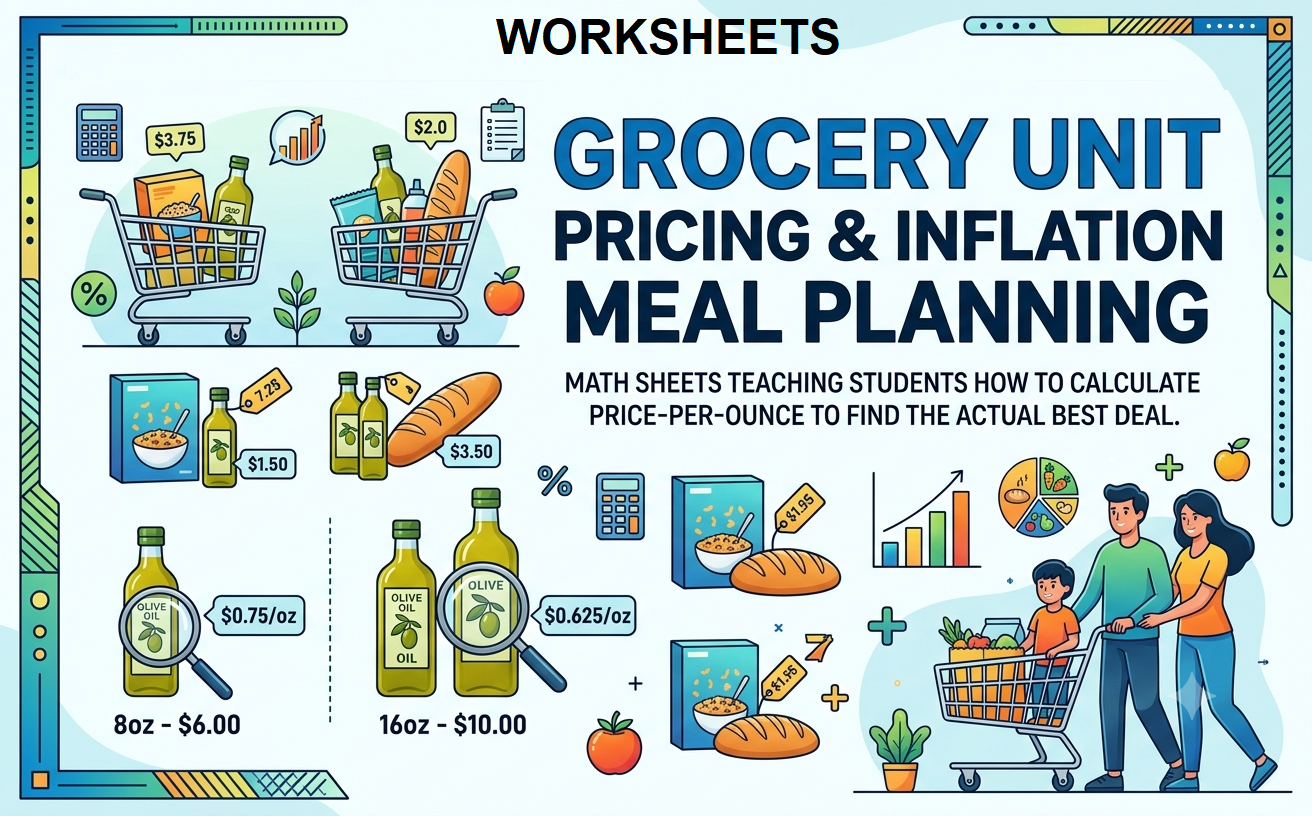
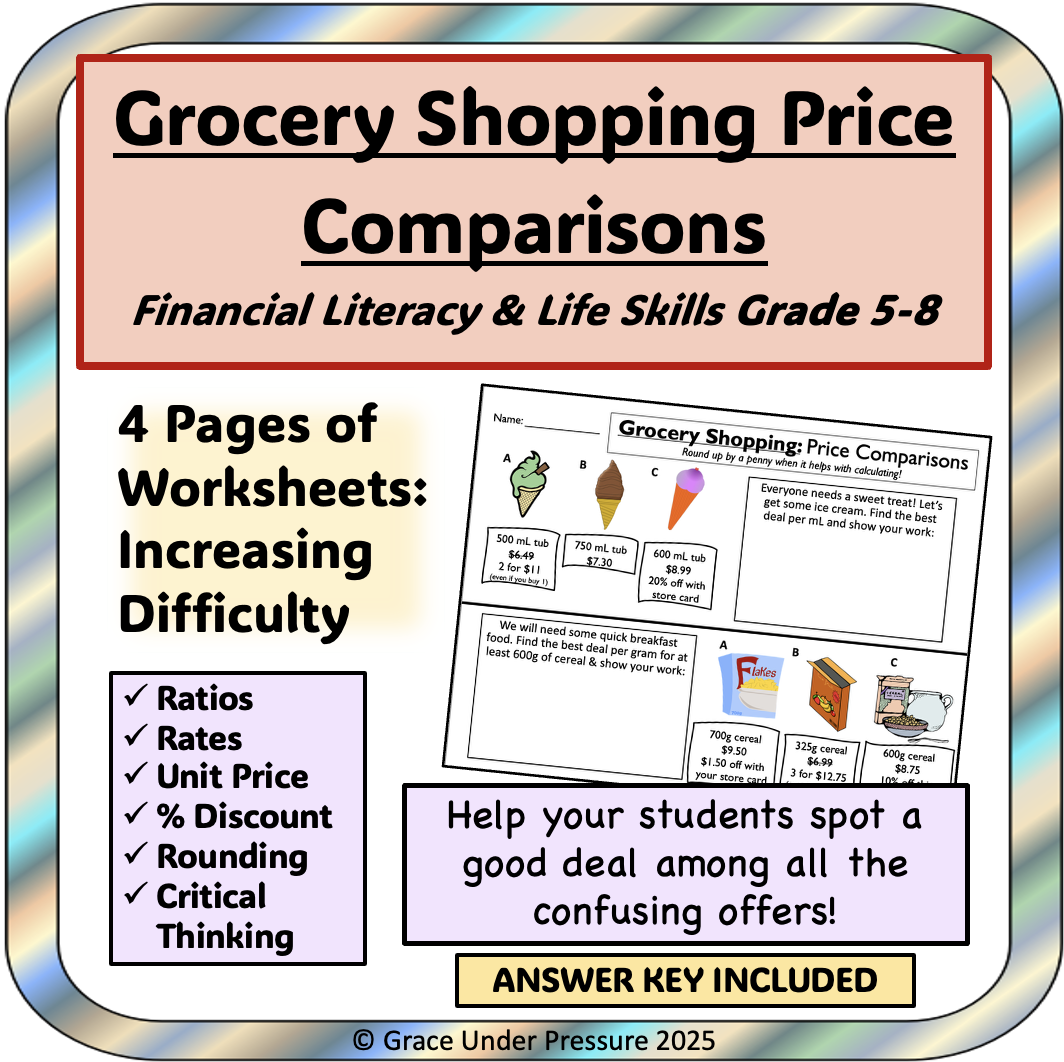
Smart Shopping & Consumer Decision-Making Scenarios
Social Studies, Economics, Special Resources, Life Skills, Resources for Teachers, Classroom Management, Community Building, Research, Math, Money, Grade 6, 7, 8, 9, 10, 11, 12, Worksheets & Printables, Workbooks, Worksheets, Word Searches, Teacher Tools, Assessments, Lesson Plans, Quizzes and Tests, Quizzes, Tests
Today’s students need to have the skills to be critical thinkers and smart consumers in this digital world! This complete and ready-to-teach Financial Literacy unit goes into more detail than just budgeting; it investigates the reasons we purchase things. Students will learn about how advertisements and marketing strategies are designed to influence our impulse purchases, as well as identify any cognitive biases they may experience while shopping online or in stores. This 42-page unit will give any teacher a wealth of material for their high school or advanced middle school level classes in Economics, Personal Finance, Life Skills, or Business. This unit will help students develop practical skills that will allow them to make effective purchasing decisions and turn them from passive consumers to financially literate decisions makers throughout their lives! WHAT IS CONTAINED IN THIS UNITS BUNDLE? Resource Features Three (3) Holiday-Themed Sections: PART I - Instructional Guide and Student Reference Comprehensive, in-depth look at the basic principles of modern-day consumerism. This section was designed for you to use as an instructional tool or to provide to your students as a reading resource. Topics include: 1) The Psychological Aspects of Sales (Anchoring, Artificial Scarcity, Decoy Pricing) 2) Determining the Value of Products (Cost-Per-Use vs. Selling Price and Identifying Brand Taxes) 3) Digital Grocery Shopping (Unmasking the effects of Surveillance Capitalism, Hyper-Targeted Advertising, and Social Media Influencer Marketing) 4) The Mathematics of Selling (Identification of risks associated with frictionless transactions and using models of subscription services and Buy Now, Pay Later (BNPL) services for consumers). PART II - Engaging Student Workbook with 10 hands-on activities Hands-on, applicable worksheets that allow students to apply what they have learned through real-world situations. The activities include: 1) The Mathematics of Value (Unit Pricing and Effect of Shrinkflation) 2) Advertising Architecture and Cognitive Bias 3) Navigating the Trick of Discounting (Buy One, Get One Quantity versus Percent Off) 4) Opportunity Cost and Compounding Interest 5) Digital Literacy: E-Commerce Reviews Audit 6) Subscription Economics and Micropayments 7) Total Cost of Ownership (TCO) 8) Brand Premiums, Peer Influence, and Social Currency 9) Ethical Consumption and Lifecycle of Fast Fashion 10) Capstone Project: A final project-based learning activity that requires students to take everything they have learned and create a complete buying decision for two laptops, using all their newly gained knowledge. Section 3: Easy to Locate Teacher Resources, Visual Aids, and Scaffolded Worksheets - Everything a Teacher Needs to Effectively Teach and Save Time in Preparation Visual Aids to Assist in Instruction: A set of three powerful visual aids for The Five-Stage Consumer Decision Model, The Value vs. Durability Matrix, and A Deconstruction of Marketing Manipulation. Detailed Answers to All Workbook Questions: Complete answer guide with explanations for all workbook problems. Assessment Rubric for the Grading of Worksheets: Detailed, criteria-based rubrics included with the grading of each worksheet as well as the final capstone project. These teacher aids are: Appropriate for High School Personal Finance, Economics, or Business Classes Appropriate for Middle School (7-8) Life Skills/Financial Literacy Units Suitable for Use as Homeschool Curriculum Materials A Natural Fit for Real World Math Application and Critical Thinking Practice Centers This material will help prepare your students for a lifetime of financially responsible decisions – download this must-have, captivating and timely resource today! What Parents/Schools Appreciate About It: Provides Real-Life Financial Armor: Well-designed, contemporary education develops essential key consumer driven skills to successfully navigate our high tech digital marketplace, including: the psychology of consumerism incl. the influence of social media marketing; optimism; impulse buying; subscriptions and renewal traps. Critical Thinking Development, Not Just Mathematics: The curriculum includes both Consumer Psychology - to help students understand why they might feel pressure to purchase something and Independent Decision-Making Skills - so they can make rational, independent decisions. Complete Ready to Use Package: The Unit includes everything you need for a complete unit to teach money management, including: teacher's guide; student's worksheets; capstone project; visual examples, answer keys with rubrics; and will save you at least 20+ hours of planning. Very Engaging and Relevant: The Unit's teaching examples include video games, sneaker releases, fast fashion retail, and social media influencers that will connect with teenagers and keep their attention. The intended audience for this material is: Due to the advanced vocabulary that is used (pedagogical methodology, cognitive infrastructure, asymmetrical information) as well as the entirety of the concepts themselves. Primary Target: High School Students (Grades 9-12): this resource would fit in perfectly with classes such as Personal Finance, Economics, Business and Marketing, and Life Skills Secondary Target: Advanced Middle School Students (Grades 7-8): The concepts will be developmentally appropriate for this age group; however, they may require more teacher support and scaffolding to fully understand the theoretical aspects. The workbook will be perfectly developed to match their experience. Terms of Use/Copyright: This book is copyrighted by Syed Hammad Rizvi and may only be used for personal use and in your own classroom. You cannot modify, redistribute or sell this resource. In other words, you cannot upload this document to a website that anyone could find and download. If you wish to share this resource with other teachers, then you will need to purchase a different license through Teachsimple to do so. Thank you for your cooperation with these terms of use. This product was created with great joy by Syed Hammad Rizvi.
Author Creative Book Store
Rating
Tags FinancialLiteracy, PersonalFinance, LifeSkills, Economics, MoneyManagement, TeachersOfInstagram, Homeschool, CriticalThinking, ConsumerMath, SmartShopping
Fractions for Grade 3
Fractions, Math, Grade 3, Lesson Plans, Teacher Tools, Presentations, Worksheets, Worksheets & Printables
The components of a whole or group of items are represented by fractions. There are two components to a fraction. The numerator is the number at the top of the line. It indicates the number of equal portions picked from the entire collection. The denominator is the number that is below the line. It displays the total number of identical items in a collection or the total number of equal portions into which the whole is divided. The number of pieces we take is a fraction when the total is divided into equal parts. A cake is considered to have 1/8 of the cake on each dish if it is cut into eight equal pieces and one piece is put on each plate. It is read as ‘one-eighth’ or ‘1 by 8’. This ebook is an gradual and easy introduction to fractions. It is designed especially for Grade 3. There re many colourful activities included, and their answers are provided at the end.
Author Bright Classroom Ideas Marketplace
Rating
Tags Fraction, Math, Grade 3
Crypto & Digital Money Literacy (Age-Appropriate Intro)
Math, Statistics, Money, Order Of Operations, Business, Life Studies, Career, Finance, Coaching, Home Economics, Homeschool Curriculum, Grade 7, 8, 9, 10, 11, 12, Worksheets & Printables, Workbooks, Worksheets, Word Searches, Teacher Tools, Assessments, Lesson Plans, Quizzes and Tests, Quizzes, Tests
This complete curriculum on the topic of Cryptocurrency and Digital Currency Literacy is a NO-PREP curriculum to prepare your students for the 21st Century's economy as it relates to Cryptocurrency and Digital Currency! This 40-page resource will transform your students from passive consumers to critical thinkers. This curriculum will guide students through the complex world of blockchain, Web3, and digital assets using an academically rigid and unbiased basis. Each student must understand the technology, economics, and history so that they can build a solid foundation on which to build their financial future. The curriculum is appropriate for high schools, and advanced middle schools to study Economics, Computer Science, Business, Financial Literacy, and Social Studies. By removing the speculative hype around these topics and focusing on first principles, this curriculum will provide students with the necessary tools and skills to understand, analyze and critique the "next generation" of the internet. WHAT'S IN THIS 40-PAGE RESOURCE: Part One: The Core Academic Framework (4 Chapters) Chapter One: The Evolution of Value; Barter and Rai Stones to Fiat Currency Chapter Two: The Architecture of Trust; Deconstructing Blockchain, Cryptography & Distributed Ledgers Chapter Three: Programmable Money; Smart Contracts and DeFi Chapter Four: Economics, Ethics & The Future; Volatility, CBDCs and Global Impact Part Two: Student Workbook (10 Worksheets) Over 90 Questions to Test Critical Thinking and Comprehension Historical Antecedents, Decentralized ledgers, Cryptography, Bitcoin & Scarcity, Smart contracts, Digital wallets & Custody, Tokenomics, Scams/Risk Mitigation, Regulation and the Future of Web3 Part Three: Teacher Resources & Visuals (3) High Quality Visuals; Presentations/Explaining Immutable Blockchains, Network Topologies, and the Public/Private Key Analogy Detailed Teacher Implementation Guide; 4 Week Suggested Lesson Plan, Recommendations for Pedagogy and Cross Curricular Instruction (Math, Civics, CS) Comprehensive Answer Key; 10 Page Answer Key with Full Detail and Answered Questions for each Workbook Question and each Chapter Reflection This Curriculum is a Great Resource to Help Students Develop a Strong Foundation of Future Proof Understanding of One of The Greatest Technological Shifts of Their Lifetime. Help Your Students Become Truly Digitally Literate! Keywords: The financial literacy curriculum around the world focuses on Cryptocurrency, Blockchain, Bitcoin, The Digital Currency Age, Web3, High School Economics, Computer Science, Low/no-prep resources to support education in Cryptocurrencies and Digital assets without the risk of speculation, DeFi/NFT technologies - Smart Contracts, 21st Century Skills for educators. Why Parents/Schools Love It: Fosters Critical Thinking Not Speculation: This curriculum teaches students the "How" (the technical side of they did this) and the "Why" (the economic principle behind it), not just teaching students risk to the financial markets through investment advice. Completely No-Prep & Turn-Key: This curriculum will save teachers time because all they have to do is print the lessons, engaging worksheets, high-quality visuals, etc., along with a complete answer key, and be ready to teach on a very complex topic. Builds Essential 21st Century Skills to Prepare Students for their Future: Students will learn more than just financial literacy because they will understand the digital economy and decentralized economy they will be inheriting so they are prepared to become good citizens and productive members of society in the future. True Neutral and Academically Rigorous Perspective: The materials are presented neutrally and educationally, and use real-world case studies and historical context in order to provide a neutral and sophisticated understanding of this polarizing topic. Integration of Many Subjects: This is not merely a technology curriculum; it incorporates lessons from History (Evolution of Money), Civics (CBDC vs. Private Currency), Economics (Scarcity, Inflation), and Computer Science (Cryptography, Logic), etc. Target Student Audience: According to the PDF document, this content is meant for grades 7-12; however, after considering the complexity of the material, a more detailed breakdown can be made as follows: - Primary Target: for students in grades 9-12 (high school). The material presented such as the Byzantine Generals Problem, Turing Completeness, Tokenomics, and Regulatory Arbitrage are all concepts that align with and can be understood by the cognitive level of high school students; thus this material fits perfectly within offerings of honors/ap economics, principles of computer science or as a course under the financial technology branch. - Secondary Target: for advanced/gifted students in 7-8 grades (middle school). The use of this material in the standard/mainstream classroom curriculum may not be appropriate for 7th grade students; however, it would be beneficial in some cases (i.e. gifted program, after school technology club) where there is evidence of interest and ability toward this subject. Copyright to this Book is with Syed Hammad Rizvi and is provided solely for personal use or in one class per teacher. No part of this Book can be changed, copied, shared, or sold. You may not post this Book on the internet for anyone else to find or download. If you wish to give a copy to fellow teachers, please purchase additional licenses from Teachsimple. Your cooperation and respect for these terms of use are greatly appreciated. Thank you for your contribution to this project by Syed Hammad Rizvi.
Author Creative Book Store
Rating
Tags FinancialLiteracy, Cryptocurrency, Blockchain, Bitcoin, Web3, DigitalCurrency, DigitalAssets, DeFi, SmartContracts, DecentralizedFinance
Entrepreneurship Basics – Business Plan Outline Worksheets
Math, Money, Resources for Teachers, Classroom Management, Community Building, Economics, Social Studies, Business, Life Studies, Finance, Homeschool Curriculum, Homeschool Templates, Grade 9, 10, 11, 12, Worksheets & Printables, Workbooks, Worksheets, Word Searches, Teacher Tools, Assessments, Lesson Plans, Quizzes and Tests, Quizzes, Tests
Looking for ways to turn your students into successful entrepreneur and not just someone who learns about entrepreneurship? This four-week entrepreneurship unit is full and does not require any prep time, but will give you everything that you need to take your Ninth to Twelfth grade students through the complete stages of creating a professional, investor-ready business plan. Most of these lessons are inspired by television programs such as "Shark Tank." The project-based teaching approach encourages students to go beyond just theory to be more involved with critical thinking, financial literacy, and strategic planning to fully realize their opportunity to create a new business. Since we have worked hard to develop a professional and academic tone, students will be ready to continue in their education with college level courses or to start their career in business. What's Included in This Comprehensive Resource? 32-pages of essential material and 7 modules on: Module 1: Foundational Content & Theory (10 Pages) includes 4 chapters breaking down large quantities of complex business information into smaller parts; taught through theoretical framework, real-world business case studies, and self-reflective prompts. Chapter Titles: - Anatomy of a Value Proposition - Market Analysis and Target Demographics (TAM, SAM, SOM) - Operational Mechanics of Revenue Model - Executive Summary and Pitch Module 2: The Student Workbook (11 Pages) is composed of 10 worksheets laid out sequentially to build the business plan. After the students have studied foundation content and developed new understanding of business concepts/foundational content, the students can use each module/workbook page as a way to apply the theory to their new business idea. The student workbooks will cover the following topics: - Executive Summary & Vision Casting - Identification of Problem and Value Proposition - Market Research and Target Audience Profile - Competitive Analysis and Differentiation - Product & Service Offering & Pricing Models - Marketing Strategy & Sales Channel - Operational Plans, Logistics, - Management Team & Strategic Partnerships - Financial Projections & Startup Costs - Risk Management & Contingency Planning Complete Teacher Resources (Phase 3 - 11 Pages): You've bought yourself the ultimate tool for easy implementation and grading! 3 Projectable Visual Aids: 3 clean projectable visuals explaining Business Plan Architecture, SWOT Analysis and the Break-Even Graph. Answer Key: Comprehensive answer key with example responses for each of the worksheets to support your grading. 4 Week Pacing Guide: Step-by-step implementation of the semester broken down into weeks, with detailed teacher strategies, classroom activities (such as the "60 Second Elevator Pitch"), and scaffolding suggestions. Differentiated Instruction: Detailed protocols on supporting your struggling learners and your advanced/gifted learners. Summative Assessment Rubric: A complete and detailed rubric for grading the final business plan and pitch so that you can save yourself hours of preparation time. This isn't just a pile of worksheets; it's a complete integrated curriculum to ignite the entrepreneurial spirit in your students. Download it now and give your students the skills they need to be successful! Keywords: Entrepreneurship, Business Plan, High School Business, CTE, Project-Based Learning, Shark Tank Project, Financial Literacy, Market Research, Student Workbook, Teacher Guide, Rubric, Differentiated Instruction, No Prep, DECA, FBLA. Why Do Parents/Schools Appreciate It? Real World Skill Development; The curriculum focuses not only on theoretical knowledge but also emphasizes developing real-world skills that students will use throughout their future career paths (Financial, Critical Thinking and Problem Solving, Professional Communication). Students will also develop hands-on skills through the completion of projects and activities within the curriculum. Engagement And Project Based Learning; Rather than memorizing words and definitions, students will create projects that allow them to connect theory to practice. The "Shark Tank" format allows students to be creative and take responsibility for their own learning. All-Inclusive And Easy To Use; The curriculum includes: lesson plans, worksheets, visual aids, answer keys, pacing guides and rubrics. This saves teachers an enormous amount of time when they begin implementing the curriculum. Preparation For Future College And Career Paths; The use of professional terminology and the curriculum content aligns with the expectations of colleges and universities, and prepares students for their future career path. All Learning Styles Are Accommodated; All students have a chance to get engaged in learning activities using differentiated strategies that provide support for all learners (struggling and advanced) to be engaged in meaningful learning and challenged at their appropriate level. The target audience for the Student Classes is Urban youth (ages 11-21) who are predominantly from lower-income households, and may possess limited life experience with regards to words. These individuals also have a higher likelihood of becoming entrepreneurs as a result of participating in activities that support entrepreneurship, such as an Entrepreneurship Program, or other business education opportunities. This presents a great opportunity for students enrolled in high school and post-secondary to gain knowledge about entrepreneurship as well as develop the skills necessary to become successful entrepreneurs through exposure, exposure to real-world applications and experiences, and actively participating in entrepreneurial-related programs. Our ultimate goal is to create a pathway for students to learn and implement their own ideas in order to become successful entrepreneurs; therefore, we believe there is a need for these target audiences. Creating and expanding these audiences will provide access to unique learning experiences, real-life situations and provide valuable business and entrepreneurship information to them (which can positively impact the economic condition of the community). Use of this Resource/Copyright: This book was published by Syed Hammad Rizvi. As an individual user and single classroom only, you do not have permission to change or distribute any portion of this Resource or sell any part for profit. In general, you cannot put this resource on the Internet so that others could find and download it for free. If you would want your colleagues to use this resource, you must buy extra licenses for them through Teachsimple. Thank you for following these Terms of Use. Thank you for using this resource created by Syed Hammad Rizvi
Author Creative Book Store
Rating
Tags Businessplanproject, Entrepreneurshipproject, Sharktankproject, Studententrepreneur, Highschoolbusiness, Businesscurriculum, Ctebusiness, Noprepbusiness, Decaproject, Fblaproject
All About Multiplication | Animated Math Video Lesson
Math, Multiplication and Division, Division, Grade 3, 4, 5, Lesson Plans, Teacher Tools
All About Multiplication | Animated Math Video Lesson Product Overview: This animated math video lesson, designed for third, fourth, and fifth-grade students, offers a refreshing approach to learning multiplication. It provides an engaging platform beyond traditional worksheets and interactive whiteboards. Established on sound pedagogical principles, this enriching 11-minute video guides learners through the multiplication process step-by-step. It features: Dynamic visuals Fascinating narratives to simplify complex concepts Balancing effective learning time with young learners' attention span A Multifaceted Learning Tool: Suitable for various teaching strategies like whole group instruction or small group learning activities – it serves even as an excellent homework resource reinforcing independent study. The Supplied Format: A downloadable MP4 file type easy to integrate into various devices or platforms. Promised accessibility regardless of your classroom's technological setup. /ol> Fulfilling Today's Educational Demands : This resource acknowledges modern academic realities - challenging curriculum demands balanced with diversified student interests. In conclusion,, whether used in introducing lessons or in review sessions, this animated math video solidifies understanding while maintaining high engagement levels. Make your math class look forward to complex subjects like multiplication with our lively illustrations and zooming numbers exclusive from All About Multiplication!
Author Educational Voice
Tags Multiplication, Animated Math Video, Timetables, Math Lesson, Visual Learning
Quarters Reading Comprehension Passage - Cored Ed Encyclopedia
ELA, Language Development, Resources for Teachers, Reading Comprehension, Reading, Pre-Reading, Social Studies, History, Money, Math, Grade 2, 3, 4, 5, Worksheets & Printables, Worksheets, Teacher Tools, Centers, Activities, Writing Prompts, Assessments, Quizzes and Tests, Quizzes, Lesson Plans
This quarters reading comprehension includes: Visualization (on the front cover) Start your lesson by taking a minute to think and share something about the topic. Read the script aloud (slowly), perhaps prepare some music or sound effects. Student close their eyes and let their imaginations wander. Students open their eyes, read the question aloud and give them a few minutes to complete. Ask a few students to share or keep answers until the end to compare with what they learn in the passage. Quick pause—thousands of Cored Education products are included with your TeachSimple membership. Download links and encyclopedia index available here. Pre-Reading Trivia Students will write down one thing they already know about the subject and then read five more facts and discuss. These facts are fun, and the students will enjoy learning about the subject before reading more. Give 1 minute for students to write what they already know (no pressure—best guess is fine). Read the five facts together. After each fact, do ask a student for their opinion, was it surprising? Set a purpose by asking students to highlight/underline one fact they want to learn more about during the reading. Reading Passage The text is a high-interest reading passage with set paragraphs, roughly three to four paragraphs long. It contains a variety of themes about the topic, anywhere from history to technology. The passage is between 250 and 350 words in length. First, ask students to look at the headings and see what they’ll learn about today. What do they know about the topic/heading? First read options: Teacher read-aloud (best for support). Partner reading (paragraph by paragraph). While reading, students underline important details, and vocabulary words they think may come up in the questions section. Mixed Questions The first question page contains four multiple-choice questions, each with a choice of four answers, and three written response questions that require a sentence or two from the student. Students complete the mcqs first independently, then review quickly as a class. For the 3 written responses, try to get students giving the answer with some form of evidence: “I think ___ because the text says ___.” If students get stuck, send them back to check the passage. Vocabulary Questions Practice seven key words from the text in this section across two activities. First section is scrambled words where students will unscramble three words given a clue for each. The second section is a word to meaning matching activity. Before starting, have some students read out words they underlined in the passage. Ask students to say the word and read aloud the sentence(s) around each word. Ask students to do scrambled words and the matching exercise in pairs then go through answers as a class. For the scrambled spelling task, get four pairs to come up to the board and write the words for extra practice with the other student reading out the clue. For the matching task, prompt students to give full sentences: “I matched ___ with ___ because ___.” Creative Writing In this question, the student will be required to write a five to eight sentence paragraph on a question related to the topic. Before starting, ask students write down 3 key ideas they are going to include in their piece. Ask students for ideas to share around the class to help those struggling. Pro writing expectations: 5–8 sentences At least 2 facts or details from the passage At least 2 vocabulary words from the previous page Students read their paragraphs while classmates listen for facts and vocabulary words. Extension Activities This page is optional for fast finishers or to take home. There are several activities, each one requiring a different skill. Do some, do none, do all, completely optional - but you will feel reassured knowing every possibility is planned for. Includes summary writting question. Answer Key There are answers for the multiple-choice questions, written response questions have sample answers, vocabulary answers and if there is a summary question then a sample summary will be provided as well. Lesson Plan Included Customized lesson plan for this lesson is included. Lesson Snapshot Title: Quarters Genre: Nonfiction (informational reading passage) Subject: Social Studies (U.S. history) / Math (money) Primary Topic: How U.S. quarters changed over time Estimated Guided Reading Level (A–Z): S What This Lesson Teaches Best Understanding money value and fractions (a quarter is 25 cents; one fourth of a dollar; “two bits”). How coin materials and features affected trust and prevented cheating (silver, weight, and ridged edges called “reeding”). Timeline thinking using key dates and changes (1796, 1932, 1965, 1999, 2022–2025, 2026). How symbols/designs on coins reflect history and what a country honors (states, national parks, historical places, notable American women, 250th anniversary themes). Reading informational text with headings and main ideas (three titled sections explain different eras/changes). Learning Goals I can explain why a quarter is worth 25 cents and how it relates to a dollar. I can describe what “two bits” means and where the nickname came from. I can explain how “reeding” (the ridged edge) helped stop people from shaving off metal. I can describe one major change quarters went through over time (design or materials) using details from the passage. I can identify the main idea of the section about changing quarter designs. Key Vocabulary From the Text reeding — tiny ridges on a coin’s edge precious — very valuable recognize — know something by its look or feel coating — a covering layer on something honoring — showing respect by featuring someone or something FULL CATALOG OF DOWNLOAD LINKS AND ENCYCLOPEDIA INDEX HERE
Author Cored Education
Rating
Tags Vocabulary, Reading Comprehension, Reading Passages, Reading, Creative Writing, Reading Strategies, Writing Prompts, Lesson Plans, Quarters, Money
9 Times Table Trick | Interactive Math Video Lesson
Math, Multiplication and Division, Division, Grade 2, 3, 4, Lesson Plans, Teacher Tools
This animated video is a math lesson 9 Times Table Trick. Students will love this engaging and interactive video. This video serves as a great introduction or review video for your learners. This is a 1-minute video lesson.
Author Educational Voice
Tags Times Table, Multiplication, Math Tricks, Math Tools, Multiplication Video, Hand Trick For 9 Times Table
Data Analysis & Probability: Probability - FLASH-MAC
Math, Statistics, Grade 1, 2, Teacher Tools, Lesson Plans
Data Analysis & Probability: Probability - FLASH-MAC FLASH-MAC is a multifunctional teaching resource designed to enhance the education process for first and second graders. While it caters to a broad Mathematics syllabus, it offers specific focus on the subject of Statistics. Purpose: The primary objective of this tool is to support an in-depth understanding of Probability under Data Analysis. It captures core curriculum content through: Pre- assessment features: This helps in identifying student strengths and weaknesses. Organized lesson plan: A layout designed for teachers ensuring all important topics are covered. Real-world word problems: This promotes practicality aiding learner problem-solving skills outside school. Timed drill activities: Fostering quick mathematical response beneficial in enhancing comprehension speed. Gaming Aspect: In order to make learning fun and engaging, FLASH-MAC incorporates various games within its framework. These include: A Memory Match Game A Board Game A Spin-the-wheel Game. The games can be used as whole group activities or can be beneficial when divided into small groups; they could also be issued as homework assignments making learning outside school enjoyable. Cultural Diversity & Language Varieties: The versatile FLASH-MAC tool understands cultural diversity which is why it not only has English voice over and text but also includes Spanish options fitting different language preferences. User Convenience: For user convenience, all these features have been meticulously consolidated into one zip file compatible with MAC software. This indicates high regard for user needs offering convenience of access right at the fingertips. In conclusion, Data Analysis & Probability: Probability - FLASH-MAC offers educators ease while putting forward thorough educational value catering specifically towards comprehension of probability through data analysis in innovative ways stimulating effective cognitive development among first and second grade learners.
Author Classroom Complete Press
Tags Math Activity, Data Analysis, Probability, Distant Learning, Pre-assessment
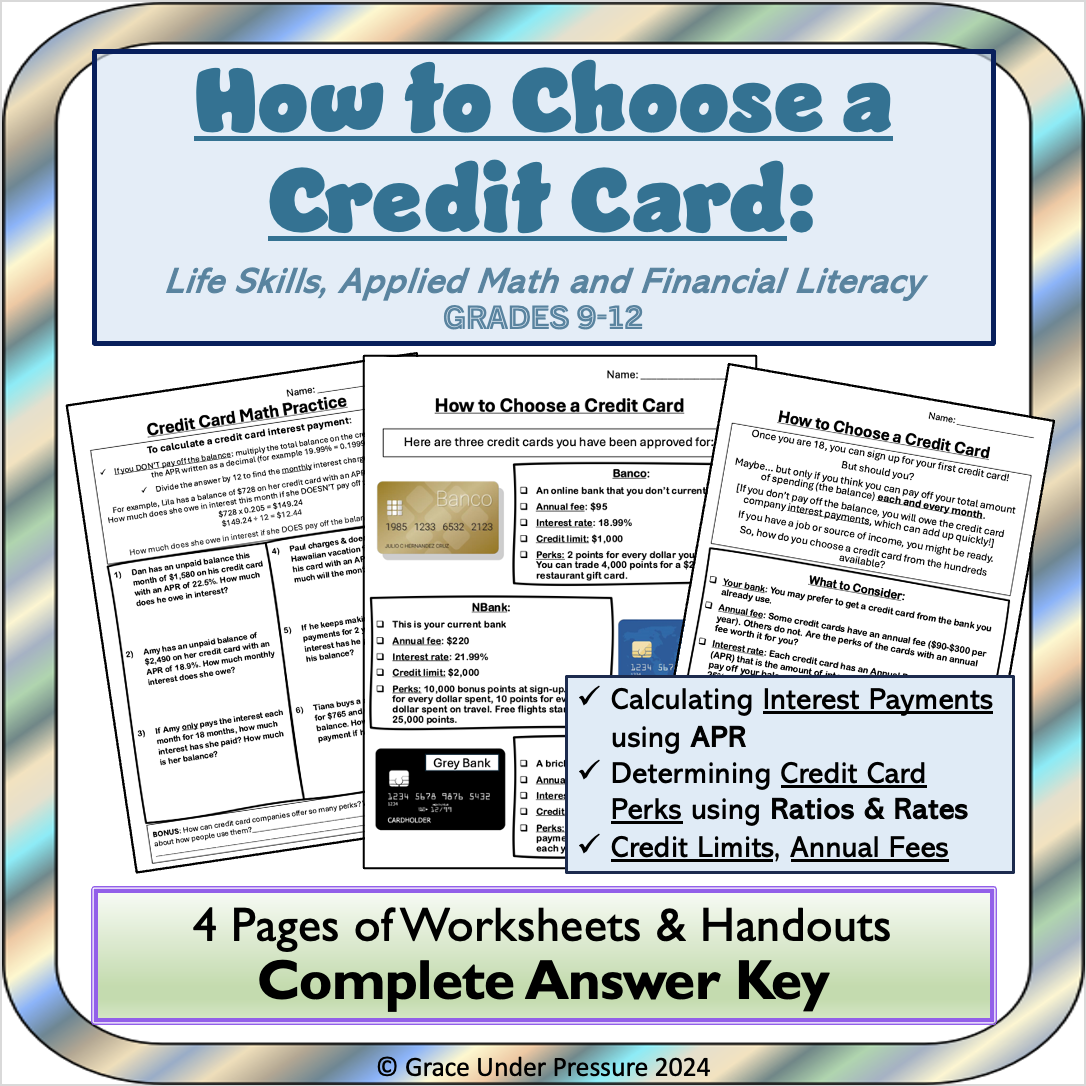
Practical Life Skills - Managing Money Gr. 9-12+
Life Studies, Math, Money, Common Core, Grade 9, 10, 11, 12, Teacher Tools, Lesson Plans
Practical Life Skills - Managing Money Gr. 9-12+ Practical Life Skills - Managing Money Gr. 9-12+ is a versatile resource targeting primarily high school educators (from Grade 9 to Grade 12). It addresses the vital topic of money management, offering invaluable lessons for students that can be applied in real-life situations. This guide utilizes language comprehensible for teenagers, simplifying intricate financial concepts. Included within are reading passages that explain these integral skills in an engaging style and incorporates graphic organizers which help visually simplify these ideas, reinforcing interactive learning. Main Features: An array of activities revolving around real-world scenarios which encourages group instruction or peer-led discussions Crossword puzzles and word searches along with well-chosen quiz questions New perspective on mathematics curriculum beyond standard mathematical equations Apart from being exciting alternatives to conventional classes or homework assignments, these tasks embellish essential terminologies, strengthen conceptual comprehension and stimulate critical thinking in students by ensnaring them into applying what they've learned. Note: Perfect alignment with state standards and Bloom's Taxonomy educational objectives framework has been maintained during the creation of this resource hence it can easily weave into existing course plans while upholding required learning criteria. The teaching material is downloadable as a single PDF file providing easy round-the-clock access without being anxious about misplacing any physical copies! In conclusion, Practical Life Skills - Managing Money Gr. 9-12+ is more than just a lesson plan—it's a vital toolkit aiding teens in gaining lifelong financial literacy skills due to its crucial subject matter combined with efficient teaching methodologies!
Author Classroom Complete Press
Tags PDF, Money Gr
Measurement: Measuring Weight - Practice the Skill 1 - FLASH-MAC
Math, Measurements, Common Core, Grade 1, 2, Teacher Tools, Lesson Plans
Measurement: Measuring Weight - Practice the Skill 1 - FLASH-MAC This comprehensive teaching resource enhances understanding of weight measurement. Steadily designed for grade 1 and grade 2 learners, it integrates proficiency with curriculum-based content, thereby enriching Mathematics learning. Aligns with Educational Standards Educators express reassurance due to its alignment with Common Core State Standards and National Council of Teachers of Mathematics (NCTM). Thus, you can implement this tool confidently as it is based on educational research and best practices. User-Friendly Interface The software included has an extremely user-friendly interface that encourages interactive student involvement. It promotes group instruction as teachers can project images onto a smartboard or screen, making it feasible for students to answer collectively. Promotes Group Learning & Individual Practice An effective small-group activity during math centers or workstations where learners discuss their answers before making a collective selection. Included timed drill activities are apt for individual practice sessions where each pupil independently applies their knowledge on their Macs. The diverse methods enhance student involvement while simplifying progress measurement for educators focusing on improvement in mathematical fluency under Measurements subcategory. Dual-Language Option A standout feature is its dual-language option; English voice-over driven by default but also includes Spanish text narration. This flexibility considers language diversity within classrooms catering towards both monolingual and bilingual learners stimulating inclusivity along education. With Measurement: Measuring Weight - Practice the Skill 1 - FLASH-MAC instructors receive an efficient tool that assists young learners to familiarize themselves with foundational weight measurement concepts while tracking advancement swiftly allowing real-time modification strategies without compromising quality education standards across diversely-spread classrooms today.
Author Classroom Complete Press
Tags Software (Mac)
Number & Operations: Base-Ten & Place Value for 3rd-5th - Practice the Skill 3 - MAC Software
Math, Place Value, Common Core, Grade 3, 4, 5, Teacher Tools, Lesson Plans
Number & Operations: Base-Ten & Place Value for 3rd-5th - Practice the Skill 3 - MAC Software This cutting-edge educational tool is designed as guided practice for students in the 3rd, 4th, and 5th grades . Nested within an easy-to-use MAC software interface, it focuses on strengthening understanding of Base-Ten and Place Value concepts in Number and Operations. The objective of this software is to fortify foundational math skills through engaging timed drills . It challenges students to add or subtract base-ten blocks, thus boosting their confidence when manipulating numbers. The package contains a user-friendly software specifically tailored for MAC users. Apart from skill drill activities, the resource also offers handy Math tools integrated into its curriculum -based content. Its aim is not just to assist problem-solving but also to encourage autonomous learning among students. In order to meet the needs of a diverse student body, English voice over and text have been included alongside Spanish language options demonstrating its inclusive approach. It adheres strictly to Common Core State Standards, STEM initiatives, and NCTM recommendations—reflecting its wide academic applicability which can benefit both public school classrooms or homeschooling modules alike. Uses: • Employed as a whole group instruction setting—ideal for fostering collective comprehension during collaborative sessions in classrooms • As homework assignments enhancing confident solo problem solving abilities of learners. All benefits considered, choosing Number & Operations: Base-Ten & Place Value teaching resource affords faculty access to quality lesson plans equipped with effective tactics focusing primarily on subtraction and addition tasks concerning place values—a perfect aid ensuring smooth navigation through intricate math lessons!
Author Classroom Complete Press
Tags Digital Math, Base-ten Blocks, Place Value Lesson, Math Lesson, Math Skills
Geometry: Spatial Relationships - Learn the Skill - MAC Software
Math, Geometry, Kindergarten, Preschool, Grade 1, 2, Teacher Tools, Lesson Plans
Geometry: Spatial Relationships - Learn the Skill MAC Software Designed to solidify a foundation in mathematical thinking for students ranging from Preschool to Grade 2, the Geometry: Spatial Relationships Learn the Skill MAC Software is an educational resource that introduces geometry's spatial relationships. It encourages exploration of fundamental principles of geometry through interactive word problems modeled after real-life situations. Utilizing easy-to-digest language complemented by clear graphics, this software instructs critical math skills engagingly. It incorporates a chapter mini rich in curriculum -based content and integrates simple-to-use math tools for hands-on learning. Educational Application beyond Classroom Setting Beyond perceiving geometric figures as mere static shapes on paper, students can implement their learned lesson plan lessons into daily life scenarios. Equipped with skills like identifying objects based on shapes or discerning how distinct pieces collaborate to form a shape, spatial relationships mastery helps enhance logical reasoning abilities. Inclusiveness and Ease of Use This teaching software is inclusive and flexible. Both English and Spanish voice-over options are available along with corresponding text alternatives. And with merely an uncomplicated zip file containing all obligatory instruction materials compatible with MAC devices, educators get an adaptable asset that can seamlessly be used during class lectures or smaller group activities. Even at home learning is facilitated; parents can utilize this program as part of their children's homework assignments. Molding Strategic Thinkers The Geometry: Spatial Relationships - Learn The Skill teaches more than just shapes identification or solving word puzzles; it cultivates strategic thinkers who understand math!
Author Classroom Complete Press
Tags Spatial, Relationships, Geometry, Math, Skills
Geometry: Spatial Relationships - PC Software
Math, Geometry, Kindergarten, Preschool, Grade 1, 2, Teacher Tools, Lesson Plans
Geometry: Spatial Relationships - PC Software: An Essential Teaching Resource Geometry: Spatial Relationships - PC Software is an invaluable teaching resource, primarily for educators focused on mathematics for preschool, kindergarten, grade 1 and grade 2 levels. It finely concentrates on the subject of geometry and spatial relationships. An Interactive Learning Experience This software delivers a seamless integration of various fundamental learning tools such as: A pre- assessment measure to gauge students initial understanding of concepts. Detailed lesson plans to systematically educate learners. Intriguing word problems based on real-world scenarios which promotes critical thinking. Timed drill activities to foster quick recall skills in a lively environment. Innovative Educational Games Besides the primary teaching material, this software also offers interactive math tools that help turn complex mathematical ideas into enjoyable experiences. Notably included are fun yet educational spin-off games like the 'memory match game', 'board game', and 'spinner game'. These can easily be integrated into either group workshops or individual learning programs thereby encouraging joint problem-solving abilities amongst students. Linguistically Inclusive Learning Material . The Geometry: Spatial Relationships - PC Software extends its reach beyond English-speaking students as it includes Spanish versions for voice-overs and text content thus extending equal opportunity to acquire knowledge despite language boundaries often faced in multicultural classrooms or bilingual homeschooling setup. The Teacher Guide & Printable Resources . To assist teachers in delivering lessons effectively, this educational tool comes with a guide that provides beneficial tips on navigating through each lesson plan. It further arms educators with printable resources which can be used as supplementary material for homework assignments or additional practice tasks. User-friendly Access This efficient teaching resource is delivered in a simple zip file that is compatible with personal computers, thereby eliminating the often tedious installation processes associated with certain educational software solutions. In essence, Geometry: Spatial Relationships - PC Software serves as an innovative tool packed not only with curriculum-based content but also creative additional elements designed to shape confident young mathematicians who excel in understanding spatial relationships aspects of geometry while relishing the learning process.
Author Classroom Complete Press
Tags Spatial Relationships, Geometry, Math Lesson, Digital Math, Geometry Skills
All About Long Multiplication | Animated Math Video Lesson
Math, Multiplication and Division, Division, Grade 3, 4, 5, Lesson Plans, Teacher Tools
This animated math video lesson is all about long multiplication. Students will love this engaging and interactive video that takes them step-by-step on how to solve long multiplication problems in a fun way. This video serves as a great introduction or review video for your learners. This is a 6-minute math video lesson.
Author Educational Voice
Tags Long Multiplication, Math Assessment, Math Lesson Plan, Interactive Lesson, Math Video
Algebra: Addition & Subtraction - Practice the Skill 1 - FLASH-MAC
Math, Algebra, Common Core, Grade 1, 2, Teacher Tools, Lesson Plans
Algebra: Addition & Subtraction – Practice the Skill 1 - FLASH-MAC An interactive teaching resource designed to aid educators in delivering high-quality algebra lessons. It focuses on developing a strong foundational understanding of the basic principles of addition and subtraction, two vital mathematical skills. Aligned with Common Core State Standards Provides structured timed drill activities which challenge students while keeping them engaged in learning. Each activity prompts students to solve problems using provided numbers, fostering mathematical fluency and enhancing problem-solving abilities. Beyond Equations: Interactive Learning Tools The tool incorporates practical math tools for a hands-on approach for more visual learners, benefiting comprehension of abstract algebra concepts. This empowers learners to tackle complex issues from multiple angles. Inclusion For Diverse Learners The digital resource comes complete with English voice-over and text as default settings but also offers Spanish voice-over and text option,a beneficial feature for English language learner students or bilingual classrooms. Versatility in Teaching Methods This educational software allows flexibility for use either as whole group instruction or subdivided sessions like small group work or individualized homework assignments depending upon classroom size and individual learners' needs. Specifics: Ideal for Grade 1 and Grade 2 level usage Falls under subject matter tags 'Math' & 'Algebra' Serves as supplemental curriculum-enhancer via traditional lesson plans designation type A specialized math software that functions smoothly on Mac platforms In Summary: A comprehensive digital teaching resource that gives public school teachers or homeschooling parents an innovative way to propel productive learning every day towards greater heights all while simplifying their teaching challenges.
Author Classroom Complete Press
Tags Software (Mac)
Algebra: Addition & Subtraction - Practice the Skill 3 - PC Software
Math, Algebra, Common Core, Preschool, Kindergarten, Grade 1, 2, Teacher Tools, Lesson Plans
Algebra: Addition & Subtraction - Practice the Skill 3 - PC Software This software is an invaluable teaching tool designed to reinforce understanding of algebra's fundamentals, specifically in addition and subtraction. Tailored for kindergartners, preschoolers, as well as students from grades 1 and 2, it serves as a practical solution that educators can implement across various learning environments. 'Practice the Skill' Approach The resource embodies a chapter mini complete with curriculum-oriented content structured on the principle of 'practice the skill'. This involves meticulously timed drill activity approach designed by education experts. To comprehensively engage young learners, pupils are prompted to fill missing numbers across provided number lines. Inclusivity & User Interaction: To ensure no student is left behind in their learning journey, there is an English voiceover providing instruction along with easily readable text. The Spanish alternative for both voice-over instructions and text aims at addressing diverse language preferences among students. Astonishing Features & Standards: This software meets academic standards outlined by: Common Core State Standards (CCSS) National Council of Teachers Mathematicians (NCTM) allaaying itself towards STEM initiatives—a powerful combination that blends comprehensiveness with goal-oriented lessons. Ease-of-use : This accessible product comes packed within a single downloadable zip file explicitly meant for easy PC installation! Pertinently focusing on Algebra which forms an indispensable facet of Math makes it one-of-a-kind. This tool is a must-have for teachers to instill such integral knowledge into our future leaders.
Author Classroom Complete Press
Tags Math Lesson Plan, Algebra Practice, Addition Worksheet, Digital Math, Math Skills
Measurement: Temperature & Currency - FLASH-PC
Math, Measurements, Grade 1, 2, Teacher Tools, Lesson Plans
Measurement: Temperature & Currency - FLASH-PC FLASH-PC is an invaluable teaching tool designed to bolster the understanding of crucial mathematical concepts, specifically measuring temperature and currency. Primarily aimed at Grade 1 and Grade 2 students, this comprehensive training kit is specially curated for educators seeking high-quality curriculum-based course material. In its broad spectrum of components includes: Fundamental lesson plans An enlightening pre- assessment exercise determining a student's prior understanding Real-world word problems accompanied by timed drill activities for enhancing cognitive thinking ability and instilling a love for math. Diverse Learning Scenarios & Fun Games The FLASH-PC accommodates diverse learning environments such as group discussions or small group studies. The card memory match game introduces interactive ways of developing cognitive abilities amongst learners — making it ideal for lively classroom sessions or homework assignments. The package also provides entertaining gaming elements: A spinner game Educational board games which build students' interest in the measurement learning component while reinforcing key knowledge points touched on during lesson plans. Languages Supported FLASH-PC comes with English voice over and text by default but also offers Spanish voiceover options—bridging language barriers that may hinder effective teaching and learning processes. Teacher Guide & Tracking Progress The teacher guide stands out, meticulously structured to provide easy navigation across subjects. The guide contains illustrations using math tools, ensuring seamless flow during lessons. Unique to this kit are its compatibility with PC Software formats (for convenience) and SMART Response assessment feature that aids efficient tracking performance metrics—thereby creating benchmarks for future progress mapping. Invest Today! Consolidate your math instruction with Measurement: Temperature & Currency - FLASH-PC. A comprehensive, high-quality, and engaging resource specially designed for measurements learning.
Author Classroom Complete Press
Tags Software (PC)