2,816 products added recently
Pre-K Assessments
Monitor your pre-K students' developmental milestones using assessments that are age-appropriate and engaging. This collection includes observational guides, simple skill activities, and parent-teacher communication tools. Foster a supportive environment that prepares them for the next educational step.
Guided Reading Level E - Safe in a Storm
ELA, Resources for Teachers, Reading Comprehension, Reading, Language Development, Pre-Reading, Vocabulary, Science, Earth and Environmental Sciences, Physics, Kindergarten, Grade 1, 2, Worksheets & Printables, Worksheets, Teacher Tools, Centers, Activities, Literacy Readers, Quizzes, Quizzes and Tests, Assessments
This Guided Reading Book - Safe in a Storm (Level E) includes: Guided Reading Color Label (front cover x1) This is a quick way to match the book’s demands to what students can generally handle.. The overall goal is to use the level/color to pick books for several smaller groups. To qualify for a certain level, a student is expected to read a book from that level with about 90–94% accuracy. If a student is consistently accurate and understands, move up a level. If the student is struggling at that level, drop down and add more support. Each student will improve at completely different rates, but it is generally one of the best ways to check progress across the class. DOWNLOAD THE CATALOG TO VIEW ALL GUIDED READING BOOKS AVAILABLE (SORTED LEVELS A-Z) Pre-Reading Question (x1) Teacher asks the prompt aloud, can be while showing the cover or first page. Students share what they already know, or make educated guesses from the cover. Prompt them to use the target vocabulary. Write some of their responses on the board to look back at during the reading. Vocabulary Words (x5) Introduce the five words, best doing it one at a time. Start by saying it, while students repeat and then see if anyone knows what it means before reading further. Read through the meaning and try to briefly connect each word to a picture or gesture so it’s meaningful. Ask students to flip through the book pages and point to where they see each of the vocabulary words. While reading the book pause upon coming across one of the vocab words or read the sentence twice to make sure students understand the word has appeared. Optional: Ask students to raise hands whenever they see/hear one of the new words. Guided Reading Pages (x10) Check the book snapshot (below) for: primary topic - do you need to prep extra reading or intro materials on this? what is taught best - decide on 1-2 bullets to focus on, use the prompt or words provided here for best results. learning goals - what you are checking for students to be able to do after the session, elicit answers using prompts or words provided. key vocabulary (see section above). questions overview - so you know what is coming up and if you need to prep extra materials to assist understanding. Run the lesson You may have already looked at a few of the pages together, but you can show them some of the pictures again first to set meaning. Depending on how much time you have and how familiar your students are with guided reading class, you may want to read the book aloud first with the group first. Students whisper or partner read, while you listen in. If time, do it as a group, one student reading a page each. Use the guided page’s prompts to coach: “Check the picture / does it make sense?” “Point under the words / try the first sound” “Reread the sentence smoothly”. Try to focus more on one student per session (rotating every time), so you can work out if they are ready to move up or need to move down a level. Comprehension Questions (back cover x3) This is your way to check that students didn’t just say the words, but actually understood the text. First, let students answer by pointing to the page/picture and saying a short sentence. After any answer, follow with: “Show me where you found that in the text.” In bigger groups, have partners answer first (10–20 seconds), then call on 2–3 students to share. Differentiation tips: Emerging speakers/struggling readers: oral + pointing On-level: oral in a full sentence Higher: one written sentence or draw + label Book Snapshot Title: Safe in a Storm Genre: Nonfiction (informational safety) Subject: Science / Health & Safety Primary Topic: Staying safe before, during, after storms Estimated Guided Reading Level (A–Z): E What This Book Teaches Best Recognizing signs that a storm is near (dark clouds, wind, lightning, thunder). Knowing the safest place to be when thunder roars (inside a sturdy building). Following indoor safety steps during storms (stay away from windows; sit in the middle of a room). Making safe choices when power goes out and after storms (use a flashlight; avoid floodwater; return outside when it is safe). Understanding storm-related dangers involving electricity and water (avoid plugged-in devices; stay away from water). Learning Goals Students will identify at least two signs that a storm is near using details from the text. Students will explain where the book says to be when thunder roars. Students will describe two ways to stay safe inside during a storm, based on the text. Students will explain why the book says to stay away from water during a storm. Students will retell safety steps from the book in order (before/during/after the storm). Key Vocabulary From the Text lightning — a bright flash in the sky. sturdy — strong and not easy to break. flashlight — a small light you can hold. electricity — power that runs lights and devices. floodwater — water covering land after heavy rain. Discussion Prompts Pre-reading question: What do you do at home to stay safe when a storm is coming? Comprehension questions: What are two signs the book says can tell you a storm is near? Where does the book say is the best place to be when thunder roars? Why does the book say to stay away from water during a storm? Printing Tips 1. Best Printing Method (Recommended) “Booklet” Printing (Best if Available) If your printer or PDF viewer supports Booklet Printing , use this. Settings to use: Print mode: Booklet Paper size: Letter or A4 (either works) Orientation: Landscape Print on both sides: Yes Flip on: Short edge Scaling: Fit to printable area Booklet subset: First test: Front sides only Then: Back sides only This will automatically: Pair pages correctly Put the cover on the outside Align everything for folding After printing, fold in half and staple along the spine . 2. If “Booklet” Printing Is NOT Available You can still print this correctly with manual duplex printing . Step-by-step: Open the PDF. Choose Print . Set: Orientation: Landscape Pages per sheet: 1 Print on both sides: Yes Flip on: Short edge Print all pages . Because each PDF page already contains two facing book pages, the result will still fold cleanly into a book. Thousands of Cored Education products are included with your TeachSimple membership. Download links and encyclopedia index available here.
Author Cored Education
Rating
Tags Vocabulary, Reading Comprehension, Reading Passages, Leveled Reading, Nonfiction, Reading, Guided Reading, Earth Science, Storms, Physics
Algebra: Number Sentences & Fact Families - Pre-Assessment & Teach the Skill - PC Software
Math, Fact Families, Common Core, Kindergarten, Preschool, Grade 1, 2, Assessments, Teacher Tools
Algebra: Number Sentences & Fact Families - Pre- Assessment & Teach the Skill - PC Software This software is designed to assist educators, from public school teachers to homeschoolers alike, in teaching and evaluating students comprehension of number sentences and fact families within Algebra. It offers a direct alignment with Common Core State Standards as well as National Council of Teachers of Mathematics (NCTM), making it an excellent resource for aligning classroom instruction with national benchmarks. Curriculum Enhancement Your comprehensive Mathematics curriculum would be enriched for students ranging from preschool up to Grade 2. This tool can be seamlessly integrated into different teaching methodologies whether its individual practice or group activities. Whole group instruction on the interactive whiteboard or projector screen in your classroom setting. Divide students into small offline groups where they can engage collaboratively on a shared computer. Innovative Efficiency The software consists of pre- assessment activities combined with a step-by-step lesson plan module. This allows you to assess student knowledge before plunging into teaching the skill itself, aiding in tailoring instruction according to student capabilities ensuring an effective learning experience. Beyond Academics – Interactive Elements The math tools within this software makes learning more interactive and stimulating for young learners which could serve as exciting homework assignments too. With English voice over guidance and text materials available by default, plus Spanish voice over options recognizing global inclusivity – it’s uniquely valuable and user-friendly for bilingual classrooms. Effortless Setup The software comes compactly packed in one single zip file compatible with PCs. This means the setup will not be time-consuming—permitting teachers more time focusing on instructional planning rather than technological hassles. Conclusion In conclusion, this educational software brings forward a harmonious blend between traditional and digital education methods that effectively supports educators in maintaining engaging yet challenging lessons around Algebra’s basic concepts: number sentences & fact families.
Author Classroom Complete Press
Tags Math Lesson Plan, Number Sentences, Fact Families, Pre-assessment, Math Assessment
Guided Reading Level H - Reading Labels and Names
ELA, Resources for Teachers, Reading Comprehension, Reading, Health, P.E. & Health, Special Resources, Life Skills, Language Development, Vocabulary, Kindergarten, Grade 1, 2, Worksheets & Printables, Worksheets, Teacher Tools, Centers, Activities, Literacy Readers, Quizzes, Quizzes and Tests, Assessments
This Guided Reading Book - Reading Labels and Names (Level H) includes: Guided Reading Color Label (front cover x1) This is a quick way to match the book’s demands to what students can generally handle.. The overall goal is to use the level/color to pick books for several smaller groups. To qualify for a certain level, a student is expected to read a book from that level with about 90–94% accuracy. If a student is consistently accurate and understands, move up a level. If the student is struggling at that level, drop down and add more support. Each student will improve at completely different rates, but it is generally one of the best ways to check progress across the class. DOWNLOAD THE CATALOG TO VIEW ALL GUIDED READING BOOKS AVAILABLE (SORTED LEVELS A-Z) Pre-Reading Question (x1) Teacher asks the prompt aloud, can be while showing the cover or first page. Students share what they already know, or make educated guesses from the cover. Prompt them to use the target vocabulary. Write some of their responses on the board to look back at during the reading. Vocabulary Words (x5) Introduce the five words, best doing it one at a time. Start by saying it, while students repeat and then see if anyone knows what it means before reading further. Read through the meaning and try to briefly connect each word to a picture or gesture so it’s meaningful. Ask students to flip through the book pages and point to where they see each of the vocabulary words. While reading the book pause upon coming across one of the vocab words or read the sentence twice to make sure students understand the word has appeared. Optional: Ask students to raise hands whenever they see/hear one of the new words. Guided Reading Pages (x10) Check the book snapshot (below) for: primary topic - do you need to prep extra reading or intro materials on this? what is taught best - decide on 1-2 bullets to focus on, use the prompt or words provided here for best results. learning goals - what you are checking for students to be able to do after the session, elicit answers using prompts or words provided. key vocabulary (see section above). questions overview - so you know what is coming up and if you need to prep extra materials to assist understanding. Run the lesson You may have already looked at a few of the pages together, but you can show them some of the pictures again first to set meaning. Depending on how much time you have and how familiar your students are with guided reading class, you may want to read the book aloud first with the group first. Students whisper or partner read, while you listen in. If time, do it as a group, one student reading a page each. Use the guided page’s prompts to coach: “Check the picture / does it make sense?” “Point under the words / try the first sound” “Reread the sentence smoothly”. Try to focus more on one student per session (rotating every time), so you can work out if they are ready to move up or need to move down a level. Comprehension Questions (back cover x3) This is your way to check that students didn’t just say the words, but actually understood the text. First, let students answer by pointing to the page/picture and saying a short sentence. After any answer, follow with: “Show me where you found that in the text.” In bigger groups, have partners answer first (10–20 seconds), then call on 2–3 students to share. Differentiation tips: Emerging speakers/struggling readers: oral + pointing On-level: oral in a full sentence Higher: one written sentence or draw + label Book Snapshot Title: Reading Labels and Names Genre: Nonfiction (informational) Subject: Reading / Life Skills Primary Topic: Labels give facts and clues in daily life Estimated Guided Reading Level (A–Z): H What This Book Teaches Best Labels are “like a clue” that give “important information” and “facts about an object.” Labels tell what is inside or what something is (e.g., a box labeled “Orange,” a jar labeled “strawberry jam”). Labels and names help people stay organized and find the right item (a bin labeled “Toys,” a library label that says “Fiction.”). Labels can keep people safe and help them make careful choices (a sign that says “Wet Floor.”). Reading labels helps every day because labels “give facts and solve mysteries.” Learning Goals Students will explain what the book says a label is like and what it gives (clues, information, facts). Students will describe how a label tells what is inside an object using an example from the text. Students will identify how labels help keep spaces organized and clean using details from the text. Students will explain how a label can help keep people safe, using the “Wet Floor” sign example. Students will describe how names on items (like an envelope) help people know who something is for. Key Vocabulary From the Text clue — something that helps you figure something out. information — facts that help you know something. object — a thing you can see or touch. envelope — paper cover that holds a letter. mysteries — things you are trying to figure out. Discussion Prompts Pre-reading question: What labels do you notice that give you important information? Comprehension questions: What does the book say a label is like? Which label in the book helps keep the room clean? According to the book, how do labels help every day? Printing Tips 1. Best Printing Method (Recommended) “Booklet” Printing (Best if Available) If your printer or PDF viewer supports Booklet Printing , use this. Settings to use: Print mode: Booklet Paper size: Letter or A4 (either works) Orientation: Landscape Print on both sides: Yes Flip on: Short edge Scaling: Fit to printable area Booklet subset: First test: Front sides only Then: Back sides only This will automatically: Pair pages correctly Put the cover on the outside Align everything for folding After printing, fold in half and staple along the spine . 2. If “Booklet” Printing Is NOT Available You can still print this correctly with manual duplex printing . Step-by-step: Open the PDF. Choose Print . Set: Orientation: Landscape Pages per sheet: 1 Print on both sides: Yes Flip on: Short edge Print all pages . Because each PDF page already contains two facing book pages, the result will still fold cleanly into a book. Thousands of Cored Education products are included with your TeachSimple membership. Download links and encyclopedia index available here.
Author Cored Education
Rating
Tags Vocabulary, Reading Comprehension, Reading Passages, Leveled Reading, Nonfiction, Reading, Guided Reading, Health, Life Skills, Labels
Data Analysis & Probability: Probability - Pre-Assessment & Teach the Skill - MAC Software
Math, Patterns, Common Core, Kindergarten, Preschool, Grade 1, 2, Assessments, Teacher Tools
Data Analysis & Probability: Probability - Pre- Assessment & Teach the Skill - MAC Software This teaching resource is a comprehensive tool designed to promote an in-depth understanding of data analysis and probability. It's perfect for preschoolers, kindergarteners, and grade 1 and 2 students, with a focused emphasis on patterns. Pre- Assessment Activities Apart of this offering are pre- assessment activities aimed at gauging initial student comprehension of the material. These assessments help identify already understood concepts as well as areas where further teaching may be required. 'Teach the Skill' Lesson Plan The 'Teach the Skill' lesson plan is designed to transfer knowledge in a sequential manner ensuring concept comprehension. It provides a roadmap that makes it easy for learners to grasp complex topics. Included Math Tools This package includes relevant math tools to complement theoretical learning with practical interaction helping enhance retention rates among students. Additionally, there's an added advantage of both English and Spanish voice over options with text to overcome any potential language barriers during education. Curriculum Alignment & Compatibility Closely aligned with Common Core State Standards and STEM initiatives, this package adheres strictly to guidelines provided by NCTM (National Council for Teachers of Mathematics). Whether used in public school or homeschool setting., you can have peace of mind knowing our product will comply with your teaching goals. Packaged conveniently as 1 zip file MAC software; it’s simple integration into your educational regimen enables seamless lesson efficiencies whether used as classroom recreational activities, material review post-teaching sessions or assigned homework exercises . _Investing in this resource equates to investing in your student's mathematical success!_
Author Classroom Complete Press
Tags Digital Math, Data, Probability, Pre-assessment, Math Skills
Fractions Worksheets - Pack 2
Math, Fractions, Kindergarten, Grade 1, 2, 3, Activities, Centers, Assessments, Teacher Tools, Lesson Plans
Fractions Worksheets - Math Activities turn the "ugh" in fractions into "aha!" With 17 pages of elementary-level fun, this resource is here to make sure your students actually enjoy dividing pies, pizzas, and maybe even their candy bars. (No promises on sharing, though.) These worksheets are packed with activities that break fractions down into manageable pieces, because nobody needs a math meltdown. From shading halves to solving fraction puzzles, every page is designed to sneak in learning while your students are too busy having fun to notice. And the best part? Zero prep for you. Just print, pass, and sit back while the magic happens. Ways to Use: Morning brain boosters that beat sleepy yawns. Math centers for hands-on, screen-free learning. Homework that doesn’t make parents call you for answers. Lifesavers for those last-minute sub days. Advantages: Makes fractions as easy as pie. Literally. Builds math confidence without boring drills. Fun for solo or group learning adventures. Standards-aligned, so you can teach guilt-free. Turn "What even is a fraction?!" into "I totally get this!" Grab this resource and let the fractional fun begin, no calculators required!
Author Ponder Palette Plazza
Tags Fractions, Fractions Worksheets, Partitioning, Partitioning Worksheets, Fractions Activity, Math Activities, Fractions And Partitioning, Math Worksheets
Data Analysis & Probability: Pictographs - Pre-Assessment & Teach the Skill - MAC Software
Math, Graphing, Common Core, Kindergarten, Preschool, Grade 1, 2, Assessments, Teacher Tools
Data Analysis & Probability: Pictographs - Pre-Assessment & Teach the Skill - MAC Software Immersing educators and pupils alike into the dynamic world of data analysis and probability, this teaching resource is an indispensable tool for conceptualizing pictograph lessons. It caters to preschool through grade 2 levels, providing both a comprehensive pre-assessment activity and step-by-step lesson planning guidance. A fundamental mathematics toolset comes as part of the package, facilitating easy understanding of complex mathematical concepts. The entire content aligns seamlessly with Common Core State Standards and STEM initiatives for enhanced teaching efficiency. Authored to resonate with National Council of Teachers of Mathematics (NCTM) standards, it ensures a holistic approach that prepares learners not only in local but also national context. Installation Guide: The application is provided as Mac software presented in a straightforward ZIP file format. Cork-free implementation on any Apple computer. Note: To cater multilingual classrooms or ELL students, this resource features English text with voice-overandSpanish alternative options. Educational Methodology: You can apply it across various learning paradigms such as whole-group instruction or small-learning group activities. You have flexibility to modify the resource according to your educational approach best suited. This strategy has proven effective during classroom sessions as well as homework assignments so that students can practice independently at home fostering self-reliance. A Brief on the Content Coverage: Graphing Concepts- - The basic concepts involved in graphing. Pictograph lessons and interpretation- - Detailed understanding of creating and interpreting pictographs is incorporated. Data Analysis & Probability- All the intricate aspects of this topic are diligently covered in the program offering holistic coverage of mathematic subtopics related to graphing. Every educator aiming at imparting highly efficient lessons revolving around numbers doesn’t have to look further than the Pictographs Mini Chapter from TeachSimple's Data Analysis & Probability collection.
Author Classroom Complete Press
Tags Pre-assessment, Graph Assessment, Pictographs, Digital Math, Data
Number & Operations: Counting & Ordering Objects - Pre-Assessment & Teach the Skill - MAC Software
Math, Numbers, Common Core, Kindergarten, Preschool, Grade 1, 2, Assessments, Teacher Tools
Number & Operations: Counting & Ordering Objects - Pre- Assessment & Teach the Skill MAC Software brings you a specialized teaching aid designed to boost your student's grasp of Counting and Ordering Objects. This distinct component of Number and Operations is crucial in any curriculum, hence this resource specifically caters for students from Preschool up until Grade 2. Main Features: The notable parts of the product include pre- assessment activities and a well-tailored 'teach the skill' lesson plan. This blend ensures students get an interactive yet structured learning experience, while strengthening their number sense. The software also integrates several mathematical aids that link abstract concepts with concrete examples, making learning not just educational but also entertaining! A default English voice over with text has been included, however to reach broader demographics an additional Spanish voice over along with Spanish text is also provided! No one gets left out! This resource is not only synced with Common Core State Standards but it also agrees with STEM initiatives. Hence our product finds relevance across different teaching philosophies. The MAC software can be simply downloaded in any MAC device enhancing its accessability while maintaining seamless versatility! Be it classes or small groups or even for self-paced homework assignments outside school hours- we got you covered! In essence, this tool provides numerous opportunities for academic professionals to impart multi-dimensional instruction on counting objects. Here children learn what they need and why they need it- while keeping them engaged all throughout their journey!</p
Author Classroom Complete Press
Tags Digital Math, Numbers, Operations, Counting, Ordering Objects
Guided Reading Level H - Clean Hands, Healthy Bodies
ELA, Resources for Teachers, Reading Comprehension, Reading, Health, P.E. & Health, Social Emotional Learning (SEL), Special Resources, Life Skills, Science, Kindergarten, Grade 1, 2, Worksheets & Printables, Worksheets, Teacher Tools, Centers, Activities, Literacy Readers, Quizzes, Quizzes and Tests, Assessments
This Guided Reading Book - Clean Hands, Healthy Bodies (Level H) includes: Guided Reading Color Label (front cover x1) This is a quick way to match the book’s demands to what students can generally handle.. The overall goal is to use the level/color to pick books for several smaller groups. To qualify for a certain level, a student is expected to read a book from that level with about 90–94% accuracy. If a student is consistently accurate and understands, move up a level. If the student is struggling at that level, drop down and add more support. Each student will improve at completely different rates, but it is generally one of the best ways to check progress across the class. DOWNLOAD THE CATALOG TO VIEW ALL GUIDED READING BOOKS AVAILABLE (SORTED LEVELS A-Z) Pre-Reading Question (x1) Teacher asks the prompt aloud, can be while showing the cover or first page. Students share what they already know, or make educated guesses from the cover. Prompt them to use the target vocabulary. Write some of their responses on the board to look back at during the reading. Vocabulary Words (x5) Introduce the five words, best doing it one at a time. Start by saying it, while students repeat and then see if anyone knows what it means before reading further. Read through the meaning and try to briefly connect each word to a picture or gesture so it’s meaningful. Ask students to flip through the book pages and point to where they see each of the vocabulary words. While reading the book pause upon coming across one of the vocab words or read the sentence twice to make sure students understand the word has appeared. Optional: Ask students to raise hands whenever they see/hear one of the new words. Guided Reading Pages (x10) Check the book snapshot (below) for: primary topic - do you need to prep extra reading or intro materials on this? what is taught best - decide on 1-2 bullets to focus on, use the prompt or words provided here for best results. learning goals - what you are checking for students to be able to do after the session, elicit answers using prompts or words provided. key vocabulary (see section above). questions overview - so you know what is coming up and if you need to prep extra materials to assist understanding. Run the lesson You may have already looked at a few of the pages together, but you can show them some of the pictures again first to set meaning. Depending on how much time you have and how familiar your students are with guided reading class, you may want to read the book aloud first with the group first. Students whisper or partner read, while you listen in. If time, do it as a group, one student reading a page each. Use the guided page’s prompts to coach: “Check the picture / does it make sense?” “Point under the words / try the first sound” “Reread the sentence smoothly”. Try to focus more on one student per session (rotating every time), so you can work out if they are ready to move up or need to move down a level. Comprehension Questions (back cover x3) This is your way to check that students didn’t just say the words, but actually understood the text. First, let students answer by pointing to the page/picture and saying a short sentence. After any answer, follow with: “Show me where you found that in the text.” In bigger groups, have partners answer first (10–20 seconds), then call on 2–3 students to share. Differentiation tips: Emerging speakers/struggling readers: oral + pointing On-level: oral in a full sentence Higher: one written sentence or draw + label Book Snapshot Title: Clean Hands, Healthy Bodies Genre: Nonfiction (informational) Subject: Health & Safety / Science Primary Topic: When and how to wash hands to stop germs Estimated Guided Reading Level (A–Z): H What This Book Teaches Best Why washing hands matters: it “keeps germs away” and helps prevent germs from spreading to other people. When to wash hands (before eating, after outdoor play, after using the toilet, after playing with a pet). How to wash hands step-by-step (wet with clean running water, use soap, scrub all areas, rinse, dry). A key procedure detail: scrubbing should last “twenty seconds” to remove germs. The idea of healthy habits: making handwashing a regular habit “protects everyone.” Learning Goals Students will explain one reason the book gives for washing hands, using a detail from the text. Students will identify at least two times the book says hands should be washed. Students will describe the steps for washing hands in order, based on the text. Students will state how long scrubbing should last, according to the book. Students will describe how handwashing helps other people, using the book’s words about spreading germs/protecting everyone. Key Vocabulary From the Text germs — tiny living things that can make you sick. contact — touching something. invisible — cannot be seen. scrub — rub hard to get something clean. protects — keeps safe from harm. Discussion Prompts Pre-reading question: When do you think it is most important to wash your hands? Comprehension questions: Name one time the book says you should wash your hands. How long should scrubbing last when you wash your hands? Why does washing your hands help other people? Printing Tips 1. Best Printing Method (Recommended) “Booklet” Printing (Best if Available) If your printer or PDF viewer supports Booklet Printing , use this. Settings to use: Print mode: Booklet Paper size: Letter or A4 (either works) Orientation: Landscape Print on both sides: Yes Flip on: Short edge Scaling: Fit to printable area Booklet subset: First test: Front sides only Then: Back sides only This will automatically: Pair pages correctly Put the cover on the outside Align everything for folding After printing, fold in half and staple along the spine . 2. If “Booklet” Printing Is NOT Available You can still print this correctly with manual duplex printing . Step-by-step: Open the PDF. Choose Print . Set: Orientation: Landscape Pages per sheet: 1 Print on both sides: Yes Flip on: Short edge Print all pages . Because each PDF page already contains two facing book pages, the result will still fold cleanly into a book. Thousands of Cored Education products are included with your TeachSimple membership. Download links and encyclopedia index available here.
Author Cored Education
Rating
Tags Vocabulary, Reading Comprehension, Reading Passages, Leveled Reading, Nonfiction, Reading, Guided Reading, Health, SEL, Life Skills
Guided Reading Level H - What Happens to Recyclables
ELA, Resources for Teachers, Reading Comprehension, Reading, Science, Pre-Reading, Language Development, Earth and Environmental Sciences, Engineering, Technology, Kindergarten, Grade 1, 2, Worksheets & Printables, Worksheets, Teacher Tools, Centers, Activities, Literacy Readers, Quizzes, Quizzes and Tests, Assessments
This Guided Reading Book - What Happens to Recyclables (Level H) includes: Guided Reading Color Label (front cover x1) This is a quick way to match the book’s demands to what students can generally handle.. The overall goal is to use the level/color to pick books for several smaller groups. To qualify for a certain level, a student is expected to read a book from that level with about 90–94% accuracy. If a student is consistently accurate and understands, move up a level. If the student is struggling at that level, drop down and add more support. Each student will improve at completely different rates, but it is generally one of the best ways to check progress across the class. DOWNLOAD THE CATALOG TO VIEW ALL GUIDED READING BOOKS AVAILABLE (SORTED LEVELS A-Z) Pre-Reading Question (x1) Teacher asks the prompt aloud, can be while showing the cover or first page. Students share what they already know, or make educated guesses from the cover. Prompt them to use the target vocabulary. Write some of their responses on the board to look back at during the reading. Vocabulary Words (x5) Introduce the five words, best doing it one at a time. Start by saying it, while students repeat and then see if anyone knows what it means before reading further. Read through the meaning and try to briefly connect each word to a picture or gesture so it’s meaningful. Ask students to flip through the book pages and point to where they see each of the vocabulary words. While reading the book pause upon coming across one of the vocab words or read the sentence twice to make sure students understand the word has appeared. Optional: Ask students to raise hands whenever they see/hear one of the new words. Guided Reading Pages (x10) Check the book snapshot (below) for: primary topic - do you need to prep extra reading or intro materials on this? what is taught best - decide on 1-2 bullets to focus on, use the prompt or words provided here for best results. learning goals - what you are checking for students to be able to do after the session, elicit answers using prompts or words provided. key vocabulary (see section above). questions overview - so you know what is coming up and if you need to prep extra materials to assist understanding. Run the lesson You may have already looked at a few of the pages together, but you can show them some of the pictures again first to set meaning. Depending on how much time you have and how familiar your students are with guided reading class, you may want to read the book aloud first with the group first. Students whisper or partner read, while you listen in. If time, do it as a group, one student reading a page each. Use the guided page’s prompts to coach: “Check the picture / does it make sense?” “Point under the words / try the first sound” “Reread the sentence smoothly”. Try to focus more on one student per session (rotating every time), so you can work out if they are ready to move up or need to move down a level. Comprehension Questions (back cover x3) This is your way to check that students didn’t just say the words, but actually understood the text. First, let students answer by pointing to the page/picture and saying a short sentence. After any answer, follow with: “Show me where you found that in the text.” In bigger groups, have partners answer first (10–20 seconds), then call on 2–3 students to share. Differentiation tips: Emerging speakers/struggling readers: oral + pointing On-level: oral in a full sentence Higher: one written sentence or draw + label Book Snapshot Title: What Happens to Recyclables Genre: Nonfiction (informational) Subject: Science (Environmental Science) Primary Topic: How recyclables are collected, sorted, and reused Estimated Guided Reading Level (A–Z): H What This Book Teaches Best How recycling begins at home: people put materials in blue bins for a special truck. What happens at a Material Recovery Facility (MRF), including the “tipping floor” and conveyor belts. How workers and machines separate materials (sorting workers, a magnetic separator, optical sorters using infrared light, and star screens). What happens after sorting: materials are crushed into bales, moved by forklifts, taken to factories, and made into new products. Learning Goals Describe how recyclables get from blue bins to a truck and are hauled away. Explain what the book says happens when a truck arrives at a Material Recovery Facility (MRF). Identify what sorting workers remove from the conveyor belts and give examples from the text. Explain how a magnetic separator changes what stays on the line and what gets pulled away. Describe how optical sorters use infrared light and air to separate plastic bottles. Describe what happens to sorted materials after they are made into bales and sent to factories. Key Vocabulary From the Text sanitation — keeping places clean by picking up trash and recyclables. facility — a place or building where work happens. conveyor — a moving belt that carries things from one place to another. separator — something that pulls different materials apart. infrared — a kind of light machines can use to tell things apart. Printing Tips 1. Best Printing Method (Recommended) “Booklet” Printing (Best if Available) If your printer or PDF viewer supports Booklet Printing , use this. Settings to use: Print mode: Booklet Paper size: Letter or A4 (either works) Orientation: Landscape Print on both sides: Yes Flip on: Short edge Scaling: Fit to printable area Booklet subset: First test: Front sides only Then: Back sides only This will automatically: Pair pages correctly Put the cover on the outside Align everything for folding After printing, fold in half and staple along the spine . 2. If “Booklet” Printing Is NOT Available You can still print this correctly with manual duplex printing . Step-by-step: Open the PDF. Choose Print . Set: Orientation: Landscape Pages per sheet: 1 Print on both sides: Yes Flip on: Short edge Print all pages . Because each PDF page already contains two facing book pages, the result will still fold cleanly into a book. Thousands of Cored Education products are included with your TeachSimple membership. Download links and encyclopedia index available here.
Author Cored Education
Rating
Tags Vocabulary, Reading Comprehension, Reading Passages, Leveled Reading, Nonfiction, Reading, Guided Reading, Technology, Engineering, Recycling
Diagnostic Phonic Assessment Tool Kit: Phonic Test
Special Resources, ELA, Special Education Needs (SEN), Language Development, Phonics, Reading, Kindergarten, Preschool, Grade 1, 2, 3, Teacher Tools, Assessments
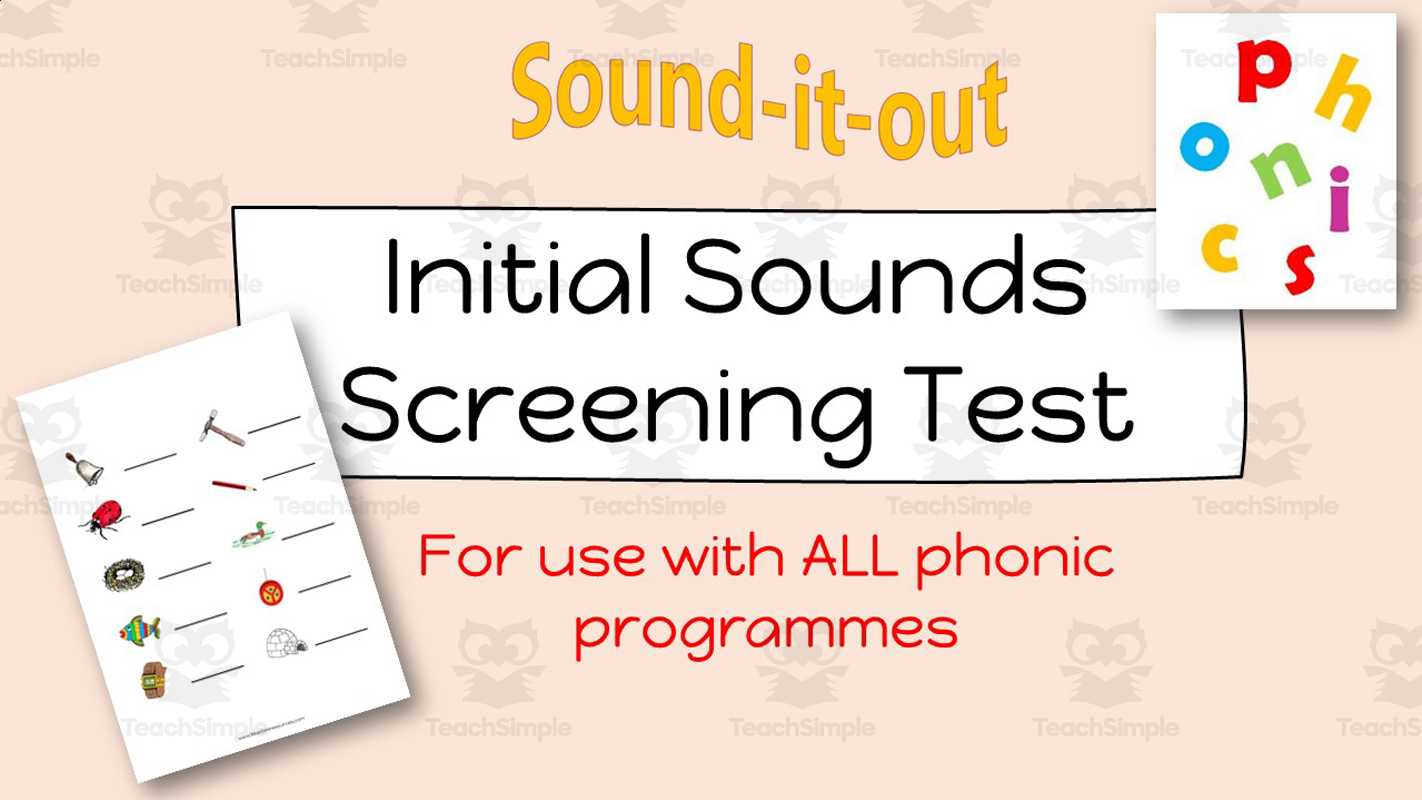
Diagnostic Phonic Assessment Tool Kit: Phonics Test This resource is aimed at children up to the age of 12 (though it could well be used with an older child with a younger mental age) and aims to test foundational phonic skills. It can be used to help teachers assess a child's basic phonic knowledge and ability, and the results can then be used as a baseline on which to plan future work. The phonics test does not look like a test, and it is hoped that the child will enjoy the activity and not be aware that they are being tested and therefore, perform well. What is included? The Phonics Test includes an 87-slide PowerPoint that takes the pupils from one simple activity to another. Each activity has detailed instructions to help the tester feel confident about administering the tests as well as guidance as to how to interpret the results. What is tested by this phonics test? Does the child know the sounds each letter of the alphabet stands for? Can the child hear the beginning sound of a word and match it to the corresponding letter? Does the child know the vowel sounds well? Can the child sequence 3 sounds to spell a word? Can the child hear the medial and final sounds of a CVC word? Can the child sound out to read CVC words with a short vowel sound? Checks for fluency in reading sentences with CVC words Can the child blend 2 consonants? Can the child blend 4 sounds in a short vowel word with a consonant blend - initial only, as I find that final blends such as mp are easier for most children, whereas final blends such as NK and ND are harder and are best left until the child has had more experience with phonics Can the child read a short passage with a mix of CVC and CCVC words? : Versatility The Diagnostic Phonic Assessment tool kit blends well within diverse educational amplifications: homeschoolers yearning structured guidance framing phonic programs like ‘Reading Made Simple’, public school teachers seeking extra reinforcement facilities for students falling behind in peer comparisons. Even private tutors or parental caregivers anxious regarding a child’s progressing literacy levels can utilize this resourceful tool kit. Compatibility: This package melds seamlessly with any existing phonics programme and comes as a boon for special needs educators trying to bridge foundational skill gaps and rooting strong learning bedrock in students. File Types: The availability of multiple file types facilitates user convenience and enhances ease of use. Conclusion In summation, the Diagnostic Phonic Assessment Tool Kit stands as an irreplaceable partner in addressing potential reading issues, prioritizing early interventions, and nurturing consistent literacy growth across varied environments.
Author Lilibette's Resources
Rating
Tags Phonics Assessment, Early Intervention, Reading Skills, Diagnostic Tool, Literacy Growth, Phonics Test, Phonic Test
Measurement: Measuring Length - Pre-Assessment & Teach the Skill - PC Software
Math, Measurements, Common Core, Kindergarten, Preschool, Grade 1, 2, Assessments, Teacher Tools
Measurement: Measuring Length - Pre-Assessment & Teach the Skill - PC Software This innovative teaching resource, specifically designed for preschool, kindergarten, and elementary students (grades 1 and 2), offers comprehensive coverage on the critical subject of measurements. The title 'Measurement: Measuring Length – Pre-Assessment & Teach the Skill' gets straight to the point of what this resource is all about. Serving as an introductory chapter on length measurements, it specializes in presenting curriculum -based content that enhances both teaching and learning experiences. Furthermore, practical math tools are included to give children a hands-on approach during lesson time. The software comes in a compact, easy-to-download format - a zip file compatible with personal computers. This allows educators quick access to essential materials they need daily while saving storage space in their devices. This adaptability makes it ideal for use during whole group instruction or smaller study groups making it versatile enough to be adapted based on each educational setting's unique needs. In order to cater for diversity among students, this product includes not only English voice over and text but also Spanish alternatives — showing thoughtfulness towards multilingual education environments. The inclusion of voice-over enhances auditory learning strategies while supporting emerging readers who may struggle with text-based resources alone . A reliable option for those keen on adopting thoroughly researched methodologies of teaching length measurement concepts; it aligns flawlessly with Common Core State Standards and STEM initiatives while being written according to National Council of Teachers of Mathematics(NCTM). With 'Measurement: Measuring Length – Pre-Assessment & Teach the Skill ', one can easily transform ordinary measurement lessons into immersive experiences that solidify young learners' foundations in mathematics.
Author Classroom Complete Press
Tags Pre-assessment, Math Lesson Plan, Length, Measurement, Digital Math
Data Analysis & Probability: Bar Graphs - Pre-Assessment & Teach the Skill - MAC Software
Math, Graphing, Common Core, Kindergarten, Preschool, Grade 1, 2, Assessments, Teacher Tools
Data Analysis & Probability: Bar Graphs - Pre- Assessment & Teach the Skill This comprehensive teaching resource caters to elementary level students from preschool to grade 2 with a primary focus on understanding bar graphs and grasping fundamental concepts of data analysis and probability. Goal: To provide curriculum-based content and a streamlined lesson plan guiding educators in teaching bar graph skills. Main Features: Pre- assessment Activities: Allows teachers to evaluate existing student knowledge, identifying areas requiring focused instruction. English and Spanish Voice Overs With Text Options: Encouraging an inclusive learning environment, providing bilingual or ESL students equal instructional opportunity. Tailored Learning Experiences:To ensure every learner starts from an appropriate level of understanding. MAC Software Compatibility : Note: The files included are exclusively compatible with MAC software for seamless ease-of-use within Apple's operating system. -Unique attention is directed towards aligning content with mandated educational standards including Common Core State Standards along with NCTM objectives . A key highlight for homeschooling parents striving to fulfill their kids' educational requirements. -STEM-driven initiatives are also encompassed which prepares for more advanced mathematical functions as learners progress through their education journey. -This utility can be utilized during full group instruction as well as in small group scenarios. It also serves effectively as a homework assignment tool where learners can independently practice the skills explored during classroom hours.
Author Classroom Complete Press
Tags Digital Math, Digital Bar Graphs, Pre-assessment, Graphing, Probability
Number & Operations: Grouping Objects & Number Lines - Pre-Assessment & Teach the Skill - MAC Software
Math, Number Lines, Common Core, Kindergarten, Preschool, Grade 1, 2, Assessments, Teacher Tools
Number & Operations: Grouping Objects & Number Lines - Pre-Assessment & Teach the Skill MAC Software Math teachers and homeschoolers in need of a solid teaching resource will appreciate this software, designed specifically for MAC and helping to convey important mathematical concepts. Ideal for preschool, kindergarten, first grade, and second grade students, this tool effectively supports the teaching process. The focus of this resource is the understanding of 'Grouping Objects' and 'Number Lines', two crucial parts of number operations. It's structured into different sections that include both pre-assessment activities as well as a detailed lesson plan for skill-teaching. Inclusions: Ineducators will also find helpful math tools engineered to enhance student comprehension in these areas. Suits various ways such as whole group lessons or small groups workshops; they could even be designated as homework assignments if desired. Bilingual presentation.: In addition to English voiceovers and text descriptions for each activity , Spanish language options are equally incorporated ensuring accessibility across diverse classrooms. This software meets Common Core State Standards (CCSS) along with STEM initiatives high expectations perfectly suited even for those following National Council of Teachers Mathematics (NCTM) standards too. Thus simplifying everyday tasks spent planning lessons or creating assessment activities from scratch allowing more time dedicated towards actual instruction instead. Note:The software is enclosed in an easily downloadable ZIP file format renders installation a breeze onto any compatible MAC computer without further hassle thus supporting smooth continuation amidst demanding classroom schedules while maintaining the original quality standards intact within your educational practice effortlessly.</p
Author Classroom Complete Press
Tags Pre-assessment, Math Quiz, Number Lines, Digital Math, Grouping Objects
Geometry: Transformations & Symmetry - Pre-Assessment & Teach the Skill - PC Software
Math, Geometry, Common Core, Kindergarten, Preschool, Grade 1, 2, Assessments, Teacher Tools
Geometry: Transformations & Symmetry - Pre- Assessment & Teach the Skill - PC Software This is a comprehensive teaching resource specifically designed for educators. The main focus is on the concepts of transformations and symmetry in geometry enhancing students' understanding while also strengthening their mathematic skills. Primarily, this product offers an educational software comprising of numerous learning avenues. These include: Pre- assessment activities Detailed lesson plans The software provides bilingual support in both English and Spanish, catering to diverse classrooms, making sure that language barriers do not obstruct mathematical exploration. A notable feature: This teaching tool aligns with widely accepted educational guidelines like the Common Core State Standards and STEM initiatives. About the Teaching Aid: The Geometry: Transformations & Symmetry teaching aid comes as a zip file containing PC software. This can be easily installed on your personal computer system to be used for whole group instructions or small group sessions depending upon pedagogical needs. Included within the resource package: (Comes with) math tools that aid in creating interactive lessons to engage young minds effectively. An option to give digital homework assignments where pupils explore geometrical transformations and symmetry independently outside classroom premises. In Summary: Geometry: Transformations & Symmetry - Pre- Assessment & Teach The Skill - PC Software serves as a beneficial addition to an educator's toolkit, enforcing geometry concepts among younger learners better.
Author Classroom Complete Press
Tags Pre-assessment, Digital Math, Digital Assessment, Symmetry, Geometry
Algebra: Addition & Subtraction - Pre-Assessment & Teach the Skill - MAC Software
Math, Addition and Subtraction, Addition, Common Core, Kindergarten, Preschool, Grade 1, 2, Teacher Tools, Assessments
Algebra: Addition & Subtraction - Pre- Assessment & Teach the Skill - Mac Software is a teaching resource tailored for foundational algebraic education. Aimed at preschool, kindergarten, as well as grade 1 and 2 students, this tool's main highlight is its emphasis on Math and Addition. It's key characteristic lies in its compatibility with MAC software. The resource can be easily accessed via a single zip file; offering easy download and installation procedures. As such, it fits seamlessly into varied lesson plans. The software contains essential components such as pre- assessment activities and comprehensive lesson plans, thus providing a structured approach towards teaching these basic algebraic operations. These resources also allow educators to track student progress from assessing their initial understanding (pre- assessment ) through skill acquisition (teaching the skill). This tool can be utilized in classroom settings during group sessions or even as homework assignments; offering ample opportunities for outside-school-hours practice. The 'Algebra: Addition & Subtraction - Pre- Assessment & Teach the Skill' additionally offers dual language support with both English and Spanish voiceover along with text options. As such it helps ensure ease of instruction in both languages guaranteeing effective student engagement. Incorporating STEM initiatives according to NCTM guidelines, 'The Algebra: Addition & Subtraction' aligns perfectly well with Common Core State Standards—the absolute go-to-resource for enhancing children's introduction to algebra! Note: Comprehension of basic mathematical concepts like addition and subtraction forms key building blocks towards understanding complex content later on. 'With Algebra: Addition&Subtraction-Pre- Assessment &TeachtheSkill - MAC Software', you're indeed setting up your learners for future success!
Author Classroom Complete Press
Tags Math Assessment, Algebra Assessment, Addition, Subtraction, Classroom
Number & Operations: Counting & Ordering Objects - Pre-Assessment & Teach the Skill - PC Software
Math, Numbers, Common Core, Kindergarten, Preschool, Grade 1, 2, Assessments, Teacher Tools
The Number & Operations Training Software: Preschool, Kindergarten, Grade 1 and Grade 2 Teaching Aid An advanced PC Software created to support educators in delivering curriculum -based content focused on math, specifically understanding numbers. This potent tool is ideal for teachers aiming to supply comprehensive lesson plans tackling the skill of counting and ordering objects . Fits Various Learning Structures: Suitable for several teaching approaches such as: Large group instruction sessions, Tiny break-out groups, One-on-one tutoring. In addition to facilitating teaching, it also provides routine homework assignments perfect for an at-home reinforcement of classroom teachings. User-Friendly Installation: A ZIP file format— ready for download onto any PC device. An easy installation process makes this software user-friendly. Bilingual Resource: This software offers a Spanish voice-over option alongside default English making it an efficient bilingual resource aimed at unique learners' communities. Alligns with Education Standards: A practical program that aligns closely with: "Common Core State Standards", "STEM initiatives", "NCTM (National Council of Teachers Mathematics)" standards . This ensures quality content delivery aligning well with recognized education regulations. In conclusion, The "Number & Operations: Counting & Ordering Objects - Pre-Assessment & Teach the Skill" software can be viewed as a valuable educator's tool efficiently catering towards math objectives while ensuring easy integration into different teaching methods.
Author Classroom Complete Press
Tags Numbers, Operations, Counting, Ordering Objects, Pre-assessment
Valentine's Day Coloring Activtity - Numbers 1-20
Creative Arts, Graphic Arts, Math, Early Math, Numbers, Kindergarten, Preschool, Grade 1, 2, 3, 4, Worksheets & Printables, Worksheets, Coloring Pages, Teacher Tools, Lesson Plans, Assessments
Love is in the air, and so is one very lost cat! This little feline is on a mission to find its Valentine, but there’s a tiny problem—it can only reach its sweetheart by following the numbers 1 to 20 in the right order. That’s where your students come in! With their number knowledge and a little artistic flair, they’ll help the cat reunite with its special someone. And once the mission is complete? It’s time to color the scene and celebrate a successful cat-tastic love story! Ways to Use: A fun warm-up to get those number brains working A Valentine’s Day activity that secretly reinforces number skills A quiet time task (because love stories don’t need background noise!) A stress-free sub plan that keeps kids engaged and you worry-free Why You’ll Love It: Boosts number sequencing in a sneaky, fun way Encourages creativity (because even cats deserve a colorful love story!) Keeps students focused—which means fewer distractions for you Turns math into an adventure, proving numbers and love actually do mix! So, grab some crayons, hand out this activity, and let your students play Cupid—one number at a time!
Author Ponder Palette Plazza
Tags Coloring, Numbers, Numbers Order, Valentines Day, Valentine Coloring, Number 1 To 20, Valentines Day Math, Valentine Activities, Valentine Math
Guided Reading Level F - Planets in Our Solar System
ELA, Resources for Teachers, Reading Comprehension, Reading, Language Development, Pre-Reading, Vocabulary, Science, Earth and Environmental Sciences, Space, Kindergarten, Grade 1, 2, Worksheets & Printables, Worksheets, Teacher Tools, Centers, Activities, Literacy Readers, Quizzes, Quizzes and Tests, Assessments
This Guided Reading Book - Planets in Our Solar System (Level F) includes: Guided Reading Color Label (front cover x1) This is a quick way to match the book’s demands to what students can generally handle.. The overall goal is to use the level/color to pick books for several smaller groups. To qualify for a certain level, a student is expected to read a book from that level with about 90–94% accuracy. If a student is consistently accurate and understands, move up a level. If the student is struggling at that level, drop down and add more support. Each student will improve at completely different rates, but it is generally one of the best ways to check progress across the class. DOWNLOAD THE CATALOG TO VIEW ALL GUIDED READING BOOKS AVAILABLE (SORTED LEVELS A-Z) Pre-Reading Question (x1) Teacher asks the prompt aloud, can be while showing the cover or first page. Students share what they already know, or make educated guesses from the cover. Prompt them to use the target vocabulary. Write some of their responses on the board to look back at during the reading. Vocabulary Words (x5) Introduce the five words, best doing it one at a time. Start by saying it, while students repeat and then see if anyone knows what it means before reading further. Read through the meaning and try to briefly connect each word to a picture or gesture so it’s meaningful. Ask students to flip through the book pages and point to where they see each of the vocabulary words. While reading the book pause upon coming across one of the vocab words or read the sentence twice to make sure students understand the word has appeared. Optional: Ask students to raise hands whenever they see/hear one of the new words. Guided Reading Pages (x10) Check the book snapshot (below) for: primary topic - do you need to prep extra reading or intro materials on this? what is taught best - decide on 1-2 bullets to focus on, use the prompt or words provided here for best results. learning goals - what you are checking for students to be able to do after the session, elicit answers using prompts or words provided. key vocabulary (see section above). questions overview - so you know what is coming up and if you need to prep extra materials to assist understanding. Run the lesson You may have already looked at a few of the pages together, but you can show them some of the pictures again first to set meaning. Depending on how much time you have and how familiar your students are with guided reading class, you may want to read the book aloud first with the group first. Students whisper or partner read, while you listen in. If time, do it as a group, one student reading a page each. Use the guided page’s prompts to coach: “Check the picture / does it make sense?” “Point under the words / try the first sound” “Reread the sentence smoothly”. Try to focus more on one student per session (rotating every time), so you can work out if they are ready to move up or need to move down a level. Comprehension Questions (back cover x3) This is your way to check that students didn’t just say the words, but actually understood the text. First, let students answer by pointing to the page/picture and saying a short sentence. After any answer, follow with: “Show me where you found that in the text.” In bigger groups, have partners answer first (10–20 seconds), then call on 2–3 students to share. Differentiation tips: Emerging speakers/struggling readers: oral + pointing On-level: oral in a full sentence Higher: one written sentence or draw + label Book Snapshot Title: Planets in Our Solar System Genre: Nonfiction (informational) Subject: Science Primary Topic: Basic facts about the Sun, planets, and Moon Estimated Guided Reading Level (A–Z): F What This Book Teaches Best Introduces the Sun as a star in the center that gives light and heat to planets. Teaches planet order with one key fact per planet (Mercury through Neptune). Builds science content vocabulary in context (e.g., craters, surface, giant, unique, reflects ). Supports comparing planets using simple descriptive details (color, temperature, rings, winds, clouds). Learning Goals Students will identify the Sun’s role in the solar system using details from the text. Students will name the planets in order from Mercury to Neptune as presented in the book. Students will describe at least three planets using facts stated in the book. Students will explain what makes one planet “unique” in the text. Students will tell what the Moon does at night, according to the book. Key Vocabulary From the Text craters — deep holes in the ground. surface — the outside layer of something. giant — very, very big. unique — special and not like others. reflects — bounces light back. Discussion Prompts Pre-reading question: What do you already know about the Sun, the Moon, and planets? Comprehension questions: Which planet does the book say is the smallest? What is Saturn famous for? What does the Moon reflect at night? Printing Tips 1. Best Printing Method (Recommended) “Booklet” Printing (Best if Available) If your printer or PDF viewer supports Booklet Printing , use this. Settings to use: Print mode: Booklet Paper size: Letter or A4 (either works) Orientation: Landscape Print on both sides: Yes Flip on: Short edge Scaling: Fit to printable area Booklet subset: First test: Front sides only Then: Back sides only This will automatically: Pair pages correctly Put the cover on the outside Align everything for folding After printing, fold in half and staple along the spine . 2. If “Booklet” Printing Is NOT Available You can still print this correctly with manual duplex printing . Step-by-step: Open the PDF. Choose Print . Set: Orientation: Landscape Pages per sheet: 1 Print on both sides: Yes Flip on: Short edge Print all pages . Because each PDF page already contains two facing book pages, the result will still fold cleanly into a book. Thousands of Cored Education products are included with your TeachSimple membership. Download links and encyclopedia index available here.
Author Cored Education
Rating
Tags Vocabulary, Reading Comprehension, Reading Passages, Leveled Reading, Nonfiction, Reading, Guided Reading, Earth Science, Space, Planets
Data Analysis & Probability: Probability - Pre-Assessment & Teach the Skill - PC Software
Math, Patterns, Common Core, Kindergarten, Preschool, Grade 1, 2, Assessments, Teacher Tools
Data Analysis & Probability: Probability - Pre- Assessment & Teach the Skill - PC Software This is an essential teaching resource for educators focusing on preschool to grade 2 curriculum. It mainly covers crucial aspects of Probability under the wider subject area of Data Analysis and Probability. Ideal for public school teachers and homeschooling parents, this key resource presents significant content in a digestible format with engaging pre- assessment activities. The package also includes a comprehensive lesson plan and math tools designed to streamline the learning process. What sets apart this offering is its bilingual advantage; these software resources are available with English and Spanish voiceover options along with text. Catering uniquely to our culturally diverse education community, different language versions will assist educators in addressing language diversity within student groups or classrooms. Recognized Standards: The content strictly adheres to Common Core State Standards (CCSS) and guidelines laid down by National Council of Teachers Of Mathematics (NCTM). Aligning with both STEM initiatives as well as NCTM ensures learners get high-quality instruction that meets globally accepted benchmarks. Packaging:The entire resources are packed into a single zip file which makes it easy for downloading purposes. Its PC software compatible format ensures its wide usage across various standard instructional settings or home-based learning platforms without worrying about system compatibility issues. Languages:This tool provides bilingual support that includes both English and Spanish voiceovers as well as text versions which aids educators in addressing linguistic diversity among students. Versatile Usage:The material can be used during whole group sessions while also being useful for smaller concentrated clusters or individual homework assignments covering extensive arrays like general mathematics especially Patterns within Math. Whether you are a public educator seeking effective teaching methods or an engaged parent looking for homeschool resources, this product promises to subdue subject strain and amplify learning enjoyment.
Author Classroom Complete Press
Tags Pre-assessment, Pattern Assessment, Math Skills, Digital Math, Data
Neuro-Nudge Morning Micro-Quest System: Guided Personalized Challenges
Life Studies, Coaching, Montessori, Special Resources, Life Skills, Social Emotional Learning (SEL), Social Skills, Special Education Needs (SEN), Speech Therapy, STEM, Infant, Kindergarten, Preschool, Homeschool Curriculum, Homeschool Templates, Teacher Tools, Assessments, Graphic Organizers, Diagrams, Lesson Plans, Outlines, Presentations, Quizzes and Tests, Quizzes, Tests
Unleash the power of your special education classroom with the Neuro-Nudge Morning Micro-Quest System: Adapted Morning Work Binder for Special Needs Students (PreK-4th Grade Edition). This all-encompassing 39-page eBook is a paradigm-shifting tool for educators, parents, and homeschooling families wanting to provide research-supported, neuroscience-driven morning activities for various learning needs. Based on the principles of cognitive science, behavioral psychology, and Universal Design for Learning (UDL), this tool converts generic morning work activities into engaging, predictable “micro-quests” to facilitate independence, transition smoothness, and academic preparedness for children with Autism Spectrum Disorder (ASD), developmental disorders, intellectual disabilities, differences in sensory processing, and more. Key points include: Neuro-Nudge Framework: The use of subtle design principles such as attentional cues, chunking, and sensory integration, all of which are grounded in neuroscience principles. Guided Personalization: Templates for leading edge generative technologies such as Chat GPT, Google Bard, to help personalize content based upon IEP objectives, student information, and preferences so learning activities adapt based upon progress. Practical Implementation: How-to manual or guidelines for implementing effective binders, data-based adaptation techniques, and using AI responsibly. Student Workbook Section: Practice sheets for morning routines, feelings check-ins, awareness of weather, fine motor skill development, early literacy skills, numeracy skills This PDF is perfect for special education teachers, occupational therapists, or parents who have special needs children. It allows you to create interactive, error-free learning opportunities that foster self-efficacy and minimize resistant behavior. Download today and interact with laminable pages, which are ideal for special education classes or home schooling. Keywords: special needs adapted morning work binder, special needs morning routine activities PreK-4th, special education resources PreK-4th, special education tools, adapted Neuro-Nudge special education curriculum, special needs worksheets. Why Parents/Schools Love It: Encourages Independence and Predictability: The binder organization helps alleviate morning transition anxieties while encouraging self-efficacy skills through a series of manageable tasks that promote predictability and independence from adult assistance. Neuroscience-Based Engagement: The presence of “neuro-nudges” such as tactile, visual, and immediate reinforcements within the program ensures the students are encouraged and engaged, improving attention and sensory integration. AI-Driven Customization: Easy-to-carry-out AI tasks facilitate the creation of customized modifications tailored to the personal goals and performance data of each special education child, ensuring the relevancy of activities despite the saving of time. Proven Results with Real-World Examples: The use of case studies illustrates the positive outcomes that have been achieved, such as a decrease in instances of problem behavior, such as transitioning stress, of 65% and an increase in task accuracy. Comprehensive and Versatile Resources: Offers theory, worksheets, pictures, and implementation tutorials, ensuring that it is a one-stop solution for very busy teachers or parents who are looking for morning work that is distraction-free. Target Students/Classes : Based on the comprehensive analysis of the PDF document that includes its theoretical background, case studies, examples of micro-quests, AI personalization techniques, student workbook assignments, and teachers’ resources, the system is tailored for students from grades PreK to 4th in the special education class. It is geared towards children with varying learning differences, such as: Autistic Spectrum Disorder (ASD) Developmental delays: Global developmental delay Intellectual disabilities Learning disabilities Specific Learning Disabilities Communication Disorders (Expressive/Receptive Language Del Sensory processing differences: Over- or under-responsivity -Executive function tasks, such as task initiation, self-regulation, Motor skill variances (Fine/gross motor skill delays) The content is aligned with Pre-K to 4th grade curricula, programs outlined on IEP goals, and developmentally appropriate benchmarks. While it is designed for special education self-contained settings, general education settings, resource rooms, homeschooling programs, or therapy sessions, it caters to academic (reading, writing) skills and functional skills like self-help skills and personal routines. Copyright/Terms of Use : This Book is copyrighted by Syed Hammad Rizvi. This material is for individual, non-commercial class room use only. It is not legal for you to reproduce, distribute, or sell any portion of this material. In short, you may not place it on the Internet for anyone to download. If you are interested in sharing this resource with other educators, please purchase additional licenses on Teachsimple. I appreciate your respect for these conditions of use. This product is happily brought to you by Syed Hammad Rizvi
Author Creative Book Store
Rating
Tags AdaptedMorningWorkBinder, SpecialNeedsEducation, NeuroNudgeSystem, MorningMicroQuests, PreK4thGradeSpecialEd, AutismSpectrumDisorderResources, DevelopmentalDelaysActivities, SensoryProcessingDifferences, IEPGoalsAligned, AIGuidedPersonalization
Color by Number Activity - Back to School
Creative Arts, Math, Early Math, Numbers, Kindergarten, Preschool, Grade 1, 2, 3, 4, 5, Worksheets & Printables, Worksheets, Coloring Pages, Activities, Centers, Games, Teacher Tools, Assessments, Lesson Plans, Classroom Decor
Start the school year with fun and focus using this Color by Number – Back to School activity pack! Designed for preschool, kindergarten, and early elementary students, this set includes school-themed coloring pages where each area is labeled with a number, and students color the sections based on the number-color key. It’s a simple, calming activity that reinforces number recognition, color identification, and fine motor skills, all while keeping students engaged in a meaningful task. Each worksheet features kid-friendly back-to-school images like buses, pencils, apples, and more, making it perfect for first-week-of-school routines. Ways to Use: First day or first week of school activity Morning work or bell ringer Centers or early finisher task Independent quiet work Take-home or homework sheets Advantages: Builds number and color recognition Encourages attention to detail and focus Strengthens fine motor skills through coloring Easy to use, just print and go (PDF format only) Keeps students engaged during transitions or downtime This activity adds a touch of creativity and structure to your classroom while helping students review important early learning skills! Pdf file includes 8 pages Enjoy!
Author Ponder Palette Plazza
Rating
Tags Color By Number, Coloring Pages, Numbers, Back To School, Back To School Activities, September Activities, First Week Activities, September Morning Work
Algebra: Addition & Subtraction - Pre-Assessment & Teach the Skill - PC Software
Math, Algebra, Common Core, Kindergarten, Preschool, Grade 1, 2, Teacher Tools, Assessments
The Algebra: Addition & Subtraction - Pre-Assessment & Teach the Skill - PC Software Focused on enhancing the comprehension of Addition and Subtraction in Algebra, this unit mini delivers curriculum-matched content through pre-assessment tasks and a meticulous lesson plan. Furthermore, it comes equipped with several math tools designed to foster an interactive learning environment. Uniquely versatile This teaching aid works effectively in various educational settings. It can be utilized for whole group instruction, where educators can guide learners through the concepts collectively on a shared screen. It also is employed in small group work to promote collaborative learning or as an individual assignment or homework exercise for a more personalized approach. Notably diverse Bilingual Offerings This product also caters to bilingual environments by offering both English and Spanish voice-overs text options, ensuring no learner is left behind due to language barriers. In compliance with established teaching standards: The content of this software aligns with standards including those set out by NCTM and Common Core State Standards, as well as STEM initiatives; hence aligning perfectly to set educational goals. Aimed at Early Mathematical Proficiency: Aimed at Grades preschool through Grade 2 students; it encourages mathematical proficiency from an early age all while engaging their developing curiosity through interactive software elements. When you download this product you will get access to one compressed file containing multiple files designed perfectly for your PC software requirements geared towards introduction of algebraic principles focused on addition and subtraction topics. In conclusion,this comprehensive tool wrapped into one convenient package is more than just another digital resource.
Author Classroom Complete Press
Tags Math, Assessment, Addition, Subtraction, Math Test
All About Kangaroos: Guided Reading Level G with Lesson Plan
ELA, Resources for Teachers, Reading Comprehension, Reading, Science, Language Development, Vocabulary, Life Sciences, Geography, Social Studies, Kindergarten, Grade 1, 2, Worksheets & Printables, Worksheets, Teacher Tools, Centers, Activities, Literacy Readers, Quizzes, Quizzes and Tests, Assessments, Lesson Plans
This All About Kangaroos (level g) guided reading book with lesson plan includes: Guided Reading Color Label (front cover x1) This is a quick way to match the book’s demands to what students can generally handle.. The overall goal is to use the level/color to pick books for several smaller groups. To qualify for a certain level, a student is expected to read a book from that level with about 90–94% accuracy. If a student is consistently accurate and understands, move up a level. If the student is struggling at that level, drop down and add more support. Each student will improve at completely different rates, but it is generally one of the best ways to check progress across the class. DOWNLOAD THE CATALOG TO VIEW ALL GUIDED READING BOOKS AVAILABLE (SORTED LEVELS A-Z) Pre-Reading Question (x1) Teacher asks the prompt aloud, can be while showing the cover or first page. Students share what they already know, or make educated guesses from the cover. Prompt them to use the target vocabulary. Write some of their responses on the board to look back at during the reading. Vocabulary Words (x5) Introduce the five words, best doing it one at a time. Start by saying it, while students repeat and then see if anyone knows what it means before reading further. Read through the meaning and try to briefly connect each word to a picture or gesture so it’s meaningful. Ask students to flip through the book pages and point to where they see each of the vocabulary words. While reading the book pause upon coming across one of the vocab words or read the sentence twice to make sure students understand the word has appeared. Optional: Ask students to raise hands whenever they see/hear one of the new words. Guided Reading Pages (x10) Check the book snapshot (below) for: primary topic - do you need to prep extra reading or intro materials on this? what is taught best - decide on 1-2 bullets to focus on, use the prompt or words provided here for best results. learning goals - what you are checking for students to be able to do after the session, elicit answers using prompts or words provided. key vocabulary (see section above). questions overview - so you know what is coming up and if you need to prep extra materials to assist understanding. Run the lesson You may have already looked at a few of the pages together, but you can show them some of the pictures again first to set meaning. Depending on how much time you have and how familiar your students are with guided reading class, you may want to read the book aloud first with the group first. Students whisper or partner read, while you listen in. If time, do it as a group, one student reading a page each. Use the guided page’s prompts to coach: “Check the picture / does it make sense?” “Point under the words / try the first sound” “Reread the sentence smoothly”. Try to focus more on one student per session (rotating every time), so you can work out if they are ready to move up or need to move down a level. Comprehension Questions (back cover x3) This is your way to check that students didn’t just say the words, but actually understood the text. First, let students answer by pointing to the page/picture and saying a short sentence. After any answer, follow with: “Show me where you found that in the text.” In bigger groups, have partners answer first (10–20 seconds), then call on 2–3 students to share. Differentiation tips: Emerging speakers/struggling readers: oral + pointing On-level: oral in a full sentence Higher: one written sentence or draw + label Book Snapshot Title: All About Kangaroos Genre: Nonfiction (informational) Subject: Science (Life Science) Primary Topic: Kangaroo traits, movement, food, and babies Estimated Guided Reading Level (A–Z): G What This Book Teaches Best Identifies a kangaroo’s habitat by stating it lives in Australia . Describes how kangaroos move: they have two big back legs , and they hop very fast. Explains how a kangaroo’s tail helps it by keeping balance . Shares what kangaroos eat by stating they like green grass and find food on the ground. Teaches family/group terms: a baby is a joey that grows in the pouch , and a group is a mob . Learning Goals Students will identify where a kangaroo lives using details from the text. Students will describe how kangaroos move, using the book’s words and examples. Students will explain how a kangaroo’s tail helps it keep balance. Students will describe what kangaroos eat and where they find food. Students will name what a baby kangaroo is called and where it grows. Students will identify what a group of kangaroos is called. Key Vocabulary From the Text Australia — a country where kangaroos live. balance — staying steady and not falling over. pouch — a pocket where a mother carries her baby. joey — a baby kangaroo. mob — a group of kangaroos that live together. Discussion Prompts Pre-reading question: What do you already know about kangaroos? Comprehension questions: Where does the book say a kangaroo lives? Comprehension questions: How does a kangaroo move in this book? Comprehension questions: What is a group of kangaroos called? Printing Tips 1. Best Printing Method (Recommended) “Booklet” Printing (Best if Available) If your printer or PDF viewer supports Booklet Printing , use this. Settings to use: Print mode: Booklet Paper size: Letter or A4 (either works) Orientation: Landscape Print on both sides: Yes Flip on: Short edge Scaling: Fit to printable area Booklet subset: First test: Front sides only Then: Back sides only This will automatically: Pair pages correctly Put the cover on the outside Align everything for folding After printing, fold in half and staple along the spine . 2. If “Booklet” Printing Is NOT Available You can still print this correctly with manual duplex printing . Step-by-step: Open the PDF. Choose Print . Set: Orientation: Landscape Pages per sheet: 1 Print on both sides: Yes Flip on: Short edge Print all pages . Because each PDF page already contains two facing book pages, the result will still fold cleanly into a book. Thousands of Cored Education products are included with your TeachSimple membership. Download links and encyclopedia index available here.
Author Cored Education
Rating
Tags Reading Comprehension, Reading Passages, Reading, Guided Reading, Guided Reading Lesson Plan, Guided Reading Activity, Pre-reading, Science Lesson Plans, Life Science, Geography
Editable Sight Word Worksheets, Read Write Color Sight Word Practice
Common Core, ELA, Reading, Writing, Resources for Teachers, Kindergarten, Grade 1, 2, Activities, Worksheets & Printables, Teacher Tools, Lesson Plans, Assessments
Editable Sight Word Worksheets, Read Write Color Sight Word Activities This resource includes 3 activities for fry sight words (1st 100), promoting both word familiarity and cognitive skills: Read: Read the sight word aloud to practice word recognition. Write: Write the sight word to strengthen spelling and handwriting. Color: Color the word to add a creative element to learning. This unique combination of activities makes these worksheets an excellent choice for keeping students engaged while they build confidence in their sight word knowledge. The editable format allows you to customize the sight words for different levels, so you can easily adapt the resource to suit your classroom’s needs. Perfect for differentiated instruction, these worksheets can be used for individual practice, small group work, or literacy centers. They are easy to print, making them a hassle-free option for busy educators. Features: Editable: Personalize the sight words to match your lesson plans. Multi-Sensory: Combines reading, writing, and coloring to engage different learning styles. Interactive: Keeps students focused and motivated with varied activities. Print & Go: Simple to prepare for immediate classroom use. This resource includes: 17 pages (PowerPoint) US Letter (8.5" x 11") size Ideal for kindergarten, first grade, or any early literacy learner, these worksheets offer a comprehensive approach to mastering sight words. Download and make learning sight words a fun, creative experience for your students.
Author GY Creations
Tags Sight Words, Fry Sight Words, Sight Words Worksheets, Sight Word Activities, Read Write Color, Editable Sight Words Worksheets, Editable Sight Words, Editable Worksheets, Fry's 1st 100