



3,984 products added recently
Page 14 - Calculus Lesson Plans
Challenge your advanced math students with calculus lesson plans that delve into derivatives, integrals, and limits. These resources provide rigorous exercises and real-world applications to enhance understanding. Incorporate them to prepare students for college-level mathematics.

 Show filters


Measurement: Temperature & Currency - FLASH-MAC
Math, Measurements, Grade 1, 2, Teacher Tools, Lesson Plans
Measurement: Temperature & Currency - FLASH-MAC A comprehensive teaching resource designed to enhance the understanding of Measurement concepts, specifically focusing on temperature and currency. This grade 1-2 specific tool aligns perfectly with measurement-centric curriculum objectives and promotes a structured learning environment. Highly Targeted Content for Grade 1-2 With highly targeted content ideal for first graders and second graders, this FLASH-MAC module broadens pupils' conceptual knowledge base by providing engaging real-world word problems that pertain directly to both temperature and currency measurements. By including applicable lesson plans and interactive activities, such as timed drills, it strategically reinforces integral problem-solving skills in an unobtrusive fashion. An Arsenal of Essential Math Tools & Games Memory match games Board games Spinner games Bilingual Teaching Tool: English & Spanish Support This teaching tool comes bundled with a Spanish voice over and text option in addition to default English voice-over support. This bilingual approach ensures accessibility for all students in our increasingly multilingual classrooms. All-Inclusive Teacher's Guide with Printables The package includes a substantial teacher's guide replete with useful printables aiding you immensely during instructional periods; while making sure students always have tangible materials at their disposal. Compressing all these crisp aspects into one easy-to-install MAC zip file adds much-needed convenience in today's fast-paced educational environments. Versatility: Use Across Multiple Settings This valuable teaching resource can be implemented across multiple settings owing to its adaptability: integrate seamlessly into whole-group instruction or leverage during small-group activities to foster peer-based learning dynamism; alternatively use as homework assignments enabling independent problem-solving practice outside classroom confines. Conclusion To sum up, Measurement: Temperature & Currency - FLASH-MAC serves not just as an expertly crafted teaching aid but is also a fuel for fun-filled yet purposeful learning experiences set around measurement for grade 1 and grade 2 students.
Author Classroom Complete Press
Tags Measurement, Temperature, Currency, Board Game, Math Drills

Number & Operations: Fractions - Practice the Skill 3 - FLASH-MAC
Math, Fractions, Common Core, Grade 1, 2, Teacher Tools, Lesson Plans
Introducing the Number & Operations: Fractions - Practice the Skill 3 - FLASH-MAC An excellent teaching resource for educators seeking to streamline their approach to fundamental fractions concepts in maths. Predominantly intended for students in Grades 1 and 2, this resource focuses on understanding fractions through concise practice drills. Main Features: Timed challenges that help identify shapes correlating with given fractions Inclusion of integral math tools within the program Dual-language: English and Spanish voice over and text options available, maximizing inclusivity while perfecting adaptability. This product complies with educational measures like the Common Core State Standards and STEM initiatives, strictly aligns with NCTM thus ensuring it's up-to-date and adheres to state guidelines. Versatility: The product's digital format makes it a versatile tool usable across various settings including but not limited to whole group instruction, small group learning as well as individual homework assignments or review material before assessments . Perfectly suited for Mac systems. User-friendly Software: Apart from being a lesson plan, this software enhances engagement with fraction basics making mathematics less intimidating. Building confidence in young learners! Henceforth educators striving for curriculum content rooted in hands-on activities providing wholesome pedagogical support will find efficacy in this teaching resource.
Author Classroom Complete Press
Tags Software (Mac)

All About Addition 0-20 | Animated Math Video Lesson
Math, Addition and Subtraction, Addition, Preschool, Grade 1, 2, Lesson Plans, Teacher Tools
This animated math video lesson is all about adding numbers 0-20. Students will love this engaging and interactive video that takes them step-by-step on how to add numbers and solve addition problems in a fun way. This video serves as a great introduction or review video for your learners. This is a 6-minute math video lesson.
Author Educational Voice
Tags Addition Problems, Adding Numbers, Math Activity, Math Videos, Video Lessons

Algebra: Addition & Subtraction - Practice the Skill 1 - FLASH-MAC
Math, Algebra, Common Core, Grade 1, 2, Teacher Tools, Lesson Plans
Algebra: Addition & Subtraction – Practice the Skill 1 - FLASH-MAC An interactive teaching resource designed to aid educators in delivering high-quality algebra lessons. It focuses on developing a strong foundational understanding of the basic principles of addition and subtraction, two vital mathematical skills. Aligned with Common Core State Standards Provides structured timed drill activities which challenge students while keeping them engaged in learning. Each activity prompts students to solve problems using provided numbers, fostering mathematical fluency and enhancing problem-solving abilities. Beyond Equations: Interactive Learning Tools The tool incorporates practical math tools for a hands-on approach for more visual learners, benefiting comprehension of abstract algebra concepts. This empowers learners to tackle complex issues from multiple angles. Inclusion For Diverse Learners The digital resource comes complete with English voice-over and text as default settings but also offers Spanish voice-over and text option,a beneficial feature for English language learner students or bilingual classrooms. Versatility in Teaching Methods This educational software allows flexibility for use either as whole group instruction or subdivided sessions like small group work or individualized homework assignments depending upon classroom size and individual learners' needs. Specifics: Ideal for Grade 1 and Grade 2 level usage Falls under subject matter tags 'Math' & 'Algebra' Serves as supplemental curriculum-enhancer via traditional lesson plans designation type A specialized math software that functions smoothly on Mac platforms In Summary: A comprehensive digital teaching resource that gives public school teachers or homeschooling parents an innovative way to propel productive learning every day towards greater heights all while simplifying their teaching challenges.
Author Classroom Complete Press
Tags Software (Mac)
Geometry: Decomposing Geometric Shapes - Learn the Skill - FLASH-MAC
Math, Geometry, Common Core, Grade 1, 2, Teacher Tools, Lesson Plans
Geometry: Decomposing Geometric Shapes - Learn the Skill - FLASH-MAC An exclusive teaching resource designed for Grade 1 and Grade 2 teachers. This lesson plan focuses extensively on understanding Decomposing Geometric Shapes, a vital part of elementary math education. Curriculum -Based Content The software is enriched with curriculum -oriented content which provides students with realistic word problems, making math concepts feel more accessible rather than just memorizing formulas or rules. The incorporation of these applications in lessons improves student's problem-solving skills as well as information retention. Built-in Math Tools Incorporated within are basic geometry tools that help visually portray complex ideas to beginners, abstract mathematical concepts suddenly become easier to understand. Bilingual Capability This unique feature enables both English text and Spanish translation, increasing inclusivity among pupils in a multilingual environment or those whose first language might not be English. Educational Standards Compliance Common Core State Standards: Adherence to these standards signifies nationwide educational expectations for primary grades are met. National Council of Teachers of Mathematics (NCTM): Conformity to NCTM standards indicates compatibility within current education structures. Versatility The tool is flexible enough not only for whole-class sessions but can be employed during small group activities or assigned as homework tasks based on specific needs or dynamics in classrooms. In conclusion, - 'Geometry: Decomposing Geometric Shapes - Learn the Skills - FLASH-MAC',with its varied practical applications and adaptable foundation, proves itself to be an invaluable resource in providing efficient geometry instruction.
Author Classroom Complete Press
Tags Software (Mac)
Curriculum Math Tools - Calculator Tool - FLASH-MAC
Math, Algebra, Grade 1, 2, 3, 4, 5, 6, 7, 8, Lesson Plans, Teacher Tools
Curriculum Math Tools - Calculator Tool - FLASH-MAC Take your math lessons to the next level with the Curriculum Math Tools - Calculator Tool-FLASH-MAC. This invaluable educational resource will streamline teaching and learning processes for every public school teacher, homeschooler and learner engaged in grades 1 through 8. The Calculator tool proves advantageous when maneuvering complex concepts across various math sub-subjects, such as algebra, geometry, measurement, data analysis, probability and more. Styled around the Five Strands of Math structure — Number & Operations, Algebra, Geometry, Measurement and Data Analysis & Probability — this tool stimulates comprehension by simplifying these integral subfields of academia. National Standard Alignment: Aligning with national standards including NCTM (National Council of Teachers of Mathematics), Common Core and STEM standards greatly expands its versatility. This ensures that your learners remain on par with curricula being taught in classrooms nationwide. Ease Of Installation: As a software suite packaged into a single zip file formatted for MAC systems it offers an easy installation process. Once installed educators can use it as part of whole group instruction to introduce or solidify concepts or assign it during small group work sessions to enhance hands-on practices smoothly establishing learning gaps while scaffolding subject mastery. The Value Of Practice: Increased understanding comes from practice which the Calculator tool promotes by offering an engaging platform students can navigate independently during homework assignments thus reinforcing class lessons at home. Versatility For Every Grade Level: Irrespective of grade level or skill set every public school teacher and homeschooler can use this teaching resource regularly making it an integral part in streamlining curriculum delivery methods for optimal teaching effectiveness and enhanced student comprehension experience. Equip your learners with Curriculum Math Tools – Calculator Tool-FLASH-MAC: where mathematics learning becomes simpler regardless whether you teach whole classrooms full time or homeschool smaller groups semi-formally yet need structured reliable resources that make students’ understanding better despite mathematical complexities well within national standardized norms.
Author Classroom Complete Press
Tags Math Curriculum, Math Tools, Math Assessment, Algebra, Geometry

I WONDER - What Is An Octagon | Animated Video Lesson
STEM, Geometry, Math, Grade 2, 3, 4, 5, 6, 7, 8, Lesson Plans, Teacher Tools
Video Introduction An amazing video designed for the students to learn more about STEM. I WONDER - What Is An Octagon | Animated Video Lesson Do you like STEM subjects? what is your favorite one? Have you ever tried to plant a seed? If yes, tell us more about it. Or have you ever tried to invent something? If yes, tell us more about it. And how do you think it will help us? Have you ever seen a microorganism under a microscope? What was it? And how it looked like? Mathematics is a marvelous subject. Let' sharpen our brains and solve some equations. Do you like timetable tricks? What is your favorite one? Do you know how to code? Have you ever created an app or a game before? If yes, how was it like? I WONDER - What Is An Octagon | Animated Video Lesson The video is perfect for encouraging the researching skills for the students, while learning more about this fantastic topic. I WONDER - What Is An Octagon | Animated Video Lesson This friendly designed video is suitable for students at school, homeschooling, and as a group activity. Format Available in MP4 format.
Author Educational Voice
Tags What Is An Octagon, What Is An Octagon Video, Octagon, Octagon Facts, Octagon Facts For Kids, Octagon Video, Octagon Video For Kids, Octagon Shape, Shapes, Shapes For Kids
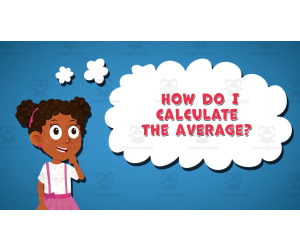
I WONDER - How Do I Calculate The Average | Animated Video Lesson
STEM, Algebra, Math, Grade 6, 7, 8, Lesson Plans, Teacher Tools
Video Introduction An amazing video designed for the students to learn more about STEM. I WONDER - How Do I Calculate The Average | Animated Video Lesson Do you like STEM subjects? what is your favorite one? Have you ever tried to plant a seed? If yes, tell us more about it. Or have you ever tried to invent something? If yes, tell us more about it. And how do you think it will help us? Have you ever seen a microorganism under a microscope? What was it? And how it looked like? Mathematics is a marvelous subject. Let' sharpen our brains and solve some equations. Do you like timetable tricks? What is your favorite one? Do you know how to code? Have you ever created an app or a game before? If yes, how was it like? I WONDER - How Do I Calculate The Average | Animated Video Lesson The video is perfect for encouraging the researching skills for the students, while learning more about this fantastic topic. I WONDER - How Do I Calculate The Average | Animated Video Lesson This friendly designed video is suitable for students at school, homeschooling, and as a group activity. Format Available in MP4 format.
Author Educational Voice
Tags How Do I Calculate The Average, How Do I Calculate The Average Video, The Average, The Average Facts, The Average Facts For Kids, The Average Video, The Average Video For Kids, Average

Measurement: Area & Volume - Practice the Skill 2 - MAC Software
Math, Measurements, Common Core, Kindergarten, Preschool, Grade 1, 2, Teacher Tools, Lesson Plans
Measurement: Area & Volume - Practice the Skill 2 - MAC Software: An Impressive Teaching Resource A remarkable aid to boost the comprehension of measurement concepts, Measurement: Area & Volume - Practice the Skill 2 - MAC Software is a treasured tool specifically designed for students targeting preschool, kindergarten, and first and second grade levels. Key Features: An integral component of an exhaustive math curriculum focusing on understanding area and volume measurements. Captivating drills prompting students to compare volume measurements improving their core comparison skills along with fundamental understanding of measurement concepts. Besides area and volume teaching aids it also includes various other math tools ensuring a holistic mathematical foundation for young learners. All activities are aligned carefully with Common Core State Standards and STEM initiatives while following guidelines established by NCTM (National Council of Teachers of Mathematics). Multilingual Support: One distinctive aspect is that it's universally accessible due to its bilingual nature- available in English & Spanish voice over alongside the relevant text options. This unique attribute makes it an incredible resource for teachers catering to bilingual or ELL (English Language Learner) student communities. Ease of Access: The product comes as an easy-to-download ZIP file compatible with MAC software systems making it appropriate for digital classrooms or even remote learning. Hence providing flexibility in implementation across various group sizes; individual tutoring sessions or whole-class instructions. Finally,The Mission;In essence,this Measurement: Area & Volume - Practice the Skill 2 - MAC Software intends to serve as an efficient route towards achieving fluency in basic measurement principles preparing learners not only for advanced math concepts but also real-world applications.
Author Classroom Complete Press
Tags Math Lesson Plans, Digital Math, Digital Lessons, Measurement, Volume

Geometry: Shapes - FLASH-MAC
Math, Geometry, Grade 1, 2, Teacher Tools, Lesson Plans
Geometry: Shapes - FLASH-MAC An engaging teaching resource dedicated to aiding educators in effectively imparting fundamental geometry knowledge about shapes to students. This product, designed for first and second graders, is a comprehensive instructional tool that integrates various elements of mathematics curriculum into one effective package. Key Features: A single zip file compatible with Mac software. Pre- assessment materials to gauge the students' understanding level of the topic. A carefully crafted lesson plan outlining efficient teaching methods. The standout feature is the real-world word problems incorporated into this product. These activities delve deeper into practical applications of geometry, instilling a significant understanding among students and enhancing their problem-solving capacities. In addition, learning activities are complemented by handy tools: A teacher guide offering step-by-step instructions on usage. Printables offering added flexibility. Extra fun additions like memory match game, board game and spinner game which turn standard lessons into intriguing game studied scenarios. In line with diversity consideration - the product offers Spanish voice over and text options. The learning process culminates with SMART Response assessment – a great way to measure learning outcomes after input from this excellent educational tool. All in all Geometry: Shapes - FLASH-MAC is an effective math-teaching asset embodying much-needed versatility while focusing on productive academic achievement. It's your perfect partner on this journey!</h4
Author Classroom Complete Press
Tags Math Worksheet, Geometry, Shapes Activity, 3D Shapes, Solid Figures
Algebra: Addition & Subtraction - Learn the Skill - FLASH-MAC
Math, Algebra, Common Core, Grade 1, 2, Teacher Tools, Lesson Plans
Algebra: Addition & Subtraction - Learn the Skill - FLASH-MAC FLASH-MAC is a commendable teaching resource geared towards simplifying algebraic concepts of addition and subtraction. It aligns with Common Core State Standards, STEM initiatives, and NCTM benchmarks, offering learners real-world word problems to facilitate comprehension of math principles. A User-Friendly, Comprehensive Resource: This resource is structured in chapter mini-format imparting curriculum-based content for both Grade 1 and Grade 2 students. It tackles fundamental calculations providing problem-solving contexts to aid students' understanding. Inclusive by Design: Distinguishing itself through inclusivity, this educational tool caters to linguistic diversity featuring both English and Spanish voice over/text options. This aids its use across bilingual classrooms enhancing the accessibility of algebra. Ease of Use: The software format lets teachers make updates or changes easily adapting it according to their teaching methodologies for whole group instruction or personalized work plans for small student groups. Digital delivery means that there are no additional costs involved when integrating it into homework assignments or using it as a review resource before tests – thus making it perfect for home-schoolers or public school teachers working within budgets. Credibility Backed by Academic Standards: FLASH-MAC's alignment with Common Core State Standards and NCTM standards, ensures that this resource aids quality education consistently meeting modern mathematical proficiency expectations in line with global standards.</p
Author Classroom Complete Press
Tags Software (Mac)

Geometry: Spatial Relationships - Learn the Skill - FLASH-PC
Math, Geometry, Common Core, Grade 1, 2, Teacher Tools, Lesson Plans
Geometry: Spatial Relationships - Learn the Skill - FLASH-PC An exceptional educational tool for both public school teachers and homeschooling moms and dads, this resource emphasize providing curriculum-based content that's easy to learn and use. The product presents critical information through real-world word problems. This integration of real-life scenarios not only piques students' interest but likewise aids them remarkably in understanding theoretical concepts more effectively. Among its unique features is a language adaptability function which includes both English and Spanish voice-over and text options, making knowledge accessible to diverse learners across Grades 1 and 2. Main Features: Voice-over in English & Spanish: Enhances bilingual proficiency making learning inclusive for students from different linguistic backgrounds. Educational Content Aligned: With Common Core State Standards (CCSS), STEM initiatives, National Council of Teachers Mathematics (NCTM) guidelines Instructor Assets provided: Lesson plans for a comprehensive Geometry teaching experience. This software is suited best for PC platforms total one product file which makes it easily accessible at any time easing class planning task whether leading whole-class instruction or splitting into smaller groups or during homework assistance sessions. Its flexible nature allows differentiated instruction ensuring every learner stays equally immersed throughout their exploration journey on spatial relationships concept in Geometry.
Author Classroom Complete Press
Tags Software (PC)
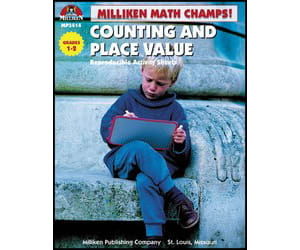
Math Champs! Counting and Place Value
Math, Place Value, Grade 1, 2, Teacher Tools, Lesson Plans
Math Champs! Counting and Place Value A unique teaching resource specifically designed for Grade 1 and Grade 2 educators to instill in their students fundamental counting skills and an advanced understanding of place value. An excellent learning tool for math teachers in both public schools or homeschooling settings. Included Features: A series of introductory activity pages carefully designed to help guide students along their mathematical journeys. Activities that familiarize students with the basic concepts of counting smoothly transitioning from counting proficiency to explorations of place value, adding an extra layer of depth to your student's number comprehension. Captivating dot-to-dot puzzles, thought-provoking riddles, and exciting games that create a successful blend ensuring learning takes center stage while maintaining remarkable levels of enthusiasm among young learners. This product is structured for flexibility; it can readily be integrated into your lessons based on your current teaching methods. Classroom teachers may use this as part of their group lesson plan while individualized instruction educators find it suitable as seat work material. Turn these activity pages into homework assignments on days when classroom time might not be enough or when reinforcing fresh concepts becomes necessary! The file type comes in PDF format making access easier across different devices – desktop computers, laptops or tablets without compromising its quality. In Conclusion: Benefit from Math Champs! Counting and Place Value, which is not just another teaching resource but rather an effective companion that assists educators deliver a robust foundational mathematical education effectively.
Author Classroom Complete Press
Tags PDF

Geometry: Shapes - PC Software
Math, Geometry, Kindergarten, Preschool, Grade 1, 2, Teacher Tools, Lesson Plans
Geometry: Shapes - PC Software Geometry: Shapes - PC Software is an innovative educational resource designed specifically for teachers and homeschoolers. It is a comprehensive supplement to their math curriculum, with a particular emphasis on geometry. The software delivers an all-encompassing geometrical experience, engaging students from preschool through grade 2. It provides necessary pedagogical support by offering lesson plans and instructions alongside the modules. An Introduction to The World of Shapes: This software aims at giving children an early introduction into the world of shapes and basic geometry principles. Its primary feature is its diversified approach that involves: Real-world word problems Timed drill activities Memory match games, etc, All these are offered under one umbrella, with applications varying from whole group instruction to small group interactions or individual homework assignments. Dual-Language Feature: An individualistic aspect of this product is its dual-language feature—with content available both in English and Spanish text/voiceover format—it caters to bilingual classrooms or students striving for second language competency. Beyond Learning About Shapes: Beyond just learning about shapes—this software serves as a pre- assessment tool providing information about student competence level before diving into the module content. A SMART Response assessment option post-module irons out any gaps in understanding making it interdisciplinary—a bridge between math education and technology. Add-ons & Educational Games: Add-ons: The software brings features like teacher guides + printable material supporting offline study ensuring consistent learning without disruptions due to unforeseen contingencies. Educational games: Includes enticing games that further kinesthetic involvement where children practically apply knowledge fostering deeper understanding cognitively and physically through movement play. Installation & Storage: The product comes packaged as a zip file containing all necessary materials—making installation quick and keeping storage space optimized. In Summary: Geometry: Shapes - PC Software is a dynamic teaching resource that combines the essential elements of early childhood geometry education within one simple-to-use platform. It furnishes educators with effective tools to inspire engaging and comprehensive learning experiences.
Author Classroom Complete Press
Tags Shapes Lesson, Digital Math, Math Lesson, Shapes Activity, Geometry Lesson
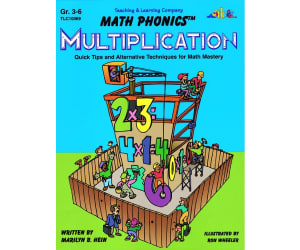
Math Phonics Multiplication: Quick Tips and Alternative Techniques for Math Mastery
Math, Multiplication and Division, Division, Grade 3, 4, 5, 6, Teacher Tools, Lesson Plans
Math Phonics Multiplication: Quick Tips and Alternative Techniques for Math Mastery A versatile teaching resource designed to equip learners with a strong foundation in basic math concepts and multiplication facts. Unique Teaching Approach The unique feature of this program, named as 'Math Phonics', is the application of rules, patterns, and memory techniques alike those utilized in language arts, making it distinctive among other teaching resources. An Effective Learning Tool This tool offers an excellent way to teach multiplication facts from 0 through 12. The lessons are rendered through easy-to-learn rules emphasizing pattern identification and repetition drill practices – keys to mathematical mastery. Inclusive Educational Resource Beneficial for students from grades 3 through grade 6. Designed keeping public school teachers & homeschooling parents in mind. Versatile lesson plans that can be implemented across various educational settings Simplicity Meets Flexibility: Our Design Principle! No need for any complex software or specific digital tools as the curriculum is provided in easy-to-read PDF format. In conclusion, If you're seeking an effective method of teaching multiplication while keeping your scholars motivated towards math literacy – "Math Phonics Multiplication" is your definitive resource!
Author Classroom Complete Press
Tags PDF

Geometry - Digital Lesson Plan Gr. 6-8 - FLASH-MAC
Math, Geometry, Grade 6, 7, Teacher Tools, Lesson Plans
Geometry - Digital Lesson Plan Gr. 6-8 - FLASH-MAC Specifically tailored for middle-school students ranging from 6th to 8th-grade level, this highly interactive and engaging math program allows educators, be it public school teachers or homeschoolers, to offer their learners over 320 individual activities spread across more than 80 beautifully crafted screen pages. NCTM and Core Curriculum Math Standards An ample platform for learning is provided in line with the expectations of the NCTM and Core Curriculum Math standards for Geometry. The broad coverage of this comprehensive curriculum offers substantial material on angles, triangles, circles, lines as well as area calculations of both two-dimensional shapesand three-dimensional shapes including surface areas and volumes. Diverse Approach & Proficiency Centered Learning The instruction follows a diverse approach incorporating both task-based activities and drill exercises leading to an effective round learning experience overall. With proficiency at its crux, this resource includes numerous problems involving geometry themes – with sixty pre- assessment activities followed by forty real-life centered word problems; each designed to engage students thoroughly while also ingraining mathematical concepts firmly. Educational Tools:O Offering more than just lesson plans; this resource creates a vivid classroom environment providing access to various math tools that serve both imperial or metric units along with text-to-speech support available in English or Spanish. Captivating Elements:> Moreover captivating elements such as printable worksheets exist alongside engaging interactive lessons complemented by added test preparation materials enhancing productive study time. Educational Games: > Education need not always be routine; hence included are recreational additions that too bear educational value like memory match games along with board games and spinner games each contributing towards shaping critical thinking powered by fun learning methods. Evaluating Learner Understanding The significance isn't limited only to instruction but also extends into evaluating learner understanding post completion via chapter-wise assessment quizzes providing insights into progress levels achieved. Overall when implemented either amongst small groups or whole class sessions or even as homework assignments – be assured that enhancement in student practice skills is both strengthened and reinforced promising mastery over Geometry! In an easy-to-use Software format compatible with Mac, this single product file settles to be an all-in-one comprehensive solution for teaching Geometry.
Author Classroom Complete Press
Tags Software (Mac)

Algebra: Equations - Solving with a Variable Input - FLASH-MAC
Math, Algebra, Grade 3, 4, 5, Teacher Tools, Lesson Plans
Algebra: Equations - Solving with a Variable Input - FLASH-MAC Teaching Resource A comprehensive teaching aid designed to enhance understanding of algebraic equations with variable inputs. This tool includes carefully crafted content, addressing all the vital elements an educator might need. Target Audience Primarily designed for grades 3 to 5 students, focusing on a critical subset of mathematics: Algebra. Included Resources Lesson Plans: Practical real-world word problems allow students to apply theoretical knowledge in practical situations, promoting critical thinking and concept reinforcement. Timed Drill Activities: Assures effective practice for mastering algebra skills. Tutoring Games: Includes memory match game, board game and spinner game, making learning enjoyable while encouraging group interactivity. Evaluation Tools: The pre- assessment feature allows educators to gauge initial proficiency levels before initiating lessons. Bilingual Content This resource includes both English text and voice-overs as well as Spanish versions making it useful for bilingual classrooms. Educator's Guide and Learning Tools Included The teacher guide provides guidelines on how best to implement this resource in various settings, whilst included math tools make lessons more engaging and understandable. Note: This software is mainly compatible with Mac devices which further accentuates convenience especially when considering technological integration into modern education setups. In conclusion, The 'Algebra: Equations - Solving with a Variable Input - FLASH-MAC', is an asset for any educator desiring robust resources aimed at teaching algebra effectively, particularly solving equations with variable inputs.
Author Classroom Complete Press
Tags Software (Mac)
Number & Operations: Multiplication & Division - Practice the Skill 3 - MAC Software
Math, Algebra, Common Core, Grade 3, 4, 5, Teacher Tools, Lesson Plans
Number & Operations: Multiplication & Division - Practice the Skill 3 - MAC Software This resource is designed for educators with a focus on teaching multiplication and division aligned to elements of Number and Operations. It provides an effective learning experience through succinct, curriculum -focused practice skill timed drill activities. Vision: Picture a classroom buzzing with students actively solving equations, independently working on multiplying and dividing numbers. The aim of this software is to facilitate such an engaging environment for Grades 3 to 5. The Package: The MAC software includes not just mathematical problems but also provision for hands-on learning experiences using practical math tools that help students visually decipher multiplication and division process. Switching languages is effortless as instructions are available in both English and Spanish, thus enriching the learning experience for students who speak either or both languages at home. The product adheres to Common Core State Standards and NCTM (National Council Of Teachers Of Mathematics). This makes it highly valuable across various educational settings including individual homework assignments as well as small or large group classroom activities due to its standards compliance feature. Tech Specs: All the resource material comes packaged in an easy-to-download single zip file suitable exclusively for MAC systems without causing much hassle, so you could dive into enriching your student's number crunching skills right away! In Conclusion: All-in-all this resource equips learners solidly while keeping them engaged thoroughly during Math lessons. Give your teaching strategy an upgrade by employing this remarkable tool aimed at mastering multiplication and division today!
Author Classroom Complete Press
Tags Math Skills, Digital Math, Operations, Numbers, Division Practice
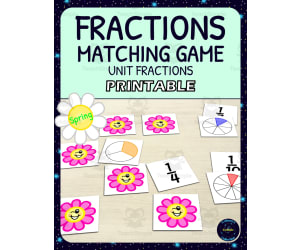
Spring Unit Fractions Matching Game Activity - Printable
Holiday & Seasonal, Seasons, Spring, Math, Fractions, Grade 1, 2, 3, 4, Lesson Plans, Teacher Tools
Spring Unit Fractions Matching Game Activity This is a wonderful teaching resource that revitalizes your classroom during the spring season. This downloadable and printable activity , designated for students from grade 1 through grade 4, exhibits versatility catering to diverse classrooms. Focal Point The game centers on Math, precisely unit fractions, providing a vibrant and interactive learning route for fractions. This math memory matching game also brings in an element of Spring theme thereby making the learning exercise excitable. Preparation Process The application involves printing out five distinct versions of fraction representation cards which include circles, squares, symbols or any combinations- adjusted as per learners' unique needs. We suggest laminating these cards post-printing for durability and kid-friendly handling. Furthermore there are black and white versions that suit varied printer capabilities. Versatility Distinguishing factor of this activity resides in its adaptability; educators can regulate difficulty levels by modifying card quantities thus catering to each learner’s level. Possible venues: In small groups where cooperative learning exists or, In individual play fostering independent work skills or even, In home-based exercises that strengthens parent-learner tie-ups at home. Equipped with five sets –fraction circles’, fraction squares’ including symbolic representations’ – you carry several options: - Print two identical sets promoting straightforward recognition exercises; - Utilize differing versions at the same time for challenging alternatives. Enjoyable and educational outdoor activities can also be conducted with this spring unit fractions matching game activity , thus making learning a delightful and seasonal event!
Author Colleen's Cosmic Collection
Tags Fractions, Unit Fractions, Math Game, Matching Game, Spring
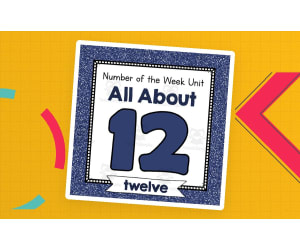
Number of the Week Unit: All About Number 12
Math, Numbers, Kindergarten, Preschool, Lesson Plans, Teacher Tools
Number of the Week Unit: All About Number 12 A comprehensive teaching resource designed for preschool and kindergarten teachers to shape engaging lessons around the number twelve. This no prep bundle comes fully packed with over 100 pages full of teaching materials. Key Features: Worksheets Sorting activities Play dough mats Mazes Different writing resources Dot painting features centered around number twelve. This unit offers flexibility allowing room for whole class instruction, smaller breakout groups, or even homework assignments. It is suitable both for in-classroom and off-site learning tasks. Vivid Visuals: Including real-life photos and delightful clipart illustrations of dozens of groups containing twelve items each, young students can easily visually associate with the concept '12'. Over forty posters are also included which can be used on bulletin boards or during presentations providing great visual reinforcement. Creative Educational Tools: E.g., there's a number puzzle together with ten different sets of sorting cards depicting items arranged in groups of twelve. These could be used to produce interactive group activities fostering teamwork while emphasizing understanding surrounding '12', But wait! There is more to this unit! In addition to worksheets and games, this unit also includes over 25 additional activity sheets like tracing exercises that will further bolster fine motor skills extending beyond mere numerical comprehension! About The Resource Format: Using this resource couldn't be simpler thanks its uncomplicated ‘print-and-go’ format - you simply choose what’s right for your lesson plan; print them out; present or display where needed then launch into fun and effective learning with your students.
Author Simply Schoolgirl
Tags Number 12, Math Activities, Preschool, Kindergarten, Hands-on Learning

Number & Operations: Addition & Subtraction - Practice the Skill 1 - PC Software
Math, Numbers, Common Core, Kindergarten, Preschool, Grade 1, 2, Teacher Tools, Lesson Plans
PC Software: An Indispensable Teaching Tool Number & Operations: Addition & Subtraction - Practice the Skill 1 is an outstanding educational tool designed specifically for educators and homeschoolers. It encompasses a wide range of learners from preschool, kindergarten to grade 1 and grade 2. The forefront purpose of our software is to nourish the understanding of addition and subtraction within the scope of number operations. A Chapter Mini Full of Interactive Activities In its core lies a chapter mini providing curriculum -based content, structured around practice-the-skill timed drill activities. These absorbing activities invite learners to solve provided sums hence drilling their mathematical abilities in relation to addition and subtraction concepts. We also empower visual learners, through an array of intuitive math tools supplementing their learning process. Multilingual Capabilities For Inclusivity To cater for diverse learning spaces, our software defaults in both English voiceover and text but also offers Spanish voiceover and text options. This showcases our commitment towards inclusivity within different pedagogical environments. A Design That Nurtures Pedagogical Approaches The design incorporates efficient teaching methods ensuring consistency with national standards such as Common Core State Standards (CCSS) and National Council of Teachers Mathematics (NCTM). This epitomizes it as a great resource driving STEM initiatives in various formal settings or even homework assignments. Dedicated Towards Fostering Quantitative Skills in Young Minds The software simply consists largely of one zip file making it smoothly functional across different PC systems with minimum setup required. The combination coherently brought together embeds functionality along with simplicity, making Number & Operations: Addition & Subtraction - Practice the Skill 1 a pivotal tool in any teaching toolkit that aims at nurturing young learners' quantitative skills through engaging Math lessons on number operations.
Author Classroom Complete Press
Tags Addition, Subtraction, Number, Operations, Digital Math

Measurement: Measuring Length - Learn the Skill - FLASH-MAC
Math, Measurements, Common Core, Grade 1, 2, Teacher Tools, Lesson Plans
Measurement: Measuring Length - Learn the Skill - FLASH-MAC Unlock the secrets of measurement with this innovative teaching resource catered towards first and second graders. The Measurement: Measuring Length - Learn the Skill - FLASH-MAC is a comprehensive chapter mini curriculum focusing on developing understanding in measuring lengths, a critical skill in elementary mathematics. Highly interactive and user-friendly, it incorporates real-world word problems that bring math concepts to life, engaging young learners while reinforcing their skills. It's like having an omnipresent teaching assistant who communicates via English and Spanish voiceovers or texts. This digital resource gives educators flexibility as it can be utilized for whole group instruction or personalized for small group work or solo practice. Offering immersive hands-on experience, students can experiment with included math tools that enhance problem-solving abilities while solidifying their grasp on measurement concepts. Teachers will appreciate how well this product integrates into their lesson plans, seamlessly aligning with Common Core State Standards and STEM initiatives. Broaden your approach to mathematics education with material grounded in pedagogical research and designed according to recommendations from National Council of Teachers of Mathematics (NCTM). Optimize your classroom environment by taking advantage of technology's role in modern pedagogy using the Measurement: Measuring Length -Learn the Skill-FLASH-MAC in MAC format software file type. This invaluable tool will not only augment traditional instruction methods but may also aid homeschoolers by introducing complex ideas concretely before transitioning students into abstract operations—adding significant value to various educational settings. Developed for Grades 1 and 2 level Mathematics classes focusing on Measurements; plan lessons confidently knowing you have potent software vested at inspiring a lifelong fascination for mathematic principles.
Author Classroom Complete Press
Tags Software (Mac)

Algebra: Ordering & Grouping - Practice the Skill 1 - FLASH-MAC
Math, Algebra, Common Core, Grade 1, 2, Teacher Tools, Lesson Plans
Algebra: Ordering & Grouping - Practice the Skill 1 - FLASH-MAC Teaching math concepts like ordering and grouping becomes an easy task with resource "Algebra: Ordering & Grouping - Practice the Skill 1 - FLASH-MAC". Designed to help educators leverage modern computer technology in their teaching process, this digital lesson plan is a versatile and valuable tool for engaging students at both grade one and grade two levels. The interactive nature of this software makes practice drills more appealing, as it transforms dull numerical exercises into colorful puzzles. This unique method of presentation makes learning algebra fun while fostering a comprehensive understanding of the topic. The Lessons The practice lessons focus on drilling students to put provided numbers in various ordering patterns such as from smallest to largest or vice versa. The essence is to train learners thus improving their comprehension of number relationships in algebra. There are also additional math tools programmed into the application that further solidify understanding. Educational Standards Alignment This resource aligns with: Common Core State Standards , STEM (Science, Technology, Engineering, Mathematics) initiatives, , ensuring consistency with general curriculum guidelines across various schools districts. It has also been written in line with the National Council of Teachers for Mathematics (NCTM), providing assurance concerning its educational content validity. Dual Language Support Feature: A stand out feature available within this resource is the presence of dual language support; English and Spanish text options coupled with voiceovers give educators flexibility when working within multicultural classrooms or bilingual education contexts. Applicability: The product can be used effectively either within group settings or for targeted individual work making it perfect both for classroom situations or home-schooling environments where personalized teaching is dominant. Summary By choosing Algebra: Ordering & Grouping - Practice the Skill 1 - FLASH-MAC you will enjoy not only a premier teaching accessory but more so an avenue towards creating meaningful math experiences tailored for your learners.
Author Classroom Complete Press
Tags Software (Mac)
Geometry: Transformations & Symmetry - Practice the Skill 3 - FLASH-MAC
Math, Geometry, Common Core, Grade 3, 4, 5, Teacher Tools, Lesson Plans
Geometry: Transformations & Symmetry - Practice the Skill 3 - FLASH-MAC Geometry: Transformations & Symmetry - Practice the Skill 3 - FLASH-MAC is a robust teaching tool designed to help students grasp the foundational concepts of transformations and symmetry in geometry. This comprehensive resource is specifically aimed at educators catering to grades 3, 4, or 5. Our interactive approach engages students with timed drill activities that focus on identifying line symmetry in different shapes. This exercises provide an effective way for constant practice and improved understanding of geometry transformations and symmetry. Ease Of Use & Accessibility We recognise the diverse needs of our learners which is why this product includes English and Spanish voice-overs, plus text options. It ensures seamless usability for children who use either language as their primary medium of communication. Educational Standards Compliance This tool aligns perfectly with Common Core State Standards (CCSS) Promotes STEM initiatives meticulously crafted around National Council of Teachers of Mathematics (NCTM) guidelines. Versatility & Application Settings The digital nature as Mac-compatible software offers versatile usage modes, offering adaptability to various instruction settings such as: In a group setting during whole-class instructions, In small groups during station activities or, Assigned as homework for individual student practice before exams or quizzes. Homeschooling Support . This educational tool can also act as support system for homeschoolers: its intuitive design promotes independent navigation by learners themselves, further facilitating self-driven learning. In summary, if you're an educator in a formal setting or manage homeschooling routines independently; and are seeking capable resources that focus on advancing understanding of Geometry sub-subjects – the Geometry: Transformations & Symmetry tool is a great choice!
Author Classroom Complete Press
Tags Software (Mac)