



3,952 products added recently
Page 2 - Technology Presentation
Introduce your students to the ever-evolving world of technology with presentations on topics like coding, robotics, and digital literacy. These resources highlight the impact of technology on society. Use them to inspire interest in STEM fields and digital competencies.

 Show filters

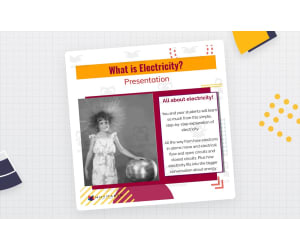
What is Electricity Presentation
Science, Technology, Engineering, Grade 4, 5, 6, 7, 8, 9, 10, 11, Presentations, Teacher Tools
What is Electricity Presentation: An Educational Resource The What is Electricity Presentation is an all-encompassing teaching resource devised for educators at different stages of instruction, inclusive of public school teachers and home educators. The presentation offers a profound exploration of electricity dynamics, elucidating the complex mechanisms behind how electricity travels through a circuit. The presentation aims to demystify electrical concepts for students from upper-elementary up until high-school (Grade 4 - Grade 11), vividly depicting electron movement within circuits and the resultant generation of electricity. This extensive explanation goes beyond fundamental concepts by introducing subjects like Energy, Law of Conservation energy, Electrical Energy, as well parsing down atomic constituents into Electrons, Protons, and Neutrons. Closed Circuits vs Open Circuits The understanding of closed circuits compared to open circuits forms a crucial aspect woven into this comprehensive narrative presented in our 21-slide PowerPoint lesson resource. Crafted thoughtfully to simplify subjects like Science and Engineering into easily digestible chunks thereby significantly aiding student comprehension. Presentation Advantages & Adaptability Versatile:This tool's design combined with Google Slide format's flexibility allows it to be adapted across various education applications in your classroom or homeschool setup. All-Inclusive: This versatile tool can also be effectively utilized for group instruction providing essential foundations on electricity principles. Dedicated Learning:This presentation can also be efficiently leveraged in smaller focus groups directed towards learners needing additional assistance understanding these unique electrical concepts. Educator Preparation: In allowing teachers to use this tool independently to prepare materials or simply assign the content directly to students for self-guided learning or homework requirements, our tool significantly amplifies educational productivity. Inspiration via Information! Our ultimate objective with the 'What is Electricity Presentation' is not only to inform students but spark their innate curiosity about the electrifying world they are part of!
Author WhyMaker
Tags Electricity Dynamics, Circuit Process, Energy Conservation, Atom Components, Closed And Open Circuits
Enhancing My Presentation Activity
ELA, Writing, Science, Technology, Grade 3, 4, 5, Presentations, Teacher Tools
This activity can help your students to better develop their main ideas by adding audio recordings and visual displays to their presentations .
Author Have Fun Teaching
Tags Essays
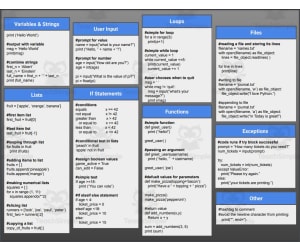
Python Cheat Sheet (Edit in Google Slides)
Science, Technology, Computer Science, Grade 5, 6, 7, 8, 9, 10, 11, 12, Presentations, Teacher Tools
The Python Cheat Sheet - A Comprehensive Guide The Python Cheat Sheet is a comprehensive one-page guide simplifying the intricacies of Python programming. Originally designed as a resource for science instructors from grades 5 to 12, this sheet encompasses all the vital aspects of the language in an easy-to-understand format. The standout feature of this tool is its integration with Google Slides , which allows it to be tailored according to individual classroom setup and teaching methods. Making Computer Science Easy In teaching computer science, educators often encounter challenges due to complex jargon and concepts. This tool successfully overcomes such hurdles by condensing essential programming information into an easily-referenced cheat sheet, thereby eliminating rote learning and encouraging practical understanding. Versatility in Implementation Strategies: Whole group instruction: Classroom projection via Google Slides or on shared screens ensures real-time tracking during live demonstrations/discussions about coding practices. Small group or individual sessions: Printed PDF versions are particularly suitable for reviewing details where students switch between theory and actual programming platforms without losing context. Independent study / homework assignments: About time ahead of quizzes /exams or while handling sizeable projects, quick references are beneficial. Aimed at Fostering Practical Knowledge Over Theoretical Learning: Rather than relying solely on theoretical explanations from textbooks, The Python Cheat Sheet concentrates on a fact-based learner-directed outcome making technology education almost intuitive!
Author Roombop
Tags Python Programming, Reference Tool, Teaching Resource, Google Slides Integration, Practical Knowledge
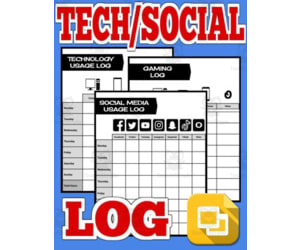
Technology & Social Media Log (Editable Google Slides)
Science, Technology, Not Grade Specific, Presentations, Teacher Tools
Technology & Social Media Log (Editable Google Slides) Uncover the surprising truth about the omnipresence of technology in your students' everyday lives with this Technology & Social Media Log. Conceived as a cross-curricular tool, this resource is aimed at highlighting the role of digital devices, social platforms, and games in our society. In our contemporary world—the proliferation of state-of-the-art technology has integrated a complex network of gadgets into everyone's daily lives. The average student spends significant amount of their time on these tools without being aware of their usage patterns. This compelling teaching aid counters that by encouraging students to critically assess and reflect on their consumption patterns. This log is ubiquitous in its application—Teachers can use it as a group activity or split it up for small groups or individual homework assignments. Take advantage off its editable Google Slides format to adapt tasks according to each student's needs—it offers flexibility while maintaining its main aim. This log includes three fundamental sections: Technology Usage Log: Students keep track of time spent on varied gadgets such as computers, tablets, phones, and televisions. Social Media Log: In this section learners monitor the time consumed across different social platforms such as Facebook, Twitter YouTube Instagram Snapchat TikTok etc. Gaming Log: This helps record computer gaming habits including console gaming and mobile phone games . A supplementary feature included is an adaptable tracker - an empty sheet with seven columns for infinite potentials. Maybe they'd like to record movie watching hours? Or text messaging habits over weekends? The interactivity does not end there - both images and text can be integrated into the logs allowing for creativity while also meeting instructional objectives. After completion, pictures showcasing weeks-long data can be saved, ready to be utilized for analysis, reflection and even a classroom discussion! Above all, remember... science isn't confined to understanding our physical environment—it also involves deciphering human conduct! By making use of this accessible teaching aid you are nurturing critical thinking skills based around relevant personal experiences; fostering thoughtful involvement among your pupils. Regardless of the grade or subject matter at hand, understanding our own behavior in this digital era is an experimental undertaking. Prepare yourself and your students for some enlightening discoveries with the Technology & Social Media Log! Enjoy a mix of creativity, knowledge acquirement and technical literacy designed to provoke surprise reflection and perhaps even moderation.
Author Roombop
Tags Technology, Social Media, Digital Devices, Consumption Patterns, Interactive Log