



3,942 products added recently
Page 17 - Addition and Subtraction Lesson Plans
Help your students master addition and subtraction through lesson plans that provide clear explanations and practice opportunities. These activities use games and real-life scenarios to make learning relatable. Implement them to ensure students have a strong mathematical foundation.

 Show filters


Number & Operations - Digital Lesson Plan Gr. 6-8 - FLASH-MAC
Math, Numbers, Grade 6, 7, Teacher Tools, Lesson Plans
Number & Operations - Digital Lesson Plan Gr. 6-8 - FLASH-MAC: An Innovative Teaching Resource The Number & Operations - Digital Lesson Plan Gr. 6-8 - FLASH-MAC is a comprehensive math teaching program specifically designed to support students in grades 6 to 8. With over 320 individual activities, spread across more than 80 engaging, interactive screens, it offers an ample platform for students to master important concepts aligned with the NCTM and Core Curriculum Math standards. Main Focus of the Program This highly resourceful lesson plan revolves around practical applications of Number & Operations concepts. Fractions, decimals, multiplication and division. Ratios and percentages exploring significant areas of middle school mathematics. A Multifaceted Learning Approach The teaching resource excellently combines task-oriented lessons with drilling activities for a holistic learning experience: The beginning phase comprises of pre- assessment tasks helping teachers evaluate student proficiency levels prior to initiating primary lessons. We provide more than 40 word problems that are based on real-life situations enabling students to relate mathematical concepts with their daily life applications. In order to fortify understanding; additional practice with numerous drill problems aids learners till they attain procedural mastery over topics discussed throughout the course. Digital Utility Tools Included for Better Accessibility: Math tools (imperial and metric) Bilingual: English/Spanish Text-to-Speech options Printable worksheets for offline reinforcement Interactive Game-based Features for Enhanced Engagement: We offer innovative features such as memory match games and spinner games, encouraging interactive learning while boosting retention of the concepts taught. Gauge progress and comprehension via assessments quizzes post every chapter, enabling customization of future lesson plans based on student performance.
Author Classroom Complete Press
Tags Software (Mac)

Data Analysis & Probability: Bar Graphs - MAC Software
Math, Graphing, Kindergarten, Preschool, Grade 1, 2, Teacher Tools, Lesson Plans
Data Analysis & Probability: Bar Graphs - MAC Software Data Analysis & Probability: Bar Graphs - MAC Software is designed as a teaching aid that enhances comprehension of bar graphs through engaging and effective ways. This resource particularly boosts data analysis and probability learning, providing an appealing combination of curriculum-based content alongside practical application. Suitable for Preschool, Kindergarten, Grades 1 and 2 teachers. Focus: The software's math focus centers on the subsubject of graphing Tackles challenges often found within early stages of learning using a fresh approach Helps educators make understanding these crucial mathematical entities easier for students. A well-structured lesson plan is provided to assist educators to efficiently guide learners through the modules. Real-world word problems are incorporated into lessons adding practical relevance, while timed drill activities foster fun competition among students. Features: A comprehensive teacher's guide with step-by-step instructions for maximum utilization of features offered by this software. Incorporation of printable assets;; English text; voice overs and an option for Spanish voice over useful in multi-language classes or bilingual education centers The software comes bundled with a memory match game, board game along with spinner games all contributing to learner engagement while simultaneously imparting fundamental concepts tutored about bar graphs meticulously designed in educative bits throughout playtime sessions. All these come packed within one zip file compatible solely with Apple MAC infrastructure ensuring hassle-free installation. Learning Strategies: This mac software makes an ideal tool for implementing learning strategies either at school or as homework assignments promoting parent-child bonding allowing guardians play significant roles in supporting their child's educational journey. Investment: Investing in Data Analysis & Probability: Bar Graphs - MAC Software is synonymous to empowering oneself with an excellent teaching accessory that aligns seamlessly with modern day pedagogical techniques thus transforming classroom sessions into enriched and enlightened experiences for every child.
Author Classroom Complete Press
Tags Math Lesson Plan, Digital Math, Bar Graphs, Digital Graphs, Probability

Algebra: Expressions - Multiplication & Division - FLASH-MAC
Math, Algebra, Grade 3, 4, 5, Teacher Tools, Lesson Plans
Algebra: Expressions - Multiplication and Division - FLASH-MAC FLASH-MAC is a groundbreaking teaching resource developed to assist educators in the realm of mathematics, specifically focusing on algebraic expressions, multiplication, and division. This product can be smoothly integrated into public school classrooms or adjusted for homeschool atmospheres. Catering to students from Grade 3 to Grade 5, it offers a thrilling mix of curriculum-based content along with various interactive learning features. Main Features: A comprehensive lesson plan mapped according to relevant academic standards Lively activities such as timed drills that foster mathematical fluency A unique pre- assessment feature allowing teachers to tailor their lessons based on individual student needs Inclusion of real-world word problems demystifying abstract concepts through practical applications In addition, including enjoyable aspects like memory match games and spinner games that promote engagement while subconsciously emphasizing math concepts. Sensitive towards inclusive education policies and meeting diverse multicultural classroom requirements, this tool comes with default English text and voice-over as well as a Spanish voice-over option. Education Settings Flexibility: Whole group sessions where an educator presents topics using a projector screen; Focused small group activities providing opportunities for collaborative work among students; In-home application where learners can independently rehearse multiplication or division expressions using printable resources available in the package. The software is compatible with Mac operating systems ensuring hassle-free access for most contemporary educators. Whether you are seeking ways to reinforce classroom instruction or looking for resources supplementing homeschool curriculums — Algebra: Expression - Multiplication & Division - FLASH-MAC presents itself as a versatile, ready-to-use solution right from the start.
Author Classroom Complete Press
Tags Software (Mac), Multiplication Expressions
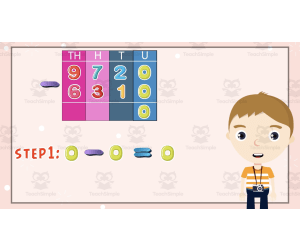
All About Subtracting 10,000 | Animated Math Video Lesson
Math, Addition and Subtraction, Subtraction, Grade 2, 3, 4, Lesson Plans, Teacher Tools
All About Subtracting 10,000 | Animated Math Video Lesson All About Subtracting 10,000 | Animated Math Video Lesson is an exceptional teaching resource that simplifies large number subtraction for students in Grade 2, Grade 3 and Grade 4. This animated math video lesson motivates learners by presenting subtraction in a fun and innovative way. Making complex topics such as these interesting for young minds can be tough sometimes. However,this video trains the learners step-by-step to solve various subtraction problems interactively. The lesson lasts approximately ten minutes thereby fitting conveniently into any instructional time period or schedule. It can be used as a primary teaching method during regular math class time with whole group instruction. This could also be broken down into smaller sections for small group work or individual practice sessions. The animated format of the tutorial features clear visual cues. This helps enhance comprehension issues even for students who might struggle with reading text-based material. Moreover, this all-inclusive resource is provided as an MP4 file which makes it compatible across numerous devices including computers, tablets ,and digital whiteboards in classroom settings or personal gadgets at home for homeschoolers too. Fostering Invaluable Mathematical Skills All About Subtracting 10,000 | Animated Math Video Lesson unfolds as an ideal tool not only introducing the concept but also serving well while reviewing before tests or re-teaching principles crucial to build strong mathematical foundations amongst learners. Therefore,this invaluable learning product successfully supplements teachers’ efforts and fosters essential mathematical skills in students that will benefit them later on. So gear up your mathematics teaching mechanism using this engaging All About Subtracting 10,000 | Animated Math Video Lesson, where learning becomes fun!
Author Educational Voice
Tags Subtraction, Large Numbers, Interactive Learning, Visual Cues, Mathematical Foundations

Place Value Math Interactive Notes VA SOL 3.NS.1
Math, Place Value, Grade 2, 3, 4, Teacher Tools, Lesson Plans
Explore Place Value with This Math Interactive Notebook! This is a comprehensive math interactive or scaffolded notebook designed specifically for Virginia SOL standard 3.NS.1. It includes notes geared to teaching place and value and the various ways to represent a number. It goes into place, value, word form, expanded form, standard form, model form, and decomposing numbers. What's Included: Interactive notes Visual Aids: Clear and colorful visuals help students understand the abstract concepts of place and value. Practice Pages: Reinforce learning with a variety of practice pages. Teacher Resources: Detailed instructions, answer keys, and a instructor presentation are included to help you effectively teach place value. Why Choose This Interactive Notebook? It is aligned with Virginia SOL Standards: Specifically, SOL standard 3.NS.1. It is engaging and interactive It is comprehensive It is easy to use, with clear instructions and ready-to-use materials that save you valuable planning time. Whether you're introducing, reviewing, or assessing, this resource is your ultimate companion for mastering place value skills. This product covers the 2023 Virginia (VA) Standards of Learning (SOL) 3.NS.1 The student will use place value understanding to read, write, and determine the place and value of each digit in a whole number, up to six digits, with and without models. It contains notes pages on place value and the various ways to represent a number: model form, word form, standard form, and expanded form. There are practice pages for each topic, with an answer key included. The notes pages come in two sizes. The first size is a full-page size. You can print them as-is, or you can print them two to a page. This is what I do as it saves on paper and the sheets will easily fit in a notebook of any size. The second size is formatted to fit on a standard composition notebook page but will also easily fit a spiral notebook. Included notes pages in this bundle are: -key vocabulary -place value chart -understanding the value of a digit -decomposing numbers -place value with Base-10 blocks -writing numbers in expanded form, expanded notation, standard form, word form, and model form -symbols for balancing equations -practice with inequalities -ordering numbers -practice ordering numbers -comparing numbers -practice comparing numbers Need more low-prep or no-prep math activities? Check these out: No Prep Spiral Math Daily Review and Quizzes Identifying Money Practice Counting Money Practice Area and Perimeter Digital Activity October No-Prep Math Activities Comparing Money Practice 1
Author SchoolingSara
Rating
Tags VA SOL, Place Value, Digital, 3.NS.1, Virginia, Expanded Form, Word Form, Model Form

Number & Operations: Decimals - Addition & Subtraction - Practice the Skill 2 - FLASH-MAC
Math, Decimals, Common Core, Grade 3, 4, 5, Teacher Tools, Lesson Plans
Number & Operations: Decimals - Addition & Subtraction - Practice the Skill 2 - FLASH-MAC This is a highly effective teaching resource designed to support Grade 3, Grade 4 and Grade 5 students in developing competency in decimal additions and subtractions. This sought-after education software provides educators with comprehensive mathematical tools to efficiently instruct students on Number and Operations. Key features include: Curriculum -based content covered through timed drill activities. Precise addition and subtraction exercises that can be used during whole group instruction, small group activities or as homework assignments. An inclusive design featuring both English and Spanish voiceover options for enhanced accessibility. The relevance of this teaching tool is further reflected in its commitment towards recognized educational standards: The software’s content aligns with Common Core State Standards, ensuring it adheres to academic benchmarks at each grade level. The materials are formulated according to National Council of Teachers of Mathematics (NCTM) principles, reinforcing high-quality math education standards in teaching practice. In Conclusion... In promoting a deeper understanding of number systems, especially about decimals operation, the Number & Operations: Decimals - Addition & Subtraction - Practice the Skill 2 - FLASH-MAC stands out as an invaluable asset for public school teachers as well as homeschooling parents.
Author Classroom Complete Press
Tags Software (Mac)

Measurement: Temperature & Currency - Practice the Skill 1 - PC Software
Math, Measurements, Common Core, Kindergarten, Preschool, Grade 1, 2, Teacher Tools, Lesson Plans
Measurement: Temperature & Currency - Practice the Skill 1 - PC Software The primary focus of this teaching resource is to simplify the concepts of Temperature and Currency in Measurements for students. Geared towards preschool, kindergarten, and grades 1-2 curricula, it is an intuitive chapter mini designed as a convenient timed drill activity which educators can utilize within their classrooms or even in home-school setting. This software works by presenting several objects to learners and tasks them with identifying whether these portray hot or cold attributes. This helps young learners differentiate between these two temperature types through concrete examples found in everyday life. To facilitate learning further, pertinent mathematical tools are also incorporated throughout the activity . Inclusivity & Bilingual Support: Embracing inclusivity and accommodating bilingual students or those learning Spanish as a second language, this educational teaching resource employs both English voice over with text alongside an optional additional Spanish voice over with text. Educational Standards Compliance: Pertinent alignment with Common Core State Standards assures educators that tool beneficially contributes to foundational comprehension of measurement - specifically temperature and currency. Made considering NCTM principles (National Council Of Teachers Of Mathematics), thus proving beneficial for teachers seeking resources that are pedagogically sound. Favorably Adapts Beyond Traditional Classroom Settings: Beyond traditional classroom settings and large group instruction exercises, teachers can extend its use to more intimate small-group lessons or set interactive homework assignments using the software on personal computers at home. Ease-of-Use Across Devices: Delivered as one accessible zip file offering PC software compatibility ensures ease-of-use across various devices for instructors' convenience while delivering interactive education sessions focused on essential math skills. Effortlessly bring complex Math subjects like Measurements into your teaching routine using "Measurement: Temperature & Currency - Practice the Skill 1 - PC Software". Designed by experienced educators aiming to simplify complex themes into digestible content for young learners.
Author Classroom Complete Press
Tags Math Skills, Digital Math, Temperature, Currency, Digital Activities
I WONDER - What Is The Radius And Diameter | Animated Video Lesson
STEM, Geometry, Math, Grade 4, 5, 6, 7, 8, 9, 10, Lesson Plans, Teacher Tools
Video Introduction An amazing video designed for the students to learn more about STEM. I WONDER - What Is The Radius And Diameter | Animated Video Lesson Do you like STEM subjects? what is your favorite one? Have you ever tried to plant a seed? If yes, tell us more about it. Or have you ever tried to invent something? If yes, tell us more about it. And how do you think it will help us? Have you ever seen a microorganism under a microscope? What was it? And how it looked like? Mathematics is a marvelous subject. Let' sharpen our brains and solve some equations. Do you like timetable tricks? What is your favorite one? Do you know how to code? Have you ever created an app or a game before? If yes, how was it like? I WONDER - What Is The Radius And Diameter | Animated Video Lesson The video is perfect for encouraging the researching skills for the students, while learning more about this fantastic topic. I WONDER - What Is The Radius And Diameter | Animated Video Lesson This friendly designed video is suitable for students at school, homeschooling, and as a group activity. Format Available in MP4 format.
Author Educational Voice
Tags What Is The Radius And Diameter, What Is The Radius And Diameter Video, Radius, Radius Facts, Radius Video, Radius Video For Kids, Diameter, Diameter Facts, Diameter Video, Diameter Video For Kids

I WONDER - What Is A Fraction | Animated Video Lesson
STEM, Fractions, Math, Grade 5, 6, 7, 8, 9, 10, 11, Lesson Plans, Teacher Tools
Video Introduction An amazing video designed for the students to learn more about STEM. I WONDER - What Is A Fraction | Animated Video Lesson Do you like STEM subjects? what is your favorite one? Have you ever tried to plant a seed? If yes, tell us more about it. Or have you ever tried to invent something? If yes, tell us more about it. And how do you think it will help us? Have you ever seen a microorganism under a microscope? What was it? And how it looked like? Mathematics is a marvelous subject. Let' sharpen our brains and solve some equations. Do you like timetable tricks? What is your favorite one? Do you know how to code? Have you ever created an app or a game before? If yes, how was it like? I WONDER - What Is A Fraction | Animated Video Lesson The video is perfect for encouraging the researching skills for the students, while learning more about this fantastic topic. I WONDER - What Is A Fraction | Animated Video Lesson This friendly designed video is suitable for students at school, homeschooling, and as a group activity. Format Available in MP4 format.
Author Educational Voice
Tags What Is A Fraction, What Is A Fraction Video, Fraction, Fraction Video, Fraction Video For Kids, Fraction Facts, Fraction Facts For Kids, Fraction For Kids, Math, Math Video
Data Analysis & Probability: Circle Graphs - Practice the Skill 3 - MAC Software
Math, Graphing, Common Core, Kindergarten, Preschool, Grade 1, 2, Teacher Tools, Lesson Plans
Data Analysis & Probability: Circle Graphs - Practice the Skill 3 - MAC Software is an acclaimed teaching resource that is tailored to support math-focused subjects. It is developed for grades ranging from preschool through to grade 2 and offers a curriculum-based approach. The software features timed drill activities that challenge students' understanding and interpretation of circle graphs related to data analysis and probability. Each activity poses a series of questions based on the respective circle graph, thus promoting active learning and engaging interaction with key mathematical concepts. To enhance comprehension, this educational tool equips learners with specialized math tools that empower their learning journey. A unique aspect of this teaching resource is its inclusion of bilingual (English and Spanish) voice-over themes. This exciting feature makes it ideal for multilingual classrooms or English as Second Language (ESL) learners, ensuring inclusivity in modern global classroom settings while also driving up student engagement levels. Teachers can employ this valuable tool during whole group instruction or use it to curate differentiated activities tailored for small ability-diverse groups—making its potential application in the classroom limitless! The rich variety of exercises can also work perfectly as homework assignments or quick assessments, granting students an opportunity for independent skills refinement at home. No More Storage Woes: All content sits snugly within a zip file that installs smoothly onto any MAC computer system without straining your storage capacity—a practical solution engineered around your technology needs . Main Benefits: The software aligns cohesively with Common Core State Standards, STEM initiatives, & NCTM principles—thus laying down a solid foundation for imparting complex mathematical concepts later in higher grade levels. Its application extends beyond classrooms to also serve homeschooling setups—the Data Analysis & Probability: Circle Graphs - Practice the Skill 3- MAC Software is a valuable addition to your educational toolkit that combines convenience with in-depth learning outcomes. To conclude, the Data Analysis & Probability: Circle Graphs - Practice the Skill 3 - MAC Software steps up as an indispensable supplement that enriches your educational toolkit by balancing ease and deep-routed learning results.
Author Classroom Complete Press
Tags Digital Math, Digital Graphs, Circle Graphs, Probability, Math Skills

I WONDER - What Is An Isosceles Trapezoid | Animated Video Lesson
STEM, Geometry, Math, Grade 4, 5, 6, 7, 8, Lesson Plans, Teacher Tools
Video Introduction An amazing video designed for the students to learn more about STEM. I WONDER - What Is An Isosceles Trapezoid | Animated Video Lesson Do you like STEM subjects? what is your favorite one? Have you ever tried to plant a seed? If yes, tell us more about it. Or have you ever tried to invent something? If yes, tell us more about it. And how do you think it will help us? Have you ever seen a microorganism under a microscope? What was it? And how it looked like? Mathematics is a marvelous subject. Let' sharpen our brains and solve some equations. Do you like timetable tricks? What is your favorite one? Do you know how to code? Have you ever created an app or a game before? If yes, how was it like? I WONDER - What Is An Isosceles Trapezoid | Animated Video Lesson The video is perfect for encouraging the researching skills for the students, while learning more about this fantastic topic. I WONDER - What Is An Isosceles Trapezoid | Animated Video Lesson This friendly designed video is suitable for students at school, homeschooling, and as a group activity. Format Available in MP4 format.
Author Educational Voice
Tags What Is An Isosceles Trapezoid, What Is An Isosceles Trapezoid Video, Isosceles Trapezoid, Isosceles Trapezoid Facts, Isosceles Trapezoid Facts For Kids, Isosceles Trapezoid Video, Isosceles Trapezoid Video For Kids

Measurement: Measuring Time - Practice the Skill 1 - FLASH-MAC
Math, Measurements, Common Core, Grade 1, 2, Teacher Tools, Lesson Plans
FLASH-MAC: An Ideal Solution for Teaching the Concept of Time Measurement The Measurement: Measuring Time - Practice the Skill 1 - FLASH-MAC is a digital educational tool meticulously designed to assist students to gain proficiency in the topic of time measurement. Its appealing features include: A series of time-sensitive activities that challenge learners to align digital times with their respective analog counterparts. Inclusion of real-life visuals and math tools that enhance comprehension while making learning enjoyable. Detailed alignment with esteemed education guidelines including Common Core State Standards, STEM guidelines, along with NCTM practices. Language inclusivity by offering both English and Spanish voice-over options alongside matching text which eliminates language barriers. Inclusive Learning Resource Package Purchasing this resource equips you with a comprehensive package encompassing all necessary materials for seamless integration into your pre-existing curriculum . This well-crafted application is adaptable to varied classroom instruction modes such as large class instructions, small-group teachings or individual assignments inclusive of homework tasks. A Catalyst for Fostering Interest in Measurements within Math This valuable teaching aid not only prepares learners effectively in understanding measurements at Grade 1 and Grade 2 levels but also revives enthusiasm amongst them about Mathematics through: Merging computing technology via Mac software, Ideal blend of practical exercises, In-class instruction producing remarkable results consistent with future Mathematics-related subjects learning ventures. Fostering Skill Mastery for Classroom Diversity In summary, FLASH-MAC is more than an educational tool; it provides a pleasant pathway for mastering measurements thanks to its user-friendly approach. It will serve as an asset to educators eyeing toward enhancing student engagement and comprehension of time measurement while respecting the distinct diversity amongst students present in each classroom set-up.
Author Classroom Complete Press
Tags Software (Mac)

Measurement: Temperature & Time - Practice the Skill 2 - FLASH-MAC
Math, Measurements, Common Core, Grade 3, 4, 5, Teacher Tools, Lesson Plans
Introducing Measurement: Temperature & Time - Practice the Skill 2 - FLASH-MAC Measurement: Temperature & Time - Practice the Skill 2 - FLASH-MAC is a digitally designed resource that aims to support teachers and homeschoolers in delivering key mathematical concepts more effectively. Educational Features: Highlights understanding time and measuring temperature. Presents interactive, timed drills for identifying times on analog clocks. Flexible math tools made to aid children's comprehension of temperature measurement. National Educational Standards Adherence: The product consistently adheres to Common Core State Standards, aligns with NCTM guidelines, syncs well with STEM initiatives, thus continually being up-to-date with national teaching standards. Inclusive Design: The software comes equipped with English and Spanish voice-over and text versions, accommodating versatilities like bilingual students or English language learners efficiently. Versatility In Use: Tailored for both whole group or small group instruction, it can also be assigned as homework practice—adapting efficiently according to classroom requirements. With an efficient download process, you'll have the entire product file ready for easy integration into your existing lesson plans at your fingertips. * Applicable Grades: Grade 3-5 Math , Aimed exclusively at Grade 3-5 Math students but can be applied efficiently across multiple grades thanks to its graded approach towards lessons about measurements—making learning about time concept and temperature less intimidating yet engaging for young minds. Concluding Note: Incorporating Measurement: Temperature & Time - Practice the Skill 2 into any learning environment will enhance your teaching resources suite, also fostering lifelong learners along their academic path.
Author Classroom Complete Press
Tags Software (Mac)
Data Analysis & Probability: Bar Graphs - Practice the Skill 3 - FLASH-MAC
Math, Statistics, Common Core, Grade 1, 2, Teacher Tools, Lesson Plans
Data Analysis & Probability: Bar Graphs - Practice the Skill 3 - FLASH-MAC Teaching Resource The teaching resource, Data Analysis & Probability: Bar Graphs - Practice the Skill 3 - FLASH-MAC, is a valuable asset for educators invested in developing their students' understanding of bar graphs as part of Data Analysis and Probability. This comprehensive instructional tool presents curriculum -relevant content through engaging skill-building activities. It includes timed drill activities prompting active recall among students, fostering quick thinking, and promoting topic concept mastery. The drills are untimed making them easily adaptable to various classroom schedules such as whole group instructions or smaller targeted sessions. They can also be assigned as individual homework tasks. Innovative Features An impressive aspect of this product is its dual language facility! Default English voiceovers are complemented by Spanish narration, making it an excellent choice for ESL learners or bilingual classrooms. This educational software comes equipped with math tools designed to support student learning while honing key skills essential for future mathematical fields like Statistics. Quality Assurance & Conformity with Educational Standards Data Analysis & Probability: Bar Graphs – Practice the Skill 3 – FLASH-MAC adheres to Common Core State Standards underlining rigorous academic quality assurance while keeping up-to-date with latest pedagogical best practices informed by NCTM and STEM initiatives standards. School Grade Application & Compatibility This unique teaching resource is especially useful for Grade 1 and Grade 2 teachers and runs flawlessly on Mac systems, ensuring uninterrupted information dissemination during lessons. In essence, this product leverages technology-assisted learning approaches advancing progressive competencies vital in today's data-centric world remaining faithful to standardized education parameters.
Author Classroom Complete Press
Tags Software (Mac)
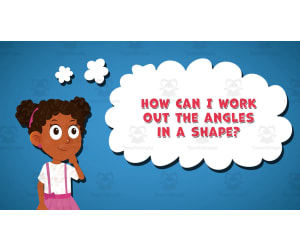
I WONDER - How Can I Work Out The Angles In A Shape
STEM, Geometry, Math, Grade 2, 3, 4, 5, 6, 7, 8, Lesson Plans, Teacher Tools
Video Introduction An amazing video designed for the students to learn more about STEM. I WONDER - How Can I Work Out The Angles In A Shape | Animated Video Lesson Do you like STEM subjects? what is your favorite one? Have you ever tried to plant a seed? If yes, tell us more about it. Or have you ever tried to invent something? If yes, tell us more about it. And how do you think it will help us? Have you ever seen a microorganism under a microscope? What was it? And how it looked like? Mathematics is a marvelous subject. Let' sharpen our brains and solve some equations. Do you like timetable tricks? What is your favorite one? Do you know how to code? Have you ever created an app or a game before? If yes, how was it like? I WONDER - How Can I Work Out The Angles In A Shape | Animated Video Lesson The video is perfect for encouraging the researching skills for the students, while learning more about this fantastic topic. I WONDER - How Can I Work Out The Angles In A Shape | Animated Video Lesson This friendly designed video is suitable for students at school, homeschooling, and as a group activity. Format Available in MP4 format.
Author Educational Voice
Tags How Can I Work Out The Angles In A Shape, How Can I Work Out The Angles In A Shape Video, Angles In A Shape, Angles In A Shape Video, Angles In A Shape Video For Kids, Angles In A Shape Facts, Angles In A Shape Facts For Kids

3rd Grade Summer Math Games Pack | No-Prep Printables
Math, Grade 3, Games, Activities, Lesson Plans, Teacher Tools, Worksheets & Printables
3rd Grade Summer Math Games Pack | No-Prep Printables Keep math skills sharp all summer with this Grade 3 Summer Math Games Pack ! Designed to prevent summer learning loss, this engaging collection of 57 no-prep math activities helps students review multiplication, division, fractions, place value, area, perimeter, elapsed time, and more while having fun. Perfect for summer packets, math centers, tutoring, take-home practice, and Grade 4 preparation. Based on the uploaded materials, the pack includes 57 printable activities, answer keys, and teacher support resources. What's Included 57 printable Grade 3 summer math activities 8 multi-step word problems 10 multiplication and division activities 10 place value, rounding, and operations activities 8 vocabulary, money, and multiplication games 10 time, measurement, area, perimeter, and data activities 6 geometry and fractions activities 5 math journal and board game activities Complete answer key for all activities Teacher guide with standards alignment and differentiation ideas No-prep, print-and-go format How It Works in the Classroom Use this Grade 3 Summer Math Review resource for: Summer learning packets End-of-year review Summer school programs Math centers and stations Morning work Independent practice Small-group instruction Tutoring sessions Sub plans Grade 4 readiness review Simply print and distribute—no prep required. Activities are designed for flexible use throughout the summer or as a structured review program. Standards & Learning Goals Students will practice and strengthen: Multiplication and division within 100 Multi-step word problem solving Fact families and arithmetic patterns Place value and rounding to the nearest 10 and 100 Addition and subtraction within 1,000 Fractions on a number line Equivalent fractions Time to the nearest minute and elapsed time Area and perimeter Mass and liquid volume Scaled graphs and line plots Classifying quadrilaterals Aligned with Grade 3 Common Core Math standards including OA, NBT, NF, MD, and Geometry domains. Why Teachers Love It ✅ No-prep, print-and-go convenience ✅ Comprehensive Grade 3 math review in one resource ✅ Supports summer learning retention ✅ Engaging game-based activities and board games ✅ Includes answer key for quick grading ✅ Easy to differentiate for support or enrichment ✅ Great for classroom, homeschool, tutoring, and summer school use ✅ Helps students build confidence before entering Grade 4 This Grade 3 Summer Math Games Pack combines essential math review with fun, engaging activities that keep students practicing important skills all summer long. Make summer math practice easy and engaging with this comprehensive Grade 3 Summer Math Review Packet . Add it to your summer resources today and help students return to school confident and ready for fourth grade!
Author Bright Classroom Ideas Marketplace
Rating
Tags Summer, Math, Lesson, Game, Worksheet

Data Analysis & Probability: Bar Graphs - Learn the Skill - FLASH-PC
Math, Statistics, Common Core, Grade 1, 2, Teacher Tools, Lesson Plans
Data Analysis & Probability: Bar Graphs - Learn the Skill - FLASH-PC About: This is an exceptional teaching resource, essentially made for Grade 1 and 2 students. It is instrumental in imparting critical mathematical competencies to next-generation learners. Key Focus Area: The product dives deep into the statistical concept of Data Analysis and Probability with a particular emphasis on comprehending bar graphs. Real-life word problems are exploited to reach this end, successfully implementing abstract ideas into substantial contexts. Inclusionary Features: A default English voice-over that enhances learner accessibility particularly for visually impaired or reading-challenged students. To cater to multicultural classrooms, Spanish translation in both voiceover and text are available as well. _Accreditations_ This instructional tool strictly adheres to: Common Core State Standards (CCSS), which guarantees its specificity toward curriculum-based content. The highly esteemed National Council of Teachers of Mathematics (NCTM) standards, thereby upholding its credibility amidst renowned educational associations nationwide. The product's alignment withSTEM initiatives depicts how it resonates with contemporary educational trends as well. Favourable Flexibility The flash-PC software allows it diverse usability such as during teacher-led classroom instructions or peer-group tasks propelling cooperative learning experiences. Additionally, a downloadable digital format promotes seamless distribution for homework assignments when needed. In summary, 'Data Analysis & Probability: Bar Graphs - Learn the Skill' is an effective amalgamation of time-tested pedagogical strategies with the convenience of technological advancements. It simplifies and demystifies otherwise complex mathematical principles for young budding academics.
Author Classroom Complete Press
Tags Software (PC)

Number & Operations: Grouping Objects & Number Lines - Learn the Skill - FLASH-PC
Math, Numbers, Common Core, Grade 1, 2, Teacher Tools, Lesson Plans
Number & Operations: Grouping Objects & Number Lines - Learn the Skill - FLASH-PC FLASH-PC provides an educational resource aimed at teaching the basic math skills of grouping objects and working with number lines. This product is mainly intended for Grade 1 and Grade 2 students, promoting understanding of numerical operations in a real-life setting. The software contains a mini-course offering customized, curriculum -based lessons to match educational standards. It can be integrated into various learning environments, ideal for whole-group instruction, small group work during math rotations or as a reinforcement activity at home. Key Feature:The software features 'learn the skill' word problems which are interactive in nature enabling students for practical application pairing with theoretical knowledge thus improving comprehension and retention. This inclusive education product is available in both English and Spanish text with corresponding voice-over options thus catering to linguistically diverse classrooms while aiding second language learners bridge mathematical concepts with their language development process. Beyond Numbers and Operations: Educational Standards:This resource supports Common Core State Standards lending relevance to your teaching content; it's lesson structure also promotes STEM initiatives complying with NCTM guidelines. A Perfect Learning Companion: Tutors looking for effective ways to teach complex mathematical aspects such as numbers, operations particularly related to grouping objects, or number lines will find FLASH-PC's "Learn The Skill" highly beneficial. It pairs explicit instructional models aptly combined with engaging problem-solving opportunities allowing young leaners harness their understanding over these important mathematical abilities.
Author Classroom Complete Press
Tags Software (PC)

Measurement: Temperature & Time - Learn the Skill - FLASH-MAC
Math, Measurements, Grade 3, 4, 5, Teacher Tools, Lesson Plans
Measurement: Temperature & Time - Learn the Skill - FLASH-MAC Designed to simplify the complex concepts of temperature and time measurements, this comprehensive teaching resource offers a curated selection of real-world word problems. This software is targeted towards Grade 3 to Grade 5 students, making learning about measurement interactive and enjoyable. The software includes lessons that are well-conceived and reflective of the topics intrinsic in Mathematical Measurements. It presents students with practical math problems associated with day-to-day life which helps them grasp the concept more quickly- learning not just theoretically but also practically. Versatility & Language Preferences: Educators can implement this resource for whole group instruction during class or for tutorial sessions. Children can use it individually at home or during homework assignments for reinforcement. The lesson plan caters to bilingual learners effectively by providing voice over and text options in both English and Spanish. Educational Standards: This lesson plan aligns perfectly well with both Mathematics education standards under CCSS principles while simultaneously addressing STEM initiatives. All content corresponds meticulously well to NCTM standards too; our goal is always to foster mathematical elements while enhancing comprehensive skills amongst students. In conclusion, Measurement: Temperature & Time – Learn the Skill turns out as an efficient tool committed towards nurturing mathematical prowess amongst learners subtly yet significantly whilst fulfilling suggested curriculum objectives hassle-free. This product is an excellent addition for any educators toolbox aimed at making teaching measurements interactive and engaging. Note: The product contains one file that's accessible via Mac compatible software. </p
Author Classroom Complete Press
Tags Software (Mac)

Geometry: Transformations & Symmetry - Practice the Skill 2 - FLASH-MAC
Math, Geometry, Common Core, Grade 3, 4, 5, Teacher Tools, Lesson Plans
Geometry: Transformations & Symmetry - Practice the Skill 2 - FLASH-MAC FLASH-MAC is a refined teaching resource designed to immerse students into the world of geometric transformations and symmetry. Primarily beneficial for Grade 3, Grade 4, and Grade 5 students, this tool aligns effectively with the Common Core State Standards, enabling uniform learning across diverse educational setups. Main Focus The core of this product revolves around well-structured drill activities . These exercises help students recognize shapes as either congruent or similar, further facilitating understanding of geometric transformations and symmetry through active participation in logical thinking exercises. Educational Tools Integrated This software serves as an instruction guide that transforms into a hands-on interactive tool capturing student's interests while teaching essential mathematical skills. We acknowledge classroom diversity; hence our software extends language support with Spanish voiceover and text options to ensure inclusivity for all learners. The implementation flexibility ensures it instantly adapts based on any teaching style. Thus establishing itself as an effective instructional medium for geometry education at crucial elementary grade levels. Ease of Use & Accessibility The file comes fashioned in a Software (Mac) format ensuring effortless use specifically for Mac users while its digital download process stays fast and convenient. In conclusion, Geometry: Transformations & Symmetry - Practice the Skill 2 - FLASH-MAC provides substantial value to your geometry lessons regardless of your specific context - public schools or home educational setups.
Author Classroom Complete Press
Tags Software (Mac)
Number & Operations: Addition & Subtraction - FLASH-MAC
Math, Addition and Subtraction, Addition, Grade 1, 2, Teacher Tools, Lesson Plans
Number & Operations: Addition & Subtraction - FLASH-MAC An innovative teaching tool designed to enhance students' understanding of addition and subtraction. A perfect fit for Grade 1 and Grade 2, this resource offers: A focus on pre- assessment techniques, allowing for targeted learning. A variety of real-world word problems, encouraging deeper comprehension. Timed drill activities, adding an element of fun-filled competition. Besides student-engaging content, it also offers advantages for the instructors: An in-depth guide for effective lesson planning along with relevant printables to reinforce knowledge gained during lessons. Captivating Games For Better Learning Experience: The memory match game, The interactive board game, The exciting spinner game! Note: These games provide versatility and can be used in different settings like whole group activities or smaller groups during work-stations time. They make learning enjoyable yet rigorous. Included Assessment Features : An included SMART Response helps to monitor student performance after each lesson, ensuring detailed tracking of comprehension levels throughout the year. Languages Support : Consistency is maintained across text and auditory teaching methods through English voiceovers. Keeping bilingual classrooms in mind, a Spanish language option has been included. Compatibility Note: The FLASH-MAC requires Mac Compatible Software ensuring seamless digital integration within your classroom technology ecosystem. Our aim is to facilitate joy while giving students what they need to excel— consider this comprehensive tool as part of your resources in nurturing future mathematicians.
Author Classroom Complete Press
Tags Software (Mac)
Number & Operations: Multiplication & Division - Practice the Skill 2 - MAC Software
Math, Algebra, Common Core, Grade 3, 4, 5, Teacher Tools, Lesson Plans
Number & Operations: Multiplication & Division - Practice the Skill 2 - MAC Software The 'Number & Operations: Multiplication & Division - Practice the Skill 2' is a MAC software teaching resource targeted at grade-three, four, and five students to advance their mathematic skills. Its precise emphasis on number operation skills in pertinence to multiplication and division makes it indispensable for educators desiring to enhance their mathematics curriculum . This educational application includes thorough mini chapter brimming over with timed drill activities that allow students to practice multiplication and division. Through this interaction, learners get a chance to work on equations illustrated all through the module which creates an individual pace for enhancing mathematical comprehension that can be made effective for both whole groups and smaller subsets of students. This special tool broadens its training capability by offering constructive math tools embedded within the software itself. Learners are equipped with tools crafted ingeniously simplifying tangled math procedures resulting in increased competency in numeracy abilities. Evidently noteworthy is the fact that this tool has been designed considering language barriers as it includes voice overs in English and Spanish paired up with text options, making it inclusive of varied student demographics. Fulfilling not just but exceeding Common Core State Standards while having perfect alignment with STEM initiatives provides teachers absolute confidence they’re providing resources compatible with internationally recognized educational norms. Besides this, having National Council of Teachers of Mathematics (NCTM) standards as a benchmark ensures delivery of an education superior quality specializing on number operations. Packed uniquely into a simple-to-handle zip file compatible exclusively with MAC operating systems simplifies processes thanks to its compatibility hence becoming user-friendly excellently suitable for teachers preferring digital lesson plans. Perfectly customized according to algebra subtopics under the Mathematics subject within grade three-to-five academic curriculum , Number & Operations: Multiplication & Division-Practice The Skill 2-MAC Software serves as a robust pillar illustrating computational foundations duly onto young minds shaping them into future mathematicians dealing with real-world numeracy issues confidently and efficiently. It is worth noting that this tool is advantageous for public school teachers, private tutors, homeschool educators, or anyone intending to amplify a child's mathematics skills in their care.
Author Classroom Complete Press
Tags Math Lesson Plan, Division Skills, Digital Math, Operations, Math Practice
Number & Operations: Decimals - Addition & Subtraction - FLASH-PC
Math, Decimals, Grade 3, 4, 5, Teacher Tools, Lesson Plans
Number & Operations: Decimals - Addition & Subtraction - FLASH-PC Number & Operations: Decimals - Addition & Subtraction - FLASH-PC is an invaluable teaching resource aimed at honing decimal and number operations mastery. Tailored for grades 3 through 5, it proves indispensable for educators in diverse settings including public school teachers and homeschoolers. The main objective of this resource focuses on number operations related to decimal addition and subtraction, delivering comprehensive instructions based on standard curriculum guidelines. It features a pre- assessment component that enables instructors to determine their students' knowledge level before launching into the lesson plan. The content offered includes real-world word problems necessitating solutions within a set time period (timed drill activities), which are instrumental in sharpening mathematical problem-solving skills as well as cognitive processing speed and accuracy. This educational tool contains supplementary materials inclusive of printable resources paired with a complementary teacher guide that can effectively streamline instructional processes. The package also comprises memory match games, spinner games, and board games conceived to stimulate student participation while reinforcing learning objectives succinctly. In further consideration for non-native English speakers or educators employed in English as Second Language (ESL) classrooms, this product offers Spanish voice over coupled with text options ensuring an inclusive learning environment catering to bilingual education dynamics as well. An outstanding feature worthy of emphasis is the included SMART Response assessment , enabling teachers to monitor individual student progress precisely post-instructional exercise execution. Digital Adaptability – An Added Benefit This software-based tool provides immense value extending beyond traditional classroom settings due its adaptability towards digital transformation – a notable mention would be its applicability even as homework assignments, contributing significantly towards comprehensive development in mathematical proficiency specifically dealing with decimal operations among young learners.
Author Classroom Complete Press
Tags Software (PC)

I WONDER - What Is The Volume Of A Cube | Animated Video Lesson
Shapes, Early Math, Math, Measurements, Geometry, Grade 3, 4, 5, 6, 7, 8, 9, Lesson Plans, Teacher Tools
Video Introduction An amazing video designed for the students to learn more about STEM. I WONDER - What Is The Volume Of A Cube | Animated Video Lesson Shapes are all around us. What are your favourite ones? And can you give us some real life examples? Can you name the difference between the 2D shapes and 3D shapes? Have you ever tried to calculate the surface area of the square? If yes can you write the equation down? What is the perimeter of the rectangle? And can you tell the difference between radius and diameter of a circle? Can you mention what is the difference between the right angle and the acute angle? Have you ever heard about the obtuse angle? I WONDER - What Is The Volume Of A Cube | Animated Video Lesson The video is perfect for encouraging the researching skills for the students, while learning more about this fantastic topic. I WONDER - What Is The Volume Of A Cube | Animated Video Lesson This friendly designed video is suitable for students at school, homeschooling, and as a group activity. Format Available in MP4 format.
Author Educational Voice
Rating
Tags What Is The Volume Of A Cube, Volume Of A Cube, Volume Of A Cube Facts, Volume Of A Cube Video, Volume Of A Cube Video For Kids, Volume Of A Cube Facts For Kids, How To Calculate The Volume Of A Cube