



3,942 products added recently
Page 32 - Addition and Subtraction Lesson Plans
Help your students master addition and subtraction through lesson plans that provide clear explanations and practice opportunities. These activities use games and real-life scenarios to make learning relatable. Implement them to ensure students have a strong mathematical foundation.

 Show filters


Data Analysis & Probability: Probability - Practice the Skill 2 - MAC Software
Math, Patterns, Common Core, Kindergarten, Preschool, Grade 1, 2, Teacher Tools, Lesson Plans
Data Analysis & Probability: Probability - Practice the Skill 2 - MAC Software Presenting a comprehensive pedagogical tool tailored to enhance comprehension of the Probability concept in Data Analysis. The product encapsulates curriculum -centric content and practical usage, delivering riveting 'practice the skill' timed drill tasks. The software is meticulously developed for Preschoolers, Kindergarteners, and Grades 1-2 students. Designed with versatile teaching methods in mind; fit for whole group instruction or small group lessons An engaging interactive design that eases homework assignments with parents'/guardians' guidance at home. We ensure alignment with Common Core State Standards, and STEM initiatives making this resource an essential inclusion not only in math classes but serves broader educational opportunities including Pattern activities under Subsubjects category. Product Features All neatly packaged downloadable software inside a Mac compatible zip file. Inclusive with English voice over and text default setup. A Spanish voice-over option complete with translated text is available for non-English speakers – ensuring inclusive education commitment. Rigorously conforms to National Council of Teacher de Mathematics (NCTM) guidelines guaranteeing soundly structured pedagogy aiding smooth transition between learners’ current skills set and anticipated knowledge acquisition prowess levels. Data Analysis & Probability: Probability - Practice the Skill 2 - MAC Software - where education meets enjoyable learning halfway!
Author Classroom Complete Press
Tags Math Lesson Plan, Digital Math, Digital Lesson, Patterns Activity, Probability

Algebra: Linear Functions - Learn the Skill - FLASH-PC
Math, Algebra, Common Core, Grade 6, 7, 8, Teacher Tools, Lesson Plans
Algebra: Linear Functions - Learn the Skill - FLASH-PC An innovative teaching resource well-suited for tutors keen on enhancing their students' algebraic linear functions comprehension. Crafted for middle school students in grades 6 to 8, this digital software provides well-structured content complying with Common Core State Standards and the National Council of Teachers of Mathematics (NCTM). Distinctive Features The resource inventively uses real-world word problems to deepen understanding about linear functions. This unique educational platform includes math tools aimed at aiding the problem-solving process. A consideration for multicultural inclusivity is evident with Spanish voice over and text options available alongside default English settings. Educators can adapt use of this resource as per their unique classroom needs from fostering collaborative study during group instruction, initiating engaging discussions in small group activities, or assigning it as individual practice homework. In Conclusion Algebra: Linear Functions - Learn the Skill - FLASH-PC represents a remarkable addition to modern teaching resources. It offers an extensive curriculum -based approach that seamlessly integrates technology and education while embracing cultural diversity along with mathematical excellence. Students are not just developing essential algebra skills but also understanding how mathematics intersects frequently with real-world scenarios in refining their proficiency in linear functions. Do consider investing into this exciting technology-infused instructional tool which remarkably aids educators supply enriched and inclusive mathematic instructional experiences.
Author Classroom Complete Press
Tags Software (PC)

Find Unit Rate from Tables Digital Self-Checking Activity
Math, Fractions, Grade 6, 7, Lesson Plans, Teacher Tools
Find Unit Rate from Tables Self-Checking Google Sheets Activity Are you looking for a new and engaging way for your students to practice finding unit rate from tables? Math is fun again with this self-checking digital find unit rate and unit price from tables Smile Factory activity for Google Sheets! This middle school math activity is perfect for engaging your students in finding unit rate from tables. I hope your students have as much fun with this activity as mine did! ➡️ Here is how it works: In this self-checking activity , students answer questions as they receive instant feedback. But wait, there’s more! Not only do students get immediate feedback along with an image to increase student engagement, but they also get to customize that image. In Smile Factory, after correct responses, students are able to customize the color, eyes and mouth of their face. What image will your students create when they're in charge of Smile Factory? After solving the question on a whiteboard, scratch paper, or the provided workspace, students type their final answer into the appropriate cell. If correct, the student receives immediate feedback as they unlock various emoji images and expressions. In contrast, when students answer incorrectly, their answer turns red to let them know they should go back and revise their answer or seek help from the instructor. ➡️ What You Need to Know: This digital resource waa created using Google Sheets. You need a free Google account. ➡️ This is a no-prep resource! ➡️ Who should purchase this resource? Teachers looking for engaging activities Teachers looking for ways to differentiate and scaffold for students Teachers looking to give students immediate feedback For personal use. Copyright © Digitally Yours Shop 2022
Author Digitally Yours Shop
Tags Google Sheets, Unit Rate, Find Unit Rate, Tables, Middle School Math

Data Analysis & Probability: Bar Graphs - Learn the Skill - PC Software
Math, Graphing, Common Core, Kindergarten, Preschool, Grade 1, 2, Teacher Tools, Lesson Plans
Data Analysis & Probability: Bar Graphs - Learn the Skill - PC Software Delve into the world of Data Analysis and Probability through graphs with this effective teaching resource. Well-suited for students in preschool, kindergarten, grades 1, and 2 focused on Math as a chief subject, particularly graphing as a subtopic. This chapter is built around understanding bar graphs to deliver information in a clear manner. This resource aims to advance your educational objectives by providing: Rigorous curriculum-based content that meets Common Core State Standards and STEM initiatives. A real-world problem set rooted concretely in the skill set analyzed–bar graphs. An English voice-over and text accommodating each task delineated across problems solidifying engagement with material presented. The inclusion of Spanish voice-over & text option aiding bilingual students or those learning Spanish expand their language skills while simultaneously learning Math! Bonus Feature – Integrated Math Tools An array of versatile math tools are integrated into the software strengthening its usefulness even more for: Whole group sessions Focused small group interactions No Installation Required – Easy Accessibility! The product requires no burdensome installation steps; comes packed neatly within one zip file compatible with any PC making accessibility effortless! The platform aims to simplify teaching complexities packing potent mix of innovation translated smoothly within technology directed towards magnifying educational impact . Please note:, this software file requires a PC for proper use. Plan accordingly to accommodate this valuable teaching resource within your instructional strategy mix.
Author Classroom Complete Press
Tags Data Analysis, Probability, Bar Graphs, Math Skills, Digital Math
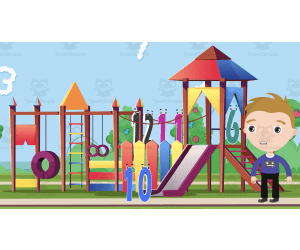
All About Numbers 1-20 | Animated Math Video Lesson
Math, Numbers, Kindergarten, Preschool, Grade 1, Lesson Plans, Teacher Tools
All About Numbers 1-20 Animated Math Video Lesson: Product Description The All About Numbers 1-20 Animated Math Video Lesson is an educational tool designed to enrich the learning experience of young students. Tailored specifically for preschoolers, kindergarteners, and first graders, this tool centers around helping children familiarize themselves with numbers from 1-20. Animation as a Teaching Medium Elevating the traditional math class experience, this video lesson employs animation – a compelling teaching medium for young minds. The crux of its design revolves around fostering interaction and engagement in students while introducing them or reinforcing their knowledge of numbers. Balancing Brevity and Content Being a 10-minute MP4 video lesson, it strikes a perfect balance between brevity and content richness that matches with the attention span of young learners. This duration allows sufficient time to navigate through all numbers from 1-20 without rushing or overstretching, maintaining student interests without diminishing their concentration levels. Focused Teaching Resource This teaching resource remains focused on number introduction and reinforcement at all times thus giving your lessons a sharply defined edge. The potential benefits can be realized through several implementable approaches like: Integrating it in whole group instruction, Using it for small group activities, Assigning it as an individual homework exercise. Versatility in Application: Classroom & Homechooling Approach This animated math video lesson aligns well with conventional education principles as well as homeschooling approach – offering universal advantages irrespective of individual teaching methodologies. It is designed from the ground up keeping ease-of-use at its core yet uncompromising on imparting knowledge effectively. Achieve a fun-filled and insightful learning experience simultaneously, no matter where the classroom may be!
Author Educational Voice
Tags Numbers, Math, Animated, Video Lesson, Interactive

Credit Card Project
Life Studies, Finance, Home Economics, Math, Money, Grade 6, 7, 8, 9, 10, 11, 12, Activities, Teacher Tools, Lesson Plans, Projects
Diving into the world of consumer math and understanding how credit cards work can be quite a challenge, especially for younger students who might not have any firsthand experience. This teaching resource simplifies the complexity surrounding credit cards, giving students an informed perspective on their usage, advantages, and potential pitfalls: Credit Card Project Geared towards middle and high school students, this Credit Card Project resource offers a straightforward view of several key aspects: The mechanics of how credit cards operate. Insight into how credit card companies generate revenue. The processes of making payments and understanding the billing cycle . Tips and guidance on using credit cards responsibly. To make the learning process engaging, this package is designed as a project containing a series of worksheets. These worksheets are complemented by informative videos about credit cards, and a sample credit card statement to help students visualize real-world applications. Additionally, to assist educators in assessing the students' understanding and engagement with the project, a rubric is provided. Whether you wish to integrate this resource into your classroom activities or assign it as a home-based project, its flexible structure allows for both. It serves as an invaluable introduction to credit cards, equipping students with knowledge that is crucial as they step into adulthood. For educators who want to ensure that the content aligns with their teaching methods or specific classroom requirements, the entire project is editable. This customization feature ensures that the material remains relevant and adaptable to diverse student needs and academic levels. If you're an educator aiming to impart practical knowledge about credit cards to your students in a concise and clear manner, this resource will certainly serve as a robust tool in achieving that objective. By the end of the project, students will not only have a foundational understanding of credit cards but also be better prepared for the financial choices they'll make in the real world.
Author Mister G's Teacher Shop
Tags Credit Cards, Consumer Math, Finances, Financial Literacy, Project, Small Group, Quiz, Reflection, Google Slides
Algebra: Graphing - Coordinates & Number Lines - Practice the Skill 1 - FLASH-MAC
Math, Algebra, Common Core, Grade 3, 4, 5, Teacher Tools, Lesson Plans
Algebra: Graphing - Coordinates & Number Lines - Practice the Skill 1 - FLASH-MAC This resource for algebra educators is tailored to help students of grades 3 to 5 understand graphing coordinates and number lines. The structure involves a selection of timed drill activities that prompt learners to identify and graph the value of "x" on provided number lines. Key Aspects: A series of integrated math tools designed to aid understanding through visual explanations. Bilingual support with English and Spanish voice-over options alongside text translations. Meets modern educational standards, aligning with both Common Core State Standards (ensuring national coherence in math education) and STEM initiatives (promoting versatile knowledge application). Includes acknowledgment of National Council of Teachers in Mathematics’ guidelines (NCTM), ensuring consistency across American classrooms. The product is available as a user-friendly software aligned for Mac interfaces, thus making teaching more efficient while simplifying preparation needs. Inclusive Access: Suitable for any educational environment, be it group classrooms or homeschool settings—gain effortless access to algebra sizes up with Algebra: Graphing - Coordinates & Number Lines – Practice the Skill 1!
Author Classroom Complete Press
Tags Software (Mac)
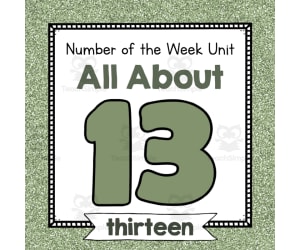
Number of the Week Unit: All About Number 13
Math, Numbers, Kindergarten, Preschool, Lesson Plans, Teacher Tools
Number of the Week Unit: All About Number 13 Dive into engaging number exploration with an all-encompassing, no-prep bundle that's devoted entirely to the number 13! This meticulous resource, discovered at TeachSimple , is tailored for preschool and kindergarten learners. It covers an expansive array of varied activities that could be implemented in whole group lessons, small group work, or even homework assignments. Resources and Activities Worksheets: A multitude of ways to discover and understand this crucial numeral are offered. These include black-and-white -and color worksheets that feature enjoyable clipart or real-life photographs related to the number 13. Posters: With over 40 poster designs for classroom displays and mini versions suitable for student projects, visual learners will appreciate seeing representations of thirteen everywhere around them. Puzzles: Complementary hands-on resources such as puzzles add further dimensionality by harnessing tactile learners' strengths. Photographs: An enticing collection of photographs depicting groups of thirteen items adds another potent tool aiding in association building during numeracy teaching sessions. Interactive elements: Involving critical thinking skills like sorting mats with matching cards encourage active participation while fostering systematic arrangement groups containing thirteen items each. Further engagement assured through coloring pages designed around 'thirteen', snack mats promoting counting up until 'thirteen', dot painting pages revolving around 'thirteen', maze challenges related directly or indirectly towards 'thirteen'-. all crafted delicately throughout a staggering resource volume containing more than twenty-five activity pages! About the Curriculum This specifically curated PDF holds within its hundred-pages worth key mastery techniques that target not only teaching numbers but also integrates interdisciplinary connections via tracing exercises inclusive cutting components, mathematical problems resolution tasks alongside forming writing habits centered around 'thirteen'. Final Thoughts With this kit, contextually learning about the number thirteen has been meticulously envisaged in a manner that covers an extensive spectrum of teaching pedagogies. Thus offering educators a time-saving, yet enriching resource to assist them as they strive to achieve their numeracy goals with their students - all the more testament to uncomplicated, yet sound educational provisions.
Author Simply Schoolgirl
Tags Number Exploration, Preschool Math, Kindergarten Math, Hands-on Activities, Visual Learners

Number & Operations: Base-Ten & Place Value - Learn the Skill - PC Software
Math, Place Value, Common Core, Grade 3, 4, 5, Teacher Tools, Lesson Plans
Number & Operations: Base-Ten & Place Value - PC Software The Number & Operations: Base-Ten & Place Value software is a versatile and powerful teaching resource developed with the needs of 3rd to 5th grade teachers in mind. This intuitive program primarily focuses on instilling a sound understanding of base-ten concepts and place values under the umbrella of number operations. Key Features: Rigorous Curriculum Guidelines: This digital learning model introduces learners to real-life word problems, which enhances their academic skills while equipping them with practical problem-solving abilities. Bilingual Functionality: The software can be switched between English (Default) and Spanish modes, thereby meeting diverse learner groups' unique needs. Allignment with Educational Norms: The solution aligns exactly with Common Core State Standards and STEM initiatives; it echoes NCTM principles as well. Teachers can use this software-based learning resource in various ways: To conduct whole-group sessions for collective understanding, To form smaller groups for more focused attention, To assign as homework material for students' independent study or home revisions. Downloading this product after purchase is extremely easy. Users will receive a zip file containing the PC-compatible software upon finalizing their order on teachsimple.com All these benefits combined make our "Number & Operations: Base-Ten & Place Value" an excellent tool that enriches educators’ teaching methodologies while keeping students engaged in their math lessons!
Author Classroom Complete Press
Tags Base Ten, Place Value, Numbers, Operations, Classroom
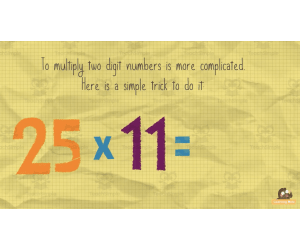
Multiple by 11 Trick | Interactive Math Video Lesson
Math, Multiplication and Division, Division, Grade 2, 3, 4, Lesson Plans, Teacher Tools
This animated video is a math lesson Multiply by 11 Trick. Students will love this engaging and interactive video. This video serves as a great introduction or review video for your learners. This is a 1-minute video lesson.
Author Educational Voice
Tags Math Video, Math Lesson, Math Tricks, Multiplying , Times Table

Geometry: Shapes - Practice the Skill 2 - FLASH-MAC
Math, Geometry, Common Core, Grade 1, 2, Teacher Tools, Lesson Plans
FLASH-MAC: A Comprehensive Geometry Teaching Resource Geometry: Shapes - Practice the Skill 2 , popularly known as FLASH-MAC, is an invaluable teaching resource designed for students in grades 1 and 2. This tool serves curriculum -based content that to students through timed drill activities. It primarily focuses on comprehension and identification of geometrical shapes. Focussed Learning Approach The core focus here is on comprehending Geometry shapes, especially 3-D figures.. Students are presented with various three-dimensional figures to identify. This interactive approach provides an engaging educational experience that aids students in honing their observational skills while deepening their knowledge of geometry. Innovative Math Tools This module features unique math tools that assist learners throughout their exercises. The use of diagrams and templates offer visual cues, which significantly enhance the learner's understanding of complex geometric concepts. Language Support & Inclusiveness To accommodate a diverse set of learners, 'Geometry: Shapes - Practice the Skill 2' offers both English and Spanish voice over options with corresponding text translations. This ensures an inclusive learning environment accommodating bilingual classrooms or learners whose first language may not be English. The content aligns with Common Core State Standards as well as STEM initiatives ensuring high-quality instruction according to current national standards for mathematics subjects. The content also adheres to guidelines from the National Council of Teachers of Mathematics (NCTM), thus promoting best practice methods within teaching circles This single software file can be integrated seamlessly into various teaching methods including group instructions or thought-provoking homework assignments. It operates specifically on Mac systems making it simple for educators - public school or homeschooling alike - who aim to deliver fruitful math lesson plans focused on geometry.
Author Classroom Complete Press
Tags Software (Mac)
5 Senses Curriculum Pack
Creative Arts, Art, Social Studies, ELA, Math, Early Math, Reading, Kindergarten, Lesson Plans, Teacher Tools
If your students are learning about their body or about to begin a senses unit, I have just the resource to provide you with everything you need and more! This is a5 Senses Curriculum Packcomplete with an abundance of printable resources and engaging activities for students to complete. This curriculum was designed for your preschool students. The curriculum goal is to enhance the children’s awareness and knowledge about how they experience the world through their senses – and to promote acceptance about differences. The vocabulary that students will focus on isvisual, vision, optical, auditory, tactile, textures, scent, taste buds, nerve endings, sensory, and experience. This curriculum will come with a color of the week (review of all colors)and a number of the week(5). This curriculum pack includes: --Sensory Table Ideas --Art Activities --Cooking Experience --Community Time --Math Activities --Home/School Connection Ideas --Science Table Enrichments --Science Concepts/Activities --Prop Box Ideas/Dramatic Play Enrichments --Movement and Motor --Playground/Walk Activities --Transition/Waiting Ideas --Block Area Enrichments --Flannel Board --Teacher Made Enrichment Ideas --Field Trip Ideas --Supplemental Learning Ideas/Activities At the start of this pack, you will receive a list of supplies needed for activities and projects. The worksheets, activities, and tasks included in this pack are intended to be completed in a variety of formats – whole group, small group, and independent work. I hope you enjoy! Here are other similar resources for you to enjoy: Good Manners Curriculum Pack Earth Day Curriculum Pack Planting Curriculum Pack Holidays Around the World Curriculum Pack Jungle Love Curriculum Pack Discovering Dinosaurs Curriculum Pack You can find more resources at my storefront here: https://teachsimple.com/contributor/learning-foundations
Author Learning Foundations
Tags Preschool Curriculum, Vocabulary, Number Of The Week, Color Of The Week, Field Trip Ideas, Science Enrichment, Whole Group, Braille Alphabet

Measurement: Area & Volume - Practice the Skill 3 - PC Software
Math, Measurements, Common Core, Kindergarten, Preschool, Grade 1, 2, Teacher Tools, Lesson Plans
Measurement: Area & Volume - Practice the Skill 3 - PC Software This teaching resource is ideal for educators in public schools or homeschool settings, primarily serving preschool to grade 2 learners. Focused on aiding the comprehension of Area and Volume measurements, it offers timed drill activities neatly designed within a mini-chapter. This PC software paves a distinct path for the understanding of converting volume measurements by providing formulas and crucial math tools that aid students in mastering their math lessons efficiently and quickly. The content included meets Common Core State Standards providing assurance that children are being taught curriculum -aligned content contributing towards their holistic development. Please note that this valuable piece is delivered as a single zip file containing the PC software ready to be incorporated directly into your digital lessons plan organizing system. Educators can facilitate learning either in whole group settings or smaller student cohorts utilizing these software drills. They can also assign it as homework tasks reinforcing concept learning outside of class time ensuring continued practice and knowledge reinforcement. An excellent addition to any mathematics program centered towards early grades, this product dives deep into measurement sub-subjects such as area and volume—an essential part of any comprehensive education approach striving for STEM initiatives. The goal here is simple yet vital – foster enthusiasm towards maths while setting strong fundamentals via structured exposure to concepts like area and volume in these formative years giving them a confident start at tackling mathematical problems later on.
Author Classroom Complete Press
Tags Math Lesson Plan, Measurement Lesson, Digital Math, Area, Volume
Geometry: Transformations & Symmetry - Learn the Skill - FLASH-MAC
Math, Geometry, Common Core, Grade 3, 4, 5, Teacher Tools, Lesson Plans
Geometry: Transformations & Symmetry - Learn the Skill - FLASH-MAC An elite, digital educational resource tailor-made for mastering crucial concepts in transformations and symmetry. Specially crafted to benefit educators, homeschoolers, and teachers alike by perfectly integrating complex geometric notions with real-world problems — making learning contextually meaningful. In adherence with the Common Core State Standards, STEM initiatives and NCTM guidelines; it provides prime assistance for grade 3, 4 and 5 students studying Math. The design adds flexibility to your teaching style by allowing usage in multiple scenarios like: Whole group instruction Small groups discussion Individual assignments for home. "It goes beyond merely introducing transformational changes into learning geometry but also ensuring inclusive education." Different language proficiency levels are catered to as it has both English and Spanish voiceover options along with fitting text. The theoretical nature of Mathematics often poses a challenge to young learners; hence this tool is equipped with essential tools that simplify complex topics while promoting overall comprehension. The unique product comes as a single file compatible exclusively with Mac software. It stands apart from simple geometry lesson plans due to its holistic focus on vital aspects under Geometry Subsubject notably Transformation & Symmetry. Become versatile... If you're an experienced educator or a beginner in this profession, our Geometry: Transformations & Symmetry - Learn the Skill - FLASH-MAC will be a compelling addition providing fascinating accessibility when combined with your dedication!</p
Author Classroom Complete Press
Tags Software (Mac)
All About 3D Shapes | Animated Math Video Lesson
Math, Geometry, Grade 1, 2, 3, Lesson Plans, Teacher Tools
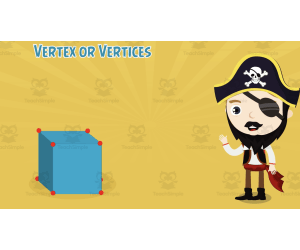
Introduction The All About 3D Shapes Animated Math Video Lesson is an innovative resource constructed for enhancing the mathematical abilities of students in Grade 1 through Grade 3. This inventive blend of instruction suits various types of learners, making a usually complex subject like geometry easily digestible. Purpose and Benefit This informative animated video offers a comprehensive exploration into geometry, specifically focusing on the multiple aspects related to 3D shapes. Essential principles such as distinguishing between different forms are part and parcel of this interactive educational tool which not only consolidates previous learning but also introduces new concepts in an entertaining style. Makes Geometry Learning Simple Familiarity with geometric figures forms a crucial aspect of early-grade mathematics education. Our math animated video lesson substantively supplements teachers' efforts by serving as an additional teaching instrument, whether in classrooms or homeschool settings. The module's methodical approach allows children to learn several components in a fun yet instructional manner, significantly boosting retention rates. Suitable for Diverse Learning Setups Built for both individual or group use, it can be liberally aligned with different educator's classroom or teaching styles. Ideal for usage during regular lessons or dedicated math periods. Ergonomic design makes it perfect for cooperative group tasks too! Can be given as homework reinforcing at-home tutoring efficiency. A Comprehensive Teaching Aid Educators grasp its importance given the varied learning preferences within each class or homeschool set-up — they find this tool immensely useful due to its versatility. It functions wonderfully providing initial exposure to starters based on diverse educational topics while being equally efficient for review or recap purposes later on. Usability The All About 3D Shapes Animated Math Video Lesson is a handy MP4 file which can be conveniently used lasting up to approximately eight minutes. This duration ensures that the educational benefits can be maximized even within restricted schedules, reinforcing genuine learning in an uncomplicated yet effective way that teachers will find highly convenient.
Author Educational Voice
Tags Geometry, 3D Shapes, Visual Learning, Interactive Education, Instructional Resource, 3d Shapes Video For First Grade
I WONDER - Where Can We Find Pyramids In Everyday Life Animated Video
Geometry, Math, Shapes, Early Math, Grade 3, 4, 5, 6, 7, 8, 9, Lesson Plans, Teacher Tools
Video Introduction An amazing video designed for the students to learn more about STEM. I WONDER - Where Can We Find Pyramids In Everyday Life | Animated Video Lesson Shapes are all around us. What are your favourite ones? And can you give us some real life examples? Can you name the difference between the 2D shapes and 3D shapes? Have you ever tried to calculate the surface area of the square? If yes can you write the equation down? What is the perimeter of the rectangle? And can you tell the difference between radius and diameter of a circle? Can you mention what is the difference between the right angle and the acute angle? Have you ever heard about the obtuse angle? I WONDER - Where Can We Find Pyramids In Everyday Life | Animated Video Lesson The video is perfect for encouraging the researching skills for the students, while learning more about this fantastic topic. I WONDER - Where Can We Find Pyramids In Everyday Life | Animated Video Lesson This friendly designed video is suitable for students at school, homeschooling, and as a group activity. Format Available in MP4 format.
Author Educational Voice
Rating
Tags Where Can We Find Pyramids In Everyday Life, Pyramids, Pyramids Shapes, The Shape Of A Pyramid, 3d Shapes, 3d Shapes Video, 3d Shapes Video For Kids, Pyramids Facts, Pyramids Video For Kids
I WONDER - How Do I Calculate The Surface Area Of A Cube
STEM, Geometry, Math, Grade 4, 5, 6, 7, 8, 9, 10, Lesson Plans, Teacher Tools
Video Introduction An amazing video designed for the students to learn more about STEM. I WONDER - How Do I Calculate The Surface Area Of A Cube | Animated Video Lesson Do you like STEM subjects? what is your favorite one? Have you ever tried to plant a seed? If yes, tell us more about it. Or have you ever tried to invent something? If yes, tell us more about it. And how do you think it will help us? Have you ever seen a microorganism under a microscope? What was it? And how it looked like? Mathematics is a marvelous subject. Let' sharpen our brains and solve some equations. Do you like timetable tricks? What is your favorite one? Do you know how to code? Have you ever created an app or a game before? If yes, how was it like? I WONDER - How Do I Calculate The Surface Area Of A Cube | Animated Video Lesson The video is perfect for encouraging the researching skills for the students, while learning more about this fantastic topic. I WONDER - How Do I Calculate The Surface Area Of A Cube | Animated Video Lesson This friendly designed video is suitable for students at school, homeschooling, and as a group activity. Format Available in MP4 format.
Author Educational Voice
Tags How Do I Calculate The Surface Area Of A Cube, How Do I Calculate The Surface Area Of A Cube Video, The Surface Area Of A Cube, The Surface Area Of A Cube Facts, The Surface Area Of A Cube Video, The Surface Area Of A Cube Facts For Kids

Algebra: Simple Patterns - Practice the Skill 3 - PC Software
Math, Patterns, Common Core, Kindergarten, Preschool, Grade 1, 2, Teacher Tools, Lesson Plans
Algebra: Simple Patterns - Practice the Skill 3 - PC Software This software is a curriculum -based tool designed to foster understanding of simple Algebraic patterns, primarily targeting educators and homeschooling parents who value resources to supplement lesson planning. Target User Group & Intended Outcomes The product is aimed at elementary school students in preschool through grade 2. Its design caters to various levels of skill, ensuring each child can effectively engage with the content. In addition, it lets learners develop a robust foundation for future complex mathematical concepts. The main objective is teaching how to find missing numbers in patterns. Timed drill activities integrated for added interaction and cognitive development focusing on speed and pattern recognition under time constraint. Bilingual Compatibility: The product includes English and Spanish voice over with text options , inclusive for bilingual or ELL magnet classrooms. Pedagogically Aligned Resources & Quality Educational Content: This resource aligns closely with Common Core State Standards as well as STEM initiatives. Also, it's concordantly formatted with NCTM writing principles. In other words,this resource guarantees integration into existing curriculums without compromising instructional excellence standards already established in your classrooms. Distribution Format: The software comes bundled in a zip file containing all necessary digital materials that can be utilized across multiple application situations such as: The varied pedagogical usage scenarios encompass but are not limited to: Whole group sessions Small group breakouts Homeschooling assignments This resource adapts itself to varying educational contexts, skill levels or learning types, making it an impactful member of your everyday teaching toolkit that fosters students' mathematical growth.
Author Classroom Complete Press
Tags Missing Numbers, Patterns Lesson, Simple Patterns, Math Skills, Digital Math

Geometry: Shapes - MAC Software
Math, Geometry, Kindergarten, Preschool, Grade 1, 2, Teacher Tools, Lesson Plans
Geometry: Shapes - MAC Software Geometry: Shapes - MAC Software is an educational resource tool tailored to bolster the teaching and learning experience for students in preschool through grade 2 levels. Containing curriculum-based content and versatile implementation options, it ensures comprehensive understanding of basic geometry, with a focus on Shapes. The software is compatible with all MAC systems and comes packaged as a single zip file. After downloading, users can access: A pre- assessment function for initial evaluation of student comprehension. An outlined lesson plan guide to facilitate material delivery. A collection of real-world word problems related to shapes enhancing critical thinking. Timed drill activities promoting iterative practice while assessing student mastery speed. The product includes engaging teaching tools like interactive memory match games and unique spinner games. An additional SMART Response assessment feature allows continuous feedback provision. Note: The product supports bilingual classrooms or ESL learners via English and Spanish voice-over options along with corresponding texts. To accommodate various scenarios, a built-in printable feature enabling hardcopy alternatives is included – perfect for classroom distribution or homework assignments. Teachers will find useful guides that provide helpful tips on effectively utilizing all the software's features making it truly user-friendly. In essence, Geometry: Shapes – MAC Software doesn’t just offer information; it vivifies understanding through interactive technology-driven activities while providing teachers everything they need at their fingertips.
Author Classroom Complete Press
Tags Math Lesson Plans, Shapes Lesson, Shapes Activity, Digital Math, Digital Lesson
Measurement: Area & Volume - FLASH-MAC
Math, Measurements, Grade 1, 2, Teacher Tools, Lesson Plans
Measurement: Area & Volume - FLASH-MAC FLASH-MAC is an educational resource designed to fortify the understanding of area and volume, two critical skills in mathematical measurement. This resource is particularly beneficial for educators teaching math at grade 1 or grade 2 levels in both public school and homeschooled environments. The Curriculum-Based Content This chapter mini offers curriculum-based content designed to engage students while maintaining alignment with core education standards. The chapter begins with a pre- assessment , allowing teachers to gauge a base level of understanding before diving into the lesson plan. The measurement-focused lesson is then supplemented with real-world word problems that exemplify practical applications of these concepts, bridging the gap between abstract and tangible math concepts. Beyond Classroom Exercises In addition to classroom learning, FLASH-MAC also provides multiple drill activities intended as homework or additional exercises for solidifying knowledge through repetition. A Variety of Learning Tools Included: A set of math tools bundled for interactive learning and hands-on engagement during math discussions. An array of printables serving as valuable visual reminders assisting students independently as they tackle challenging problems or review learned concepts. A selection fun components including a memory match game, a board game, and spinner game help make learning enjoyable while driving home key learning objectives surrounding area measurements and volume calculations. To ensure success following this rich bundle program, assessment provision via SMART Response technology enables educators not only to seamlessly transition from teaching modules directly into the assessment phase but also to monitor progress over time based on provided metrics for each student's performance data analysis. Inclusive Education This program is accessible for diverse learner groups. It comes standard with English voice-over narration complemented by text material but includes optional Spanish voice-over narration making it an equally useful resource for ESL classes or bilingual schools thereby facilitating an inclusive learning environment where no learner feels left behind because of language barriers. Overall Measurement: Area & Volume - FLASH-MAC transforms classrooms into active learning spaces where children discover real-world connections to mathematical measurements, all while having fun.
Author Classroom Complete Press
Tags Software (Mac), Spanish, Measurement, Area And Volumen, Math Lesson Plans
Data Analysis & Probability: Bar Graphs - Practice the Skill 3 - FLASH-MAC
Math, Statistics, Common Core, Grade 1, 2, Teacher Tools, Lesson Plans
Data Analysis & Probability: Bar Graphs - Practice the Skill 3 - FLASH-MAC Teaching Resource The teaching resource, Data Analysis & Probability: Bar Graphs - Practice the Skill 3 - FLASH-MAC, is a valuable asset for educators invested in developing their students' understanding of bar graphs as part of Data Analysis and Probability. This comprehensive instructional tool presents curriculum -relevant content through engaging skill-building activities. It includes timed drill activities prompting active recall among students, fostering quick thinking, and promoting topic concept mastery. The drills are untimed making them easily adaptable to various classroom schedules such as whole group instructions or smaller targeted sessions. They can also be assigned as individual homework tasks. Innovative Features An impressive aspect of this product is its dual language facility! Default English voiceovers are complemented by Spanish narration, making it an excellent choice for ESL learners or bilingual classrooms. This educational software comes equipped with math tools designed to support student learning while honing key skills essential for future mathematical fields like Statistics. Quality Assurance & Conformity with Educational Standards Data Analysis & Probability: Bar Graphs – Practice the Skill 3 – FLASH-MAC adheres to Common Core State Standards underlining rigorous academic quality assurance while keeping up-to-date with latest pedagogical best practices informed by NCTM and STEM initiatives standards. School Grade Application & Compatibility This unique teaching resource is especially useful for Grade 1 and Grade 2 teachers and runs flawlessly on Mac systems, ensuring uninterrupted information dissemination during lessons. In essence, this product leverages technology-assisted learning approaches advancing progressive competencies vital in today's data-centric world remaining faithful to standardized education parameters.
Author Classroom Complete Press
Tags Software (Mac)
Number of the Week Unit: All About Number 11
Math, Numbers, Kindergarten, Preschool, Lesson Plans, Teacher Tools
Number of the Week Unit: All About Number 11 Starting with an exploration into the world of numbers, this comprehensive teaching resource bundle called 'Number of the Week Unit: All About Number 11' provides an in-depth focus on the number eleven. This expansive teacher tool is perfect for educators such as public school teachers and homeschoolers catering to preschool and kindergarten-level students. The resource comes packed with varied activities around number eleven, making it a single go-to area for all things eleven. Loaded with options encapsulating worksheets, photos, dot paintings and mazes among others; this kit is all you need to spark interest and foster understanding about this particular digit in your students’ minds. Educational Settings: Whole group teaching sessions Smaller guided groups Homework assignments Spread over a sprawling space of 101 pages in PDF format, there are reputable tools to promote fine motor skills like tracing & cutting down objects associated with number eleven. Also included are items dedicatedly crafted keeping in mind sensory opportunities - play dough mats! In addition to educational fun games like sorting, there are more than twenty-five other activities that stimulate cognitive abilities touching aspects like: Counting snacks mats , Fostering real-life connections through photo illustrations , Cute eye-catching clipart have been used throughout . Note:: ELA skills also get an inadvertent boost via handwriting training materials within this pack. An exhaustive instruction manual equipped with approximately forty bulletin boards & posters covering various facets about 'eleven', also includes miniature versions ideally suited for group projects! Besides individual usage, consider each week focusing on different numbers. This would render a cumulative lesson plan where units pivot around each digit from zero until twenty, seamlessly connecting every bit holistically! Feel free to explore more under similar units, creating a well-rounded resource for teaching numbers! Remember, teaching number sense is crucial in the early years; make it enjoyable with this versatile resource made by educators for educators!
Author Simply Schoolgirl
Tags Numbers, Number Sense, Math Activities, Fine Motor Skills, Sensory Activities

Number & Operations: Fractions - Learn the Skill - FLASH-MAC
Math, Fractions, Common Core, Grade 1, 2, Teacher Tools, Lesson Plans
Number & Operations: Fractions - Learn the skill - FLASH-MAC The Number & Operations: Fractions - Learn the Skill - FLASH-MAC product is an interactive, hands-on teaching resource catered toward first and second grade educators that are focused on enhancing their learners' understanding of fractions. This tool can offer a glance into number operations involving fractions in context, aiming to bridge the gap between theoretical learning and real-world applications. Cross-curriculum Learning Outcomes Positioned as a chapter mini, this software provides curriculum-aligned content with learning outcomes centered around mastering skill-based problem-solving techniques. The problems presented simulate real-world scenarios for students to apply math concepts in practical situations ensuring maximum understanding of fractions and number operations. Interactive Learning Features Incorporation of math tools that facilitate interactive forms of learning essential in modern classrooms. Reinforces key concepts enabling students to visualize problem-solving steps promoting cognitive reinforcement. Multilingual Education Support This resource includes both English voice over with text along with a Spanish voice-over option attached for dual language classes or teachers working in academically diverse settings. Noteable Achievements of FLASH-MAC Educational Software: `Meetings Common Core State Standards ` `Contributing towards STEM initiatives` `Designed following guidelines set by NCTM standards` This versatile tool can be used for various classroom settings: Whole group instruction where teachers lead discussions while guiding students through problems Small groups where peers can collaborate on problem solutions Individual practice through homework assignments or even flipped classroom models Grab the opportunity to enhance your effective teaching strategy toolkit with Number & Operations: Fractions - Learn the Skill – FLASH-MAC – shaping minds one fraction at a time!
Author Classroom Complete Press
Tags Software (Mac)

Geometry: Decomposing Geometric Shapes - Practice the Skill 2 - MAC Software
Math, Geometry, Common Core, Kindergarten, Preschool, Grade 1, 2, Teacher Tools, Lesson Plans
Geometry: Decomposing Geometric Shapes - Practice the Skill 2 - MAC Software This teaching resource has been specifically designed to assist educators and homeschoolers in imparting comprehensive knowledge about the sub-category, Decomposing Geometric Shapes, of Geometry. Adhering to the Common Core State Standards and STEM initiatives, this robust tool presents curriculum -based content through engaging timed drill activities. Key Features: An emphasis on helping students identify sides and corners of geometric shapes. Inclusivity through English and Spanish voice-overs and text options for bilingual learners. A math tool kit integrated into software for use across diverse educational settings: whole group instruction, small group activities or individual assignments at home. The product arrives in a zip file compatible with MAC software systems which ensures quick and efficient installation. This solution is ideal for preschool aged kids right up to those attending grade 2 classes. Created by experienced educators who understand classroom needs intimately, this geometry lesson plan enhances spatial reasoning skills while fostering an early appreciation for mathematical principles among young learners. The Goal: The Geometry: Decomposing Geometric Shapes - Practice the Skill 2 - MAC Software aims at cultivating curiosity while supporting concrete comprehension in Geometry.
Author Classroom Complete Press
Tags Decomposing, Geometric, Shapes, Math Skills, Digital Math