



3,921 products added recently
Page 2 - Social Skills Templates
Social Skills Templates are valuable for teaching essential interpersonal competencies in an interactive way. They provide role-play scenarios, conversation starters, and activities that focus on teamwork, active listening, and respecting others' perspectives. These templates help students practice and internalize appropriate social behaviors, which are critical for success both inside and outside the classroom. Incorporating them into your lessons can improve classroom dynamics and equip students with skills vital for their personal development.

 Show filters


Staff Shout Out – Megaphone Bulletin Board Kit
Special Resources, Social Emotional Learning (SEL), Social Skills, Community Building, Resources for Teachers, Not Grade Specific, Bulletin Boards, Classroom Decor, Door Decor, Templates, Teacher Tools
Staff Shout Out Bulletin Board in Megaphone Design Infuse some positivity to your workplace with our Megaphone Staff Shout Out Bulletin Board! A perfect space for everybody to show their appreciation for a job well done, a kind gesture or simply grin the extra mile to any staff members. Out bulletin board will not only make your workplace looks good, it will also create a positive atmosphere in your workplace by promoting a culture of recognition and appreciation. The Megaphone design will create a calming yet beautiful wall decoration too. Package Components: Board Border Design Board Bunting Design Design elements as shown on the listing's photo Individual letters that spells out as shown on the listing's photo 2 types of shout out cards - in color and also black and white design A guide for printing adjustments based on image size preferences. Please note that the display space suggested for this birthday board is roughly 4 x 6 feet. The actual measurements might vary based on your choices of letter spacing or component separation distances. Potential Uses: Serving as a way to show appreciation for any staff member who are doing a good job Encourage students or other staff member to express their gratitude Promote a positive and motivating workplace environment Software Requirements: The file is in pdf format. To open and print the file you will need to use the FREE adobe reader software. Make sure you have it installed in your computer.
Author Crafty with Calani
Rating
Tags Teacher Shout Out, Staff Recognition, Staff Appreciation, Shout Out Board, Workplace Motivation, Team Recognition, Office Appreciation, Staff Shout Out Bulletin Board, Megaphone Staff Appreciation, Megaphone Staff Shout Out
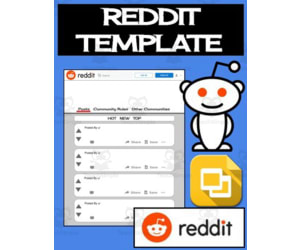
Reddit Template (Editable on Google Slides)
Special Resources, Social Skills, Not Grade Specific, Templates, Teacher Tools
The Reddit Template allows students to create simulated Reddit pages about class topics. This engaging social media-style resource is available in editable Google Slides and printable PDF formats. Students can add text and images to subreddit pages and comment sections without altering the background template. The locked background provides structure for students to discuss characters, settings, historical figures, geographic areas, or science concepts. Teachers can implement this versatile resource in whole or small groups. Students can save their completed Reddit pages to share. The packet includes blank Reddit templates and instructions to guide students. This social media-inspired tool sparks student interest and creativity in a variety of subjects and activities.
Author Roombop
Tags Social Media, Google, Communication, Slides Reddit, Reddit Template
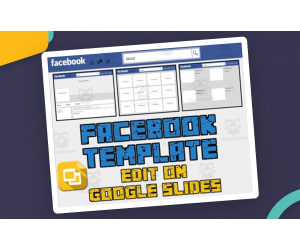
Facebook Template – Editable Google Slides Activity
Special Resources, Social Skills, Not Grade Specific, Templates, Teacher Tools
The use of social media is a great way to engage and gain the interest of your students. Best of all, this resource is available in both printable pdf format as well as a Google Slides editable format. This Facebook template allows students to create an about page, a photos page and a friends page. Each page has text boxes for your students to change. The template is locked, so your students can’t mistakenly move or delete the background. If you choose to print the PDF, have your students draw the images and write up their own Facebook profile. Use this to: Have your students discuss a character or setting in a novel Focus on a historical person As an art activity When your students are finished, they can save a picture of their Facebook template.
Author Roombop
Rating
Tags Social Media, Google, Communication, Facebook Google Slides Template, Facebook Page Template Editable, Facebook Profile Template Google Docs, Editable Facebook Template
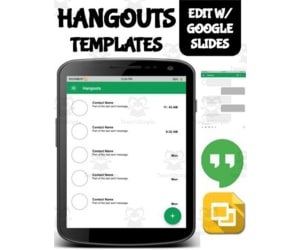
Hangouts Template (Editable on Google Slides)
Special Resources, Social Skills, Not Grade Specific, Templates, Teacher Tools
The Hangouts Template (Editable on Google Slides ) The Hangouts Template (Editable on Google Slides ) is a modern, creative educational tool fashioned to seize student curiosity whilst simultaneously delivering educational merit. Flexibility & Usability: Ideal for a diverse range of grade levels due to its customizable feature. Can be put to use during entire teaching sessions, incorporated into small group activities or as intriguing homework assignments. Educational Value Across Subjects: Adapts across various subjects like social studies or language arts. Students can create conversations between novel characters, historical figures or chat exchanges between friends and family in creative writing exercises. This boosts critical thinking abilities and creativity. This resource combines both digital technology and academics into one effective package. Resource Package Details: Included in the package are an iPhone App Screen Layout and Android App Screen Layout. It also has a main contact list layout with six varied message layouts that replicate those on Google Hangouts. All these elements are readily editable via Google Slides in real time but the background remains locked preventing any accidental alterations or deletions by students. Digital & Interactive Accessibility A stand-out feature is students being able to save their work conveniently as an image format - promoting responsibility over work while ushering traditional classroom tasks into the digital age.. Conclusively, whether you're teaching public school classes remotely due to pandemic-induced changes or homeschooling children individually - The Editable Hangouts Template offers a modern, interactive learning strategy for today's generation.
Author Roombop
Tags Interactive Learning, Digital Technology, Educational Tool, Creativity, Engagement

Snapchat Template (Editable on Google Slides)
Special Resources, Social Skills, Not Grade Specific, Templates, Teacher Tools
The use of this Snapchat template is a great way to engage and gain the interest of your students. Best of all, this resource is available in both printable pdf format as well as a Google Slides editable format. This Snapchat template allows students to create conversations. Included is; full page view phone view four to a page multiple color options Some use examples; Have a conversation between characters in a novel Have a conversation with a historical person Have a conversation between friends or family for a creative writing activity When your students are finished, they can save a picture of their conversation template.
Author Roombop
Tags Social Media, Google Classroom, Messaging, Google

WhatsApp Template (Editable on Google Slides)
Special Resources, Social Skills, Not Grade Specific, Templates, Teacher Tools
WhatsApp Template for Student Learning The WhatsApp Template, editable on Google Slides and suitable for students of all ages, is an innovative way to enhance your students' creativity and language skills. This flexible resource can be incorporated across different curriculums making learning and enjoyable interactive experience. An engaging method for learning about various characters or historical figures. A platform to develop dialogue and conversation skills. An opportunity to promote critical thinking and original ideas. Social Media Inspired Learning Platform This social media inspired platform makes learning fun. It works brilliantly within small group situations, individual work, or as a homework assignment. Incorporating communication tasks enriches the learning process by developing essential soft skills while providing comprehensive practice exercises. Easy-to-Use Layouts We have designed two layout styles - iPhone app screen layout and Android app screen layout - while retaining the basic design features of each platform. Additionally, we have provided six distinctive WhatsApp message layouts adding variety to the student assignments. Neatly placed text boxes in conversation bubble spots make it easier for learners. A locked template feature ensures no accidental changes occur during any activity session. When finished as per your guidelines - students can print their colorful worksheets signifying completion of their task! No matter how integrated technology is in today's classrooms world over – knowing how to capitalize on apps like WhatsApp is beneficial always. Our TeachSimple's teaching resource marries interactive screen time with cognitive understanding ensuring impactful and lasting learning experiences that enrich young minds far beyond textbook knowledge.
Author Roombop
Tags Interactive Learning, Digital Resource, Creativity, Critical Thinking, Communication Skills

Signal Template (Editable on Google Slides)
Special Resources, Social Skills, Not Grade Specific, Templates, Teacher Tools
Signal Template: An Innovative Teaching Resource The Signal Template, editable on Google Slides , is an innovative teaching resource designed to foster creativity and improve communication skills among students. Being a versatile learning tool, it caters to all grades and primarily focuses on enhancing social skills. Dual-Format Availability One of the unique aspects of this teaching tool lies in its dual-format availability. It comes in both a printable PDF format as well as an editable Google Slides version, offering flexibility based on your educational environment's specific needs and technological access. The editable design further facilitates customization according to individual student needs or a particular lesson plan. The 'Signal' Connection The Signal Template allows students to construct conversations closely mimicking those occurring via modern day messaging applications like Signal. It provides different layouts aligning with common smartphone interfaces – Android apps screen layout, iPhone apps screen layout and Signal’s main contact list layout. Create six distinct message layouts aimed at nurturing diverse creative explorations in conversation crafting among students. Potential Applications Narrative Interactions: Having characters having revelatory interactions from novels they're reading about Historical Dialogues: Conversing with historical figures conjured from textbook information.. Personal Reflections:Aids in deeply internalizing subject matter content while developing creative writing abilities simultaneously.There's even potential for personal reflection activities such as imaginary dialogue between friends or family members. "There were 2 old entires so mareked them" Completion and Progress Upon completion of their inventive conversation template activities,the pupils can solidify their creations by saving an image of their conversation templates—a testament of their progress over time if maintained systematically. Conclusion This multifunctional resource seeds opportunity for educators keen on implementing interactive,motivating lessons whether offered up front during whole-group instruction,in smaller groups, classwork assignments,homework activities,personal study periods or even fun-filled examination revisions. Incorporate this gem into your repertoire today, to experientially witness the flourishing communication,and writing expertise/research folk of your learners.
Author Roombop
Tags Teaching Resource, Creativity, Communication Skills, Social Skills, Flexible Learning

Skype Template (Editable on Google Slides)
Special Resources, Social Skills, Not Grade Specific, Templates, Teacher Tools
Skype Template: A Creative and Interactive Learning Resource The Skype Template, editable on Google Slides , offers a unique and engaging platform for students to showcase their creativity. This tool is optimal for educators in both the public school setting as well as homeschooling parents. By leveraging the familiar interface of Skype, this resource integrates education with current technology for an enriching learning experience across various subjects. How It Works: The flexibility of the template caters to a myriad of classroom activities. Examples include: whole group assignments wherein students generate dialogues between historical figures or individual tasks where they create exchanges between personal contacts. It also has potential as homework where students script meaningful dialogues involving friends or relatives. Product Features: This product comes in PDF and Google Slides formats–perfect for either physical classrooms or virtual learning environments. iPhone App Screen Layout Android App Screen Layout Skype Main Contact List Layout - Plus six distinct messaging layouts and a layout simulating video chat! An Interactive Educational Tool: An exciting aspect about this resource is its interactivity: each page features editable text boxes that can be personalized according to your students' needs while safeguarding against accidental backing out (the backgrounds are locked). This personification emphasis not only adds authenticity but also promotes writing skills by making composition fun! Saving Work: FInally, completed work can be saved easily–a celebration of your student's abilities while demonstrating successful application!
Author Roombop
Tags Interactive Learning, Communication Skills, Technology In Education, Digital Resources, Creative Writing
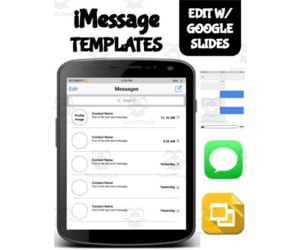
iMessage Template (Editable on Google Slides)
Special Resources, Social Skills, Not Grade Specific, Templates, Teacher Tools
The use of this iMessage messaging template is a great way to engage and gain the interest of your students. Best of all, this resource is available in both printable pdf format as well as a Google Slides editable format. This iMessage template allows students to create conversations. Included is; iPhone App Screen Layout (students can add extra apps) iMessage main contact list layout 6 different iMessage message layout (with blue & green bubbles for both iMessage and regular text messaging) Each page has text boxes for your students to change as well as instructions pages for what to change. The template is locked, so your students can’t mistakenly move or delete the background. If you choose to print the PDF, have your students write up their own conversation. Some use examples; Have a conversation between characters in a novel Have a conversation with a historical person Have a conversation between friends or family for a creative writing activity When your students are finished, they can save a picture of their conversation template.
Author Roombop
Tags Social Media, Google, Messaging, Imessage Layout

Facebook Messenger Template (Editable on Google Slides)
Special Resources, Social Skills, Not Grade Specific, Templates, Teacher Tools
Facebook Messenger Template (Editable on Google Slides) The Facebook Messenger Template is an innovative teaching resource that integrates the common technology of social media in the classroom as a learning tool. Adaptable to all grades, this resource uses popular messaging platform elements for crafting creative and absorbing assignments. The teaching material is available both in printable PDF and editable Google Slides. It features locked backgrounds to shield against unintentional modifications while engaging students interactively. The kit houses diverse layout options including: Two app screen layouts adaptable to both iPhone and Android interfaces. Six different Facebook messenger message layouts. A primary interface containing a contact list screen This combination offers varied canvases for crafting imaginative exercises. Craft Unique Conversations with Interactive Templates This feature-rich template enables students to invent creative conversations using customizable text boxes housed within these interactive templates. This paves way for interesting assignments where: Pupils engage in simulating exchanges between personalities from literature or historical figures, Learners take part in scripting dialogues amid friends or relatives fostering creative writing skills, Note: Upon completion of these 'messenger' interactions, kids can snapshot their creations into lasting digital artifacts serving multiple purposes such as portfolio additions, assessment tools, or keepsakes commemorating their imaginative endeavors. Versatile Usage Across Varied Settings The Facebook Messenger Template proves itself flexible across many settings like individual tasks at home, group activities within classrooms, break-out sessions in online classes, or homework submissions leveraging Google Classroom platform's power. It is notably beneficial in teaching social skills due to clear visual cues that encourage logical conversation progression, fostering improved communication habits among peers. Final Remarks: This resource not only cuts across different age groups but also manages to captivate attention and invites participants into every activity designed around it. It is sure to become a valuable addition to any modern, engaging learning environment.
Author Roombop
Tags Interactive Learning, Social Media, Teaching Resource, Creative Assignments, Digital Artifacts