



3,949 products added recently
Page 22 - Projects
Enhance your curriculum with projects that encourage students to apply knowledge and skills creatively. This collection includes cross-curricular activities, collaborative efforts, and individual explorations. By integrating these projects into your teaching, you can deepen understanding and foster a love for learning.

 Show filters


Research Organizer & Essay Assignment: Alexander the Great
Social Studies, ELA, Biographies, History, History: World, History: Ancient, Grade 7, 8, 9, 10, Activities, Projects, Worksheets & Printables, Worksheets
Alexander the Great Research Project Immerse students in a legendary historical figure with this engaging research project on Alexander the Great. Students begin by gathering background facts and citing quality sources on a scaffolded note-taking sheet. Next, they use their research to outline a five-paragraph essay, fulfilling step-by-step requirements. Finally, students write a draft using tips provided, utilize a peer review checklist, and submit a final paper that you can easily assess with the included rubric. Use the full resource for a complete research lesson or just portions as a shorter activity. This differentiated project works well for individual, small group, or whole class instruction. All handouts are provided in color and black-and-white in an editable file. The accompanying Google Sheet rubric integrates seamlessly into Google Classroom. Recommended for grades 7-11 language arts or social studies.
Author The Language of Educational Art, LLC
Tags Essay, Rubric, Research, Notetaking, Outlining

TinkerCAD step-by-step instructions for Snowflake Ornament
Special Resources, Science, Technology, Engineering, Grade 5, 6, 7, 8, 9, 10, 11, 12, Activities, Projects
TinkerCAD step-by-step instructions for Snowflake Ornament Students only need to know the bare basics to complete this. I tested this with a fifth-grade class and most could complete it with no help. Designed to print with no supports for easy printing. Include TinkerCAD tool guide! Has a content page. Great beginners’ tool for learning to make 3D models and learn TinkerCAD. TinkerCAD is a free online program that makes 3D model that work on 3D printers, laser etching machines, water jets, plasma cutters and many more!! Tinkercad is an easy-to-use, browser-based computer-aided design (CAD) software developed by Autodesk. It is primarily used for creating and designing 3D models, particularly in the field of 3D printing. Tinkercad is popular among beginners and hobbyists due to its intuitive interface and simplified tools. Here are some key features and uses of Tinkercad: 1) 3D Modeling: Tinkercad allows users to create 3D models by combining basic shapes and manipulating them using tools such as scaling, rotating, and moving. It provides a wide range of primitive shapes like cubes, spheres, cylinders, and more, which can be customized to create complex designs. 2) Design Customization: Users can apply various modifications to their designs, including resizing, rounding edges, adding text, creating holes, and aligning objects. These tools help in refining the models and making them suitable for specific purposes or fitting them with other components. 3)Import and Export: Tinkercad supports the import of existing 3D models in STL and OBJ formats, allowing users to modify and incorporate them into their designs. It also offers export options to save the designs as STL files, which are widely used in 3D printing. 4) Collaboration and Sharing: Tinkercad provides features for collaboration, allowing multiple users to work on the same project simultaneously. It enables real-time sharing and editing, making it convenient for team projects or educational purposes. 5) Electronics Integration: One notable aspect of Tinkercad is its integration with electronics. It offers a range of electronic components, including resistors, LEDs, motors, and microcontrollers, which can be used to create interactive models and prototypes. Users can simulate circuit connections and test their designs before implementation. 6) Educational Tool: Tinkercad is widely used in educational settings, particularly for teaching students about 3D design, modeling, and prototyping. Its simple interface and beginner-friendly tools make it accessible to users of all ages and skill levels. Overall, Tinkercad is a versatile and user-friendly CAD software that allows individuals to create and customize 3D models. Whether you're a hobbyist, student, or professional, Tinkercad provides a valuable platform for designing, prototyping, and exploring the world of 3D printing and modeling. Total pages: 30 pages Commands to be learned: Group Ungroup Align Mirror Duplicate Holes Solids Rotate Move Drop Subjects: Geometry Engineering Career and technical education Types: Projects Handouts Printables
Author MontyWorks
Tags TinkerCAD, 3D Printing, 3D Printer, Projects

Elapsed Time: Perfect Day Math Project with Time Intervals
Math, Time, Measurements, Grade 3, 4, 5, 6, Activities, Projects, Worksheets & Printables, Worksheets
When teaching elementary students about elapsed time, make it personal and fun! This easy-to-use math project lets students in grades 3-6 learn about measuring the duration of time (time intervals) as they plan their perfect day. Students learn what elapsed time is and practice calculating it with a sample schedule of a teacher’s perfect day (don't worry, I included a Target run AND a nap!). Then they create their own perfect 15-hour day and calculate the elapsed time of each of their 10 activities. They can write elapsed times in hours and minutes (1 hour and 35 minutes) or in minutes only (95 minutes). They cross-check their math by adding up all 10 elapsed times and seeing if they equal the total awake time of their day (15 hours). They can use a variety of strategies to calculate elapsed time: subtraction, counting on, counting back, benchmarks, and/or number lines. Grades to Use With: This math project is designed for students in grades 3-6 who are learning about elapsed time and practicing calculating more challenging time intervals. In the USA, this is in Common Core Standards in the third grade and in British Columbia, Canada, it is addressed in Grade 5. What's Included: 3 Page PDF: Title Page, Teacher's Schedule, Student's Schedule If you enjoy this math project , check out others in my store! I love to design engaging math activities that show students how the skills they learn in the classroom are actually extremely helpful in their everyday lives. Math is everywhere! Math Project: Create Your Dream Store: Decimal Calculations and Budgeting Financial Literacy: Vacation Math Project: Budgeting, Percentages, Time Zones and More! Math Project: Circle Graphs and Pie Charts Financial Literacy: My Party Budget: Decimals and Percentages Application Math in the Real World: Personal Math Research Project for STEM Education Geometry Project: Park Design with Area, Perimeter, and Volume Canadian Cities: Place Value to Millions Activity
Author Grace Under Pressure
Tags Elapsed Time, Duration, Time, Telling Time, Time Interval, Math Project, Real Life Math, Grade 5 Math, 3rd Grade Math, Measurement

Hans Krebs – Fact Sheet, Quiz & Interactive PDF incl. H5P
Life Sciences, Science, STEM, History, Social Studies, Biographies, Inventors, Basic Science, Biology, Chemistry, Grade 6, 7, 8, 9, 10, 11, 12, Worksheets, Worksheets & Printables, Quizzes, Quizzes and Tests, Teacher Tools, Projects, Activities
Scientist Hans Krebs - Fact Sheet, Quiz & Interactive Version (PDF & H5P) Hans Krebs – Cellular Respiration and the Discovery of the Krebs Cycle Fact Sheet, Quiz & Interactive Exercises (PDF + H5P) 🔁🧬 This 45-minute resource introduces students in grades 10–12 to Hans Krebs – the scientist who uncovered one of the most important metabolic pathways in our cells: the citric acid cycle, also known as the Krebs cycle. When teaching cellular respiration, many students can follow the basics of glucose breakdown and ATP production – but the details of what happens in the mitochondria often feel abstract. Krebs' discovery in the 1930s helped explain how cells extract energy efficiently from food molecules through a cycle of chemical reactions. It’s a key part of understanding aerobic respiration and metabolism. To make this complex process more accessible, I’ve created a structured lesson that includes a short informational text, a fact sheet, quiz questions with answers, and a creative partner task. All materials are available in color and black-and-white, plus there’s a digital H5P version for interactive learning. What’s included: A student-friendly text about Hans Krebs and the citric acid cycle A fact sheet to help visualize and summarize the steps of the cycle Quiz questions (with answer key) for quick review or comprehension checks A creative task where students develop and exchange their own questions in pairs Formats: Printable PDF and interactive H5P 💻 Answer key included ✅ I’ve used this resource during our unit on cellular respiration, often right after glycolysis and before moving on to the electron transport chain. It’s especially helpful for students who benefit from breaking down complex processes into steps. The partner activity works well for revision or as preparation for assessments. 🚀 Download now and bring the legacy of Hans Krebs into your biology lessons today! 📍 Best wishes, Heike from Lernfitness Did You Know? I teach with a certified therapy dog, and together we create a positive and inspiring learning environment. 🐶✨
Author Lernfitness
Tags Science, Biology, Famous Scientists Lesson, H5P, Interactive Science Exercises, STEM, History, Scientists, Hans Krebs, Citric Acid Cycle
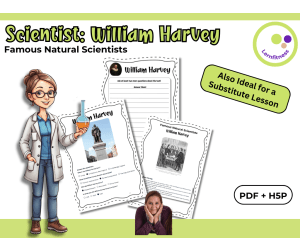
Scientist: William Harvey Fact Sheet, Quiz, and Interactive Exercises
Life Sciences, Science, Biology, Physics, STEM, Human Body, History, Social Studies, Grade 7, 8, 9, Worksheets, Worksheets & Printables, Quizzes, Quizzes and Tests, Teacher Tools, Projects, Activities
Discover William Harvey – The Scientist Who Unveiled the Circulatory System William Harvey is best known as the physician who discovered the circulation of blood, revolutionizing our understanding of the human body and laying the groundwork for modern physiology. This comprehensive teaching resource introduces your students in grades 6–8 to Harvey’s groundbreaking contributions to biology and medicine. Designed for a 45-minute lesson, it combines engaging informational content with interactive and creative tasks to ensure a memorable and educational experience. What’s Included: Concise Informational Text: A clear and engaging overview of William Harvey’s role in science. Fact Sheet Activity: Encourages students to organize knowledge and work creatively. Quiz with Solutions: Promotes fun, interactive learning and self-assessment. Additional Exercises: Students can create their own questions and collaborate in pairs to deepen their understanding. Flexible Formats: Includes a color and black-and-white printable PDF, as well as interactive H5P tasks for digital learning. Why You’ll Love This Resource: Time-Saving: Perfect for teachers who need a ready-to-go, well-structured lesson. Versatile Use: Ideal for biology, history of science, or cross-curricular lessons in English and science classes. Promotes Independence: Solutions are included, allowing students to check their work and explore the topic at their own pace. Interactive and Engaging: Tasks are designed to keep students actively involved while learning about William Harvey’s legacy. Whether you use it for a regular lesson, substitute teaching, or as part of a digital learning activity, this resource will make William Harvey’s contributions come alive for your students. Bring William Harvey’s fascinating world of science and medicine into your classroom and inspire your students to see history and science in a whole new light! Have fun exploring the world of science with your students! Warmly, Lernfitness Did You Know? I teach with a certified therapy dog, and together we focus on creating a positive and inspiring learning environment.
Author Lernfitness
Tags Science, Biology, Famous Scientists Lesson, H5P, Interactive Science Exercises, STEM, William Harvey, Circulatory System, Medicine, Physician
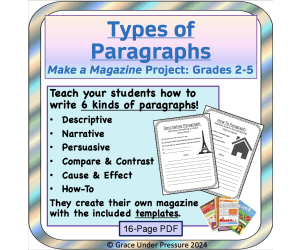
Types of Paragraphs - Make a Magazine Project: How to Write Paragraphs
ELA, Writing, Creative Writing, Strategies, Grade 2, 3, 4, 5, Activities, Projects
Types of Paragraphs: Make a Magazine Project: Narrative, Descriptive, Persuasive, Compare & Contrast, Cause & Effect, How-To Paragraphs. This fun and engaging mini-unit helps teach paragraph writing while keeping students interested because they are creating their very own magazine! How to Use: Print a hamburger paragraph handout for each student. Review the parts of an effective paragraph: topic sentence, juicy details, and concluding sentence. Then teach your students about the six types of paragraphs they are going to learn how to write: narrative, descriptive, persuasive, compare and contrast, cause and effect, and how-to. Each kind of paragraph will be a different part of the magazine. A persuasive paragraph becomes a letter to the editor. A narrative paragraph will be a personal story. A descriptive paragraph will be a travel article. A compare and contrast paragraph will be a product review. A cause and effect paragraph will be a current events article, and a how-to paragraph will be a home maintenance piece. Use one period of class time to draft each paragraph. Students get a handout with some sample ideas and then come up with their own. They draft a 5-sentence paragraph that will become their "article." After each draft, show students the editing handout, and encourage them to edit their own work or trade with a friend. You can also have students hand in their drafts each day for you to edit as well. Once students have their six edited drafts, they can either type them OR write good copies on the included templates. Put them all together, make a title page, and each student now has their own magazine! Extensions: Early finishers can make a crossword puzzle using an online website, or create their own advertisement for their magazine! Grades to Use With: This project is designed for students who are learning how to write effective paragraphs in grades 2-5. What's Included: A total of 16 pages in ready-to-print PDF format Title Page Hamburger Paragraph Handout 6 Draft Pages Proofreading Checklist 7 Pages of Templates for Good Copies
Author Grace Under Pressure
Rating
Tags Paragraph Writing, Magazine Project, Narrative, Descriptive, Persuasive, Hamburger Paragraph, Paragraph, Types Of Paragraphs, Writing Project, Topic Sentence

Project Ideas for 3D printing
, Not Grade Specific, Projects, Activities
Project Ideas for 3D Printing: A Teaching Resource Overview: The Project Ideas for 3D Printing is an expertly designed tool that integrates technology into everyday education, providing a dynamic and innovative approach to learning. This resource simplifies introducing 3D printing into the classroom. Educational Scope: Social Studies Art/Music/Theater Design & Engineering Family & Consumer Science/Health Science Math Science Literacy Versatility: This guide is not only beneficial for teachers in schools but also proves advantageous for homeschooling parents when developing curriculum or supplementing lesson plans . It serves as an easy-to-use reference card that can be integrated during whole group instruction or assigned within smaller teams. Tidbits:(65 project ideas on one page!) The beauty of this resource is its practical, user-friendly format consisting of just one page with organized cross-curricular subjects. This allows educators quick access to ample knowledge without having to sift through countless pages or bulky digital resources. Note: This versatile teaching tool caters students from elementary school to high school levels experiencing different stages of technology-aided learning. No matter what the size, grading scale, or nature of your classroom might be; if you’re an educator seeking a novel approach towards learning our meticulously sorted project ideas are sure to become invaluable component in your toolbox.
Author WhyMaker
Tags 3D Printing, Project Ideas, Cross-curricular, Technology Integration, Teaching Resource
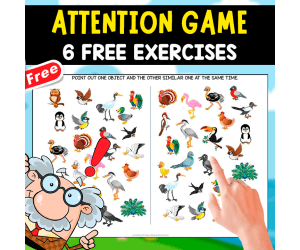
ATTENTION GAME | 6 FREE EXERCISES | BRAIN GAME
Special Resources, Montessori, Early Learning, Elementary, Homeschool Resources, Not Grade Specific, Pre-K, Games, Activities, Escape Room, Projects
ATTENTION GAME | 6 FREE EXERCISES | BRAIN GAME BASIC INFORMATION OF THIS RESOURCE: ✅ Document Title: Developing the attention ✅ Number of Pages: 6 ✅ File Format (PDF, Word, PPT): PDF ✅ Color or Black & White: Color. MAIN DESCRIPTION OF THIS FANTASTIC RESOURCE: What is the name of the product? Hello! Thank you so much for being interested in this beautiful and fabulous product that you can use with your children, both at school and at home. The name of this fabulous product is: ATTENTION GAME. How many pages does it include? This educational document, carefully created and in some cases compiled, has the following number of pages: 6. What format is it in (A4, letter, digital, printable)? This educational resource is designed in A4 format and PDF, so you will have no difficulties printing it and it will also stay well-protected. A4 SIZE Is it in black and white or in color? This document is available in black and white as well as in color. Actually, it combines both, making it more attractive for your students. AVAILABLE IN COLOR. SECONDARY AND EXTRA INFORMATION OF THIS RESOURCE: What will students learn or practice with it? With this educational resource, children will be able to practice basic skills in math and literacy. Teachers can also adapt it to other learning areas, since learning is multidisciplinary. Who will benefit the most from this resource (teachers, families, students, therapists)? I strongly believe education involves many people—teachers, parents, and even therapists. That’s why this resource is open to anyone involved in the learning process. Is any additional material needed to work with it? Sometimes yes, such as pencils, crayons, markers, and scissors. It all depends on how deeply you want your students to engage with the activities. ABOUT THE AUTHOR: We are EDITORIAL ARENAS EDUCATIVAS, a publishing house passionate about creating educational materials designed for children. Our goal is to make learning a fun and meaningful experience. I invite you to visit my educational store, where you will find a wide variety of resources ready for you.
Author EDITORIAL LAURA EDUCA
Rating
Tags FREE, FREE RESOURCES, SPECIAL RESOURCE, THERAPY, GAMES, PROJECTS, ESCAPE ROOM
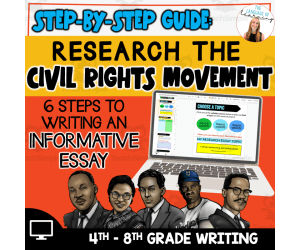
Civil Rights Research Essay
Social Studies, History, History: USA, Research, Grade 4, 5, 6, 7, Activities, Projects
This resource is a Civil Rights Research Essay. This project will give students a step-by-step guide to develop an amazing informative essay for the Civil Rights Movement. From choosing a topic to preparing a thesis statement, students will have everything they need. This resource can be accessed and assigned in Google Classroom for students to complete digitally.
Author The Language of Learning
Tags Civil Rights, Research Essay, Google Slides, Black History, February, Civil Rights Movement Thesis Statement, Thesis Statement For Civil Rights Movement, Civil Rights Thesis Statement
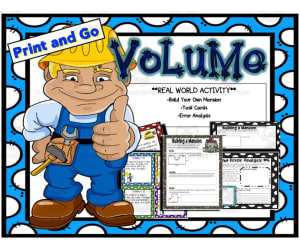
Project: Building of Dream Home
, Grade 5, 7, 8, Projects, Activities
Project: Building of Dream Home An exciting teaching resource specifically designed for 5th to 8th-grade math classes. The main aim is to teach the concept of volume incorporating real-world and problem-solving activities into the learning process. This product is a creative blend of various interactive, educational tasks that make learning an enjoyable experience. A collection of task cards, composite figures, and error analysis exercises that broaden students' understanding of volume. "Build Your Own Mansion" project enables students to simulate building their own house and calculating its volume - implementing mathematics in a fun and practical way. This teaching material puts emphasis on challenging their mental prowess while boosting creativity by prompting students not just to calculate space but also logically decide what items would comfortably fit into their dream home. Leveraging such imaginative methods focuses on honing multiplication skills and improving problem-solving abilities which aren't part of traditional math instruction. Flexibility & Customization The use can vary as per classroom needs - could be used as a group activity fostering cooperation or can be allotted individually promoting self-dependent problem-solving skills. It is designed in a format that accommodates customization according to each student's learning pace—ensuring all-round development. Digital & Paper Usage The Project: Building Of Dream Home covers a breadth over 30 insightful pages. Available for download in PDF format is best suited for both digital resources or printing out hard copies based on personal preference or need. This approach assures learners are engaged productively leading them confidently towards unlocking elusive mathematical mysteries embedded within their imagine-driven dream homes!
Author Big Apple Teaching
Tags Volume, Math, Problem-solving, Simulation Game, Creativity

Galileo Galilei Research Organizer & Essay Assignment
Social Studies, ELA, Biographies, History, History: World, History: Ancient, Science, Earth and Environmental Sciences, Space, Grade 7, 8, 9, 10, Activities, Projects, Worksheets & Printables, Worksheets
Without Galileo Galilei, the fields of astronomy, physics, and general science might not exist. This resource provides your students with the opportunity to independently learn about and summarize the life of the "father of modern science" with this engaging research planner and essay assignment. This carefully scaffolded and easy-to-assign-AND-assess resource has been designed to guide student learning from Galileo Galilei fact-collection to the careful development of a five-paragraph research essay. Teaching this resource could not be easier! Start by handing out the background research and note-taking worksheet (you could also ONLY hand this out if you want a shorter lesson!). Once students have found their facts and sources, provide them with the essay outline activity, which guides them step-by-step through the requirements of a short research essay. From there, drafting their essay, using the provided peer review checklist, and submitting their final draft will be no problem at all. And then you can assess their work with the provided Common Core rubric! Use this entire resource as a complete research lesson or just part of it as a short research activity or sub plan! This TeachSimple download includes: - A Galileo Galilei essay writing assignment with directions, requirements, research essay writing tips, a peer review checklist, and Common Core-tied grading rubric - An editable rubric, provided as a link, that lets you make adjustments to the grade values and guidelines. This link is provided as as Google Sheet specifically built for integration into Google Classroom, although you can also modify it for use in other Learning Management Systems (LMSs) - A Galileo Galilei biography and note-taking worksheet that will guide your students through information gathering. This straightforward two-page handout includes instructions for background research, a fun drawing section, and an area to cite quality sources and organize conducted research - A research essay outlining worksheet, so students build on their Galileo Galilei notes in a clear and simple manner as they build their work towards a draft and final paper - All 6-pages of this lesson are provided in full-color and B&W versions Although this resource can be fitted for any secondary Language Arts classroom, it has been carefully designed to work best in grades 8 through 11. The included rubric is subtly but specifically tied to Common Core ELA Standards for Language (3) and Writing (2 and 7). This resource is provided as a print-ready, bookmarked, and adjustable PDF file. The rubric is also included as an editable Google Sheet. This resource contains 6 pages and 1 Google Sheet.
Author The Language of Educational Art, LLC
Tags Essay, Rubric, Research, Notetaking, Outlining

Pig Crown or Hat Easy Paper Craft Art Project
Creative Arts, Art, Preschool, Kindergarten, Grade 1, 2, 3, 4, 5, Activities, Crafts, Projects
Pig Crown or Hat Easy Paper Craft Art Project | All Year Long Craft Project This fun and engaging paper craft project that is the perfect printable for elementary students to create their own pig-themed craft crown or hat! Designed with easy-to-cut shapes, this activity helps students develop fine motor skills while enjoying a creative, hands-on experience. Choose from 2 craft options: a colorful version of a black and white version for individual coloring. Extend learning by encouraging students to write a creative story about their completed craft. This versatile PDF packet is ideal for classroom or homeschool activities, independent work, or as a sub plan for grades K-5. With minimal prep, this fun activity is perfect for building confidence, developing creativity, boosting fine motor skills, and increasing writing abilities in young learners. Perfect for whole-class crafts, individual projects, or even at-home fun! Like this resource? Check out more paper crafts: Adorable Acorn One Page Paper Craft Smiling Snail One Page Paper Craft Spring Landscape One Page Paper Craft Beach Landscape One Page Paper Craft Jolly Reindeer One Page Paper Craft Thanks for downloading Doodle Thinks resources. Have fun crafting!
Author Doodle Thinks
Rating
Tags Fine Motor Skills, Arts And Crafts, Art Activity, Craft Project, Craft Printables, Self-Expression, Creativity, Art Project, Pig Art Project, Pig Craft
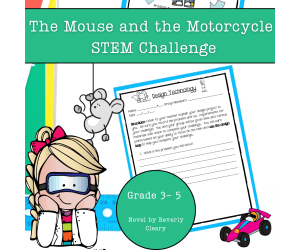
The Mouse and the Motorcycle STEM Experiment + STEM Project
Science, Technology, Engineering, STEM, Grade 3, 4, 5, Experiments, Activities, Projects, Diagrams, Teacher Tools, Graphic Organizers, Rubrics
Help design and build a four-wheeled car for Ralph, the adventurous mouse, from The Mouse and the Motorcycle. Perfect for integrating literature and science, this challenge guides students to apply engineering principles using simple materials while fostering teamwork and critical thinking. What’s Inside This Resource: Student Letter: A fun letter from Ralph introduces the challenge, linking the story to a real-world engineering task. Design Loop Graphic: A visual students can attach to their science journals, serving as a step-by-step guide throughout the activity. Detailed Instructions: Choose to print the guide as a packet or have students record each stage in their journals for an interactive experience. Teacher Tips: Practical guidance for crafting a clear problem statement with time constraints, materials, and success criteria tailored to your classroom. Skills Your Students Will Build: ✔ Problem-Solving: Identify obstacles and create inventive solutions. ✔ Engineering Design: Navigate the design loop—plan, construct, test, and refine. This page can easily be enlarged for a classroom poster. ✔ Critical Thinking: Assess their prototype’s performance and pinpoint ways to enhance it. ✔ Teamwork: Collaborate effectively to accomplish shared goals. Versatile Classroom Application: Whether as guided instruction or part of an integrated literature and science unit, this STEM activity encourages students to think creatively, document their process, and meet science and engineering standards. The rubric included is based on engineering concepts, but can also be used as a nonfiction writing rubric for cross-curricular options. Why Educators Love This Resource: ⭐ “My students were fully engaged, combining their passion for reading with STEM!” ⭐ “Simple to set up and encourages creativity and teamwork.” ⭐ “A seamless connection between literature and science for cross-curricular learning!” Inspire your students to solve Ralph’s problem and discover the joy of engineering with this fun, standards-aligned STEM challenge!
Author Kel's Klass
Tags 4th Grade Science Project, 4th Grade Science Experiment, 5th Grade Science Project, 5th Grade Science Experiment, Engineering Diagram, Science Graphic Organizer, Science Rubric, 3rd Grade Science Project, 3rd Grade Science Experiment, The Mouse And The Motorcycle
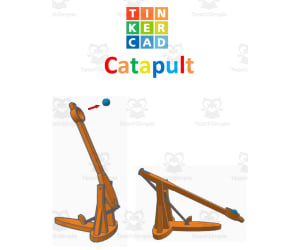
TinkerCAD step-by-step instructions for Catapult
Special Resources, Science, Technology, Engineering, Grade 5, 6, 7, 8, 9, 10, 11, 12, Activities, Projects
TinkerCAD step-by-step instructions for Catapult. Students only need to know the bare basics to complete this. I tested this with a fifth-grade class and most could complete it with no help. Designed to print with no supports for easy printing. Include TinkerCAD tool guide! Has a content page. Great beginners’ tool for learning to make 3D models and learn TinkerCAD. TinkerCAD is a free online program that makes 3D model that work on 3D printers, laser etching machines, water jets, plasma cutters and many more!! Tinkercad is an easy-to-use, browser-based computer-aided design (CAD) software developed by Autodesk. It is primarily used for creating and designing 3D models, particularly in the field of 3D printing. Tinkercad is popular among beginners and hobbyists due to its intuitive interface and simplified tools. Here are some key features and uses of Tinkercad: 1) 3D Modeling: Tinkercad allows users to create 3D models by combining basic shapes and manipulating them using tools such as scaling, rotating, and moving. It provides a wide range of primitive shapes like cubes, spheres, cylinders, and more, which can be customized to create complex designs. 2) Design Customization: Users can apply various modifications to their designs, including resizing, rounding edges, adding text, creating holes, and aligning objects. These tools help in refining the models and making them suitable for specific purposes or fitting them with other components. 3)Import and Export: Tinkercad supports the import of existing 3D models in STL and OBJ formats, allowing users to modify and incorporate them into their designs. It also offers export options to save the designs as STL files, which are widely used in 3D printing. 4) Collaboration and Sharing: Tinkercad provides features for collaboration, allowing multiple users to work on the same project simultaneously. It enables real-time sharing and editing, making it convenient for team projects or educational purposes. 5) Electronics Integration: One notable aspect of Tinkercad is its integration with electronics. It offers a range of electronic components, including resistors, LEDs, motors, and microcontrollers, which can be used to create interactive models and prototypes. Users can simulate circuit connections and test their designs before implementation. 6) Educational Tool: Tinkercad is widely used in educational settings, particularly for teaching students about 3D design, modeling, and prototyping. Its simple interface and beginner-friendly tools make it accessible to users of all ages and skill levels. Overall, Tinkercad is a versatile and user-friendly CAD software that allows individuals to create and customize 3D models. Whether you're a hobbyist, student, or professional, Tinkercad provides a valuable platform for designing, prototyping, and exploring the world of 3D printing and modeling. Total pages: 51 pages Commands to be learned: Group Ungroup Align Mirror Duplicate Holes Solids Rotate Move Drop Subjects: Geometry Engineering Career and technical education Types: Projects Handouts Printables
Author MontyWorks
Tags TinkerCAD, 3D Printing, 3D Printer, Projects

Research Organizer & Essay Assignment: T.S. Eliot
ELA, Literature, Poetry, Writing, Grade 7, 8, 9, 10, 11, 12, Activities, Projects, Worksheets & Printables, Worksheets
This resource provides your students with the opportunity to independently explore and write about the life of the famous English poet T.S. Eliot with this engaging research planner and essay assignment. This carefully scaffolded and easy-to-assign-AND-assess resource has been designed to guide student learning from T.S. Eliot fact-collection to the careful development of a five-paragraph research essay. Teaching this resource could not be easier! Start by handing out the background research and note-taking worksheet (you could also ONLY hand this out if you want a shorter lesson!). Once students have found their facts and sources, provide them with the essay outline activity, which guides them step-by-step through the requirements of a short research essay. From there, drafting their essay, using the provided peer review checklist, and submitting their final draft will be no problem at all. And then you can assess their work with the provided Common Core rubric! Use this entire resource as a complete research lesson or just part of it as a short research activity or sub plan! This TeachSimple download includes: - A T.S. Eliot essay writing assignment with directions, requirements, research essay writing tips, a peer review checklist, and Common Core-tied grading rubric - An editable rubric, provided as a link, that lets you make adjustments to the grade values and guidelines. This link is provided as as Google Sheet specifically built for integration into Google Classroom, although you can also modify it for use in other Learning Management Systems (LMSs) - A T.S. Eliot biography and note-taking worksheet that will guide your students through information gathering. This straightforward two-page handout includes instructions for background research, a fun drawing section, and an area to cite quality sources and organize cnducted research - A research essay outlining worksheet, so students build on their T.S. Eliot notes in a clear and simple manner as they build their work towards a draft and final paper - All 6-pages of this lesson are provided in full-color and B&W versions Although this resource can be fitted for any secondary Language Arts classroom, it has been carefully designed to work best in grades 8 through 11. The included rubric is subtly but specifically tied to Common Core ELA Standards for Language (3) and Writing (2 and 7). This resource is provided as a print-ready, bookmarked, and adjustable PDF file. The rubric is also included as an editable Google Sheet. This resource contains 6 pages and 1 Google Sheet.
Author The Language of Educational Art, LLC
Tags Essay, Research, Rubric, Notetaking, Outlining

Research Organizer & Essay Assignment: George Eliot
ELA, Literature, Writing, Grade 8, 9, 10, 11, 12, Activities, Projects, Worksheets & Printables, Worksheets
Research Organizer & Essay Assignment: George Eliot Guide students to independently research and write a 5-paragraph essay about renowned Victorian Era author George Eliot. This 6-page teaching resource includes a scaffolded research planner and essay assignment with directions, requirements, writing tips, peer review checklist, and rubric tied to Common Core ELA standards. Also includes a biography and note-taking worksheet for gathering facts and quality sources on George Eliot, plus an essay outline to help build a draft. Use the full lesson or just parts as a research activity or sub plan for grades 8-11. Provided as customizable print-ready PDFs and a Google Sheet rubric ready for Google Classroom integration.
Author The Language of Educational Art, LLC
Tags Essay, Research, Rubric, Outlining, Notetaking

Sigmund Freud Research Organizer & Essay Assignment
Social Studies, ELA, Biographies, History, History: World, History: Ancient, Psychology, Sociology, Grade 7, 8, 9, 10, Activities, Projects, Worksheets & Printables, Worksheets
Sigmund Freud founded psychoanalysis and is probably the most widely studied psychiatrist all-time, and perhaps also the misunderstood. This resource provides your students with the opportunity to independently explore and write about the life of the controversial psychology figure with this engaging research planner and essay assignment. This carefully scaffolded and easy-to-assign-AND-assess resource has been designed to guide student learning from Sigmund Freud fact-collection to the careful development of a five-paragraph research essay. Teaching this resource could not be easier! Start by handing out the background research and note-taking worksheet (you could also ONLY hand this out if you want a shorter lesson!). Once students have found their facts and sources, provide them with the essay outline activity, which guides them step-by-step through the requirements of a short research essay. From there, drafting their essay, using the provided peer review checklist, and submitting their final draft will be no problem at all. And then you can assess their work with the provided Common Core rubric! Use this entire resource as a complete research lesson or just part of it as a short research activity or sub plan! This TeachSimple download includes: - A Sigmund Freud essay writing assignment with directions, requirements, research essay writing tips, a peer review checklist, and Common Core-tied grading rubric - An editable rubric, provided as a link, that lets you make adjustments to the grade values and guidelines. This link is provided as as Google Sheet specifically built for integration into Google Classroom, although you can also modify it for use in other Learning Management Systems (LMSs) - A Sigmund Freud biography and note-taking worksheet that will guide your students through information gathering. This straightforward two-page handout includes instructions for background research, a fun drawing section, and an area to cite quality sources and organize conducted research - A research essay outlining worksheet, so students build on their Sigmund Freud notes in a clear and simple manner as they build their work towards a draft and final paper - All 6-pages of this lesson are provided in full-color and B&W versions Although this resource can be fitted for any secondary Language Arts classroom, it has been carefully designed to work best in grades 8 through 11. The included rubric is subtly but specifically tied to Common Core ELA Standards for Language (3) and Writing (2 and 7). This resource is provided as a print-ready, bookmarked, and adjustable PDF file. The rubric is also included as an editable Google Sheet. This resource contains 6 pages and 1 Google Sheet.
Author The Language of Educational Art, LLC
Tags Essay, Rubric, Research, Notetaking, Outlining

Exploring the Solar System Project - Middle School Space
Science, Earth and Environmental Sciences, Space, Grade 6, 7, 8, Activities, Projects
Blast off on an exciting expedition through our cosmic neighborhood with this immersive 6-part solar system project! Students will embark on a journey of discovery to expand their knowledge of the planets that orbit our sun. The adventure begins by surveying key characteristics of the planets. Students will compare and contrast attributes like composition, size, moons, and more using interactive charts . These activities will build a foundation of knowledge about our stellar surroundings. Each student will then adopt an alien identity from one of the planets. Their mission is to gather intelligence about their new home world to create an engaging planetary fact file. This top-secret document will contain maps of unique features, details about survival in extreme conditions, and the planet's orbital path. Students will encrypt their findings in informative infographics. The quest continues as student aliens form contacts with beings from other worlds. In their teams, they will decipher similarities and differences between their planets using techniques like Venn diagrams. Patterns between planetary traits will become clearer. The students will then band together to design hidden settlements tailored to their adopted planet's environment. Infrastructure, culture, geography, and survival needs will dictate the layout of these extraterrestrial cities. Teams will create coded maps, diagrams, and written records to conceal their covert communities. Immersing themselves in alien personas, students will log journal entries chronicling daily life on their assigned planets. By pretending to inhabit these cosmic spheres, perspectives will be broadened. Finally, the project concludes by welcoming visitors to an intergalactic Planets Fair. Student aliens will showcase their classified findings by hosting creative exhibits about the celestial bodies we call neighbors. This galactic get-together celebrates exploration of the wonders in our solar system and beyond!
Author Teach With Fergy
Tags Space, Solar System, Astronomy, Planets, Sun, Space Project

TinkerCAD step-by-step instructions for Rocket
Special Resources, Science, Technology, Engineering, Computer Science, Grade 5, 6, 7, 8, 9, 10, 11, 12, Activities, Projects
TinkerCAD step-by-step instructions for Rocket. Students only need to know the bare basics to complete this. I tested this with a fifth-grade class and most could complete it with no help. Designed to print with no supports for easy printing. Include TinkerCAD tool guide! Has a content page. Great beginners’ tool for learning to make 3D models and learn TinkerCAD. TinkerCAD is a free online program that makes 3D model that work on 3D printers, laser etching machines, water jets, plasma cutters and many more!! Tinkercad is an easy-to-use, browser-based computer-aided design (CAD) software developed by Autodesk. It is primarily used for creating and designing 3D models, particularly in the field of 3D printing. Tinkercad is popular among beginners and hobbyists due to its intuitive interface and simplified tools. Here are some key features and uses of Tinkercad: 1) 3D Modeling: Tinkercad allows users to create 3D models by combining basic shapes and manipulating them using tools such as scaling, rotating, and moving. It provides a wide range of primitive shapes like cubes, spheres, cylinders, and more, which can be customized to create complex designs. 2) Design Customization: Users can apply various modifications to their designs, including resizing, rounding edges, adding text, creating holes, and aligning objects. These tools help in refining the models and making them suitable for specific purposes or fitting them with other components. 3)Import and Export: Tinkercad supports the import of existing 3D models in STL and OBJ formats, allowing users to modify and incorporate them into their designs. It also offers export options to save the designs as STL files, which are widely used in 3D printing. 4) Collaboration and Sharing: Tinkercad provides features for collaboration, allowing multiple users to work on the same project simultaneously. It enables real-time sharing and editing, making it convenient for team projects or educational purposes. 5) Electronics Integration: One notable aspect of Tinkercad is its integration with electronics. It offers a range of electronic components, including resistors, LEDs, motors, and microcontrollers, which can be used to create interactive models and prototypes. Users can simulate circuit connections and test their designs before implementation. 6) Educational Tool: Tinkercad is widely used in educational settings, particularly for teaching students about 3D design, modeling, and prototyping. Its simple interface and beginner-friendly tools make it accessible to users of all ages and skill levels. Overall, Tinkercad is a versatile and user-friendly CAD software that allows individuals to create and customize 3D models. Whether you're a hobbyist, student, or professional, Tinkercad provides a valuable platform for designing, prototyping, and exploring the world of 3D printing and modeling. Total pages: 101 pages Commands to be learned: Group Ungroup Align Mirror Duplicate Holes Solids Rotate Move Drop Subjects: Geometry Engineering Career and technical education Types: Projects Handouts Printables
Author MontyWorks
Tags TinkerCAD, 3D Printing, 3D Printer, Projects
Equivalent Fractions in the Real World - Fun Enrichment Activity for Students
Math, Fractions, Not Grade Specific, Activities, Projects
Equivalent Fractions in the Real World provides educators with 5 engaging math problems that connect abstract fraction concepts to real-world cooking scenarios. Students read detailed recipes and information pages, then solve unique fraction word problems related to modifying the ingredients or batch size of each recipe. For example, one recipe explores doubling a recipe to make enough healthy power bars for an entire class. Another looks at dividing up s'more ingredients evenly between 5 family members. The multi-step word problems strengthen critical thinking skills and benchmark fraction knowledge. Teachers can implement the printable 19-page resource in small groups, as a center activity, or as an independent homework assignment. The problems align to Common Core grade 3-4 standards on equivalent fractions. Rather than remaining a vague notion, equivalent fractions become a concrete tool for problem solving through the context of kid-friendly, enticing recipes.
Author Beyond Traditional Math
Tags Fractions, Equivalent Fractions, Word Problems, Real World, Cooking, Recipes
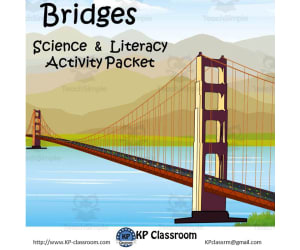
Bridges Activity Packet with Popsicle Stick Bridge Project
Science, Technology, Engineering, Grade 2, 3, 4, 5, 6, Projects, Activities
This " Bridges Activity Packet with Popsicle Stick Bridge Project " teaches students about bridges and engineering in a fun and interactive way, with many reading, drawing and puzzle activities. These activities are designed for kids at all levels between Grades 2 and 6. Please note that not all activities in this packet will meet your class' particular levels, but there should be enough variation in the resources from your high flyers to those that are more challenged. The packet also includes a Popsicle Bridge Project for students.
Author KP Classroom
Tags Bridge, Engineer, Truss, Beam, Cabtilever, Popsicle Stick Suspension Bridge, Stick Bridge Project, Stick Bridges, Popsicle Bridges, Suspension Bridges Made Out Of Popsicle Sticks, Popsicle Stick Truss Bridge, Popsicle Bridge Ideas, Popsicle Stick Bridges Truss, Popsicle Arch Bridges, Popsicle Truss Bridge, Popsicle Stick Arch Bridges, Popsicle Stick Bridge Projects, Simple Popsicle Stick Bridges, Popsicle Stick Bridges For Kids
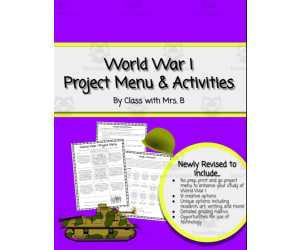
World War I Project Menu – 9 Choice Activities
Social Studies, History, History: World, Grade 6, 7, 8, Projects, Activities
World War I Project Menu for Middle School Students This informative World War I resource provides 9 unique project options for middle school students to expand their knowledge of the Great War. Educators can utilize this adaptable choice board for whole class, small group, or individual assignments. The engaging projects empower students to connect more deeply with World War I history. Options range from persuasive letter writing to stepping into the shoes of a war reporter. Students will enjoy bringing history to life through creativity and choice. Included with the Project Menu is an array of coordinating student handouts and helpful grading rubrics . This teaching resource aims to spark student curiosity and understanding surrounding the complex causes and effects of World War I.
Author Class with Mrs B
Rating
Tags Choice Board, World War I, Projects, Letter Writing, Alphabet Book, World War 1 Alphabet Book, Wwi Lesson Activities

Project on Ethnicity
Social Studies, Geography, Research, Grade 9, 10, 11, 12, Activities, Projects
The Project on Ethnicity: A Comprehensive Teaching Resource This unique teaching tool was designed purposefully as an integral part of the Culture Unit for an AP Human Geography course. It stirs interest and improves understanding about critical aspects of ethnicity and can be easily adapted into any geography or cultural studies classroom. Main Features: Promotes a comprehensive exploration to understand and connect with students' ethnic roots. Enhances cultural enlightenment by encouraging curiosity towards different world cultures. Prompts directed research work around significant customs practiced in the home country corresponding to their ethnicity. This project primarily focuses on six pivotal subjects like 'Marriage & Family Customs'. Rather than forcing knowledge, it drives students' curiosity making them seek answers through dedicated research enhancing comprehension. Structure: The project's design is transparent about expectations from the students. There are complete instructions provided optimizing clarity while embarking upon this learning journey right from inception until culmination! An integral element of this assignment is its grading rubric which provides educators with an accurate measure to analyze student progress at each stage thus ensuring precise valuation. Educational Specifications: Suitable grade levels: 9 through 12 – nurtures critical cognition while improving global cultural awareness favorably adhering normative curriculum requisites within these educational levels. Subject categorization: falls under Social Studies discipline concentrating specifically on Geography subdiscipline meticulously aligning every component according to pedagogical rigors guaranteeing optimal realization of designated learning goals. Note: The document format is a Word Document which can be conveniently customized according to classroom requirements making sure individualistic needs don't compete with academic standards.
Author Jason Stein
Tags Ethnicity Project, Cultural Studies, Geography Education, Family Customs Research, Critical Thinking
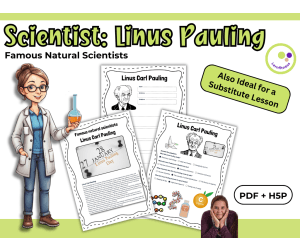
Linus Pauling – Scientist Profile and Reading Tasks
Life Sciences, Science, STEM, Social Studies, Biographies, Inventors, Basic Science, Physics, Chemistry, Technology, Grade 6, 7, 8, 9, 10, 11, Worksheets, Worksheets & Printables, Quizzes, Quizzes and Tests, Teacher Tools, Projects, Activities
Linus Pauling – Scientist Profile and Reading Tasks Comprehension Activities A short reading and activity set (PDF + H5P) ⚗️📘 A printable and digital resource for grades 7–10 science and cross-curricular teaching 🧪🧠 This ready-to-use resource introduces students to Linus Carl Pauling – a groundbreaking chemist and one of only two people to receive two unshared Nobel Prizes. His work on chemical bonding, molecular structures, and vitamin research shaped modern chemistry and continues to influence science education today. He’s also remembered for his outspoken views on peace and social responsibility, which makes him an interesting figure across subject areas. The material is designed to help students understand both the scientific and personal contributions of Pauling. It includes a short reading text, a guided profile worksheet, and a short quiz. Two extension tasks allow students to engage more deeply with the text by creating their own questions and discussing them with a partner. What’s included: Informational text on Linus Pauling (student-friendly language) Printable worksheet for creating a profile Quiz questions with solutions Two optional tasks for independent or pair work Formats: – PDF for print and digital use – Editable DOCX (text only, without images) – Interactive H5P version (suitable for most learning platforms) How it can be used: I’ve used materials like this during units on chemical bonding, scientific biographies, or even in interdisciplinary lessons that connect science with ethics or activism. It’s also worked well for cover lessons, as the structure is simple and students can work independently. The H5P version allows students to complete the quiz digitally and get instant feedback, which is helpful in blended learning environments or for homework. The tasks are flexible: they can be used as a full lesson, a review activity, or a meaningful extension when you want to slow down and connect content to real people. Minimal prep. Easy to adapt. A great way to make science a little more human. Have fun exploring the world of science with your students! Warmly, Lernfitness Did You Know? I teach with a certified therapy dog, and together we focus on creating a positive and inspiring learning environment.
Author Lernfitness
Rating
Tags Science, Famous Scientists Lesson, H5P, Interactive Science Exercises, STEM, Scientists, Chemistry, Linus Pauling, Nobel Prize Winner, Chemical Bonding