



3,932 products added recently
Page 29 - Decimals Lesson Plans
Support your students in grasping decimals through lesson plans that offer concrete examples and interactive exercises. These resources help bridge the gap between fractions and decimals. Implement them to enhance numerical literacy and computational skills.

 Show filters


Data Analysis & Probability: Pictographs - Practice the Skill 1 - MAC Software
Math, Graphing, Common Core, Kindergarten, Preschool, Grade 1, 2, Teacher Tools, Lesson Plans
Data Analysis & Probability: Pictographs - Practice the Skill 1 The ultimate teaching tool for introducing young students to data analysis and probability is finally here. Entitled "Data Analysis & Probability: Pictographs - Practice the Skill 1", this educational resource is perfect for preschool through grade two students. This isn't just about teaching – it’s about engaging, interacting, and ultimately, learning in a valuable way. At its heart, this versatile tool features timed drill activities that boost understanding of pictographs crucial to data analysis and probability. Interactive elements invite the children to answer questions derived from the given pictograph. Also included are key math tools to enhance their exploration as they wade through these fascinating concepts. An important feature of this resource is its dual language feature; accompanied by easy-to-understand English voice overs and text as well as Spanish options. This accommodates an increasingly diverse collection of student bodies, making learning inclusive for all. Aligned with Common Core State Standards Fulfills STEM initiatives In compliance with NCTM guidelines This ensures that your students are being taught within recognized standards. Teachers can leverage this tool in numerous ways including whole group instruction or smaller study groups for differentiated learning experiences; even as additional homework assignment supplementing classroom lessons. Note that although 'Data Analysis & Probability: Pictographs - Practice the Skill 1' comes optimised for Mac systems via a single zip file download, providing quick installation into your digital lesson plan suite. In Conclusion... "Data Analysis & Probability: Pictographs - Practice the Skill 1" simplifies complex mathematical subjects like Graphing making them less daunting for students. Teachers find it flexible enough to cater to any type of instructional requirement in multilingual classrooms. Truly, this interactive and comprehensive software empowers every maths class!
Author Classroom Complete Press
Tags Digital Math, Digital Graphs, Pictographs, Math Skills, Data

Grade 3 Math Volume 5
Math, Geometry, Grade 3, Teacher Tools, Lesson Plans
Grade 3 Math Volume 5: An Indispensable New Teaching Toolkit The Grade 3 Math Volume 5 workbook is a bountiful teaching resource created explicitly for the curriculum needs of third graders. This guide mentors learners through complex geometry concepts, ensuring a robust understanding of skills like congruency, similarity, and symmetry. The Dimensions of Learning 41 Interactive Activities: The workbook spans 41 pages housing engaging exercises like math writing tasks that enhance critical thinking; fill-in-the-blank tests which cement conceptual understandings, and well-crafted multiple-choice queries stimulating analytical inferences. Versatile Usage: This source material has varied operational possibilities. It can be integrated into group problem-solving situations or repurposed as small peer-learning exchanges while simultaneously serving to assess learner progress subtly when structured as casual ‘exit tickets.’ Pedagogically Adaptable: This compendium aligns productively with your existing math curriculum . Educators can leverage it as the main instructional guide or use it supplementarily in concert with other lessons. Easily Accessible Resource No more tiresome DIY lesson creation or tediously scouring online repositories- this workbook offers everything prepackaged within an easily accessible downloadable PDF! Enjoy easy printing upon demand! The Revolutionary Approach to Education Grade 3 Math Volume 5 not only offers functionalities that empower student learning but also individualizes instruction catered towards classroom dynamics and unique learning paces. Get your hands on this "Innovative Teaching Toolkit", seeing your student's proficiency levels rise will assuredly follow!
Author Classroom Complete Press
Tags Line Symmetry, Congruency, Math Worksheet, Geometry Worksheet, Math Workbook
Number & Operations: Grouping Objects & Number Lines - FLASH-MAC
Math, Numbers, Grade 1, 2, Teacher Tools, Lesson Plans
Number & Operations: Grouping Objects & Number Lines - FLASH-MAC The Number & Operations: Grouping Objects & Number Lines - FLASH-MAC is a technologically advanced digital teaching tool designed to fortify students' understanding of Numbers and Operations. It offers an extensive range of resources, from comprehensive pre-assessments to exceptionally engaging lesson plans. Key Features: Adequately address real-world word problems which helps strengthening students' comprehension of mathematical concepts. An assortment of enjoyable timed drill activities that can be customized for both whole class or small group exercises. A thorough teacher guide replete with beneficial suggestions and tangible resources tailored for teaching themes related to Numbers and Operations more effectively. Incorporation of SMART Response assessment feature that pairs incredibly well with the modern-day tech-dominated classrooms. Furthermore, our resource package comes with bilingual support (English and Spanish voice-overs), catering well to today's diverse academic settings. This aids in enhancing comprehensive learning while advocating inclusivity – a trait extremely important in current pedagogical landscapes! Potential Uses: The product file could also cater as homework assignments or additional practice work The application could be used as primary teaching material or merely as reference content within your course plan. Choosing the FLASH-MAC System means opting for a blend of simplicity entwined with sophisticated understanding! Available now at TeachSimple.com, this educational tool is perfect for Grade 1 and Grade 2 students. Encourage enhanced learning progress in Numbers & Operations by incorporating the FLASH-MAC system into your curriculum seamlessly.
Author Classroom Complete Press
Tags Software (Mac), Math Lesson Plans, Spanish, Grouping, Number Lines

I WONDER - What Kind Of Angles Do Squares Have | Animated Video Lesson
Shapes, Early Math, Math, Geometry, Grade 2, 3, 4, 5, 6, 7, 8, Lesson Plans, Teacher Tools
Video Introduction An amazing video designed for the students to learn more about STEM. I WONDER - What Kind Of Angles Do Squares Have | Animated Video Lesson Shapes are all around us. What are your favourite ones? And can you give us some real life examples? Can you name the difference between the 2D shapes and 3D shapes? Have you ever tried to calculate the surface area of the square? If yes can you write the equation down? What is the perimeter of the rectangle? And can you tell the difference between radius and diameter of a circle? Can you mention what is the difference between the right angle and the acute angle? Have you ever heard about the obtuse angle? I WONDER - What Kind Of Angles Do Squares Have | Animated Video Lesson The video is perfect for encouraging the researching skills for the students, while learning more about this fantastic topic. I WONDER - What Kind Of Angles Do Squares Have | Animated Video Lesson This friendly designed video is suitable for students at school, homeschooling, and as a group activity. Format Available in MP4 format.
Author Educational Voice
Rating
Tags What Kind Of Angles Do Squares Have, Square Angles, Square Angles Video, Square Angles Video For Kids, Square Angles Facts, Square Angles Facts For Kids, Shapes Video, Square Video For Kids

Data Management Unit Task
Math, Graphing, Measurements, Grade 9, 10, 11, 12, Lesson Plans, Teacher Tools
This is a Data Management Unit Task resource that is ready to use! The task for students: Your task will be to come up with 2 of your own survey questions (that are related) and conduct these surveys. Your question must be meaningful – meaning there is a purpose for you asking this question. It cannot be simply out of your own curiosity, but rather should be tied to an event or change you want to make. One of your questions should collect categorical data, and the other should collect numerical data. Remember to avoid bias when you are creating your survey question. Next, you will collect this data in a way that you think is appropriate and create a graph on Google Sheets to represent this data. It is up to you which type of graph you choose to use to represent your data but remember that it must be appropriate and fitting. Remember to make sure you don’t present your data in a misleading way. Finally, you will calculate the mean, median and mode for your numerical data (show your work) and tell me what those result mean in relation to your data. You will also tell me which measure of central tendency best describes your set of data. Success Criteria: ❏ My survey questions are creative and meaningful ❏ My survey questions are not bias ❏ I chose an appropriate data collection method ❏ I chose appropriate data representation methods ❏ My data representation are not misleading ❏ I included all the elements of a graph (e.g. title, labels, etc.) ❏ I calculated the central tendency correctly and showed your work ❏ I explained which measure of central tendency best describes my set of data A scoring rubric is included.
Author Resource Garden
Tags Summative Assessment, Cumulative Task, Math Assessment, Scoring Rubric, Data Management, Statistics, Survey Questions, Graphing
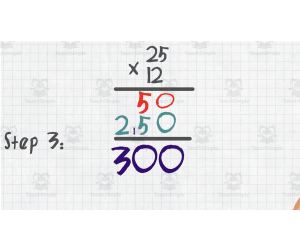
All About Long Multiplication | Animated Math Video Lesson
Math, Multiplication and Division, Division, Grade 3, 4, 5, Lesson Plans, Teacher Tools
This animated math video lesson is all about long multiplication. Students will love this engaging and interactive video that takes them step-by-step on how to solve long multiplication problems in a fun way. This video serves as a great introduction or review video for your learners. This is a 6-minute math video lesson.
Author Educational Voice
Tags Long Multiplication, Math Assessment, Math Lesson Plan, Interactive Lesson, Math Video

Measurement: Measuring Weight - Practice the Skill 3 - PC Software
Math, Measurements, Common Core, Kindergarten, Preschool, Grade 1, 2, Teacher Tools, Lesson Plans
Measurement: Measuring Weight - Practice the Skill 3 - PC Software Developed by experienced educators, this teaching resource is designed to emphasize the practicality of measuring weight. It offers instructors an efficient way to enliven their lesson plans in mathematics. About the software: This software caters comfortably to preschoolers, kindergarteners, and students in grades 1 and 2. It consists of timed drills that hone students' mental agility and mathematical speed along with ingraining the core concept of weight measurement. Key Features: The product includes both English and Spanish voice-over and textual instructions, maximizing inclusivity in classrooms or homeschooling environments. Conforms to recognized educational standards like Common Core State Standards, STEM initiatives, and NCTM guidelines. You can incorporate this tool into whole class instruction or smaller breakout sessions. It can be assigned as engaging homework that promotes independent thinking while cultivating precision due its time-bound nature. Note: The software comes as a downloadable zip file making it easy even for tech-novice teachers. Navigate away from traditional teaching aids today; make learning weights wonderfully meaningful using our exceptional software!
Author Classroom Complete Press
Tags Math Lesson, Measurement Lesson, Measuring Weight, Digital Math, Math Skills
Measurement: Perimeter & Area - Practice the Skill 3 - FLASH-MAC
Math, Measurements, Common Core, Grade 3, 4, 5, Teacher Tools, Lesson Plans
Measurement: Perimeter & Area - Practice the Skill 3 - FLASH-MAC Designed for educators, this downloadable software Measurement: Perimeter & Area - Practice the Skill 3 caters specifically to public school teachers and homeschoolers seeking engaging resources. Aimed at Grades 3 to Grade 5, its focus is forming a foundational understanding of area and perimeter measurements. This Mac OS compatible tool features: Efficient teaching aids: Transform abstract mathematical concepts into enjoyable activities in classrooms or in homework assignments. Timed drill activities: These enhance knowledge retention and encourage discipline for timely task completion. The drills include tasks like computing missing side lengths based on given perimeters making learning an engaging process. Educational tools: Provides math tools useful for educators aiming to facilitate a conducive yet challenging learning environment during both group discussions and private study sessions. In line with inclusive education, the tool also offers English voiceover and texts accompanied by Spanish versions, thus catering to learners with different first languages equally well. Educational Standards Compliance: It aligns with Common Core State Standards and STEM initiatives while using quotations from NCTM during content development. Hence it fits well into any curriculum adopted across U.S schools. Purpose of Product: The Measurement: Perimeter & Area - Practice the Skill 3 - FLASH-MAC is more than just digital resources; it serves as potential guiding staff readily available at hand for the nurturing minds!
Author Classroom Complete Press
Tags Software (Mac)
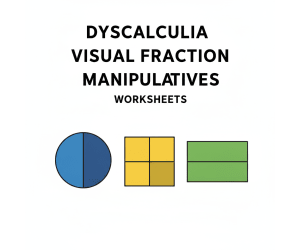
Dyscalculia Visual Fraction Manipulatives
Math, Fractions, Addition and Subtraction, Addition, Subtraction, Graphing, Money, Number Lines, Order Of Operations, Time, Homeschool Curriculum, Homeschool Templates, Grade 3, 4, 5, 6, 7, Worksheets & Printables, Workbooks, Worksheets, Word Searches, Teacher Tools, Assessments, Lesson Plans, Quizzes and Tests, Quizzes, Tests
Change the nature of instruction for fractions, and help all students by using this complete, evidence-based guide for teaching fractions to students who may have any or all of the following: Dyscalculia, Learning Disabilities in Mathematics, or Anxiety with regard to mathematics. Are you an educator or parent looking for an effective way to teach your students with prior difficulties with abstract mathematic concepts? If so, this is the resource for which you have been searching. This is NOT just another worksheet packet. This is a complete neuro-informed intervention system built to circumvent all cognitive barriers common to the students you teach, and create true and lasting understanding of fractions that will be retained for the remainder of the student's educational career. By following the Concrete-Pictorial-Abstract (CPA) framework along with the principles of cognitive science, this guide provides students with a means for teaching fractions in a way that they will finally be able to process and master from their neurodivergent brain perspective. Your students will no longer suffer from mathematics anxiety or the "Whole Number Bias", which results in students believing that 1/8 is greater than 1/3. We use Linear Fraction Bars as a visual aid and High Contrast Visual Mapping to make fractions tangible and explainable to students through the use of their neural systems, thus enabling students to understand fractions as Predictable and Intuitive. We deliberately avoid all of the Circular Fraction Models (i.e., Pizza) that confuse students with poor or absent spatial perception. THIS 37-PAGE COMPREHENSIVE GUIDELINE CONSISTS OF: The Educators Guide: This document consists of an in-depth look at the "why" behind the method in phase one. It will include definitions of the cognitive make-up behind dyscalculia, the incorrectness of standard methods, and the architectural guidelines for creating educational tools, including manipulatives that are compatible with how the brain works. This phase will also include case studies based on individual students that can be utilized in grade-level math classes. The Student Workbook: Phase Two will consist of a sequential ten part set of worksheets that will serve as step-by-step guides for students in grades three through five. In other words, the first page of the ten page guide will help students learn what a numerator and a denominator are before they then will be a part of the worksheet on determining whether two fractions are equal or comparable. The remainder of the pages will continue to follow the same sequence, with the last page covering mixed numbers. The Teacher Resources and Visual Aids Section: This section contains all the resources necessary for teacher's to correctly implement the above two guides. In addition to possessing high-resolution diagnostic diagrams that can be utilized in the classroom, this section also contains an answer key that has been developed with pedagogical notes included, and a clinical implementation guide that contains scripted interventions for how to address common errors made by students. PLEASE NOTE THE FOLLOWING Group: Individuals who provide direct instructional support to students with disabilities and other struggles in mathematics, such as: SE Teachers/Specialists Math Interventionists/ Specialists (Tier 2 & 3) Resource Room/Co-Teach Models Tutor and Educational Therapists Homeschool Parents General Ed Teachers who want to use effective differentiation strategies. Break the cycle of poor math performance. Get your students the tools they need to develop confidence and obtain true mastery of fractions through this master guide through the Math Anxiety. Key Terms: Dyscalculia, Math Intervention, Special Education Math, Fractions, Visual Math, Manipulatives, Math Anxiety, Learning Disabilities, Third, Fourth, Fifth, Grade, Homeschooling, RTI, Math Support, Number Sense, *CPA Framework (Concrete, Picture, Abstract) Teacher’s Guide. Reasons Why Parents/Schools Are Enthusiastic About This Resource: Evidence Based and Neuro-informed: This is truly not just a collection of activities but rather a structured program based on cognitive science; designed specifically to help students whom have dyscalculia. Eliminates Math Anxiety: The clear, visual, step-by-step approach removes uncertainty and abstract confusion which builds student confidence and creates a positive attitude ("I can do math") about math. Comprehensive All-In-One System: The complete package allows educators to save a tremendous amount of time in planning. It contains the theoretical document, the workbook (student-facing) as well as the full answer key that contains additional clinical cues. This resource is ready for immediate use as an intervention resource. Promotes True Understanding, Not Just Rote Memorization: By making fractions physical and visual, this program goes beyond mere memorization of rules and fosters true, deep conceptual understanding, which can be applied to future concepts. Highly Targeted for Intervention: This resource is an excellent Tier 2/3 resource for intervention, special education resource rooms, tutoring, and homeschooling. It provides very powerful and focused support, right where struggling learners require it most. An in-depth analysis of the content, research, and worksheets indicates the primary target audiences are: Special Education Teachers: This is a critical instructional support for teachers within this specialty since the resource was designed specifically for students diagnosed with learning disabilities. Math Interventionists: This resource meets the needs of small groups of students (Tier 2 and Tier 3) who are considerably below grade level in mathematics. Educational Therapists and Tutors: Qualified professionals who provide one-on-one support to students with dyscalculia. Homeschooling Parents: Especially for those children who have a diagnosis or possibly math deficits. Targeted Grade Levels: The component will specifically target grades three, four and five because all of the fractions address fundamental fractions through to adding fractions and mixed numbers, which are all taught at these grade levels. Rewriting Terms: All rights reserved. The author has copyright (Copyrighted by Syed Hammad Rizvi) on this work. A teacher may use this resource for his/her classroom and for private individual use. You may not modify this resource, distribute it, or sell it. You may not publish or make it available on the internet. If you would like to share this resource with your colleagues, please buy additional licenses from Teachsimple. Thank you for being honest and following my copyright terms. This product is made with love by Syed Hammad Rizvi.
Author Creative Book Store
Rating
Tags Dyscalculia, Dyscalculiaresources, Dyscalculiasupport, Mathintervention, Visualmath, Mathmanipulatives, Mathlearningdisability, Specialneedsmath, Neurodivergentlearning, Cpaframework
Geometry: Shapes - Practice the Skill 1 - FLASH-MAC
Math, Geometry, Common Core, Grade 1, 2, Teacher Tools, Lesson Plans
The Geometry: Shapes - Practice the Skill 1 - FLASH-MAC An effective and state-of-the-art teaching resource crafted for first and second-grade students to aid them in mastering the identification of basic geometric shapes. This tool is devised with a perfect blend of curriculum -based content and interactive activities. It aims to enhance understanding through spaced repetition and timed drills. Key Features: Dynamic flashcards Math tools for solving geometry problems Spanish voice over facilities, aiding bilingual education. This stellar Educational Resource eases integration into daily lesson plans, efficiently engaging whole class groups as well as smaller study clusters. It proves to be an excellent homework task that supplements classroom learnings while encouraging independent studies. Diverse Learning Needs & Accessibility: In line with Common Core State Standards and NCTM guidelines, it serves diverse learning needs without compromise. This digital education tool offers immediate performance feedback paramount in assessing proficiency levels while creating a seamless experience on Mac software across various platforms with ease-of-use or functionality intact. Promotes Active Learning Environment: Whether used consistently throughout the term or sporadically for revision purposes, this valuable teaching resource fosters cohesion whilst ensuring individual academic growth by promoting an active learning environment. In conclusion, realizing a student's understanding of geometry has never been this straightforward – The Geometry: Shapes - Practice the Skill 1 - FLASH-MAC, where fun math blends perfectly with innovative technology-enabled education.
Author Classroom Complete Press
Tags Software (Mac)
Number & Operations: Fractions - Learn the Skill - MAC Software
Math, Fractions, Common Core, Kindergarten, Preschool, Grade 1, 2, Teacher Tools, Lesson Plans
Introduction The Number & Operations: Fractions - Learn the Skill - MAC Software is a robust teaching tool primarily designed to enhance knowledge and understanding of Fractions in Number and Operations. The content it offers is curriculum-based. Main Features This software package addresses several core areas critical to effective instruction such as math tools which promote independent problem solving amongst students. A unique feature of this resource is its inclusion of real-world word problems that bring theory into tangible, practical focus. This resource comes equipped with features like default English voice over and text instructions along with a Spanish voice over option, furthering its accessibility across diverse linguistic groups. The curriculum-based content aligns efficiently with Common Core State Standards (CCSS), STEM initiatives while also reflecting principles inherent in NCTM standards ensuring educational integrity. Included is an easy-to-use zip file compatible exclusively with MAC systems facilitating convenient installation. Versatility: This solution adapts beautifully to different teaching strategies whether applied for whole group lessons or smaller target groups or even as homework assignment enhancing its versatility within traditional and homeschool settings. Purpose: Although not overtly flamboyant by design, the strength of "Number & Operations: Fractions – Learn The skill – Mac Software" lies in its simple but purposeful strategy targeted at building solid foundational mathematical concepts among learners across diverse academic levels.
Author Classroom Complete Press
Tags Fractions Lesson Plan, Operations, Math Skills, Numbers, Fractions Worksheet
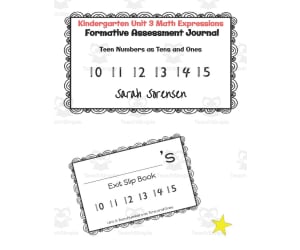
Kindergarten Math Exit Slip Journal | Unit 3 Math Expressions
Math, Numbers, Preschool, Lesson Plans, Teacher Tools
The Kindergarten Math Exit Slip Journal - Unit 3 Math Expressions provides educators with a formative assessment resource to gauge student understanding of key math skills. This easy-to-implement printable journal walks students through the essential skills covered in Unit 3, allowing teachers to check comprehension and identify any gaps that need to be retaught. With simple prompt pages that align to each standard, it can be used for whole group, small group, or individual practice. The PDF packet includes a decorative cover page, student response pages printed two per sheet, and instructions for setting up the journal. This resource gives kindergarten teachers a handy tool for tracking math proficiency over the course of a unit.
Author Sarah Sorensen
Tags Teen Numbers, Expressions, Math Assessment, Journal, Exit Slips
Data Analysis & Probability: Probability - Practice the Skill 3 - FLASH-MAC
Math, Statistics, Common Core, Grade 1, 2, Teacher Tools, Lesson Plans
Data Analysis & Probability: Probability - Practice the Skill 3 - FLASH-MAC FLASH-MAC is a cutting-edge educational software that enlivens the process of understanding Data Analysis and Probability. The tool, aimed at grades 1 and 2, chiefly revolves around data analysis with special emphasis on probability. The software has been tailored to fit into the frameworks of Common Core State Standards and STEM initiatives. It demystifies probability for young learners whilst offering timed drill activity modules. Students are introduced to assessing whether particular events are likely or less probable through active learning experiences. This essential statistics skill paves their way towards making data-based informed judgements. To add more convenience, the program supports Mac operating systems, hence eliminating any compatibility issues teachers could face when integrating this resource into classrooms. Multilingual support is also provided with both English and Spanish text and voice-over options – catering well for today’s diverse classroom setups. Possible Applications: In-class whole group instruction Small group learning centers within class Tutoring in one-on-one scenarios Sending as homework assignments Inclusive into this versatile educational tool are specific math tools designed as supportive aids for learners requiring extra help in mastering statistics concepts. Data Analysis & Probability: Probability - Practice the Skill 3-FLASH MAC , at its core, effectively combines playful learner engagement with introduction of fundamental skills vital beyond academia as youth transition into adulthood.
Author Classroom Complete Press
Tags Software (Mac)

Number & Operations: Multiplication & Division - Practice the Skill 1 - PC Software
Math, Algebra, Common Core, Grade 3, 4, 5, Teacher Tools, Lesson Plans
Number & Operations: Multiplication & Division - Practice the Skill 1 - PC Software This is an anschaulich PC software targeting Grade 3 to Grade 5 learners. It serves as an educational tool that assists in teaching multiplication and division concepts under number operations. The product includes a chapter mini that facilitates understanding of these mathematical operations. Key features: Timed drill activities for engaging students in multiplying provided equations. These can be employed for individual exercises, group work or homework depending upon the comprehension level of students. Default English audio and script plus Spanish voiceover and text option to favor diverse student populations. Incorporates math tools aiding during problem-solving phases, offering interactive ways to reinforce taught concepts. Educational Standards: The resource strictly conforms with both Common Core State Standards (CCSS) and National Council of Teachers of Mathematics (NCTM) guidelines. , assuring nationwide aligned grade-appropriate content. Curriculum Continuity: We ensure the integration of multiplication and division topics into Algebra sections promoting coherence across various areas in Math curriculum . Digital Compatibility: The software is available in user-friendly zip file format, supporting different devices expanding its usage beyond classrooms thus facilitating home-based learning more smoothly amidst the current situation. Individual-paced navigation promotes custom progression benefiting skill mastery thereby assisting teachers as well homeschooling parents enhance their kid's enthusiasm towards Algebra and improve their mathematic abilities. In Summary, the Number & Operations: Multiplication & Division - Practice the Skill 1 - PC Software is a comprehensive, adaptable and user-friendly tool paving way for interactive teaching strategies in Algebra mainly focusing on multiplication and division.
Author Classroom Complete Press
Tags Operations, Digital Math, Multiplication, Division, Math Skills

I WONDER - What Is A Quadrilateral | Animated Video Lesson
STEM, Geometry, Math, Grade 2, 3, 4, 5, 6, 7, 8, Lesson Plans, Teacher Tools
Video Introduction An amazing video designed for the students to learn more about STEM. I WONDER - What Is A Quadrilateral | Animated Video Lesson Do you like STEM subjects? what is your favorite one? Have you ever tried to plant a seed? If yes, tell us more about it. Or have you ever tried to invent something? If yes, tell us more about it. And how do you think it will help us? Have you ever seen a microorganism under a microscope? What was it? And how it looked like? Mathematics is a marvelous subject. Let' sharpen our brains and solve some equations. Do you like timetable tricks? What is your favorite one? Do you know how to code? Have you ever created an app or a game before? If yes, how was it like? I WONDER - What Is A Quadrilateral | Animated Video Lesson The video is perfect for encouraging the researching skills for the students, while learning more about this fantastic topic. I WONDER - What Is A Quadrilateral | Animated Video Lesson This friendly designed video is suitable for students at school, homeschooling, and as a group activity. Format Available in MP4 format.
Author Educational Voice
Tags What Is A Quadrilateral, What Is A Quadrilateral Video, Quadrilateral, Quadrilateral Facts, Quadrilateral Facts For Kids, Quadrilateral Video, Quadrilateral Video For Kids, Quadrilateral Shape, Shapes Video For Kids
Measurement: Measuring Length - PC Software
Math, Measurements, Kindergarten, Preschool, Grade 1, 2, Teacher Tools, Lesson Plans
Measurement: Measuring Length - PC Software A dynamic teaching resource designed for Preschool, Kindergarten, and grades 1 & 2 math lessons, making the task of imparting education on Measurements specifically Measuring Length simpler and more efficient. Features: Curriculum-based content in an interesting and interactive way. A series of activities such as timed drills and real-world word problems to strengthen pupils' understanding. Lesson plans that effectively introduce concepts while elevating students' interest. The software not only boosts rote learning but also cultivates analytical thinking skills. Multilingual Support: The resource supports both English and Spanish languages, promoting inclusivity for learners with diverse linguistic backgrounds or for those looking to learn a new language alongside improving their mathematical proficiency. Educational Games: Integrated games like memory match games, board games, etc., offer learners opportunities to apply newly learnt measuring skills thus reinforcing retention. An inclusive package of practical math tools useful in instructional delivery along with printable resources offering versatility – perfect for both classroom group activities or individual homework assignments at home. Inclusive: A detailed teacher guide to assist educators in planning lessons accurately hence reducing time spent on lesson preparation. The pack comes bundled into one zip file ensuring seamless setup across various PC systems without any hiccup. SMART Response assessment feature lets teachers track student progress efficiently fostering objective evaluation methods achieving personalized instruction according to specific individual needs cavalierly securing academic success goals. . Inspire your students with Measurement: Measuring Length - PC Software! Transform understanding measurements into a fun exploratory journey rather than just a subject to be taught and learned.
Author Classroom Complete Press
Tags Measurement Lesson, Measuring Length, Digital Math, Digital Activities, Math Lesson Plan

Measurement: Measuring Time - Practice the Skill 2 - FLASH-MAC
Math, Measurements, Common Core, Grade 1, 2, Teacher Tools, Lesson Plans
Measurement: Measuring Time - Practice the Skill 2 - FLASH-MAC An innovative and intuitive teaching resource, FLASH-MAC is carefully designed to aid educators in mastering the vital concept of measuring time. This interactive software aligns perfectly with curriculum guidelines and offers a series of timely drill activities that focus on building proficiency in the key Measurement skill. Targeting students in Grade 1 and Grade 2, these aptly paced activities tasks them with rounding off given times to the next five-minute intervals thereby progressively strengthening primary math skills. The flexibility of this tool makes it adaptable for diverse teaching methods and can be incorporated during whole-group sessions, applied within smaller group settings or even designated as homework drills. The Package Inclusions: A variety of useful math tools to enrich learning experiences. Inclusive features like English voice-over and text as well as Spanish voice-over version and text options cater effectively to non-native English learners. The content from this tool strictly adheres to Common Core State Standards (CCSS), allowing educators worldwide who follow rigorous grading standards an added advantage. Educational Alliances: Aligns with STEM initiatives focused on enhancing student proficiencies across Science, Technology, Engineering & Math fields. Maintains adherence with guidelines advocated by NCTM (National Council of Teachers of Mathematics). This digital-format tool compatible with MAC operating systems allows seamless integration into modern e-learning platforms thereby making it appealing for public school teachers and homeschoolers alike. To sum it up, For education professionals seeking an effective yet adaptable instrument for integrating engaging practical exercises into their Measurements lessons; they will find "Measurement: Measuring Time – Practice The Skill 2 - FLASH-MAC" ideal for nurturing academic excellence among young learners
Author Classroom Complete Press
Tags Software (Mac)
Measurement: Measuring Time - Practice the Skill 2 - PC Software
Math, Time, Common Core, Kindergarten, Preschool, Grade 1, 2, Teacher Tools, Lesson Plans
Measurement: Measuring Time - Practice the Skill 2 - PC Software This resource is designed to aid in learning experiences around measuring time. Designed with a curriculum -aligned framework, it delivers valuable timed drill activities that practice rounding times to the next five-minute intervals. Features Bilingual (English and Spanish) voiceover options and text setup make it suitable for diverse classrooms. Includes comprehensive math tools for both new and experienced educators. Coverage from Preschool through Grade 2, catering to users among various education levels. Always up-to-date as the resource aligns with educational standards like Common Core State Standards (CCSS) and Science, Technology, Engineering and Mathematics (STEM). Ease of Use The software is adaptable in various classroom settings whether group-based learning activities or individual homework assignments. It comes in a single zip file facilitating easy installation whilst affording teachers flexibility when planning sessions tailored towards specific learning objectives about time measurement concepts. Purpose-Specificity This product focuses on Math, emphasizing understanding how time is measured making it excellent for supplementing lesson plans or ensuring continuity of study during unplanned school breaks. Perfectly refresher content created for reinforcing mathematical principles needing further strengthening. In Summary "Measurement: Measuring Time - Practice the Skill 2 - PC Software" forms a structured practice session's essential element while promoting academic progress in early level mathematics studies. This tool builds student confidence whilst aiding them master key mathematical concepts related to time measurement.
Author Classroom Complete Press
Tags Math Lesson Plan, Digital Math, Digital Clocks, Math Skills, Measuring Time
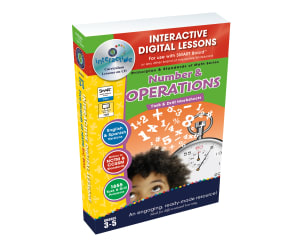
Number & Operations - Digital Lesson Plan Gr. 3-5 | MAC Software
Math, Algebra, Grade 3, 4, 5, Teacher Tools, Lesson Plans
Number & Operations - Digital Lesson Plan Gr. 3-5 | MAC Software This educational software targets grades 3 through 5 focusing on Number and Operations. With over 230 individual activities across 80 interactive screen pages, the aim is to bring excitement and engagement to mathematics. Held accountable by the standards of NCTM and State Curriculum Math Strand of Number & Operations, it covers all essential topics with enriching content. Learning Methods Mixed Instruction: The software uses a combination of task-based activities and drill techniques, balancing creativity with procedural proficiency skills. Pre- assessment Activities: The tool conducts an initial assessment for each student, identifying areas for growth or advancement. Incorporation of Word Problems: Numerical operations are presented in real-world contexts, setting maths firmly in reality making learning relevant. Main Features A variety of maths tools that work with both imperial and metric systems. Inclusion of Spanish Text-to-Speech functionality makes this ideal for multilingual classrooms. A selection of printable resources plus Interactive board games or spinner games. To track progress, each chapter ends with an assessment quiz confirming the student's understanding." About This Product : This digital lesson plan exists as MAC software (available as a single zip file download). Teachers can use it for whole-group instruction during class hours, small groups during targeted learning sessions or assigning tasks as enriching homework assignments.
Author Classroom Complete Press
Tags Digital Lesson Plan, Digital Math Lesson, Digital Math Games, Number And Operations, Extension Activity

Geometry: Shapes - FLASH-MAC
Math, Geometry, Grade 1, 2, Teacher Tools, Lesson Plans
Geometry: Shapes - FLASH-MAC An engaging teaching resource dedicated to aiding educators in effectively imparting fundamental geometry knowledge about shapes to students. This product, designed for first and second graders, is a comprehensive instructional tool that integrates various elements of mathematics curriculum into one effective package. Key Features: A single zip file compatible with Mac software. Pre- assessment materials to gauge the students' understanding level of the topic. A carefully crafted lesson plan outlining efficient teaching methods. The standout feature is the real-world word problems incorporated into this product. These activities delve deeper into practical applications of geometry, instilling a significant understanding among students and enhancing their problem-solving capacities. In addition, learning activities are complemented by handy tools: A teacher guide offering step-by-step instructions on usage. Printables offering added flexibility. Extra fun additions like memory match game, board game and spinner game which turn standard lessons into intriguing game studied scenarios. In line with diversity consideration - the product offers Spanish voice over and text options. The learning process culminates with SMART Response assessment – a great way to measure learning outcomes after input from this excellent educational tool. All in all Geometry: Shapes - FLASH-MAC is an effective math-teaching asset embodying much-needed versatility while focusing on productive academic achievement. It's your perfect partner on this journey!</h4
Author Classroom Complete Press
Tags Math Worksheet, Geometry, Shapes Activity, 3D Shapes, Solid Figures

Geometry: Spatial Relationships - Practice the Skill 2 - FLASH-MAC
Math, Geometry, Common Core, Grade 1, 2, Teacher Tools, Lesson Plans
Geometry: Spatial Relationships - Practice the Skill 2 - FLASH-MAC: A Tool for Grade 1 and Grade 2 Instructors The Geometry: Spatial Relationships - Practice the Skill 2 - FLASH-MAC is a comprehensive tool that enriches math teaching experiences, primarily in Geometry. An excellent addition to educational toolkits for Grade 1 and Grade 2 instructors , it could be efficiently employed in various educational settings. Integrated Approach:This tool simplifies the learning process through an integrated approach. What's more, its logical structure aids in conceptualizing spatial concepts by transforming abstract mathematical properties into concrete understanding. Learner-Engagement: With interactive tasks such as determining placements of animals and figures, this resource motivates learners to explore geometric relationships. Multilingual Support: Catering to diverse classrooms, this product extends support for instructions in both English (default) and Spanish. An Alignment with Educational Norms This resource seamlessly aligns with Common Core State Standards. It keeps educators up-to-date with ongoing educational trends while delivering necessary knowledge through modern mediums. It’s compatible with Mac-based software too! Digital Math tools: To make hands-on learning experiences more effective, included are essential math aids. The Power of Concrete Learning Experiences Creatively crafted instruction methods via FLASH-MAC’s Geometry module help young learners resolve spatial tasks – laying foundations for understanding geometrical relationships holistically. Ultimately broadening their physical and cognitive perspectives.</p
Author Classroom Complete Press
Tags Software (Mac)

Algebra: Expressions - Multiplication & Division - FLASH-PC
Math, Algebra, Grade 3, 4, 5, Teacher Tools, Lesson Plans
Algebra: Expressions - Multiplication & Division - FLASH-PC An innovative teaching resource focusing on algebraic expressions, particularly multiplication and division. This robust curriculum-based tool is designed to support educators in both public schools and homeschooling environments. Perfect for Grades 3 to 5 Specifically developed for students of grades 3 to 5, this tool marries theoretical learning with practical application by emphasizing real-world word problems. Hence, it allows learners to visualize how abstract algebra concepts apply in everyday life scenarios. Interactive Learning & Assessment Features Promotes interactive learning through group instructions, small group activities using printables and engaging games such as memory match game, board game, spinner game. Incorporates timed drill exercises post-lecture or activities for reinforcement of learned concepts. A SMART Response assessment feature facilitates effective evaluation of each learner's performance. Dual Language Feature Demonstrating utmost inclusivity by catering linguistic diversity within classrooms or homeschool settings; English default voice-over with Spanish alternatives available too! A Comprehensive Guide for Teachers To make the integration process smoother into their teaching scheme – a included guide translates complex algebraic lessons into more digestible bytes especially targeted at intermediate grade level Math students. Cutting-edge Educational Approach: Digital Delivery Takes advantage modern educational approaches marrying Algebra with tech-driven methodologies; Delivered in Software (PC) format effortlessly integrating within existing WIL system setups smoothly; traditional subjects like Algebra enjoy propagation leveraging technology. Note: : Its primary focus on multiplying and dividing algebraic expressions makes Algebra: Expressions – Multiplication & Division - FLASH-PC, an invaluable Math teaching addendum. It ensures educators can adapt to diverse learning needs seamlessly while rendering an engaging, all-inclusive learning experience to students.
Author Classroom Complete Press
Tags Software (PC)

Derivatives of Inverse Trig Functions – PowerPoint
Math, Calculus, Grade 12, Teacher Tools, Lesson Plans
PowerPoint presentation , 18 slides explaining how to recognize the derivatives of the standard inverse trigonometric functions.
Author Maths Support Centre
Rating
Tags Calculus, Derivative, Differentiation, Inverse Trigonometric Functions

Geometry: Transformations & Symmetry - Practice the Skill 2 - FLASH-MAC
Math, Geometry, Common Core, Grade 3, 4, 5, Teacher Tools, Lesson Plans
Geometry: Transformations & Symmetry - Practice the Skill 2 - FLASH-MAC FLASH-MAC is a refined teaching resource designed to immerse students into the world of geometric transformations and symmetry. Primarily beneficial for Grade 3, Grade 4, and Grade 5 students, this tool aligns effectively with the Common Core State Standards, enabling uniform learning across diverse educational setups. Main Focus The core of this product revolves around well-structured drill activities . These exercises help students recognize shapes as either congruent or similar, further facilitating understanding of geometric transformations and symmetry through active participation in logical thinking exercises. Educational Tools Integrated This software serves as an instruction guide that transforms into a hands-on interactive tool capturing student's interests while teaching essential mathematical skills. We acknowledge classroom diversity; hence our software extends language support with Spanish voiceover and text options to ensure inclusivity for all learners. The implementation flexibility ensures it instantly adapts based on any teaching style. Thus establishing itself as an effective instructional medium for geometry education at crucial elementary grade levels. Ease of Use & Accessibility The file comes fashioned in a Software (Mac) format ensuring effortless use specifically for Mac users while its digital download process stays fast and convenient. In conclusion, Geometry: Transformations & Symmetry - Practice the Skill 2 - FLASH-MAC provides substantial value to your geometry lessons regardless of your specific context - public schools or home educational setups.
Author Classroom Complete Press
Tags Software (Mac)