



3,985 products added recently
Page 27 - Math Lesson Plan Template
Simplify your math lesson preparation with templates that help you outline objectives, materials, and assessments. These resources ensure that you cover essential concepts systematically. Use them to deliver coherent and efficient math instruction.

 Show filters


Measurement: Measuring Weight - MAC Software
Math, Measurements, Kindergarten, Preschool, Grade 1, 2, Teacher Tools, Lesson Plans
Measurement: Measuring Weight - MAC Software This handy teaching tool serves as an essential resource for educators looking to instil a robust understanding of weight measurement in young learners. This educational software is designed to comprehensively cover the subtopic of Measuring Weight under the broader umbrella of Mathematics and Measurement. The softwares content aligns with curriculum standards, making it an efficient instructional instrument for preschool to grade 2 teachers. Diversity of Learning Avenues The product offers various learning strategies including: A pre- assessment phase, Lesson plans using real-world word problems, Timed drill activities aimed at enhancing students conceptual grip over weight measurement. Inclusivity and Accessibility This gives educators access to math tools, a comprehensive guidance manual and diverse printable materials. Games such as memory match or spinner game are also included which encourage active participation while reinforcing key concepts. Additionally, bilingual (English/Spanish) voiceover presents a unique advantage in catering beyond English-speaking students. Ease Of Installation The program comes packaged in a zip file format that has been made completely compatible with MAC devices ensuring easy installation without technical difficulties along the way. p. Versatility For Implementation Everyone from teachers overseeing whole class instruction to study groups can implement this software effectively—it even works great as homework! This all-rounded learner centric approach ensures student interest is piqued by theoretical teachings supplemented by practical games. Multilingual Advantage With Math Learning A feature worth mentioning is the multilingual texts available—perfect solution for classrooms with diversity! Finally, this product guides students beyond classroom lectures, encouraging independent and collaborative learning through games in multiple languages. This resourceful tool gives you diverse mathematical instruction possibilities right at your fingertips!
Author Classroom Complete Press
Tags Math Lesson, Digital Math Lesson, Digital Activities, Measuring, Weight

Number & Operations: Fractions - Addition & Subtraction - MAC Software
Math, Fractions, Grade 3, 4, 5, Teacher Tools, Lesson Plans
The Number & Operations: Fractions - Addition & Subtraction - MAC Software This innovative software solution integrates seamlessly into classroom environments, providing an enriching addition to any curriculum. It is ideal for Grade 3, Grade 4, and Grade 5 students with a focus on Fraction operations within Math subject. Main Features: Engaging and comprehensive lessons Emphasis on practical application through real-world word problems and timed drill activities An initial assessment tool for identifying students' starting points Capability to implement individualized learning paths via detailed lesson plans Printable worksheets for hands-on learners Interactive Fun Game Dynamics: ", Incorporation of memory match games, board games, and spinner games are introduced to fortify essential techniques in fraction addition and subtraction operations. Multicultural Support: " Multilingual abilities with voice over options in English or Spanish coupled with parallel text materials—an attractive feature when handling diverse classrooms where English may not be everyone's first language or assisting ELL students. The Number & Operations: Fraction – Addition & Subtraction – Mac Software -All these features in one easy-to-download zip file! Dont miss out on bringing an additional layer of comprehensiveness to your mathematics instruction with our specially crafted digital educational resource today!"
Author Classroom Complete Press
Tags Fractions, Fractions Lesson Plan, Digital Fractions, Operations, Digital Math

Geometry: Decomposing Geometric Shapes - PC Software
Math, Geometry, Kindergarten, Preschool, Grade 1, 2, Teacher Tools, Lesson Plans
Geometry: Decomposing Geometric Shapes - PC Software This wonderful software provides a rich learning experience designed to implement the concept of Geometry, particularly Decomposing Geometric Shapes. It matches content in line with academic structure catering to Preschool, Kindergarten, Grade 1 and Grade 2. The digital tool possesses the following features: A pre- assessment section which checks student pre-knowledge about geometric shapes. Well-structured lesson plan complete with real-world word problems creating a strong connection between math concepts and everyday life situations. Timed drill activities, enhancing both competence and speed in solving geometrical problems. Numerous teaching materials such as printables for reminders, notes or additional practice materials. A package of three entertaining games:: memory match game, board game and spinner game. In addition this resource also comes with a Teacher's Guide, suggesting effective ways for utilization of these resources to foster a dynamic learning atmosphere either in whole classrooms or smaller groups. This can also be used for homework assignments allowing learner revision at their own pace. To maximize on technology use it includes SMART Response assessment mechanism enabling teachers to evaluate students' understanding level leading course adjustments accordingly. Bilingual support; English & Spanish voice over & text,, adds versatility making it appropriate even in diverse language classrooms. Additionally accessibility isn't an issue due its availability as easy downloadable zip file comprising feature-rich PC software compatible with multiple platforms. In conclusion Geometry: Decomposing Geometric Shapes - PC Software positions itself as a comprehensive educational tool promoting effective teaching techniques that make geometry enjoyable while cultivating analytical skills through engaging tasks.
Author Classroom Complete Press
Tags Math Lesson Plan, Decomposing, Math Skills, Shapes, Geometry
Number & Operations: Percentages with Fractions - Learn the Skill - FLASH-MAC
Math, Percentages, Common Core, Grade 3, 4, 5, Teacher Tools, Lesson Plans
"Number & Operations: Percentages with Fractions - Learn the Skill - FLASH-MAC" The "Number & Operations: Percentages with Fractions - Learn the Skill - FLASH-MAC" presents a practical approach for understanding number and operations aimed at students in grades 3-5. This encompassing mini chapter ensures complete attention to students mastering percentages with fractions. Key Features: Contextual learning via real World scenarios Diverse problem-solving tasks Incorporation into various teaching strategies Suitable for both whole group instructions or small group activities Integrated Math Tools: This skill-centric software flaunts integrated math tools that assist students when confronting complex problems. Catering to all auditory learners, there is also an English voice-over text option, and inclusivity needs are acknowledged with the provision of a Spanish voice-over text choice. Educational Standards Compatibility: The 'Percentages with Fractions' portion adheres perfectly to not only Common Core State Standards but STEM initiatives too, thus ensuring comprehensive conformity across different lesson delivery requirements. It is also aligned to proven NCTM guidelines making it easy-to-implement on Mac devices due its user-friendly software design; thereby making mathematics instruction more effective and less school tasking preparation wise. To summarize, "Percentages With Fractions" simplifies instilling foundational mathematics knowledge. Valuable as it is versatile, it promises to be an impactful addition to your pedagogic toolset truly amplifying the learning experience for educators as well as learners alike .
Author Classroom Complete Press
Tags Software (Mac)
Measurement: Area & Volume - Practice the Skill 2 - FLASH-MAC
Math, Measurements, Common Core, Grade 1, 2, Teacher Tools, Lesson Plans
The Measurement: Area & Volume - Practice the Skill 2 - FLASH-MAC: A Comprehensive Teaching Tool The Measurement: Area & Volume - Practice the Skill 2 - FLASH-MAC is an essential resource for primary school mathematics educators. This multi-faceted tool, perfect for both public school teachers and homeschooling parents, offers curriculum -based content that enhances understanding and application of area and volume measurements. Practice-the-Skill Activities: This teaching tool primarily engages students through timed drill activities. These exercises encourage students to identify the largest volume measurement among provided pairs, promoting cognitive development through interactive learning methods. Multilingual Features: In addition to English voice-over and text, it also includes a Spanish language option. This bilingual feature ensures much-needed inclusivity in today's diverse classroom settings. Effortless Integration: The compatibility of this resource allows seamless integration into whole group instructions or small group discussions without compromising effectiveness or ease of comprehension for first- to second-grade students. Complementing Math Tools: This product comes with math tools that supplement these drills making lessons tangible and easily understood by young learners. It adheres strictly to educational standards set by Common Core State Standards (CCSS), NCTM principles, providing robust support for STEM initiatives. In Summary Avaliable in Mac software format, this all-in-one toolkit can be effortlessly used in any teaching practice be it virtual or traditional classroom settings. The "Measurement: Area & Volume - Practice The Skill 2 - FLASH-MAC", is indeed an excellent addition to any educator's collection seeking innovative ways to make lessons even more effective and aligned with global teaching standards.
Author Classroom Complete Press
Tags Software (Mac)
Number & Operations: Grouping Objects & Number Lines - Learn the Skill - FLASH-MAC
Math, Numbers, Common Core, Grade 1, 2, Teacher Tools, Lesson Plans
Number & Operations: Grouping Objects & Number Lines - Learn the Skill This resource is designed specifically for Grade 1 and Grade 2, aiming to simplify understanding of Grouping Objects and Number Lines with curriculum -based content. By applying real-world word problems, it bridges the gap between theory and application. Differentiating Factors: This educational resource can be utilized across different teaching settings: whole group sessions in class, small-group activities or homework assignments. Teachers can adapt it according to their style or learners' pace. Specially designed with inclusivity in mind, this FLASH-MAC software resource offers a Spanish voice over text feature, catering to non-native English speakers. Educational Relevance: The tool aligns impeccably with both Common Core State Standards (CCSS) and STEM initiatives while fulfilling teaching expectations set by National Council of Teachers of Mathematics (NCTM). This relevance makes Number & Operations: Grouping Objects & Number Lines - Learn the Skill an indispensable aid in math comprehension beyond traditional textbook education for public school teachers looking to invigorate their lesson plans as well as homeschoolers wishing to enrich their curriculum . In One Compact Product Package! All these features are bundled into one product file that is compact yet comprehensive! It maximizes teaching efficiency without compromising on educational quality thus reshaping localized math education for young learners.
Author Classroom Complete Press
Tags Software (Mac)

Measurement: Measuring Time - FLASH-MAC
Math, Measurements, Grade 1, 2, Teacher Tools, Lesson Plans
Measurement: Measuring Time - FLASH-MAC Measurement: Measuring Time - FLASH-MAC is a comprehensive educational resource developed primarily for grade 1 and grade 2 educators as well as homeschooling parents. This package focuses on the subject of Math, particularly Measurements. Our aim with this meticulously designed package is to simplify the task of explaining concepts related to the measurement of time to young learners. Content Offering Packed with curriculum-based content, the FLASH-MAC ensures a thorough understanding and easy assimilation of knowledge about measuring time. Teachers can benefit from using this resource in several ways thanks to its inclusivity and versatility; it can be applied in various learning scenarios – whole group instruction, small group activities or even individual homework assignments. Each set comes complete with a precursory assessment activity that enables educators to gauge students' prior understanding. A well-rounded lesson plan forms the crux of this resource allowing teachers an effective execution route for introducing these often tricky concepts. The kit also includes engaging real-world word problems which add relevance and interest while timed drill activities help reinforce knowledge and enhance speed through practice. The inclusion of math tools further assists active learning processes promoting clear comprehension. Educational Games & Tools Included within are captivating games like memory match board game and spinner game that assist in imparting practical know-how in an enjoyable manner thereby fostering enhanced retention among students. Evaluation Functionality A state-of-the-art SMART Response Assessment functionality allows educators to conduct responsive evaluations effectively tracking individual student growth over time. Multilingual Support To make things easier for teachers who might be dealing with Spanish speakers, there is a Spanish voice over along with text option included as well – helping break any language barriers that may arise during instruction. Printable Resources & Guides We conclude our features by including printable resources along with a helpful teacher guide giving teachers supplementary support during their instructional journey flying through the concept of measuring time! In conclusion, serves as an all-encompassing go-to tool serving various pedagogical needs while ensuring cross-curricular connections in your Math and Measurement lessons. Note that though specifically designed for the Mac platform, its prudent layout ensures functionality remains undeterred even if accessed via alternate software platforms.
Author Classroom Complete Press
Tags Software (Mac)

Data Analysis & Probability: Probability - Learn the Skill - PC Software
Math, Patterns, Common Core, Kindergarten, Preschool, Grade 1, 2, Teacher Tools, Lesson Plans
Data Analysis & Probability: Probability - Learn the Skill - PC Software This specialized software offers a unique and focused approach on understanding probability, an important aspect of data analysis curriculum objectives. Designed as a mini-chapter, it is perfect for individualized learning pace. The software transforms real-life situations into enriching word problems, bridging the gap between mathematical theory and practical applications. Additionally, this resource offers: Beneficial math tools to aid students' understanding of complex concepts. Bilingual options (English and Spanish) for voice over and text, promoting inclusivity in education. Alignment with Common Core State Standards, STEM initiatives, and NCTM standards. Note:The product is stored in a zip file format compatible exclusively with PC software use. It's perfect for modern classroom settings or homeschooling environments where computer-based instruction is standard practice. Versatility Across Grades Catering to preschool through Grade 2 level learners; this comprehensive lesson plan helps lay down solid mathematical foundations early on. It can also facilitate whole group instruction while remaining flexible enough for small group tutorials or one-on-one interventions at home or school settings . Main Subject Covered: Math - Focusing primarily on probability concepts but also branching into pattering — part of sub-subjects included within program. This highlights not just problem-solving methods but pattern recognition vital in numeracy thus fostering critical thinking skills from early childhood education years up till grade 2. In Conclusion Data Analysis & Probability: Probability - Learn the Skill - PC Software, without being too verbose, offers an insightful enrichment to mathematical pedagogical resources, presenting complex probability concepts in an enjoyable, but informative manner.
Author Classroom Complete Press
Tags Math Lesson Plan, Data, Probability, Digital Math, Math Skills.
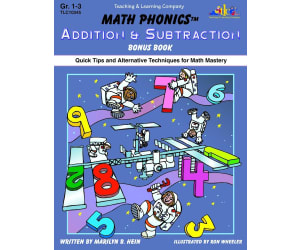
Math Phonics Addition & Subtraction: Quick Tips and Alternative Techniques for Math Mastery
Math, Addition and Subtraction, Addition, Grade 1, 2, 3, Teacher Tools, Lesson Plans
Math Phonics Addition & Subtraction: Quick Tips and Alternative Techniques for Math Mastery Math Phonics Addition & Subtraction: Quick Tips and Alternative Techniques for Math Mastery offers an innovative approach to teaching mathematics. It is firmly rooted in the understanding that when students view subjects through multiple lenses, their skills are not only honed but solidly cemented. Serving as a refreshing alternative to traditional methods of instruction, the program employs rules, patterns and memory techniques parallel to those in language arts. This unique method encourages children to learn complex math concepts like addition and subtraction with ease and confidence. Specifically Designed Resource For Teachers Instructing Grades 1 Through 3 This instructional resource is tailor-made for teachers instructing students in grades 1 through 3. This indispensable tool contains: Ten comprehensive lesson plans brimming with engaging exercises. The material spans worksheets, take-home pages, evaluation pages alongside various support mediums promoting better understanding of addition and subtraction concepts. Flexible Curriculum Integration The Math Phonics Addition & Subtraction guide can easily slide into your existing curriculum framework without rigid restructuring. The flexibility it provides allows you— To implement its use in a whole group setting for collective learning experiences or break it down into smaller groups advocating peer interaction and personal attention towards each student's needs. You may also assign relevant portions as homework assignments amplifying out-of-class learning opportunities. Digital Accessibility Built-In For Versatile Usage Scenarios The strategic teaching resource has been created considering every educator's versatile teaching style keeping content accessibility at its core; available as a downloadable PDF file to ensure convenient use no matter where you are—the classroom or homeschooling set up. A Perfect Resource for Interactive Math Lessons For educators on the lookout for creative strategies enhancing interactive math lessons—The Math Phonics Addition & Subtraction: Quick Tips and Alternative Techniques for Math Mastery serves as the ideal solution; assuring improved arithmetic proficiency in early learners.
Author Classroom Complete Press
Tags PDF

Number & Operations - Digital Lesson Plan Gr. 3-5 - FLASH-PC
Math, Numbers, Grade 3, 4, Teacher Tools, Lesson Plans
Number & Operations - Digital Lesson Plan Gr. 3-5 - FLASH-PC This comprehensive teaching resource focuses on the needs of students between grades 3 and 5, centreing around Number & Operations. The program aligns well with both the National Council of Teachers of Mathematics (NCTM) curriculum and your State Math Strand. Content & Structure The digital lesson plan compiles over 230 individual activities across more than 80 interactive screen pages. Include are task-oriented learning sessions and drills to enrich your students' learning experience. Evaluation Procedures Pre- assessment activities preceding each new concept for effective progress tracking. Incorporation of word problems mirroring real-life scenarios linking math concepts to everyday experiences. An end-of-chapter assessment quiz meant for evaluating students’ understanding post concept introduction. Educational Tools The material offers an assortment of math tools in both imperial and metric systems, paired with an English or Spanish 'text-to-speech' function encouraging inclusivity in diverse classrooms. Tools include: User-friendly printables, Fascinating interactive lessons, A test preparations guide for educators' support during intensive teaching periods, Besides, recreational elements are incorporated through memory match games, board games, spinner games to nurture engagement among pupils. Moreover, this program offers versatility by allowing you as an educator to implement it as a classroom instruction tool or assign individual sections as homework tasks based on student requirements. With the Number & Operations – Digital Lesson Plan Gr.3-5 - FLASH-PC, navigating through complex Numbers concepts becomes a breeze for students! This tool reflects organized, thoroughly detailed and interactive math instruction.
Author Classroom Complete Press
Tags Software (PC)

Measurement: Measuring Weight - FLASH-MAC
Math, Measurements, Grade 1, 2, Teacher Tools, Lesson Plans
Measurement: Measuring Weight - FLASH-MAC An innovative tool designed to assist first and second grade teachers with educating on the concept of weight in measurement. This comprehensive resource provides curriculum-based content for interactive and engaging education. Highlights: Includes a pre- assessment , offering insight into students' existing knowledge about measuring weight. Fosters deeper understanding by using real-world problems that allow pupils to connect learning with their personal experiences. Timed drills enhance speed, fluency, and reinforce students' computation skills without compromising accuracy. The Package: You will find insightful teacher guides that offer practical advice on successful implementation into classrooms or homeschool settings as well as suggestions for different teaching strategies related to the topic of weight measurements. Tangible Engagement: Beyond just digital software, FLASH-MAC includes tangible printables! Board games, spinner games, and memory match games facilitate enjoyable learning experiences — an effective way when it comes teaching young minds. These materials are not only suitable for classroom activities but also homework assignments providing continuous learning both inside and outside educational settings. Tech-Smart & Multicultural Friendly: Specially designed software file grouped together neatly in a single zip file compatible mainly with MAC devices. Note: Perfect integration into your current technology schemes within any English-language teaching setup—voice-over-enabled! A click of button makes this version available in crystal clear Spanish too—excellent choice for multicultural classrooms or dual language programs since children receive simultaneous exposure to two languages. In Summary: Measurement: Measuring Weight - FLASH-MAC, packed with versatility, creative appeal and a technological edge is a must-have tool for modern teachers actively seeking new dimensions of teaching math.
Author Classroom Complete Press
Tags Measuring, Weight, Pairs, Math Assessment, Math Skills, Mac Measurement

Measurement: Measuring Weight - Practice the Skill 2 - MAC Software
Math, Measurements, Common Core, Kindergarten, Preschool, Grade 1, 2, Teacher Tools, Lesson Plans
Measurement: Measuring Weight - Practice the Skill 2 - MAC Software As an incredible digital resource for educators, this software aims to foster a deep understanding and application of 'Measuring Weight'. It is designed specifically for students spanning from Preschool to Grade 2 and comes in a convenient, compact zip file compatible with MAC software. The goal of this teaching module is to help students gain an instinctive grasp of weight measurements. It includes skill practice drills integrated into its design. These drills are framed as timed activities , where learners choose suitable units of measure for various objects. The objects are represented by relevant real-world images. Additional Math Tools Integrated Educators will also benefit from the math tools bundle included in this software package. These additional features enhance the comprehensive teaching experience by encouraging logical thinking and problem-solving skills. Dual Language Options This software caters to both English-speaking and Spanish-speaking student groups equally as it offers voiceover assistance and written content in both languages. Educational Standards Alignment CCSS:The Common Core State Standards (CCSS) emphasizes key areas such as geometry, algebraic thinking etc., which are reinforced by this product. NCTM:This product corresponds well with standards set forth by the National Council of Teachers Mathematics (NCTM). STEM Initiatives:The product integrates seamlessly with STEM initiatives aiming at promoting student interest in Science Technology Engineering Math dimensions alike. Learner Engagement Adaptable Format Ideal for whole group sessions where individual efforts coalesce toward collective learning goals. Flexible enough to be effective in small group learning dynamics targeting specific skill gaps. A perfect source for challenging homework assignments. In conclusion, the ultimate purpose is not just to ‘Practice the Skill’ but rather make that practice make perfect!
Author Classroom Complete Press
Tags Math Lesson Plan, Digital Math, Digital Measurement, Math Skills, Measuring Weight
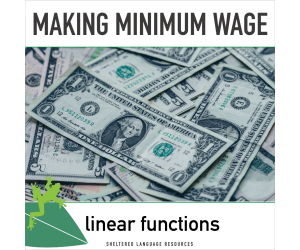
Making Minimum Wage Linear Functions: Week-Long Math Lesson Plans
Math, Algebra, Common Core, Grade 8, 9, 10, 11, 12, Teacher Tools, Lesson Plans
Engage your students with this five day math lesson plan about making minimum wage in the United States! For just the cost of workingone hourat minimum wage (depending on your state) you'll have a week's worth of engaging lesson plans to contextualize linear functions and what they actually MEAN for both your ELLs and your native English speakers. This lesson was designed using sheltered language strategies, including: •Content and language objectives •An Anticipation Guide •Think-Write-Pair-Share prompts • Graphic Organizers •Scaffolded Exit Tickets with sentence frames Intended grade level/Common Core State Standards: -This lesson plan targets linear functions and is appropriate for students working with 8th grade math standards and above. -Targeted CCSS include: 8.F.A.2, 8.F.A.3, 8.F.B.4, 8.EE.B.5, 8.EE.C.7.B, HSA.CED.A.1, HSA.CED.A.2, HSA.REI.B.3, HSF.IF.B.4, HSF.IF.C.7.A, HSF.LE.A.2. Student math background needed: In order to access this lesson plan as written, students will need to be familiar with the basics of linear functions including concepts like slope, y-intercept, and the slope-intercept form of a linear equation. It would be possible to teach those concepts at the same time as teaching this lesson. Summary of Lesson Plans : (about 60 min per day) Day 1: Build background knowledge and compare minimum wage in different parts of the U.S. using tables and graphs. Day 2: Analyze graphs and introduce the concept of living expenses in the context of making minimum wage and modeling with linear functions. Day 3: Create tables and graphs that focus on linear functions and modeling using the estimated living expenses for a single person in your area Day 4: Extend the context to include living expenses for a single parent with one dependent child. Students complete a work sample-style task while writing and solving a linear function. Day 5: Students work to estimate a reasonable “living wage” using estimated expenses and constraining the work week to 40 hours. A practice work sample is included for this day.
Author Sheltered Language Resources
Tags Math Lesson Plans, Algebra Lesson Plans, Minimum Wage Lesson, Linear, Functions
Data Analysis & Probability: Circle Graphs - Practice the Skill 3 - MAC Software
Math, Graphing, Common Core, Kindergarten, Preschool, Grade 1, 2, Teacher Tools, Lesson Plans
Data Analysis & Probability: Circle Graphs - Practice the Skill 3 - MAC Software is an acclaimed teaching resource that is tailored to support math-focused subjects. It is developed for grades ranging from preschool through to grade 2 and offers a curriculum-based approach. The software features timed drill activities that challenge students' understanding and interpretation of circle graphs related to data analysis and probability. Each activity poses a series of questions based on the respective circle graph, thus promoting active learning and engaging interaction with key mathematical concepts. To enhance comprehension, this educational tool equips learners with specialized math tools that empower their learning journey. A unique aspect of this teaching resource is its inclusion of bilingual (English and Spanish) voice-over themes. This exciting feature makes it ideal for multilingual classrooms or English as Second Language (ESL) learners, ensuring inclusivity in modern global classroom settings while also driving up student engagement levels. Teachers can employ this valuable tool during whole group instruction or use it to curate differentiated activities tailored for small ability-diverse groups—making its potential application in the classroom limitless! The rich variety of exercises can also work perfectly as homework assignments or quick assessments, granting students an opportunity for independent skills refinement at home. No More Storage Woes: All content sits snugly within a zip file that installs smoothly onto any MAC computer system without straining your storage capacity—a practical solution engineered around your technology needs . Main Benefits: The software aligns cohesively with Common Core State Standards, STEM initiatives, & NCTM principles—thus laying down a solid foundation for imparting complex mathematical concepts later in higher grade levels. Its application extends beyond classrooms to also serve homeschooling setups—the Data Analysis & Probability: Circle Graphs - Practice the Skill 3- MAC Software is a valuable addition to your educational toolkit that combines convenience with in-depth learning outcomes. To conclude, the Data Analysis & Probability: Circle Graphs - Practice the Skill 3 - MAC Software steps up as an indispensable supplement that enriches your educational toolkit by balancing ease and deep-routed learning results.
Author Classroom Complete Press
Tags Digital Math, Digital Graphs, Circle Graphs, Probability, Math Skills
Algebra: Graphing Linear Functions - FLASH-PC
Math, Algebra, Grade 6, 7, 8, Teacher Tools, Lesson Plans
Algebra: Graphing Linear Functions - FLASH-PC FLASH-PC is a learning and teaching resource delineated for instructors in the domain of mathematics, targeting students from 6th to 8th grade. The key concentration here is to support students comprehend graphing linear functions in Algebra. This versatile resource provides a pre- assessment tool, equipped to gauge student understanding prior to formal learning. When the teaching phase begins, the integrated lesson plan acts as an effective beacon guiding through each topic related to graphing linear functions. Educators are bound to find value in real-world word problems incorporated within this package, providing students practical examples of algebra application. Besides theoretical knowledge, timely drill activities serve dual purposes: maintaining lively lessons and measuring retention levels. The product also houses interactive materials like memory match game, board game, and spinner game promising versatile strategies fitting different teaching styles or group sizes. A SMART Response assessment tool is part of this package offering constructive performance feedback while simultaneously assessing teaching efficacy. The product contains voice-over and text options defaultly set in English but accommodates Spanish when required - recognizing how multi-language support can minimize language barriers within diverse classrooms. In conclusion 'Algebra: Graphing Linear Functions - FLASH-PC', reflects flexible educational software that enhances both conventional public school teachings or homeschool environments aiming towards better learning outcomes for learners exploring the enthralling world of Algebra.
Author Classroom Complete Press
Tags Software (PC)
Number & Operations: Addition & Subtraction - FLASH-MAC
Math, Addition and Subtraction, Addition, Grade 1, 2, Teacher Tools, Lesson Plans
Number & Operations: Addition & Subtraction - FLASH-MAC An innovative teaching tool designed to enhance students' understanding of addition and subtraction. A perfect fit for Grade 1 and Grade 2, this resource offers: A focus on pre- assessment techniques, allowing for targeted learning. A variety of real-world word problems, encouraging deeper comprehension. Timed drill activities, adding an element of fun-filled competition. Besides student-engaging content, it also offers advantages for the instructors: An in-depth guide for effective lesson planning along with relevant printables to reinforce knowledge gained during lessons. Captivating Games For Better Learning Experience: The memory match game, The interactive board game, The exciting spinner game! Note: These games provide versatility and can be used in different settings like whole group activities or smaller groups during work-stations time. They make learning enjoyable yet rigorous. Included Assessment Features : An included SMART Response helps to monitor student performance after each lesson, ensuring detailed tracking of comprehension levels throughout the year. Languages Support : Consistency is maintained across text and auditory teaching methods through English voiceovers. Keeping bilingual classrooms in mind, a Spanish language option has been included. Compatibility Note: The FLASH-MAC requires Mac Compatible Software ensuring seamless digital integration within your classroom technology ecosystem. Our aim is to facilitate joy while giving students what they need to excel— consider this comprehensive tool as part of your resources in nurturing future mathematicians.
Author Classroom Complete Press
Tags Software (Mac)
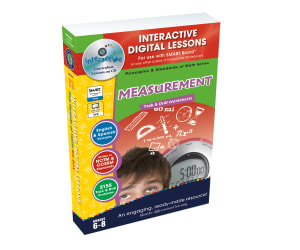
Measurement - Digital Lesson Plan Gr. 6-8 | PC Software
Math, Measurements, Grade 6, 7, 8, Teacher Tools, Lesson Plans
Measurement - Digital Lesson Plan Gr. 6-8 | PC Software The Measurement - Digital Lesson Plan Gr. 6-8 is a comprehensive teaching resource ideal for both public school educators and homeschooling parents. This feature-rich software is specifically designed to meet the educational needs of students in grades 6 to 8. Incorporates >320 individual activities over 80 interactive screen pages to stimulate mathematical curiosity. Focused on the NCTM and Core Curriculum Math standards for Measurement. Covers a vast array of topics like measurement conversions, angles, circles, temperature, currency etc. Versatility & Flexibility The software's flexibility allows for its effective use in various settings: whole group lessons, small group discussions or independent study at home / homework completion. It supports differentiation with an array of task types catering to an individual student's learning pace and style. Diverse Activities Galore! Pre- assessment exercises: Over 60 tasks help gauge each learner's measureability knowledge base before starting the lesson plans further. All round practice: ~40 real-world word problems encourage application of learned concepts; approx. >225 drill problems aid procedural proficiency skills development required by standard-based curricula. Inclusive & Interactive Learning Tools This digital lesson plan integrates useful tools such as imperial/metric converters English/Spanish text-to-speech generators accessibility features benefiting bilingual learners differently abled students alike—thus promoting inclusive education. Other interactive lessons, memory match game board spinner games ensure elements of play while maximizing constructive learning opportunities! No Extra Costs or Effort! Packaged into a single zip file, the software is PC-compatible and comes complete with printable materials—ideal supplementary classroom resources without any additional cost or time/effort spent sourcing elsewhere. Monitoring Learning Progress Post-chapter assessment quizzes offer an excellent way to monitor students' comprehension and mastery of covered topics. In Summary Measurement - Digital Lesson Plan provides a sound balance between drill activities and real-word application, ensuring holistic development of learners' understanding of mathematical measurements & fundamental concepts making learning an enjoyable interactive experience.
Author Classroom Complete Press
Tags Measurement Activity, Digital Math Lesson, Measurement Board Game, Pre-assessment, Math Games

Data Analysis & Probability - Digital Lesson Plan Gr. PK-2 | MAC Software
Math, Patterns, Kindergarten, Preschool, Grade 1, 2, Teacher Tools, Lesson Plans
Product Description This product is an all-round educational resource for educators teaching data analysis and probability in grades PK-2. Containing over 150 activities across more than 80 interactive screens, it successfully combines task-based activities and drills to cater to various classroom settings. Standards Compliance Aligned with NCTM standards and individual State Curriculum Math Strand of Data Analysis & Probability, this software is specifically cast for math proficiency. Main Features An array of pre- assessment activities for bespoke learning plans. Real-world problem solving exercises aimed at applied skill development. Dual functionality in imperial and metric measurements - useful in diverse geographical contexts. Bilingual text-to-speech ability (English/Spanish), supporting non-native speakers or bilingual classrooms effectively. Aptly balanced drill problems (90+) ensuring practice on accuracy and speediness. Printables available for traditional paper tasks/tests. Incorporated learning games like memory match game, board game & spinner game offering fun ways to learn concepts at a suitable pace. Actionable Evaluations The product comes fitted with assessment quizzes after each chapter acting as key knowledge-check markers providing both, the student performance feedback & teacher evaluations on their mathematical understanding level. Loading Details: - SKU: le-dap02m - Manufacturer: Lakeshore - Format: Downloadable Lessons / .ZIP files - Operating System Compatibility: Macos This state-of-the-art digital lesson plan encourages curiosity while filling knowledge gaps in areas of Data Analysis & Probability for pre-kindergarten to grade 2 students, inclusive, be it at home or school settings.
Author Classroom Complete Press
Tags Data, Analysis, Probability Lesson Plan, Digital Math, Patterns Lesson

Data Analysis & Probability: Bar Graphs - PC Software
Math, Graphing, Kindergarten, Preschool, Grade 1, 2, Teacher Tools, Lesson Plans
Data Analysis & Probability: Bar Graphs - PC Software As an educator, finding effective and engaging teaching resources is essential for helping our students thrive. The Data Analysis & Probability: Bar Graphs - PC Software is a comprehensive tool tailored towards enhancing understanding of Bar Graphs as part of Data Analysis and Probability. Easily applicable across multiple learning scenarios, the software can be utilized in both large group settings for core lessons or small groups to bolster collaborative learning. Homeschooling parents will also find the platform highly beneficial. Packed with curriculum-aligned content, educators get a wide variety of materials in its digital inventory; Lesson plans Real-world word problems Timed drill activities. The software comes complete with pre-lesson assessments designed to gauge students' knowledge before embarking on a new topic. This provides valuable insights which can enhance personalized tutoring approaches. Likewise, at the end of each chapter, a SMART Response assessment ensures comprehension tracking on every student's progress is made easy. This solution champions diversity by offering both English and Spanish voice over options alongside text support – ensuring everyone's needs are fully catered for even in multi-language settings. The inclusion of mathematical tools elevates interactive practices essential for enhancing understanding while memory match games spark creativity during learning sessions. To make it more exciting, board game and spinner game elements are also incorporated into the system giving teachers distinct ways to diversify math lessons hence boosting engagement levels among learners. Within single zip files easily extractable on PCs across various grades (Preschool through Grade 2), educators have access to lesson plans covering key subsect subjects like graphing under math topics. With these available resources at teacher’s fingertips coding becomes less daunting thus promoting effective delivery of knowledge transfer within their respective educational contexts without leaving some learners behind. Exploring graph data has never been so detailed yet straightforward – thanks to this inclusive-, learner-centered approach-inspired teaching resource that aims at cultivating solid math foundation for learners right from their early schooling stages.
Author Classroom Complete Press
Tags Math Lesson Plan, Bar Graphs, Graphing Activity, Data, Probability
Number & Operations: Counting & Ordering Objects - Practice the Skill 3 - FLASH-MAC
Math, Numbers, Common Core, Grade 1, 2, Teacher Tools, Lesson Plans
Review: 'Number & Operations: Counting & Ordering Objects - Practice the Skill 3 - FLASH-MAC' Targeted towards Grade 1 and Grade 2, this teaching resource is a pivotal tool for enhancing students' understanding of Number Operations, specifically counting and ordering objects. This software incorporates the standards set by the Common Core State Standards and NCTM guidelines, enriching students' mathematical skills. It perfectly corresponds with the curriculum emphasizing on numbers as an integral part of Math lessons. Main Features: 'Practice skill timed drill activities' Distinguishing odd or even numbers Inclusive math tools to slim down complex tasks to digestible units The product acknowledges learning diversity by offering both English and Spanish versions, making it more accessible to a broader audience. It supports various teaching methods suitable for group sessions or homework tasks. Product Information: Type: Software (Mac) Dual Language supported, Singular file product, Ideal for regular classroom setting or homeschooling. To conclude, 'Number & Operations: Counting & Ordering Objects - Practice the Skill 3 – FLASH-MAC' ensures optimal pedagogical practices while aiding learners in effortlessly fulfilling their academic requirements.
Author Classroom Complete Press
Tags Software (Mac)

Algebra: Ordering & Grouping - Practice the Skill 1 - FLASH-MAC
Math, Algebra, Common Core, Grade 1, 2, Teacher Tools, Lesson Plans
Algebra: Ordering & Grouping - Practice the Skill 1 - FLASH-MAC Teaching math concepts like ordering and grouping becomes an easy task with resource "Algebra: Ordering & Grouping - Practice the Skill 1 - FLASH-MAC". Designed to help educators leverage modern computer technology in their teaching process, this digital lesson plan is a versatile and valuable tool for engaging students at both grade one and grade two levels. The interactive nature of this software makes practice drills more appealing, as it transforms dull numerical exercises into colorful puzzles. This unique method of presentation makes learning algebra fun while fostering a comprehensive understanding of the topic. The Lessons The practice lessons focus on drilling students to put provided numbers in various ordering patterns such as from smallest to largest or vice versa. The essence is to train learners thus improving their comprehension of number relationships in algebra. There are also additional math tools programmed into the application that further solidify understanding. Educational Standards Alignment This resource aligns with: Common Core State Standards , STEM (Science, Technology, Engineering, Mathematics) initiatives, , ensuring consistency with general curriculum guidelines across various schools districts. It has also been written in line with the National Council of Teachers for Mathematics (NCTM), providing assurance concerning its educational content validity. Dual Language Support Feature: A stand out feature available within this resource is the presence of dual language support; English and Spanish text options coupled with voiceovers give educators flexibility when working within multicultural classrooms or bilingual education contexts. Applicability: The product can be used effectively either within group settings or for targeted individual work making it perfect both for classroom situations or home-schooling environments where personalized teaching is dominant. Summary By choosing Algebra: Ordering & Grouping - Practice the Skill 1 - FLASH-MAC you will enjoy not only a premier teaching accessory but more so an avenue towards creating meaningful math experiences tailored for your learners.
Author Classroom Complete Press
Tags Software (Mac)

Foundations of Number Unit Vocabulary Words Interactive Foldables for 3rd Grade – EBOOK
Math, Numbers, Grade 2, 3, 4, Lesson Plans, Teacher Tools
Foundations of Number Unit Vocabulary Words Interactive Foldables for 3rd Grade - EBOOK This product is a comprehensive teaching resource designed with public school as well as homeschooling educators in mind. Its focus lies in cultivating a strong foundation around the principles of numbers, making it an invaluable tool for math classes. The eBook aligns to state standards and provides three interactive vocabulary foldables suitable for students from 2nd to 4th grade. Nevertheless, its primary emphasis is on the 3rd grade Foundations of Number Units. These foldables are designed to facilitate concept comprehension and stimulate active participation in learning. Unique Features The resource breaks down complex mathematical terminologies into understandable components by displaying each vocabulary set in three distinct formats: words only, definitions only and words with definitions. Covers core topics such as composing and decomposing numbers, comparing and ordering numbers along with counting natural numbers amongst other aspects. Simplifies complex subject matter like numerals or open number lines into digestible segments thus enabling thorough learning simultaneously. In addition, the digital book includes essential numerical content such as digit placement value right within the booklet. This ensures that no important learning content goes unnoticed providing exhaustive coverage of curriculum content within that grade range. The product’s user-friendly PDF file format enhances this feature.. Versatility & Ease-of-use This digital version offers ready-to-print PDF documents where educators are required to follow simple instructions like cut, fold , glue , create . All materials have been reduced to fill-in-the-blanks worksheets serving to strengthen comprehension through active learner engagement; hence maintaining usability at every stage of your lesson planning process! In conclusion, With the Foundations of Number Unit Vocabulary Words Interactive Foldables for 3rd Grade - EBOOK, teachers will have a key tool at their disposal. This promotes numerical agility and fluency amongst learners while enabling dynamic and immersive instruction.
Author Knowledge Box Central
Tags Number Concepts, Interactive Learning, Vocabulary, Foldables, Math Instruction

Numbers Dot Marker Worksheets
Creative Arts, Graphic Arts, Math, Numbers, Early Math, Infant, Toddler, Kindergarten, Preschool, Grade 1, 2, 3, Activities, Centers, Teacher Tools, Lesson Plans, Worksheets & Printables, Worksheets, Coloring Pages, Dot To Dots
Let’s make number learning a delightful dot-filled adventure! These Numbers Dot Marker Worksheets for numbers 1 to 10 are perfect for turning math time into an engaging, colorful masterpiece. Your students will dot their way to numerical mastery, one cheerful splatter at a time. Ways to Use: Independent Practice: Give students a worksheet, a dot marker, and watch the magic happen. Small Groups: Let them work together to compare their dotted numbers and create a mini math gallery. Learning Centers: Set up a dot-station where students can rotate in and enjoy some hands-on number fun. Homework: A mess-free way to practice at home (parents will thank you). Advantages: Visual Learning: The vibrant dots make number recognition and counting stick like glue. Motor Skills: Perfect for those little hands to develop coordination. Stress-Free Prep: Just print and hand out, no cutting, laminating, or assembling required. Quiet Time: These worksheets are magical tools for classroom calmness. From number ninjas to dot detectives, all your students will love this colorful, interactive way to practice math. Who knew learning numbers could be so... dottedly delightful?
Author Ponder Palette Plazza
Tags Numbers, Coloring Numbers, Dot To Dot, Dot To Dots, Numbers Dot Marker, Numbers Dot Marker Worksheets, Numbers Coloring, Dot Marker

Measurement: Measuring Length - FLASH-PC
Math, Measurements, Grade 1, 2, Teacher Tools, Lesson Plans
Measurement: Measuring Length - FLASH-PC The Measurement: Measuring Length - FLASH-PC is an engaging, educational resource that offers comprehensive insight into the concept of measuring length in Measurement. This tool is specially constructed for educators who are looking to instill a robust understanding of measurements in their students, particularly those studying in grades 1 and 2. A resourceful teaching tool This teaching software primarily targets Mathematics instruction but also serves as a dynamic asset for various measurement-related lesson plans. Pre- assessment materials: These elements are essential for establishing a base-level understanding before proceeding to complex topics. Educative lesson plans: Each plan is carefully designed with an intent to fulfill curriculum-based needs while emphasizing student comprehension. Real-world word problems: This aids enlightening students with practical problem-solving techniques intrinsic to measurements. Timed drill activities: Regular engagement with these drills improvises speed and accuracy among learners. Diverse instructional methods The software accommodates both group work and focus group activities catering to diverse pedagogical needs. It also includes printable worksheets making it adaptable for various instructional environments such as classrooms or homeschooling setups. Fostering active participation and critical thinking skills Learners can engage in memory match games, interactive board games, and spinner games promoting active participation while learning Math topics such as Measurements. Bilingual focus & Technological alignment Inclusive of Spanish voice over text options alongside standard English thus enabling language versatility for ESL learners' learning needs. Corresponding with rapid technology advancements, the product includes SMART Response assessments which offer teachers a progressive way to track student progress. To conclude, Measurement: Measuring Length - FLASH-PC proves to be an invaluable addition to all educators striving for a dynamic instructional approach blended nicely with retention of pedagogical fundamentals.
Author Classroom Complete Press
Tags Pre-assessment, Money Activity, Measuring, Length, Measurement