



3,926 products added recently
Page 14 - Comic Templates
Comic Templates are fantastic tools for inspiring creativity and enhancing literacy skills. These templates provide panels and layouts for students to develop their own comic strips or graphic novels. Creating comics allows students to combine writing with visual art, fostering skills in storytelling, dialogue, and illustration. Use Comic Templates in language arts, social studies, or art classes to make learning interactive and enjoyable.

 Show filters


Editable Self-Checking Anagram Template - Digital Activity Vol. 4
Resources for Teachers, Classroom Management, Not Grade Specific, Templates, Teacher Tools
Editable Self-Checking Anagram Template - Digital Activity Vol. 4 This interactive Google Sheets template can revolutionize classroom instruction with its ability to foster strategic learning in a fun and engaging way. It functions as a game, encouraging students to dive deep into the world of anagrams while providing instant feedback and rewards. Anagrams: A Creative Lesson Tool Anagrams make the process of learning an exciting journey of discovery. This activity uses pre-set multiple-choice questions that students must answer correctly to reveal potential anagram words; for example, the word 'cinema' could be rearranged into 'iceman'. The template conveniently colors correct answers green and incorrect ones red, guiding students on their task. Rewards and Incentives If students successfully unscramble words into valid anagrams, they earn digital stickers—an excellent incentive adding to the game-like experience! The converter tolerates up to two answers per question, making it adaptable across different subjects and age groups. Versatility: Suitable for whole class instruction or smaller breakout groups. User-friendly: Easy input your content (questions) and answers. Saves Time: Low-prep tool requiring minimal adjustments by teachers before assigning tasks to learners. Tech-Support Included! The purchase includes detailed written instructions along with video demonstrations on how-to-navigate the setup process—even if you're less tech-savvy! In Conclusion... The Editable Self-Checking Anagram Template - Digital Activity Vol. 4 combines creative problem-solving activities with immediate feedback and reward incentives, making it a valuable asset in any teacher's digital toolbox. It meets modern learning needs by providing opportunities for differentiation and boosting classroom engagement while enhancing crucial thinking skills.
Author Digitally Yours Shop
Tags Interactive Learning, Self-grading, Anagrams, Digital Activity, Critical Thinking

40-week Theme Calendar and Prep Templates
, Not Grade Specific, Templates, Teacher Tools
This resource is a 40-week Theme Calendar and Prep Template Set. If you are looking for a year-long planning calendar, this is a good fit for you. All you have to do is print and go. For each week, there is a lesson plan page and a notes page.
Author Ezee 101
Tags Planning Templates, Themes, Calendar, Yearly Planner, Meeting Notes
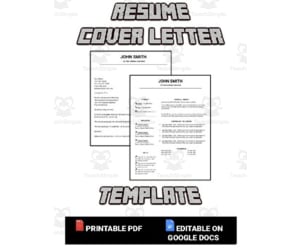
Resume & Cover Letter Template (Editable in Google Docs)
Life Studies, Career, Not Grade Specific, Templates, Teacher Tools
This resource is designed to help educators create resumes. The template included is all setup to help you get a job in education. The resume and cover letter included is setup with a more modern look and feel. Standout among your peers. This resource will work for all sorts of jobs. You can even share the editable Google Doc link with your students and guide them through the creation of their own resume.
Author Roombop
Tags Resume, Cover Letter, Googledocs, Google Docs, Cover Letter Docs Template, Google Docs Letter Template, Cover Letter Google Docs Templates, Resume Cover Letter Google Docs, Is There A Cover Letter Template In Google Docs, Google Docs Cover Letter Template, Cover Letter For Resume Google Docs, Cover Letter Resume Template Google Docs, Google Doc Cover Letter, Google Doc Template Cover Letter, Education Resume Template Google Docs, Study Guide Google Doc Template, Editable Google Docs Resume Template, Does Google Docs Have A Cover Letter Template, Letter Template Google Docs, Cover Sheet Template Google Docs, How To Create A Cover Letter In Google Docs, Cover Letter And Resume Template Google Docs, Cover Letter Template Free Google Docs, Google Docs Resume Cover Letter Template, Docs Cover Letter Template, Letter Template For Google Docs, Google Docs Cover Letters, Cover Letter Google Doc Template Free, Cover Letter Template On Google Docs, Google Docs Letter Templates, Cover Letter Free Template Google Docs, Letter Templates For Google Docs, Google Template Cover Letter, Cover Letter Template Google Doc, Cover Letter Google Doc, Cover Letter Template For Google Docs, Google Cover Letter Templates, Cover Letter Google Doc Template, Google Docs Cover Letter Templates

60+ parchment templates Any subject Add your own text & images
Resources for Teachers, Classroom Management, Not Grade Specific, Templates, Teacher Tools
60+ Parchment Templates Any Subject Add Your Own Text & Images This fantastic teaching aid is a must-have for teachers of all grades. It includes over 60 editable templates that can be molded to suit any subject. Why Use Parchment Templates? Ideal for classroom presentations, Morning work, and newsletters. Come in handy as detailed instructions for activities or school programs. Assist with classroom management strategies such as note-taking techniques and organization tools. Friendly Design: The user-friendly design of these parchment templates allows even the least tech-savvy educators to modify them according to their needs. They can easily add pictures, photos, clip art images or QR codes. And done in a black and white palette, it means reduced ink usage when printed out! Versatility Beyond Classwork: Apart from classwork the templates have multiple applications: Serving as communication portals with parents— think eye-catching newsletters! Lending an immersive historical aspect — perfect for writing letters, journals or poetry assignments; The best part? No advanced technical skills required! The compatibility with readily available applications like PowerPoint & GOOGLE SLIDES ™ simplifies everything. Maintaining Relevance Over Time Educational settings are always evolving but don’t worry; our parchment templates come with an inclusive backup feature protecting your customizations from being lost — now that's a resource that truly stands the test of time! Your educational tool kit needs our 60+ Parchment Templates Any Subject Add your own text & images.
Author Pick'n Teach
Tags Parchment Templates, Teaching Aid, Editable Templates, Personalized Content, Communication Portal

Transportation Week-Long Lesson Plan Template
ELA, Creative Arts, Art, Reading, Kindergarten, Templates, Teacher Tools
Transportation Week-Long Lesson Plan Template For all the preschool educators out there, this resourceful tool is here to support you in crafting engaging and fun learning sessions for your young students. The primary theme is teaching them about different methods of transportation. This editable resource comes in a 2-page Microsoft Word document, divided into various sections designated for each day of the week. These segments includes: Circle Time Movement Art Science Language/Literacy Dramatic Play Fine Motor/Sensory Play Math Construction There's also an Enrichments/Special section to include unique activities. Every component aims at offering a conducive environment for holistic growth and understating. center ", style="font-size:90%;"> Note:The plan should be flexible enough to adjust according to available resources and student engagement levels. Their knowledge on transportation may vary greatly so adapt as needed. Brief Points: Rewards both teacher and student with a functional structure. Ideally used as homework or small group instruction aid due its customizable nature yet versatile enough to be extended further with innovative ideas from you! Additional topics covered similar are mentioned in resources like Rainbows Curriculum Pack , Mittens Week-Long Lesson Plan Template, Bugs Curriculum Pack etc. In conclusion, this Transportation Week-Long Lesson Plan Template provides fun and educational aid for young learners in language arts as well as arts & music institute. It's a quintessential teaching resource that fosters the growth of blossoming minds!
Author Learning Foundations
Tags Transportation, Lesson Plan, Preschool, Circle Time, Movement
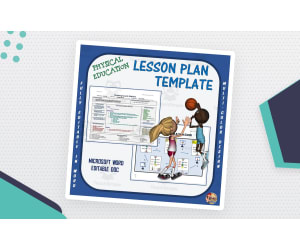
Editable PE Lesson Plan Template – 3 Color Options
P.E. & Health, Physical Education, Not Grade Specific, Templates, Teacher Tools, Lesson Plans
This is an Editable PE Lesson Plan Template that can be used over and over again to create lessons for your students. This template opens in Microsoft Word and can be typed into, then saved and printed. You have 3 colors to choose from: - Color - Grey - Multi-color
Author Cap'n Pete's Power PE
Rating
Tags PE Lessons, Lesson Plan Template, Editable Lesson, Fitness, Microsoft Word Lesson Plan Template, Unit Plans For Pe, Editable Lesson Plan Template Word, Microsoft Lesson Plans Template, Lesson, Lesson Plan, Plan, Template, Physical Education, Lesson Planning
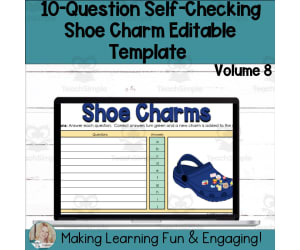
Editable Self-Checking Template - Digital Resource Vol. 8
Resources for Teachers, Classroom Management, Not Grade Specific, Templates, Teacher Tools
Editable Self-Checking Template - Digital Resource Vol. 8 An innovative teaching resource designed to simplify the assessment process while enhancing student engagement and independent learning, it is a multi-purpose tool beneficial for educators in various settings such as public schools, homeschooling environments, and more. Unique Benefits: Self-grading and self-checking feature providing immediate feedback. Tasks are customizable suiting all subject areas or grade levels adding to its flexibility of use. Detailed written and video instructions along with PowerPoint presentation for task card creation easing customization efforts for teachers. All that educators need to do is incorportae their questions and answers into this pre-formulated template on Google Sheets then apply defined protections before assigning it to their students - a truly low-prep! Note: This product has been copyrighted by Digitally Yours Shop 2023 offering single-user license limited strictly personal use only. In Summary... The Editable Self-Checking Template - Digital Resource Vol. 8 not only boosts student comprehension through interactive learning but also eases the workload of teachers in managing classroom assessments !
Author Digitally Yours Shop
Tags Editable Template, Self-checking, Digital Resource, Immediate Feedback, Interactive Learning
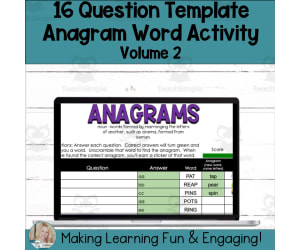
Editable Self-Checking Anagram Template - Digital Activity V2
Resources for Teachers, Classroom Management, Not Grade Specific, Templates, Teacher Tools
The Editable Self-Checking Anagram Template - Digital Activity V2 The Editable Self-Checking Anagram Template - Digital Activity V2 is an invaluable teaching resource designed for educators in various settings, from public schools to homeschool environments. It's a versatile tool that offers not only the ability to craft engaging activities but also the advantage of self-grading and immediate feedback mechanisms to foster student self-assessment. Key Features: 16-Question Anagram template utilizing Google Sheets for easy input of questions and answers Instant feedback mechanism— correct answer turns green triggering an anagram challenge Caters for up to two answers per question across any subject or grade level. This diverse appliance presents various strategies that contribute towards enhanced learning experiences including whole group learning sessions, smaller study groups or as homework assignments. Note: You'll need a free Google account for access. Comprehensive instructions on adding content and adjusting protections are available both written and video formats. Differentiation & Scaffolding Strategies: Thoughtful inclusion of differentiation and scaffolding strategies aid effortless teacher-student engagement, offering real-time assessments abilities vital for personalized education plans. In Summary: This product facilitates creative ways through which educators can offer fun-filled yet educative experiences without compromising on pedagogical quality—it's useful not just for traditional teachers but also teacher authors who prioritize effective educational solutions over simply enjoyable ones! Note: This valuable tool maintains firmly within copyright guidelines under Digitally Yours Shop 2022 stipulations.
Author Digitally Yours Shop
Tags Anagram Activity, Digital Resource, Self-checking, Immediate Feedback, Teaching Tool, Simple Anagram

Meet Clifford! Week-Long Lesson Plan Template
ELA, Math, Early Math, Reading, Kindergarten, Templates, Teacher Tools
Meet Clifford! Week-Long Lesson Plan Template This editable week-long lesson plan template helps preschool teachers plan engaging activities related to Clifford the Big Red Dog. It includes sections for circle time , movement, art, science, literacy, dramatic play, math, construction, and specials. Teachers can customize the template by adding or replacing activities based on their students' needs and interests. Consider students' background knowledge, classroom resources and temperament when selecting activities to promote rich, hands-on learning. Edit notes provide space for additional planning. Similar editable curriculum pack resources available cover gardening, ice cream, clouds, popcorn, space, Earth Day and more. Check out additional preschool templates and resources from Learning Foundations.
Author Learning Foundations
Tags Preschool Lesson Plan, Lesson Plan Template, Editable Lesson Plan, Cross Curricular, Dramatic Play, Science Experiment, Bulletin Board Ideas, Clifford Template
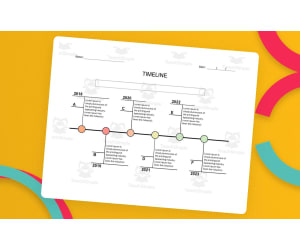
Timeline Template – Editable in Microsoft Word
, Not Grade Specific, Templates, Teacher Tools
This can serve as a blueprint for a personal timeline project, or as a visual graphic organizer for any chronological arrangement of occurrences. timelines are versatile and powerful tools for presenting chronological information. They aid in understanding the sequence, duration, and relationships between events, whether in historical analysis, project management, education, research, or personal planning. By providing a visual framework, timelines simplify complex information and facilitate a better grasp of temporal patterns and connections. Here are some key uses and benefits of timelines in different domains: History: Timelines are extensively used in historical studies to illustrate the sequence of significant events and their impact on society, politics, culture, and technology. They provide a visual framework for understanding historical periods, the order of key developments, and the relationships between different historical figures or movements. Project Management: Timelines play a crucial role in project planning and scheduling. They help project managers and team members visualize project milestones, tasks, and deadlines, ensuring effective time management and resource allocation. Timelines can also aid in identifying critical paths, dependencies, and potential bottlenecks, enabling better project coordination and decision-making. Education: Timelines are valuable educational tools as they facilitate the comprehension and retention of historical or chronological information. Students can use timelines to study and memorize important dates, events, and their order. Timelines can also be used in science, literature, and other subjects to outline the sequence of discoveries, literary movements, or scientific advancements. Research and Analysis: In academic or scientific research, timelines assist researchers in organizing and analyzing data related to the temporal aspects of a topic. By visually mapping the progression of events or changes over time, researchers can identify correlations, draw conclusions, and present their findings in a comprehensive manner. Personal Planning: Timelines are beneficial for personal organization and goal setting. Whether planning a trip, a career path, or personal milestones, individuals can use timelines to break down tasks, set deadlines, and track progress towards their objectives. Personal timelines can provide a visual motivation and help maintain focus and accountability. Included: Timeline in Word Document color and black & white version.
Author educ_project
Tags Timeline Template, How To Make A Timeline In Microsoft Word, Timeline Template For Microsoft Word, Microsoft Timeline Template, Template, Timeline, Word, Lines

3D Paper Bird Craft Template – Cut, Color, Display
Creative Arts, Art, Grade 1, 2, 3, Templates, Teacher Tools
This simple printable is ready to cut, color, glue, and display. You can always get more creative by adding glitter or pom poms, paint, or other craft supplies but this basic template will get you started. Add an optional writing template to differentiate this activity. Have a little spring or May fun with your students! Idea: Have each of your students decorate and create a bird. Hang the birds by fishing line from the ceiling of your classroom to create beautiful spring decor! What You Get: · Instructions with pictures · 1 template bird body and wings to cut out. · 2 options for writing template to glue underneath. How to Use This Resource: Print this template on card stock for all the students in your class. Have them cut out the pieces and color them any way they want. Then carefully snip along the dotted lines and slid together, creating 3D wings. Use tape or glue to attach securely. Add paper eyes or google eyes. Take a Look At Some Of My Best Sellers: -- https://teachsimple.com/product/apple-pie-tree-picture-book-study -- https://teachsimple.com/product/corduroy-picture-book-study -- https://teachsimple.com/product/going-on-a-hike-early-reader-book-16-guided-reading-level-a -- https://teachsimple.com/product/all-about-climate-and-weather-earth-science-unit -- https://teachsimple.com/product/how-to-make-chocolate-milk-writing-and-sequencing-activity-informational-or-expository-writing -- https://teachsimple.com/product/spring-bingo-game Check out other resources from my store: Simply Schoolgirl! I can be contacted for questions and concerns at simplyschoolgirl1@gmail.com
Author Simply Schoolgirl
Rating
Tags Arts And Crafts, Paper Crafts, 3D Crafts, 3D Birds, Paper Craft Template, Art Activity, Classroom Decor, Writing Template, Spring Fun, May, Bird Cutout Template, Simple Bird Template To Print, Bird Paper Craft, 3d Paper Bird Template

Student Goal Setting Templates: Set Personal Goals | Back To School
Life Skills, Classroom Management, Back To School, Not Grade Specific, Templates, Teacher Tools, Worksheets
Get your students involved in setting their own student centered performance goals. From leadership gurus to accomplished CEO’s, the most successful people in life have proven that a growth-mindset, along with goal setting, is a must! If you don’t know where you want to go, how can you even get there? If you don’t know where the target is, how do you know where to aim? This concept is true for for the classroom and student achievement as well. After thousands of studies, Dr. John Hattie of Melbourne, Australia found that the #1 greatest impact on student learning and achievement is self-reported student expectations. As teachers, we are always looking to help our students maximize their potential, and this STUDENT GOALS resource will bring the proven goal setting process into the classroom.
Author Mister Harms
Tags Goal Setting, Templates, Personal Goals, Back To School, Goals Printable, Smart Goals, Goal Setting Templates For Students, Student Growth Goal Setting Template, Personal Goals Templates
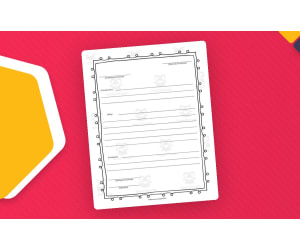
Friendly Letter Writing Template – Print and Practice
ELA, Writing, Grade 2, 3, 4, 5, Templates, Teacher Tools
Writing is a skill that our students can never get enough practice with. Students (just like adults) either love writing or do not feel confident as writers. The more we can provide them with writing opportunities, the more likely we are to build their confidence and improve their skills. This is a Friendly Letter Writing Template that will provide your students with just that opportunity! You could use this at the start of a writing unit. It is a great way for you and students to gauge just how much their writing skills have improved from the start to finish of the writing unit. It is a great pre-assessment to observe what students already know about letter writing. There ae 2 templates included. One of them is completely blank. The other provides “hints” to support student writing. The hints included: Date with comma Greeting and comma Introduction Body Conclusion Closing and comma Signature These templates are great for elementary students. Outside of a lesson or writing unit, these blank templates could be placed within a writing center. This gives students the chance to creatively write at their leisure during center time. I hope you enjoy! Take A Look at My Best Sellers: Addition File Folder Argumentative Writing Lesson Appreciation Cards Elements of Art Lesson Video Game Coding Project Abstract Form Lesson + Activity You can find more resources at my storefront here: https://teachsimple.com/contributor/resource-garden
Author Resource Garden
Rating
Tags Friendly Letter, Letter Writing, Writing Templates, Blank Templates, Writing Prompts, Punctuation, Literacy Center, Pre-Assessments, Friendly Letter Writing Prompts, Friendly Letter Forms
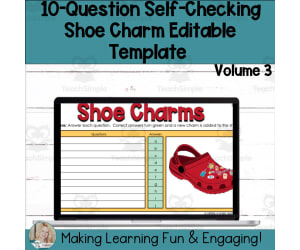
Editable Self-Checking Template - Digital Resource Vol. 3
Resources for Teachers, Classroom Management, Not Grade Specific, Templates, Teacher Tools
The Editable Self-Checking Template - Digital Resource Vol. 3 Eliminate the hassle of creating engaging, self-grading activities for students with our tool. The Editable Self-Checking Template - Digital Resource Vol. 3 combines best teaching practices and cutting -edge technology to drive student engagement and enhance classroom management. Main Features: Built on the Google Sheets platform 10-question shoe charms task card template Automatically grades responses and provides immediate feedback Cute charm incentive system for correct answers Prefabricated—teachers only need to input their questions and answers (applicable for any subject or grade level) This resource offers unparalleled convenience: design your content once, protect some cells from being edited by students (instructions provided), then use it again and again. Included Instruction Materials: Detailed written instructions A video guide for implementation (helpful especially visual learners among educators) An additional PowerPoint presentation on task card creation—useful when different groups of students are working concurrently on particular task sets. No matter what type or level of education you offer, whether you're crafting differentiated expected outcomes based on individual learner needs or providing immediate response-driven feedback—the Editable Self-Checking Template - Digital Resource Vol. 3 offers an innovative solution for creative classwork. License & Copyright Notice: Please note that purchase grants usage rights solely for the purchaser; personal use only (a single-user agreement). Please respect copyright laws and refrain from distributing, selling, or replicating this resource in any form. All rights reserved © Digitally Yours Shop 2023.
Author Digitally Yours Shop
Tags Self-checking Template, Digital Resource, Google Sheets, Task Card Creation, Immediate Feedback
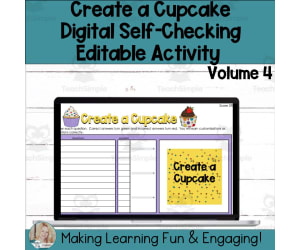
Create a Cupcake Self-Checking Template Digital Resource Activity V4
Resources for Teachers, Classroom Management, Not Grade Specific, Templates, Teacher Tools
Are you on the hunt for fresh ways to engage your students with self-grading, self-checking activities that offer instant feedback? Do you want to present students with more choices? This 12-question 'Create a Cupcake' digital template for Google Sheets (Volume 4) simplifies the process of designing your own engaging, self-grading, and self-checking exercises. The template is already formulated - all you need to do is insert your content (questions) and answers. How it functions: In the self-checking 'Create a Cupcake' task, students answer questions to reveal an image and access customizations. After correctly responding to questions, students earn the chance to customize a cupcake by selecting the flavor, icing, and topping. Conversely, when students answer incorrectly, their response turns red, indicating they need to review and adjust their answer. The accompanying spreadsheet is formatted to accept up to two answers. This product is suitable for any subject area and grade level. What's included: ⭐Comprehensive Instructions (both written and video) ⭐'Create a Cupcake' Digital Resource Google Sheet Template featuring 12 Questions Essential Information: The digital resources have been developed using Google Sheets. A free Google account is required. * This is a low-preparation resource! Simply input your content, implement some protections, and it's ready to be assigned to your students!! * Who should consider this resource? Educators seeking engaging activities Educators looking for methods to differentiate and scaffold for students Teachers teaching any subject or content area Educators aiming to provide students with immediate feedback Teacher authors aiming to design engaging and effective resources
Author Digitally Yours Shop
Tags Create A , Build A, Template, Editable Template, Teacher Template, Task Card, Task Card Activity, Self-checking, Self-grading
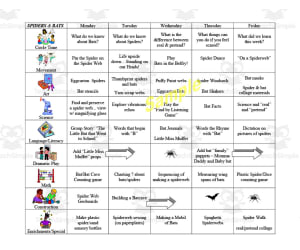
Spiders and Bats Week-Long Lesson Plan Template
ELA, Language Development, Spelling, Science, Life Sciences, Insects, Kindergarten, Templates, Teacher Tools
Spiders and Bats Week-Long Lesson Plan Template is a customized resource designed to aid in the effective delivery of exciting subject matter such as Language Arts, Science, Spelling, and Insects for preschool students. This valuable tool allows teachers to efficiently formulate a week's worth of lesson plans in advance, boosting organization and flow within the classroom experience. This template is formatted as an editable 2-page Word Document , providing flexibility to be personalized based on various factors such as available resources or students’ readiness levels. It also facilitates last-minute changes without compromising on structural integrity or content quality. Each day encompasses multiple sections like Circle Time , Movement, Art,and Science lessons - all tailored towards primary preschool subjects while infusing engaging themes like Spiders & Bats. The comprehensive layout begins with morning circle time extending through artistic initiatives or scientific exploration leading up till specialized enrichment activities at day’s end. The template goes beyond just providing slots for each day’s tasks; it sets pace right through the school-day while permitting scope for focused improvisations where needed. Beyond classroom instruction,this template can be used as supportive material for homework assignments facilitating extended learning experiences at home thereby solidifying understanding and retention. This resource compiled by experienced educators caters to evolving classroom dynamics giving an insight into students’ daily progression alongside identifying areas that may need targeted improvements. Its usage paves way towards creation of weeks packed with guided yet fun learning accounting for academic diversity within classrooms while nurturing individual capabilities. The visually appealing layout ensures that planning almost seems less routine after repeated use emphasizing its high value-for-money quotient. Hence, take a step towards easy, informed and engaging teaching with the Spiders and Bats Week-Long Lesson Plan Template today!
Author Learning Foundations
Tags Spiders, Bats, Lesson Plan, Language Arts, Science

Graphic Organizers Jamboard Templates Set 1
, Not Grade Specific, Templates, Teacher Tools
These are Graphic Organizers Set 1 Jamboard Templates that are accessed under Google Drive. This is an engaging way for students to brainstorm and apply knowledge. Directions are included.
Author Creativity Overload
Tags Google Classroom, Jamboard, Graphic Organizers, Literacy, Back To School

Editable - Self-Checking I Spy Template - Digital Activity Vol.2
Resources for Teachers, Classroom Management, Not Grade Specific, Templates, Teacher Tools
About the Editable - Self-Checking I Spy Template - Digital Activity Vol.2 This is an innovative resource designed to engage students and provide educators with a real-time understanding and grading tool. The template uses a 15-question I Spy format that can be entirely customized to suit any subject matter or grade level. The Digital I Spy Game Students are presented with a blurred image in this game. As they respond appropriately, the image becomes increasingly clear, motivating them to actively participate in content review or new discoveries of concepts. Note: New concepts are discovered as content is reviewed. Benefits: Educators only need to fill their content into our Google Sheets' pre-formulated template- No extensive prep required! Offers immediate feedback: Highlights correct answers green and wrong ones red for revisions, We offer it for various learning scenarios: from whole class sessions and small group activities to individual assignments or homework. A comprehensive package includes: Detailed written instructions, , An accompanying student recording sheet, , To Use: No additional purchase aside from having a free Google account necessary!</p NoteImportant noteThis product carries single-user license meant strictly for personal use compliant copyright regulations (** Digitally Yours Shop 20223). Finally, take control over your classroom management! Engage methods that foster signigicant absorption-invest today.
Author Digitally Yours Shop
Tags I Spy, Digital Activity, Gamified Learning, Real-time Feedback, Customizable

Comic Book Template (Editable in Google Slides)
ELA, Writing, Creative Writing, Grade 3, 4, 5, 6, 7, 8, 9, 10, Templates, Teacher Tools
Whether you are in a 1 to 1 classroom or have access to Chromebooks, laptops or iPads, this resource is a great way to have your students create a comic. Go paperless with this digital editable Google Slides. This resource includes 15 different blank comic book layouts. You can have the students print out their comic book once they finalize their digital version, as the resource is set to 8.5 x 11 paper size. Or you can pre-print the blank layouts with the included PDF and have the students draw on a paper copy. The choice is yours! WHY USE COMIC STRIPS? Another option for projects Allows for a lot of creativity Uses a familiar format Can incorporate both visual and written information Improve narrative writing skills It's fun! INTEGRATING IT INTO YOUR CLASSROOM Illustrate a concept from class, such as a property of science Retell a story or a portion of a story they have read for class Re-enact a famous scene from history Students can tell about themselves with an autobiographical comic. Students can make a comic that uses vocabulary words for that week. If your students are using the digital version, when possible use images with transparency to avoid blocking the background. Images that are in the PNG format are the best as they are generally transparent.
Author Roombop
Tags Comic Book, Template, Comic Template, Google Slides, Book Template For Google Slides, Comic Slides, Book Template Google Slides, Finalize As A Comic Strip

Editable - Self-Checking Tangram Template - Digital Activity Vol3
Resources for Teachers, Classroom Management, Not Grade Specific, Templates, Teacher Tools
Editable - Self-Checking Tangram Template - Digital Activity Vol3 The Editable - Self-Checking Tangram Template - Digital Activity Vol3 is a versatile educational tool designed to offer educators an innovative approach to evaluating student performance in a fun, interactive way. This template consists of a 10-question Tangram task card specifically tailored for Google Sheets, providing teachers with the unique opportunity to construct creative self-grading and self-checking activities. Methodology Primarily, students answer questions, which when answered correctly progressively reveal an intriguing tangram puzzle. This method allows students the freedom to approach questions in any chosen order and reinforces learning through immediate feedback. When answers are correct, they turn green on the digital sheet offering immediate praise as well as advancing them one step closer towards solving the tangram puzzle. Negative Feedback If an answer is incorrect it will change coloration into red signalling them that corrective action needs be taken. Tactile Learning This thoughtfully crafted digital activity employs drag-and-drop features empowering learners not just to solve problems but also put together a map of their aligned success. Singular or Group Use: The program can engage individual students or groups of varying sizes making it perfect for whole-class teaching approaches down scaling all the way to homework assignments reinforcing what's been learned within a school day. User Requirements:The product has been designed for Google Sheets hence necessitating having access to a complimentary Google account which is easy enough to setup if not already owned one. Differentiation Methods:: It's very adaptable across educational spectra needed instrumentally helping student advance optimally at each ones pace definitely exceeding classroom management expectations. Benefits Student engagement gets ramped up with puzzles being solved eventually upon successful answer series execution, thus affording them feelings of accomplishment while validating their learnings simultaneously. This multi-functional resource should be utilized by educators desirous engross prime interactive pedagogy techniques into those keenly adopting adaptive teaching strategies specific to their learner's individual learning paces. This product should also prove beneficial for teacher authors looking to enrich their catalogue with engaging and effective resources. Please note that the use of this resource is restricted to personal use under single-user license.
Author Digitally Yours Shop
Tags Interactive Learning, Self-checking, Digital Activity, Tangram Puzzle, Drag-and-drop, Tangram Template
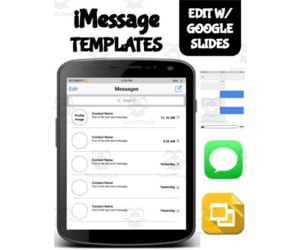
iMessage Template (Editable on Google Slides)
Special Resources, Social Skills, Not Grade Specific, Templates, Teacher Tools
The use of this iMessage messaging template is a great way to engage and gain the interest of your students. Best of all, this resource is available in both printable pdf format as well as a Google Slides editable format. This iMessage template allows students to create conversations. Included is; iPhone App Screen Layout (students can add extra apps) iMessage main contact list layout 6 different iMessage message layout (with blue & green bubbles for both iMessage and regular text messaging) Each page has text boxes for your students to change as well as instructions pages for what to change. The template is locked, so your students can’t mistakenly move or delete the background. If you choose to print the PDF, have your students write up their own conversation. Some use examples; Have a conversation between characters in a novel Have a conversation with a historical person Have a conversation between friends or family for a creative writing activity When your students are finished, they can save a picture of their conversation template.
Author Roombop
Tags Social Media, Google, Messaging, Imessage Layout

Editable - Self-Checking I Spy Template - Digital Activity Vol.1
Resources for Teachers, Classroom Management, Not Grade Specific, Templates, Teacher Tools
Editable - Self-Checking I Spy Template - Digital Activity Vol.1 A powerful and innovative teaching resource, geared towards energizing the learning process and providing instantaneous feedback to students. This pre-formulated template allows teachers to develop their educational content effortlessly, making instruction engaging and adaptive. Utilization of Google Sheets Platform for Creation The product creates varied self-checking, self-grading activities based on a 15-question I Spy template which can be adapted to any subject matter or grade level in an in-person or virtual learning space. The Unique Interactive Principle Kids are stimulated through an unfolding image that reveals itself progressively as questions are answered correctly; this visual reward system piques learner curiosity and motivates problem solving. Mistakenly answered questions turn red instantaneously - signaling learners to revisit and correct their responses without delay. Instruction Simplified for Teachers, Educators simply input questions along with the corresponding answers into designated cells transforming Google Sheets into a powerful tool for creating homework assignments or quizzes. Saving Teachers' Time, This digital tool eliminates manual grading tasks from teachers' workloads as it grades student responses automatically while educators gain perspective about student comprehension helping pinpoint areas needing further attention or reinforcement! Further Simplicity Provided Through Additional Resources such as, Detailed written instructions simplifying usage of this digital product's features Educational videos which further streamline its application, enhancing educators' comfort with integrating technology into classrooms thereby improving overall management efficiency Note: Although designed exclusively for personal use within classrooms under single-user license, the Editable - Self-Checking I Spy Template - Digital Activity Vol.1 is a uniquely comprehensive product, aiming towards embellishing academics through modern-day resources; it truly represents an outstanding blend of simplicity and innovation that addresses the needs of present-day educators while captivating student interest.
Author Digitally Yours Shop
Tags Self-checking, Interactive, Digital Activity, Google Sheets, Automatic Grading

ESOL Strategies Lesson Plan Template
ELA, Language Development, Phonics, Reading, Social Studies, Preschool, Kindergarten, Grade 1, 2, 3, 4, 5, 6, Templates, Teacher Tools
This ESOL Strategies Lesson Plan Template is exactly what you need to plan lessons that best meet your ESL students! Having all of the information you need in one place will make your life so much easier and help you be the best teacher you can be!
Author Have Fun Teaching
Tags

Facebook Messenger Template (Editable on Google Slides)
Special Resources, Social Skills, Not Grade Specific, Templates, Teacher Tools
Facebook Messenger Template (Editable on Google Slides) The Facebook Messenger Template is an innovative teaching resource that integrates the common technology of social media in the classroom as a learning tool. Adaptable to all grades, this resource uses popular messaging platform elements for crafting creative and absorbing assignments. The teaching material is available both in printable PDF and editable Google Slides. It features locked backgrounds to shield against unintentional modifications while engaging students interactively. The kit houses diverse layout options including: Two app screen layouts adaptable to both iPhone and Android interfaces. Six different Facebook messenger message layouts. A primary interface containing a contact list screen This combination offers varied canvases for crafting imaginative exercises. Craft Unique Conversations with Interactive Templates This feature-rich template enables students to invent creative conversations using customizable text boxes housed within these interactive templates. This paves way for interesting assignments where: Pupils engage in simulating exchanges between personalities from literature or historical figures, Learners take part in scripting dialogues amid friends or relatives fostering creative writing skills, Note: Upon completion of these 'messenger' interactions, kids can snapshot their creations into lasting digital artifacts serving multiple purposes such as portfolio additions, assessment tools, or keepsakes commemorating their imaginative endeavors. Versatile Usage Across Varied Settings The Facebook Messenger Template proves itself flexible across many settings like individual tasks at home, group activities within classrooms, break-out sessions in online classes, or homework submissions leveraging Google Classroom platform's power. It is notably beneficial in teaching social skills due to clear visual cues that encourage logical conversation progression, fostering improved communication habits among peers. Final Remarks: This resource not only cuts across different age groups but also manages to captivate attention and invites participants into every activity designed around it. It is sure to become a valuable addition to any modern, engaging learning environment.
Author Roombop
Tags Interactive Learning, Social Media, Teaching Resource, Creative Assignments, Digital Artifacts