



3,903 products added recently
Page 6 - Middle School Science Projects
Support your middle school students with science projects that encourage deeper exploration of scientific concepts. Activities include advanced experiments in chemistry, physics demonstrations, and ecological studies. By incorporating these projects into your teaching, you can enhance understanding and inspire a passion for science.

 Show filters

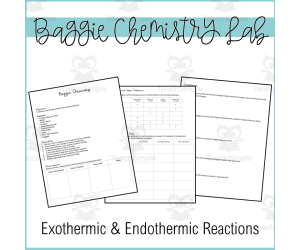
Baggie Chemistry Lab | Endothermic and Exothermic Reactions
Science, Chemistry, Grade 6, 7, 8, Activities, Projects
Baggie Chemistry Lab | Endothermic and Exothermic Reactions Students explore chemical reactions and their resulting energy changes with this engaging baggie chemistry lab . Learners follow procedures to combine household ingredients in plastic bags, closely observing the vivid reactions that result. Comparing endothermic and exothermic processes, they identify indicators like temperature change, bubbles, color shifts, and precipitates formed. This activity builds critical thinking as students collect qualitative data, draw conclusions about energy transfers occurring, and differentiate between physical changes and chemical reactions. Use this lab to reinforce chemistry concepts for middle schoolers or high schoolers in small groups or as an independent inquiry project.
Author Maude in the Middle
Tags Chemistry, Lab, Endothermic, Exothermic Reactions, Science Activity, Endothermic And Exothermic Reactions Lab, Exothermic And Endothermic Reactions Lab, Exothermic Reaction Experiment

Research Organizer & Essay Assignment: Bill Gates
Social Studies, History, History: USA, Science, Technology, Computer Science, Grade 8, 9, 10, 11, 12, Activities, Projects, Worksheets & Printables, Worksheets
It's hard to imagine modern life without the contributions of Microsoft and its founder, Bill Gates. This resource provides your students with the opportunity to independently learn about and summarize the life of the businessman and computer scientist with this engaging research planner and essay assignment. This carefully scaffolded and easy-to-assign-AND-assess resource has been designed to guide student learning from Bill Gates fact-collection to the careful development of a five-paragraph research essay. Teaching this resource could not be easier! Start by handing out the background research and note-taking worksheet (you could also ONLY hand this out if you want a shorter lesson!). Once students have found their facts and sources, provide them with the essay outline activity, which guides them step-by-step through the requirements of a short research essay. From there, drafting their essay, using the provided peer review checklist, and submitting their final draft will be no problem at all. And then you can assess their work with the provided Common Core rubric! Use this entire resource as a complete research lesson or just part of it as a short research activity or sub plan! This TeachSimple download includes: - A Bill Gates essay writing assignment with directions, requirements, research essay writing tips, a peer review checklist, and Common Core-tied grading rubric - An editable rubric, provided as a link, that lets you make adjustments to the grade values and guidelines. This link is provided as as Google Sheet specifically built for integration into Google Classroom, although you can also modify it for use in other Learning Management Systems (LMSs) - A Bill Gates biography and note-taking worksheet that will guide your students through information gathering. This straightforward two-page handout includes instructions for background research, a fun drawing section, and an area to cite quality sources and organize conducted research - A research essay outlining worksheet, so students build on their Bill Gates notes in a clear and simple manner as they build their work towards a draft and final paper - All 6-pages of this lesson are provided in full-color and B&W versions Although this resource can be fitted for any secondary Language Arts classroom, it has been carefully designed to work best in grades 8 through 11. The included rubric is subtly but specifically tied to Common Core ELA Standards for Language (3) and Writing (2 and 7). This resource is provided as a print-ready, bookmarked, and adjustable PDF file. The rubric is also included as an editable Google Sheet. This resource contains 6 pages and 1 Google Sheet.
Author The Language of Educational Art, LLC
Tags Research, Essay, Rubric, Notetaking, Outlining, Bill Gates
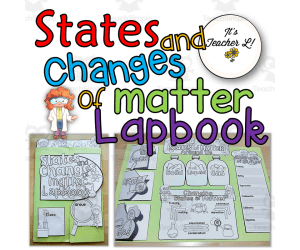
States and Changes of Matter Lapbook (Science/ELA)
ELA, Language Development, ESL, Science, Physics, Grade 4, 5, 6, Activities, Projects
States and Changes of Matter is a project that focuses on the states or phases of matter and the changes they go through. Each component of the lapbook can be completed from the activities done in your Science class. This is designed to be engaging and fun way for the learners to check their understanding of the lessons through a very creative means. This Science lapbook is also made for either individual or group project that is very helpful to teachers and will give them the freedom to decide how the output would be done. With the cute graphics and purposeful activities, both teachers and learners will surely love this project's output! Content Pages: A. Instruction page B. Lapbook Content 1.2 Styles of front cover / title page 2.2 Name pages for individual and group project 3. Inner pop-up and states of matter title page 4. 36 examples of matters in droplets 5. Solid fold page: Students will research on their lesson notes to complete this page. 6. Liquid fold page: Students will research on their lesson notes to complete this page. 7. Gas fold page Students will research on their lesson notes to complete this page. 8. Changes of State page: Students will research or refer back to their notes about freezing, melting, vaporization, condensation, sublimation, and deposition. This resource is great to assess various skills on students, including organizational skills and research skills. Additionally, it is great resource to use as formative assessment !
Author It's Teacher L
Tags Science Lapbook, States Of Matter, Phases Of Matter, Solid, Liquid, Gas, Science Project
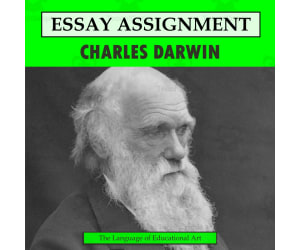
Research Organizer & Essay Assignment: Charles Darwin
Social Studies, History, History: World, Science, Life Sciences, Biology, Grade 7, 8, 9, 10, 11, 12, Activities, Projects, Worksheets & Printables, Worksheets
It's hard to imagine a figure more important to the field of biology than Charles Darwin. This resource provides your students with the opportunity to independently learn about and summarize the life of the father of evolution with this engaging research planner and essay assignment. This carefully scaffolded and easy-to-assign-AND-assess resource has been designed to guide student learning from Charles Darwin fact-collection to the careful development of a five-paragraph research essay. Teaching this resource could not be easier! Start by handing out the background research and note-taking worksheet (you could also ONLY hand this out if you want a shorter lesson!). Once students have found their facts and sources, provide them with the essay outline activity, which guides them step-by-step through the requirements of a short research essay. From there, drafting their essay, using the provided peer review checklist, and submitting their final draft will be no problem at all. And then you can assess their work with the provided Common Core rubric! Use this entire resource as a complete research lesson or just part of it as a short research activity or sub plan! This TeachSimple download includes: - A Charles Darwin essay writing assignment with directions, requirements, research essay writing tips, a peer review checklist, and Common Core-tied grading rubric - An editable rubric, provided as a link, that lets you make adjustments to the grade values and guidelines. This link is provided as as Google Sheet specifically built for integration into Google Classroom, although you can also modify it for use in other Learning Management Systems (LMSs) - A Charles Darwin biography and note-taking worksheet that will guide your students through information gathering. This straightforward two-page handout includes instructions for background research, a fun drawing section, and an area to cite quality sources and organize conducted research - A research essay outlining worksheet, so students build on their Charles Darwin notes in a clear and simple manner as they build their work towards a draft and final paper - All 6-pages of this lesson are provided in full-color and B&W versions Although this resource can be fitted for any secondary Language Arts classroom, it has been carefully designed to work best in grades 8 through 11. The included rubric is subtly but specifically tied to Common Core ELA Standards for Language (3) and Writing (2 and 7). This resource is provided as a print-ready, bookmarked, and adjustable PDF file. The rubric is also included as an editable Google Sheet. This resource contains 6 pages and 1 Google Sheet.
Author The Language of Educational Art, LLC
Tags Essay, Rubric, Research, Notetaking, Outlining, Charles Darwin
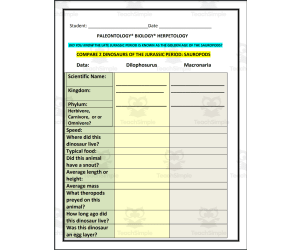
Project: Compare 2 Dinosaurs of the Jurassic Period: Sauropods
Science, Life Sciences, Biology, Research, Grade 5, 6, 7, 8, Activities, Projects
This Project: Compare 2 Dinosaurs of the Jurassic Period: Sauropods resource is designed for students to engage in research and compare and contrast two dinosaurs of the same period. Students will practice their research skills, writing skills, and presentation skills. The two dinosaurs students are asked to research with this resource are Dilophosurus and Macronaria. The information to be found is listed and includes (but is not limited to): Scientific Name: Kingdom: Phylum: Herbivore, Carnivore, or Omnivore? Speed: Where did this dinosaur live? Typical food: Did this animal have a snout? Average length or height: As students begin to find this information, they can fill in the spaces provided for easier organization. Students can present their findings in different ways: Oral presentation, posters , digital slides , brochures, etc. And they also can be required to turn in this resource! This resource Project: Compare 2 Dinosaurs of the Jurassic Period: Sauropods was designed for middle school students, however it can also be used for high schoolers. Students may work independently, in pairs, or in groups. If students work in groups, make sure each student has their part of the research assigned so that everyone does their part in completing the research project. Find more interesting resources in my store here!
Author THE LANTERN OF KNOWLEDGE
Tags Paleontology, Biology, Hepetology, Dinosaurs, Jurassic Period, Sauropods, Writing, Research Project

Project: Invasive Species
Science, Earth and Environmental Sciences, Environmental Science, Research, Grade 7, 8, 9, 10, Activities, Projects
Project: Invasive Species is a great resource for students to solve a real-life problem through practicing to solve a fictitious problem. The project involves assigning a ROLE, giving a PROBLEM, providing specific REQUIREMENTS and TOOLS.
Author Mitchell Zuvela
Tags Project, Invasive Species, Research Project, Oral Presentation, Dangerous Travelers Movie
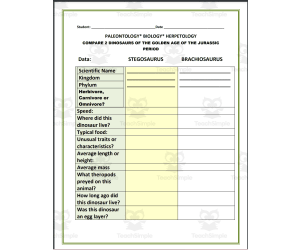
Project: Compare 2 Dinosaurs of the Golden Age of the Jurassic Period
ELA, Writing, Creative Writing, Science, Life Sciences, Biology, Research, Grade 5, 6, 7, 8, Activities, Projects
This Project: Compare 2 Dinosaurs of the Golden Age of the Jurassic Period resource is designed for students to engage in research and compare and contrast two dinosaurs of the same period. Students will practice their research skills, writing skills, and presentation skills. The two dinosaurs students are asked to research with this resource are STEGOSAURUS and BRACHIOSAURUS. The information to be found is listed and includes (but is not limited to): Scientific Name: Kingdom: Phylum: Herbivore, Carnivore, or Omnivore? Speed: Where did this dinosaur live? Typical food: Did this animal have a snout? Average length or height: As students begin to find this information, they can fill in the spaces provided for easier organization. Students can present their findings in different ways: Oral presentation, posters , digital slides , brochures, etc. And they also can be required to turn in this resource! This resource Project: Compare 2 Dinosaurs of the Golden Age of the Jurassic was designed for middle school students, however it can also be used for high schoolers. Students may work independently, in pairs, or in groups. If students work in groups, make sure each student has their part of the research assigned so that everyone does their part in completing the research project. Find more interesting resources in my store here!
Author THE LANTERN OF KNOWLEDGE
Tags Paleontology, Biology, Hepetology, Dinosaurs, Golden Age, Jurassic Period, Writing, Research Project

Scientists and Inventors Social Media Profile Project | Biography
ELA, Social Studies, Writing, Creative Writing, Science, Inventors, Biographies, Research, Grade 4, 5, 6, Activities, Projects
Explore the lives and achievements of notable and remarkable genius minds from different generations with this Scientists and Inventors Social Media Profile Project. This resource is made for 4th, 5th and 6th primary grade level learners, EFL/ESL students, and homeschoolers that can be used for English Language Arts and Science and Technology subjects. The project is aimed to develop the students’ language skills, research proficiency, and creative skills through the imagined social media profile of their chosen scientists or inventors. Featuring 12 genius minds from different ages and fields, these activities are a sure win in capturing the attention and unleashing the creativity of the learners as they learn and explore the lives and achievements of these scientific geniuses. The activities included in this set are: 1. 12 Scientists and Inventors Worksheets (Albert Einstein, J. Robert Oppenheimer, Alexander Graham Bell, Galileo Galilei, Stephen Hawking, Steve Jobs, Isaac Newton, Charles Darwin, Nicolaus Copernicus, Nikola Tesla, Thomas Edison, Leonardo da Vinci) 2. 1 colored Albert Einstein Sample Profile 3. 1 Profile Template 4. Lesson Plan 5. Student’s Instructions Page 6. List of Scientists and Inventors 7. Feedback Rubric This project is designed as supplemental activity or project for lessons relating to lives and achievements of notable and famous scientists and inventors from different generations and fields, and biography lessons or topics in the curriculum. This can also be used as assessment tool for the said lessons, teacher-friendly resource for emergencies and sub plans. With the fun and engaging nature of this project, it will definitely achieve your lesson objectives as well as collecting amazing outputs from your learners!
Author It's Teacher L
Tags Scientists Biographies, Inventors Biographies, Biography Project, ELA Activities, Biography Research

Properties of Water Science Lab
Science, Chemistry, Grade 6, 7, 8, Activities, Projects
This resource is a Properties of Water Science Lab. Students will explore three things with this lab: - Tension - Cohesion - Viscosity By following procedures, making observations and collecting data, students will have a better understanding of properties of water.
Author Maude in the Middle
Tags Science Lab, Properties Of Water, Observation, Chemistry, Data Table

TinkerCAD step-by-step instructions for Snowflake Ornament
Special Resources, Science, Technology, Engineering, Grade 5, 6, 7, 8, 9, 10, 11, 12, Activities, Projects
TinkerCAD step-by-step instructions for Snowflake Ornament Students only need to know the bare basics to complete this. I tested this with a fifth-grade class and most could complete it with no help. Designed to print with no supports for easy printing. Include TinkerCAD tool guide! Has a content page. Great beginners’ tool for learning to make 3D models and learn TinkerCAD. TinkerCAD is a free online program that makes 3D model that work on 3D printers, laser etching machines, water jets, plasma cutters and many more!! Tinkercad is an easy-to-use, browser-based computer-aided design (CAD) software developed by Autodesk. It is primarily used for creating and designing 3D models, particularly in the field of 3D printing. Tinkercad is popular among beginners and hobbyists due to its intuitive interface and simplified tools. Here are some key features and uses of Tinkercad: 1) 3D Modeling: Tinkercad allows users to create 3D models by combining basic shapes and manipulating them using tools such as scaling, rotating, and moving. It provides a wide range of primitive shapes like cubes, spheres, cylinders, and more, which can be customized to create complex designs. 2) Design Customization: Users can apply various modifications to their designs, including resizing, rounding edges, adding text, creating holes, and aligning objects. These tools help in refining the models and making them suitable for specific purposes or fitting them with other components. 3)Import and Export: Tinkercad supports the import of existing 3D models in STL and OBJ formats, allowing users to modify and incorporate them into their designs. It also offers export options to save the designs as STL files, which are widely used in 3D printing. 4) Collaboration and Sharing: Tinkercad provides features for collaboration, allowing multiple users to work on the same project simultaneously. It enables real-time sharing and editing, making it convenient for team projects or educational purposes. 5) Electronics Integration: One notable aspect of Tinkercad is its integration with electronics. It offers a range of electronic components, including resistors, LEDs, motors, and microcontrollers, which can be used to create interactive models and prototypes. Users can simulate circuit connections and test their designs before implementation. 6) Educational Tool: Tinkercad is widely used in educational settings, particularly for teaching students about 3D design, modeling, and prototyping. Its simple interface and beginner-friendly tools make it accessible to users of all ages and skill levels. Overall, Tinkercad is a versatile and user-friendly CAD software that allows individuals to create and customize 3D models. Whether you're a hobbyist, student, or professional, Tinkercad provides a valuable platform for designing, prototyping, and exploring the world of 3D printing and modeling. Total pages: 30 pages Commands to be learned: Group Ungroup Align Mirror Duplicate Holes Solids Rotate Move Drop Subjects: Geometry Engineering Career and technical education Types: Projects Handouts Printables
Author MontyWorks
Tags TinkerCAD, 3D Printing, 3D Printer, Projects

Crime Scene Investigation Student Activity
Science, Chemistry, Grade 5, 6, 7, Activities, Projects
This resource is a Crime Scene Investigation Student Activity . Included in this lesson is a 9 day unit plan, instructions for all the experiments and activities, and packet for a crime scene investigation. You will receive a PDF download which includes the teacher notes/lessons plans as well as the student packets. This is a highly authentic and engaging unit- it's designed so that you are able to teach the scientific method using real world and inquiry based application. It's easy to follow, and amazingly fun. Sally Scarecrow has suffered a deadly hiccup attack at the hands of a teacher in the building. Student detectives spent the first day in detective school brushing up on content vocabulary, reviewing our suspect list, making predictions and observing the crime scene from a far. Over the next several days you will ask questions, compose experiments testing the cola from the crime scene for poison with litmus juice, dusting for finger prints, analyzing handwriting and more. We concluded our CSI by drafting a composite sketch of who we thought the culprit was, serving the culprit with an arrest warrant and reading her/him their Miranda Rights. Students will love solving the mystery of Sally Scarecrow! This is a great back to school or end of the year activity . There is not a better or more applicable way to teach students about the Scientific Method. The report portion of the packet can be used as the assessment component of the unit and includes a rubric. It covers everything!
Author Hey Teacher Shoppe
Tags Chemistry, CSI, Laboratory, Science Project, DNA, Crime Scene Scenarios For High School Students

Extreme Weather Research Project Foldable
Science, Earth and Environmental Sciences, Environmental Science, Earth Sciences, Research, Grade 3, 4, 5, 6, Activities, Projects
If you are looking for science activities that are designed to let your students get creative, look no more. This is an Extreme Weather Research Project Foldable that will allow students to learn about weather types and present research in an interactive way! What You Get: -- Foldables for 9 different natural disasters -- Different brochure page options -- A digital Google Slides version for students -- Notes pages to accompany and guide students’ research How To Use the Extreme Weather Research Project Foldable: The Extreme Weather Research Project Foldable will give students a chance to work together to research different natural disasters and then report on their findings. There are blank brochures and brochures with directions. Choose which templates best fit your students’ needs and get to the fun! You can let students pick which natural disaster they want to research, or you can have them draw out of a hat to find out what they’ll be researching. Each notes page will include text structure focused questions to guide research and help with completing the foldable. This activity is perfect for Open House or Parent’s Night for students to show off their hard work! I hope you enjoy! Here’s A Look at Some of My Best Sellers: 3rd Grade Language Mastery Quick Checks 4th Grade Language Mastery Quick Checks Grammar Go Fish: Parts of Speech (Summer Edition) Finish the Story: Back to School Writing Prompts Summer Grammar Word Search Packet Nouns Animal Mysteries Activity You Can Find My Store Front Here: Blooming with Blake 1 PDF with 53 usable pages and Google Classroom links
Author Blooming with Blake
Tags Science Project, Research Project, Extreme Weather, Weather, Natural Disasters, Google Slides
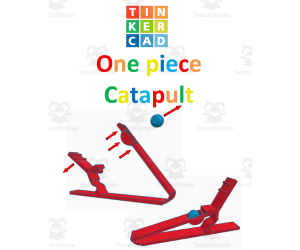
TinkerCAD step-by-step instructions for One Piece Catapult
Special Resources, Science, Technology, Engineering, Grade 5, 6, 7, 8, 9, 10, 11, 12, Activities, Projects
TinkerCAD step-by-step instructions for One Piece Catapult. Students only need to know the bare basics to complete this. I tested this with a fifth-grade class and most could complete it with no help. Designed to print with no supports for easy printing. Include TinkerCAD tool guide! Has a content page. Great beginners’ tool for learning to make 3D models and learn TinkerCAD. TinkerCAD is a free online program that makes 3D model that work on 3D printers, laser etching machines, water jets, plasma cutters and many more!! Tinkercad is an easy-to-use, browser-based computer-aided design (CAD) software developed by Autodesk. It is primarily used for creating and designing 3D models, particularly in the field of 3D printing. Tinkercad is popular among beginners and hobbyists due to its intuitive interface and simplified tools. Here are some key features and uses of Tinkercad: 1) 3D Modeling: Tinkercad allows users to create 3D models by combining basic shapes and manipulating them using tools such as scaling, rotating, and moving. It provides a wide range of primitive shapes like cubes, spheres, cylinders, and more, which can be customized to create complex designs. 2) Design Customization: Users can apply various modifications to their designs, including resizing, rounding edges, adding text, creating holes, and aligning objects. These tools help in refining the models and making them suitable for specific purposes or fitting them with other components. 3)Import and Export: Tinkercad supports the import of existing 3D models in STL and OBJ formats, allowing users to modify and incorporate them into their designs. It also offers export options to save the designs as STL files, which are widely used in 3D printing. 4) Collaboration and Sharing: Tinkercad provides features for collaboration, allowing multiple users to work on the same project simultaneously. It enables real-time sharing and editing, making it convenient for team projects or educational purposes. 5) Electronics Integration: One notable aspect of Tinkercad is its integration with electronics. It offers a range of electronic components, including resistors, LEDs, motors, and microcontrollers, which can be used to create interactive models and prototypes. Users can simulate circuit connections and test their designs before implementation. 6) Educational Tool: Tinkercad is widely used in educational settings, particularly for teaching students about 3D design, modeling, and prototyping. Its simple interface and beginner-friendly tools make it accessible to users of all ages and skill levels. Overall, Tinkercad is a versatile and user-friendly CAD software that allows individuals to create and customize 3D models. Whether you're a hobbyist, student, or professional, Tinkercad provides a valuable platform for designing, prototyping, and exploring the world of 3D printing and modeling. Total pages: 49 pages Commands to be learned: Group Ungroup Align Mirror Duplicate Holes Solids Rotate Move Drop Subjects: Geometry Engineering Career and technical education Types: Projects Handouts Printables
Author MontyWorks
Tags TinkerCAD, 3D Printing, 3D Printer, Projects

Science Project: Aquaponics
Science, Earth and Environmental Sciences, Earth Sciences, Grade 7, 8, 9, 10, Projects, Activities
This resource fits with BC science 9 curriculum. It includes a an inquiry project on aquaponics with STEM connections. Included all needed information to carry on the project, open-ended questions, and unit assessment.
Author Mitchell Zuvela
Tags Science Project, Aquaponics, Aquaponics System, Science 9 Curriculum

Alien Project Photoshop Activity
Science, Technology, Grade 7, 8, 9, 10, Projects, Activities
Students will work with digital tools in the Alien Project Photoshop Activity. Students will turn a normal photo of themselves into a freaky photo of an alien. Step by step directions are included.
Author OK Products
Tags Photoshop, Photopea, Mobile Applications, Technology, Computer Science, Computer Project, Science, Graphic Design, Aliens, Alien Photoshop
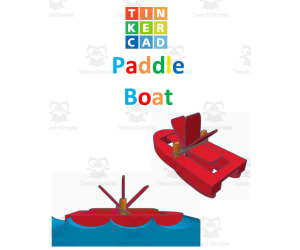
TinkerCAD step-by-step instructions for Paddle Boat
Special Resources, Science, Technology, Engineering, Grade 5, 6, 7, 8, 9, 10, 11, 12, Activities, Projects
TinkerCAD step-by-step instructions for Paddle Boat. Students only need to know the bare basics to complete this. I tested this with a fifth-grade class and most could complete it with no help. Designed to print with no supports for easy printing. Include TinkerCAD tool guide! Has a content page. Great beginners’ tool for learning to make 3D models and learn TinkerCAD. TinkerCAD is a free online program that makes 3D model that work on 3D printers, laser etching machines, water jets, plasma cutters and many more!! Tinkercad is an easy-to-use, browser-based computer-aided design (CAD) software developed by Autodesk. It is primarily used for creating and designing 3D models, particularly in the field of 3D printing. Tinkercad is popular among beginners and hobbyists due to its intuitive interface and simplified tools. Here are some key features and uses of Tinkercad: 1) 3D Modeling: Tinkercad allows users to create 3D models by combining basic shapes and manipulating them using tools such as scaling, rotating, and moving. It provides a wide range of primitive shapes like cubes, spheres, cylinders, and more, which can be customized to create complex designs. 2) Design Customization: Users can apply various modifications to their designs, including resizing, rounding edges, adding text, creating holes, and aligning objects. These tools help in refining the models and making them suitable for specific purposes or fitting them with other components. 3)Import and Export: Tinkercad supports the import of existing 3D models in STL and OBJ formats, allowing users to modify and incorporate them into their designs. It also offers export options to save the designs as STL files, which are widely used in 3D printing. 4) Collaboration and Sharing: Tinkercad provides features for collaboration, allowing multiple users to work on the same project simultaneously. It enables real-time sharing and editing, making it convenient for team projects or educational purposes. 5) Electronics Integration: One notable aspect of Tinkercad is its integration with electronics. It offers a range of electronic components, including resistors, LEDs, motors, and microcontrollers, which can be used to create interactive models and prototypes. Users can simulate circuit connections and test their designs before implementation. 6) Educational Tool: Tinkercad is widely used in educational settings, particularly for teaching students about 3D design, modeling, and prototyping. Its simple interface and beginner-friendly tools make it accessible to users of all ages and skill levels. Overall, Tinkercad is a versatile and user-friendly CAD software that allows individuals to create and customize 3D models. Whether you're a hobbyist, student, or professional, Tinkercad provides a valuable platform for designing, prototyping, and exploring the world of 3D printing and modeling. Total pages: 30 pages Commands to be learned: Group Ungroup Align Mirror Duplicate Holes Solids Rotate Move Drop Subjects: Geometry Engineering Career and technical education Types: Projects Handouts Printables
Author MontyWorks
Tags TinkerCAD, 3D Printing, 3D Printer, Projects

Astronomy: A student’s book: history & facts about telescopes project
Social Studies, ELA, Biographies, Writing, Science, Inventors, Earth and Environmental Sciences, Space, Grade 4, 5, 6, 7, Activities, Projects, Worksheets & Printables, Worksheets
Astronomy: A student’s book: history & facts about telescopes project This Astronomy: A student’s book: history & facts about telescopes project is a booklet on the history/facts about telescopes and the lives of seven different inventors! Students are to research the information necessary to complete this Astronomy: A student’s book: history & facts about telescopes. Students are sure to increase their knowledge concerning tools of astronomy as well as the parts of the telescope. Additionally, there are opportunities for students to practice their essay writing skills with specific topics. There are 2 Quizzes included in this booklet as well as the Answer keys for easy checking. This Astronomy: A student’s book: history & facts about telescopes project includes the following TABLE OF CONTENTS: 1 Just what is a telescope? 2 Terminology 3 Parts of a telescope (Refracting telescope-fill in 3 a Answer key: Parts of a Refracting telescope 3 b: Research/Respond: What are the parts of a Reflecting Telescope? 4 Essay #1: How do telescopes work 5 Different types of telescopes 6 Essay #2 7 Essay #3: What is Optics 8 What is an observatory? 9 What is a planetarium? 10 What is the difference between a telescope and a periscope? 11 Leonardo da Vinci 12 Galileo Galilei 13 Hans Lippershey 14 Zacharias Janssen 15 Isaac Newton 16 Lyman Spitzer 16 a Edwin Hubble: His discoveries/ Hubble Telescope 17 Word Jumble/ Science Vocabulary 18 Answer key: Word Jumble 19 Word Search 20 Quiz #1:Fill in Facts about telescopes 21 Answer key: Quiz: Facts about telescopes 22 Mystery Quote Challenge 23 Answer key: Mystery Quote Challenge 24 Quiz #2: James Webb Telescope 25 Answer key: Quiz #2: James Webb Telescope This Astronomy: A student’s book: history & facts about telescopes project contains 32 pages and it is ready to print and use!
Author THE LANTERN OF KNOWLEDGE
Tags Astronomy, Telescopes, Da Vinci, Galileo, Hans Lippershey

Coding with HTML: Famous Figure Social Media Project
Science, Technology, Computer Science, Research, Grade 5, 6, 7, 8, 9, 10, 11, 12, Projects, Activities
Coding with HTML: Famous Figure Social Media Project The resource, Coding with HTML: Famous Figure Social Media Project , is a proficient teaching material adeptly designed to involve students in grades 5 through 12. This interactive tool excellently combines the principle of learning by doing, coupled with enticing student curiosity about infamous figures from history as well as the contemporary world. In this lesson plan, students are inspired to create a social media profile for a high-profile figure that piques their interest or whom they appreciate. Enforcing both research and creativity requirements allows them to hunt for authentic data regarding their selected personality and showcase it imaginatively on the constructed social media network. To ensure no critical information is overlooked while fabricating these profiles, a thorough social media research organizer helps organize student research - prompting experiential learning mirroring real-world like tasks. Merging Unique Education Disciplines Of particular note is the fusion of different educational disciplines; Computer Science meets History or Social Studies. As students dive into profiling significant figures they learn HTML coding – valuable in today's increasingly digital era. Versatility in Education Setups This resource effectively caters to diverse educational setups: Ideal for whole-group discussions where each student presents their coded profiles contributing towards collaborative learning, Tailored perfectly for small group projects, Suitable as individual homework assignments ensuring comprehensive understanding among students. In conclusion,: The tool delivers an approach providing structure wedded with creative freedom necessary in engaging younger minds while preparing them significantly for global digital challenges.
Author WhyMaker
Tags Coding, HTML, Famous Figures, Social Media Project, Research

Human Body System and Some Main Organs Lapbook
ELA, Reading, Reading Comprehension, Science, Life Sciences, Human Body, Biology, Research, Grade 4, 5, 6, Activities, Projects
Human Body System and Some Main Organs Lapbook is a project for lessons on body systems and / or main organs of the body. It can be a supplemental work and assessment tool for Science lessons on these topics that is aimed to showcase what the learners learn through this creative medium. This file contains two sets of lapbooks for male and female body systems. This project features a distinctive representations of the body systems and main organs that are easy to distinguish and understand. Each component of the lapbook is designed to be entertaining and engaging that will surely keep your young minds active and occupied!
Author It's Teacher L
Tags Assessment, Homework, Lapbook, Science Lapbook, ELA, Research Project

Periodic Table: Element Baseball Cards Project
Science, Chemistry, Grade 5, 6, 7, 8, Activities, Projects
This is a great activity to help get students excited about the periodic table of elements! Students can work independently or in groups to research an element from the periodic table. On the front of the card, they will include images of the element, its name, and its symbol. On the back of the card, they will complete research to discover the element’s “statistics” including: Atomic number and atomic mass Electron configuration (including a diagram) Family Melting and boiling points History of discovery Uses and fun facts Then students can present their cards to the rest of the class so everyone learns about several different elements. Grades to Use With: This project is great for the middle grades (5-8) when the periodic table and elements are first introduced. It could also be used in a high school special education classroom. Standards: This project can help support the knowledge required for this standard. Once students understand the configuration of elements, they can use this knowledge to learn about simple molecules. NGSSMS-PS1-1 Develop models to describe the atomic composition of simple molecules and extended structures. Emphasis is on developing models of molecules that vary in complexity. Examples of simple molecules could include ammonia and methanol. Examples of extended structures could include sodium chloride or diamonds. Examples of molecular-level models could include drawings, 3D ball and stick structures, or computer representations showing different molecules with different types of atoms. Assessment does not include valence electrons and bonding energy, discussing the ionic nature of subunits of complex structures, or a complete depiction of all individual atoms in a complex molecule or extended structure. If you enjoy this science activity, check out others in my store like Climate Change Solutions STEM Project
Author Grace Under Pressure
Tags Periodic Table, Chemistry Project, Elements, Science Project, Atomic Mass, Atomic Number, Chemistry, Early Science, Elementary Science, 3d Periodic Table Project Ideas, Periodic Table Project, Periodic Table Valentines Day Card, Periodic Table Ideas For Project, Element Ball Project, Periodic Table Element Cards, Creative Periodic Table Projects School, Periodic Table Cards, Periodic Table Project High School, Periodic Table Of What Project, Periodic Table Element Project, Periodic Table Project Ideas, Project On Periodic Table, Periodic Table Project Examples, Periodic Trends Project, Periodic Table Of Elements Project, Periodic Table Element Projects, Creative Periodic Table Project Ideas, Periodic Table Projects

Characteristics of Living Things Mini Research
Science, Life Sciences, Biology, Research, Grade 6, 7, Activities, Projects
This is a Characteristics of Living Things Mini Research. All you have to do is print and go. Your science students will explore more about living things through research. They will have a graphic organizer to help them jot notes as they research. Then they will used to lined paper to complete an informative writing piece.
Author Sarah Miller Tech
Tags Living Things, Science Project, Biology, Research, Writing Prompts, Characteristics Of Living Things Activity
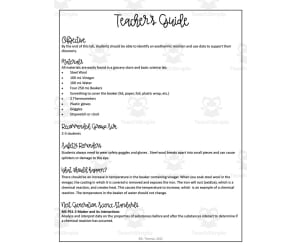
Heat Transfer Science Lab
Science, Chemistry, Grade 6, 7, 8, Activities, Projects
Heat Transfer Science Lab is an engaging hands-on science activity focused on endothermic and exothermic chemical reactions. Students in grades 6-8 follow procedures to combine various household substances and document detailed observations. Learners identify physical and chemical changes that produce or absorb heat energy. This project facilitates small groups collaborating on an experiment from start to finish - preparing materials, collecting qualitative and quantitative data, analyzing results, and drawing conclusions. Implement Heat Transfer Science Lab to reinforce chemistry concepts like phase changes, energy transfers, and chemical bonds. The detailed student lab sheet scaffolds the scientific process and develops critical thinking skills. Heat Transfer Science Lab allows educators to facilitate an inquiry-based lab that aligns to next generation science standards.
Author Maude in the Middle
Tags Heat Transfer, Science Lab, Chemical Reactions, Data Collection, Science Observations

Cell Analogy Choice Board
Science, Life Sciences, Biology, Grade 7, Activities, Projects
The Cell Analogy Choice Board will provide your 7th graders with an engaging way to apply what they know. The choice board presents them with 4 analogy options and then 4 delivery options to choose from. When students have completed their project, they will submit it in Google Classroom.
Author Sarah Miller Tech
Tags Science Project, Choice Board, Cell Analogy, Narrative Essay, Prezi, Choice Boards For Social Studies, Project Choice Board, Thanksgiving Choice Board