



3,955 products added recently
Page 8 - Decimals Lesson Plans
Support your students in grasping decimals through lesson plans that offer concrete examples and interactive exercises. These resources help bridge the gap between fractions and decimals. Implement them to enhance numerical literacy and computational skills.

 Show filters

Number & Operations: Fractions - Practice the Skill 3 - PC Software
Math, Fractions, Common Core, Kindergarten, Preschool, Grade 1, 2, Teacher Tools, Lesson Plans
Number & Operations: Fractions - Practice the Skill 3 - PC Software: This teaching resource is a robust and interactive software program, specifically crafted for educators needing to amplify their students' understanding of Number and Operations, with emphasis on Fractions. The tool is compartmentalized into germane chapters which serves as a guide while adhering to curriculum-based content. Our fraction-centric software operates through introducing 'Practice the Skill' timed drill activities. These productive exercises engage students by visually representing fractions through interactive shapes. The student's task is simple: matching each shape with its corresponding fraction. In addition to activity drills, our product also includes math tools for further engagement and learning accessibility. It has English voice over narration preset for instructions along with textual display for reinforcement or reading practice. To cater multilingual classrooms inclusively, Spanish voice over option along with text provision is provided too. Ensuring compatibility within educational boundaries, our content perfectly aligns with Common Core State Standards (CCSS). This makes it an ideal solution not only for homeschooling but also traditional classroom setups dealing from Preschool up to Grade 2 learners. Keeping National Council of Teachers of Mathematics (NCTM) standards in mind during crafting ensures that our unique resource meets extensive STEM initiatives. With vast adaptability options, this product can be merged into varied teaching strategies right from large group sessions down to smaller group interactions or even as self-paced solo assignments like homework tasks. Purchase includes: A zip file containing all required PC Software components. In conclusion;This extraordinary resource will not only illuminate your entire Mathematics lesson associated with fractions but also presents great flexibility while instilling in-depth conceptual understanding among young math enthusiasts.
Author Classroom Complete Press
Tags Fractions Lesson, Math Lesson, Operations, Digital Math, Math Skills

Measurement: Measuring Weight - Practice the Skill 2 - PC Software
Math, Measurements, Common Core, Preschool, Kindergarten, Grade 1, 2, Teacher Tools, Lesson Plans
Measurement: Measuring Weight - Practice the Skill 2 - PC Software is an essential teaching resource designed to streamline and enhance teaching methods in both public school and homeschool environments. The key focus is on the complexity of measuring weight, turning challenging concepts into tangible practices through significant visuals. This resource suits children studying at different levels such as: Kindergarten Preschool Grade 1 Grade 2 . The main activity includes determining the best unit of measurement for a specific item – providing students an engaging method to comprehend previously taught concepts. Apart from offering math tools that make learning easy and fun, this resource adds an element of creativity for teachers while designing lesson plans, be it for large class sessions or private tutoring groups. In addition to its multilingual compatibility - offering default English voice over and text as well as a Spanish alternative, this software boosts inclusiveness within diverse learning spaces where multi-language proficiency exists or needs encouragement. Main Advantages: Regardless of whether you're initially drafting lessons plans or simply seeking enriching additions further down your curriculum journey, incorporating Measurement: Measuring Weight - Practice the Skill 2 could offer the much-needed edge to successfully convey complex numerical ideas.
Author Classroom Complete Press
Tags Math Lesson Plan, Digital Math, Digital Measurement, Math Skills, Measuring Weight

I WONDER - How Are Polygons Named | Animated Video Lesson
STEM, Geometry, Math, Grade 1, 2, 3, 4, 5, 6, 7, 8, Lesson Plans, Teacher Tools
Video Introduction An amazing video designed for the students to learn more about STEM. I WONDER - How Are Polygons Named | Animated Video Lesson Do you like STEM subjects? what is your favorite one? Have you ever tried to plant a seed? If yes, tell us more about it. Or have you ever tried to invent something? If yes, tell us more about it. And how do you think it will help us? Have you ever seen a microorganism under a microscope? What was it? And how it looked like? Mathematics is a marvelous subject. Let' sharpen our brains and solve some equations. Do you like timetable tricks? What is your favorite one? Do you know how to code? Have you ever created an app or a game before? If yes, how was it like? I WONDER - How Are Polygons Named | Animated Video Lesson The video is perfect for encouraging the researching skills for the students, while learning more about this fantastic topic. I WONDER - How Are Polygons Named | Animated Video Lesson This friendly designed video is suitable for students at school, homeschooling, and as a group activity. Format Available in MP4 format.
Author Educational Voice
Tags How Are Polygons Named, How Are Polygons Named Video, Polygons, Polygon, Polygons Facts, Polygons Facts For Kids, Polygons Video, Polygons Video For Kids, Polygon Facts, Polygon Video
Algebra: Addition & Subtraction - Practice the Skill 3 - MAC Software
Math, Algebra, Common Core, Kindergarten, Preschool, Grade 1, 2, Teacher Tools, Lesson Plans
Algebra: Addition & Subtraction - Practice the Skill 3 - MAC Software MAC Software is an exceptional teaching resource that enhances understanding of Algebra in a simplified, yet effective manner. Covering the key construct of Addition and Subtraction, this digital tool intricately designs practice drills to solidify comprehension and mastery. Ideal for preschoolers to second graders, this software offers content rooted in curriculum standards. Main Features: Enables students to learn by doing through fill-in-the-gap activities based on number lines. Aids students improve their problem-solving speed and efficiency under timed conditions. Multilingual support with both English and Spanish voice over options along with corresponding text for diverse audiences. Versatility for various environments such as whole-group instructions in classrooms or small-group interactions during homeschooling sessions and one-on-one tutoring or independent study. The versatility provided by this software doesn’t end here; it extends itself into adaptability across different environments like whole-group instructions in classrooms or small-group interactions during homeschooling sessions. Even one-on-one tutoring or independent study can gain immensely from engaging with these math-centric exercises as homework assignments. Beyond just adhering to the Common Core State Standards for mathematical tenacity among young learners, our software aligns itself neatly within STEM initiatives as well as NCTM standards – thereby ensuring a comprehensive edtech solution that holistically covers all necessary dimensions of early-stage algebra learning.Please note your download will consist of 1 zip file containing MAC software compatible materials. In essence, Algebra: Addition & Subtraction - Practice the Skill 3 - MAC Software reveals itself not just as a standalone educational tool but forms an integrated piece within any existing pedagogical structure where focus on bolstering math skills reigns supreme.
Author Classroom Complete Press
Tags Algebra Lesson, Math Lesson, Math Skills, Digital Math, Addition Practice

Geometry - Digital Lesson Plan Gr. 6-8 - FLASH-PC
Math, Geometry, Grade 6, 7, Teacher Tools, Lesson Plans
Geometry - Digital Lesson Plan Gr. 6-8 - FLASH-PC This comprehensive resource is specially designed for students in grades 6 through 8. It complies with all NCTM and Core Curriculum Math standards in the subject of geometry. Our digital lesson plan provides targeted instruction on geometry concepts including: Angles and triangles Lines and circles The areas of 2-D shapes Surface area & volume of 3-D shapes We offer over 320 unique task activities, integrated into more than eighty interactive screen pages. These can be used for whole-group lessons, small group instruction or homework assignments. Prior Knowledge Assessment : About sixty pre- assessment tasks are included to identify any knowledge gaps before starting coursework, helping to set up students for success. Real World Application: A host of real-world word problems further augment learning along with more than two hundred twenty-five drill exercises to improve procedural proficiency skills. Inclusion of Dynamic Math Tools & Features: Bilingual text-to-speech capability which assists auditory learners or those needing language support resources. Gamified learning experience via memory match games or board games etc. Dual unit system (imperial and metric) math tool integration within interactive pages. ) In addition, the program includes printable components coupled with test-prep exercises for post-lesson reinforcement. We also facilitate customizable assessment quizzes at the end of each chapter that allow educators to gauge student comprehension levels and identify areas for intervention if needed. With our Geometry - Digital Lesson Plan Gr. 6-8 - FLASH-PC, teachers or homeschooling parents can utilize their time effectively towards improving student performance by transforming complex geometric concepts into attainable learning goals.
Author Classroom Complete Press
Tags Software (PC)

Algebra: Equations - Solving with a Variable Input - FLASH-MAC
Math, Algebra, Grade 3, 4, 5, Teacher Tools, Lesson Plans
Algebra: Equations - Solving with a Variable Input - FLASH-MAC Teaching Resource A comprehensive teaching aid designed to enhance understanding of algebraic equations with variable inputs. This tool includes carefully crafted content, addressing all the vital elements an educator might need. Target Audience Primarily designed for grades 3 to 5 students, focusing on a critical subset of mathematics: Algebra. Included Resources Lesson Plans: Practical real-world word problems allow students to apply theoretical knowledge in practical situations, promoting critical thinking and concept reinforcement. Timed Drill Activities: Assures effective practice for mastering algebra skills. Tutoring Games: Includes memory match game, board game and spinner game, making learning enjoyable while encouraging group interactivity. Evaluation Tools: The pre- assessment feature allows educators to gauge initial proficiency levels before initiating lessons. Bilingual Content This resource includes both English text and voice-overs as well as Spanish versions making it useful for bilingual classrooms. Educator's Guide and Learning Tools Included The teacher guide provides guidelines on how best to implement this resource in various settings, whilst included math tools make lessons more engaging and understandable. Note: This software is mainly compatible with Mac devices which further accentuates convenience especially when considering technological integration into modern education setups. In conclusion, The 'Algebra: Equations - Solving with a Variable Input - FLASH-MAC', is an asset for any educator desiring robust resources aimed at teaching algebra effectively, particularly solving equations with variable inputs.
Author Classroom Complete Press
Tags Software (Mac)

Daily Marketplace Skills: Calculating Sales Tax - Canadian Content Gr. 6-12
Life Studies, Math, Money, Grade 6, 7, 8, 9, 10, 11, 12, Teacher Tools, Lesson Plans
Daily Marketplace Skills: Calculifying Sales Tax - Canadian Content Gr. 6-12 Resource The Daily Marketplace Skills resource is an ideal academic assistant aiming to establish an enhanced understanding of the value of money and its role in daily marketplace transactions. Created specifically for students from Grade 6 to Grade 12, provides versatile learning opportunities. An Ideal Companion for Educators Teachers seeking a seamless lesson plan will find this resource extremely beneficial. It promotes a hands-on experience with managing finances by simulating practical activities such as budget planning. Education continues more profoundly, with sections devoted to teaching how to calculate sales tax and tips – vital skills required in adulthood ensuring that learners are well-equipped both theoretically and practically. Beyond Conventional Learning The resource breaks from the usual approaches, including interactive learning tools like crossword puzzles and word searches which can help lessen math anxiety while solidifying their understanding of complicated topics like taxation. Suitable for group sessions or smaller breakouts. Homeschoolers may use it as a self-explanatory supplement Adept standalone homework assignment or test preparation aide. Pedagogical Approach Instructed using Bloom's Taxonomy approach, every learner's cognitive level is addressed: from simple recall through application and analysis, up until evaluation and creation stages of higher-level thinking. Using just one PDG file makes managing this teaching material more manageable, saving time usually lost dealing with multiple documents or software applications – excellent for both school teachers and homeschooling parents. This tool extends versatility by being relevant across the Math curriculum focusing specifically on Money subtopic supplementing much-needed depth contextually. To Summarize , this unique educational aid synthesizes traditional instruction methods with innovative strategies to endow learners with indispensable life skills like budgeting and financial management. The practical, hands-on approach fosters tangible understanding and concrete application of abstract concepts, transforming students from passive knowledge recipients into active participants in their learning journey.
Author Classroom Complete Press
Tags PDF
I WONDER - Where Can We Find Pyramids In Everyday Life Animated Video
Geometry, Math, Shapes, Early Math, Grade 3, 4, 5, 6, 7, 8, 9, Lesson Plans, Teacher Tools
Video Introduction An amazing video designed for the students to learn more about STEM. I WONDER - Where Can We Find Pyramids In Everyday Life | Animated Video Lesson Shapes are all around us. What are your favourite ones? And can you give us some real life examples? Can you name the difference between the 2D shapes and 3D shapes? Have you ever tried to calculate the surface area of the square? If yes can you write the equation down? What is the perimeter of the rectangle? And can you tell the difference between radius and diameter of a circle? Can you mention what is the difference between the right angle and the acute angle? Have you ever heard about the obtuse angle? I WONDER - Where Can We Find Pyramids In Everyday Life | Animated Video Lesson The video is perfect for encouraging the researching skills for the students, while learning more about this fantastic topic. I WONDER - Where Can We Find Pyramids In Everyday Life | Animated Video Lesson This friendly designed video is suitable for students at school, homeschooling, and as a group activity. Format Available in MP4 format.
Author Educational Voice
Rating
Tags Where Can We Find Pyramids In Everyday Life, Pyramids, Pyramids Shapes, The Shape Of A Pyramid, 3d Shapes, 3d Shapes Video, 3d Shapes Video For Kids, Pyramids Facts, Pyramids Video For Kids
Data Analysis & Probability: Bar Graphs - Practice the Skill 3 - MAC Software
Math, Graphing, Common Core, Kindergarten, Preschool, Grade 1, 2, Teacher Tools, Lesson Plans
Data Analysis & Probability: Bar Graphs - Practice the Skill 3 - MAC Software This is a dedicated teaching aid designed to fortify student understanding of bar graphs, an integral part of data analysis and probability. This resource additionally caters to bi-lingual learning environments, containing features for both English and Spanish languages. Rigorously crafted, it accords with the Common Core State Standards and meets STEM initiatives. It echoes standards signed by the National Council of Teachers of Mathematics (NCTM), which reinforces its applicability in varied educational settings – be it in traditional public school classrooms or modern homeschooling arrangement. Ideal for preschoolers up through 2nd-grade students: This all-inclusive software offers adjustable drills focused on interpreting bar graphs. Prompts learners to respond to specific questions derived from given graphical data—an exercise that sharpens their analytical skills. The routines are timed; promoting learning approach underpinned by speed and accuracy. Accommodates Math tools conducive for comprehensive learning experiences. This dynamic software comes as a convenient zip file suitable for Mac platforms. Harnessing this digital tool affords teachers limitless ways to personalize teaching methods based on distinct student capabilities—an excellent pick both for whole group instruction or small group learning sessions or even as an engaging homework assignment. Using the Data Analysis & Probability: Bar Graphs - Practice the Skill 3 -MAC Software is not just teaching math—it's effectively preparing young minds towards becoming critical thinkers amid real-world uncertainties encountered every day.
Author Classroom Complete Press
Tags Math Lesson Plan, Data, Probability, Bar Graphs, Math Skills

KG Morning Work | 180 Days of Daily Spiral Review | Math & ELA
ELA, Math, Kindergarten, Assessments, Teacher Tools, Lesson Plans, Worksheets & Printables
Kindergarten Morning Work | 180 Days of Literacy & Math Practice | Print & Go Morning Bins | Bell Ringers | Daily Spiral Review Give your kindergarten students a calm, productive start to every school day with this Kindergarten Morning Work resource! Featuring 180 days of engaging literacy and math practice , each one-page activity helps young learners build foundational skills through consistent spiral review. Designed to be developmentally appropriate and highly visual, these print-and-go morning work pages encourage independence while reinforcing essential kindergarten concepts all year long. What's Included 180 printable morning work pages (one page per day) Daily 10–15 minute independent practice Five engaging activities on every page: Early Literacy Handwriting Math Fine Motor Skills Thinking Skills Teacher Guide with implementation tips Month-by-month Pacing Guide Skills Checklist Common Core Standards Alignment Editable Morning Work Schedule (Word & PDF) Complete Answer Key Student Progress Tracker Parent Communication Forms Certificates of Completion Bonus Classroom Pack including: Morning routine chart Visual schedule cards Calendar pieces Weather chart Student name tags Alphabet chart Number chart to 100 Sight word flashcards Fine motor task cards Choice board How It Works in the Classroom This Kindergarten Morning Work resource is designed to fit seamlessly into your daily classroom routine with predictable, developmentally appropriate practice that students quickly learn to complete independently. Each daily page includes five short sections: Early Literacy (letters, sounds, rhyming, phonics, or sight words) Handwriting practice Math (counting, number sense, addition, shapes, measurement, or color-by-code) Fine Motor practice (tracing, mazes, dot-to-dot, or drawing) Thinking Skills (patterns, matching, visual discrimination, or "Which One Does Not Belong?") Teachers can use the first few weeks for guided practice before transitioning students to increasingly independent work while taking attendance, greeting students, or working with small groups. Perfect for: Morning Work Bell Ringers Morning Tubs Independent Practice Early Finishers Daily Spiral Review Centers Homework RTI & Intervention Homeschool Substitute Plans Standards & Learning Goals This Kindergarten Morning Work resource provides continuous spiral review of essential kindergarten readiness skills while supporting Common Core standards. Literacy Skills Letter recognition Uppercase and lowercase matching Beginning, middle, and ending sounds Rhyming Syllables Blending sounds CVC words Word families Blends and digraphs Sight words Emergent reading Handwriting Sentence writing Fine motor development Math Skills Counting to 100 Number recognition Number formation Number sense Ten frames Comparing numbers Picture addition Picture subtraction Number stories Shapes Measurement Patterns Sorting Problem solving Students also strengthen: Visual discrimination Critical thinking Independent work habits Pencil control Classroom routines First grade readiness Why Teachers Love It ❤️ One page per day keeps routines simple and consistent ❤️ Large print, visual directions, and plenty of white space support emerging learners ❤️ Developmentally appropriate activities encourage independence ❤️ Carefully paced progression builds skills throughout the school year ❤️ Weekly routines help students know what to expect every day ❤️ Monthly progression gradually increases difficulty from letter recognition to first-grade readiness ❤️ Includes assessment tools, parent communication forms, and progress monitoring ❤️ Bonus classroom resources help establish strong morning routines ❤️ No prep—just print and teach ❤️ Perfect for classrooms, homeschool, intervention groups, and substitute teachers Perfect For Kindergarten Classrooms Morning Work Daily Spiral Review Bell Ringers Literacy Centers Math Warm-Ups Early Finishers Independent Practice Homeschool RTI & Intervention Kindergarten Readiness First Grade Preparation If you're looking for a Kindergarten Morning Work resource that builds strong academic foundations while helping students develop independence, this 180-day literacy and math spiral review provides everything you need for meaningful, engaging mornings. With predictable routines, age-appropriate activities, and comprehensive teacher support materials, you'll help students build confidence and essential skills every single day. Download today and make your kindergarten mornings organized, engaging, and stress-free!
Author Bright Classroom Ideas Marketplace
Rating
Tags Math, Ela, Spiral, Review, Morning Work, Back To School, Yearlong, Curriculum, Full Year
Geometry: Shapes - Practice the Skill 1 - PC Software
Math, Geometry, Common Core, Kindergarten, Preschool, Grade 1, 2, Teacher Tools, Lesson Plans
Geometry: Shapes - Practice the Skill 1 - PC Software Geometry: Shapes - Practice The Skill 1-PC Software serves as an impressive teaching resource designed to help learners understand Geometry shapes. It targets preschoolers to second-grade students, showcasing subjects like Math and particularly Geometry. The software emphasizes curriculum -oriented lessons, facilitating learning through timed drill activities. In a game-like interface, students can promptly identify different 2-D shapes posing as a fun-learning solution for students. Add-on Tools Enhance Learning Experience Integral add-on math tools are included in this resource allowing students to connect with geometrical shapes effectively. Interactive exploration of geometric attributes makes learning lively and dish out fun! Bilingual Advantage and Standard Compliance This software integrates bilingual capacity with Spanish voiceovers and text alongside English making it inclusive for dual-language learners too. Aligned diligently with NCTM standards, STEM initiatives, and Common Core State Standards ensures high academic quality; thus accepted universally across educational platforms. Flooring Versatility – Easy Digital Packaging for Varied Instructional Approaches This educational tool is offered as .zip file ideally suited for PCs supporting flexible teaching models like whole group instruction through interactive board displays; small group workstations or solitary exploration via homework assignments. Note: The hallmark of this software lies in its unique capability transforming conventional geometry teachings into captivating experiences endorsing effective comprehension among young learners prompting them towards becoming proficient budding mathematicians!
Author Classroom Complete Press
Tags Math Lesson, Digital Math Lesson, Geometry Lesson, Math Practice, Shapes Activity
All About Sorting | Animated Math Video Lesson
Math, Early Math, Kindergarten, Preschool, Grade 1, 2, Lesson Plans, Teacher Tools
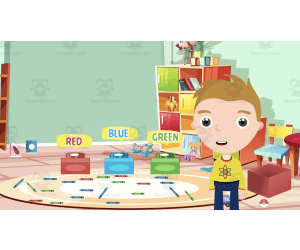
All About Sorting | Animated Math Video Lesson Specially designed teaching tool illuminating the concept of sorting for young students An ideal resource for preschoolers, kindergarteners, and students in grades 1 and 2. Engaging animated math video lesson that explains the process of sorting with relatable examples Helps students learn to sort objects based on attributes like shapes, colors, sizes etc. The colorful visuals ensure a fun learning experience while developing important mathematical skills. A Short but Comprehensive Educational Material The video runs approximately 8 minutes – perfect for introducing or reviewing sorting concepts to young learners with brief attention spans. The content is provided in MP4 format allowing usage across multiple platforms whenever needed. Interactive Learning Experience: Packed with interactive tasks which challenge children to apply what they have learned thereby fostering active participation rather than passive listening. This cultivates effective knowledge retention and builds confidence among learners. Versatile Teaching Aid: This resource allows easy integration into different instructional methods. It's suitable for whole group lessons promoting collective learning or smaller group activities catering personalized needs. animated video effectively breaks down complex quirks into easily digestible bits improving student understanding.
Author Educational Voice
Tags Sorting, Math Video, Preschool, Kindergarten, Interactive Tasks

Fractions for Grade 3
Fractions, Math, Grade 3, Lesson Plans, Teacher Tools, Presentations, Worksheets, Worksheets & Printables
The components of a whole or group of items are represented by fractions. There are two components to a fraction. The numerator is the number at the top of the line. It indicates the number of equal portions picked from the entire collection. The denominator is the number that is below the line. It displays the total number of identical items in a collection or the total number of equal portions into which the whole is divided. The number of pieces we take is a fraction when the total is divided into equal parts. A cake is considered to have 1/8 of the cake on each dish if it is cut into eight equal pieces and one piece is put on each plate. It is read as ‘one-eighth’ or ‘1 by 8’. This ebook is an gradual and easy introduction to fractions. It is designed especially for Grade 3. There re many colourful activities included, and their answers are provided at the end.
Author Bright Classroom Ideas Marketplace
Rating
Tags Fraction, Math, Grade 3

Data Analysis & Probability: Bar Graphs - FLASH-MAC
Math, Statistics, Grade 1, 2, Teacher Tools, Lesson Plans
Data Analysis & Probability: Bar Graphs - FLASH-MAC A comprehensive teaching resource for Grade 1 and Grade 2 Math Statistics. This resource revolves around demystifying bar graphs in Data Analysis and probability through an engaging chapter mini-series. It offers: Pre- assessment segment: Aims to establish students' comprehension levels before the start of detailed lessons. Note-worthy lesson plans: Curriculum-centered content that aids understanding of complex concepts through real-world word problems. Follow-up activities: Include timed drill activities to enhance mathematical agility and understanding by actively challenging students' problem-solving skills. Incorporates games like Memory Match Game, Board Game, and Spinner Game for making learning exciting and memorable while reinforcing mathematical concepts. The teaching tool is also designed for software compatibility, suitable with Mac hardware platforms ensuring user-friendly interfaces across devices. A Note on Bilingual Learning The package is unique because it includes a Spanish voice over along with text option in addition to the default English format, catering to a diverse range of students. Educator Support Tools Techer guide, Returns helpful tips on using educational material effectively supplemented by conveniently provided printables minimizing content preparation efforts. Assessment u/>, An advanced evaluation tool not just measuring outcomes but also providing strategic improvement tips creating a holistical learning environment driven by technology-aided precision. In conclusion, Data Analysis & Probability: Bar Graphs - FLASH-MAC is a dynamic educational aide interlacing instruction, application, and assessment into one comprehensive learning experience.
Author Classroom Complete Press
Tags Software (Mac)

Displaying Data and Probability
Math, Statistics, Grade 5, Teacher Tools, Lesson Plans
Displaying Data and Probability This resource is primarily meant for Grade 5 students studying Statistics as part of their Math curriculum. It contains various activities and lessons, simplified to aid understanding of complex mathematic concepts. Focus areas include: Displaying Data Circle Graphs Bar Graphs Probability About each section: The Displaying Data Section: In this activity -rich section, students are guided on how to efficiently collect, systematically organize, skillfully analyze, and neatly display data. The Circle Graphs Section: A hands-on approach is employed in teaching students how to accurately draw out pie charts using the provided data as well as elucidating the degrees represented by each slice. The Bar Graph Section: The bar graph toolkit encourages logical collection and organization of data into easy-to-understand graphs that include both single bar graphs as well double bar graphs. The Probability Section : This section simplifies probability with relevant vocabulary and varied ways of expression thereby laying a solid foundation into understanding this fundamental mathematics model. The resource also includes an exclusive guide on teaching complicated topics like computing sample space through tree diagrams. Finally delivered in a convenient PDF format suitable for both print outs or digital viewing- The Displaying Data and Probability guide is an all-encompassing methodology that aids educators whether they operate within traditional classroom settings or homeschool their pupils.
Author Classroom Complete Press
Tags PDF
Geometry: 2-D & 3-D Shapes - FLASH-PC
Math, Geometry, Grade 3, 4, 5, Teacher Tools, Lesson Plans
Geometry: 2-D & 3-D Shapes - FLASH-PC This is an advanced educational resource designed for third, fourth and fifth-grade educators that offers in-depth insights into the world of Geometry. The dynamic software aids understanding of both 2-dimensional and 3-dimensional shapes, thus providing a platform for practical application of geometric concepts. Title: Featured Resources: A zip file containing software compatible with PC. An initial assessment setup to gauge students' current knowledge. Carefully structured lesson plans covering all important geometric aspects. Routine tasks engagingly presented as timed drill activities making learning fun and interactive while aiding revisions and practice sessions. Title: Unique Features: The programme comes with a well-drafted teacher guide that gives step-by-step instructions to ensure ease of implementation in various teaching scenarios such as: Apart from conventional lessons, there are interactive educational games such as memory match game, board game, there also included which significantly reinforces the learning process making it more enjoyable than typical traditional methods." Title: Performance Tracking System: The integrated SMART Response assessment system can efficiently track progress offering real-time feedback on either individual student or overall class performance. This feature aids teachers in making immediate beneficial interventions when necessary. Geometry: 2-D & 3-D Shapes - FLASH-PC, thus sets itself apart as a distinctive fusion of technological innovation aimed not just for delivering streamlined mathematical lessons but also ensuring fun-filled learning experiences fostering active engagement among students. It constructs a successful bridge between traditional teaching methods and modern digital platforms with the clear aim – promote effective and enjoyable Geometry learning.
Author Classroom Complete Press
Tags Geometry, 2D Shapes, 3D Shapes, Math Worksheet, Geometry Activity
Math Phonics Addition & Subtraction: Quick Tips and Alternative Techniques for Math Mastery
Math, Addition and Subtraction, Addition, Grade 1, 2, 3, Teacher Tools, Lesson Plans
Math Phonics Addition & Subtraction: Quick Tips and Alternative Techniques for Math Mastery Math Phonics Addition & Subtraction: Quick Tips and Alternative Techniques for Math Mastery offers an innovative approach to teaching mathematics. It is firmly rooted in the understanding that when students view subjects through multiple lenses, their skills are not only honed but solidly cemented. Serving as a refreshing alternative to traditional methods of instruction, the program employs rules, patterns and memory techniques parallel to those in language arts. This unique method encourages children to learn complex math concepts like addition and subtraction with ease and confidence. Specifically Designed Resource For Teachers Instructing Grades 1 Through 3 This instructional resource is tailor-made for teachers instructing students in grades 1 through 3. This indispensable tool contains: Ten comprehensive lesson plans brimming with engaging exercises. The material spans worksheets, take-home pages, evaluation pages alongside various support mediums promoting better understanding of addition and subtraction concepts. Flexible Curriculum Integration The Math Phonics Addition & Subtraction guide can easily slide into your existing curriculum framework without rigid restructuring. The flexibility it provides allows you— To implement its use in a whole group setting for collective learning experiences or break it down into smaller groups advocating peer interaction and personal attention towards each student's needs. You may also assign relevant portions as homework assignments amplifying out-of-class learning opportunities. Digital Accessibility Built-In For Versatile Usage Scenarios The strategic teaching resource has been created considering every educator's versatile teaching style keeping content accessibility at its core; available as a downloadable PDF file to ensure convenient use no matter where you are—the classroom or homeschooling set up. A Perfect Resource for Interactive Math Lessons For educators on the lookout for creative strategies enhancing interactive math lessons—The Math Phonics Addition & Subtraction: Quick Tips and Alternative Techniques for Math Mastery serves as the ideal solution; assuring improved arithmetic proficiency in early learners.
Author Classroom Complete Press
Tags PDF

Geometry - Digital Lesson Plan Gr. 3-5 | PC Software
Math, Geometry, Grade 3, 4, 5, Teacher Tools, Lesson Plans
Geometry - Digital Lesson Plan Gr. 3-5 | PC Software Geometry - Digital Lesson Plan Gr. 3-5 | PC Software is a powerful teaching tool specifically tailored for students in grades 3-5, with special attention to Geometry. With an impressive line-up of over 230 activities spread across over 80 interactive screen pages , it offers a comprehensive mathematical program that meets the standards of both the NCTM and various State Curriculum Math. A Balanced Blend of Learning Resources The software gives learners an immersive learning experience thanks to its balanced combination of task and drill activities. Prior knowledge checks help to ensure learners are ready for more complex topics, enhancing comprehension abilities effectively. Puts Learning Into Practical Contexts To make lessons relatable, real-life situations form the basis of word problems within this resource—further emphasizing Geometry's importance and applicability beyond scholastic borders. An ample set of around 150 drill problems provide rigorous practice—crucial in mastering procedural skills and perfecting subject understanding. Inclusion of both imperial and metric tools conducive helps learners pivot easily across multiple scales in mathematics teaching. Diverse classroom settings are catered for with English or Spanish text-to-speech options included within this product—the universal embrace truly adding a unique level noiseless inclusivity to learning scenarios where English may not be every pupil's primary language. Supplementary printables allow instructors to blend online instruction with traditional paper-based assignments—enabling flexibility depending on specific classroom needs or preferences upon individual learner styles. Packed With Fun Add-ons & Effective Assessment Structures Apart from learning, fun is embedded into the process with games such as memory match and board games. There's a variety of test preparation tools included to ensure learners are well prepared for any challenge that arises. Post-learning assessments neatly knit together each module—providing teachers with a constructive means to monitor progress effectively. Easy To Download & Use The Geometry - Digital Lesson Plan Gr. 3-5 | PC Software comes nicely packaged in a zip file—notably ready for use immediately within PC environments. An Asset For All Educators Whether you're an educator at a public school sculpting your lesson plans or homeschooler seeking comprehensive, simple-to-use instructional tools for teaching Math—this resource presents itself as an excellent journey through Geometry for kids in grades 3-5. This treasure may be exploited either as a complementary resource or standalone tool tailored towards targeted learning outcomes. It's sincerely, a consistent asset when targeting students' confident commands over Geometry.
Author Classroom Complete Press
Tags Digital Math Lesson, Math Lesson Plan, Geometry Lesson, Digital Geometry, Digital Games

Data Analysis & Probability: Circle Graphs - Practice the Skill 3 - FLASH-MAC
Math, Statistics, Common Core, Grade 1, 2, Teacher Tools, Lesson Plans
Educators recognize the significance of teaching data analysis and probability to their students. The "Data Analysis & Probability: Circle Graphs - Practice the Skill 3 - FLASH-MAC" is a perfectly designed teaching resource for public school teachers or homeschooling parents who want to provide solid grounding in these essential topics for their first or second-grade students. This product has been precisely tailored to enhance learning outcomes. It focuses particularly on Mathematics and Statistics. The package features timed drill activities that encourage active engagement and comprehension proficiency over circle graphs. The interactive approach utilized encourages learners to answer questions based on various presented circle graphs. A standout feature of this unique resource would be its bilingual support – it comes with both English and Spanish voice overs plus text options making it more inclusive. The digital tool seamlessly integrates into different instructional formats – large classroom discussions, small study group exercises, or even as independent assignments at home. This versatile offering allows educators enormous flexibility while planning their lessons. Moreover, this Mac-compatible software-based lesson plan aligns indelibly with high educational standards such as the Common Core State Standards (CCSS) and guidelines stipulated by National Council Of Teachers Of Mathematics (NCTM). In essence, 'Data Analysis & Probability: Circle Graphs – Practice The Skill 3- Flash MAC' can augment educators' capacities involved in simplifying complex mathematical sessions involving data analysis & probability based circle graphs concepts for young scholars learning them for the first time or seeking additional practice.
Author Classroom Complete Press
Tags Software (Mac)

Grade 6 Math Volume 2
Math, Fractions, Grade 6, Teacher Tools, Lesson Plans
Grade 6 Math Volume 2 Whether you're an experienced educator or a homeschooling parent, the Grade 6 Math Volume 2 is an indispensable teaching resource that fits seamlessly into any sixth grade mathematical curriculum . This comprehensive workbook comes packed with valuable content spanning over a highly detailed, and well-curated selection of various math skills & concepts – all summed up in the space of thirty-one information-rich pages. Penciling down fractions or exploring the captivating world of mixed numbers has never been more engaging. Addition and subtraction of fractions (with unlike denominators) Addition and subtraction of mixed numbers (with unlike denominators) Multiplication of mixed numbers Division of fractions & mixed numbers In every classroom setting; whether whole group instruction or small student groups, Grade 6 Math Volume 2 will prove useful. Teachers can utilize each packed page to explain complex concepts or reinforce fundamental skills depending on where their teaching expedition leads them. The packets with just one-or-two question themes are especially handy for quick informal assessments! All you need is just one convenient PDF file ready for instant printing – providing your students immediate access to quality educational contents deserving A-grade attention! Description: Subjects Covered:Mathematics Special Focus:Fractions Intended Users:Educators at any level, Homeschoolers File Format:PDF. Materials Provided:Lesson Plans Grade Level Appropriateness: Grade 6
Author Classroom Complete Press
Tags Fractions Worksheet, Mixed Numbers, Dividing Fractions, Unlike Denominators, Math Activity
Geometry: Polygons - Practice the Skill 3 - FLASH-MAC
Math, Geometry, Common Core, Grade 3, 4, 5, Teacher Tools, Lesson Plans
Geometry: Polygons - Practice the Skill 3 - FLASH-MAC Geometry: Polygons - Practice the Skill 3 - FLASH-MAC is a comprehensive educational tool aimed at educators, spanning both public schools and homeschooling. It focuses on enabling a comprehensive understanding of Polygons in Geometry, crafting lessons primarily for Grade 3 through Grade 5 students. This mini-chapter buttresses curriculum-related content using engaging and timed drill activities. Focused Learning & Interaction Focused on mastering learning, this activity encourages students to differentiate between simple and complex polygons. The interactive module motivates learner engagement across diverse cognitive abilities or learning styles. Incorporating math tools to equip learners with resources necessary for success in these exercises. Bilingual Compatibility & Seamless Interface A unique component making this resource stand out from traditional teaching tools is its bilingual compatibility. In addition to English, it offers Spanish voice-over options alongside corresponding textual alternatives. This makes it conducive to not just native English speakers or monolingual classrooms but also multilingual learners. The FLASH-MAC variant compatible with MAC systems allows for smooth cross-platform implementation without technical issues resonating with today's digital literacy needs in education. Alignment with Standards & Versatility This didactic tool aligns perfectly not only with the Common Core State Standards but also supports STEM initiatives by incorporating practical applications of mathematical skills contextually into real-world scenarios. Furthermore, it conveniently aligns with the NCTM recommendations ensuring our teaching aids maintain their relevance amidst fluctuating educational standards. This resource can seamlessly weave into standard classroom instruction whether used group-wide during regular lessons or even smaller groups where focused remedial or extension activities can be implemented effectively. This makes it an excellent choice for independent learning enhancement - our materials provide flexible solutions, custom designed for every scenario. Accessibility & Efficient Design Included as a software file, Geometry: Polygons - Practice the Skill 3 - FLASH-MAC is user-friendly and resolves common concerns about storage requirements typical with physical resources. This ensures engaging math instruction remains accessible right at your fingertips!
Author Classroom Complete Press
Tags Software (Mac)
Number & Operations: Rational Numbers - FLASH-PC
Math, Statistics, Grade 6, 7, 8, Teacher Tools, Lesson Plans
Number & Operations: Rational Numbers - FLASH-PC An educational software that cultivates and develops students' insights on rational numbers within the subject area of Number and Operations. With this tool, grade 6 to 8 students studying Math will find mastery a smaller challenge, particularly in Statistics. This resource offers curriculum-aligned content in an inclusive yet concise manner. It features: Pre- assessment segment: Allows teachers to gauge students’ pre-existing understanding of the topic thereby allowing personalised instruction based on individual learning needs. Detailed lesson plan: Assists educators in providing comprehensive tuition. Real-world word problems: Gives chances for students to implement theoretical knowledge into practicable scenarios; initiative aimed at significantly enhancing problem-solving techniques. Timed drill activities: Further augment mathematical competency while fostering speed and accuracy during assessments or examinations. Instructor-friendly tools are also provided such as an orderly teacher guide with printable materials available for supplementary practice or home use. The exciting aspects of technology are leveraged to further engage pupils via fun resources including memory match games, board games, and spinner games with educational benefits. Assessments can be conveniently conducted through SMART Response elements embedded in the software—a reliable way intended for closely tracking student progress throughout their encounter with rational numbers under Number & Operation studies. Considerably notable—it includes English text delivery by default but also accommodates Spanish-speaking learners through its Spanish vocal delivery option–an addition made intending inclusivity without compromising content quality. The software can be used as a whole class resource; but its pivot sections allow it useful for smaller group work or individual practices. The product is ready to assist both educators and students in mastering rational numbers' comprehension and operations.
Author Classroom Complete Press
Tags Software (PC)
Number & Operations: Base-Ten & Place Value - FLASH-MAC
Math, Statistics, Grade 3, 4, 5, Teacher Tools, Lesson Plans
The Number & Operations: Base-Ten & Place Value - FLASH-MAC An invaluable teaching resource designed for educators, focusing on base-ten system and place value comprehension. Intended primarily for third to fifth-grade students but versatile enough to be used with different age groups. Inclusions: Pre- assessment Tool: Assess students' understanding before introducing new topics. Faculty Guide: Ensures easy navigation and effective application of the resources within this package. Critical Thinking Exercises: Word problems that encourage the use of mathematical concepts in real-life scenarios. Includes timed drill activities to reinforce regular practice and time management skills. Educational Games: A variety of memory matches, board games, and spinner games promote active learning while reinforcing understanding of place-value concepts. Digital vs Printable Resources This product can be deployed digitally or as printable worksheets. Text in English comes with voice-over by default; however, Spanish voice-over and text transition are also available upon request — a valuable asset for bilingual classrooms or home schools catering to Spanish-speaking learners. Note: This teaching tool is fully compatible with Mac systems. In summation, take advantage of FLASH-MAC's dynamic resources that match innovation with curriculum-based content—offering a streamlined learning experience from both teachers’ standpoint while fostering deeper understanding among students when dealing with core aspects like numbers operation!
Author Classroom Complete Press
Tags Software (Mac)
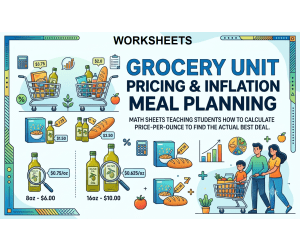
Grocery Unit Pricing & Inflation Meal Planning
Math, Addition and Subtraction, Addition, Subtraction, Early Math, Numbers, Place Value, Measurements, Money, Statistics, Grade 6, 7, 8, 9, 10, 11, 12, Worksheets & Printables, Workbooks, Worksheets, Word Searches, Teacher Tools, Lesson Plans, Quizzes and Tests, Quizzes, Tests, Assessments
Are you bored of hearing "When am I going to use this?" in your math class? Here is a realistic math project that should help! It will change the grocery store into a fun, practical laboratory and give your students the skills needed in their lives. The mini-unit "Grocery Unit Pricing & Inflation Meal Planning" is a complete, no-prep resource to keep students engaged, excited, and working with their math skills. Students won't be sitting in the class just learning theoretical division and percentage problems. They will become smart consumers that will learn to recognize marketing tricks, be aware of inflation, and take quality financial decisions. The 10 worksheets along with clear guides will help students learn how to calculate unit prices and find better prices. WHAT'S INSIDE (47-PAGE FILE): Section One: The Economics of the Aisle (11 pages) An in-depth theoretical resource for educators (or highly skilled undergraduate pupils) on the fundamentals of unit pricing, shelf placement psychology, concepts such as the "Bulk Buying Fallacy" and other inflation-related phenomena, as well as the concept of shrinkflation, which refers to the price increase of a product in real terms. Section Two: Student Workbook (17 pages) 10 Different Worksheets: A carefully designed experience from basic math concepts to intricate and multi-step calculations Worksheet 1: The Fundamentals of Unit Pricing Worksheet 2: Buying Issues in Bulk (Does Bigger Always Mean Better?) Worksheet 3: The "Sale" Falsehood (Finding the True Discount) Worksheet 4: Becoming a Shrinkflation Detective Worksheet 5: Comparing Price Tag Direct and Private Labels Worksheet 6: Measuring Liquid and Estimate the Cost Worksheet 7: Calculation of Fruits and Vegetables Prices Worksheet 8: Including Household Wastage (The True Bulk Cost) Worksheet 9: Meal Planning with an Increased Budget Worksheet 10: Grocery Store Challenge (The Final Workbook Health Check) Content of Part 3: Visual Education Material & Teachers’ Assistance Resources (19 pages) Essential Visuals: Three professionally designed diagrams for printing (Anatomy of a Price Tag, Unit Price Decision Tree, and Shrinkflation Explained) ideal for classroom posters and students’ materials. Thorough Answer Key: In-depth explanation of solutions for all 10 worksheets. Teacher Implementation Guide: A must-read guide comprising: Suggestions on how to motivate students to study. Information on how to deal with the most common mistakes students make. Sample 5-day period of implementation. Information about how to modify the lessons for both students who require more time to master the material and pupils who get the topic. Reasons why Parents/Schools are Attracted to It: The math lesson comes to life, removing doubts about any potential usefulness. Math has been connected to real life – children experience first-hand how maths-related skills are employed in stores. Raising financial literacy is also hard to underestimate. For example, students get to develop certain life skills relevant to future everyday life, such as budgeting and recognizing economic processes. The unit contains all the necessary resources for teachers, leaving no effort to them. The unit includes a teacher's guide, plenty of tips for differentiation, and an answer key. Relevant and exciting content. The idea of “outsmarting the advertisers” and becoming a “shrinkflation detective” is inspiring for kids, awakening their interest in the topic. No mundane tasks; tasks require analytical thinking and drawing conclusions based on the data/figure. Intended Student Groups: Because of its use of math concepts (decimal division, rounding to thousandths, percent of increase/decrease, multiple operations), this PDF can be successfully implemented in the following classes: Primary Audience: Middle school students (grades 6-8). The content will completely meet the curriculum standards regarding decimal systems, ratios, proportions and percentages. Academic Programs for the Secondary Audience: High school classes on Life Skills/Consumer Mathematics; this is a great hands-on unit for older students who are studying budgeting and independent life. High school classes on Financial Literacy; this is an introductory unit on economics. Advanced students in grade 5; this material can serve as an extension or be utilized in talented and gifted programs. Co-ops for Homeschoolers; this is a useful real-life project easily adaptable to multi-ages. Copyright/Conditions of Use: Copyright of this book is owned by Syed Hammad Rizvi. This resource is intended for one person and single use in one classroom. There is no modification, reproduction or selling of this resource. Put simply, it cannot be uploaded on the internet where it can be publicly accessed and downloaded. If you need to share this resource with your colleagues, please acquire more licenses from Teachsimple. Thank you for complying with our terms of use. This product is proudly presented to you by Syed Hammad Rizvi
Author Creative Book Store
Rating
Tags RealWorldMath, FinancialLiteracy, ConsumerMath, MiddleSchoolMath, UnitPrice, ProjectBasedLearning, MathProject, 7thGradeMath, 8thGradeMath, LifeSkills