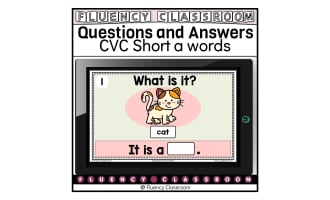
No-print Digita Task Cards Information PDF

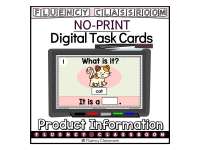
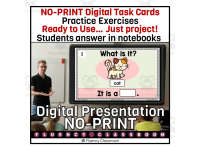


About This Product
No-print Digital Task Cards Projectable Practice Exercises where students use their pencils and notebooks to write their answers.
A ready-to-use educational resource that requires no printing, no photocopies, no ink, and no preparation time. Just project or share it, and you’re ready to go!
This PDF FREE DOWNLOAD includes a detailed description of my new product line of no-print digital task cards projectable practice exercises.
IMPORTANT: This is NOT a digital resource. It is only a PDF file containing information about the No-print Digital Task Cards. Download to learn more details.
The No-print Digital Task Cards Projectable Practice Exercises product line is designed to support teachers who need resources that:
Provide additional practice exercises.
Allow students to work independently or in groups.
Require no printing.
Require no internet connection.
Allow students to record their answers in their notebooks.
Include answer keys for independent checking and self-assessment.
Are presented as digital static slides/task cards (1 item each slide)
Use an easy-to-open, user-friendly, file format (PDF).
Are easy to project or share with students.
Can be used year after year, regardless of changes to curriculum standards or educational programs.
FILE FORMAT
No-print PDF Projectable Non-interactive (Static Slides)
NO INTERNET CONNECTION REQUIRED
Easy to project using a projector, interactive whiteboard, desktop computer, laptop, tablet, smartphone, or Smart TV.
WHAT’S INCLUDED
1 slide with general use instructions and example.
1 slide with “I can statement” and specific exercise instructions.
10-30 practice exercises (1 per slide)
1 slide ANSWER KEY at the end of the presentation for SELF-CHECKING.
1 slide SELF-ASSESSMENT so students can reflect on their work.
HOW TO USE
1. Project the file or share it with students.
2. Have students use their pencils and notebooks to record their answers. That’s it!
PERFECT FOR
Review and reinforcement
Guided practice
Diagnostic assessment
Independent work
Morning work
Early Finishers
Distance or online learning
Homework assignments
Classroom activities
Learning centers
Whole-class instruction
Small-group instruction
TEACHER BENEFITS
Everything you need for independent review or reinforcement practice in one file, ready to project.
Saves time and money.
No printing or photocopying required.
Students record their answers in their notebooks.
Easy to use.
Easy to project using a projector, interactive whiteboard, desktop computer, laptop, tablet, smartphone, or Smart TV.
Easy to share with students via email, Google Classroom, WhatsApp, or other communication method permitted by your school.
Gives students opportunities to practice higher-order thinking skills.
Can be used for guided practice with the whole class, small group, or individual students.
STUDENT BENEFITS
Easy-to-follow instructions
Students work independently or with minimal guidance from teachers or family members.
Engaging, student-friendly design.
Helps maintain student interest and motivation.
Develops fine motor skills as students use pencils and notebooks to write and show their answers.
Provides an easy and enjoyable way to practice higher-order thinking skills.
SUGGESTED USES
Complete the activity as a whole class the first time you introduce the resource.
Choose one student to manage the slides. This student can advance the slides for the entire class while the teacher provides individual support to students who need it.
Use the activity for guided practice.
Use the activity as a diagnostic assessment.
Students who finish a slide early can draw the picture shown on each slide in their notebooks. This keeps them engaged and working quietly while the rest of the class finishes.
A ready-to-use educational resource that requires no printing, no photocopies, no ink, and no preparation time. Just project or share it, and you’re ready to go!
Please FOLLOW, REVIEW, and SHARE with other teachers that might benefit from these resources.
FIND MORE FLUENCY CLASSROOM RESOURCES HERE
Download the No-print Digital Task Cards Projectable Practice Exercises Information PDF FREE for more details.
Resource Tags
0 Reviews
Check out these other great products