search
user.png
vertical menu

Stone Texture Photoshop Activity

Stone Texture Photoshop Activity preview
Stone Texture Photoshop Activity preview 2
Stone Texture Photoshop Activity preview 3

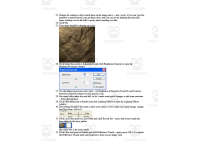
Look Inside · 8 pages

Stone texture lesson steps 1–4: create a 500-by-500-pixel Photoshop file and set foreground and background colors
Lesson opening and file setup, steps 1–4
Stone texture lesson steps 5–7: apply Clouds, then Add Noise at 3% with Gaussian and Monochromatic selected
Base texture filters, steps 5–7
Stone texture lesson steps 8–16: create an alpha channel, apply Difference Clouds and noise, and fade noise to 50%
Texture channel creation, steps 8–16
Stone texture lesson steps 17–22: name the channel Stone Map, duplicate the layer, and open Lighting Effects
Stone Map and lighting setup, steps 17–22
Stone texture lesson steps 23–32: adjust lighting, brightness, contrast, and gloss, then add a cloud layer mask
Surface lighting and mask adjustments, steps 23–32
Stone texture lesson steps 33–38: apply Auto Levels, add an Overlay layer, and choose a 9-pixel Hard Round brush
Texture finishing and name setup, steps 33–38
Stone texture lesson steps 39–42: draw a name, apply Inner Shadow in Layer Style, and save the file as stone
Carved name effect and saving, steps 39–42
Stone texture lesson final example shows a carved name and suggests uses in websites, newsletters, and 3D scenes
Finished example and suggested uses after step 42
Attributes
Grades

Grade 7, 8, 9, 10

Types

Activities

Editable
Yes
Author
OK Products
Rating
Add To Collection
Add to collection Add to collection

About This Product

Students will work with digital tools in the Stone Texture Photoshop Activity.

Students will create a stone surface from scratch.

Step by step directions are included.

What's Included

1 Word doc

0 Reviews

Explore related searches
you may also like...

Check out these other great products